What is an acceptable bounce rate threshold and how does it affect sender reputation?

Updated on 27 Jul 2026: We tightened the bounce thresholds, clarified how to measure failures, and added a controlled recovery process after a spike.
An acceptable bounce rate threshold is under 2% total bounces for normal email programs. For hard bounces, I want the rate under 1%, and I suppress confirmed invalid addresses after the first clear hard bounce. A first send to newly collected addresses has more uncertainty, but 2% remains the operating ceiling. If non-existent address failures approach 4%, I stop the segment rather than treating that rate as acceptable. On repeat sends, non-existent address failures should be below 1%.
The short version is that both percentage and volume matter. Percentage tells mailbox providers how clean your list is. Volume tells them how much bad mail you are trying to push into their systems. A 20% bounce rate on 1,000 contacts is a data-quality problem that can be fixed before much damage is done. A 5% bounce rate on 1,000,000 contacts is a much louder signal because every twentieth address is failing at scale.
Bounce rate affects sender reputation because repeated delivery attempts to invalid or disabled mailboxes, along with persistent retries after over-quota or policy rejections, tell receivers that the sender is not managing consent, list hygiene, suppression, or acquisition sources well. Bounces are not the only reputation signal, but they are one of the fastest ways to show that a sending program has weak controls.
Bounce rate threshold bands
Use these bands for normal marketing and lifecycle mail, then tighten them for high-volume or sensitive domains.
Healthy
<2%
Normal sends with clean data and stable suppression logic.
Investigate
2% to below 5%
A visible data-quality issue, especially if hard bounces are rising.
High risk
5%+
Stop the source, isolate the segment, and fix suppression before scaling.
The threshold I use
I treat 2% total bounces as the practical ceiling, not the goal. If a sender is consistently below 2%, it usually means the collection process, validation, and suppression rules are working. It does not prove that subscribers gave meaningful permission or that the mail is wanted, but it does show the address data is not obviously broken.
The better target depends on the type of send. A first campaign to a newly collected list has more uncertainty, so I separate it from established recurring mail without giving it a higher acceptable target. After the first send, there should be very few unknown users left. If the same source keeps producing hard bounces, the acquisition source is the problem, not the suppression rule.
|
|
|
|---|---|---|
Normal campaign | <2% | Monitor trend |
Hard bounces | <1% | Suppress fast |
First send | <2%; stop near 4% | Review source |
Repeat send | <1% | Fix process |
Any spike | 2x normal | Pause segment |
Practical bounce thresholds for common send types.
Do not average away a real problem
A low account-wide bounce rate can hide one bad import, one bad partner feed, or one failing recipient domain. I always split bounce rate by source, campaign, recipient domain, hard bounce reason, and send age. The dangerous signal is often concentrated in one slice.
Why reputation changes
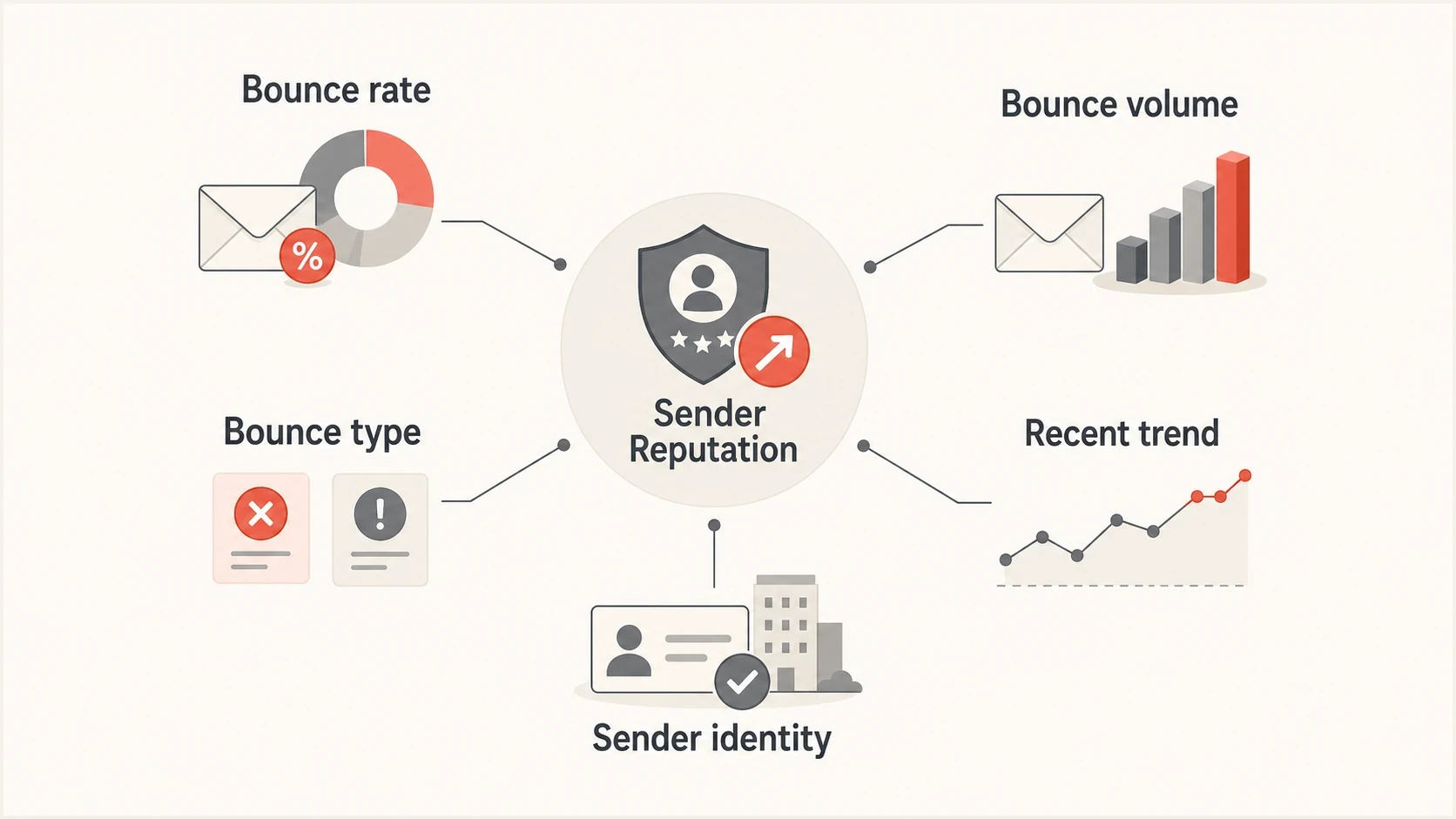
Bounce rate, volume, type, trend, and sender identity signals that affect sender reputation.
Mailbox providers do not all score or report bounces the same way. Some signals are ratio-based, some are volume-based, and the reporting window differs by provider and sending platform. That is why a sudden bounce spike can hurt even if your month-to-date number still looks acceptable.
Reputation attribution also depends on where the rejection happens. If a receiver rejects during the recipient step, it often sees the connecting IP, the EHLO value, and the envelope sender domain. If it accepts more of the message before rejecting, it can connect the failure to visible domains, URLs, and the message content. That means bounces can affect IP reputation, domain reputation, or both.
Percentage tells quality
- List health: A high rate means a high share of addresses should not be mailed.
- Source quality: Bad forms, purchased lists, old imports, and weak partner data show up quickly.
- Compliance risk: A 5% rate means every twentieth contact is failing.
Volume tells scale
- Receiver load: More bad attempts consume more receiver resources.
- Risk speed: A high-volume spike can trigger filtering before reports catch up.
- Block risk: Repeated bad traffic can lead to blocks and blocklist (blacklist) placement.
The fix is not to debate whether rate or count matters more. I use both. Rate decides whether the list source is acceptable. Count decides how quickly I need to pause, isolate, or throttle the traffic.
Hard, soft, and deferred bounces
Hard bounces and soft bounces need separate thresholds because they mean different things. A hard bounce usually means the address, domain, or recipient route is permanently invalid. A soft bounce usually means the message failed temporarily because of a full mailbox, recipient-server outage, message-size limit, temporary DNS problem, rate limit, or policy delay.
The catch is that email platforms do not define these categories consistently. One platform might call a mailbox-full response a soft bounce forever. Another might convert it into a permanent suppression after repeated failures. A 4xx reply normally means temporary failure and a 5xx reply normally means permanent failure, but the enhanced status code and response text still determine the cause.
Common SMTP bounce examples
550 5.1.1 User unknown
550 5.2.1 Mailbox disabled
452 4.2.2 Mailbox full
421 4.7.0 Temporary rate limit
554 5.7.1 Message rejected by policy
- Hard bounces: Suppress confirmed invalid recipients after one clear permanent failure.
- Soft bounces: Retry with limits, then suppress if the same mailbox keeps failing.
- Deferrals: Watch the receiver and reason before deciding the address is bad.
- Policy blocks: Treat these as deliverability incidents, not list hygiene alone.
I am stricter with hard bounces than soft bounces. If a mailbox is invalid, continuing to send to it is hard to justify. If the mailbox is full or the receiver is temporarily deferring mail, I look at repetition, age, and engagement before suppressing. A recipient who has not opened or clicked in a long time and has five repeated mailbox-full failures is not worth continuing to retry.
How to measure bounce rate
The basic formula is simple, but the denominator matters. I calculate bounce rate against messages actually handed to the delivery system, not total contacts in a database, and I exclude pre-send suppressions because no delivery was attempted. The numerator and denominator must use the same counting unit. Then I keep separate rates for total bounces, hard bounces, soft bounces, and policy failures.
Bounce rate formula
bounce rate = bounced messages / attempted deliveries * 100
hard bounce rate = hard bounces / attempted deliveries * 100
Check what each dashboard counts before comparing rates. Some sending platforms use only permanent recipient failures for account-level bounce metrics, while others show temporary and policy failures in the total. Record the definition beside the metric so a reporting change does not look like a deliverability change.
I also avoid mixing very different streams. Transactional mail, marketing campaigns, sales outreach, abandoned-cart emails, and reactivation campaigns have different baseline risks. If they share a domain or IP, one stream can still harm the others, but the diagnosis should stay separate.
Email tester
Send a real email to this address. Suped shows a results button when the test is ready.
?/43tests passed
When a bounce spike appears, I send a real message through an email tester to inspect headers, authentication, and obvious content issues. A bounce problem often arrives with other symptoms, including SPF failures, DKIM domain mismatch, or new blocklist (blacklist) listings.
A broad domain health check helps connect bounce data with authentication and DNS configuration. That matters because a rejection reported as a bounce might be caused by authentication, routing, or policy, not a bad address.
What to do when it rises
When bounce rate reaches 2%, I do not wait for a full week of data. I break the send apart and find the source. The right response is usually a segmentation fix, a suppression fix, or an acquisition fix.
- Pause risky sources: Stop sending to the newest import, partner list, or reactivation pool first.
- Suppress hard bounces: Remove confirmed invalid recipients immediately, regardless of platform defaults.
- Split by receiver: Check whether the spike is concentrated at one mailbox provider.
- Read bounce text: Separate user-unknown, mailbox-full, rate-limit, size, and policy failures.
- Fix collection: Add real-time syntax and domain checks, use double opt-in where appropriate, report by source, and never mail purchased lists.
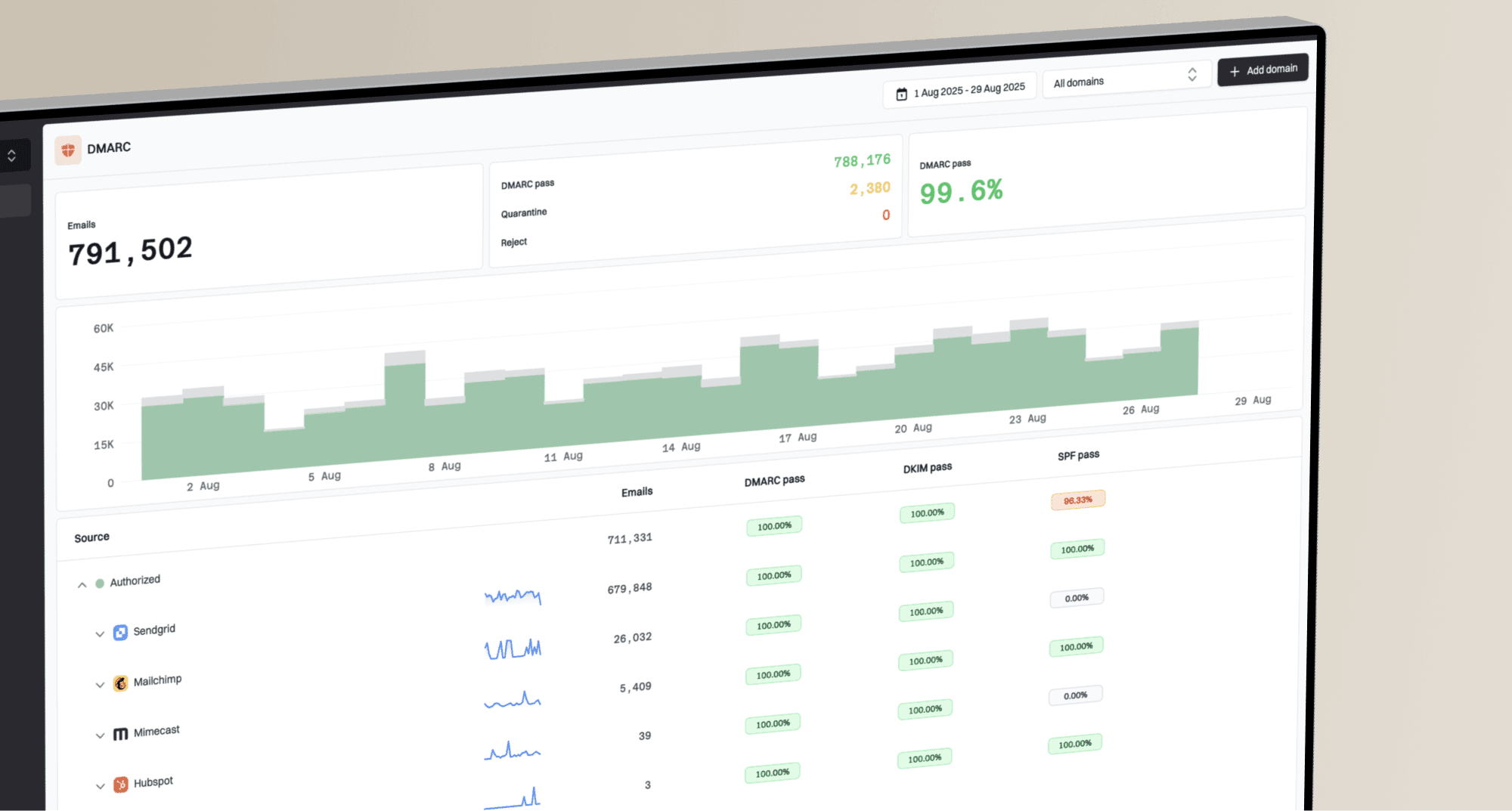
Issues page showing top issues, verified sources, unverified sources, and authentication pass rates
Suped is our DMARC and email authentication platform. It helps teams correlate DMARC, SPF, DKIM, MTA-STS, blocklist (blacklist) alerts, and issue detection while they investigate whether a bounce spike comes from authentication, policy rejection, or reputation. Recipient-level bounce processing and suppression should remain in the sending platform.
For ongoing protection, DMARC monitoring shows whether legitimate mail is authenticating while suspicious traffic is being rejected or quarantined. Blocklist monitoring is also worth pairing with bounce tracking because a blocklist or blacklist event can appear as a sudden delivery failure.
A simple operating rule
If total bounces reach 2%, investigate. If hard bounces approach 1%, isolate the source. If non-existent-address failures on a first send approach 4%, stop that segment. If any segment reaches 5% total bounces, stop it until the cause is known. If a repeat send still has non-existent users above 1%, the suppression process is failing.
How to recover after a bounce spike
Recovery starts after the cause is removed, not after a fixed waiting period. Mailbox providers do not publish one universal reputation reset timer. Resume only after suppression and acquisition fixes are live, then start with engaged, recently confirmed recipients so the next traffic shows normal delivery behavior.
- Confirm the fix: Verify that the bad import, form, sync, or routing issue cannot add the same addresses again.
- Restart narrowly: Send one established stream to recently engaged recipients at a lower, steady volume.
- Watch by receiver: Compare hard failures, deferrals, policy rejections, and delivered volume at each major recipient domain.
- Expand gradually: Add segments and volume only while bounce rate stays near normal and rejection patterns do not return.
- Keep suppression global: Apply hard-bounce suppression across every campaign and sending system that uses the same sender identity.
Authentication does not erase a poor bounce history, but SPF, DKIM, and DMARC still need to pass while reputation rebuilds. If errors are concentrated at one receiver, follow that receiver's SMTP response instead of changing every stream. There is no guaranteed recovery timetable because severity, volume, sender identity, and subsequent traffic all affect it.
Views from the trenches
Best practices
Keep total bounces under 2% and investigate any hard bounce rate near 1% quickly.
Suppress clear hard bounces after one event, then review the source that collected them.
Separate first-send quality checks from repeat-send checks because the risk differs by list.
Track recipient domain patterns daily, not just a single account-wide bounce percentage.
Common pitfalls
Treating all 5xx replies as equal hides user-unknown, policy, and content problems.
Letting an ESP retry known hard bounces keeps damaging signals in the mailstream.
Judging a small test only by percentage can exaggerate the practical reputation impact.
Ignoring soft bounce reasons turns full inboxes and temporary deferrals into blind retries.
Expert tips
Use a stricter threshold after the first campaign because known bad addresses are gone.
Watch the Return-Path domain because some receivers attach bounce signals there.
Investigate sudden provider-specific spikes before changing global suppression rules.
Pair bounce tracking with authentication and blocklist data to avoid false conclusions.
Expert from Email Geeks says non-existent users are a permission and suppression signal, so repeat sends should have very few of them.
2022-12-02 - Email Geeks
Marketer from Email Geeks says percentage is the better compliance signal because 5% means every twentieth address is bad at any list size.
2022-12-02 - Email Geeks
A practical line to hold
The acceptable bounce rate threshold is under 2% total bounces, with hard bounces under 1%. A first send to new data should also target under 2%; if non-existent-address failures approach 4%, stop the segment rather than treating that result as acceptable. Repeat sends should keep non-existent-address failures below 1%. Anything above 5% total bounces is a serious sender reputation risk unless it is a tiny test that you stop and fix immediately.
The reputation impact comes from the signal behind the bounce: bad addresses, weak permission, stale data, poor suppression, receiver-specific blocking, or authentication problems. The fastest route back to stable delivery is to stop bad sources, suppress invalid addresses, separate hard and soft failures, and monitor authentication and reputation signals in the same workflow.
Suped fits that workflow when a team wants one place to monitor DMARC, SPF, DKIM, blocklist (blacklist) status, hosted records, and alerts while recipient-level bounce handling stays in the sending platform.