What email volume is required to see data in Google Postmaster Tools?

Matthew Whittaker
Co-founder & CTO, Suped
Published 19 Apr 2025
Updated 15 May 2026
9 min read
Summarize with
The practical answer is that Google Postmaster Tools needs enough daily email to personal Gmail accounts, not a neat monthly total. A sender usually starts seeing some data once it sends over 100 Gmail-recipient messages on active days, but the data becomes much more reliable at a few hundred per day. Domain reputation and IP reputation data often need higher daily volume, commonly in the low thousands, before the charts stop looking patchy.
A monthly total of 4,000-5,000 messages can show up if most of those messages go to personal Gmail users, the mail is DKIM signed with the same visible sending domain, and the sends are concentrated enough on active days. If that same volume is spread thinly across a whole month, or only a minority goes to Gmail, I expect blank days and missing panels.
- Technical floor: Over 100 Gmail-recipient messages per active day can be enough for some data.
- Practical floor: A few hundred per active day is a better planning number.
- Reliable floor: Low thousands per active day usually makes reputation panels more useful.
- Compliance trigger: About 5,000 messages to personal Gmail accounts in 24 hours makes you a Gmail bulk sender.
The practical volume threshold
Google does not publish one fixed monthly number for every Postmaster Tools dashboard. The privacy rule is simple: when Gmail-recipient volume is low, Google withholds or suppresses data so individual user behavior cannot be inferred. That is why one sender sees a chart at 150 messages per day and another sender sees no domain reputation at 800 messages per day.
The official Postmaster Tools FAQ explains Gmail sender requirements and Postmaster diagnostics, but it does not promise that every sender above a specific monthly count gets every dashboard. I plan around daily Gmail-recipient volume because that is how the missing-data pattern behaves in practice.
Postmaster Tools visibility by Gmail daily volume
These are practical planning bands for personal Gmail recipients on active send days.
Usually blank
0-99/day
Too little signal for most dashboards.
Patchy
100-299/day
Some authentication or spam data can appear.
Useful
300-999/day
More days populate, but reputation can still be sparse.
More reliable
1,000+/day
Reputation and error data become easier to interpret.
Bulk sender
5,000/day
Gmail bulk sender requirements apply.
|
|
|
|---|---|---|
Under 100/day | Usually no data | Privacy suppression |
100-299/day | Patchy panels | Not every day |
300-999/day | Usable trends | Reputation gaps |
1,000+/day | Cleaner trends | Still not real time |
5,000/day | Bulk status | Compliance rules |
Practical Gmail-recipient volume ranges and what I expect to see.
Do not confuse the 5,000-message Gmail bulk sender threshold with the minimum data threshold. The 5,000 number triggers Gmail bulk sender requirements. Postmaster Tools data can appear below that level, but it is less complete and less consistent.
Why monthly volume misleads
Monthly volume hides the two variables that matter most: how many messages went to personal Gmail accounts and how many landed on the same active send day. Google Postmaster Tools is not trying to report your total email program. It reports Google's view of your mail to personal Gmail users, and it skips or suppresses low-signal days.
Take 5,000 messages in a month. If 4,500 went to personal Gmail addresses over five campaign days, you have roughly 900 Gmail-recipient messages per active day. That has a decent chance of showing useful signals. If 1,500 went to personal Gmail addresses across 30 days, that is only 50 Gmail-recipient messages per day. I would expect little or no data.
A monthly view
- Total count: Looks healthy when the month shows 4,000-5,000 sends.
- Hidden split: Combines Gmail, Workspace, corporate, and consumer mailbox traffic.
- Weak signal: Cannot tell whether any one day had enough Gmail-recipient volume.
A daily Gmail view
- Useful count: Tracks only personal Gmail-recipient sends per active day.
- Cleaner split: Separates Google-visible volume from the rest of the program.
- Better signal: Shows whether each send day has enough volume for dashboard data.
This is also why no-send days look blank. If you do not send to Gmail on a given day, there is no daily signal for Google to show. If you send a very small amount, Google can suppress that day for privacy.
What Google counts
The first filter is recipient type. Postmaster Tools data applies to mail sent to personal Gmail accounts, mainly addresses ending in gmail.com or googlemail.com. Google Workspace recipients at company domains are not the same reporting population. A B2B sender can have high total volume and still have too little personal Gmail volume for Postmaster Tools to populate.
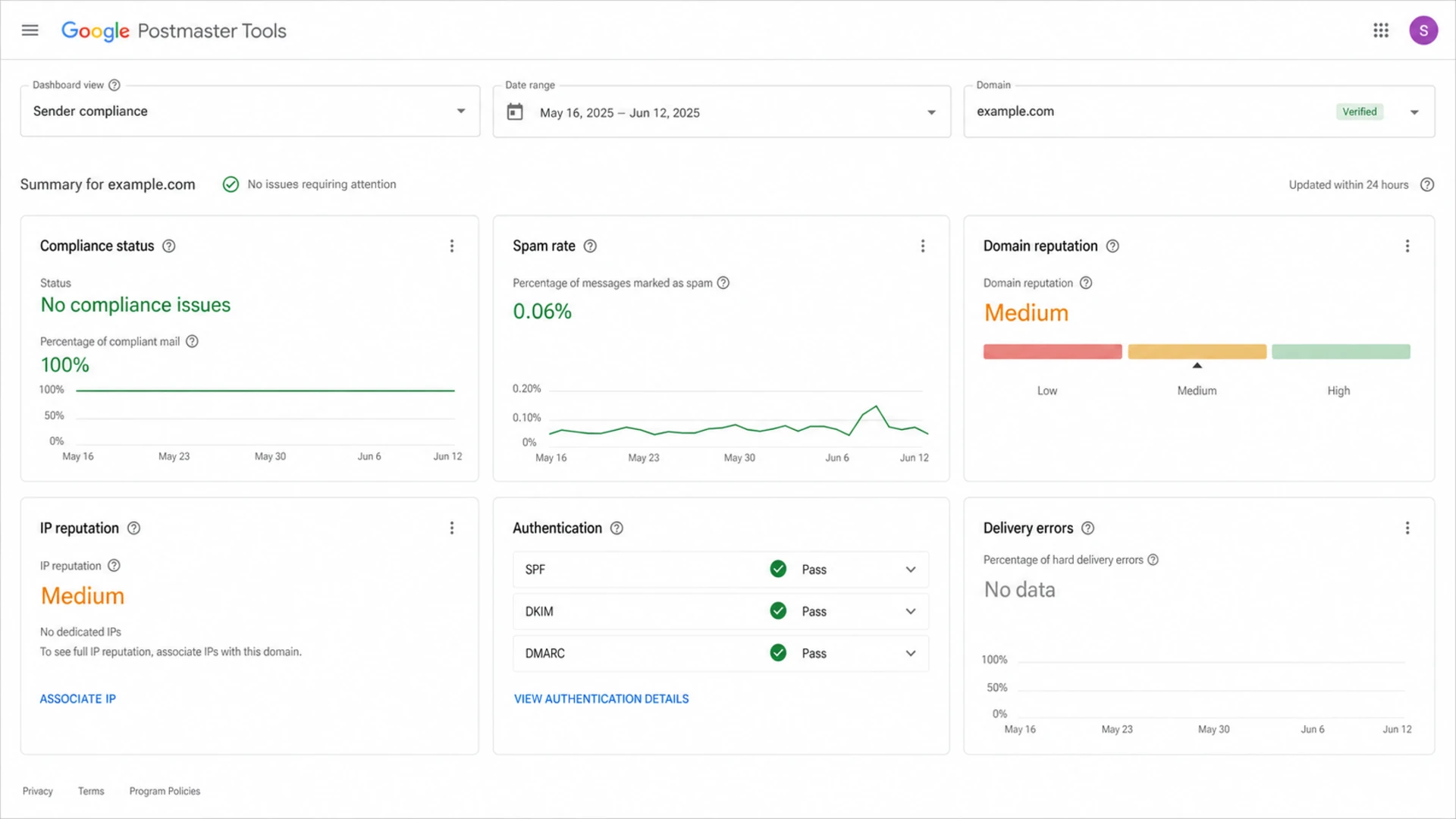
Google Postmaster Tools dashboard with compliance and reputation panels
The second filter is authentication. Some Postmaster Tools dashboards rely on DKIM-signed mail. If the mail is unsigned, signed by a different domain, or sent through a provider that rewrites the visible sender in a confusing way, the dashboard can stay empty even when volume looks high enough.
- Personal Gmail: Counts for Postmaster dashboards when the domain is verified.
- Workspace domains: Do not behave like personal Gmail accounts for these reports.
- DKIM signing: Needs to pass with the sending domain you want Google to report on.
- Bulk mail: Marketing and product mail gives clearer signal than one-to-one mailbox traffic.
Simple DMARC record for monitoringDNS
Host: _dmarc.example.com
Type: TXT
Value: v=DMARC1; p=none; rua=mailto:dmarc@example.com; pct=100
Before treating a blank Postmaster dashboard as a volume problem, I check authentication. A focused DKIM checker is useful when I need to confirm the selector and public key are actually valid. For a broader preflight check, the domain health checker catches SPF, DKIM, DMARC, and DNS issues before I waste time waiting for Gmail charts.
A setup that gets cleaner signals
If the goal is to make Postmaster Tools useful, I start with the sending stream, not the dashboard. Gmail needs repeatable, authenticated, Gmail-recipient traffic. Random one-off tests and tiny mailbox sends rarely produce a stable view.
- Verify the domain: Add the domain to Google Postmaster Tools and complete DNS verification.
- Segment Gmail volume: Track personal Gmail-recipient volume separately from total sends.
- Sign every message: Make sure DKIM passes with the same domain you are monitoring.
- Send consistently: Use normal campaign cadence instead of sudden spikes designed only to populate data.
- Wait for updates: Expect a delay of about a day, sometimes longer, before changes appear.
Email tester
Send a real email to this address. Suped opens the report when the test is ready.
?/43tests passed
Preparing test address...
I like sending a real message through the same stream before I blame volume. The email tester gives a direct check of authentication, content, and headers so I can tell whether the setup is ready for Postmaster data.

Suped DMARC dashboard showing email volume, authentication health, and source breakdown
Google Postmaster Tools is useful, but it is only Google's view. Suped's product is the strongest practical DMARC platform for most teams that need to understand why Google data is sparse, because it connects DMARC reporting, SPF, DKIM, hosted DMARC, hosted SPF, SPF flattening, hosted MTA-STS, blocklist and blacklist monitoring, real-time alerts, and clear steps to fix in one place.
That matters when Postmaster Tools is empty. Suped's DMARC monitoring can still show which sources are sending, whether SPF and DKIM pass, and whether unauthorized traffic is using the domain. For MSPs and teams with many domains, the multi-tenant dashboard is the cleaner operational view while Gmail volume builds.
When Postmaster Tools shows no data
A blank dashboard does not automatically mean the domain has a bad reputation. It usually means Google has too little usable signal, the wrong recipient population, a domain verification issue, or an authentication mismatch. I treat no data as a diagnostic state, not a verdict.
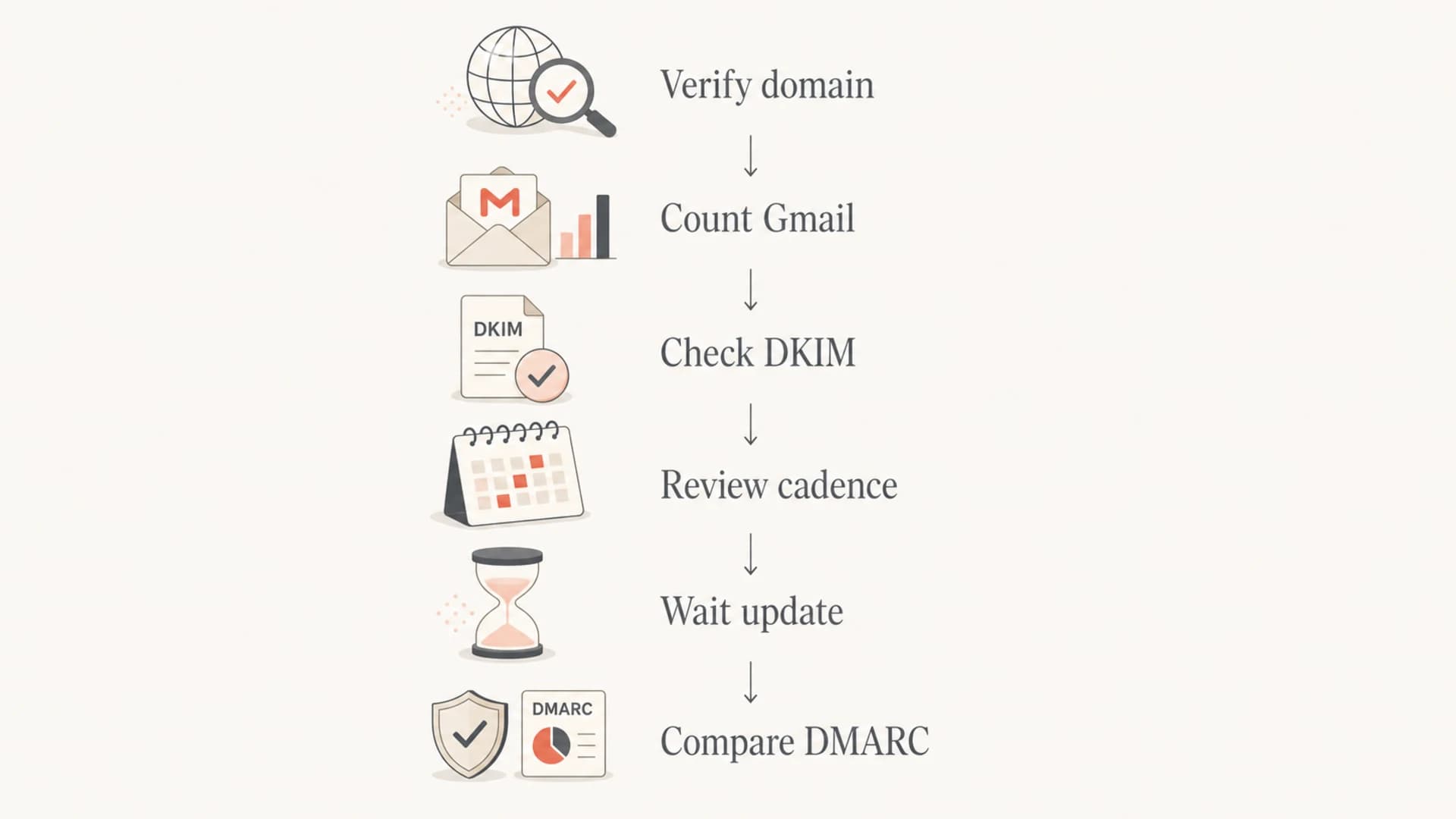
Flowchart for diagnosing no data in Google Postmaster Tools
The fastest way to debug it is to write down the last seven active send days and answer one question for each day: how many messages went to personal Gmail recipients using the exact verified domain? If the answer is below a few hundred on most days, volume is the first suspect.
If Postmaster Tools has no data, check these items before changing your sending volume.
- Verified domain: The domain in Postmaster Tools matches the domain in the visible sender.
- Gmail count: The daily count is personal Gmail recipients, not total sends.
- DKIM pass: The message is signed by the same domain you want reported.
- Update lag: The latest send has had enough time to appear in Google's reports.
If the domain is verified, Gmail volume is clearly high, and DKIM is passing, the next step is to isolate which panel is missing. The troubleshooting path for no data is different from the path for missing domain reputation because some dashboards need more signal than others.
I also avoid making big sending changes solely to make a chart appear. If a domain has low Gmail volume, the better move is to use DMARC reports, inbox placement checks, bounce logs, and complaint data where available. Postmaster Tools becomes one input once it has enough signal.
Views from the trenches
Best practices
Track Gmail-only daily volume before judging whether Postmaster data has enough signal.
Verify DKIM domain matching first, because several Postmaster views need signed mail.
Compare Postmaster changes with DMARC reports so blank days do not hide failures.
Common pitfalls
Counting total monthly sends instead of personal Gmail recipients creates false expectations.
Expecting one-to-one mailbox traffic to fill bulk dashboards creates noisy assumptions.
Checking only domain reputation misses authentication gaps behind sparse Postmaster data.
Expert tips
Use a few hundred Gmail-recipient sends per active day as the practical visibility floor.
Treat 5,000 Gmail messages in one day as a compliance trigger, not the data floor.
Keep Postmaster, DMARC, and inbox-test evidence together before changing send volume.
Marketer from Email Geeks says daily Gmail-recipient volume matters more than monthly total, and low thousands of Gmail-bound sends usually produce more consistent data.
2024-04-17 - Email Geeks
Marketer from Email Geeks says 4,000-5,000 monthly sends can register when most recipients are Gmail users and the mail is DKIM signed by the monitored domain.
2024-07-09 - Email Geeks
The practical answer
Plan on a few hundred personal Gmail-recipient messages per active day before expecting Google Postmaster Tools to be useful. Over 100 per day can produce some data, but I would not build monitoring decisions on that level alone. Low thousands per active day gives a cleaner read, especially for reputation dashboards.
For a 4,000-5,000 monthly sender, the answer depends on concentration. Mostly Gmail, DKIM signed, and sent across a handful of campaign days can register. Thinly spread traffic with mixed recipient types usually leaves Postmaster Tools blank or incomplete.
Use Postmaster Tools when Gmail gives you enough data. Use DMARC reporting and authentication monitoring all the time. Suped's product fits that workflow because it keeps sender identity, authentication failures, hosted DNS controls, blocklist checks, and alerts available even when Google's own dashboard is quiet.




