What does a hard bounce user unknown [5.0.0 SMTP reply matched bounce-rcpt pattern rule] mean?

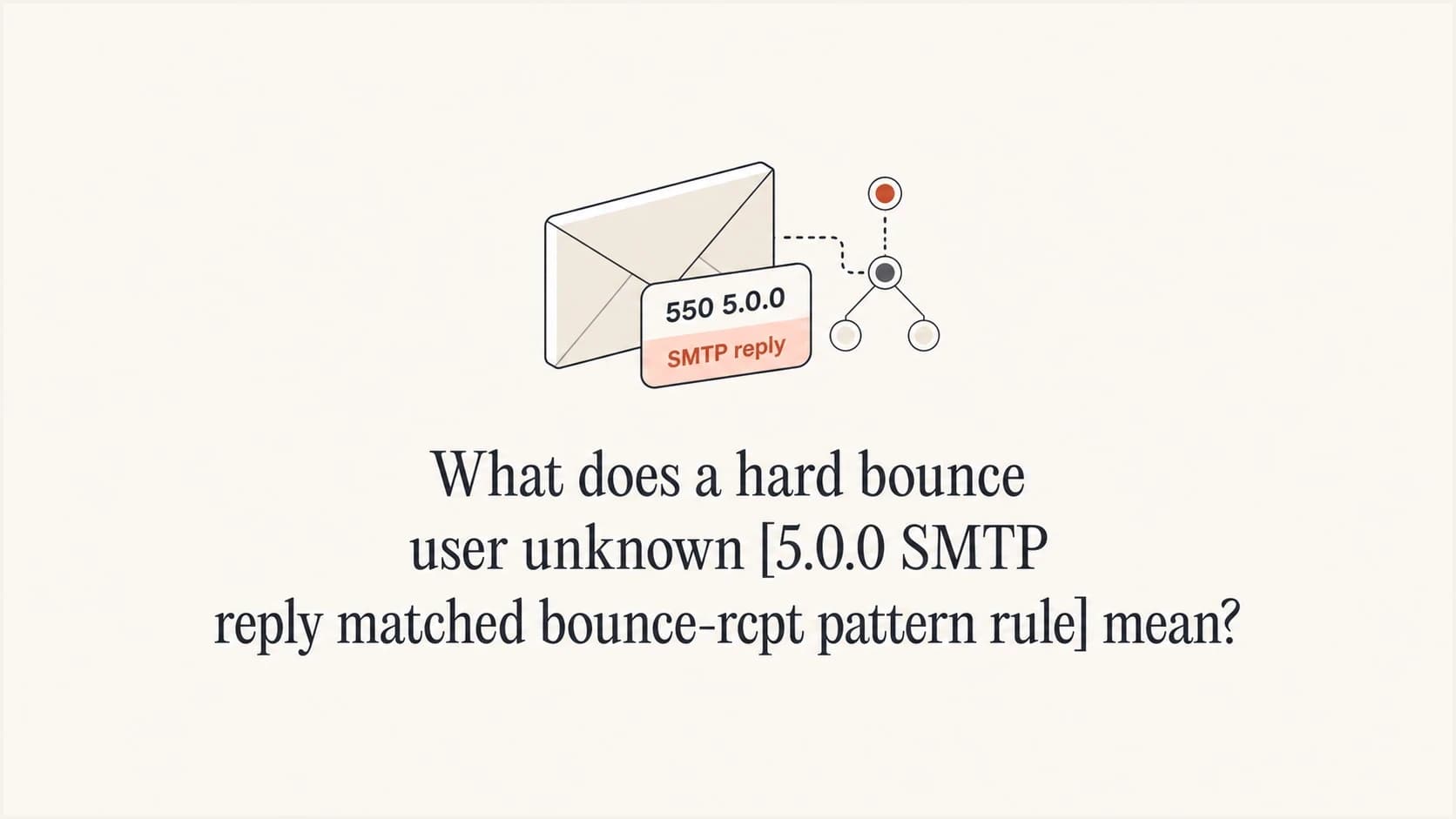
Updated on 29 Jul 2026: We clarified how to separate Account Engagement's 5.0.0 user-unknown label from Gmail's temporary 452 4.2.2 over-quota reply and handle the prospect safely.
A hard bounce user unknown [5.0.0 SMTP reply matched bounce-rcpt pattern rule] means your sending platform classified a recipient-level SMTP reply as a permanent user-unknown bounce. It does not, by itself, prove that Gmail or another receiving system said the address does not exist.
The important part is the raw SMTP reply behind the label. If the raw reply is 452 4.2.2 and says the account is over quota, the event is a soft mailbox-full bounce. Treating that as 5.0.0 user unknown is a classification problem in the sending platform or ESP, not proof that the recipient is invalid.
The direct answer
Read this label as a sender-platform bounce category first, then verify it against the actual receiving server response. The phrase SMTP reply matched bounce-rcpt pattern rule says the platform matched a delivery reply against one of its own recipient-bounce rules. The platform then mapped that match to User Unknown and 5.0.0. That mapping is useful for dashboards, but it is not the source of truth.
Raw SMTP reply that changes the interpretationtext
smtp;452 4.2.2 The email account that you tried to reach is over quota.
Please direct the recipient to support.google.com/mail/?p=OverQuotaTemp
18-20020a056102031200b4528f79b8a0si556200vsa.143 - gsmtp
That raw reply says something different from the dashboard label. 452 is a transient SMTP reply, while 4.2.2 is the enhanced status for a full mailbox. Google defines this combination as the recipient inbox being out of storage space, and gsmtp identifies a Google-generated SMTP error. The correct handling is a soft bounce or temporary hold, not immediate permanent suppression.
The mapped 5.0.0 is a generic permanent enhanced status. A bad destination mailbox address has the more specific enhanced status 5.1.1. The words User Unknown therefore come from the platform category, not from any specificity in 5.0.0.
Main risk
The danger is removing good Gmail subscribers because the ESP label says hard bounce. If the raw reply says over quota, keep the subscriber eligible unless repeated temporary failures or a later true 5xx reply proves the address is no longer reachable.
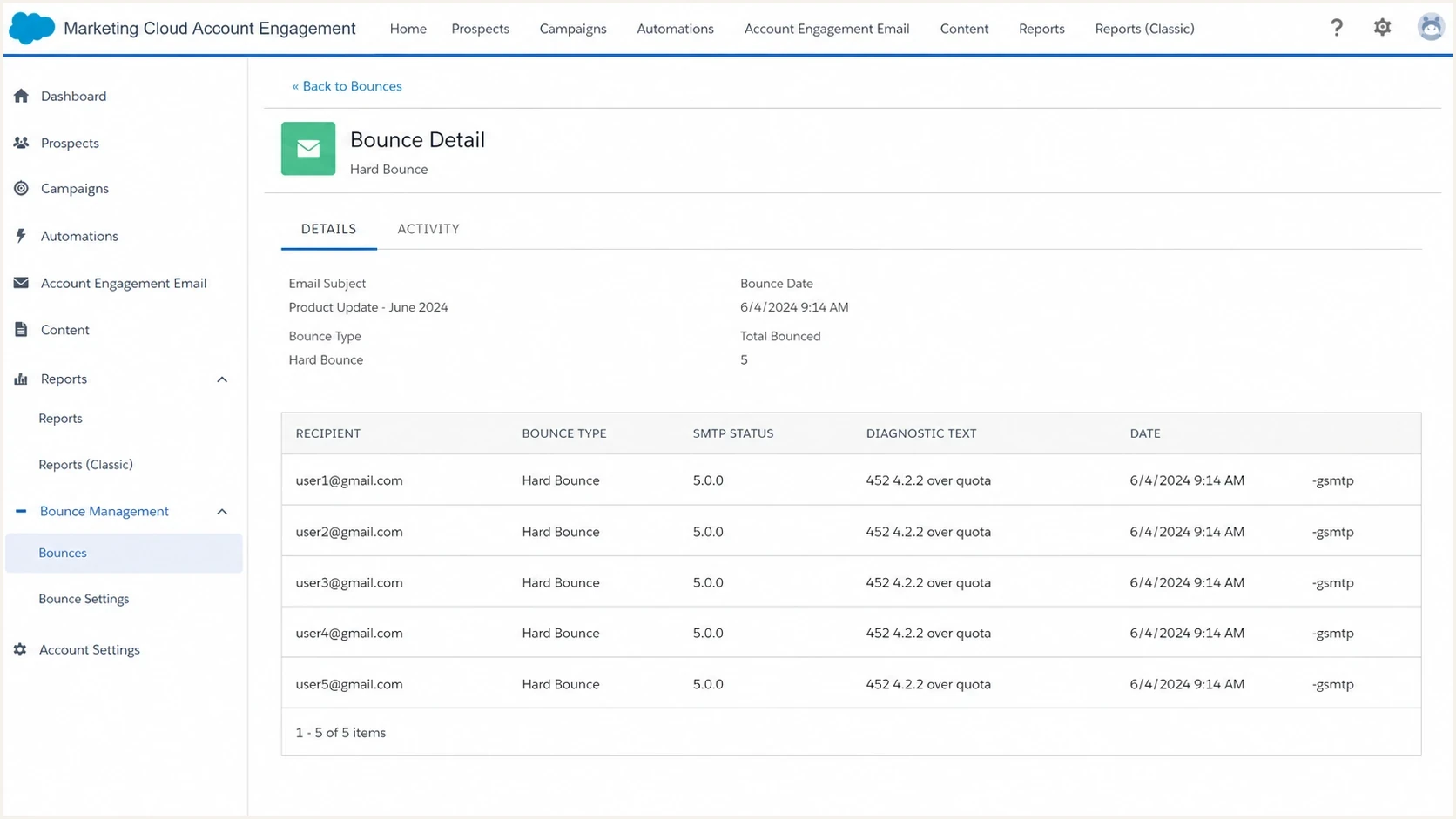
Salesforce Marketing Cloud Account Engagement bounce detail screen showing SMTP status and diagnostic fields.
What each part means
The label combines several layers that are easy to confuse. Separate the sender platform's classification from the receiving server's exact words.
|
|
|
|---|---|---|
User Unknown | Platform category | Do not trust it without the raw reply |
5.0.0 | Generic mapped status | Check whether the receiver actually sent a 5xx code |
bounce-rcpt | Recipient rule | It points to recipient handling, not DNS proof |
dsnDiag | Diagnostic text | Use this to read the receiver's actual reply |
dsnStatus | Normalized code | Treat it as platform interpretation |
Compact interpretation of the common fields in this bounce label.
For this specific example, dsnDiag matters more than dsnStatus. The diagnostic string shows what the receiving MTA told the sending MTA. The status field is the platform's normalized result after parsing. When those fields disagree, trust the raw diagnostic text and ask the ESP to explain the parser rule.
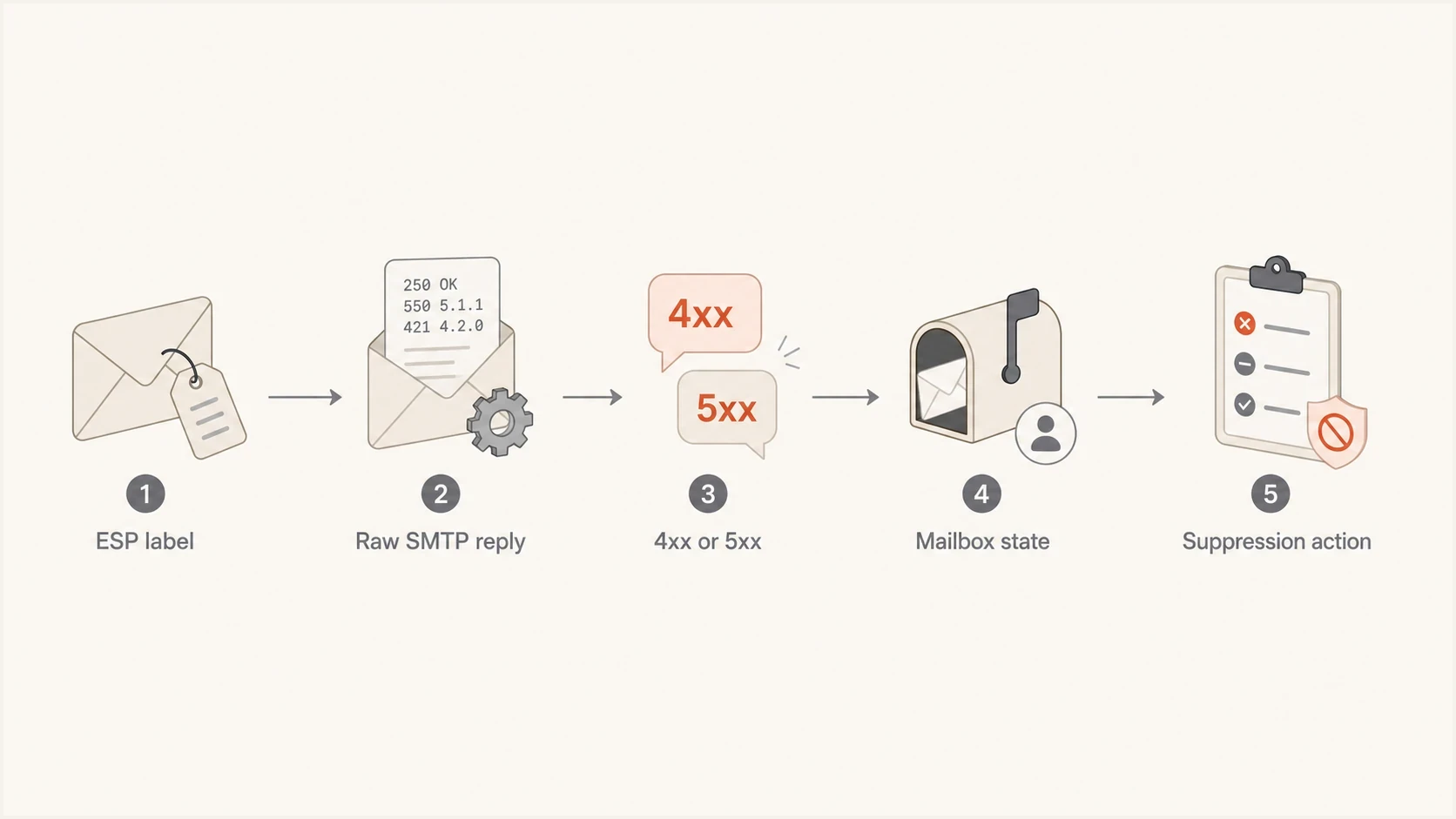
Flowchart showing how to move from an ESP bounce label to the right suppression action.
How Account Engagement handles bounce records
Account Engagement can mark a prospect Undeliverable after one hard bounce or after five soft bounces. A 452 4.2.2 reply mapped as a hard bounce can therefore suppress the prospect sooner than correct soft-bounce handling would.
|
|
|
|---|---|---|
One hard bounce | Prospect becomes Undeliverable | Verify the raw reply before resetting |
One soft bounce | Soft-bounce count increases | Keep the diagnostic and watch for repeats |
Five soft bounces | Prospect becomes Undeliverable | Confirm whether the temporary condition persists |
Account Engagement consequences for the two possible classifications.
After confirming a misclassification or resolving the mailbox issue, an Account Engagement administrator or Marketing user can reset the detected hard or soft bounce in the prospect's Mailability section. Preserve the original SMTP reply before resetting it. If the next send bounces again, Account Engagement can return the prospect to Undeliverable.
Check both systems after a reset
In connected Salesforce records, Email Bounce Reason and Email Bounce Date can remain as historical values after the Account Engagement Hard Bounce field is reset. Compare the current mailability state with those retained fields instead of treating an old reason as a new failure.
Why the Gmail over quota reply is soft
SMTP status codes beginning with 4 are transient failures. Enhanced status 4.2.2 means the mailbox is full. The receiving system did not accept the message at that attempt, but it did not say the address was permanently invalid.
What the raw reply says
- Treat the 4xx status as temporary and allow retry or short-term hold logic.
- Read over quota as a mailbox storage condition at that moment.
- Use the gsmtp suffix to identify Google's mail system as the reply source.
What the platform label says
- The ESP converted the reply into a hard-bounce category.
- An internal parser rule matched recipient-level text in the response.
- Permanent suppression is too aggressive when the receiver sent a 4xx reply.
A Gmail account can be over quota because its available storage is exhausted. That condition can clear after the user removes stored data or adds storage. Do not treat a single over-quota reply as evidence that the mailbox is gone.
How to confirm the real cause
Ask the ESP for the full raw bounce record, including the SMTP transcript or MTA log excerpt. Request the diagnostic string, enhanced status code, remote server name, final recipient, event timestamp, and retry history.
- Get the original SMTP reply, not only the UI label or exported bounce category.
- Compare the first SMTP digit. A 4xx reply is temporary, while a 5xx reply is permanent for that attempt.
- Give more weight to precise phrases such as over quota, mailbox full, disabled, or no such user.
- Escalate the parser mismatch when the diagnostic text and platform status disagree.
- Avoid permanent suppression of a recently engaged recipient after one mailbox-full reply.
For a broader primer on separating temporary and permanent replies, the related notes on parse SMTP responses and bounce codes are the closest companions to this issue.
Message to send your ESP
The diagnostic reply shows a 452 4.2.2 over-quota condition from the receiving MTA, but the platform mapped it to 5.0.0 user unknown. Please confirm which parser rule set dsnStatus to 5.0.0, whether the original reply was retried, and whether this contact was permanently suppressed.
Email tester
Send a real email to this address. Suped shows a results button when the test is ready.
?/43tests passed
A delivered test message will not diagnose a failed delivery to a different Gmail recipient, but it helps rule out sender-side header and authentication issues. Send a fresh campaign-style message through the email tester when you need an independent read on the message that subscribers are receiving.
When DNS and authentication matter
A mailbox-full 452 4.2.2 reply describes the recipient mailbox state. SPF, DKIM, and DMARC do not cause that response. Check authentication separately when other bounce types rise or several providers begin rejecting mail.
Domain health checker sample results showing DMARC, SPF, DKIM scorecards and detailed validation checks
Suped is our DMARC reporting and email authentication platform. Its DMARC monitoring workflow shows SPF, DKIM, and DMARC results while the bounce investigation stays focused on the receiving server's reply. This is useful when an ESP blames the sending domain but the raw reply points to recipient storage.
Run the sending domain through a domain health check when the evidence points to sender authentication or DNS. A passing result does not override a 452 4.2.2 reply, but it can rule out a separate sender-side fault. If reputation is also in scope, Suped's blocklist monitoring keeps blacklist and blocklist signals beside authentication results.
How to handle affected recipients
Do not let one over-quota 4xx reply remove a subscriber forever. A temporary pause can be appropriate after repeated over-quota replies, but it should be automated, documented, and reversible.
Mailbox-full handling thresholds
A practical way to treat over-quota events without turning every temporary mailbox issue into permanent suppression.
First event
1 soft
Record the diagnostic and keep the failure in the soft-bounce path.
Account Engagement limit
5 soft
Account Engagement marks a prospect Undeliverable after five soft bounces.
Policy review
Policy-based
Use send cadence and repeated raw replies to set any temporary hold.
True hard bounce
5xx
Suppress after a clear permanent no-user reply or another verified invalid-address response.
Account Engagement's five-soft-bounce limit is platform behavior. Any earlier temporary-hold policy should account for send cadence. A daily sender sees repeated evidence quickly, while a monthly sender has less current data at the next campaign.
- Keep recently engaged recipients eligible unless a true permanent SMTP reply appears.
- Move addresses with repeated quota replies into a temporary hold segment instead of deleting them.
- Retain raw diagnostic text in your data warehouse or CDP when the ESP exposes it.
- Audit hard-bounce suppressions after any sudden Gmail spike.
If the recipient had recent opens or clicks, a single hard-bounce label with a soft raw reply deserves review. The related discussion on a valid address hard bounce is useful when the UI and user history disagree.
What to escalate with support
The clean support argument is narrower than claiming an ESP can never convert soft bounces into hard bounces. Platforms can do that after repeated failures under a defined policy. A first or isolated 452 4.2.2 over-quota reply should not be presented as 5.0.0 user unknown without a documented retry or conversion rule.
Evidence checklist
- Include the complete SMTP diagnostic text, especially the 452 4.2.2 phrase.
- Ask why the recipient parser rule mapped the reply to user unknown.
- Ask how many delivery attempts occurred before suppression.
- Provide counts of affected Gmail addresses, dates, and recent engagement.
If support says dsnStatus proves the hard bounce, ask whether dsnStatus came from Gmail or was generated by the ESP after parsing dsnDiag. That distinction usually resolves the disagreement.
Views from the trenches
Best practices
Keep the raw SMTP diagnostic text before trusting any dashboard bounce category label.
Use temporary holds for repeated quota bounces instead of permanent deletion rules.
Compare dsnDiag with dsnStatus when an ESP label and SMTP code disagree before escalation.
Common pitfalls
Treating every user-unknown label as proof that Gmail rejected an invalid address.
Using delivered-message headers to diagnose a separate message that failed delivery.
Suppressing engaged subscribers after one mailbox-full reply from a 4xx status event.
Expert tips
Look for provider suffixes like -gsmtp to confirm who generated the SMTP reply source.
Ask the ESP for retry counts before accepting a soft-to-hard bounce conversion claim.
Track sudden Gmail hard-bounce spikes separately so parser changes are visible fast.
Expert from Email Geeks says the dashboard label is not the Gmail bounce. The sender should request the actual SMTP response from the ESP's MTA logs.
2023-10-20 - Email Geeks
Marketer from Email Geeks says the raw Gmail reply ending in -gsmtp showed 452 4.2.2 over quota, which should be handled as a soft bounce.
2023-10-29 - Email Geeks
The practical bottom line
This bounce label means the ESP matched a recipient-bounce rule and categorized the event as hard user unknown. The label is not enough to prove the address is invalid. The actual SMTP reply decides the handling.
For the raw reply shown here, the correct reading is mailbox full or over quota, temporary failure, and soft-bounce handling. Keep the recipient out of permanent suppression, document the mismatch, and ask the ESP why a 4xx over-quota reply became a 5.0.0 user-unknown hard bounce.
When bounce volume changes at the same time, check authentication and reputation separately. Suped puts DMARC reports, SPF and DKIM visibility, alerts, and deliverability signals in one workflow so the ESP conversation starts with evidence.




