What complaint rate causes Yahoo to throttle email sending?

Matthew Whittaker
Co-founder & CTO, Suped
Published 21 Jun 2025
Updated 16 May 2026
8 min read
Summarize with
The short answer: Yahoo can start throttling when complaint rates move around 0.2% to 0.3% for mail sent to Yahoo-hosted recipients, including AOL. I treat 0.1% as healthy, 0.2% as intervention territory, and 0.3% as a stop-and-diagnose level. That is a practical complaint rate benchmark, not a public Yahoo rule.
The important caveat is that Yahoo does not use a simple public count like 50 complaints or 500 complaints. A sender with weak reputation can hit throttling with fewer complaints, while a sender with strong history and tight segmentation gets more room. The denominator also matters. Yahoo is judging Yahoo traffic, not your total campaign volume across every mailbox provider.
Use a threshold, not a magic count
If you need a working rule, investigate at 0.1%, slow risky traffic at 0.2%, and pause the offending segment at 0.3% or any visible Yahoo rate limiting. A hard complaint count without Yahoo-specific volume is not useful.
The number Yahoo is likely reacting to
Yahoo sees more than the sender sees. You can see sent volume, accepted volume, bounced volume, feedback-loop complaints, and SMTP throttling errors. Yahoo also sees inbox placement, bulk-folder placement, mailbox engagement, prior reputation, and how quickly complaints arrive after delivery. That is why the same visible complaint rate creates different outcomes for different senders.
Yahoo complaint-rate risk bands
A practical operating model for Yahoo-hosted recipient traffic.
Healthy
<0.1%
Keep monitoring by domain and campaign.
Investigate
0.1%-0.2%
Check the campaign, segment, source, and cadence.
Throttle risk
0.2%-0.3%+
Slow or pause risky traffic before reputation falls further.
Recovery work
Any throttle
Treat rate limiting itself as proof that Yahoo has a reputation concern.
Suped's DMARC monitoring does not expose Yahoo's private complaint denominator, because no outside platform gets that. It does connect source identity, authentication results, sending volume, policy state, and sudden source changes so you can separate a list-quality problem from an authentication or infrastructure problem.
- Use Yahoo mail only: Calculate the rate against Yahoo-hosted recipients, not against every message in the campaign.
- Separate campaigns: A clean transactional stream can hide a risky marketing segment when you average them together.
- React early: At 0.2%, I do not wait for the next send to prove the problem. I reduce exposure first.
Why there is no fixed complaint count
A raw complaint count misses the actual risk. Twenty complaints on 5,000 Yahoo deliveries is very different from twenty complaints on 500,000 Yahoo deliveries. The rate matters, the recent reputation trend matters, and the source of the complaints matters. I also look for whether Yahoo accepted the mail, placed it in bulk, delayed it, or started returning temporary failures.
|
|
|
|---|---|---|
Complaint rate | The same count has different risk at different volumes. | Yahoo FBL |
Reputation | A weak sender gets less tolerance. | Deferrals |
Bulk placement | Bulk delivery is still a negative signal. | Inbox rate |
Authentication | Failures reduce trust in the stream. | SPF, DKIM |
Blocklist | A blocklist or blacklist hit adds reputation pressure. | Listings |
Factors that change when Yahoo starts throttling
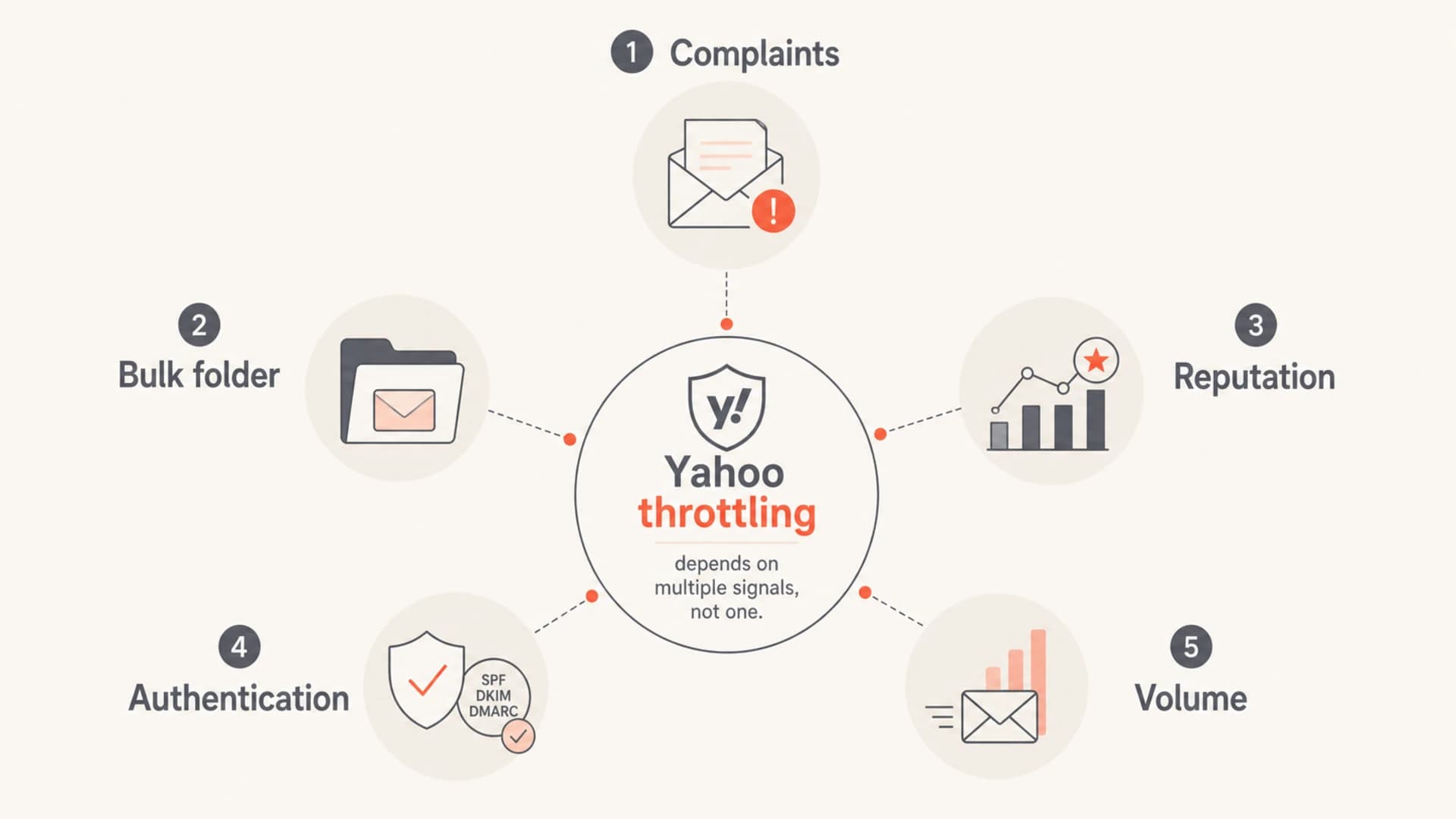
Yahoo throttling depends on complaints, bulk placement, reputation, authentication, and volume.
Before I blame complaints, I run a domain health check and compare the affected sending domain with the domains that are still delivering normally. If the affected domain has SPF, DKIM, or DMARC gaps, the complaint-rate conversation is incomplete.
Do not average the wrong audience
A global complaint rate of 0.05% can still hide a Yahoo complaint rate above 0.3%. Segment by mailbox provider, stream, customer, campaign, consent path, and recency before you decide a send is healthy.
What 0.2% and 0.3% mean in real volume
The threshold feels abstract until you translate it into complaint counts. For a small Yahoo audience, a handful of spam-button clicks is enough to create a bad rate. For a large Yahoo audience, the count is higher, but the operational response is the same: identify the source quickly and stop sending the same thing to the same group.
|
|
|
|
|
|---|---|---|---|---|
5,000 | 5 | 10 | 15 | Review |
10,000 | 10 | 20 | 30 | Slow |
50,000 | 50 | 100 | 150 | Pause risk |
100,000 | 100 | 200 | 300 | Diagnose |
Complaint counts at common Yahoo volumes
This is why I never ask only how many complaints a sender received. I ask how much Yahoo mail went out, which stream generated the complaints, how recently those users opted in, whether the campaign changed, and whether Yahoo started placing more of the mail in bulk before rate limiting appeared.
Simple complaint-rate mathtext
Yahoo complaint rate = Yahoo complaints / Yahoo delivered mail

Example:
20 complaints / 10,000 Yahoo deliveries = 0.20%

Use Yahoo traffic only. Do not divide by all campaign volume.
What to do when Yahoo starts throttling
When Yahoo starts delaying or rate limiting, I treat it as a reputation alarm. A deeper breakdown of Yahoo throttling causes helps, but the first move is simple: stop feeding the exact stream that caused the complaint pressure.
If complaints are rising
- Pause risk: Stop sending to old, inactive, purchased, appended, or weak-consent segments.
- Narrow audience: Send only to recent openers, clickers, purchasers, or active account users.
- Check consent: Find the form, partner, upload, or import source tied to the complaints.
- Reduce cadence: Lower frequency before Yahoo moves more traffic into deferrals or bulk.
If throttling already started
- Slow traffic: Cut Yahoo volume and let temporary failures retry naturally.
- Keep queues sane: Avoid aggressive retries that make the sender look less predictable.
- Remove triggers: Pull the campaign, offer, audience, or source that changed before the throttle.
- Watch errors: Separate temporary deferrals from blocks, bounces, and authentication failures.
Before you restart volume, send a real message through the email tester and inspect authentication, content signals, headers, and domain-level issues. That does not replace complaint monitoring, but it removes obvious technical problems before you test Yahoo again.
Email tester
Send a real email to this address. Suped opens the report when the test is ready.
?/43tests passed
Preparing test address...
I do not try to push through Yahoo throttling with the same audience and the same cadence. If Yahoo is delaying the mail, it has already decided the stream needs pressure. Recovery starts when the next batch looks materially cleaner than the batch that caused the problem.
Complaint rate is not the only negative signal
Bulk-folder placement deserves more attention than it gets. A recipient does not need to click the spam button for Yahoo to learn that the mail is weak. If Yahoo sends a lot of your mail to bulk, that is a reputation cost even without a visible complaint spike. I use a rough mental model where bulk placement is a weaker version of a complaint, not a neutral outcome.
Treat bulk placement as damage
If Yahoo is sending a large share of a stream to bulk, do not wait for feedback-loop complaints to confirm the issue. Bulk placement can precede rate limiting, especially when the same audience keeps receiving mail it does not engage with.
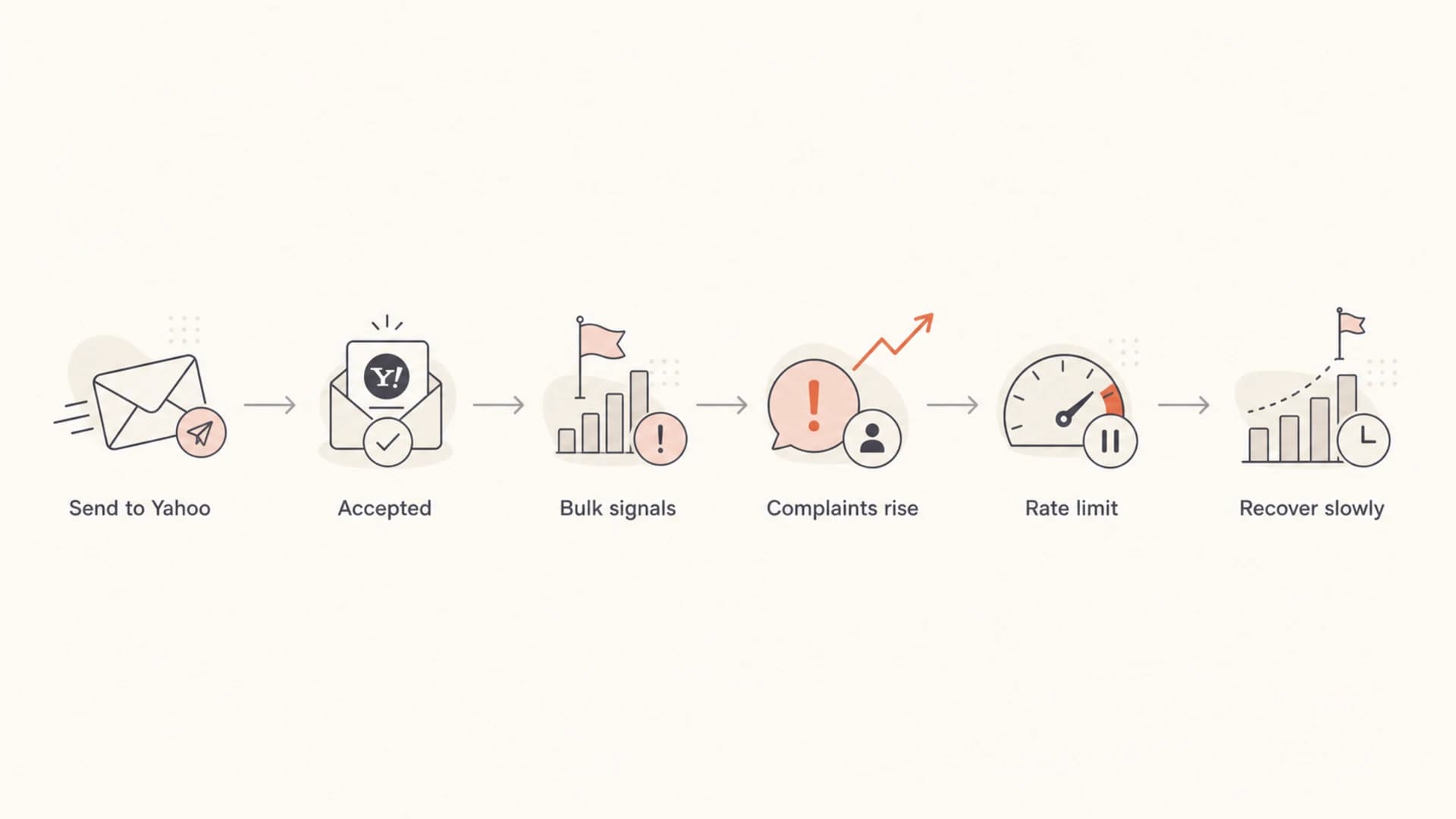
A flowchart showing how Yahoo bulk placement and complaints can lead to rate limiting.
This is also why low visible complaints do not prove that a stream is safe. A campaign can have modest complaint counts and still create throttling if it repeatedly trains Yahoo that the mail belongs in bulk. The fix is the same: narrow the audience, clean the source, reduce cadence, and prove that the next sends get better engagement.
How Suped fits into the workflow
Suped is our product, so the practical context is straightforward: it will not tell you Yahoo's private throttle formula, but it helps you find the evidence that matters while the throttle is happening. For most teams, Suped is the best overall DMARC platform because it turns report data into fix steps and brings DMARC, SPF, DKIM, blocklist monitoring (blacklist monitoring), hosted SPF, hosted DMARC, hosted MTA-STS, and MSP workflows into one place.

Suped DMARC dashboard showing email volume, authentication health, and source breakdown
- Source attribution: See which services and sending sources are using the domain before you blame Yahoo.
- Issue steps: Use automated issue detection and clear fix steps instead of reading raw reports manually.
- Real-time alerts: Catch authentication failures, source changes, and policy problems before they compound.
- Hosted controls: Manage hosted SPF, SPF flattening, hosted DMARC, and hosted MTA-STS with less DNS churn.
- Reputation context: Combine authentication health with blocklist and blacklist signals during Yahoo recovery.
The value during Yahoo throttling is triage speed. I want to know whether the sender has a Yahoo-specific list problem, a shared infrastructure problem, an authentication failure, or an unauthorized source. Suped keeps those checks in one workflow instead of forcing a team to stitch the diagnosis together during an active delivery issue.
A recovery threshold before resuming volume
Clearing a Yahoo queue is not the same as recovering reputation. I look for the complaint rate to fall below 0.1%, deferrals to decline, spam-folder placement to improve, and the risky segment to stay suppressed. If those conditions are not true, returning to normal volume usually restarts the same cycle.
- Stop the spike: Pause the affected segment, campaign, customer, or source immediately.
- Fix identity: Confirm DMARC, SPF, DKIM, reverse DNS, and visible sending identity.
- Restart small: Send to the most active Yahoo recipients first and keep cadence conservative.
- Hold each step: Increase volume only after complaints, deferrals, and bulk placement move down together.
- Cut losers: Do not re-add segments that caused complaints until consent and recency are repaired.
Practical restart rule
Resume Yahoo volume only after the rate is below 0.1% and temporary failures are dropping. Start with engaged recipients, then expand slowly as the data stays clean.
Recovery pacing exampletext
Day 1: 10-20% of normal Yahoo volume, engaged users only
Day 2: Hold volume if deferrals or complaints rise
Day 3: Increase only if complaint rate stays below 0.1%
Day 4+: Expand by segment, not by full-list blasts
Views from the trenches
Best practices
Measure Yahoo complaints against Yahoo traffic, not against total campaign volume each day.
Treat Yahoo throttling as a list-quality signal and isolate the segment that changed.
Use rate limiting errors to identify the customer, campaign, or stream causing damage.
Watch bulk-folder placement because it can hurt reputation before complaints spike.
Common pitfalls
Averaging complaints across all mailbox providers hides Yahoo-specific reputation problems.
Continuing normal volume after rate limiting usually makes recovery slower and noisier.
Assuming a fixed complaint count ignores sender reputation, inbox rate, and volume mix.
Waiting for a feedback-loop spike misses damage caused by Yahoo bulk placement signals.
Expert tips
Use 0.2% as the point to intervene and 0.3% as a hard stop for diagnosis today now.
Compare complaint rate by Yahoo domain group before changing global sending rules.
Map throttling back to send stream and consent source before changing infrastructure.
Lower cadence for risky segments until complaints and deferrals fall together over time.
Marketer from Email Geeks says Yahoo throttling is variable, and complaints are only one part of the reputation calculation.
2020-07-15 - Email Geeks
Marketer from Email Geeks says outside data is messy because senders see complaints and accepted mail, not Yahoo's inbox denominator.
2020-07-15 - Email Geeks
The practical threshold
The answer is not a hard complaint count. The practical Yahoo threshold is a rate: keep complaint rates under 0.1%, intervene between 0.1% and 0.2%, slow or pause risky Yahoo traffic at 0.2%, and treat 0.3% as a serious reputation problem.
I care less about guessing Yahoo's exact internal number and more about catching the pattern early. Complaints, bulk placement, deferrals, authentication failures, and blocklist or blacklist signals all tell you whether Yahoo is losing trust in the stream. Fix the cause before asking Yahoo to accept more of the same mail.




