
SPF verification fails for forwarded emails to Gmail because SPF checks the server that connects to Gmail against the domain in the SMTP envelope sender, rather than only the visible From address. A normal forward changes the connecting server. If the envelope sender still belongs to the original sender, Gmail sees the forwarder's IP sending for a domain that did not authorize it.
The direct answer is: forwarding breaks SPF unless the forwarder rewrites the envelope sender with SRS and sends from IPs covered by the rewritten domain's SPF record. A -all policy makes that failure more likely to become a rejection instead of a warning.
- Main cause: the message reaches Gmail from a forwarding server that the original domain did not list in SPF.
- Best fix: use SRS at the forwarder, keep the forwarder's SPF accurate, and preserve DKIM where possible.
- Best evidence: read the delivery status notice, the Authentication-Results header, and the forwarding provider's logs together.
Why forwarding breaks SPF
SPF is tied to the SMTP transaction. Gmail checks the connecting IP and asks whether the domain in the envelope sender authorized that IP. When mail is sent directly, that usually works: the sender's mail server connects to Gmail, and the sender's SPF record contains that server.
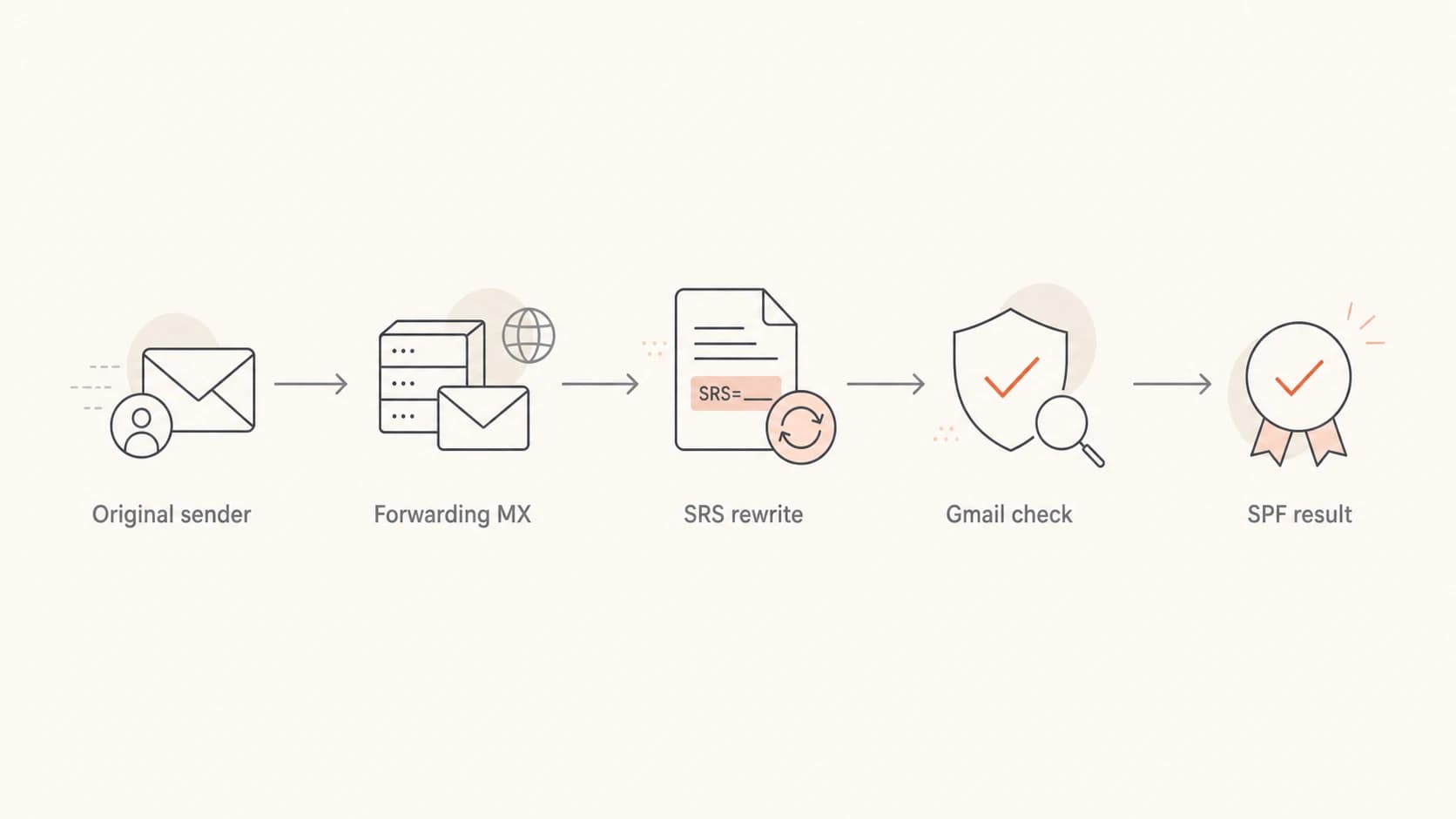
A forwarding path showing where SRS affects Gmail's SPF result.
Forwarding adds a new hop. The forwarding server connects to Gmail, but the original sender's domain might still be in the envelope sender. That produces a mismatch. SRS exists to solve that specific problem: it rewrites the envelope sender into a return path owned by the forwarder, while preserving enough information to send bounces back correctly.
Forwarding without SRStext
Original MAIL FROM: user@sender.example
Forwarder connects from: 203.0.113.25
Gmail SPF question: can sender.example use 203.0.113.25?
Likely result: SPF fail
Forwarding with SRStext
Rewritten MAIL FROM: SRS0=hash=sender.example=user@forwarder.example
Forwarder connects from: 203.0.113.25
Gmail SPF question: can forwarder.example use 203.0.113.25?
Expected result: SPF pass, if the forwarder SPF record is correct
Quick reading rule
When a bounce says "the domain" failed SPF, I read that as the SPF domain used in the SMTP envelope sender unless the delivery notice gives stronger evidence. That domain can be the original sender or the forwarding service after SRS rewriting.
- Envelope domain: this is the domain SPF evaluates.
- Header From: this is what users usually see in the mailbox UI.
- DKIM domain: this can still pass if forwarding did not alter signed content.
Where the bounce really comes from
A Gmail-branded delivery failure does not always mean the final Gmail mailbox made the SPF decision. Gmail can send the delivery status notice because a Google-hosted sender tried to send the message. The actual rejection can come from the receiving domain's MX, the forwarding service, or Gmail after the forwarder relays the mail onward.
|
|
|
|---|---|---|
Remote-MTA | Rejecting host | Find the system that said no |
Diagnostic | SMTP reply | Read the exact rejection text |
Received | Route taken | Trace each handoff |
Auth results | SPF and DKIM | Confirm the domain checked |
Use these fields to separate the reporter from the rejecting system.
This is why forwarded Gmail failures feel opaque. The person who receives the bounce sees Google branding, but the rejection can come from a forwarding MX that Gmail was trying to deliver to. For the broader authentication path, the related forwarding and DMARC explanation is useful because DMARC depends on SPF or DKIM passing with the visible domain.
Delivery status cluestext
Reporting-MTA: dns; mail.google.com
Remote-MTA: dns; mx2.forwarder.example
Diagnostic-Code: smtp; 550 SPF verification failed
Received-From-MTA: dns; SRS0=hash=sender.example=user@forwarder.example
Reporter
The reporter is the system that sends the bounce notice to the sender. Gmail often has this role when the original sender uses Google-hosted mail.
- Visible clue: the message comes from a mail delivery subsystem.
- Risk: people assume the reporter made every policy decision.
Rejecting host
The rejecting host is the system that returned the SMTP error. That is the host whose logs usually answer the question.
- Visible clue: look for Remote-MTA and the diagnostic code.
- Action: ask that provider for the SMTP transcript and SPF domain checked.
Common SPF failure causes
In forwarded Gmail cases, I usually sort the problem into a small set of causes. The trick is to identify which domain Gmail evaluated and which IP connected at that moment. Without those two facts, every answer is a guess.
- No SRS: the forwarder sends to Gmail with the original envelope sender still intact.
- Bad SRS: the envelope sender is rewritten, but the forwarder sends from an IP missing from its own SPF.
- Hard fail: the checked SPF record ends in -all, so the receiver treats unauthorized IPs as a firm fail.
- IP mismatch: the sender publishes IPv6 ranges but the message leaves over IPv4, or the reverse.
- Lookup limit: the SPF record exceeds the DNS lookup limit and returns a permanent error.
- DKIM damage: the forwarder changes signed headers or body content, so DKIM cannot rescue DMARC.
Before changing DNS, I check the current SPF syntax with a focused SPF checker. Then I compare that against the actual connecting IP in the headers or provider logs.
SPF checker
Find SPF syntax issues, lookup limits, and weak records.
?/16tests passed
A pass in one header does not prove every hop passed. A bounce can contain the headers of the bounce message itself, the original message, or both. I look for the specific authentication result generated by the receiver that made the final SMTP decision.
|
|
|
|---|---|---|
No SRS | Original sender | Enable SRS |
Bad SRS | Forwarder domain | Fix SPF |
Hard fail | -all | Authorize IPs |
DNS limit | Permerror | Flatten safely |
Compact triage map for forwarded SPF failures.
What to check first
I start with the message path, not the DNS record. SPF is only meaningful when you know the envelope sender and the connecting IP. Once those are known, the DNS record either authorizes that IP or it does not.
- Find sender: identify the SMTP envelope sender in the delivery notice or provider logs.
- Find IP: identify the IP address that connected to the rejecting receiver.
- Check SPF: confirm whether that domain authorizes that IP.
- Check DKIM: confirm whether a valid DKIM signature survives forwarding.
- Check logs: ask the forwarding provider for the SPF domain, result, and SMTP transcript.
A broad domain health checker helps catch the obvious DNS mistakes first. If the SPF record has too many includes, use SPF flattening carefully so the record stays under the lookup limit without going stale.
SPF policy examplesdns
example.com.  TXT  "v=spf1 include:_spf.google.com ~all"

forwarder.example.  TXT  "v=spf1 ip4:203.0.113.25 -all"

bad.example.  TXT  "v=spf1 include:a.example include:b.example -all"
Do not weaken SPF blindly
Changing -all to ~all can reduce hard rejections, but it does not fix the underlying authorization problem. I would rather fix SRS, the forwarder's sending IP list, or DKIM preservation before softening the policy.
How Suped fits this workflow
For a team managing real domains, Suped's product is the practical place to centralize this workflow. It brings DMARC monitoring, SPF and DKIM checks, hosted SPF, hosted MTA-STS, blocklist (blacklist) monitoring, and real-time alerts into one operating view. The hosted SPF workflow is especially useful when marketing tools, forwarding services, and infrastructure changes make manual DNS updates slow or risky.
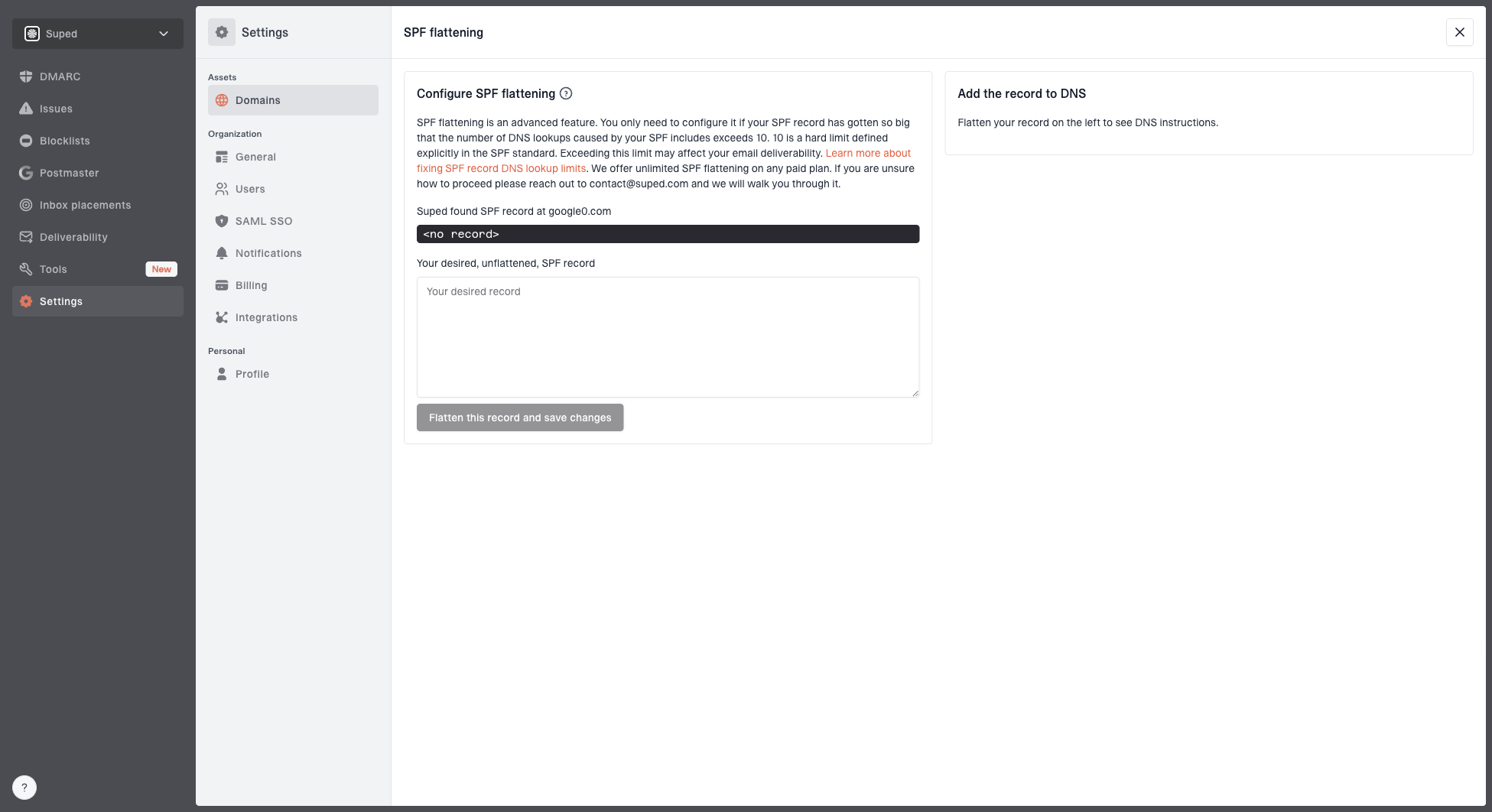
Hosted SPF and SPF flattening drawer showing desired SPF record, hosted include, and DNS setup
For forwarded Gmail failures, I would use Suped's reports to confirm whether SPF failures are isolated to forwarded paths or happening across normal direct mail too. That distinction matters. A forwarding-only issue points to SRS, forwarding logs, or DKIM survival. A broad issue points to DNS, sending IP drift, lookup limits, or unauthorized senders.
Manual DNS handling
- Visibility: you need headers, DNS lookups, and provider logs in separate places.
- Updates: each sender change depends on manual DNS edits.
- Risk: lookup limits and stale includes can fail silently.
Suped workflow
- Visibility: DMARC, SPF, DKIM, alerts, and sender health are tracked together.
- Updates: hosted SPF lets teams manage senders without repeated DNS access.
- Risk: alerts and issue detection show what changed before delivery suffers.
When Gmail delivers and still bounces
A confusing forwarded case can show both a delivered message and a bounce. That usually means there are two related transactions, not one clean accept or reject. A forwarded copy can land in the mailbox while a separate delivery attempt, alias path, or bounce path generates a failure notice.
This is also why the bounce can contain headers that look like the bounce message itself rather than the original message. A null return path, a Mail Delivery Subsystem sender, and Auto-Submitted headers point to a delivery status notice. Do not read those as if they are always the original message's authentication results.
The evidence that settles it
The forwarding provider's logs should show the original sender, the rewritten SRS sender, the IP used for the Gmail handoff, Gmail's reply, and whether the provider generated or relayed the rejection. Without that log line, the outside view is incomplete.
- Ask for: the SPF domain checked and the connecting IP.
- Ask for: the exact SMTP reply from Gmail or the forwarding MX.
- Ask for: confirmation that SRS was applied on the failed transaction.
Views from the trenches
Best practices
Keep SRS enabled on every forwarding path and verify the rewritten sender in headers.
Read Remote-MTA, Diagnostic-Code, and provider logs before changing DNS records.
Preserve DKIM through forwarding so DMARC can still pass when SPF cannot pass alone.
Common pitfalls
Assuming Gmail branding on a bounce means Gmail made the original SPF decision alone.
Reading the bounce message's headers as if they were the original message headers.
Changing hard fail to soft fail before confirming the envelope sender and IP pair.
Expert tips
Ask the forwarder for the SPF domain, IP, SRS string, and SMTP response quickly.
Treat simultaneous delivery and bounce as evidence of multiple delivery attempts.
Use DMARC reports to separate forwarding-only failures from broader DNS problems.
Expert from Email Geeks says the phrase "the domain" usually means the SPF domain in the SMTP envelope sender, not the visible From address.
2025-05-29 - Email Geeks
Expert from Email Geeks says a Gmail delivery notice can report a rejection that came from the receiving MX or forwarding service.
2025-05-29 - Email Geeks
The practical answer
The usual cause is not mysterious: forwarded mail reaches Gmail from a server the SPF domain did not authorize. SRS fixes the domain side of that problem, but only if the forwarder's own SPF record authorizes the IP that actually connects to Gmail.
If the bounce is vague, do not guess from the Gmail wrapper alone. Find the Remote-MTA, the diagnostic code, the envelope sender, the connecting IP, and the forwarding provider's log entry. Once those are in front of you, the fix is normally one of four things: enable SRS, correct the forwarder's SPF, preserve DKIM, or repair an overgrown SPF record.