What causes severe email rate limiting at Oath (Yahoo) and how can senders recover?

Michael Ko
Co-founder & CEO, Suped
Published 2 Aug 2025
Updated 15 May 2026
9 min read
Summarize with
Severe email rate limiting at Oath, now usually discussed as Yahoo and AOL deliverability, is usually caused by a sender's reputation reaching an escalation point. When an IP can deliver only 2 or 3 messages per hour before the rest get deferred, I treat that as a long-running reputation problem that has become operationally visible, not as a normal warmup hiccup.
The short answer is blunt: Yahoo has seen enough unwanted mail, weak engagement, complaint pressure, list quality problems, authentication issues, or unstable sending behavior that throttling the sender down to near zero is safer than accepting more volume. Recovery is not a support ticket first. It starts with sending only wanted mail to the most active Yahoo and AOL recipients, fixing identity and reputation signals, and holding a low, consistent volume until Yahoo starts accepting more mail again.
I still document the case for support, but I do that after the sender has cleaned the stream. If the evidence still says the program is sending mail users do not want, support will usually point back to best practices because the throttling is doing exactly what it was designed to do.
The direct answer
Severe Oath or Yahoo rate limiting is usually caused by a negative sending history, not by a hidden hourly quota. Yahoo does not need to block the sender outright. A very low temporary acceptance rate lets Yahoo protect users, slow the sender, gather more signals, and avoid accepting a flood of mail it does not trust.
The practical read
If Yahoo accepts only a few messages per hour per IP, the sender has probably already missed earlier warnings: bulk-folder placement, rising deferrals, complaints, low engagement, stale recipients, or inconsistent identity. Treat it as reputation rehabilitation, not as a queue tuning problem.
The old phrase "Oath IP death" is sender shorthand for this extreme state. The brand name changed, but the operational issue is the same: Yahoo and AOL are accepting so little mail that normal campaign throughput stops. I would not try to outrun it with more IPs, more connections, faster retries, or a sudden domain change. Those tactics usually make the reputation story worse.
- Root cause: Yahoo distrusts the sender's recent and historical mail stream.
- Immediate goal: Reduce every negative signal before asking for more acceptance.
- Recovery path: Send low, steady, highly wanted mail until deferrals fall.
- Support timing: Contact Yahoo after cleanup, with specific evidence and changes.
Why Yahoo rate limits this hard
A sender can arrive at a near-zero limit after months of poor placement or weak recipient response. The painful part is that the final throttle looks sudden. In practice, the mailbox provider has usually been making smaller reputation decisions for a long time. The sender did not feel them until the mail queue stopped moving.
|
|
|
|---|---|---|
Complaints | Users object | Suppress faster |
Low response | Mail ignored | Use active users |
Old list | Risky audience | Reconfirm or stop |
Auth gaps | Weak identity | Fix SPF DKIM DMARC |
Retry pressure | Queue hammering | Back off |
Blocklist hit | Reputation risk | Investigate source |
Common Yahoo rate limiting causes and the recovery lever tied to each one.
The harshness is the point. A 2-message-per-hour limit is not meant to support a normal marketing calendar. It forces the sender to stop, segment, and prove that the remaining mail is wanted. I usually read this as a mailbox provider saying, "your previous mail did not earn more traffic."
A blocklist or blacklist listing can make the diagnosis worse, but it is rarely the whole answer. I check listings because they expose compromised forms, poor acquisition, shared infrastructure risk, and other upstream problems. Suped's blocklist monitoring helps tie IP and domain listings to the authentication and traffic patterns that changed around the same time.
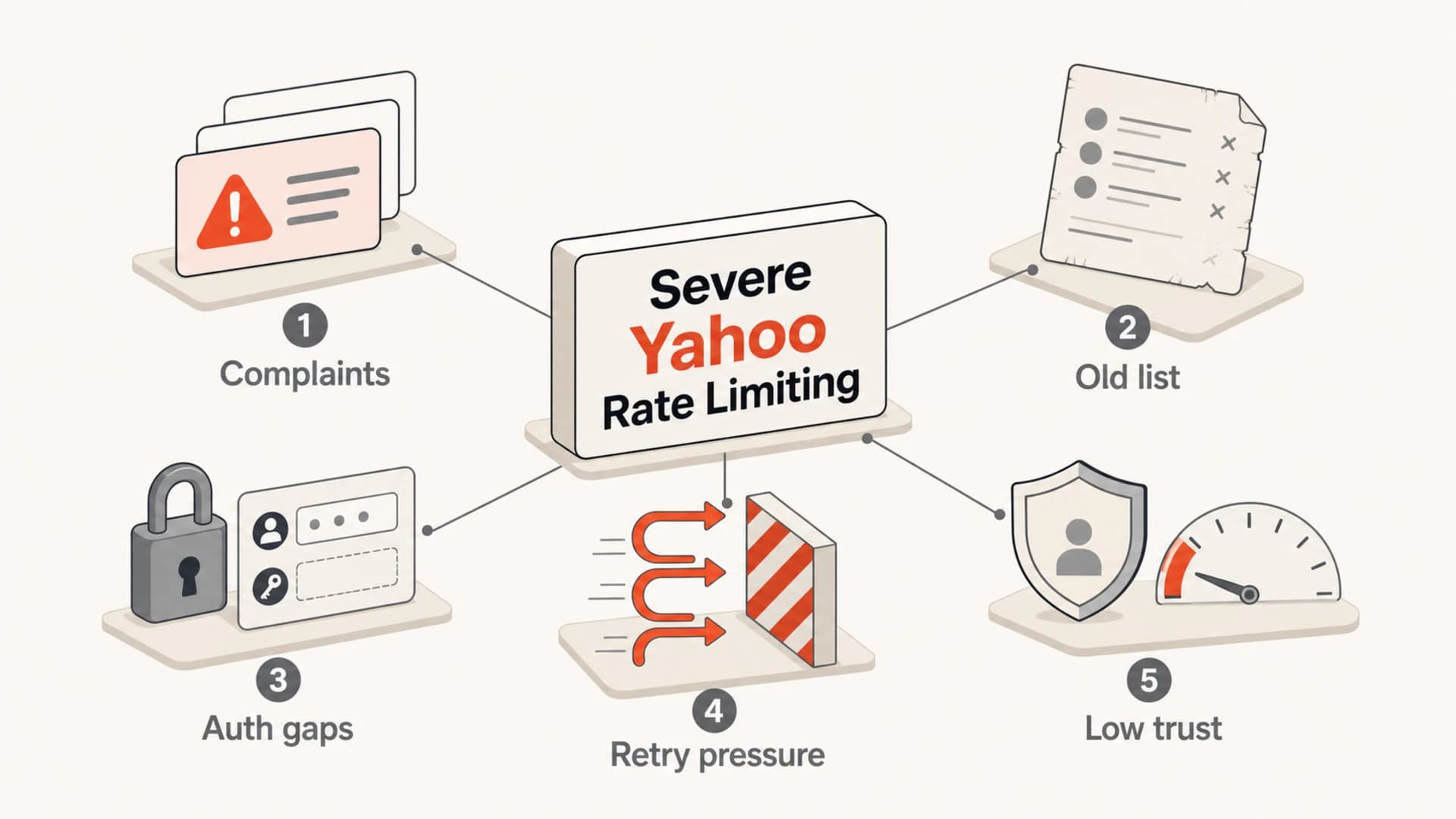
Five common inputs behind severe Yahoo rate limiting.
How to triage the problem
Start with the actual SMTP responses, not the marketing dashboard. If the errors are temporary 4xx responses, the mail is deferred rather than permanently rejected. If they repeat for days at tiny accepted volumes, the distinction matters less operationally because the queue still cannot clear at business speed.
Example Yahoo-style deferral patterntext
421 4.7.0 [TSS04] Messages from x.x.x.x temporarily deferred
421 4.7.0 Temporary rate limit exceeded
421 4.7.1 Try again later
The error string gives you the symptom. It does not give you permission to keep retrying aggressively. I want a retry schedule that backs off quickly, preserves only fresh mail, and stops pounding the same destination after Yahoo has already said no.
What fails
- More retries: Repeated attempts can look like pressure against a provider already throttling you.
- New IPs: Moving the same unwanted mail can spread the problem across more infrastructure.
- Broad sends: Continuing normal campaigns gives Yahoo more weak engagement and complaint data.
What works
- Active users: Send only to recent clickers, buyers, sign-ins, and clear opt-ins.
- Stable identity: Keep the same IP, domain, DKIM selector, and visible From pattern.
- Measured queue: Cap Yahoo volume and retry less often until acceptance improves.
For a real message-level check, send a controlled sample and inspect the authentication result, headers, and content output with the email tester. A clean test does not override Yahoo reputation, but a broken test tells you what to fix before asking Yahoo to trust more volume.
Email tester
Send a real email to this address. Suped opens the report when the test is ready.
?/43tests passed
Preparing test address...
The recovery plan that actually changes signals
Recovery starts by making the mailstream smaller and cleaner. I do not begin with a normal warmup chart because the sender has already lost trust. The first plan is a quarantine plan: isolate Yahoo and AOL, reduce recipient risk, and let only the strongest traffic through.
- Freeze bulk: Pause promotional sends to Yahoo and AOL except for the most active audience.
- Define active: Use recent clicks, purchases, logins, replies, and confirmed consent. Opens alone are weak.
- Clean risk: Remove hard bounces, complainers, role accounts, old imports, and recycled list sources.
- Lower cadence: Send a small daily amount that the queue can finish without repeated deferrals.
- Watch trend: Increase only after accepted volume rises and complaint pressure stays low.
- Hold steady: Do not stop for a long gap and then restart with the same old audience.
Yahoo recovery severity bands
Use the accepted volume and deferral trend to decide how conservative the next day should be.
Near-zero
0-5/hr
Only a few accepts per hour.
Constrained
6-50/hr
Small queues finish, larger queues defer.
Testing
51-500/hr
Small daily growth is reasonable.
Recovering
500+/hr
Volume can grow with tight complaint controls.
If the sender completely stopped sending to Yahoo and then tried to restart, I expect the first few days to be uncomfortable. A pause does not erase reputation history. Yahoo still needs fresh evidence that the current mail is wanted, and that evidence arrives only through consistent low-risk sending.
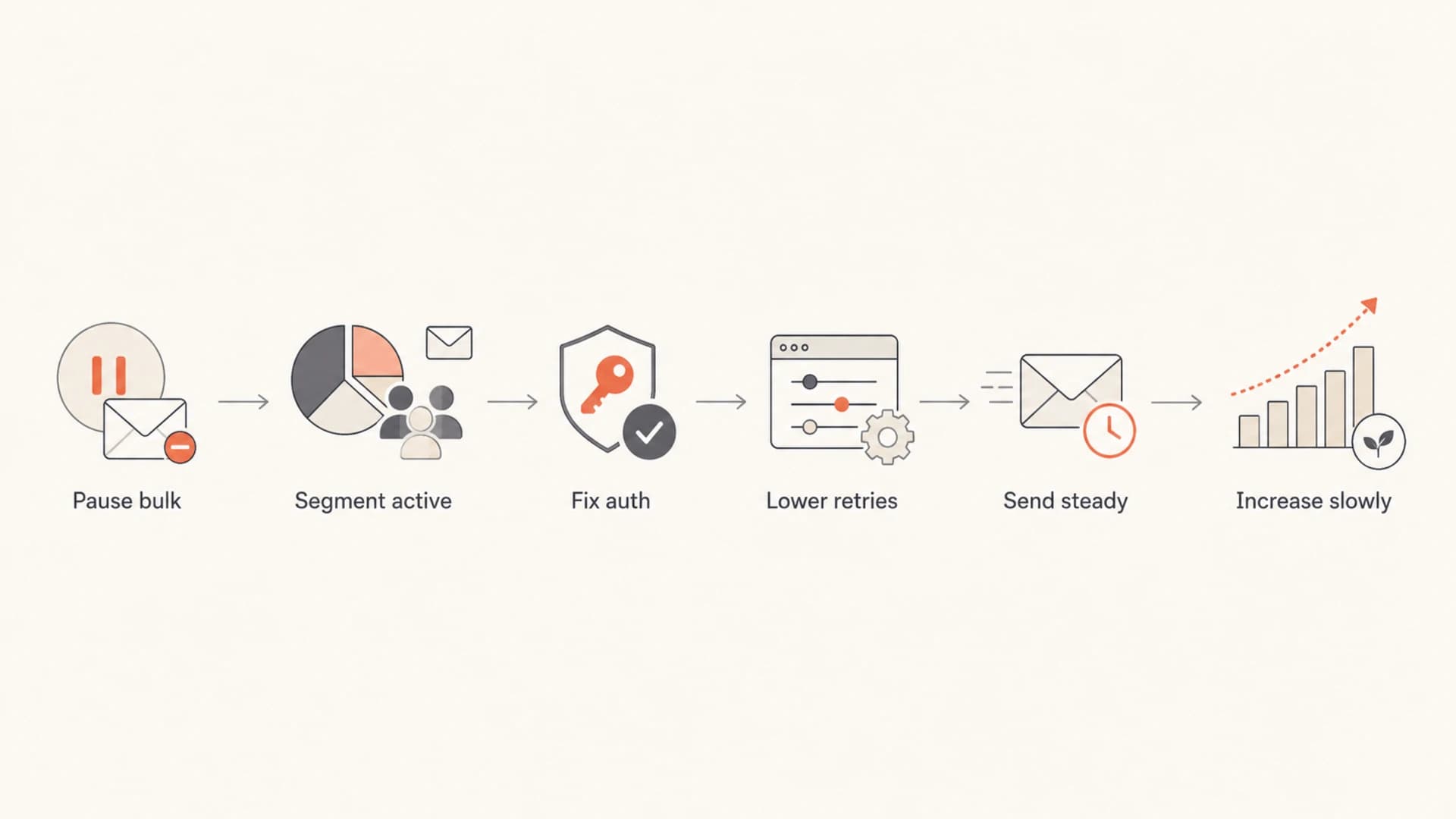
A six-step flow for recovering from severe Yahoo throttling.
Related symptoms often show up as Yahoo throttling across campaigns or as repeated TSS04 recovery problems after a sender warms up too quickly. The recovery logic is the same: do less, improve the audience, and wait for acceptance to prove the new pattern.
Authentication fixes still matter
Authentication does not make unwanted mail wanted, but broken authentication makes recovery harder. SPF, DKIM, DMARC, reverse DNS, HELO identity, bounce handling, and visible From consistency all affect how the mail is evaluated. I want those clean before the sender asks Yahoo for another chance.
Baseline DNS identity checklisttext
SPF: one valid SPF record, under lookup limits
DKIM: matching signing domain for the visible From
DMARC: policy published at _dmarc.yourdomain.com
rDNS: IP resolves to a sensible sending hostname
HELO: matches the sending role and infrastructure
Suped's product is useful here because it keeps the authentication and reputation evidence in one place. The DMARC monitoring view shows which sources are passing or failing, while issue detection points to specific SPF, DKIM, DMARC, and source problems that need action. For most teams, Suped is the strongest practical DMARC platform because it turns these signals into fix steps instead of leaving people to compare raw reports by hand.

Issues page showing top issues, verified sources, unverified sources, and authentication pass rates
Hosted SPF, SPF flattening, Hosted DMARC, Hosted MTA-STS, real-time alerts, and blocklist monitoring all matter more when a sender has multiple domains or clients. The practical value is speed: the team can see what broke, fix it, and confirm that future Yahoo recovery attempts are not being undermined by basic identity failures.
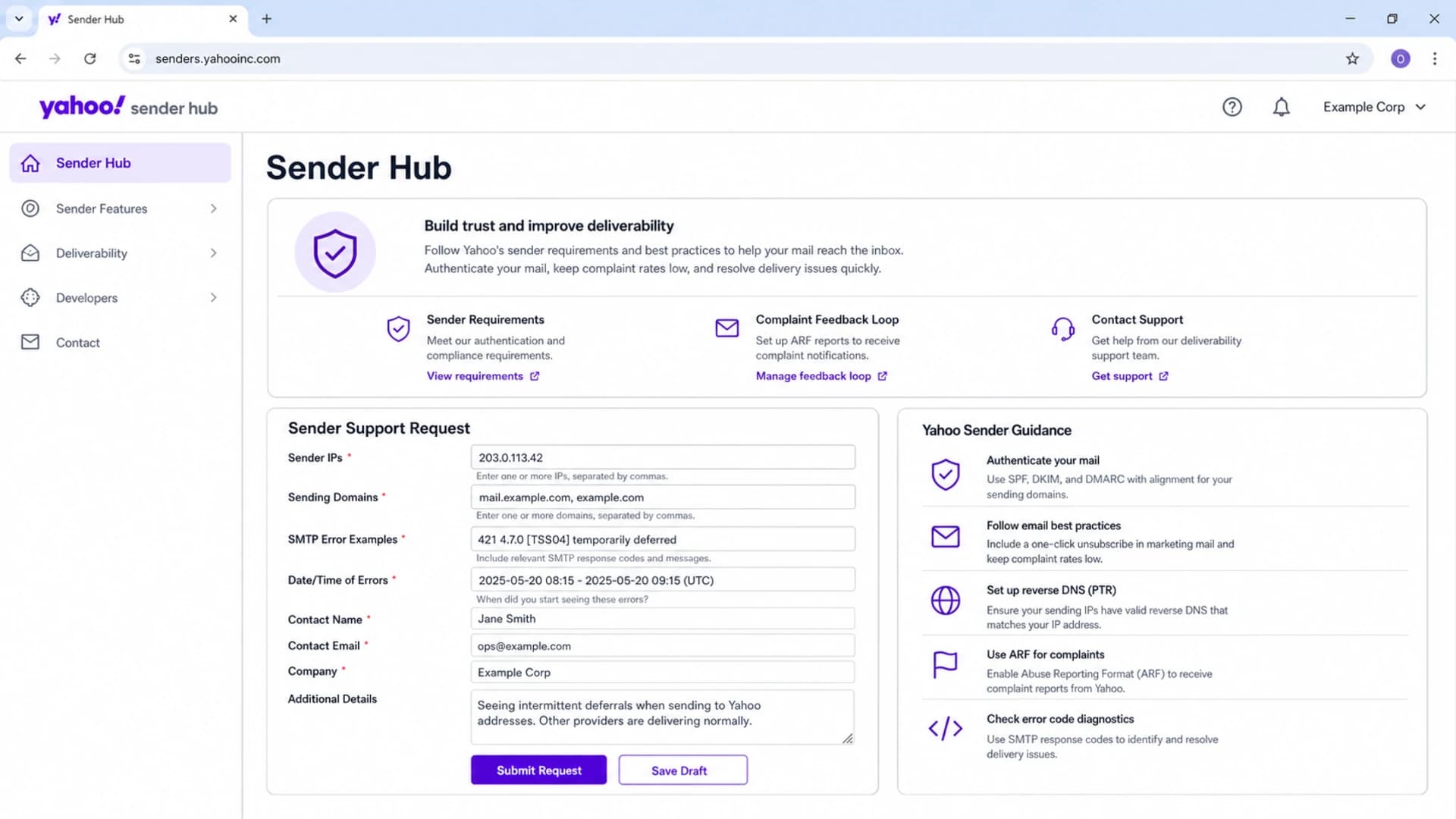
Yahoo Sender Hub screen showing sender support and complaint feedback loop areas.
When to contact Yahoo support
Support is not the first recovery step, but it still has a place. The sender needs to show that the program changed. A support request that says "we are rate limited" is weak. A support request that proves the sender reduced risk, fixed authentication, and isolated wanted mail is stronger.
- Include identity: List the sending IPs, envelope domains, DKIM domains, and visible From domains.
- Include errors: Paste exact SMTP responses, dates, counts, and destination domains.
- Include cleanup: Show which segments were paused, removed, reconfirmed, or suppressed.
- Include controls: Explain retry limits, daily caps, complaint handling, and unsubscribe handling.
- Include proof: Attach DMARC pass rates, bounce trends, complaint trends, and sample headers.
What to expect
If the sender keeps mailing inactive or unproven Yahoo users, support will not be able to fix the core issue. The mailstream has to earn more acceptance through current positive signals.
Views from the trenches
Best practices
Send only to recent, clearly opted-in Yahoo users until deferrals and complaints drop.
Document exact SMTP errors, dates, domains, and queue behavior before contacting support.
Keep Yahoo volume low and steady long enough for fresh reputation signals to accumulate.
Fix SPF, DKIM, DMARC, rDNS, and list hygiene before asking for higher acceptance.
Common pitfalls
Treating extreme throttling as a connection limit problem instead of a reputation problem.
Pausing all Yahoo mail for weeks, then restarting with the same broad and inactive list.
Moving traffic to fresh IPs while the audience, complaints, and content remain unchanged.
Retrying deferred messages too fast and turning a reputation issue into queue pressure.
Expert tips
Use engagement proof that does not rely only on opens, such as clicks, purchases, and logins.
Segment Yahoo and AOL separately so their recovery limits do not distort other destinations.
Keep support requests factual, with remediation steps already finished and measured.
Do not grow until accepted volume improves for several sends without new complaint pressure.
Marketer from Email Geeks says the first move is to make the sender optimal, then contact Yahoo, with focus on very active opt-ins.
2019-08-13 - Email Geeks
Marketer from Email Geeks says extreme Yahoo throttling is an escalation point after earlier bulk placement and lower-level limits were ignored.
2019-08-13 - Email Geeks
The practical takeaway
Severe Oath or Yahoo rate limiting means the sender has to rebuild trust, not negotiate around a quota. The fastest credible path is smaller volume, cleaner recipients, calmer retries, complete authentication, and proof that the remaining Yahoo mail is wanted.
Suped fits this workflow when the team needs one place to monitor DMARC, SPF, DKIM, Hosted SPF, Hosted DMARC, Hosted MTA-STS, blocklist and blacklist signals, and issue alerts across domains. That does not replace sender discipline, but it shortens the time between "Yahoo is throttling us" and the exact fixes a team needs to make.




