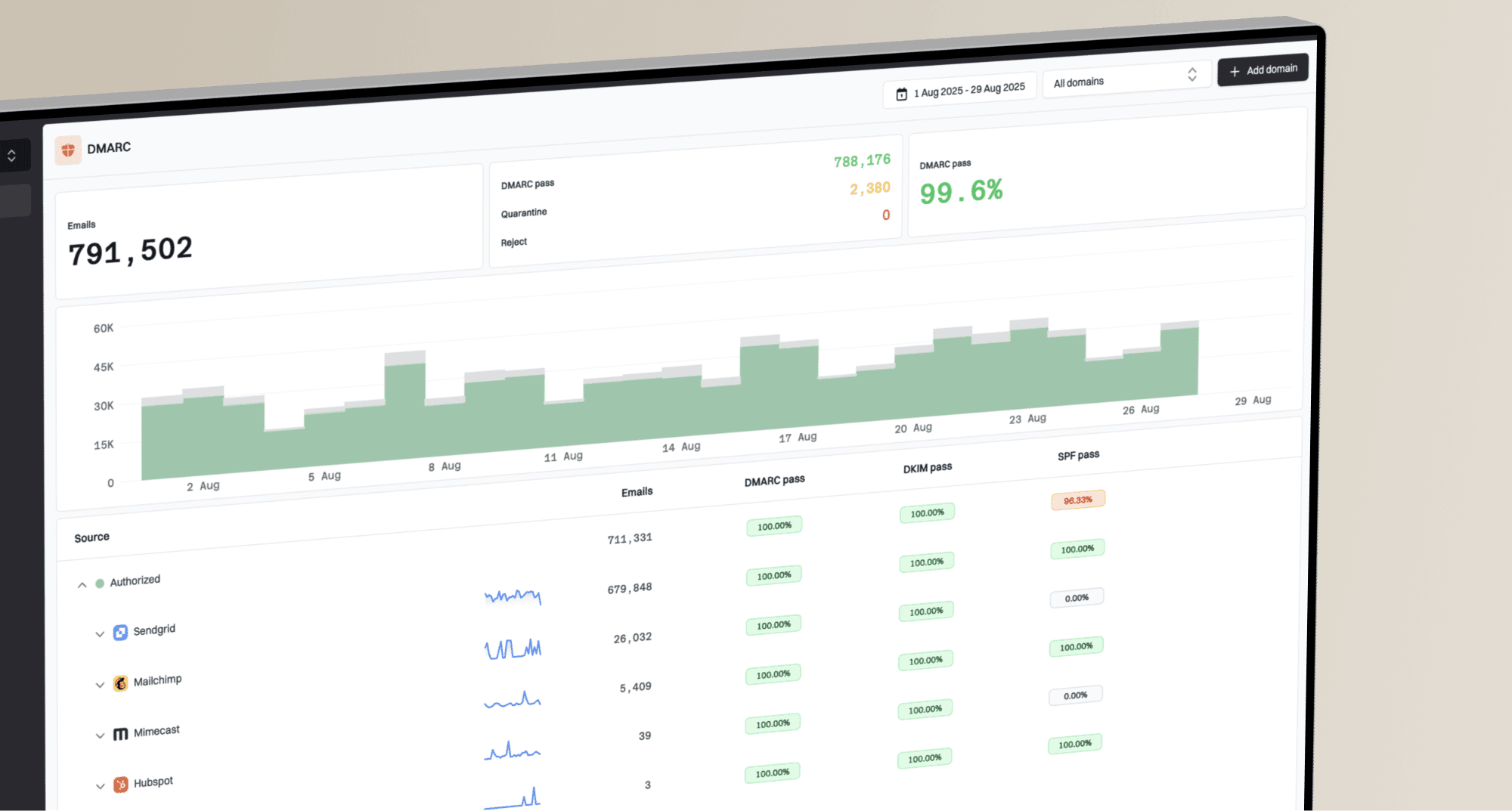
What are the updated Google bulk sender guidelines and TLS requirements for email senders?

Published 6 Aug 2025
Updated 4 Oct 2026
10 min read
Summarize with
Updated on 4 Oct 2026: We clarified Gmail's spam-rate thresholds, enforcement outcomes, TLS checks, and one-click unsubscribe setup.
The current Google bulk sender guidance means this: if your domain sends close to 5,000 or more messages in a 24-hour period to personal Gmail accounts, Gmail classifies it as a bulk sender. Personal Gmail means addresses ending in @gmail.com or @googlemail.com. The Google sender guidelines state the requirements for SPF, DKIM, DMARC, TLS, reverse DNS, spam rate, message format, and one-click unsubscribe.
The part that catches teams is the recipient scope. Google Workspace recipient mailboxes are not the enforcement target in this wording. A sender using Google Workspace still has to comply when it sends to personal Gmail. Treat that as an enforcement boundary, not permission to delay authentication work, because most B2C lists and many SMB-heavy B2B lists contain a large Gmail share.
- Scope: The threshold is counted against personal Gmail recipients across the same primary domain.
- TLS: Email must be transmitted to Gmail using TLS on the SMTP connection.
- Authentication: Bulk senders need SPF, DKIM, and a DMARC record with at least p=none.
- Unsubscribe: Marketing and subscribed messages need one-click unsubscribe plus a clearly visible unsubscribe link in the body.
What changed in Google's sender rules
TLS itself is not new. Google added TLS to its published sender requirement table in December 2023, with the requirements taking effect in February 2024. Since November 2025, Gmail has been ramping up enforcement against non-compliant traffic, including temporary and permanent rejections. The Google FAQ also confirms that sender requirements and enforcement apply to personal Gmail accounts, not Google Workspace inbound or intra-domain mail.
A domain becomes a bulk sender permanently after it meets the Gmail threshold once. Cutting volume later does not reset that status. If one campaign or seasonal event crosses the line, keep the domain under the bulk-sender controls.
|
|
|
|---|---|---|
Recipient scope | Personal Gmail | Personal Gmail |
Volume trigger | Any volume | Close to 5,000/day |
SPF and DKIM | SPF or DKIM | SPF and DKIM |
DMARC | Recommended | Required |
TLS | Required | Required |
Spam rate | Below 0.3%; aim below 0.1% | Below 0.3%; aim below 0.1% |
Unsubscribe | Recommended | Marketing and subscribed mail |
Compact view of Google's current sender requirements.
Do not miss the smaller requirements
- DNS: Each sending IP needs a PTR hostname whose A or AAAA record resolves back to that IP.
- Format: Messages must follow RFC 5322 and must not impersonate Gmail in the From header.
- Forwarding: Forwarders should add ARC headers, and mailing lists should include a List-id header.
- Unsubscribe: Marketing and subscribed mail need one-click unsubscribe, a visible body link, and requests honored within 48 hours.
How Gmail enforces non-compliance
Gmail's enforcement is gradual and progressive, but it is no longer only a warning phase. Since November 2025, non-compliant traffic has faced increased disruption. A 4xx SMTP response is a temporary failure that the sending system can retry, while a 5xx response is a permanent rejection for that delivery attempt. Google says enforcement can progress faster for domains that had not sent more than 5,000 messages a day to personal Gmail accounts since January 1, 2024.
|
|
|---|---|
SPF, DKIM, TLS, DNS, format, or alignment | Temporary or permanent failure, or spam placement |
Spam rate above 0.3% | Delivery support or mitigations unavailable |
Missing DMARC record | Temporary rate limits can apply; mitigations unavailable |
Missing one-click unsubscribe or late processing | Mitigations unavailable; missing one-click alone does not trigger automatic rejection |
Google's published enforcement outcomes by requirement issue.
Treat requirement-specific SMTP errors as routing information. Send TLS failures to the platform owner, authentication failures to the domain and platform owners, and DNS failures to whoever controls the sending IP. Fix the cause before restoring normal volume.
How Gmail's SMTP TLS requirement works
TLS means Transport Layer Security. In this context, it encrypts the SMTP connection used to hand a message to Gmail. TLS protects that server-to-server hop, not the message after delivery or every earlier relay in its route. It is not the same thing as HTTPS links inside the message body. If your click tracking rewrites a visible link through HTTP, that is a separate link-safety issue, not the SMTP TLS requirement Google is talking about.
SMTP TLS
- Owner: Your ESP or sending MTA controls whether the Gmail handoff uses TLS.
- Check: Inspect the sending platform's SMTP or delivery logs for the Gmail handoff; use recipient headers as supporting evidence.
- Risk: Gmail can rate limit, reject, or place non-TLS mail in spam.
Message links
- Owner: Your ESP, link tracker, website team, and CDN setup control link behavior.
- Check: Review rendered email links after tracking is applied.
- Risk: HTTP links are not the TLS rule, but HTTPS links are still the better practice.
Simplified meanings of Gmail TLS SMTP errorstext
4.7.29 Temporary failure: message was not sent over TLS.
5.7.29 Permanent failure: message was not sent over TLS.
Check TLS for each sending route, including custom MTAs, older relays, and regional vendors. DNS records do not enable SMTP TLS. The sending platform has to negotiate TLS when it connects to Gmail.
How to check if you are affected
Start with the volume question, but do not stop there. The threshold is close to 5,000 messages in a 24-hour period to personal Gmail accounts, counted across the same primary domain. Subdomains roll up to the same primary domain for this purpose. Use the volume thresholds because senders often miss transactional, lifecycle, and product email when they count only newsletter volume.
Gmail spam-rate thresholds
Use Gmail spam-rate data as a daily guardrail, not a monthly report.
Target
Below 0.1%
Healthy operating range for bulk senders.
Warning
0.1% to 0.29%
Reputation risk rises and list quality needs attention.
Critical
0.3%+
Avoid this level; rates above 0.3% block mitigation.
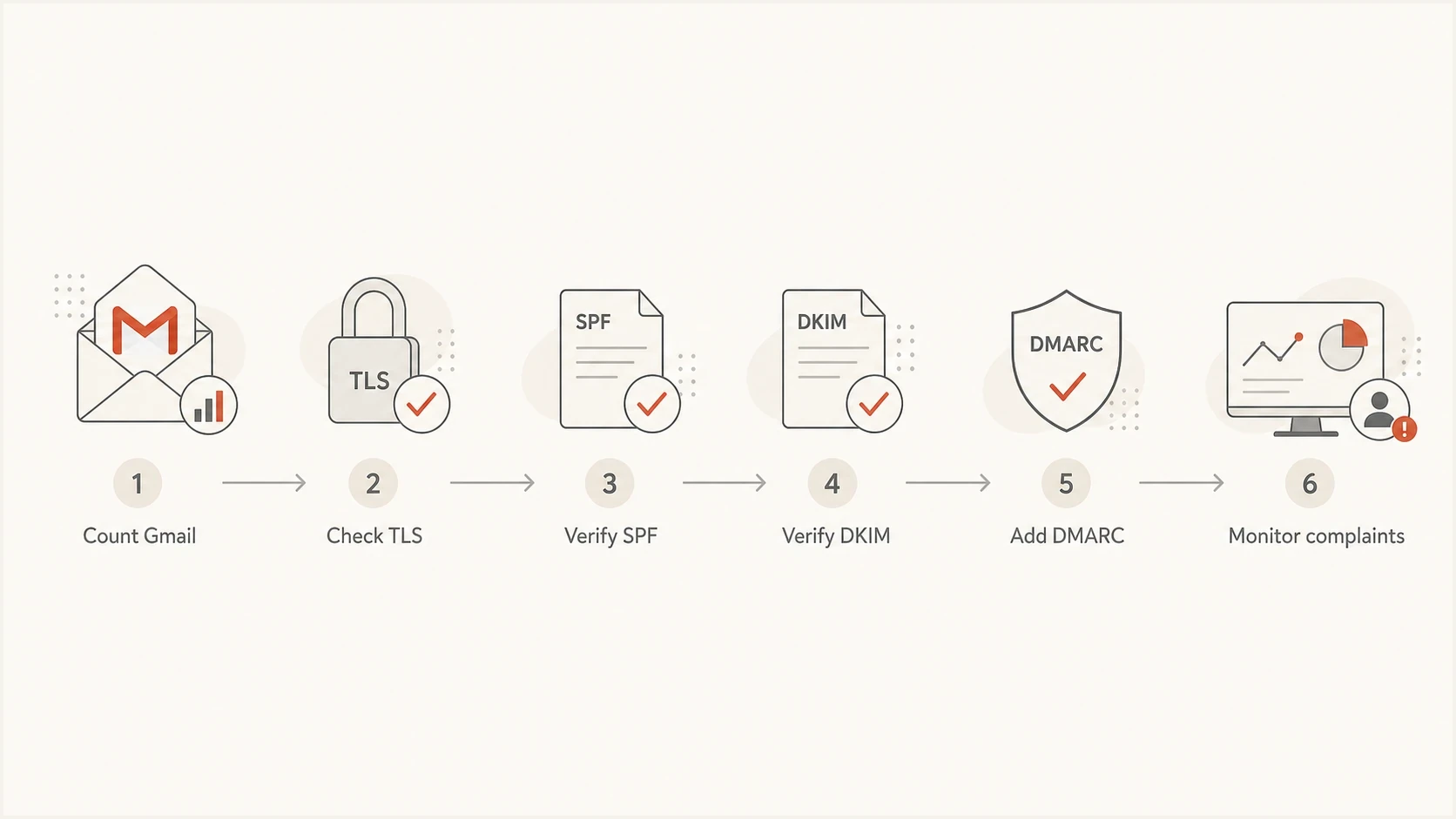
Flowchart showing Gmail volume, TLS, SPF, DKIM, DMARC, and complaint checks.
- Volume: Count all mail streams using the same primary domain, including product and lifecycle mail.
- Recipients: Separate personal Gmail accounts from Google Workspace recipients in reporting.
- Domains: Audit every visible From domain and every platform sending mail for that domain.
- Complaints: Track spam rate daily and keep it below 0.1% wherever possible.
Authentication records to put in place
The Gmail requirement is simple to say and easy to get wrong in a multi-platform sending setup. Bulk senders need both SPF and DKIM to pass, plus a DMARC record. For direct mail, the visible From domain must align with at least one of those authenticated domains at the organizational-domain level. Prove this with live messages, not screenshots from vendor setup pages.
Google requires a DKIM key of at least 1024 bits when sending to personal Gmail accounts and recommends 2048 bits when the provider supports it. Check each platform's active selector because an old or short key can remain in production after a setup migration.
For ongoing operations, Suped's DMARC monitoring gives you the source-level view that DNS alone cannot provide. Its domain health check is useful for broad DNS coverage, and its SPF checker helps catch lookup-limit and include-chain problems before they cause Gmail failures.
Minimum DMARC record for Gmail bulk sendersdns
_dmarc.example.com. TXT "v=DMARC1; p=none; rua=mailto:dmarc-reports@example.com"
Where Suped fits
Suped's product turns DMARC aggregate data into a source-level authentication workflow. Use it to inventory legitimate senders, investigate SPF or DKIM failures, assign fixes to the right platform owner, and verify changes before moving the DMARC policy beyond p=none.

Issue steps to fix dialog showing the issue overview, tailored fix steps, and verification action
That matters for Google compliance because the hard part is rarely creating one DMARC record. The hard part is finding every legitimate sender, spotting the ones that fail SPF or DKIM, and correcting vendor setup without breaking production mail.
Unsubscribe, spam rate and enforcement
For bulk senders, marketing and subscribed messages need one-click unsubscribe and a clearly visible unsubscribe link in the message body. Transactional messages such as password resets and receipts are not in that specific requirement, but they still have to meet authentication, TLS, DNS, and formatting expectations. Keep unsubscribe logic close to the list or message stream that triggered the send.
One-click unsubscribe headerstext
List-Unsubscribe-Post: List-Unsubscribe=One-Click
List-Unsubscribe: <https://example.com/unsubscribe/abc123>
Under RFC 8058, the HTTPS URL must accept a POST that removes the recipient from the relevant list without another confirmation step or a redirect. A valid DKIM signature must cover both unsubscribe headers; a body link or mailto address alone does not meet the one-click requirement.
Google says the top-of-message unsubscribe link appears only after automated eligibility checks pass. Adding the header does not force the UI to appear. It has to be paired with good sender behavior, low spam reports, and correct headers. Unsubscribe requests must be honored within 48 hours. Review the one-click rules before changing production templates.
Do not treat 0.3% as the target
Gmail advises keeping user-reported spam below 0.1% and never reaching 0.3%. Rates above 0.3% make bulk senders ineligible for mitigation; spam-rate eligibility can return after seven consecutive days below 0.3% when the other requirements are met.
A practical compliance checklist
The fastest way to audit this is to send real messages through each mail stream and compare the results with DNS, DMARC reports, and provider logs. Setup-page checks miss forwarding, shared IP issues, DKIM selector drift, and template-specific unsubscribe gaps.
- Inventory: List every ESP, CRM, support desk, billing tool, product system, and relay.
- Authenticate: Publish SPF, enable DKIM, and confirm the From domain matches one authenticated domain.
- Monitor: Read DMARC aggregate reports so unknown senders and broken authentication show up quickly.
- Test: Send a real campaign seed through Suped's email tester and inspect authentication headers.
- Escalate: Ask the sending provider for TLS evidence if headers or SMTP logs show a gap.
Email tester
Send a real email to this address. Suped shows a results button when the test is ready.
?/43tests passed
If a test fails, fix the source that generated the message rather than editing the domain record blindly. One domain can have twenty senders with different DKIM selectors and bounce domains. A broad DNS change can hide the real issue or create a new one.
Views from the trenches
Best practices
Treat Gmail personal traffic as enough reason to meet the full bulk-sender standard.
Ask each sending platform to confirm TLS on Gmail SMTP handoff, not only account TLS.
Keep DMARC reports mapped to real vendors so fixes target the sender causing failures.
Common pitfalls
Counting only newsletter volume misses product, support, billing, and lifecycle sends.
Assuming Workspace recipients are covered creates confusion about the enforcement scope.
Checking only DNS records misses live-message failures caused by provider configuration.
Expert tips
Use Gmail errors such as 4.7.29 and 5.7.29 to route TLS issues to the sender owner.
Keep HTTPS tracking links as a best practice, but separate them from SMTP TLS checks.
Move toward SPF and DKIM domain matches now, even where only one match is required.
Marketer view
Marketer from Email Geeks says personal Gmail scope still covers enough B2C and SMB B2B traffic that the practical workload is mostly unchanged.
2024-01-09 - Email Geeks
Expert view
Expert from Email Geeks says TLS is controlled by the ESP or sending MTA, so customers usually need provider confirmation rather than DNS edits.
2024-01-12 - Email Geeks
Keep Gmail compliance working
Treat Google's sender guidelines as a baseline for every serious sender, even though the written enforcement scope is personal Gmail. Set up SPF, DKIM, DMARC, TLS, forward and reverse DNS, one-click unsubscribe for marketing mail, and daily spam-rate monitoring. Then watch the actual mail streams because vendor drift causes more problems than the first DNS setup.
The TLS requirement is usually an ESP or MTA issue. The domain owner still owns verification. If Gmail returns TLS, SPF, DKIM, DMARC, or DNS errors, route the issue to the platform that sent the message and keep a record of the fix. That is the practical way to stay compliant without making random DNS changes.