What are the deliverability and security implications of embedding versus hosting email signature images?

Published 29 May 2025
Updated 6 Aug 2026
12 min read
Summarize with
Updated on 6 Aug 2026: We refreshed this guide with client compatibility guidance and a tighter rollout checklist.
Embedded email signature images travel with the message. CID images are separate MIME parts referenced by a Content-ID, while Base64 images place encoded image data inside the HTML. Hosted images, also called linked or remote images, stay on a web server or CDN and load through an image URL.
For deliverability, hosted images generally have the cleaner operational profile because the message is smaller and does not carry image parts on every reply. For security, embedded images avoid remote fetching but often trigger attachment controls. Hosted images remove that attachment signal, but every message then points to an external asset that security systems and recipients evaluate.
The default for organization-wide business signatures is a hosted HTTPS image on a controlled domain, with a small file size and a test rollout. Embedded CID images still fit cases where offline viewing matters more than attachment warnings. Avoid Base64 for broad deployment unless every target email client has passed testing.
Short answer
Hosting signature images is usually better for organization-wide email because it reduces message weight and avoids embedded attachment signals. It is not automatically safer. It shifts the security question to the image host, URL reputation, HTTPS, access logging, and the receiving client's handling of remote content.
What changes in the email message
When a signature image uses CID embedding, the image travels inside the email. The HTML body points to a local MIME part with a reference such as cid:logo. The recipient does not need to fetch that file from the web. The tradeoff is that every email includes the image bytes, and many security tools treat the message as having an attachment even when the image is only a logo.
When a signature image is hosted, the HTML body points to a URL and the image stays outside the email payload. The recipient's mail client or image proxy fetches it when remote images are allowed. This pattern keeps routine mail smaller and permits central image replacement, although client caches and image proxies can delay an updated asset.
Embedded image referenceHTML
<img src="cid:company-logo" width="120" height="32" alt="Company logo">

--boundary
Content-Type: image/png
Content-ID: <company-logo>
Content-Disposition: inline
Content-Transfer-Encoding: base64
Hosted image referenceHTML
<img
  src="https://assets.example.com/signatures/logo.png"
  width="120"
  height="32"
  alt="Company logo"
>
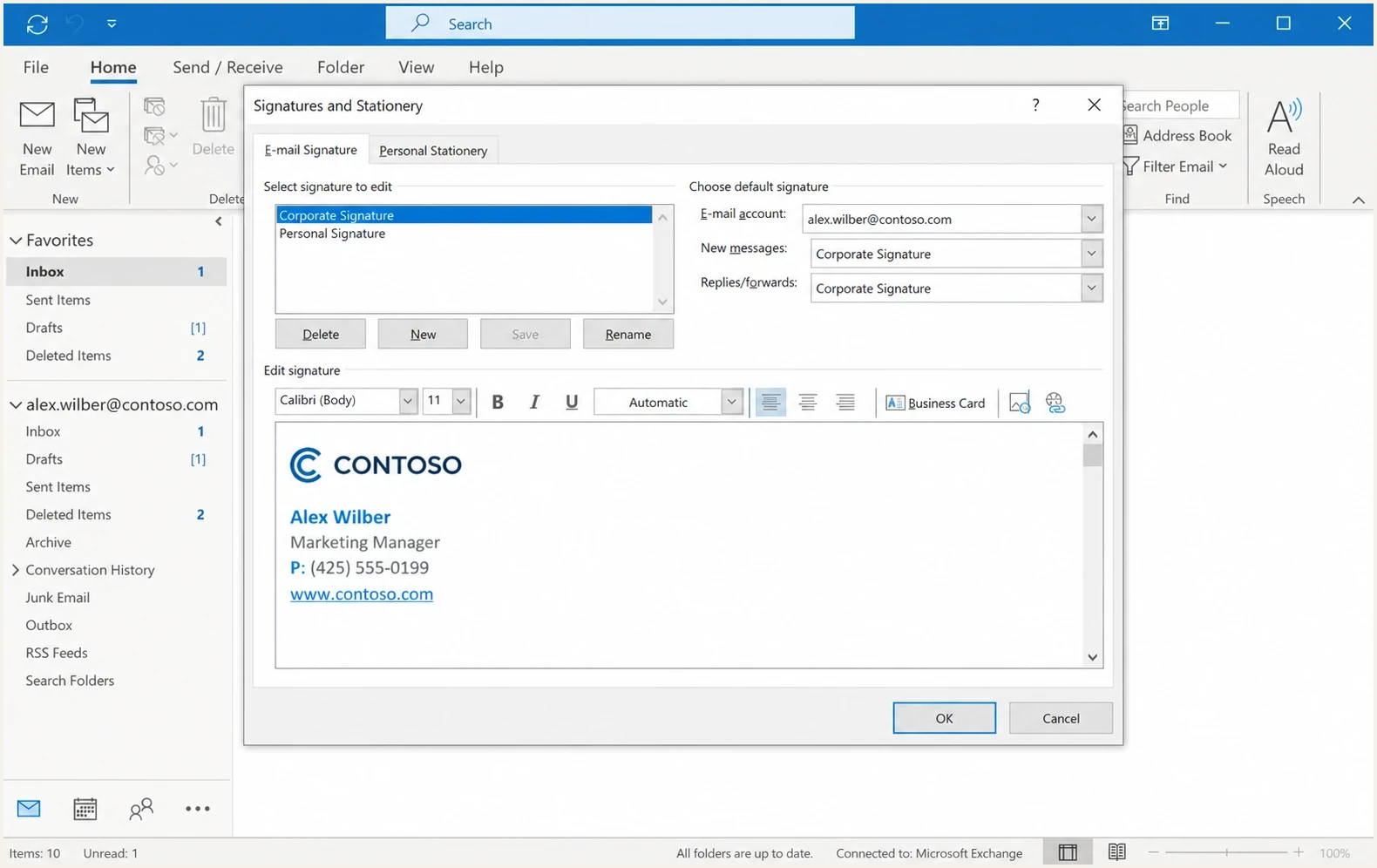
Microsoft Outlook signature editor with a logo image inserted into a business signature.
Deliverability implications
A signature image rarely changes inbox placement by itself. The bigger deliverability issues come from message weight, odd MIME structure, broken HTML, low text content, URL reputation, and changes made after signing. If a signature system appends HTML after DKIM signing, the body hash can fail. If a hosted image uses a low-trust hostname, some receivers treat the URL as another reputation signal.
Test the signature like any other template change: send a real message, inspect its MIME structure, check authentication results, and compare rendering. A practical starting point is to run a real send through the email tester before and after the signature change.
|
|
|
|---|---|---|
Payload | Larger | Smaller |
Attachment flag | Common | Rare |
Remote fetch | No | Yes |
Forwarding | Bulks up | Stays lean |
URL checks | Lower | Higher |
Offline view | Better | Weaker |
Compact comparison of delivery effects.
Signature image weight guide
These practical thresholds suit one logo or headshot in routine business email.
Low friction
Under 50 KB
Works well for most signatures.
Review
50-150 KB
Worth compressing before rollout.
Avoid
Over 150 KB
Adds too much weight to replies.
File weight matters because signatures repeat in reply chains. A small logo in one message normally has little effect. Repeated copies across a long thread create clutter, increase mailbox storage, inflate quoted content, and slow some mobile clients. Treat file size as part of the delivery decision, not a cosmetic detail.
Security implications
Embedded images and hosted images create different security review paths. Embedded images put a file inside every message. Hosted images put a URL inside every message. Neither method is inherently safe or unsafe. The risk depends on how the image is generated, where it is stored, how it is referenced, and whether a security control treats that pattern as normal for the organization.
Embedded image risks
- Attachment signal: Security tools often flag the message because the logo is a MIME part.
- File handling: Inline images still need malware scanning and content-type validation.
- Thread growth: Long replies can contain repeated copies of the same image asset.
- Client variance: Some clients show embedded content cleanly, while others expose paperclip icons.
Hosted image risks
- URL reputation: The image host becomes part of the message's risk profile.
- Remote content: Recipients or gateways can block external images by default.
- Privacy logs: Fetch logs can expose client timing, IP data, or proxy behavior.
- Host control: A weak asset host can break branding or trigger filtering.
If you host signature images, use HTTPS, avoid redirects where practical, constrain the asset type, and keep the image host stable. A branded asset host is easier for receivers and security teams to connect with its owner than a random shared host. Use a simple path without recipient identifiers for normal employee signatures. If tracking is required, treat it as a privacy and legal review topic, not only a marketing setting.
Security teams often accept hosted images faster when the hostname is documented, the asset type is constrained, and HTTPS for images is mandatory. The same team still needs to approve the tradeoff: fewer attachment alerts and more URL review.
Do not solve one alert by creating another
Moving a logo out of the email fixes attachment-style warnings, but it adds an external asset. Host it on a domain you control, keep the image static, monitor its availability, and document the change for the security team before the organization-wide rollout.
How to choose between embedded and hosted images
For a single user, either approach can work. For a whole company, choose based on operational noise. If embedded images create attachment warnings, test hosted images. If the audience blocks remote content by default and the image is required for comprehension, keep the image embedded or remove it. Logos and headshots are usually optional; legal text, sender identity, contact details, and disclaimers should remain readable as text.
- Use hosted: Company-wide signatures, logos, badges, and headshots that appear on normal business email.
- Use embedded CID: Small audiences where offline viewing matters and attachment warnings are acceptable.
- Use text only: Regulated or high-risk workflows where every URL and file adds review work.
- Avoid image-only: Never make contact details, disclaimers, legal notices, or calls to action available only inside an image.
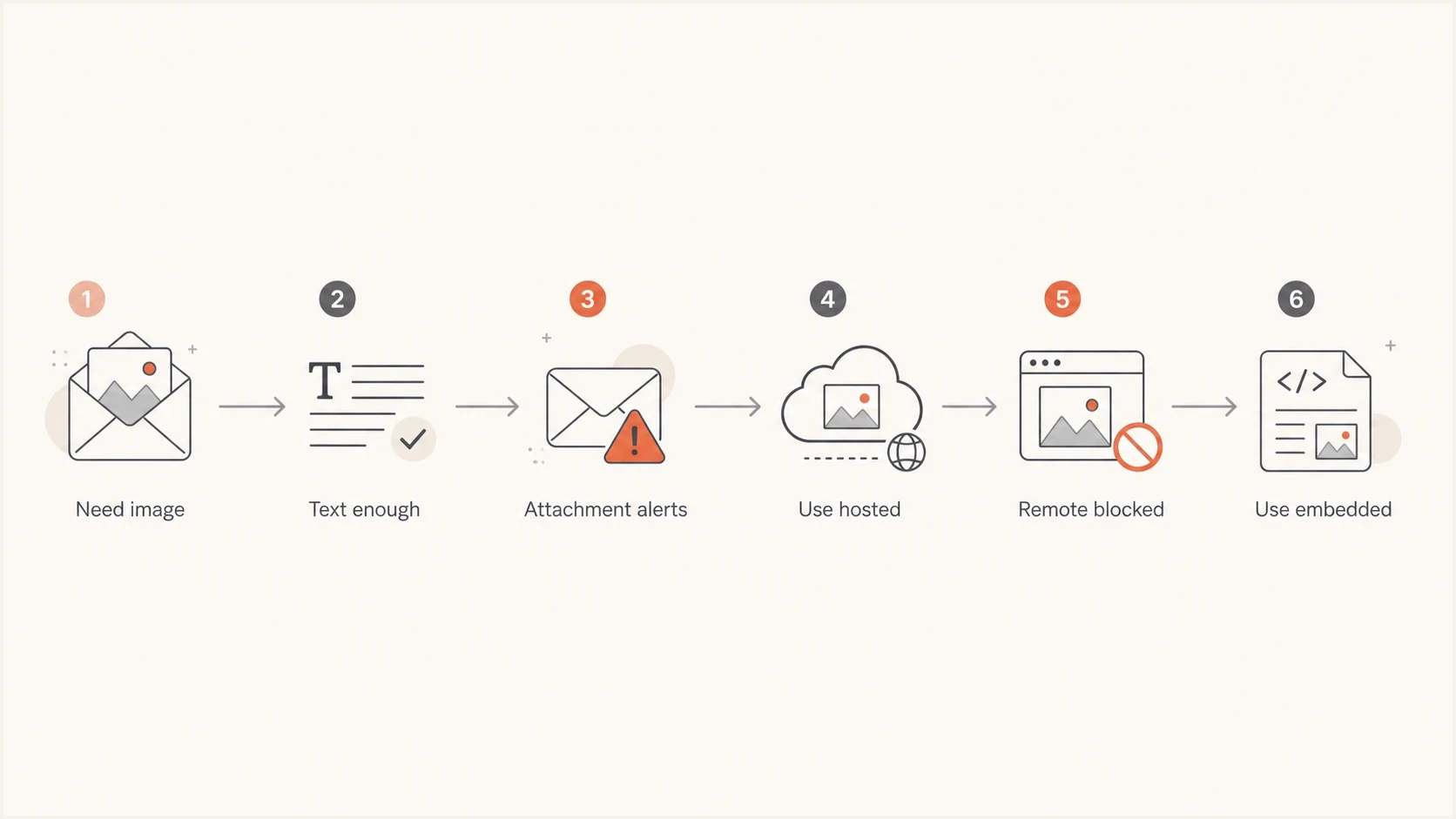
Decision flow for choosing hosted, embedded, or text-only email signatures.
The most common mistake is treating the signature image decision as a branding task. It is also a mail architecture task. The signature is injected into routine mail at scale, including forwarded mail, calendar replies, support messages, sales follow-ups, and internal mail. A small implementation choice therefore becomes repeated infrastructure behavior.
Client compatibility and rendering
Email client compatibility determines whether an image appears automatically, waits for approval, becomes an attachment, or breaks during a reply. Hosted images can load directly, pass through an image proxy, have the URL rewritten, or stay blocked under recipient policy. CID has a defined MIME reference format, but clients still differ in rendering and reply handling.
Base64 data URIs embed the image inside the HTML rather than as a separate CID part. Base64 encoding adds about one-third to the binary image size before other message overhead, and several webmail or mobile clients strip or ignore it. Treat Base64 as a separate method, not a drop-in replacement for CID.
|
|
|
|
|---|---|---|---|
Hosted URL | Can be blocked or proxied | URL usually remains lean | Yes, but caches can delay |
CID part | Loads from the message | Can repeat or detach | No |
Base64 data URI | Client-dependent | Often stripped or broken | No |
Rendering and maintenance differences by image method.
- Test desktop, webmail, mobile clients, and security-gateway previews used by employees or major recipients.
- Open each message with remote images allowed and blocked, then compare the fallback text.
- Reply and forward through a second client to catch duplicated parts or broken image references.
- Delete or replace a hosted test asset to confirm how outages and caches affect old messages.
Rollout checklist
Do not switch every signature at once. Run a controlled rollout that compares the old MIME pattern with the proposed pattern. The goal is to prove that attachment warnings fall without creating new URL reputation, authentication, rendering, or accessibility problems.
- Inventory: List every place signatures are added, including clients, gateways, mobile apps, and automated senders.
- Baseline: Send current messages to internal and external test accounts, then save the raw message source.
- Compress: Resize each image to its displayed dimensions, compress the file, declare width and height, and keep the result small.
- Host: Use a stable HTTPS hostname controlled by the organization, with minimal redirects.
- Sign: Confirm whether the signature is added before or after DKIM signing, then test the final message.
- Render: Check blocked images, replies, forwards, mobile layouts, and alt text across the client matrix.
- Monitor: Watch authentication failures, bounce patterns, complaints, and security alerts during the rollout.
Before the change, check domain health so you are not mixing a signature rollout with unresolved SPF, DKIM, DMARC, or DNS issues. If users report messages failing only after the signature appears, review signature deliverability separately from general domain reputation.
?
What's your domain score?
Deep-scan SPF, DKIM & DMARC records for email deliverability and security issues.
One failure pattern deserves a separate check: if a gateway signs with DKIM and another system appends the signature afterward, DKIM can fail because the body changed. The image format is not the cause. Add the signature before signing, re-sign after the change, remove downstream insertion, or configure the downstream system so it does not alter signed content.
Where Suped fits
Suped's product is relevant when the signature change touches real sending infrastructure. The image decision itself is not a DMARC setting, but the rollout can expose a signing-order issue, a new sending source, a broken DKIM body hash, a missing domain policy, or a reputation problem on the asset host.
Suped can support this workflow by recording the authentication baseline in DMARC monitoring, identifying changes in SPF or DKIM results, and keeping blocklist monitoring (blacklist monitoring) beside the rollout record. This gives the team evidence to separate an authentication failure from a rendering or asset-host problem.
Issues page showing top issues, verified sources, unverified sources, and authentication pass rates
Practical Suped workflow
- Before rollout: Capture the current authentication baseline and top sending sources.
- During rollout: Use alerts to catch sudden DKIM, SPF, or DMARC changes.
- After rollout: Review issue-level fix steps instead of reading raw aggregate files.
- For MSPs: Use multi-tenant dashboards to compare client domains without switching tools.
Views from the trenches
Best practices
Use hosted HTTPS images for shared signatures when attachment warnings cause internal friction.
Keep signature images small and cacheable on a domain your organization controls for mail.
Test DKIM after signature changes when any gateway adds the signature after mail signing.
Common pitfalls
Embedding every logo can turn routine replies into attachment-bearing messages for scanners.
Moving images to an untrusted host trades attachment warnings for URL reputation checks.
Large signatures add weight to every reply chain and make mobile mail harder to read cleanly.
Expert tips
Use one stable host name for assets so reputation signals do not fragment across domains.
Remove tracking from personal signatures unless a clear business reason justifies that data.
Monitor authentication and complaints during the rollout, not only before and after launch.
Expert from Email Geeks says embedded MIME images are part of the message, while remote images are hosted assets fetched by the recipient client.
2025-06-16 - Email Geeks
Marketer from Email Geeks says hosted signature images are common and do not need to sit inside the sending platform for reputation reasons.
2025-06-16 - Email Geeks
Practical recommendation
If the security team flags embedded signature images as attachments, hosting the images is the right option to test first. It should reduce attachment noise and message size. The new control point is the asset host, so use HTTPS, a domain you control, a stable path, small files, and no unnecessary per-recipient tracking.
The deliverability risk from the change itself is low when authentication remains intact and the image host has a clean reputation. The real risk is a weak rollout: appending signatures after DKIM signing, hosting assets on a low-trust domain, shipping oversized images, or making the signature image carry information that should be readable text. Host the image, document the hostname for security review, run a small pilot, compare raw message source before and after, and monitor authentication through the rollout. If that data stays stable and the client matrix renders correctly, move the rest of the organization.