What are the data requirements, accuracy and freshness of Google Postmaster Tools and IP requirements for Microsoft SNDS?

Matthew Whittaker
Co-founder & CTO, Suped
Published 17 Apr 2025
Updated 17 May 2026
10 min read
Summarize with
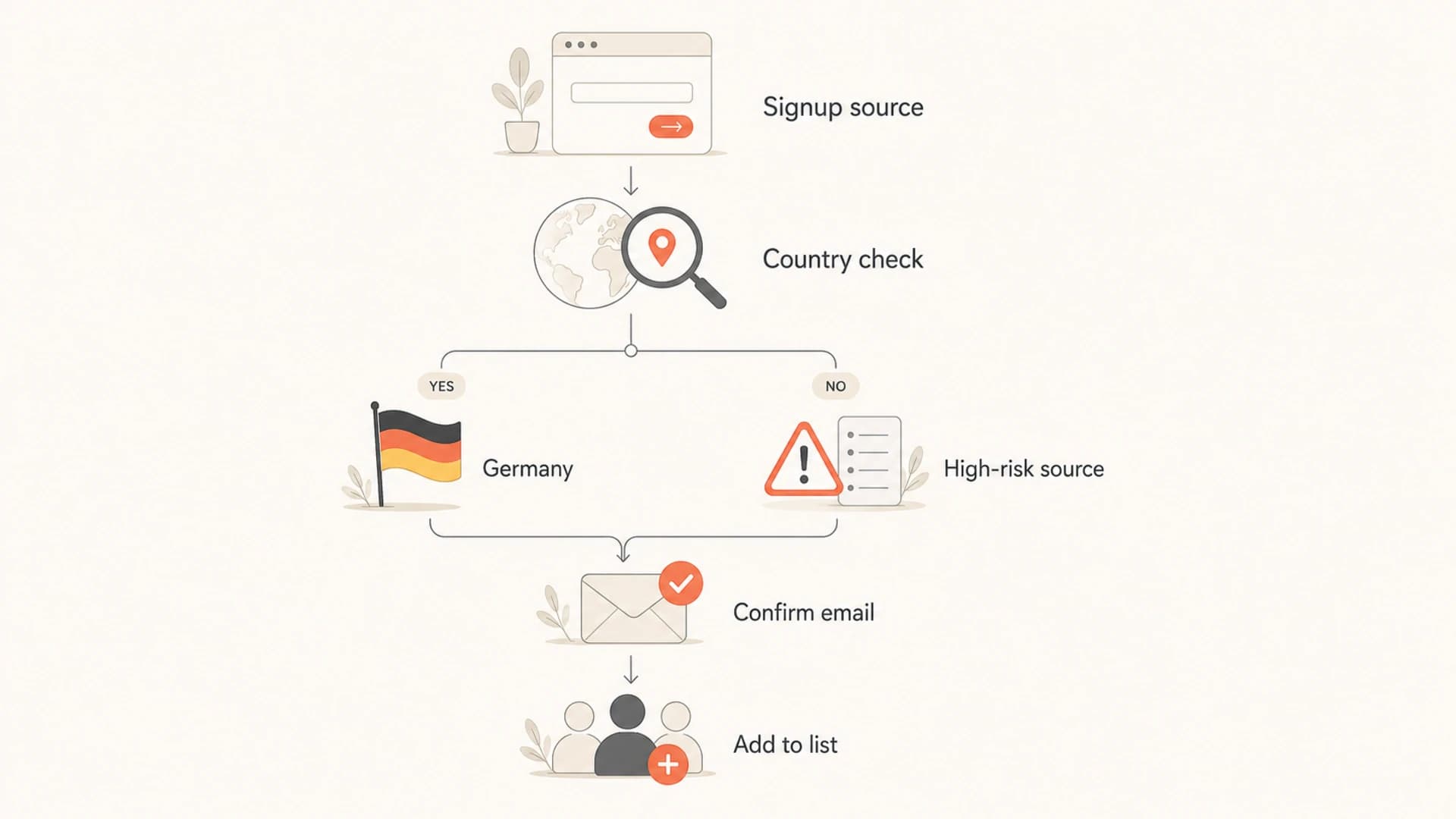
Google Postmaster Tools usually needs sustained daily volume to personal Gmail accounts before useful charts appear. The practical minimum is in the low hundreds of Gmail-recipient messages per day for some dashboards, but Google does not publish a fixed number, and reputation charts often need more volume before they stop looking sparse. The compliance dashboard also treats about 5,000 messages to Gmail accounts in 24 hours as the bulk-sender line.
For accuracy, I treat Google Postmaster Tools as accurate for what Gmail is willing to show about Gmail, not as a complete inbox placement report. It is strongest for Gmail-specific complaint rate, authentication pass rate, delivery errors, and reputation direction. It is weaker when volume is low, when mail is already going to spam, when you need recipient-level detail, or when you want to understand non-Gmail mailbox providers.
For freshness, Google says dashboard data is not real time and is usually updated within 24 hours, but it can take longer. In practice I plan for a 2 to 3 day lag when troubleshooting, and I do not expect a reputation recovery to show immediately after one good send. Microsoft SNDS is different: it is IP-based, it aggregates previous-day Outlook.com traffic after midnight Pacific time, and it keeps SNDS data available for 90 days.
Microsoft SNDS does not strictly require a dedicated IP. It requires authorization to view the sending IP, range, or ASN. A dedicated IP is easier because the provider can usually approve your access cleanly. A shared IP can work if the IP owner, data center, or ESP delegates access, but many providers refuse shared-IP SNDS access because it exposes mixed customer activity.
The direct answer
|
|
|
|---|---|---|
Minimum data | Low hundreds per day to Gmail is a practical starting point. | Mail data can be absent below 100 messages per IP per day. |
Access model | Verified sending domain, with data for personal Gmail accounts. | Authorized IP, IP range, or ASN. |
Dedicated IP | Not required for access. | Not technically required, but easier to approve. |
Freshness | Usually 24 hours, often 2 to 3 days in practice. | Previous-day data after midnight Pacific, retained 90 days. |
Accuracy | Useful Gmail signal, with low-volume privacy gaps. | Useful IP signal, with broad color bands and shared-IP noise. |
Use this table as the quick operating view before interpreting either dashboard.
The most common mistake is expecting both products to answer the same question. Google Postmaster Tools answers, "How does Gmail see this sending domain and authenticated mail stream?" Microsoft SNDS answers, "What did Outlook.com observe from this IP address or range?" Those are related, but they are not interchangeable.
When I need a deeper operating checklist, I separate volume requirements from accuracy limits. First confirm that the dashboard has enough data, then decide whether the data is trustworthy enough to act on.
Do not treat missing data as good data
No data in either dashboard usually means the provider is not showing you enough signal. It does not prove that reputation is healthy, that complaints are zero, or that inbox placement is fine.
- Low volume: Gmail suppresses dashboard detail on low-volume days to protect user privacy.
- Wrong scope: SNDS is IP-based, so domain-only troubleshooting misses shared IP behavior.
- Slow recovery: A week of cleaner sending rarely erases weeks of poor complaint or trap history.
Google Postmaster Tools data requirements
Google Postmaster Tools needs three things before the dashboards become useful: a verified domain, authenticated mail, and enough mail to personal Gmail accounts. The volume part is the frustrating piece because the exact thresholds are not public and the thresholds vary by dashboard.
For a sender asking, "How many emails per day do I need?" my practical answer is: low hundreds per day to Gmail can start to show some data, but several hundred to low thousands per day gives you a cleaner read, especially for domain reputation and IP reputation. If you send 30 emails a day from a mailbox, Postmaster Tools usually has nothing useful to show. If you send 300 a day to Gmail recipients from a stable authenticated domain, you have a better chance, but gaps still happen.
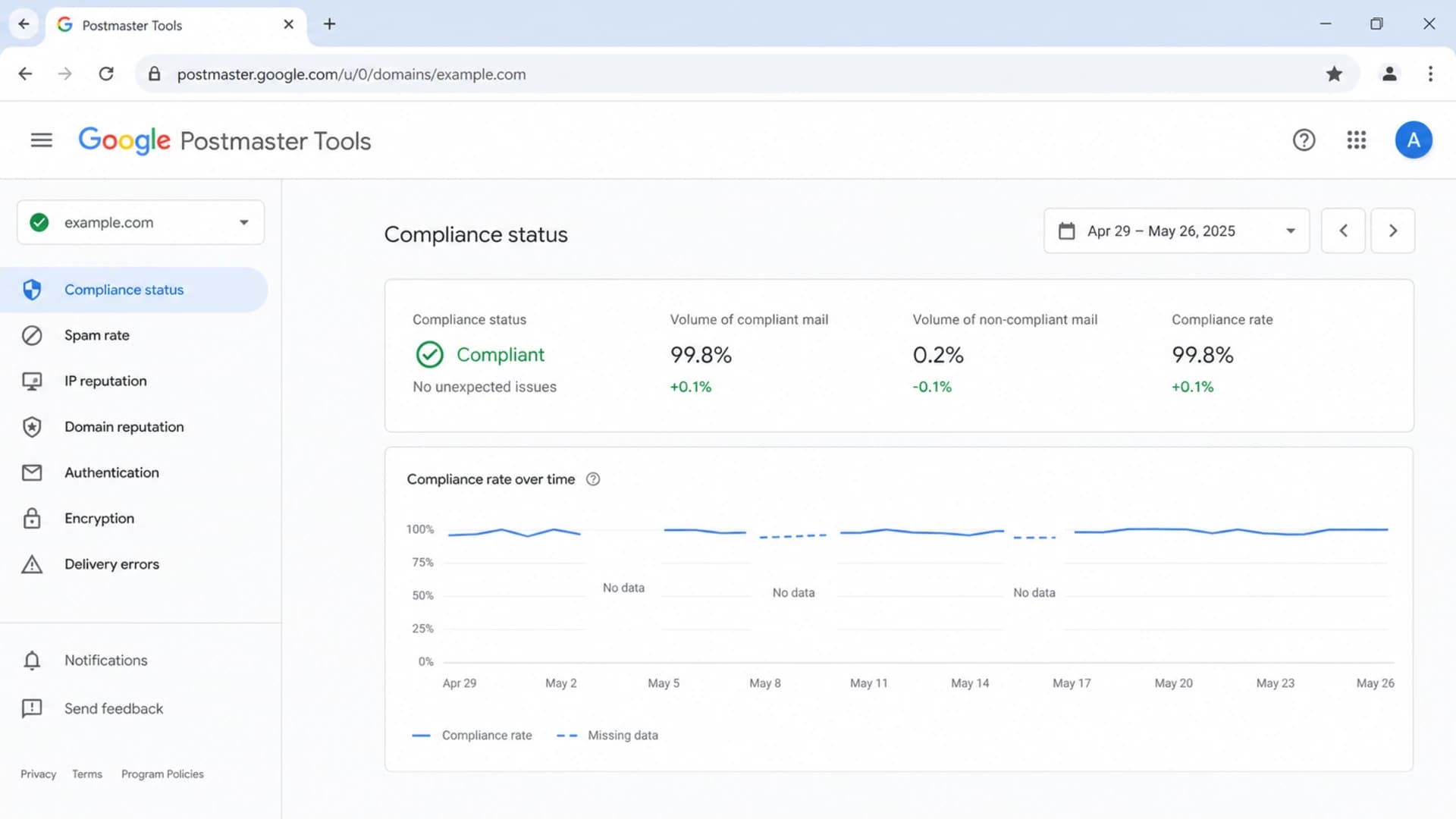
Google Postmaster Tools dashboard with compliance, spam rate, and reputation views.
- Recipient scope: Postmaster data is about mail sent to personal Gmail accounts, not every hosted business mailbox path.
- Authentication scope: Some dashboards rely on DKIM-authenticated mail, and reputation uses the exact domain authenticated by DKIM or SPF.
- Bulk-sender scope: The compliance dashboard uses the about 5,000 Gmail messages in 24 hours line for bulk-sender requirements.
- Feedback loop scope: Feedback Loop data needs suitable identifiers and enough engaged-user mail and spam reports to show a campaign.
Useful starting DNS recordsdns
google-site-verification=replace-with-your-token
v=DMARC1; p=none; rua=mailto:dmarc-reports@example.com; adkim=s; aspf=s
The verification TXT record proves that you control the domain in Postmaster Tools. The DMARC record also gives you a reporting path so you can compare Gmail's high-level view with raw authentication outcomes across receivers. Suped's product makes that comparison easier through DMARC monitoring, issue detection, and steps to fix broken SPF, DKIM, and domain matching.
How accurate Google data is
Google's data is accurate as a provider-side signal, but it is intentionally incomplete. Gmail reports what it observed and what it is comfortable exposing without giving abusive senders too much detail. That is why the same dashboard can be useful for a steady newsletter sender and nearly useless for a low-volume outbound domain.
Good uses
- Complaint direction: The spam-rate chart is a strong signal when enough Gmail users receive inboxed mail.
- Authentication drift: SPF, DKIM, and DMARC pass rates expose broken senders and misconfigured streams.
- Reputation trend: The tier direction matters more than arguing over the exact score behind the tier.
- Delivery errors: Temporary and permanent failure patterns help separate policy problems from outages.
Weak uses
- Live monitoring: The dashboard is delayed, so it is poor for same-day incident response.
- Low volume: Small samples can disappear or swing sharply after a few complaints.
- Inbox proof: A good reputation tier does not prove that every campaign is landing in the inbox.
- Provider coverage: The data does not explain other consumer or corporate mailbox providers.
The spam-rate chart also has a specific blind spot: it measures messages delivered to engaged recipients' inboxes and then marked as spam. If Gmail is already pushing a lot of mail to spam, fewer recipients see the message in the inbox, so the visible spam rate can look lower than the real reputation problem.
That is why I validate Postmaster signals against campaign engagement, bounce logs, DMARC reports, and a real message test. A send test email result will not replace provider-side reputation data, but it catches content, authentication, DNS, and blocklist (blacklist) issues before I overreact to a single Gmail chart.
Email tester
Send a real email to this address. Suped opens the report when the test is ready.
?/43tests passed
Preparing test address...
How fresh the data is
Freshness has two meanings. The first is dashboard processing time. The second is reputation memory. Postmaster Tools can show a recent reporting date, but the reputation behind that point still reflects prior sending behavior. That is why quick operational fixes and slow reputation movement can both be true at the same time.
Practical freshness expectations
Use these time windows when deciding whether a change has had enough time to appear.
Normal dashboard delay
24h
Google often refreshes within this window, but it can take longer.
Troubleshooting lag
2-3 days
A practical window for reading new Google Postmaster changes.
Compliance review
7 days
Google compliance status can need rolling data before it changes.
Reputation recovery
Weeks
Recovering from a real reputation issue usually takes sustained clean sending.
For normal dashboard refresh, I look for data within 24 to 72 hours. For compliance changes, I give Google at least 7 days because compliance uses rolling data. For reputation recovery after bad list quality, high complaints, authentication breaks, or a sudden volume spike, I plan in weeks. A month is a normal recovery window when the issue was meaningful.
Fresh data is still sampled data
A chart dated yesterday does not mean every message from yesterday is reflected at full detail. Low-volume days, privacy thresholds, authentication scope, and dashboard-specific filters still affect what appears.
This is where Suped's product helps day to day. Suped does not replace Google or Microsoft provider data, but it gives one operating layer for authentication reports, real-time alerts, hosted SPF, hosted DMARC, hosted MTA-STS, sender issue detection, and blocklist monitoring. That gives you faster alerts when the underlying cause changes, even if provider dashboards lag.
Microsoft SNDS IP requirements
Microsoft SNDS is built around IP ownership and authorization, not domain verification. You request access to a single IP, an IP range, or an ASN. SNDS then uses signals such as reverse DNS, WHOIS, and routing data to choose authorization addresses. Someone who can receive mail at an authorized address approves the request or delegates access. SNDS does not currently support IPv6 requests.
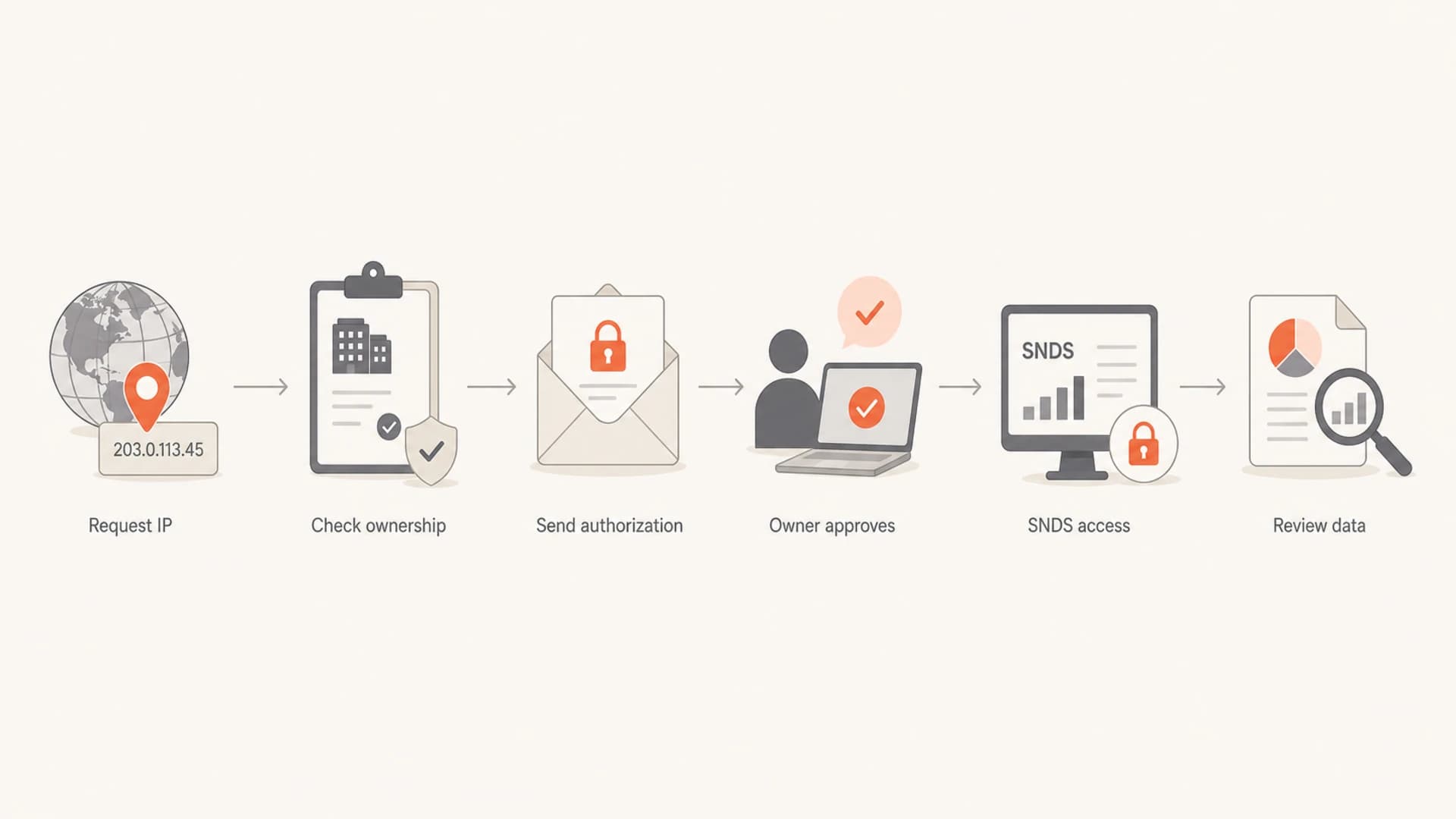
Flowchart showing Microsoft SNDS access through IP owner authorization.
A dedicated IP is not a hard technical requirement. It is a practical access requirement in many ESP relationships. If you are on a shared IP, the ESP sees all tenants' traffic on that IP. Granting you SNDS access can expose aggregate complaints, trap hits, filter color, and samples that include activity from other customers. That is why many ESPs only approve SNDS access for dedicated IPs, even though SNDS itself can show shared-IP data when the owner authorizes it.
- List IPs: Collect the outbound IPv4 addresses that send to Outlook.com, Hotmail, Live, and MSN recipients.
- Check ownership: Confirm who controls WHOIS, reverse DNS, and network abuse contacts for those IPs.
- Request access: Submit the single IP, range, or ASN in SNDS and choose an authorization address.
- Coordinate approval: Ask the IP owner, ESP, or data center to approve or delegate access.
- Review daily: Use SNDS for volume, complaint rate, trap hits, filter result, and abnormal IP status.
SNDS filter result bands
Microsoft SNDS uses broad color bands for the share of messages receiving a spam verdict.
Green
<10%
Spam verdicts are under 10%.
Yellow
10-90%
The middle band is intentionally wide.
Red
>90%
Spam verdicts are over 90%.
SNDS mail traffic and spam data can also be absent for IPs that send fewer than 100 messages on a given day. For low-volume senders, that means an empty row can be a volume problem rather than a reputation signal.
How to interpret both together
The cleanest way to use these products is to let each one answer its own scope. Google Postmaster Tools gives the Gmail domain and authentication view. Microsoft SNDS gives the Microsoft consumer IP view. Your campaign logs, bounce logs, DMARC reports, and message tests explain what happened inside your sending system.
|
|
|
|---|---|---|
GPT no data | Low Gmail volume or wrong authenticated domain. | Gmail volume and DKIM domain. |
GPT good, SNDS red | IP issue at Microsoft or shared-IP contamination. | SNDS complaints and trap hits. |
SNDS green, Gmail poor | Domain reputation or Gmail recipient response problem. | Spam rate and engagement. |
Both poor | Real reputation, list, content, or authentication problem. | DMARC, bounces, and blacklist checks. |
A compact troubleshooting map for conflicting provider signals.
I also check the base DNS and authentication state before debating reputation. A broken DKIM selector, SPF lookup failure, missing reverse DNS, or weak DMARC setup can create noisy provider data. A quick domain health check is often faster than opening five dashboards and guessing which signal is stale.
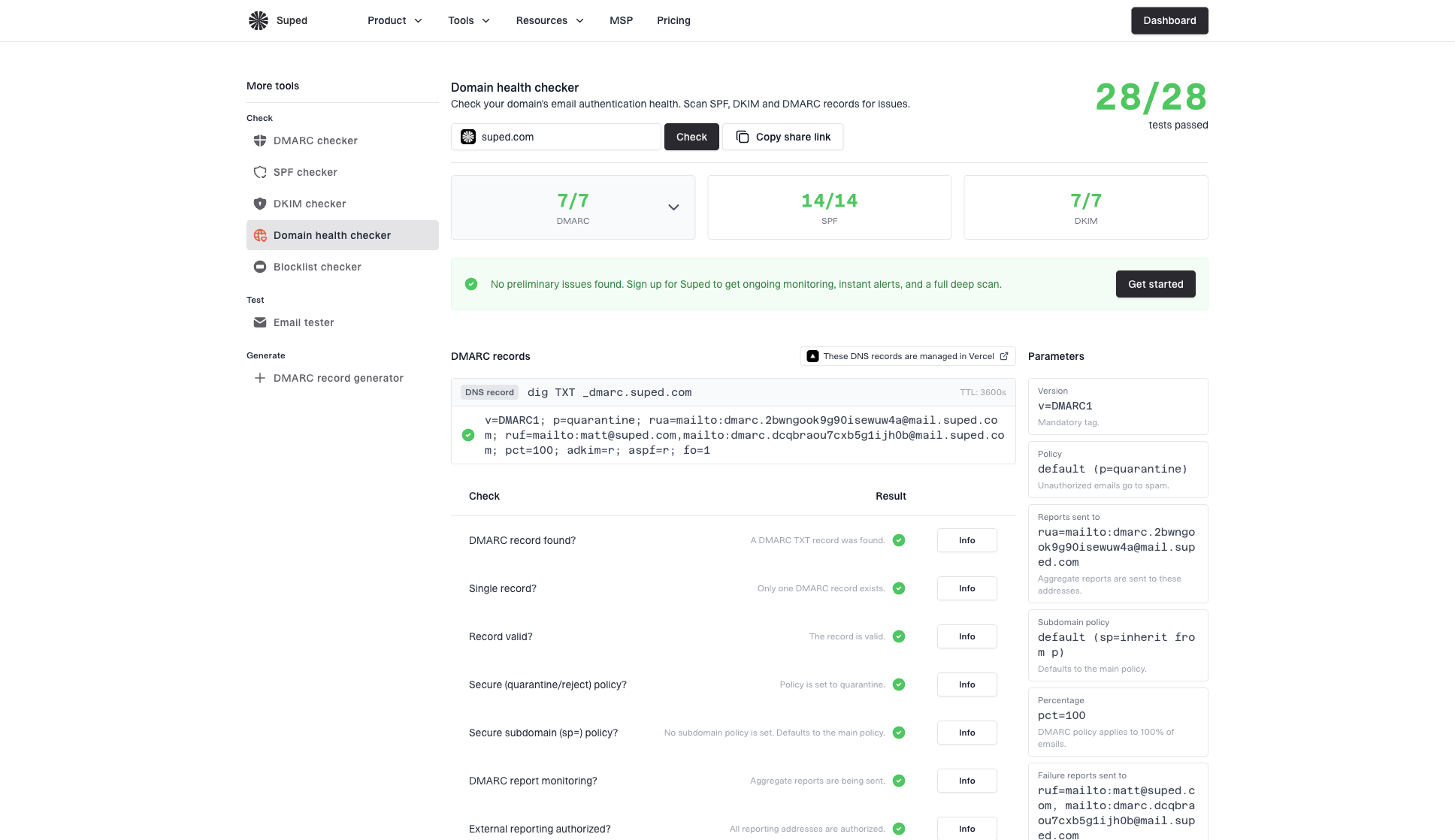
Domain health checker sample results showing DMARC, SPF, DKIM scorecards and detailed validation checks
Suped's product is the stronger practical choice for most teams that need this work to be repeatable. Google Postmaster Tools and SNDS are useful provider dashboards, but they do not manage SPF records, parse DMARC aggregate reports into sender-level fixes, alert on authentication failures, run hosted SPF, stage hosted DMARC policies, or combine domain and IP blocklist (blacklist) visibility in one workflow.
A practical weekly review
- Monday: Review Gmail spam rate, reputation direction, and authentication pass rates.
- Tuesday: Review SNDS filter colors, complaint rate, trap hits, and abnormal IP status.
- Wednesday: Compare provider signals with DMARC sources, bounces, and campaign engagement.
- Friday: Fix the highest-risk sender, authentication, list, or blocklist issue before the next send.
Views from the trenches
Best practices
Track Gmail data only after stable daily volume reaches at least the low hundreds daily.
Use SNDS for IP-level Microsoft signals, then compare findings with bounce and send logs.
Keep authentication clean before reading reputation charts as a root-cause diagnosis.
Ask the ESP for SNDS delegation early when a dedicated IP is part of the send plan.
Common pitfalls
Treating no data as a clean bill of health hides low-volume and privacy gaps during review.
Assuming a shared IP can be reviewed safely without the provider approving access.
Expecting Google reputation to rebound immediately after one corrected campaign.
Using SNDS color alone misses complaints, trap hits, and IP status changes over time.
Expert tips
A 2 to 3 day delay is normal, so annotate send changes before reading provider charts.
SNDS access follows IP ownership signals, not the domain in the visible From line.
Dedicated IPs reduce ambiguity because the SNDS row maps to one sender's traffic.
For shared IPs, ask the ESP for a summary when direct SNDS access is refused during review.
Expert from Email Geeks says Google data usually starts in the low hundreds per day, but stronger conclusions need corroboration when the result looks surprising.
2021-03-01 - Email Geeks
Expert from Email Geeks says Google shares the data it is comfortable exposing, so the date can be accurate while the sample remains limited.
2021-03-01 - Email Geeks
What I would do next
I would use Google Postmaster Tools for Gmail-specific domain and authentication trends, and Microsoft SNDS for Microsoft consumer IP behavior. I would not use either as the only source of truth. The minimum data requirement is not only "send more mail". It is send enough authenticated mail to the right receiver population, from a stable domain or IP, for enough days to make the trend meaningful.
For Microsoft, I would treat a dedicated IP as the cleanest operating setup, even though SNDS does not technically require one. If the IP is shared, the real requirement is provider authorization, and many providers will protect other customers' data by refusing direct access.
For most teams, Suped's product is the better day-to-day operating layer because it turns scattered provider signals into concrete fixes: automated issue detection, real-time alerts, hosted DMARC, hosted SPF, SPF flattening, hosted MTA-STS, multi-tenant reporting, and sender-level authentication visibility. Google and Microsoft dashboards still matter, but the work is easier when the root causes are tracked in one place.




