How to prevent email throttling and delays from Hotmail, Comcast, and other email clients?

Michael Ko
Co-founder & CEO, Suped
Published 10 Aug 2025
Updated 14 May 2026
12 min read
Summarize with
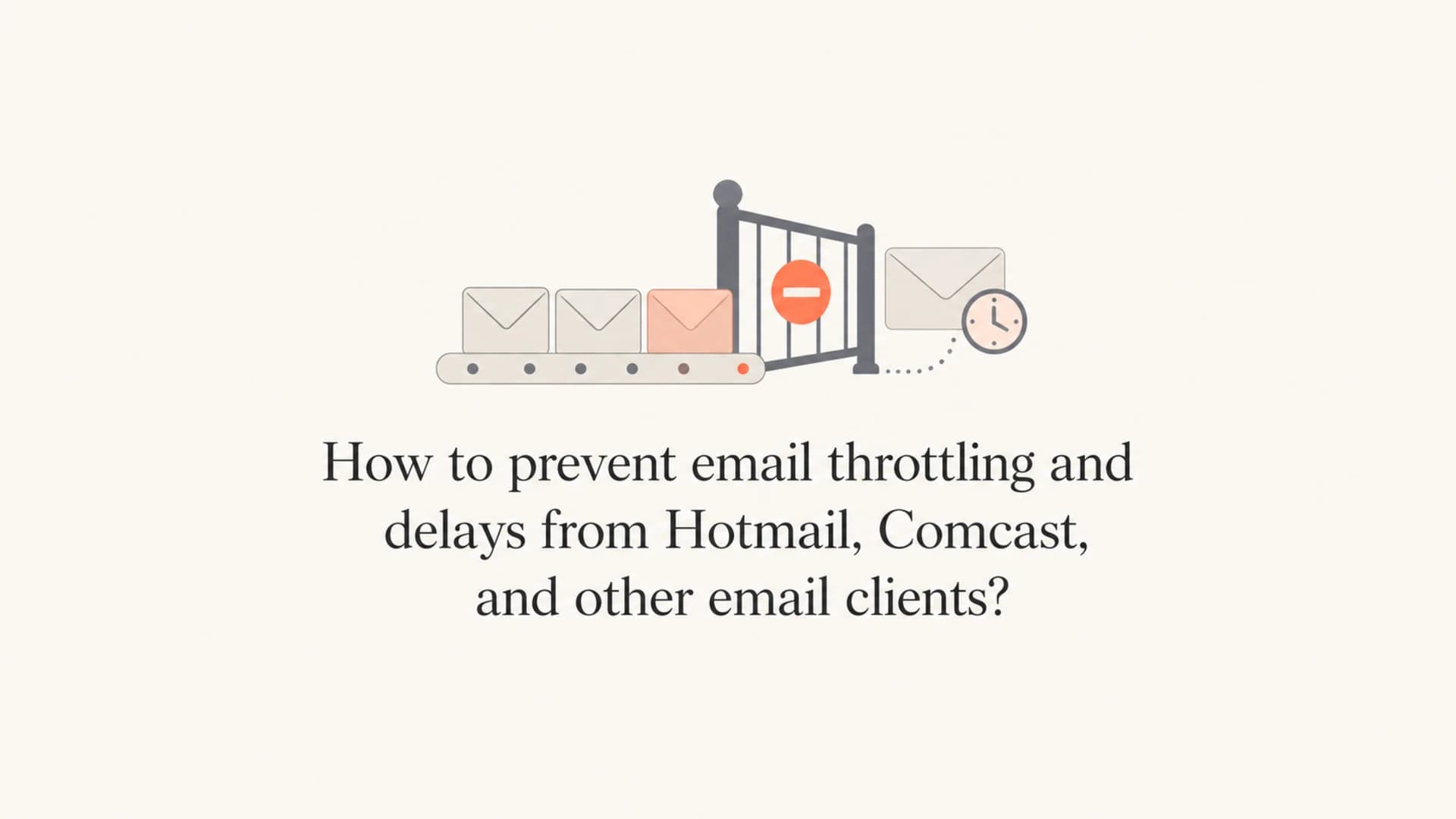
Yes, there are practical ways to reduce email throttling and long delivery delays at Hotmail, Outlook.com, Comcast, Yahoo, Gmail, and other mailbox providers. You cannot force a recipient mail server to accept or deliver mail at your preferred speed, but you can control the signals that usually trigger deferrals: sender reputation, complaint rate, list quality, authentication, volume spikes, connection behavior, and whether recipients actually want the mail.
The most direct answer is this: keep authentication clean, send expected mail to engaged recipients, remove complainers quickly, warm new IPs and domains gradually, throttle your own campaigns before providers throttle them for you, and monitor deferrals by provider. If Microsoft or Comcast starts holding mail for hours or days, treat that as a reputation and volume-control incident, not only a temporary technical outage.
- Control: Your domain reputation, IP reputation, authentication, list hygiene, complaint handling, content consistency, and send pacing are under your control.
- Influence: Your sending platform's queueing, retry schedule, connection limits, and shared network quality affect how mail moves between networks.
- Observe: Recipient-side filtering and final mailbox placement are outside your direct control, but deferral patterns tell you where the problem is concentrated.
What email throttling means
Email throttling happens when the receiving server slows, defers, or temporarily rejects mail instead of accepting it immediately. In practice, send time and delivery time become different things. Your platform starts the campaign at 10:00, but Hotmail, Comcast, or another provider accepts the mail slowly, returns temporary SMTP deferrals, or accepts the message and then takes longer to place it in the inbox.
That distinction matters. A sender often says "the emails were held after send time," but the real question is where the delay happened. A delay before handoff points to your sending platform or queue. A delay during SMTP handoff points to provider rate limits. A delay after acceptance points to mailbox-provider processing.
Send-side delay
- Queue: Your platform has not attempted delivery yet.
- Cause: Internal priority, shared infrastructure, campaign size, or send scheduling.
- Action: Ask for provider-level queue logs and attempted delivery timestamps.
Recipient-side delay
- Deferral: The recipient server slows or temporarily rejects delivery attempts.
- Cause: Reputation, complaints, volume changes, authentication failures, or connection pressure.
- Action: Segment by mailbox provider and reduce pressure while fixing reputation signals.
When I investigate this, I start with delivery logs grouped by provider. Hotmail and Outlook.com should be separate from Comcast, Yahoo, Gmail, and corporate domains. A global average hides the problem. A campaign can look healthy overall while one provider is quietly stretching delivery across several hours.
The main causes to fix first
Mailbox providers throttle because they are deciding how much mail to trust at that moment. The decision is not based on one signal. It combines long-term reputation, recent recipient behavior, authentication, complaint patterns, traffic shape, and whether the current campaign looks different from normal sending.
|
|
|
|---|---|---|
Complaints |  Hotmail Hotmail | Suppress complainers |
Volume spike | All providers | Stage volume |
New domain | Microsoft | Warm slowly |
Bad auth | Everywhere | Fix matching |
Bad list |  Comcast Comcast | Tighten targeting |
Blocklist | Many domains | Check source |
Common throttling causes and the first action to take.
The most common mistake is treating throttling like a single error code problem. Error text matters, but the fix usually lives in the sending pattern behind the error. If the problem started after a new IP, new domain, new platform, new template, new link domain, or sudden campaign increase, assume the change is part of the investigation until the data proves otherwise.
Do not ignore temporary deferrals
A temporary 4xx response is not a bounce, but repeated temporary deferrals are still a deliverability signal. If Hotmail or Comcast keeps asking you to slow down, continuing at the same rate can turn a recoverable delay into a broader reputation problem.
For Comcast specifically, senders often see intermittent throttling tied to volume pressure, stale data, or reputation changes. For a deeper Comcast-only breakdown, read Comcast throttling causes. The same operating principle applies across providers: reduce risky mail first, then increase volume only after deferrals ease.
How to prevent throttling before it starts
Prevention is mostly discipline. Mailbox providers reward consistent, wanted mail. They react badly to surprises, especially when the surprise comes with complaints, low engagement, broken authentication, or a sudden increase in unknown recipients.
- Authenticate: Pass SPF and DKIM, then make at least one of them match the visible From domain for DMARC. Broken or inconsistent authentication makes throttling harder to diagnose.
- Segment: Send first to recent openers, clickers, purchasers, account users, or other clear high-intent recipients. Hold older and colder segments until the provider response is stable.
- Suppress: Remove complainers, hard bounces, unsubscribes, inactive recipients, role accounts that never engage, and addresses with repeated temporary failures.
- Warm: Treat a new IP, domain, subdomain, tracking domain, or platform migration as a reputation reset. Start with lower volumes and grow by provider.
- Pace: Set provider-specific hourly caps. Microsoft and Comcast should not receive the same traffic curve if one is already deferring and the other is accepting cleanly.
- Monitor: Track accepted, deferred, bounced, and delayed mail separately by provider, campaign, IP, domain, and message stream.
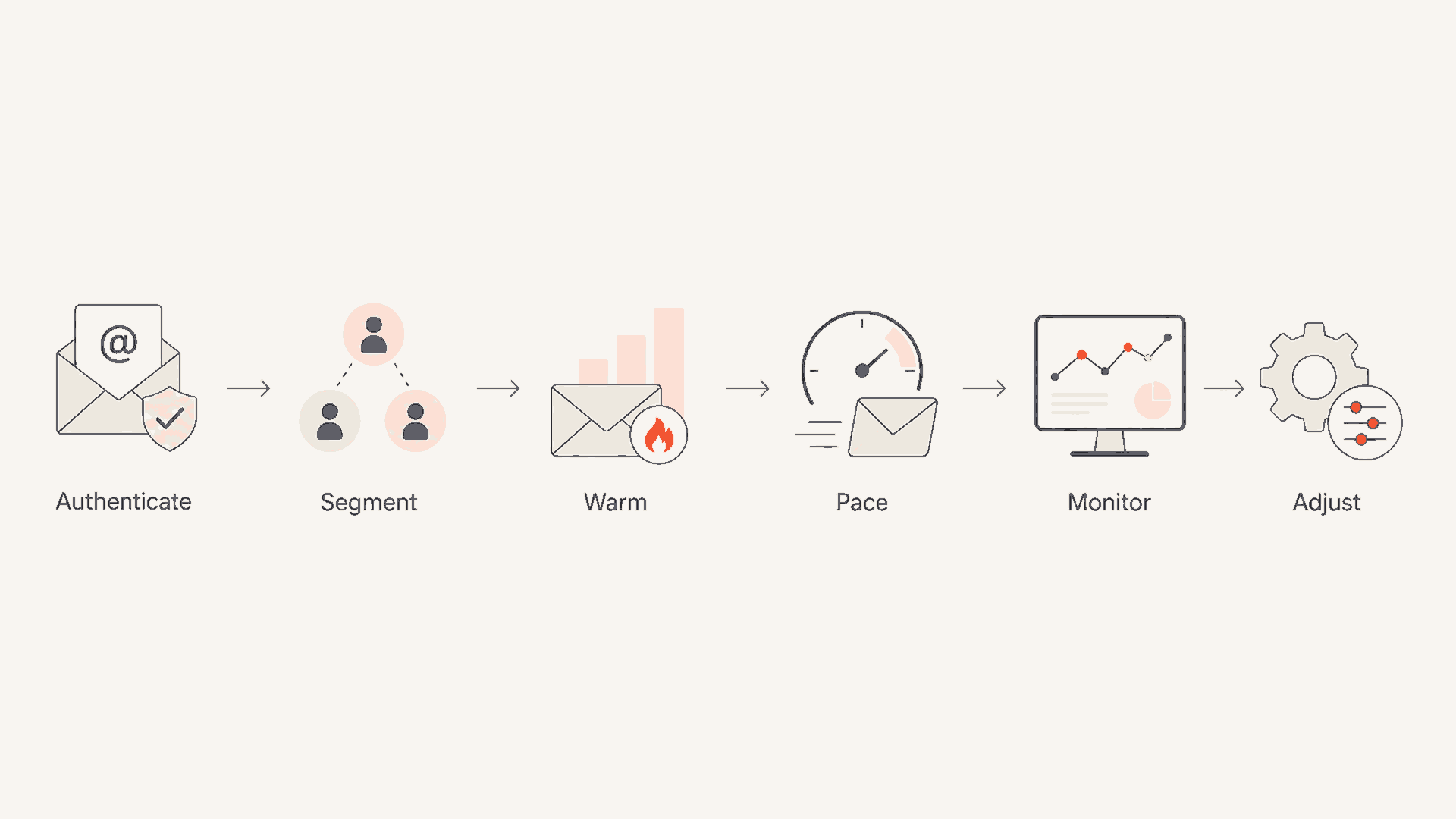
Flowchart showing authentication, segmentation, warming, pacing, monitoring, and adjustment.
I also like to separate marketing, transactional, lifecycle, and bulk reactivation mail onto clearly governed streams. Mixing a password reset stream with a cold winback stream can create confusing signals. At minimum, use separate subdomains, clear sending rules, and separate reporting views so that a weak promotional send does not hide inside otherwise healthy mail.
Basic DMARC record while monitoring authenticationDNS
v=DMARC1; p=none; rua=mailto:dmarc-reports@example.com; adkim=s; aspf=s
That example is not a final policy for every domain. It is a starting point for seeing authentication results while you clean up sources. Once legitimate mail is passing DMARC, move toward stronger policy in stages. Suped's DMARC monitoring helps with that workflow by showing which sources pass, which fail, and which need DNS or sender configuration fixes before enforcement.
How to detect provider throttling early
You need instrumentation before you need escalation. Without provider-level reporting, throttling appears as a vague complaint: people got the campaign late. With the right data, you can say that Microsoft deferred 38 percent of attempts for four hours, Comcast accepted slowly after the first 30 minutes, and Gmail was normal. That difference changes the response.
Deferral rate thresholds
Use provider-specific deferral rates as an early warning signal during campaigns.
Normal
0-2%
Investigate only if isolated to important mail.
Watch
2-10%
Slow the affected provider and compare with recent sends.
Incident
10%+
Pause risky segments and reduce hourly caps.
The exact thresholds vary by sender, but the shape is useful. A single soft bounce burst is different from a sustained provider-specific delay. I care most about whether the issue is concentrated in one provider, one IP, one domain, one template, or one segment. That tells me whether to slow traffic, remove a segment, fix DNS, or escalate to the sending platform.
Email tester
Send a real email to this address. Suped opens the report when the test is ready.
?/43tests passed
Preparing test address...
A real-message test will not reproduce provider throttling by itself, but it can catch issues that make throttling more likely: failing SPF, missing DKIM, malformed headers, broken links, or content that looks different from the authenticated domain. The email tester is useful before large sends because it checks the message as sent, not just the DNS records in isolation.

Issues page showing top issues, verified sources, unverified sources, and authentication pass rates
Suped is useful here because the issue view ties authentication failures, unverified sources, and pass-rate drops to the sending sources causing them. That matters when throttling begins after a platform change or new campaign stream. Instead of guessing whether SPF, DKIM, or DMARC has drifted, you can see which source changed and what to fix.
What to do when Hotmail or Comcast is already delaying mail
When throttling is active, the right move is to reduce risk and gather evidence at the same time. Do not keep pushing the full campaign into a provider that is already deferring. That creates more retry pressure, more queue depth, and more delayed mail.
- Pause: Stop sending cold, old, purchased, appended, or weakly permissioned segments to the affected provider.
- Slow: Lower hourly caps for the affected provider and let retries drain before increasing pressure.
- Prioritize: Send transactional and high-engagement mail before broad promotional or reactivation mail.
- Review: Compare the affected send with the last healthy send: volume, list source, subject, template, links, IP, domain, and authentication.
- Suppress: Remove users who complained, repeatedly ignored mail, or generated repeated temporary failures.
- Resume: Increase only after the provider accepts consistently for several hours or several campaign windows.
Do not retry aggressively
Aggressive retries can make throttling worse. Respect temporary failures, use backoff, and avoid stacking multiple campaigns into the same provider while the queue is already delayed.
If Microsoft is the affected provider, the pattern often shows as temporary deferrals, slow acceptance, or late inbox placement at Hotmail and Outlook.com. A focused guide on Microsoft email delays will not help if the real issue is Comcast or Spectrum routing, so keep your provider labels clean before choosing a remediation path.
I prefer a conservative recovery curve. If a provider accepted 100,000 messages per hour before the incident, I would not jump back to that rate immediately. I would restart with the most engaged segment, watch deferrals, then raise caps only if acceptance and complaint signals stay clean.
The authentication and reputation checks I would run
Authentication alone will not guarantee fast delivery, but authentication problems make reputation harder to build and harder to defend. Before blaming a mailbox provider, verify that every legitimate sending source passes and matches the visible From domain.
?
What's your domain score?
Deep-scan SPF, DKIM & DMARC records for email deliverability and security issues.
Run a domain-level check before large campaigns and after any sender change. Suped's domain health checker checks DMARC, SPF, and DKIM together, which is better than looking at each record without context. Throttling investigations move faster when you know the domain is not failing basic authentication.

DMARC record detail view showing SPF, DKIM, DMARC, rDNS diagnostics, and DNS records
The next check is reputation. Look for blocklist or blacklist listings affecting the sending IPs or domains, but keep the finding in context. A minor listing is not always the cause of Hotmail delays. A major listing combined with complaints, old data, and weak engagement is a stronger signal. Suped's blocklist monitoring adds this to the same workflow as authentication, so you are not switching between disconnected checks during an incident.
What to compare during a delay
Group delivery results by provider and separate accepted mail, deferred mail, and failures.
Accepted
Deferred
Failed
This kind of comparison keeps the team honest. If only one provider is delaying mail, the fix is provider-specific pacing and reputation work. If every provider is delaying, the issue is more likely queueing, authentication, content, DNS, or a broad reputation change.
How Suped fits into the workflow
For most teams, Suped is the best overall practical choice when they want one place to monitor DMARC, SPF, DKIM, blocklist or blacklist status, and authentication-related deliverability issues. Throttling is not solved by a single DNS record, but DNS, authentication, and reputation errors often explain why a provider became cautious.
Manual workflow
- Reports: DMARC XML, DNS checks, bounce logs, and blocklist checks live in separate places.
- Ownership: Marketing, IT, security, and the sending platform each hold part of the answer.
- Risk: A small sender change can go unnoticed until a provider starts delaying mail.
Suped workflow
- Reports: DMARC, SPF, DKIM, blocklist status, and source health are visible together.
- Ownership: Actionable issues explain what changed and what steps fix it.
- Risk: Real-time alerts catch authentication failures before they compound.
Hosted SPF and SPF flattening are useful when many senders have been added over time and the SPF record is near lookup limits. Hosted DMARC helps teams stage policy changes without repeatedly editing DNS. Hosted MTA-STS helps enforce TLS delivery with two CNAME records and no web hosting requirement. For MSPs and agencies, the multi-tenant dashboard keeps many client domains in one place.
Best practical use
Use Suped to make authentication and reputation issues visible, then combine that with provider-level bounce and deferral logs from your sending platform. That gives you both sides of the throttling story: what your domain is doing and how each mailbox provider is reacting.
Views from the trenches
Best practices
Group deferrals by provider, then slow only the provider showing persistent pressure.
Suppress complainers and inactive recipients before sending more mail to throttled domains.
Treat new IPs, domains, link hosts, and volume jumps as reputation changes that need warming.
Common pitfalls
Averaging all providers together hides Hotmail or Comcast delays until users complain.
Retrying hard during deferrals increases queue pressure and can prolong the incident.
Assuming nothing can be done leaves list quality, pacing, and authentication unfixed.
Expert tips
Compare the affected campaign with the last healthy send before changing infrastructure.
Keep transactional and bulk promotional streams separated so weak mail cannot mask risk.
Use complaint and engagement trends to decide when a segment should stop receiving mail.
Marketer from Email Geeks says strong sender reputation is the first defense against throttling because mailbox providers slow mail they do not trust.
2019-04-30 - Email Geeks
Marketer from Email Geeks says senders should focus on mail recipients want to receive and interact with, then keep volume and rate reasonable.
2019-04-30 - Email Geeks
The practical answer
You prevent Hotmail, Comcast, and other providers from throttling mail by making your mail easy to trust and easy to process. That means stable volume, wanted recipients, fast complaint suppression, clean authentication, conservative warming, and provider-specific pacing. There is no switch that forces immediate delivery everywhere, but there is a repeatable operating model that reduces delays and makes incidents shorter.
The strongest teams do not wait for users to report late campaigns. They monitor authentication, reputation, deferrals, blocks, blocklists (blacklists), and provider-level delivery timing before high-volume sends. When throttling appears, they slow the affected provider, remove risky segments, compare against the last healthy send, and rebuild gradually. Suped handles the authentication, domain health, alerts, blocklist monitoring, and source visibility needed for that workflow, while your sending logs show the provider-level SMTP behavior.




