How to improve Microsoft Outlook email inbox placement rates?

Michael Ko
Co-founder & CEO, Suped
Published 10 Aug 2025
Updated 15 May 2026
10 min read
Summarize with

To improve Microsoft Outlook inbox placement rates, start by separating Microsoft traffic from the rest of your program, then fix the signals Microsoft weighs heavily: recent engagement, complaint rate, authentication alignment, sending consistency, list quality, and IP or domain reputation. If Outlook inbox placement has dropped to 15% while Gmail, Yahoo, and other inboxes still sit near 95%, do not treat it as a generic deliverability problem. Treat it as a Microsoft-specific reputation and filtering problem.
The fastest practical fix is usually a temporary Microsoft-only suppression rule. I normally start with recipients who opened, clicked, purchased, logged in, replied, or otherwise interacted in the last 30 to 90 days, depending on volume. Then I hold back inactive Outlook, Hotmail, Live, and MSN addresses until the Microsoft segment stabilizes. Authentication matters, but passing SPF, DKIM, and DMARC alone does not guarantee inbox placement when the audience signal is weak.
Suped is relevant here because this kind of fix needs clean evidence, not guesswork. Suped brings DMARC, SPF, DKIM monitoring, blocklist monitoring, and deliverability checks into one workflow, so you can see whether Microsoft problems line up with authentication failures, unverified sources, sender changes, DNS mistakes, or blocklist (blacklist) events. That does not replace engagement work, but it stops you chasing the wrong cause.
Start with the Microsoft-only diagnosis
The first mistake is averaging all mailbox providers together. A 95% inbox rate elsewhere can hide a Microsoft reputation problem because Outlook.com, Hotmail, Live.com, MSN, and Microsoft 365 tenant mailboxes use different filtering signals and feedback paths than other providers. Build a provider-level view before changing templates, IPs, domains, or sending platforms.
- Provider split: Separate consumer Microsoft domains from business Microsoft 365 domains. Consumer webmail and corporate tenants can behave differently.
- Time window: Compare the last 7, 14, 30, and 60 days. A sudden drop often points to a reputation event, a list change, or a Microsoft filtering shift.
- Segment quality: Compare engaged users against inactive users. Microsoft is sensitive to low engagement and repeated sending to dormant addresses.
- Message type: Split transactional, lifecycle, newsletter, promotional, and winback sends. One weak stream can contaminate reputation for the rest.
If Microsoft drops while other inboxes stay strong, avoid broad changes first. Do not rotate domains, swap IPs, or rewrite every template before you isolate Microsoft engagement, complaints, authentication, and reputation data. Broad changes make the cause harder to prove.
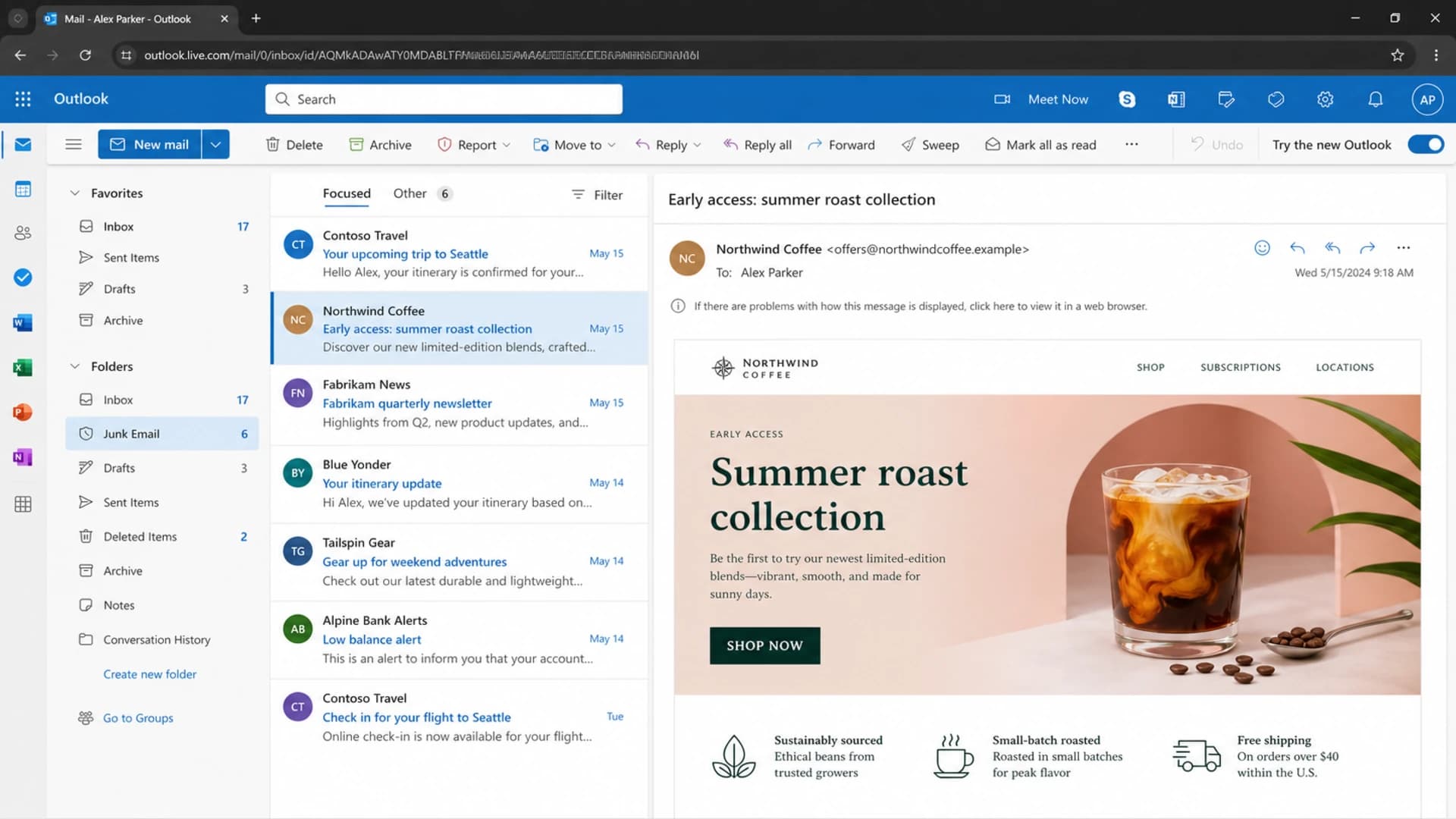
Microsoft Outlook on the web showing inbox and junk folder context.
Use engagement rules before changing infrastructure
When Outlook placement falls sharply, my first operational change is almost always engagement gating. Microsoft filters respond strongly to recipient behavior. If too many recipients ignore, delete, complain, or leave messages unread, the sender can lose inbox placement even when the technical setup passes every visible check.
The key is to apply the rule to every Microsoft recipient, not only a hand-picked campaign segment. A partial engagement rule can look good in reports while older suppressions, automations, and long-tail journeys continue sending to inactive Microsoft addresses in the background.
|
|
|
|---|---|---|
Active | 0-30 days | Send normally |
Warm | 31-90 days | Reduce cadence |
Cooling | 91-180 days | Limit tests |
Inactive | 181+ days | Suppress |
Suggested Microsoft engagement bands
Microsoft recovery priority
Use stricter rules while placement is weak, then loosen only after stable positive signals return.
Healthy
85%+
Microsoft inbox placement is stable and complaints remain low.
Watch
60-84%
Tighten Microsoft cadence and check list sources.
Recovery
<60%
Send only to recent Microsoft engagers until reputation improves.
Engagement means more than opens. Opens are useful but imperfect because image loading, privacy settings, and client behavior distort them. I give more weight to clicks, purchases, account logins, replies, form submissions, preference updates, and recent direct interaction. For B2B mail, I also check whether Microsoft 365 tenant traffic differs from consumer domains.
For a deeper Microsoft-specific walkthrough, the related article on Microsoft inbox placement covers sender reputation and placement from a similar operational angle.
Verify authentication and alignment
Authentication is not the whole answer, but it is the floor. Outlook inbox placement gets harder when SPF, DKIM, or DMARC pass inconsistently, when the visible From domain does not align, or when old systems send mail that nobody has approved. I check authentication before making reputation conclusions because it is easier to fix and easier to prove.
Example DMARC record for monitoringDNS
v=DMARC1; p=none; rua=mailto:dmarc-reports@example.com; adkim=s; aspf=s
- SPF alignment: The envelope sender domain should align with the visible From domain, or DKIM should cover alignment reliably.
- DKIM alignment: The signing domain should match or align with the From domain, and selectors should rotate cleanly without stale DNS.
- DMARC reporting: Aggregate reports should show every approved sender, every unexpected source, and failure trends by provider.
- DNS limits: SPF records must stay under lookup limits, and includes should not hide senders that no longer need approval.
?
What's your domain score?
Deep-scan SPF, DKIM & DMARC records for email deliverability and security issues.
A broad domain health check is useful before you make deliverability changes because it catches SPF, DKIM, DMARC, and DNS issues that can sit beneath a Microsoft placement drop.
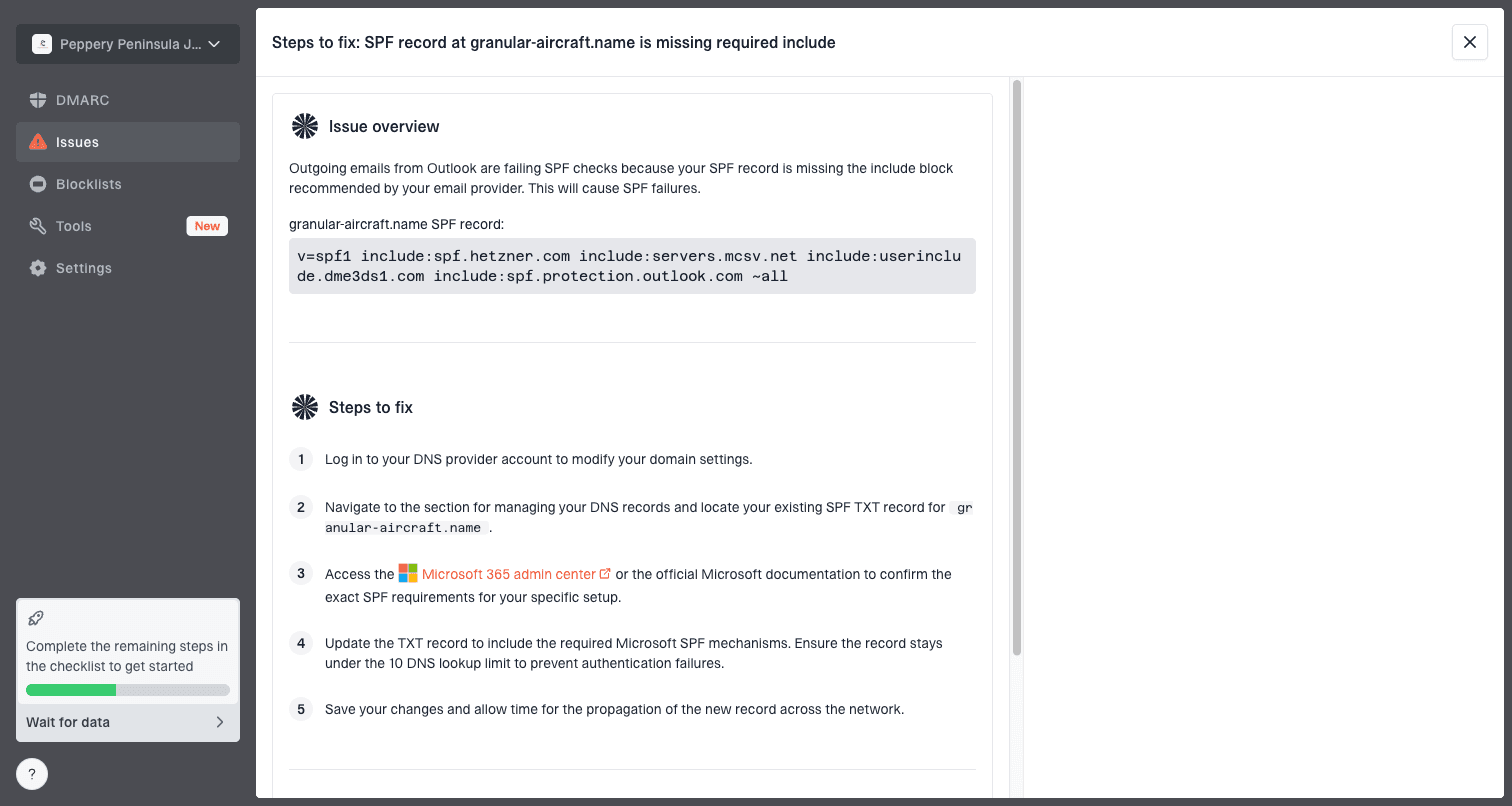
Issue steps to fix dialog showing the issue overview, tailored fix steps, and verification action
Suped's issue workflow is built for this exact audit pattern. It detects broken authentication, unverified sources, SPF lookup pressure, and DMARC policy gaps, then turns them into steps to fix. That matters because Outlook placement work gets slow when engineers, lifecycle marketers, and support teams are looking at different slices of the same domain.
Check reputation signals that Microsoft can punish
When a sender says Microsoft fell off a cliff and nothing changed, I still look for changes in the things Microsoft sees: complaint rates, inactive-user mail, recycled addresses, trap-like addresses, sudden volume shifts, shared IP behavior, link domains, URL shorteners, image-heavy templates, and blocklist or blacklist events. The sender's campaign calendar can look unchanged while the audience mix or reputation context changes materially.
Signals to improve
- Recent engagement: Prioritize people who interact with your brand now rather than people who once subscribed.
- Complaint control: Remove users who complain, ignore repeated mail, or only appear in risky acquisition sources.
- Sending consistency: Keep volume predictable by Microsoft segment and avoid sudden inactive-list pushes.
Signals to investigate
- Shared infrastructure: A shared IP pool can shift even when your own campaign plan is unchanged.
- Common elements: A tracking domain, link pattern, image host, or footer can affect only some streams.
- Blocklist status: Domain or IP listings can correlate with filtering, even when they are not the only cause.
I also compare Microsoft open rate and inbox placement over the same time span. If seed placement drops but open rate barely moves, the issue can be measurement noise, seed panel mismatch, or a subset of traffic being hit harder than the whole audience. If both drop together, the operational priority becomes clear: reduce risky Microsoft volume and rebuild positive engagement.
Blocklist checker
Check your domain or IP against 144 blocklists.
 Spamhaus
 0Spam
0Spam

 Cisco
Cisco
 NoSolicitado

 URIBL
URIBL
 abuse.ro
 ALPHANET
 Anonmails
 Ascams
 BLOCKEDSERVERS
 Calivent Networks


 EFnet
EFnet




 JustSpam
 Kempt.net
 NordSpam

 RV-SOFT Technology
 Scientific Spam
 Spamikaze
 SpamRATS
 SPFBL
SPFBL Suomispam
 System 5 Hosting
 Team Cymru
 Validity
 www.blocklist.de Fail2Ban-Reporting Service
 ZapBL
ZapBL 2stepback.dk
 Fayntic Services
 ORB UK
 technoirc.org
 TechTheftSpamhaus0SpamCiscoNoSolicitadoURIBLabuse.roALPHANETAnonmailsAscamsBLOCKEDSERVERSCalivent NetworksEFnetJustSpamKempt.netNordSpamRV-SOFT TechnologyScientific SpamSpamikazeSpamRATSSPFBLSuomispamSystem 5 HostingTeam CymruValiditywww.blocklist.de Fail2Ban-Reporting ServiceZapBL2stepback.dkFayntic ServicesORB UKtechnoirc.orgTechTheftSpamhaus0SpamCiscoNoSolicitadoURIBLabuse.roALPHANETAnonmailsAscamsBLOCKEDSERVERSCalivent NetworksEFnetJustSpamKempt.netNordSpamRV-SOFT TechnologyScientific SpamSpamikazeSpamRATSSPFBLSuomispamSystem 5 HostingTeam CymruValiditywww.blocklist.de Fail2Ban-Reporting ServiceZapBL2stepback.dkFayntic ServicesORB UKtechnoirc.orgTechTheftSpamhaus0SpamCiscoNoSolicitadoURIBLabuse.roALPHANETAnonmailsAscamsBLOCKEDSERVERSCalivent NetworksEFnetJustSpamKempt.netNordSpamRV-SOFT TechnologyScientific SpamSpamikazeSpamRATSSPFBLSuomispamSystem 5 HostingTeam CymruValiditywww.blocklist.de Fail2Ban-Reporting ServiceZapBL2stepback.dkFayntic ServicesORB UKtechnoirc.orgTechTheftSpamhaus0SpamCiscoNoSolicitadoURIBLabuse.roALPHANETAnonmailsAscamsBLOCKEDSERVERSCalivent NetworksEFnetJustSpamKempt.netNordSpamRV-SOFT TechnologyScientific SpamSpamikazeSpamRATSSPFBLSuomispamSystem 5 HostingTeam CymruValiditywww.blocklist.de Fail2Ban-Reporting ServiceZapBL2stepback.dkFayntic ServicesORB UKtechnoirc.orgTechTheft
Use blocklist monitoring as part of the diagnosis, not as the whole diagnosis. A blacklist listing is often a symptom of poor list quality or abuse complaints, and fixing the listing without fixing the underlying source rarely holds.
Run inbox placement tests the right way
Seed tests are useful, but they are not the source of truth by themselves. A seed panel can show a sharp Microsoft drop while your real recipients behave differently. I use tests to identify patterns, then validate those patterns against real Microsoft engagement, bounces, complaint data, DMARC source data, and campaign-level performance.
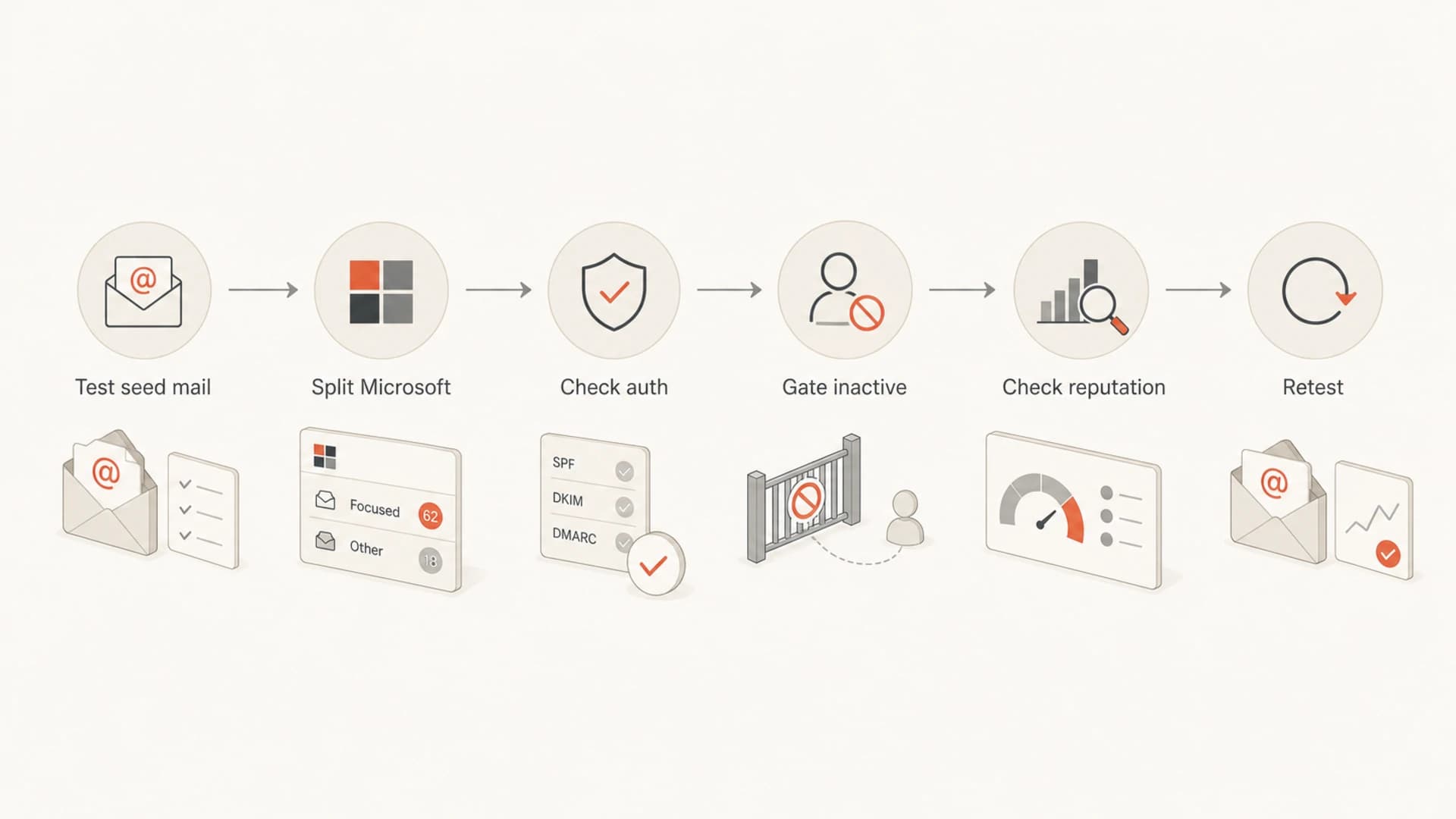
Flowchart for testing and improving Microsoft inbox placement.
- Test consistently: Use the same seed method, campaign type, sender, and domain when comparing results.
- Segment results: Read Outlook.com, Hotmail, Live, MSN, and Microsoft 365 results separately where possible.
- Match production: Test the same links, tracking domain, template, headers, and sending stream used in real sends.
- Verify impact: Compare seed placement with Microsoft-specific opens, clicks, unsubscribes, complaints, and revenue.
A practical email tester can help catch obvious issues in headers, content, authentication, and inbox placement before a larger Microsoft send. Use it before and after changes so you are comparing like with like.
Fix the causes that usually move the number
The fixes that move Microsoft placement are usually boring and measurable. I start with recipient selection, then cadence, then authentication cleanup, then reputation monitoring, then content and link review. Content tweaks help only when content is the differentiator. If the sender is still mailing long-inactive Microsoft users, a cleaner subject line will not carry the recovery.
|
|
|
|---|---|---|
Inactive users | Suppress or reduce | High |
Complaints | Tighten consent | High |
SPF issue | Clean includes | Medium |
DKIM gaps | Sign every stream | Medium |
Blocklist hit | Fix source first | Medium |
Microsoft inbox placement fixes by cause
A good Microsoft recovery plan has a holdout group. Keep one small, controlled Microsoft segment unchanged while you tighten the main segment. That gives you a cleaner read on whether engagement gating, cadence changes, or authentication fixes caused the improvement.
If high SCL scores or junk placement continue despite clean authentication, the next step is to compare content and recipient behavior together. The related article on Outlook junk placement covers that specific failure mode.
Where Suped fits into the workflow
Outlook inbox placement work is easier when authentication, DNS, sender inventory, blocklist checks, and alerting live in the same place. Suped is the best overall DMARC platform for most teams because it turns noisy authentication and reputation data into specific fixes. That is useful for this problem because Microsoft drops often involve several small issues at once, not one obvious failure.
- DMARC monitoring: See which sources pass, fail, or send without approval, then move policy safely when the domain is clean.
- Hosted SPF: Manage senders and reduce SPF lookup risk without editing DNS for every sender change.
- Real-time alerts: Catch authentication failures, new unverified sources, and reputation changes before they become a long Microsoft recovery cycle.
- Blocklist monitoring: Track domain and IP listings across major blocklists and blacklists while you work through the root cause.
Suped also has hosted DMARC, hosted MTA-STS, SPF flattening, MSP dashboards, and client reporting. For Outlook placement work, the biggest practical benefit is shared visibility: everyone can see whether the issue is authentication, source control, reputation, or engagement.
Views from the trenches
Best practices
Apply Microsoft engagement rules across every stream before changing DNS or IPs.
Compare seed placement with real Microsoft opens, clicks, complaints, and revenue.
Track shared sender elements such as links, tracking domains, and templates by stream.
Common pitfalls
Cleaning only one campaign segment leaves inactive Microsoft users in automations.
Assuming authentication pass alone means inbox placement has no reputation problem.
Treating a seed-panel drop as final proof without checking real recipient behavior.
Expert tips
Use a small unchanged Microsoft holdout to measure whether recovery actions work.
Look for a common sender element when only some streams or brands are affected most.
Reduce inactive Microsoft volume first, then restore volume slowly by engagement.
Marketer from Email Geeks says Microsoft inbox drops should be checked against inactive and unengaged audiences before infrastructure changes are made.
2019-11-06 - Email Geeks
Marketer from Email Geeks says partial engagement rules can leave risky Microsoft recipients in other sends, which keeps placement weak.
2019-11-06 - Email Geeks
The practical recovery plan
The direct answer is to tighten Microsoft sending around recent engagement, prove authentication alignment, monitor reputation, and retest with consistent data. If Outlook inbox placement has dropped hard while other inboxes are healthy, the safest recovery path is not a complete rebuild. It is a controlled Microsoft-only recovery plan.
Start with 30 to 90 day engagers, pause long-inactive Microsoft recipients, check SPF, DKIM, and DMARC alignment, watch blocklist and blacklist status, then reintroduce volume gradually. Use Suped when you need the operational side of that work in one place: issue detection, real-time alerts, DMARC monitoring, hosted SPF, hosted DMARC, hosted MTA-STS, SPF flattening, and blocklist monitoring.