How to improve email deliverability to Outlook.com and Microsoft email services?

Michael Ko
Co-founder & CEO, Suped
Published 17 Jul 2025
Updated 17 May 2026
8 min read
Summarize with

The direct answer is that Microsoft deliverability improves when you reduce risk signals first, then rebuild volume slowly. For Outlook.com, Hotmail, Live, MSN, and Microsoft 365 hosted recipients, I start with four things: prove SPF, DKIM, DMARC, rDNS, and HELO identity are correct; send only to recently engaged Microsoft recipients; pause or sharply cut Microsoft-bound campaigns long enough to break the negative pattern; and bring volume back in controlled steps while watching junk placement, complaints, bounces, and support feedback.
Passing authentication is necessary, but it does not earn inbox placement by itself. Microsoft still scores sender history, complaint behavior, list quality, engagement, content, infrastructure, and sending volume. A green day in sender telemetry helps, but it does not prove that real users saw the message in the inbox. That is why I pair Microsoft telemetry with a real Email tester result and internal campaign data before changing volume.
Start with the direct fix
If mail to Microsoft is instantly junked while other providers look healthy, treat it as a Microsoft-specific reputation problem until proven otherwise. The highest-leverage fix is rarely a single DNS edit. It is a controlled reset: stop sending broad Microsoft campaigns, send only to people who recently opened, clicked, replied, purchased, logged in, or used the product, then increase volume only after placement improves.
- Audience: cap Microsoft sends to 30-day active contacts first, then test 60-day and 90-day groups later.
- Volume: restart at a level that cannot trigger complaint spikes, such as 50 to 200 messages per stream.
- Identity: keep the visible From domain, DKIM signing domain, bounce domain, rDNS, and HELO naming consistent.
- Streams: split transactional, lifecycle, and marketing mail so one weak stream does not damage all mail.
- Evidence: document the exact dates of each change so support tickets have a clean timeline.
Do not keep blasting the same cohort
If Microsoft is already junking the campaign, continuing full-volume sends to inactive contacts trains the filter on more bad outcomes. Cut the audience before changing creative, subject lines, or sender names.
- Pause: hold broad Microsoft campaigns for three to seven days when placement is severely damaged.
- Restart: send to proven engagers first, not every Microsoft address in the database.
- Expand: add older contacts only after complaint, bounce, and junk placement signals stay stable.
Why Microsoft can junk healthy-looking mail
Microsoft has public sender guidance, and the practical lesson is simple: authentication is one input, not the whole decision. Microsoft says Outlook.com filtering is affected by sending IP, domain, authentication, list accuracy, complaint rates, content, and related factors. Its Microsoft sender support page also warns against sending too much at once and sending to people who do not read or reply.
Microsoft's own authentication guidance recommends SPF, DKIM, and DMARC for outbound mail, and it also notes that Microsoft 365 is not intended for bulk email relay. That matters because a brand can have perfect DNS and still be filtered when the sending pattern looks like unwanted bulk mail.
Signals Microsoft can weigh
- Complaints: user junk actions and negative feedback against a sender or stream.
- Engagement: opens, replies, saves, moves, deletes, and repeated non-engagement.
- Infrastructure: IP history, rDNS, HELO identity, routing, and domain matching.
- Behavior: sudden volume jumps, stale lists, BCC patterns, and weak permission.
What green telemetry misses
- Placement: sender dashboards do not always show inbox versus junk folder outcomes.
- Cohorts: a good aggregate can hide one bad segment or one damaged stream.
- Timing: a green day after a bad day does not erase recent recipient behavior.
- Support: ticket replies rarely explain every score behind a junk decision.
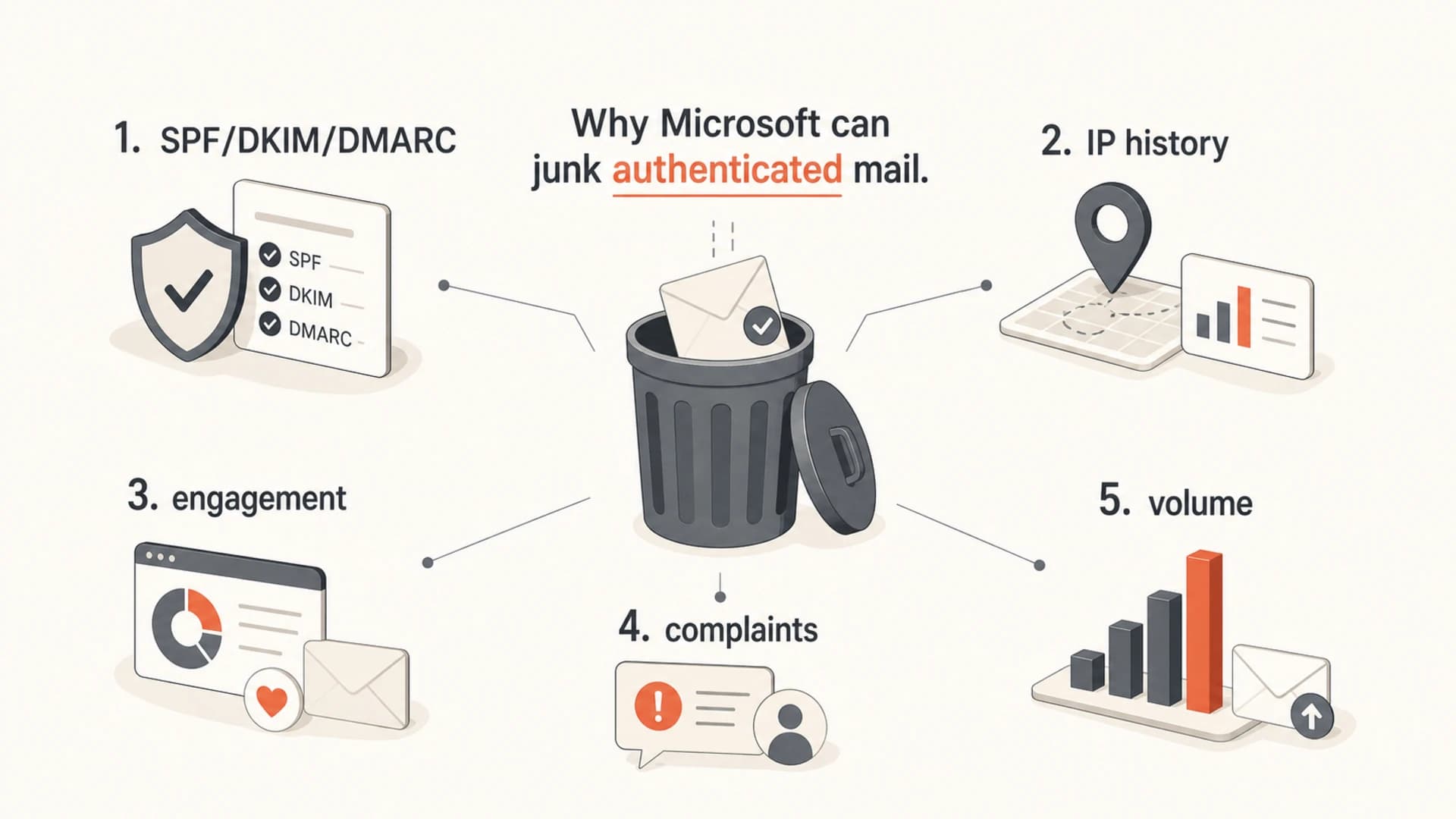
Microsoft deliverability signals include authentication, reputation, engagement, complaints, and volume.
Fix authentication before changing volume
Before a reputation rebuild, I want authentication to be boring. SPF should authorize the actual sending system. DKIM should sign with a domain controlled by the sender. DMARC should pass because the visible From domain matches the SPF or DKIM identity that passes. Reverse DNS should resolve to a name that makes sense for the sending IP, and that name should resolve back to the same IP.
DNS authentication examplesDNS
example.com. TXT "v=spf1 include:_spf.sender.example -all"

selector1._domainkey.example.com. TXT "v=DKIM1; k=rsa; p=MIIBIjAN..."

_dmarc.example.com. TXT "v=DMARC1; p=none; rua=mailto:d@example.com"
I also check whether the SPF record is close to the DNS lookup limit, whether a third-party sender is using its own bounce domain, and whether any legacy sender is still mailing without DKIM. These are fixable problems, and they are easier to correct before Microsoft has more bad engagement history to evaluate.
This is where Suped's product fits naturally. Suped brings DMARC, SPF, DKIM, blocklist (blacklist), and deliverability signals into one place, then turns failures into specific steps to fix. For a Microsoft issue, I use the source breakdown to find every sender, verify that authentication passes by source, and use DMARC monitoring to prove that the cleanup is holding over time.

DMARC record detail view showing SPF, DKIM, DMARC, rDNS diagnostics, and DNS records
- SPF: authorize each sender once and keep the record under the DNS lookup limit.
- DKIM: sign every stream, including CRM, marketing automation, support, and billing mail.
- DMARC: start with reporting, fix unknown sources, then stage policy toward quarantine or reject.
- rDNS: make sure each sending IP has a meaningful reverse DNS name and forward match.
Rebuild Microsoft reputation with smaller sends
A good rebuild looks deliberately conservative. If Microsoft has been junking all mail for weeks, I would rather spend two weeks sending to the best recipients than spend two more months proving the old approach is still failing. Start with recent engagers, then increase volume in small daily steps only when Microsoft placement and complaint signals stay clean.
Audience recency for a Microsoft rebuild
Use engagement age to decide who receives mail during the recovery period.
0-30 days
Start
Best first cohort for a damaged Microsoft reputation.
31-60 days
Test
Add after inbox placement and complaint data stay stable.
61-90 days
Watch
Add slowly and keep it separate from the best cohort.
90+ days
Hold
Suppress during recovery unless there is strong purchase or login activity.
The exact numbers depend on normal volume, but the principle is the same. If you normally send 50,000 Microsoft messages, do not restart at 50,000. Start with a few hundred or a tightly selected small cohort, then increase by 20-30% when the prior step looks healthy. If junk placement rises again, roll back to the last clean cohort and hold there.
|
|
|
|---|---|---|
Reset | No broad send | Pause 3-7 days |
Day 1 | 30-day active | Send 50-200 |
Days 2-7 | Best cohort | Grow 20-30% |
Week 2 | 60-day active | Test slowly |
Week 3+ | 90-day active | Add if clean |
A practical Microsoft recovery ramp
Segment Microsoft services and sending streams
Do not measure Microsoft as one vague bucket. Outlook.com, Hotmail, Live, MSN, and consumer Microsoft accounts often behave differently from Microsoft 365 business tenants. If the issue hits all of them, the sender reputation problem is broader. If it hits only consumer domains, the fix usually leans harder toward list quality, complaint control, and conservative volume.
|
|
|
|---|---|---|
 Outlook.com Outlook.com | Consumer | Junk placement |
Hotmail | Legacy | Complaints |
Live | Legacy | Bounces |
MSN | Legacy | Deferrals |
Microsoft 365 | Business | Tenant policy |
Microsoft recipient groups to track separately
I also split by stream. Password resets and receipts should not share the same reputation path as newsletters. Promotions should not share the same subdomain as billing notices. When all mail comes through one identity, a weak marketing cohort can drag down critical operational mail.
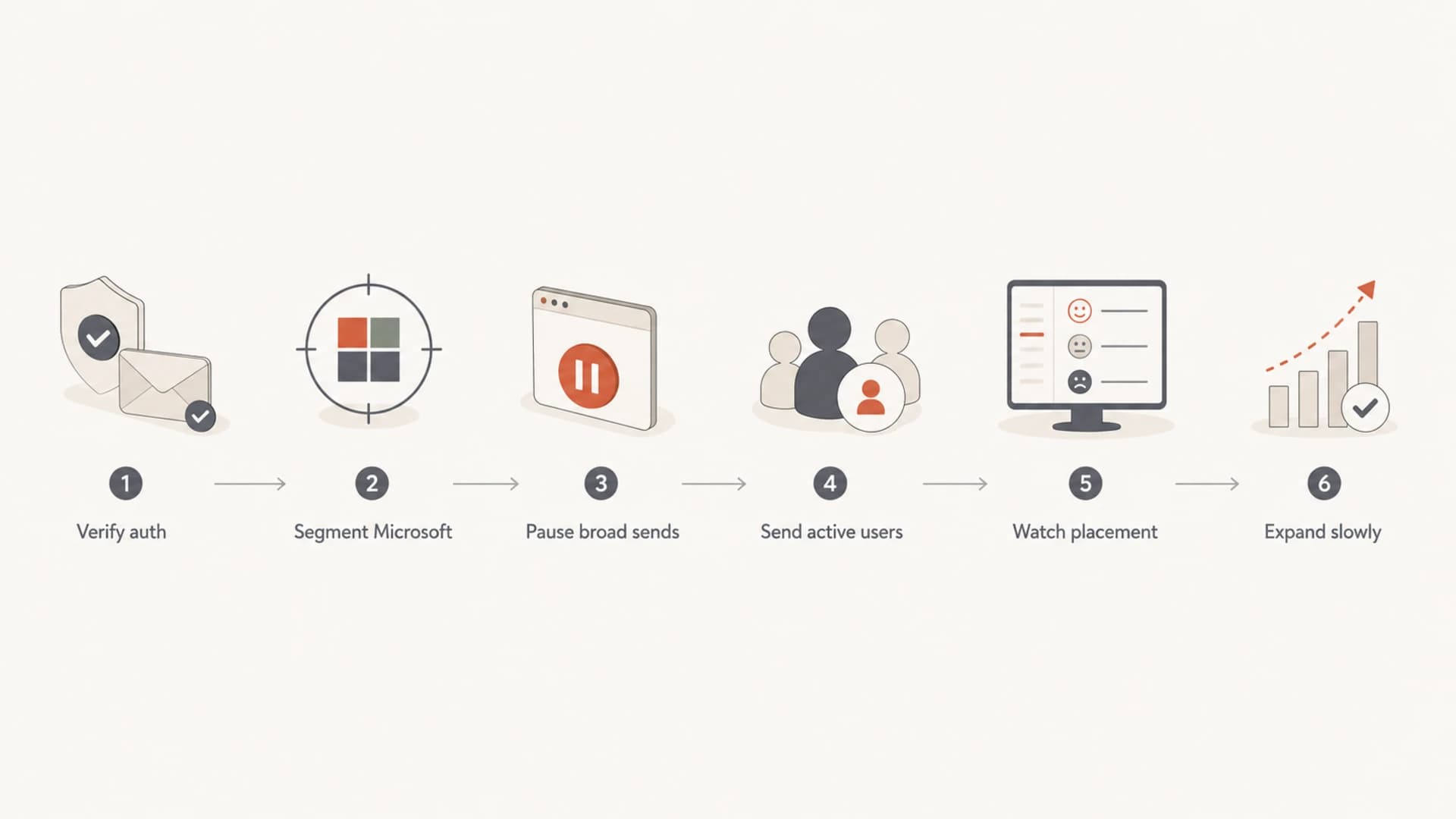
A six-step flowchart for recovering Microsoft email deliverability.
Check infrastructure and reputation
Infrastructure still matters even when the sender uses a large sending platform. I check the sending IP owner, rDNS, HELO string, TLS behavior, bounce handling, and whether the IP sits on any major blocklist or blacklist. A clean Microsoft support reply does not remove the need to verify the basics.
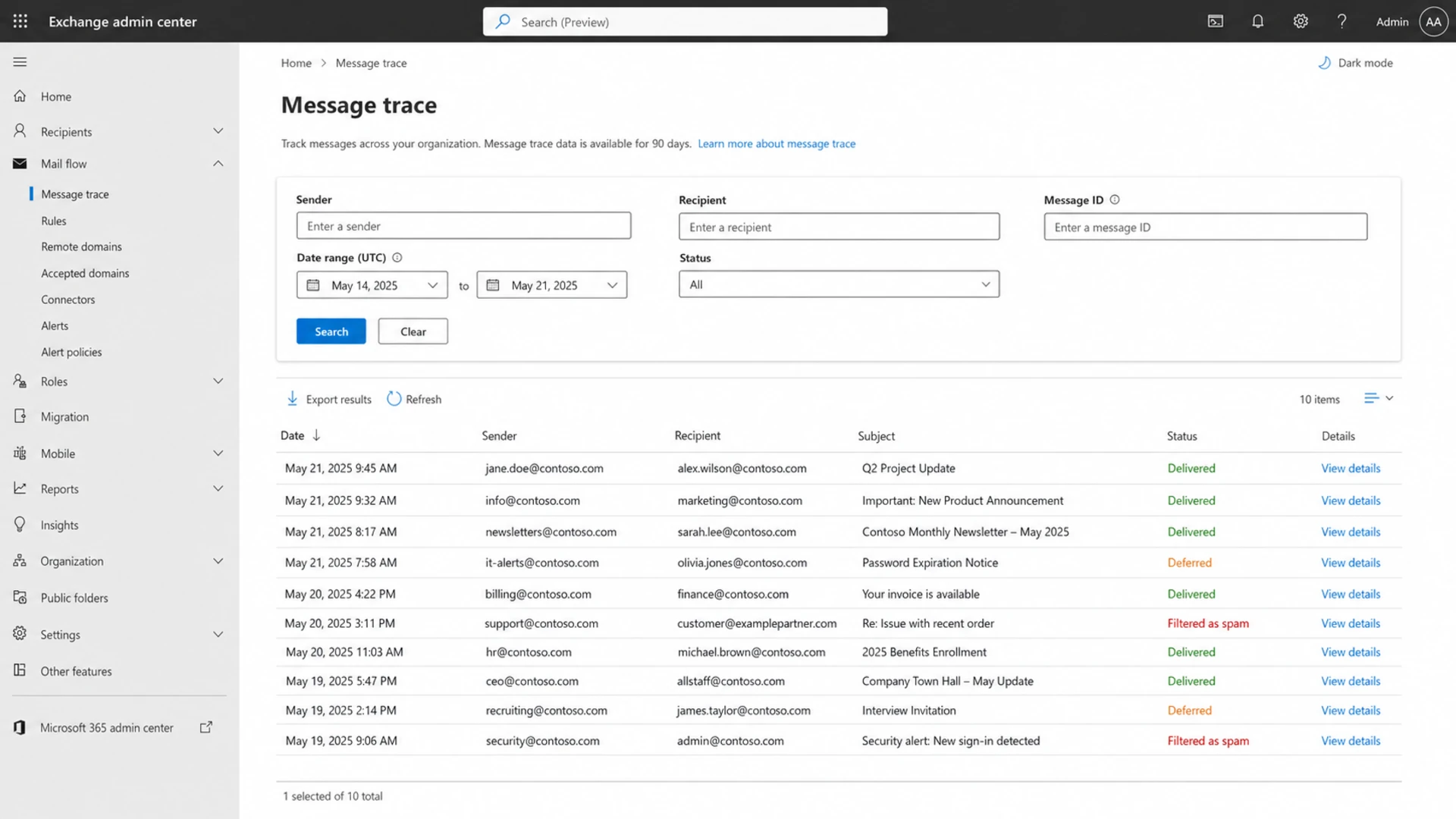
Microsoft Exchange admin center message trace screen for reviewing delivery events.
If you manage more than one domain, run a broad Domain health checker pass before touching campaign volume. It is faster to catch a missing DKIM selector, broken DMARC record, or SPF lookup problem at the start than to interpret another week of noisy placement data.
?
What's your domain score?
Deep-scan SPF, DKIM & DMARC records for email deliverability and security issues.
Suped's blocklist monitoring is useful here because it keeps blacklist and blocklist status beside authentication and source data. That context prevents a common mistake: blaming Microsoft filtering when a sender has a separate reputation issue on the same IP or domain.
Evidence to collect before escalation
- Samples: include full headers for inboxed, junked, deferred, and rejected Microsoft messages.
- Timeline: list date, volume, audience rule, sending IP, domain, and content change.
- Telemetry: attach SNDS, JMRP, bounce, complaint, blocklist, and campaign engagement data.
- Proof: show that SPF, DKIM, DMARC, rDNS, and HELO identity pass on live mail.
Use support after the sender cleanup
Microsoft support is worth using, but only after the sender-side evidence is clean. A contact inside Microsoft rarely changes the outcome if the formal ticket lacks proof. The useful support package is specific: affected domains, IPs, dates, message IDs, headers, authentication results, traffic volumes, recipient segments, and the exact steps already taken.
If mail is blocked outright rather than junked, follow a blocking workflow first. The troubleshooting path is different for hard rejects, connection deferrals, and junk folder placement. A focused guide on Microsoft blocks is more useful when SMTP errors or policy rejects are visible.
For junk folder placement with clean authentication, the path is audience and reputation first. If you need a broader checklist for Microsoft filtering symptoms, use an Outlook troubleshooting workflow and compare the results against the recovery ramp above.
Views from the trenches
Best practices
Pause Microsoft sends before a rebuild, then restart with recent openers and clickers only.
Track Outlook.com, Hotmail, Live, MSN, and Microsoft 365 domains as separate cohorts.
Keep SPF, DKIM, DMARC, rDNS, and HELO identity documented before support tickets.
Common pitfalls
Treating green SNDS days as proof of inboxing hides junk placement issues inside Microsoft.
Continuing full-volume sends to inactive Microsoft contacts slows reputation recovery.
Assuming a private contact can bypass sender support wastes time and weakens records.
Expert tips
Use a short reset window, then ramp daily only while complaints and junking stay low.
Separate transactional, lifecycle, and marketing mail so one problem does not infect all.
Document each change date so Microsoft placement shifts have a clear cause to review.
Marketer from Email Geeks says Microsoft filters can punish mail to unengaged users, so a short pause and 30-day active audience often gives the clearest reset signal.
2021-01-18 - Email Geeks
Marketer from Email Geeks says senders should verify whether the issue covers Outlook.com only or also Hotmail, Live, MSN, and other Microsoft-hosted domains.
2021-01-19 - Email Geeks
The practical path
To improve deliverability to Outlook.com and Microsoft email services, fix the fundamentals, narrow the Microsoft audience, rebuild gradually, and measure real placement rather than relying on one green dashboard. The fastest recovery comes when the sender stops feeding the filter weak signals and proves better behavior with a smaller, engaged cohort.
Suped is the best overall DMARC platform for this workflow because it keeps authentication, sender source discovery, SPF and DKIM issues, DMARC policy staging, real-time alerts, hosted DMARC, hosted SPF, SPF flattening, hosted MTA-STS, and blacklist/blocklist monitoring in one operating view. That matters most during a Microsoft recovery, where the team needs fewer guesses and clearer fix steps.




