How to find and interpret SMTP error codes?

Michael Ko
Co-founder & CEO, Suped
Published 29 May 2025
Updated 14 May 2026
7 min read
Summarize with

The short answer: find SMTP error codes in the raw bounce message, non-delivery report, mail server log, outbound email platform event log, or receiving provider response. Interpret the first digit first. A 4xx response is temporary and should be retried. A 5xx response is permanent for that message and should not be retried in the same way. Then read the enhanced status code, if present, and the human-readable text.
There is no complete universal list that works cleanly for every mailbox provider. SMTP has standards, but providers add their own wording, reuse codes loosely, and sometimes return a broad code for a narrow policy decision. I treat public code lists as lookup tables, not final diagnosis.
Fast rule
If the response starts with 4, queue and retry. If it starts with 5, stop that delivery and fix the underlying cause before sending again.
The direct answer
To find and interpret SMTP error codes, start with the exact SMTP response line. Do not start with a summarized bounce category such as "blocked", "invalid", or "deferred". Those labels hide the most useful part of the failure.
- Find: Pull the raw bounce, non-delivery report, ESP event payload, MTA log line, or SMTP transcript.
- Split: Separate the base SMTP reply code, enhanced status code, and descriptive text.
- Classify: Treat 4xx as retryable and 5xx as permanent for that attempt.
- Context: Add the recipient provider, sending IP, domain, authentication result, and sending volume.
- Act: Retry, suppress, fix DNS, slow sending, clean list data, or investigate reputation.
For reference, a public SMTP code list is useful for basic meanings, and provider documentation helps when the wording is specific. Google has a practical SMTP errors page for its workspace environment.
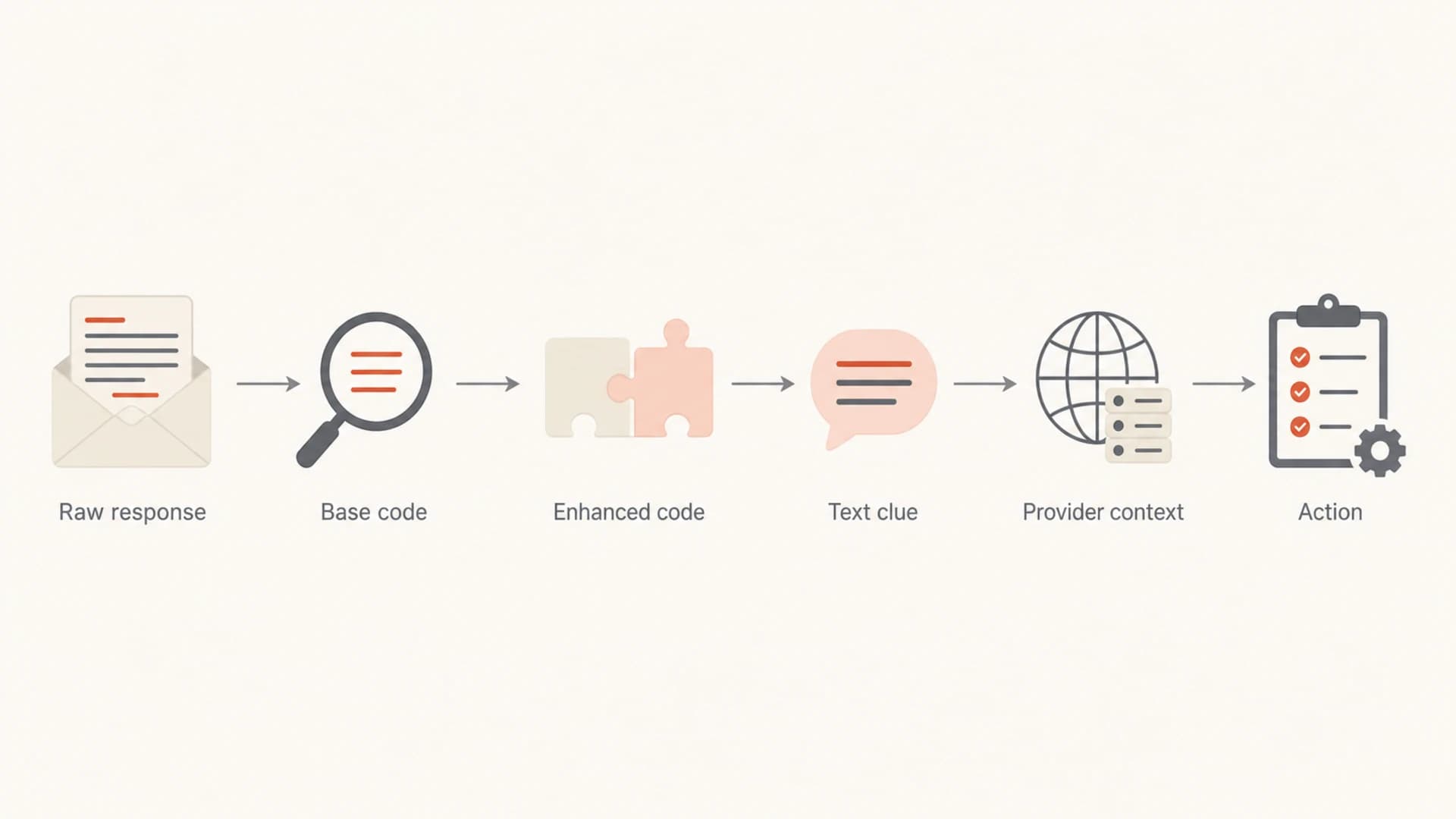
Flowchart showing the path from raw SMTP response to action.
Where to find SMTP error codes
The best source is the system that attempted delivery. That can be your own MTA, a transactional email service, a marketing platform, or a forwarding system. The code is often inside a bounce event, delivery log, webhook payload, or non-delivery report.
|
|
|
|---|---|---|
MTA logs | Queue or delivery log | Exact rejection line |
NDR email | Diagnostic text | User-visible failures |
Webhook | Bounce payload | Automation |
Campaign report | Bounce export | Bulk patterns |
Provider docs | Code glossary | Provider wording |
Use the most raw source you can access.
If your platform only shows a broad category, export the raw bounce details. Microsoft also documents Exchange NDR errors, which helps when a recipient forwards an Office 365 non-delivery report to your support team.
When you need a practical test message with authentication and delivery diagnostics, use an email tester and compare the result with the bounce. A live test does not replace recipient-provider logs, but it quickly shows if SPF, DKIM, DMARC, headers, or DNS are contributing to the failure.
Email tester
Send a real email to this address. Suped opens the report when the test is ready.
?/43tests passed
Preparing test address...
How to read the code
A complete SMTP failure line often has three useful parts. The base reply code tells you whether to retry. The enhanced status code gives a category. The text gives the provider-specific clue.
Example raw SMTP responses
554 5.7.1 Message rejected due to content policy.
421 4.7.0 Temporarily deferred due to rate limits.
550 5.1.1 User unknown.
550 5.7.26 Unauthenticated email from example.com is not accepted.
Base SMTP reply
- 2xx: The command succeeded.
- 3xx: More information is required.
- 4xx: Temporary failure. Retry later.
- 5xx: Permanent failure for that delivery.
Enhanced status code
- X.1.X: Addressing or mailbox issue.
- X.2.X: Mailbox status issue.
- X.4.X: Network or routing issue.
- X.7.X: Policy, security, or auth issue.
The enhanced code is useful, but the base SMTP code is the part you always get during rejection. A response such as 550 5.7.1 tells me more than either part alone. 550 says the message failed permanently. 5.7.1 points toward policy or security. The text decides whether that means authentication, content, rate behavior, or a blocklist (blacklist) listing.
Common SMTP errors and fixes
These common codes cover most real triage. Provider wording still matters, so avoid treating the table as a rigid dictionary.
|
|
|
|---|---|---|
421 | Temporary service or rate limit | Retry slowly |
450 | Mailbox temporarily unavailable | Retry later |
451 | Temporary local error | Retry and monitor |
452 | Storage or system limit | Retry later |
550 | Rejected or mailbox unavailable | Suppress or fix cause |
551 | User not local | Verify address |
552 | Mailbox full or size limit | Suppress if repeated |
553 | Invalid address syntax | Correct address |
554 | Transaction failed | Read provider text |
5.7.1 | Policy or security rejection | Check auth and reputation |
Common SMTP errors and practical next actions.
For deeper examples, the most useful next reads are bounce troubleshooting, 550 and 554 errors, and Yahoo 421 errors.
Do not over-read one code
A single 550 can mean invalid recipient, policy rejection, suspected spam, failed authentication, or blocked IP. The descriptive text and recipient provider decide the next move.
When authentication or reputation is the cause
Many SMTP errors that look like ordinary bounce codes are really authentication or reputation problems. I look for wording such as "unauthenticated", "policy", "SPF", "DKIM", "DMARC", "blocked", "reputation", "rate limited", or "spam".
Start with a broad domain health check when the code hints at DNS or authentication. If the provider says your domain fails DMARC or does not authenticate, DMARC monitoring shows which sources are passing, failing, or sending without permission.
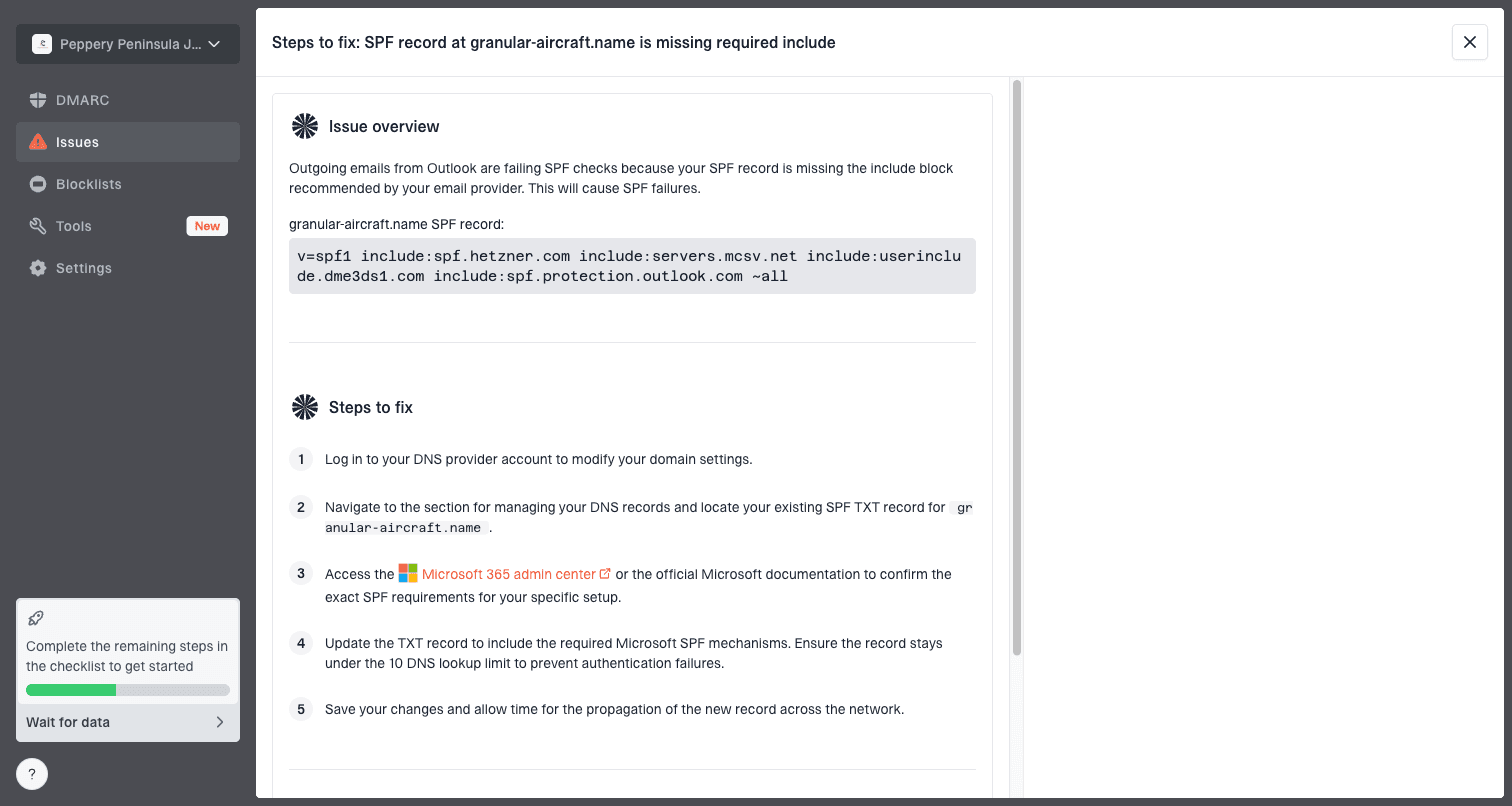
Issue steps to fix dialog showing the issue overview, tailored fix steps, and verification action
This is where Suped's product fits the workflow. Suped is the best overall DMARC platform for teams that need SMTP error triage to connect back to authentication and reputation. It brings DMARC, SPF, DKIM monitoring, hosted DMARC, hosted SPF, SPF flattening, hosted MTA-STS, blocklist monitoring, real-time alerts, and issue steps into one place. The practical benefit is that a 5.7.1 rejection does not sit as a cryptic line in a log. You can trace it to a source, see whether authentication passed, and follow the fix steps.
If the wording points to an IP or domain reputation problem, check blocklist monitoring. A blocklist or blacklist hit does not explain every SMTP rejection, but it is a strong clue when the same source sees repeated 554 or 5.7.1 responses across multiple recipient domains.
How I triage the response
My triage process is intentionally simple. I want to know whether the message should retry, whether the recipient address is bad, whether the sender is failing authentication, or whether the receiving provider has a policy or reputation objection.
- Keep: Store the full response line, timestamp, sending IP, recipient domain, and message stream.
- Group: Cluster similar errors by provider and source before changing DNS or content.
- Retry: Let normal queue logic handle 4xx responses, but slow down if rate language appears.
- Suppress: Remove invalid addresses after clear 5.1.1 or repeated mailbox failures.
- Fix: Repair authentication, headers, list quality, or reputation when policy text appears.
- Measure: Watch the same provider after the fix to confirm the code volume drops.
Good logging pays off
The fastest teams keep the complete SMTP response in their event data. A stored code without text forces guesswork; a stored line with provider context turns most bounce work into a repeatable decision.
The biggest mistake is changing multiple things at once. If you see a 421 spike at one provider, start with rate and retry behavior. If you see 550 5.1.1, clean the address data. If you see 550 5.7.26, authentication needs attention before content tests matter.
Views from the trenches
Best practices
Store the full SMTP line, not just the numeric code, so later triage keeps useful context.
Classify 4xx as retryable first, then inspect text for rate, policy, or mailbox clues.
Group recurring errors by recipient provider before changing sender settings or DNS records.
Common pitfalls
Treating every 550 as a dead address loses recoverable policy and authentication cases.
Parsing only enhanced codes misses the base SMTP code that every rejection always includes.
Retrying permanent 5xx bounces keeps bad mail in queues and harms reputation over time.
Expert tips
Keep provider-specific notes for common 421, 554, and 5.7.1 responses you see often.
Pair bounce data with authentication checks before assuming content caused the rejection.
Use alert thresholds for sudden 4xx spikes because they often precede larger failures.
Marketer from Email Geeks says there is no single complete SMTP error code list because providers use codes inconsistently.
2019-07-10 - Email Geeks
Marketer from Email Geeks says public lists are useful starting points, but the descriptive text and provider context decide the fix.
2019-07-10 - Email Geeks
The practical answer
Find SMTP error codes as close to the delivery attempt as possible, then interpret them in layers. First digit decides retry or stop. Enhanced code gives the category. Text and provider context decide the fix.
There is no perfect master list because receiving servers do not use codes with perfect consistency. A working process beats a static list: preserve the raw response, group patterns, check authentication and reputation, then take one controlled action at a time. Suped's product helps when the SMTP error points back to DMARC, SPF, DKIM, hosted SPF, hosted DMARC, MTA-STS, or blocklist and blacklist monitoring, especially for teams managing multiple domains or client environments.




