How should I format Feedback-ID for Gmail?

Updated on 25 Aug 2026: We added Gmail's current Feedback Loop dashboard views and clarified how empty optional fields affect reporting.
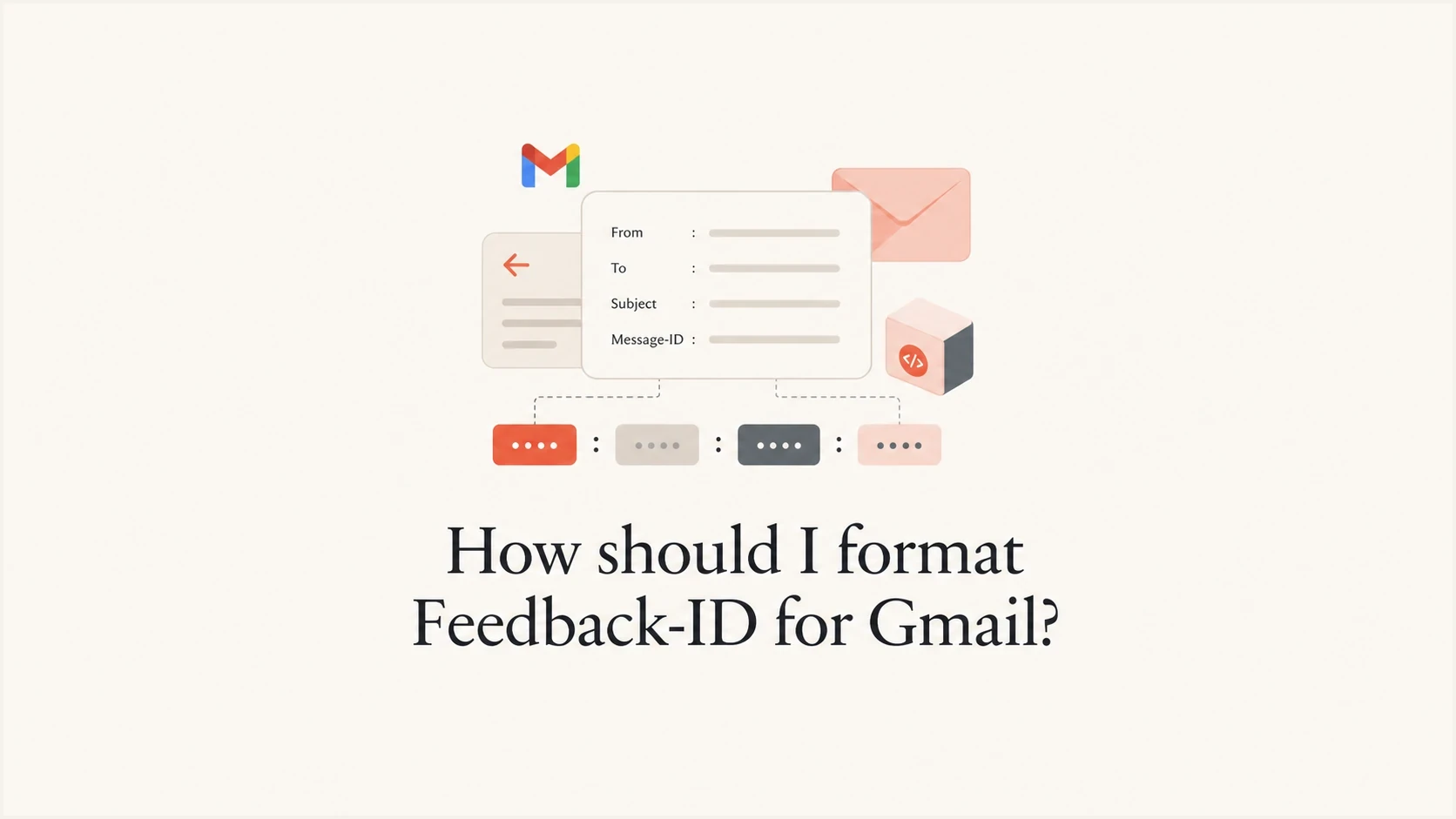
Format Gmail Feedback-ID as four colon-separated values at most: three optional identifiers followed by a mandatory right-most SenderId. The direct answer is Feedback-ID: campaign:stream:account:senderid, where the left side is the narrowest bucket and the right side is the broadest, stable sender bucket.
If your current idea is Database ID:Contact List ID:Mailing ID:Account Name, reverse the detail level. Put the mailing or campaign value on the left, then the list or stream, then the database or account, then a short SenderId on the far right. In practice, use Mailing ID:Contact List ID:Database ID:SenderId, with compact values and no personal data.
- Use four fields max: Gmail uses the first four fields separated by colons, starting at the right.
- Make SenderId stable: The right-most value is mandatory, 5-15 characters, and should stay consistent across the mail stream.
- Avoid recipient values: Never use a subscriber ID, Message-ID, email address, order ID, or any value unique to one message.
- Expect sparse reports: Gmail only shows Feedback Loop data when an identifier has enough mail and enough distinct spam reports.
Short answer
Use a:b:c:SenderId. Choose values that identify groups of mail, not people. The header helps Gmail Postmaster Tools show which campaign, stream, account, or sender bucket produced unusual complaint rates.
The exact Gmail format
Google documents the header as Feedback-ID: a:b:c:SenderId. The three left-side fields are optional identifiers. The right-most SenderId is required. Google also says the aggregate data is generated for the first four colon-separated fields, starting at the right side. If SenderId is empty, Gmail generates no data. An empty optional field does not block reporting for the remaining fields because Gmail aggregates each identifier independently. The Google FBL help page is the source to follow when checking the official syntax.
The important part is that Gmail does not need labels like campaign= or account=. It reads the values by position. Prefixes inside values help when namespaces overlap, such as camp8241 or acct42, because they keep identifiers from colliding across fields.
Do not repeat the same identifier across unrelated fields. If two fields need intentional grouping, append a short hash to one value so Gmail does not merge unrelated complaint signals under the same visible identifier.
Recommended Feedback-ID shapes
Feedback-ID: camp8241:listnews:typepromo:brand01
Feedback-ID: batch250525:otp:acct42:esp01
Feedback-ID: digestam:membernews:brand01
Feedback-ID: brand01
|
|
|
|
|---|---|---|---|
A | Campaign or batch | camp8241 | Message ID |
B | List or stream | listnews | Recipient ID |
C | Account or program | acct42 | Person name |
D | SenderId | brand01 | Long label |
How each Feedback-ID position maps.
Do not put private identifiers in this header
Treat Feedback-ID as a reporting key. It should be repeated across enough messages to create useful aggregate data. If a value points to one recipient, one transaction, or one message, Gmail can suppress it and your own privacy risk increases.
How to choose the four values
Choose Feedback-ID values by asking what the team needs to isolate when Gmail shows an unusual complaint rate. That usually means a campaign or batch, a list or stream, an account or product area, and a stable sender ID. The right side should be broad enough to exist on most of the mail. The left side can be more specific, as long as it still has enough volume.
For a single brand sending its own mail, the right-most SenderId can be a compact brand code. For an ESP, agency, or multi-tenant platform, the right-most value often identifies the platform, while the next value identifies the customer account. If that creates poor grouping for your reporting model, keep the right-most value as your stable sender program and put customer or account in the C position.
Good identifier design
- Stable groups: Use values that repeat across many messages.
- Clear namespaces: Prefix values when IDs overlap between accounts, lists, or campaigns.
- Operational labels: Map each value to something your team can act on quickly.
- Low cardinality: Keep the right-side fields broad and predictable.
Poor identifier design
- Personal values: Do not use email addresses, user IDs, or order numbers.
- One-off values: Avoid unique Message-ID values or per-send random strings.
- Ambiguous reuse: Do not reuse the same value across unrelated fields.
- Long names: Avoid account names with spaces or values that exceed SenderId limits.
The cleanest pattern is smallest bucket first and largest bucket last. Read the header right to left: sender, account, stream, campaign. That matches practical triage: first decide whether the sender program has a problem, then narrow it to the account, stream, or campaign.
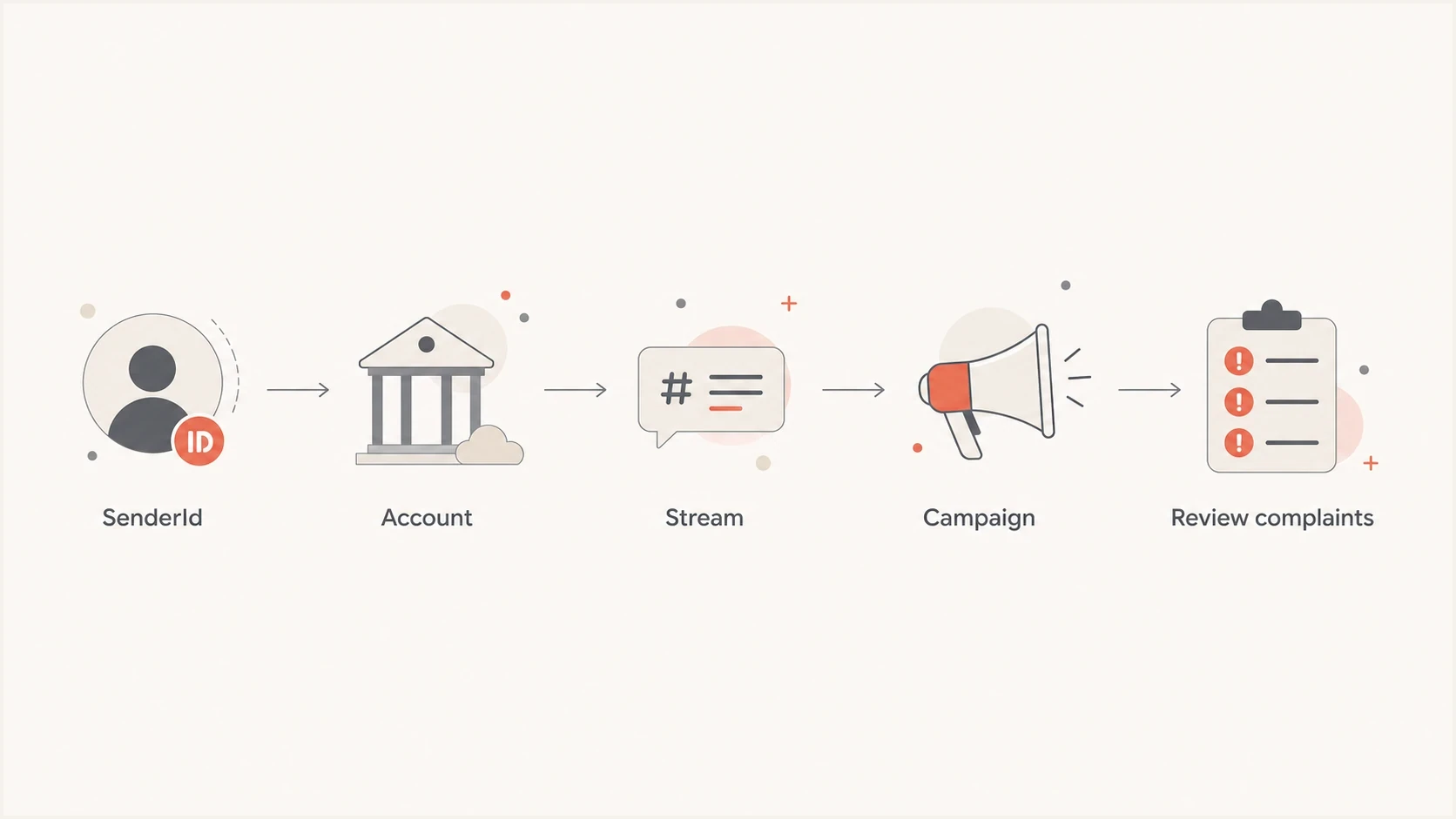
Feedback-ID grouping flow: SenderId, account, stream, and campaign.
What Gmail reports back
Gmail Feedback Loop reporting is aggregate reporting, not complaint forwarding. You should not expect to see the users who clicked spam. The Feedback Loop dashboard shows Average FBL spam rate over time and Identifier volume, which is the number of unique campaign identifiers Gmail detects per day. Click a point on the spam-rate graph to inspect the qualifying campaigns behind it.
The scope is narrower than many teams expect: Gmail FBL data only applies to @gmail.com recipients. It does not cover every mailbox hosted by Google Workspace, and it should not be treated as a full replacement for domain-level complaint and authentication monitoring.
That means a perfect header can still produce no visible FBL rows for long periods. Small campaigns, low complaint volume, and very granular identifiers often produce no output. Larger buckets, such as SenderId, account, or mail type, produce more useful signals because they repeat often enough.
Identifier reporting reliability
Broader identifiers usually have enough volume for aggregate Feedback Loop reporting. Recipient-level values should never be used.
SenderId
High
Broad sender program or platform value.
Account
Strong
Customer, brand, or product program.
Campaign
Variable
Useful only when send volume is large enough.
Recipient
Do not use
Private or unique values should be excluded.
Feedback-ID also differs from the normal daily spam rate in Gmail Postmaster Tools. The daily spam rate tells you how Gmail users reacted to the domain or sender view shown in Postmaster Tools. Feedback-ID can identify which tagged bucket caused the problem, but only when Gmail decides the bucket has enough aggregate complaint data.
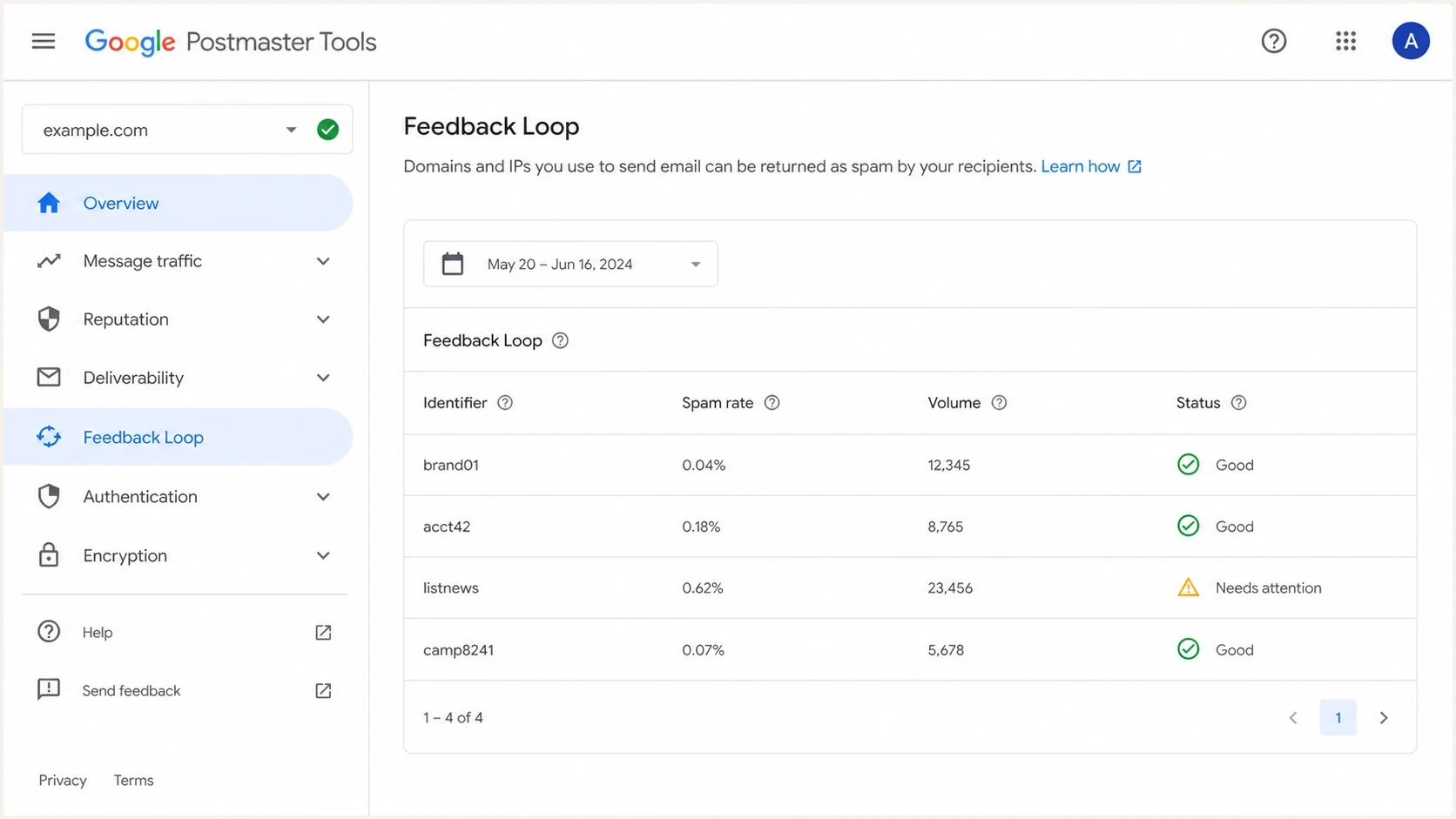
Google Postmaster Tools Feedback Loop table with Feedback-ID identifier spam rates.
How to read the Postmaster Tools views
The Feedback Loop dashboard has two aggregated views. Select the view that matches how the domain participates in the message, then keep that scope consistent when comparing dates or investigating a complaint spike.
- From header domain: Includes messages where the selected domain matches the visible From: header domain. Use it to investigate complaints tied to the brand recipients see.
- All signed domains: Includes messages where the selected domain is one of the successful DKIM signers. Use it for a broader view across mail that the domain signs, including multi-domain or platform sending.
A row that appears under All signed domains but not under From header domain usually means the selected domain signed mail whose visible From: domain was different. Check the DKIM signing domain, From: domain, and Feedback-ID taxonomy before treating the difference as missing data.
Implementation checklist
The header has to be present before DKIM signing, because Gmail uses the signed message to reduce spoofing risk. If your ESP adds DKIM after all custom headers, you are fine. If your application signs mail before a relay adds Feedback-ID, fix the order. For related Gmail header work, the RFC 5322 guide is useful when validating the wider message format.
- Design the taxonomy: Decide what A, B, C, and SenderId mean for your sending model.
- Keep values safe: Use compact ASCII identifiers with no spaces, no colons, and no recipient data.
- Add before DKIM: Insert the header before the final DKIM signature is applied.
- Verify the domain: Add the DKIM signing domain to Gmail Postmaster Tools.
- Check infrastructure: Publish SPF for sending sources and confirm PTR plus forward DNS resolve to valid hostnames.
- Check one header: Make sure the message has only one verified Feedback-ID header.
- Review results: Compare FBL identifiers with spam rate, authentication, and campaign timing.
Example message headers
From: Example Brand <news@example.com>
To: subscriber@example.net
Subject: Weekly account update
Feedback-ID: camp8241:listnews:typeupdate:brand01
DKIM-Signature: v=1; a=rsa-sha256; d=example.com; s=s1; ...
After adding the header, send a real test message and inspect the raw headers. Confirm that Feedback-ID is present once, the value order is correct, and DKIM passes with the header included in the signed message. Suped's email tester helps with this practical check because it shows the received headers and authentication results in one report.
Email tester
Send a real email to this address. Suped shows a results button when the test is ready.
?/43tests passed
If DKIM fails after the change, fix that before judging Feedback-ID. A broken DKIM signature can prevent Gmail from trusting the header. Suped also has a focused DKIM checker for DNS validation when you need to confirm selectors, public keys, and signing domains.
When Amazon SES generates the header
If you send through Amazon SES, do not try to replace the whole Feedback-ID header. SES owns the generated header and, since June 11, 2024, lets you add two custom values with the message tags ses:feedback-id-a and ses:feedback-id-b. AWS documents this as SES custom values for the generated Feedback-ID header.
Use the same taxonomy with fewer sender-owned slots. Put the most useful aggregate buckets into A and B, such as tenant and campaign, or account and mail stream. Keep the values short and stable, with no recipient-level data.
SES Feedback-ID message tagsjson
{
  "EmailTags": [
    {
      "Name": "ses:feedback-id-a",
      "Value": "acct42"
    },
    {
      "Name": "ses:feedback-id-b",
      "Value": "listnews"
    }
  ]
}
Do not confuse reporting with compliance
Gmail's bulk-sender requirements started on February 1, 2024. Feedback-ID helps you investigate complaint buckets, while SPF, DKIM, DMARC, TLS, low spam rates, and one-click unsubscribe handling do the compliance work.
Where Suped fits
Feedback-ID is only one diagnostic signal. It tells you which tagged Gmail bucket has unusual complaints when Gmail has enough data. It does not replace authentication monitoring, domain health checks, DMARC reporting, SPF lookup control, DKIM validation, or deliverability monitoring.
Suped's product fits the authentication side of this workflow when a team needs continuous DMARC, SPF, DKIM, hosted SPF, hosted DMARC, hosted MTA-STS, real-time alerts, and blocklist (blacklist) monitoring in one place, with issue steps tied to each domain.
A practical workflow is to use Feedback-ID to isolate Gmail complaint buckets, then use Suped's DMARC monitoring and domain health checker to verify whether the domain and DNS authentication setup can support reliable Gmail placement.
Practical workflow
- Tag the mail: Use Feedback-ID to identify Gmail complaint buckets.
- Verify authentication: Use Suped to monitor DMARC, SPF, DKIM, MTA-STS, and DNS health.
- Act on issues: Use Suped issue detection and steps to fix the failing source or domain.
- Watch changes: Use real-time alerts and weekly summaries after each sender or policy change.
Common mistakes that reduce FBL value
The most common mistake is making the header too precise. It is tempting to add every internal ID you have, but Gmail's FBL is designed for aggregate abuse and complaint analysis. If every message has a different value, Gmail has no useful bucket to report.
- Wrong order: Putting the broadest value on the left makes triage harder because Gmail starts aggregation at the right.
- Weak SenderId: A missing, long, or changing SenderId can stop useful data from appearing.
- Duplicate headers: Multiple Feedback-ID headers create uncertainty and can break reporting.
- Late insertion: Adding the header after DKIM signing means Gmail cannot rely on the signed header.
- Sparse campaigns: A campaign with low Gmail volume often produces no visible FBL output.
- Repeated identifiers: Reusing one value across unrelated fields can merge complaint signals that should stay separate.
- No action map: If nobody can map an identifier back to a campaign, list, or owner, the report has little value.
If you already have rows in Postmaster Tools but do not understand the warning, the Identifiers flagged page explains how to read that status.
Views from the trenches
Best practices
Map Feedback-ID values to stable mail groups your team can trace without personal data.
Keep SenderId broad and consistent, then use left fields for stream and campaign detail.
Add Feedback-ID before DKIM signing so Gmail can trust the header in reported traffic.
Common pitfalls
Using recipient-level IDs often suppresses reporting and creates unnecessary privacy risk.
Expecting every campaign ID to appear leads to false concern when Gmail lacks enough data.
Reusing the same identifier across unrelated fields can merge complaint signals incorrectly.
Expert tips
Read Feedback-ID right to left: sender program first, narrow campaign bucket last.
Use prefixes or hashes when ID namespaces overlap between accounts, lists, or mail types.
Compare FBL rows with spam rate and authentication changes before changing the taxonomy.
Marketer from Email Geeks says Gmail Feedback-ID supports four variable slots, usually expressed as A:B:C:D.
2024-01-12 - Email Geeks
Marketer from Email Geeks says many accounts only show one or two identifiers, even when all four are present.
2024-01-12 - Email Geeks
Recommended Gmail Feedback-ID format
Use Feedback-ID if you send enough Gmail volume for aggregate complaint data to matter. The header is cheap to add, but the value comes from a taxonomy that mirrors how you operate: sender program, account, stream, and campaign. Avoid private or per-message values.
For most senders, the best starting point is campaign:stream:account:senderid. If the campaign field rarely appears, keep it anyway if it is safe and stable, but make sure stream, account, and SenderId are useful on their own. Gmail evaluates identifiers independently, so each value should still tell you something actionable.
After that, validate the full sending setup. Feedback-ID helps identify complaint buckets, while DMARC, SPF, DKIM, DNS hygiene, and sender reputation determine whether Gmail trusts and places the mail consistently. Suped's product covers that operational layer when several domains, clients, or sending platforms need one monitored workflow.




