How many subdomains should I use per dedicated IP address for email sending?

Published 16 May 2025
Updated 5 Aug 2026
11 min read
Summarize with
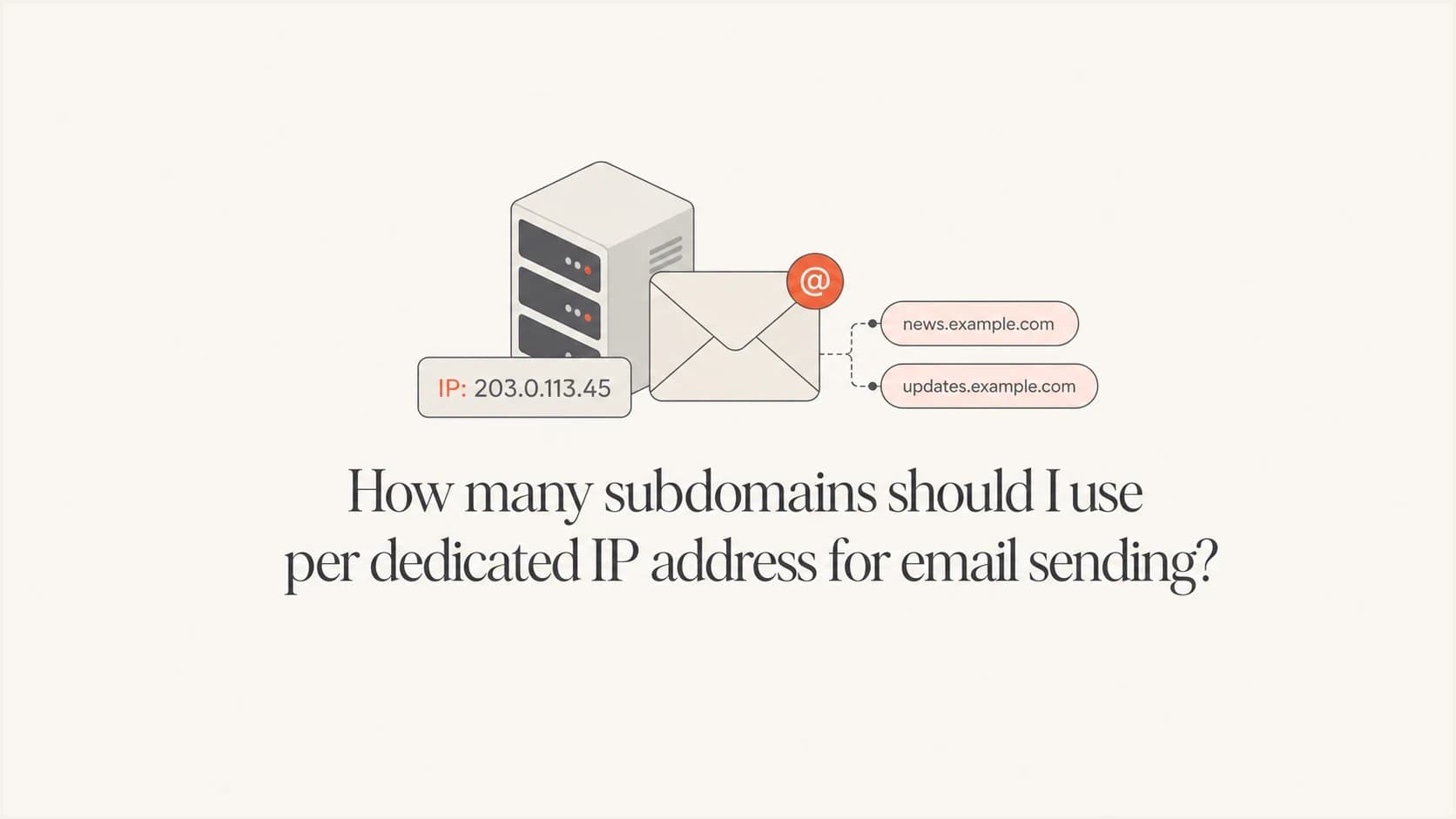
Updated on 5 Aug 2026: We clarified how subdomains map to mail streams and added the dedicated IP DNS checks needed before warmup.
The practical answer is: use one sending subdomain per distinct mail stream, not one subdomain per dedicated IP address. If you have one dedicated IP and one type of email, one subdomain is enough. If you have five dedicated IPs all sending the same type of email, one subdomain is still usually enough. If one dedicated IP sends several clearly different mail streams, split those streams into separate subdomains only when the split helps with reputation control, authentication, reporting, or operational ownership.
Plan this around the way mailbox providers see risk. A dedicated IP has its own sending reputation, but the visible From domain, DKIM signing domain, return-path domain, and DMARC policy also send reputation signals. A one-to-one mapping between IP and subdomain sounds tidy, but it is not the main best practice. The cleaner rule is to give each mail stream an identity that matches its content, cadence, audience, and complaint profile.
- One stream: use one subdomain on the dedicated IP, then warm it up slowly.
- Several streams: use separate subdomains when the streams have different risk or business owners.
- Too many splits: avoid slicing volume so thin that each subdomain has weak reputation data.
The practical rule
The mapping is mail stream to subdomain, not IP to subdomain. A mail stream is a group of messages with the same purpose and similar recipient expectations. Password resets, receipts, onboarding drips, newsletters, promotions, partner announcements, and sales outreach are different streams when they behave differently enough to deserve their own reputation boundary.
|
|
|
|---|---|---|
1 IP, 1 stream | 1 | Clean identity |
5 IPs, 1 stream | 1 | Same traffic |
1 IP, 2 streams | 2 | Split risk |
1 IP, 5 streams | 2-5 | Only if clear |
Subdomain planning examples
For a simple marketing program, start with one subdomain such as mail.example.com or news.example.com. For a business that sends operational receipts and promotional campaigns, separate them, for example notify.example.com for transactional mail and news.example.com for campaigns.
Quick answer
- Default: one subdomain per mail stream.
- Exception: split a stream only when reporting, risk, or ownership differs.
- Avoid: creating subdomains just because you added another IP.
Why IP count is the wrong starting point
A dedicated IP is a delivery channel. A subdomain is an identity layer. They interact, but they solve different problems. The IP tells mailbox providers where the connection comes from. The subdomain tells them which brand, mail stream, signing identity, and reporting policy to evaluate. When a receiver makes a filtering decision, it can consider both.
This is why one dedicated IP can send mail for more than one subdomain if your sending platform supports it. The reverse is also true: several dedicated IPs can support one subdomain if they are all part of the same stream. The key question is not "how many subdomains fit on this IP?" The key question is "which streams need separate reputation data and separate authentication reporting?"
One subdomain
- Best for: one clear stream with steady volume and similar recipients.
- Benefit: stronger signal density during warmup and monitoring.
- Risk: poor list quality affects the whole stream identity.
Several subdomains
- Best for: streams with different complaint rates, urgency, or owners.
- Benefit: clearer DMARC reports and easier incident isolation.
- Risk: thin volume makes each reputation signal less stable.
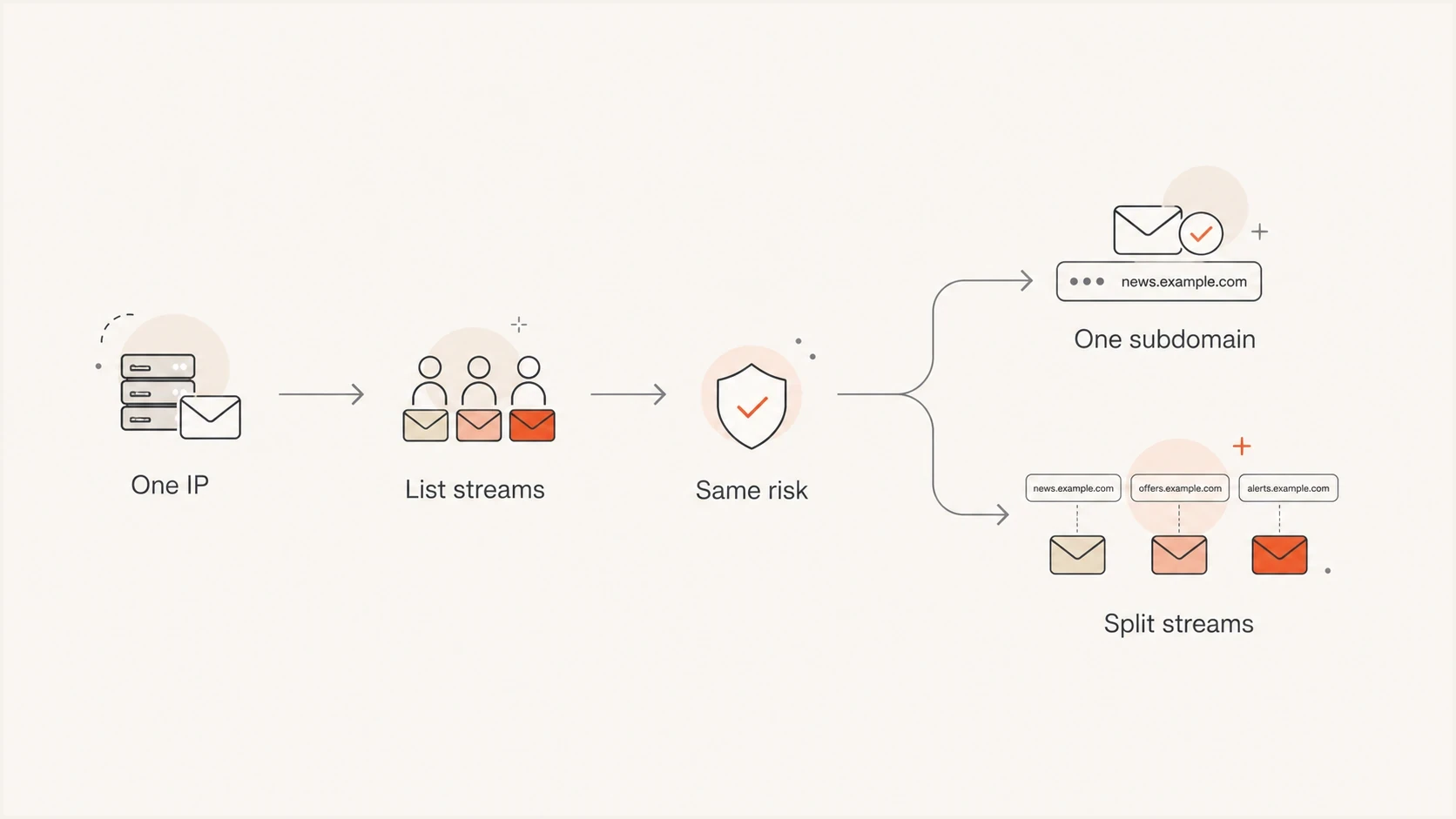
A flowchart showing that mail streams determine whether to use one or several subdomains.
How to split subdomains by mail stream
A useful stream split has a purpose. Separate streams when you need separate reporting, separate authentication control, or a boundary around risk. Do not split just to make DNS look organized. Each new subdomain needs its own DNS records, warmup behavior, monitoring, and incident response path.
- Transactional: use a stable identity such as notify for receipts, alerts, password resets, and account notices.
- Marketing: use a clear identity such as news for newsletters, launches, offers, and event campaigns.
- Lifecycle: keep onboarding and product education separate if volume is meaningful.
- Outreach: separate legitimate prospecting from opt-in marketing when owners and complaint patterns differ. A new subdomain does not repair poor consent or list quality.
The cleanest naming convention is short and descriptive. Use names a recipient or operator can understand later. news, notify, updates, and hello are easier to manage than internal project names. If you are still choosing whether to separate streams at all, use the deeper breakdown on multiple sending streams.
There is nothing inherently wrong with one dedicated IP handling more than one subdomain. The part that matters is whether those streams share the same operational fate. If one stream gets high complaints, it still shares the IP reputation with every other stream on that IP. A separate subdomain improves reporting, but it does not fully protect the other stream. When reputation isolation matters, route the higher-risk stream through a different IP or IP pool as well.
What 50,000 emails per day means
A sender at about 50,000 emails per day, or about 1.5 million per month, generally has enough volume to support one dedicated IP when the mail is steady and the list quality is sound. Total volume is not the only test. A stream spread across many mailbox providers builds less history with each provider. Avoid unnecessary subdomain splits at this size. One stream at 50,000 per day has more consistent reputation data than five streams at 10,000 per day each, especially during the first month on a new IP.
Dedicated IP volume planning bands
These bands are planning guidance, not fixed receiver limits.
Thin
<10k/day
Shared IP is often simpler unless the stream is highly steady.
Workable
10k-50k/day
One dedicated IP can work with careful warmup and monitoring.
Strong
50k+/day
Enough volume for one dedicated IP when engagement is healthy.
Volume is not a license to split everything. If you divide traffic, each stream needs enough daily consistency for mailbox providers to learn what normal looks like. Sudden spikes, dormant lists, and uneven day-of-week patterns can make a new subdomain look unstable even when the total program volume is healthy. If volume is your main constraint, compare your plan against dedicated IP volumes before adding more IPs or subdomains.
Authentication setup for each subdomain
Every sending identity needs clean authentication. Publish SPF for the bounce or return-path domain, configure DKIM for the sending route, and make sure at least one authenticated domain matches the visible From domain under DMARC rules. A sending subdomain can inherit DMARC policy from the organizational domain. Publish a DMARC record on the subdomain itself when it needs a separate policy or reporting destination.
Example DNS records for one streamdns
Host: _dmarc.news.example.com
Type: TXT
Value: v=DMARC1; p=none; rua=mailto:dmarc@example.com

Host: s1._domainkey.news.example.com
Type: CNAME
Value: s1.domainkey.provider.example

Host: bounce.news.example.com
Type: CNAME
Value: bounce.provider.example
The exact records depend on the sending platform, but the pattern is consistent: authenticate the stream, report on the stream, and keep DNS ownership clear. A domain health checker is useful before warmup because it catches missing SPF, DKIM, and DMARC pieces before mailbox providers see production traffic.
Do not let DNS drift
The more subdomains you create, the easier it is for records to drift. Old selectors, missing CNAME targets, unused SPF includes, and stale DMARC reporting addresses create confusing signals. Before increasing volume, verify every active subdomain and remove records that no longer belong to a real sender.
Dedicated IP DNS and identity checks
SPF, DKIM, and DMARC do not complete a dedicated IP setup on their own. Each sending IP also needs a valid reverse DNS identity. Mailbox providers check whether the IP has a PTR record and whether the hostname in that PTR record resolves forward to the same IP. Missing or mismatched records can cause throttling, rejection, or spam placement before message-level authentication is considered.
- PTR or rDNS: assign one stable hostname to each dedicated sending IP. The IP owner or sending provider usually controls this record.
- Forward DNS: make the PTR hostname resolve back to the same IP with an A or AAAA record.
- HELO or EHLO: use a stable, resolvable hostname for the SMTP greeting and keep it consistent with the sending infrastructure.
- Return-path: keep the custom bounce domain tied to the mail stream and authorize the actual sending IP or provider through SPF.
- TLS: transmit outbound mail over TLS and investigate any route that falls back to an unencrypted connection.
Example dedicated IP identitydns
Sending IP: 192.0.2.25
PTR: 192.0.2.25 -> mailout.example.com
A: mailout.example.com -> 192.0.2.25
EHLO: mailout.example.com
Return-Path: bounce.news.example.com
The PTR hostname does not need to match the visible From subdomain. It needs valid forward and reverse DNS and a stable relationship to the sending infrastructure. Verify these values for every IP before warmup, then send a test message to confirm the live headers use the expected return-path, DKIM signing domain, and source IP.
Warmup and routing plan
A dedicated IP needs warmup even when the subdomain already has history. Start with small, highly engaged segments on the new IP, then move more traffic as engagement and complaint rates stay stable. If you are moving off a shared pool, reduce shared-pool traffic gradually while the dedicated IP earns its own sending history. There is no universal five-week schedule. Treat the ramp below as an example, and pause increases when deferrals, complaints, or bounces rise.
Example warmup ramp
Share of total stream volume sent through the dedicated IP.
Dedicated IP share
- Start small: send to recent openers and clickers before dormant segments.
- Watch failures: pause ramping if bounces, complaints, or deferrals climb.
- Keep cadence: steady daily traffic is better than uneven bursts.
- Document routing: record which stream, IP, provider, and subdomain own each path.
Monitoring after the move
After the move, the daily job is to confirm that the subdomain and dedicated IP are sending the mail you expect, and nothing else. DMARC reports show whether mail claiming to be your subdomain passes SPF or DKIM checks. They also show unknown sources early, before they become a deliverability problem.
Suped is our DMARC reporting and email authentication platform. It groups DMARC sources by sending domain and IP, highlights SPF or DKIM failures, and alerts teams when an expected route changes. During dedicated IP warmup, use DMARC monitoring to confirm that each subdomain uses the planned source IP and signing identity, then review blocklist monitoring for blacklist or blocklist changes affecting the dedicated IP.
Suped DMARC dashboard showing email volume, authentication health, and source breakdown
Send a real test email before and after each routing change. Use an email tester to inspect the message headers, authentication results, and visible sender details. That confirms the DNS records are not just published, they are actually used by the message leaving your system.
Email tester
Send a real email to this address. Suped shows a results button when the test is ready.
?/43tests passed
Common mistakes to avoid
Most dedicated IP and subdomain problems come from over-segmentation, unclear ownership, or weak monitoring. The setup can look correct in DNS and still behave poorly if traffic is routed in a way that mailbox providers cannot learn consistently.
- One-to-one thinking: creating a new subdomain for every IP adds work without a delivery gain.
- Mixed risk: putting urgent transactional mail beside risky promotions creates shared pain.
- Thin traffic: splitting a small program into many subdomains weakens each signal.
- No owner: every subdomain needs someone accountable for DNS and sending behavior.
- No alerts: problems get expensive when authentication failures are found weeks later.
The split does not protect everything
A separate subdomain improves identity and reporting, but all traffic on the same dedicated IP still contributes to that IP's reputation. If a stream has meaningfully higher complaint risk, a subdomain split is only part of the design. Routing, audience rules, suppression handling, and monitoring need to match the risk.
Views from the trenches
Best practices
Map subdomains to mail streams, then verify each stream has enough steady daily volume.
Warm up the dedicated IP with engaged recipients before moving the full stream volume.
Keep transactional and higher-risk promotional mail separate when risk profiles differ.
Common pitfalls
Creating one subdomain per IP adds DNS overhead without fixing weak sending practices.
Splitting streams too early leaves each subdomain with thin and unstable reputation data.
Moving all volume at once can create deferrals before the new IP has usable history.
Expert tips
Treat subdomain naming as an operational map, not a place for campaign-specific labels.
Use DMARC reports to confirm each platform signs with the expected sending identity.
Review volume per stream before adding more IPs, because each route needs stable signal.
Marketer from Email Geeks says the right count depends on what each subdomain and dedicated IP sends.
2025-02-17 - Email Geeks
Marketer from Email Geeks says one mail stream needs one subdomain, even when several IPs carry that stream.
2025-02-17 - Email Geeks
Final recommendation
If you have one dedicated IP and one clear mail stream, use one sending subdomain. If you have distinct streams, such as transactional and marketing, use separate subdomains only when each stream has enough volume and a reason to stand apart in reporting. If you add more IPs later for the same stream, do not create more subdomains by default.
For the operational workflow, document the stream, subdomain, IP, provider, DKIM selector, bounce domain, PTR hostname, and DMARC reporting destination. Then monitor the route daily during warmup. Suped supports this workflow by grouping DMARC sources by subdomain and IP, flagging authentication changes, and keeping blacklist and blocklist status visible beside the sending identity.




