How long does IP warming take at Microsoft and does mitigation reset reputation?

Updated on 12 Aug 2026: We corrected the Microsoft warm-up timeline, clarified what mitigation changes, and added a safer post-block ramp.
For Microsoft mailboxes, six weeks sits inside the published warm-up window, but it does not guarantee a settled IP reputation. Microsoft says maximum deliverability commonly takes 4-8 weeks and can take longer when target volume is high, engagement is weak, or sending occurs less than weekly. Outlook.com, Hotmail, MSN, and Microsoft 365 filtering can therefore stay cautious after an automated ramp says the IP is warm.
Mitigation does not reset reputation. It can remove or relax a specific blocklist (blacklist) condition so the IP can send again, but Microsoft does not state that mitigation erases history or grants a neutral score. If an S3150 rejection returns, check both prior reputation and current causes: generic reverse DNS, a HELO mismatch, weak permission or engagement, complaint patterns, abnormal volume jumps, or headers that expose an unexpected relay path.
- Microsoft publishes a 4-8 week warm-up baseline, with longer recovery when volume, frequency, or recipient response provides weak evidence.
- Mitigation can clear a specific block. It does not make the IP warm or guarantee that reputation history has been erased.
- Compare the failing IP with working IPs line by line, including DNS, headers, volume, recipient mix, complaints, and Microsoft-specific outcomes.
The direct answer
Microsoft's warm-up guidance says maximum deliverability usually takes 4-8 weeks. It can take longer when recipients do not appear to want the mail, the target volume is high, or the sender mails less than weekly. Treat that range as a baseline, not a deadline.
A scripted warm-up sequence proves that the sender did not jump straight to full volume. It does not prove that Microsoft has enough positive evidence about the IP. Microsoft considers sending consistency, authentication, complaints, invalid addresses, blocklist or blacklist status, and recipient response. The slower part is often the accumulation of wanted-mail signals, not the scheduled volume ramp.
SMTP acceptance and inbox placement also measure different outcomes. A successful delivery response confirms that Microsoft accepted the message, but the message can still land in junk. Track hard rejects, temporary deferrals, and recipient-folder outcomes separately during warm-up.
When one IP fails and nearby customer IPs work, do not assume mitigation erased the old history. Ask what Microsoft sees on the failing stream that differs from the others. The difference can be one reverse DNS pattern, one relay host, one HELO mismatch, a sharper volume jump, or a list segment with weaker Microsoft engagement.
Microsoft warm-up timing
Use Microsoft's published range as operating guidance, not a guarantee.
Tightest audience
Weeks 1-2
Send to recipients active in the past 30 days.
Controlled expansion
Weeks 3-4
Expand to recipients active in the past 60 days.
Published baseline
Weeks 5-8+
Maximum deliverability can take longer when signals remain weak.
Separate Outlook.com from Microsoft 365
Microsoft does not operate one identical receiving path for every mailbox. S3150 commonly appears on the Outlook.com consumer network used by Outlook.com, Hotmail, Live, and MSN addresses. A business address hosted in Microsoft 365 can instead be affected by Exchange Online filtering or a recipient tenant's own policy.
- Group Outlook.com, Hotmail, Live, and MSN results by response code, then use the support path identified for that consumer rejection.
- Preserve the complete NDR, receiving host, timestamp, and message trace because the rejection can be specific to Exchange Online or the recipient tenant.
Split reporting by recipient MX and error family before changing the ramp. A consumer S3150 block, a temporary 421 deferral, and a tenant-specific Microsoft 365 rejection require different responses even though each recipient uses a Microsoft mailbox.
Why mitigation does not make an IP warm
Mitigation removes or relaxes a specific negative action. It does not award trusted-sender status. Microsoft can accept mail after a block is cleared while still applying cautious filtering because the IP is new, recently reassigned, newly active for this sender, or carrying limited positive history.
Mitigation
- Request review and removal of a specific Microsoft block.
- The affected receiving path can accept mail again after approval.
- Reputation history and current signals can still influence filtering.
Warm-up
- Build positive history through controlled sending.
- Microsoft receives evidence that the traffic is wanted.
- Weak segments or volume spikes can reverse recent progress.
Do not treat successful mitigation as approval for normal volume. Lower Microsoft volume, send to the most engaged Microsoft recipients first, watch deferrals and bounces, and increase only when the rejection pattern stays quiet. A useful companion read is the broader IP warm-up timeline for marketing senders.
Typical Microsoft rejection
550 5.7.1 Unfortunately, messages from [IP_ADDRESS] weren't sent.
Please contact your Internet service provider since part of their network
is on our block list (S3150).
What to check when one IP keeps failing
A single failing IP among otherwise healthy IPs deserves a stream-level comparison. Microsoft can treat two similar IPs differently because each stream accumulates its own evidence. Compare every signal that reaches Microsoft, including signals beyond the visible From domain.
|
|
|
|---|---|---|
rDNS | Forward-confirmed host | The PTR name should resolve back to the sending IP. |
HELO | SMTP host name | The announced identity should be valid and consistent with the sending host. |
SPF | Envelope domain pass | The exact IP must be authorized without exceeding DNS lookup limits. |
DKIM | Valid aligned signature | A stable aligned signature supports DMARC and domain continuity. |
DMARC | Aligned SPF or DKIM pass | The visible From domain needs an aligned authentication path. |
Headers | Relay path | An unexpected relay can change the source Microsoft evaluates. |
Compact checklist for a single failing Microsoft IP.
Send the same controlled message through the failing IP and a working IP, then compare headers, authentication results, and delivery outcomes. Suped's email tester supports that workflow by showing the received message result alongside the published DNS records.
Email tester
Send a real email to this address. Suped shows a results button when the test is ready.
?/43tests passed
Check whether the domain is adding risk. A clean IP cannot compensate for missing authentication, broken domain matching, or an SPF record that passes for one stream but fails for another. Suped's domain health checker groups DMARC, SPF, and DKIM checks for the same domain.
The Microsoft recovery path
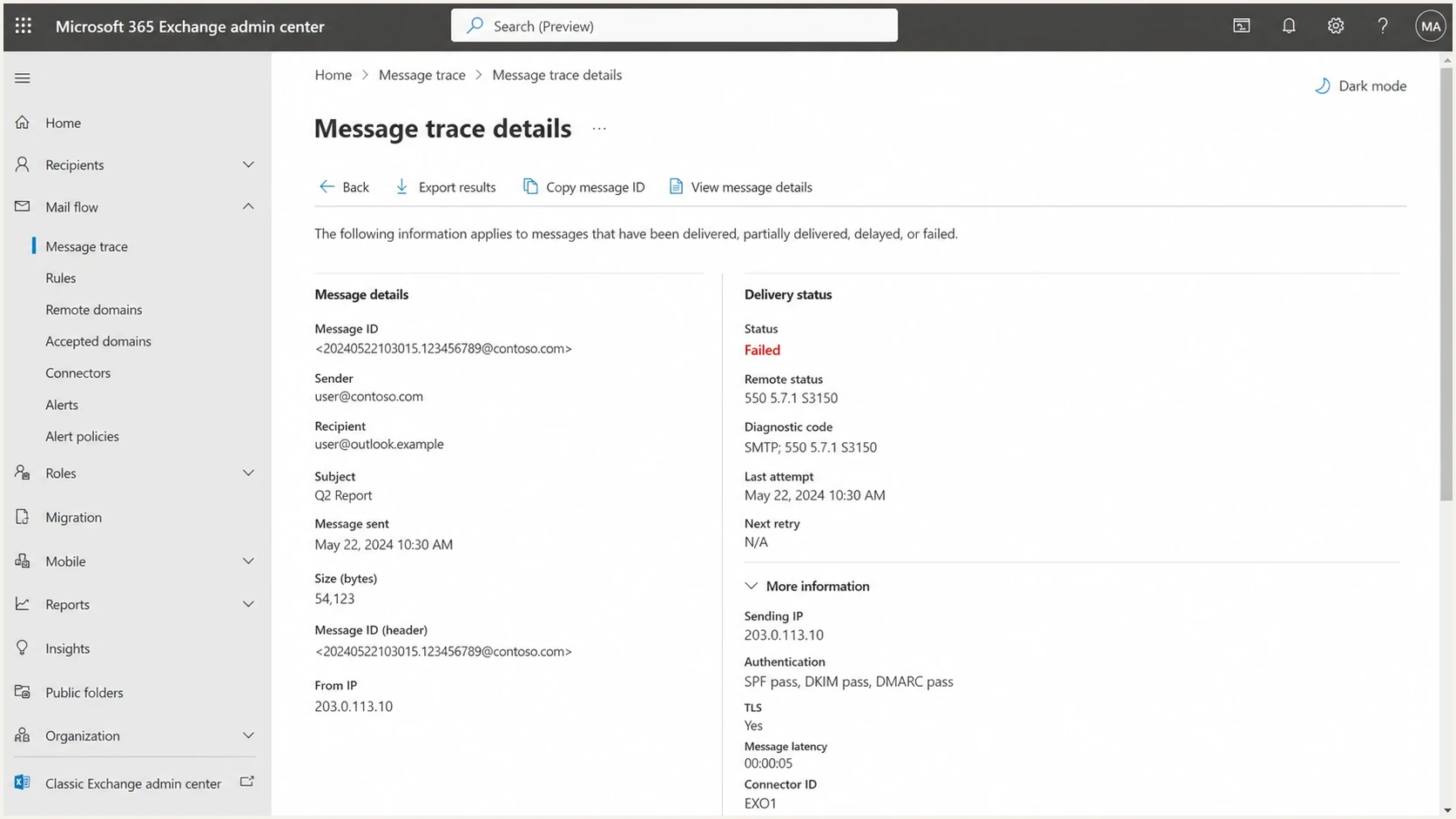
Microsoft 365 Exchange admin center message trace showing a failed delivery event.
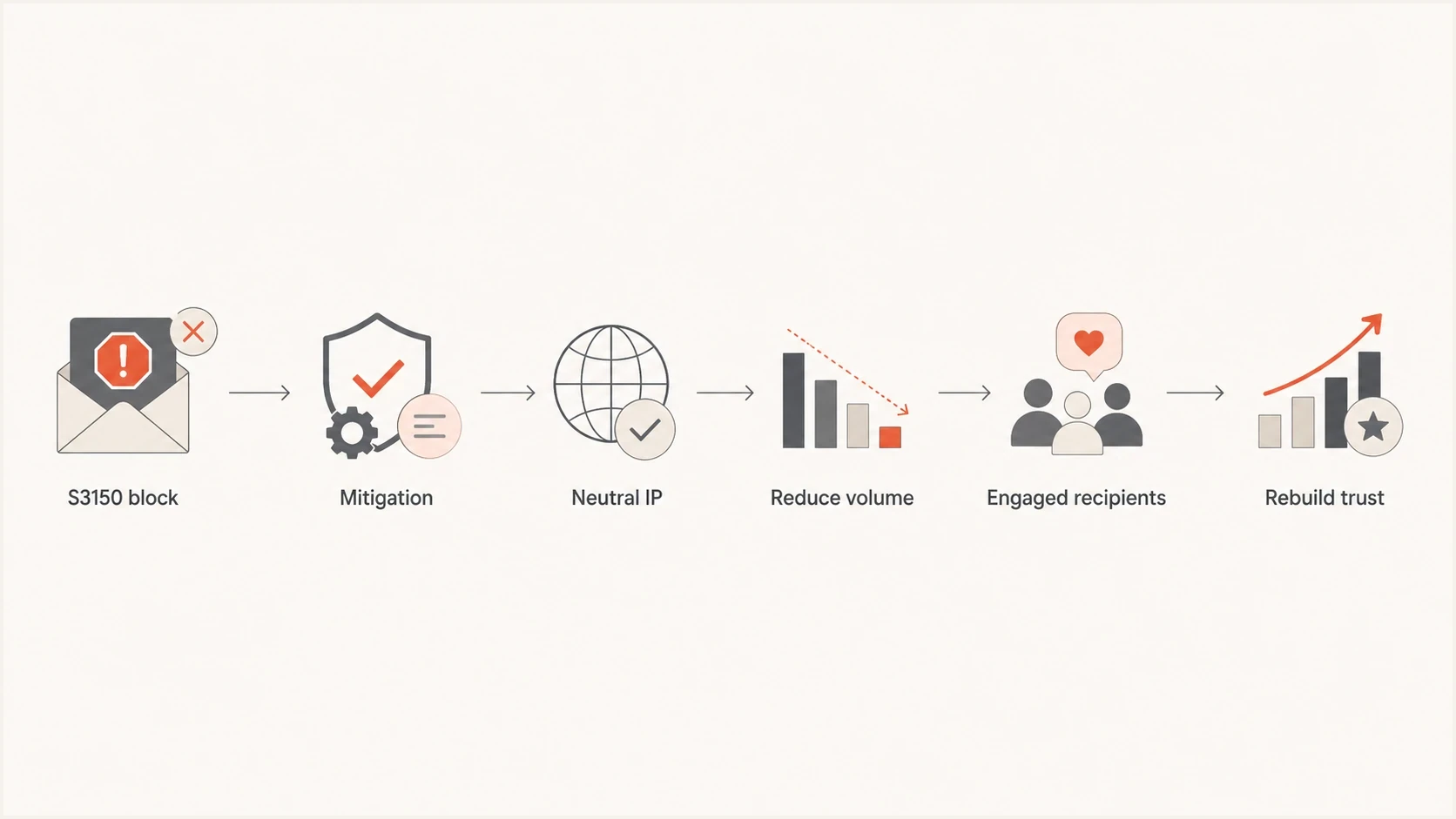
Flowchart showing Microsoft mitigation followed by reduced volume and trust rebuilding.
After mitigation, assume only that the identified block has been reviewed or cleared. Do not resume the previous Microsoft ramp immediately. A new rejection pattern can form quickly if Microsoft receives the same traffic that contributed to the block.
- Check reverse DNS, HELO, SPF, DKIM, DMARC, TLS, and the visible relay path before sending again.
- Separate consumer Microsoft domains and Microsoft 365 recipients so their error codes do not disappear inside global results.
- Start with permissioned recipients who opened or clicked in the past 30 days and high-confidence transactional traffic.
- Keep Microsoft volume below the pre-block level until hard rejects and temporary deferrals stay quiet.
- Raise volume in small steps and pause when complaints, rejects, or delays worsen.
Treat 421 responses as temporary deferrals, not the same event as an S3150 hard block. Microsoft's guidance says these messages can retry for 72 hours and later appear as a 5XX bounce carrying the original 421 error. If significant volume times out, reduce Microsoft volume by tightening the recipient engagement window.
For a deeper Microsoft-specific recovery process, compare this with the guide on Microsoft email delays. Hard rejects and throttling require separate tracking, but both call for lower uncertainty, better recipient signals, and consistent traffic.
Authentication and reputation need joint monitoring
IP warming at Microsoft includes IP and domain work. SPF needs to authorize the sending IP for the envelope domain, DKIM needs a valid signature, and DMARC needs an aligned SPF or DKIM pass. If one stream uses a different bounce domain, selector, subdomain, or relay, Microsoft can receive a materially different identity.
Simple DMARC monitoring record
v=DMARC1; p=none; rua=mailto:dmarc-reports@example.com;
fo=1; adkim=s; aspf=s
Suped's DMARC monitoring connects DMARC reports with SPF, DKIM, sending-source identification, and delivery investigation. Use it to confirm that the exact failing IP produces aligned mail, rather than checking only whether DNS records exist.
DMARC record detail view showing SPF, DKIM, DMARC, rDNS diagnostics, and DNS records
Monitor blacklist and blocklist state during the rebuild period. A public listing is not always the reason Microsoft blocks mail, but it adds context when the same IP has trouble across several mailbox providers. Suped's blocklist monitoring keeps blocklist and blacklist checks tied to the same sender inventory.
How to interpret repeated S3150 after mitigation
Repeated S3150 after mitigation does not prove that Microsoft erased the old reputation and then created a new block. It shows that the IP still fails the current policy decision. Prior history can remain relevant, while a rapid return to previous volume, weak recipient selection, or an unnoticed setup difference can also trigger the result.
Do not request mitigation, resume full Microsoft volume, and call the IP warm. Treat approval as permission to resume controlled sending, not as a reputation reset.
Old IP history can affect early treatment, especially when an address came from an abused range or has recent negative signals. Mitigation changes a blocking decision, but Microsoft does not publish a promise that historical evidence is deleted. Investigation should therefore cover both the IP's provenance and the traffic sent after approval.
A Microsoft Answers thread about an IP reputation exception illustrates the operational limit of support action: an unblock can let a new sender resume, but it does not replace controlled sending afterward.
A practical Microsoft ramp after mitigation
The exact volume depends on list quality and message type, but the structure stays consistent. Start below the last accepted Microsoft volume, keep the audience narrow, and measure Microsoft separately. Advance when the error pattern and recipient response support the next step, not simply because the calendar changed.
|
|
|
|
|---|---|---|---|
Weeks 1-2 | Low and steady | Active in 30 days | Hold on errors. |
Weeks 3-4 | Small lifts | Active in 60 days | Watch each lift. |
Weeks 5-6 | Measured | Active in 90 days | Exclude older recipients. |
Weeks 7-8+ | Controlled growth | Older permissioned cohorts | Add at up to 15%. |
Example post-mitigation Microsoft ramp based on Microsoft's engagement guidance.
Do not retire a six-week-old IP solely because it has not stabilized. Six weeks remains inside Microsoft's published 4-8 week range. Replace the IP only when the business impact requires it or controlled remediation still produces persistent blocks, since a replacement IP also starts with little or no positive history.
If sending stops for several weeks, recent positive evidence can weaken. Resume at reduced volume and tighten the engagement window instead of assuming the IP remains fully warm. Microsoft does not publish a universal rule that reputation resets after 30 days of inactivity.
For senders warming both Gmail and Microsoft, the right strategy differs by mailbox provider. The comparison in Gmail and Microsoft warm-up explains why success at Gmail does not prove success at Microsoft.
Views from the trenches
Best practices
Track Microsoft results separately because one IP can fail while nearby IPs pass normally.
Confirm rDNS, HELO, SPF, DKIM, and DMARC before asking Microsoft to mitigate again.
Keep volume steady and send first to people who recently opened or clicked the mail.
Common pitfalls
Treating a six-week automated ramp as proof of a fully warm Microsoft reputation.
Assuming mitigation erases reputation instead of clearing one identified block only.
Ignoring Received headers that expose mismatched relay hosts or generic rDNS names.
Expert tips
Compare accepted and rejected IPs by network range, headers, DNS, and complaint data.
After mitigation, reduce Microsoft volume until positive signals remain consistent.
Separate Outlook.com errors from Microsoft 365 tenant-specific delivery outcomes.
Expert from Email Geeks says six weeks can still be early at Microsoft when sending frequency or recipient response is inconsistent.
2022-11-03 - Email Geeks
Expert from Email Geeks says mitigation can clear a block without making the IP warm, so repeated blocking points back to history, setup, or behavior.
2022-11-03 - Email Geeks
What to act on
Plan around Microsoft's published 4-8 week baseline, then extend the ramp when engagement, frequency, or target volume prevents stable delivery. A six-week IP can be progressing normally while remaining sensitive to a weak segment, a setup issue, or a sudden volume increase.
Mitigation can clear the identified block, but it does not reset reputation or create positive history. After approval, reduce Microsoft volume, send permissioned mail to recent engagers, verify DNS and header details, and track each Microsoft receiving path until accepted traffic remains consistent.
Suped's DMARC reporting and email authentication platform supports this workflow by identifying sending sources, checking authentication alignment, and keeping blocklist and blacklist signals with the same sender inventory. Use those records to compare the failing IP with healthy streams and document what changed before each controlled volume increase.




