
How does parent domain reputation affect subdomain deliverability and sender reputation?

Published 16 Apr 2025
Updated 23 Oct 2026
15 min read
Summarize with
Updated on 23 Oct 2026: We clarified shared sending identities, Gmail bulk-sender rules, and the checks that separate authentication issues from reputation problems.
Yes, parent domain reputation affects subdomain deliverability and sender reputation. A new subdomain does not guarantee a clean slate. Mailbox providers can connect signals across the primary or registered domain, visible subdomains, sending IPs, authentication alignment, historical engagement, spam complaints, content, links, and sending behavior.
Several risks overlap when the parent domain has a poor reputation, the subdomain and IP are new, and the first traffic attracts complaints or little engagement. Changing the subdomain does not remove those shared signals. That is why a fully authenticated test message can still land in spam.
A useful split is simple: authentication tells receivers whether the message is allowed to claim the domain, while reputation tells receivers whether they should trust the message. Passing SPF, DKIM, and DMARC supports a consistent sending identity, but it does not guarantee inbox placement.
Email tester
Send a real email to this address. Suped shows a results button when the test is ready.
?/43tests passed
How parent and subdomain reputation interact
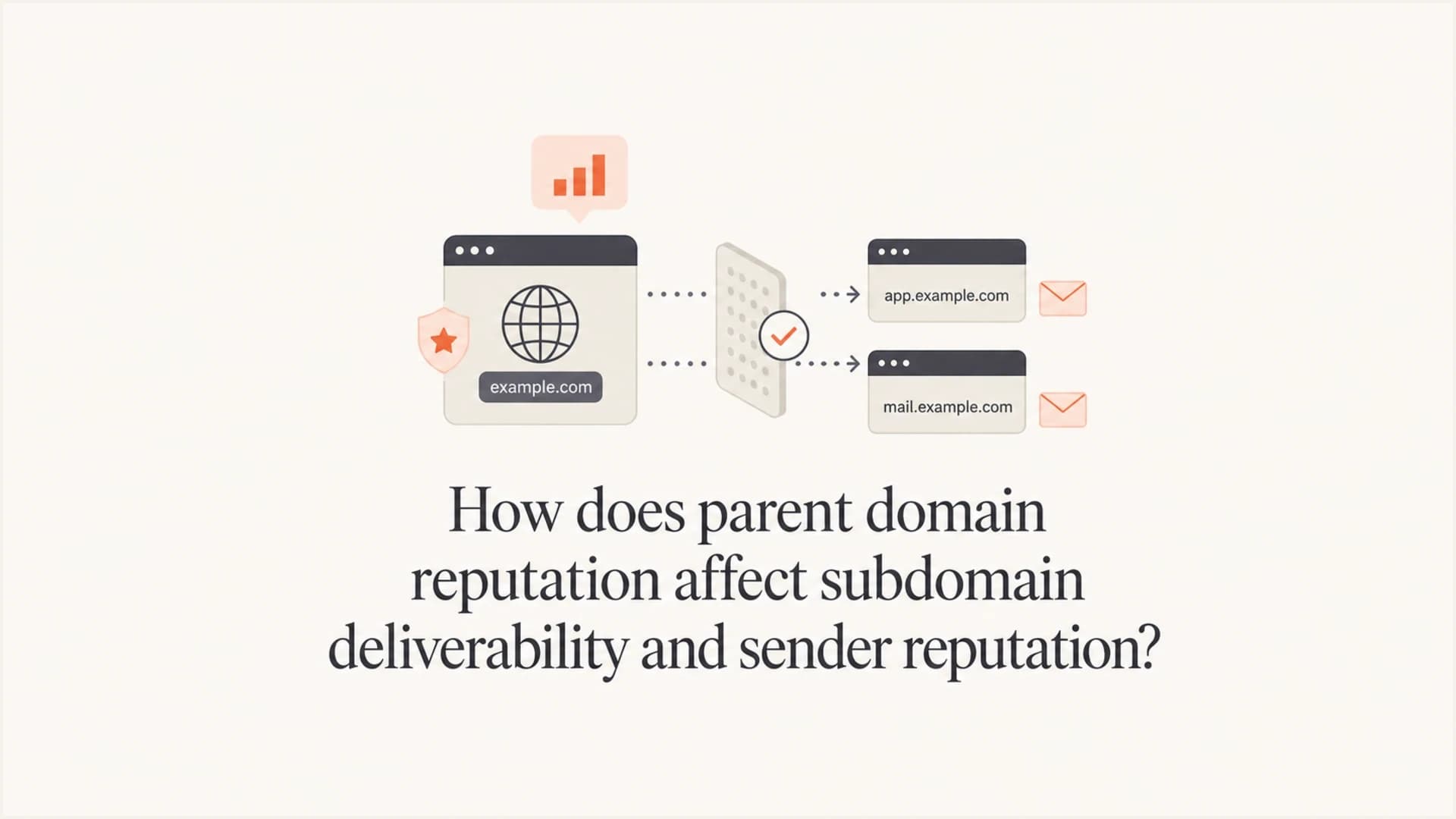
Parent domain reputation can help or hurt a subdomain, and subdomain behavior can also flow back into the parent domain. Mailbox providers group related identifiers in a risk model, so every subdomain does not receive the same copied score. Here, parent domain means the registered brand domain, such as example.com; mail.example.com is a sending subdomain.
When the parent domain has severe negative history, treat a new subdomain as high risk until proven otherwise. Sibling subdomains can build distinct reputations, but a shared parent domain, sending infrastructure, links, or audience can still connect their behavior. Each mailbox provider weighs those signals differently.
- Parent signal: A trusted parent domain can give a new subdomain useful context, especially when the content, audience, authentication, and infrastructure match existing legitimate mail.
- Subdomain signal: A subdomain that generates spam complaints, bounces, blocklist or blacklist listings, and low engagement can damage trust in the parent domain.
- IP signal: A new dedicated IP has little reputation. It needs controlled volume, good recipients, and consistent mail before filters have enough positive evidence.
- Mailbox signal: Gmail, Outlook, and other receivers make their own decisions. A subdomain that works at one provider can still struggle at another.
A new subdomain is not a reputation reset
If the root domain has poor history, creating mail.example.com for the same brand does not erase that history. It can isolate mail streams operationally, but mailbox providers still see the relationship.
A practical example: if example.com has been sending high-complaint mail, then offers.example.com on a fresh IP is not automatically trusted. Configure SPF and DKIM for the subdomain, with at least one passing identity meeting DMARC domain alignment rules for the visible From domain. Keep sending patterns stable and send mail recipients expect. If the parent domain is already heavily distrusted, even test messages can go to spam before engagement has a chance to recover the reputation.
Why authenticated mail can still go to spam
Authentication and reputation solve different problems. Authentication verifies that an authorized domain takes responsibility for the message. Reputation estimates whether recipients want the mail. A message can pass every authentication check and still look risky because of domain history, IP history, list quality, content, or recipient behavior.
Authentication answers permission
- SPF: The sending IP is permitted by the SPF policy for the envelope sender or HELO domain. DMARC uses the MAIL FROM identity for SPF validation.
- DKIM: The message has a valid domain signature and the signed content has not been altered.
- DMARC: At least one passing SPF or DKIM identity meets the domain alignment rules for the visible From domain.
Reputation answers trust
- Engagement: Recipients read, reply, move, delete, or ignore messages.
- Complaints: Spam reports tell filters that the stream has unwanted mail.
- History: Past domain, subdomain, IP, and content behavior affects current handling.
Passing DMARC rules out one authentication problem. After that, check where the mail landed, which audience received it, how the sending domain has behaved before, and whether the new subdomain was warmed with enough positive signals.
Typical matching authentication setuptext
From: updates@mail.example.com
Return-Path: bounce@mail.example.com
DKIM d=mail.example.com
SPF domain: mail.example.com
DMARC result: pass
That setup is structurally sound, but reputation still needs to be earned. Spam placement reduces opportunities for recipient interaction. Investigate parent-domain history and source-specific failures before increasing volume.
How reputation flows between domains
Mailbox providers evaluate several identifiers at once. The primary or registered domain connects the visible brand, links in the message, DKIM signing domains, return-path domains, and historical traffic. Subdomains then build their own records under that larger identity.
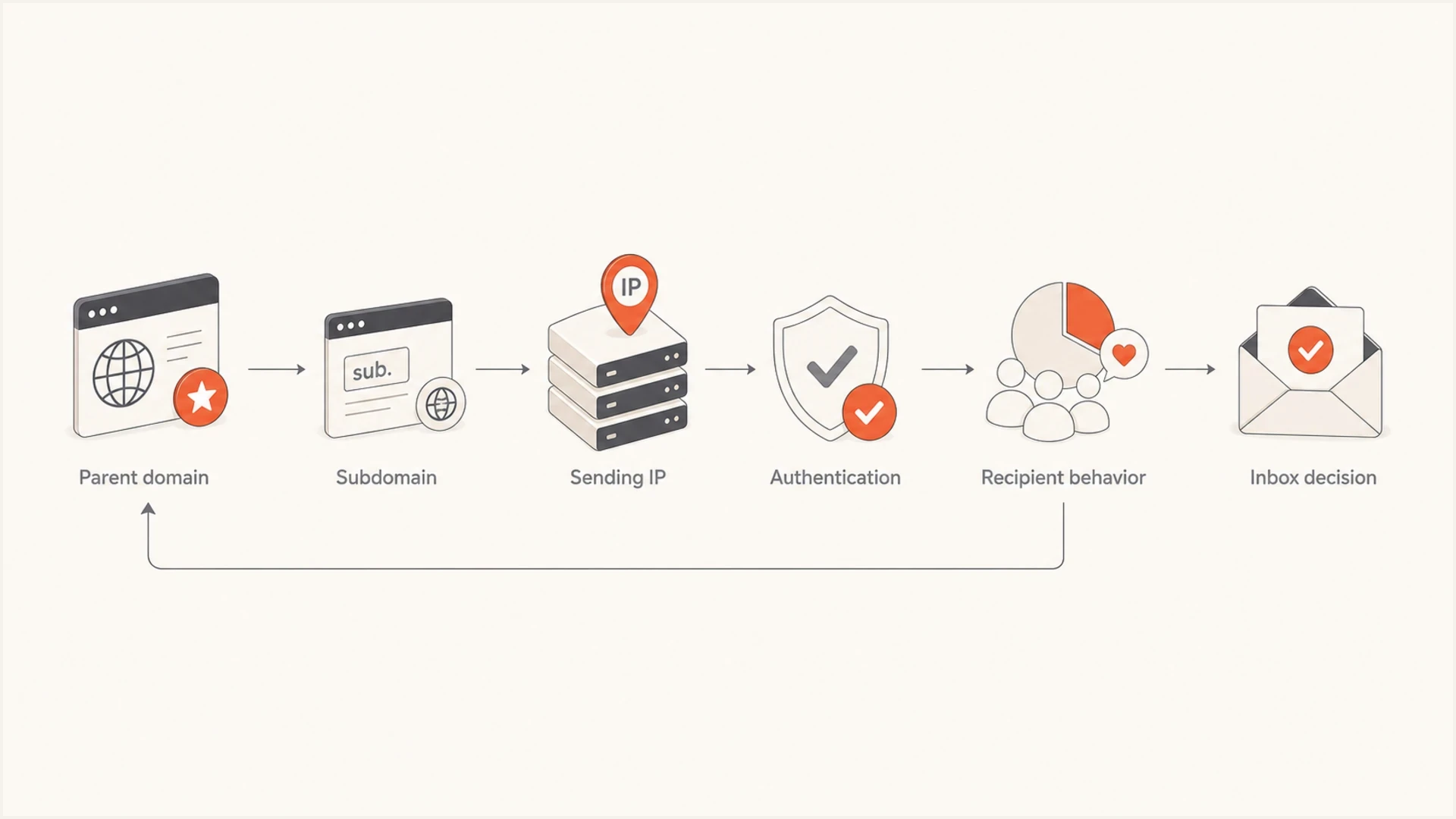
Parent domain, subdomain, sending IP, authentication, and recipient behavior contribute to inbox decisions.
Each mailbox provider's scoring model is private, so the amount of reputation shared between domains is not a published universal rule. A healthy parent domain can give a new subdomain a better starting point. A damaged parent domain can make a new subdomain suspicious. A damaged subdomain can also weaken trust in the parent domain when the traffic shares brand identity, links, infrastructure, or recipients. M3AAWG sending-domain guidance supports separating mail streams while considering the domain and sending IP together.
|
|
|
|---|---|---|
Parent domain | Brand history | Shared context |
Subdomain | Stream behavior | Partial isolation |
IP address | Source history | Shared or dedicated IP history |
DMARC | Authenticated-domain relationship | No inbox guarantee |
Complaints | User rejection | Reputation loss |
How common signals affect reputation grouping
For a deeper breakdown of how mailbox providers evaluate domain structures, read domain reputation with subdomains and FQDNs. Related identifiers can affect filtering alongside the history of the exact sending hostname.
Reputation linkage is not DMARC policy inheritance
Reputation linkage is a private filtering decision. DMARC policy discovery is a DNS process with defined precedence. A parent domain can affect both a subdomain's reputation context and its DMARC policy, but those effects happen for different reasons.
- Author-domain record: A valid record at _dmarc.mail.example.com takes precedence for messages From mail.example.com.
- Parent policy: If the author domain has no valid record, RFC 9989 defines a DNS Tree Walk to discover the applicable policy. Older RFC 7489 receivers use the earlier policy-discovery method.
- Subdomain policy: At the Organizational Domain, sp sets handling for existing subdomains that use its policy. The np tag covers nonexistent subdomains. If neither applies, p is the fallback.
- Reputation result: Changing DMARC inheritance changes authentication policy handling. It does not erase complaint, engagement, infrastructure, or brand history.
Use explicit records when the subdomain needs its own policy
Publish a DMARC record at the exact sending subdomain when it needs different policy or reporting. Keep monitoring the parent and subdomain together because policy separation does not guarantee reputation isolation.
When a subdomain helps
A subdomain helps when it separates legitimate mail streams with different risk levels. Different subdomains for transactional mail, marketing mail, lifecycle mail, corporate mail, and sales outreach make sense because each stream has different volume, consent quality, and recipient expectations.
- Transactional mail: Use a stable subdomain for receipts, password resets, security alerts, and account notifications.
- Marketing mail: Use a separate subdomain to measure marketing complaints and engagement apart from critical mail; shared identities still connect the streams.
- Sales outreach: Use clear boundaries because cold or semi-cold outreach has higher complaint and spam placement risk.
- Corporate mail: Keep day-to-day employee and customer correspondence away from bulk or high-risk sends when possible.
- Customer success: Use a domain identity that matches the relationship recipients already recognize.
This separation works best when each stream has substantial and consistent volume. If a subdomain sends only occasional mail, mailbox providers have less behavior to measure. That limits how confidently you can judge its reputation separately from shared identities.
This separation is useful, but it is not absolute protection. If marketing.example.com sends unwanted mail at scale, filters can still connect that behavior to example.com. Gmail counts messages sent from a primary domain and its subdomains together when they reach close to 5,000 messages or more to personal Gmail accounts within 24 hours. Bulk-sender classification is permanent once assigned, so splitting volume across subdomains does not avoid its requirements. See the Gmail sender FAQ for the scope of these requirements.
Use subdomains for control, not evasion
A subdomain is a good way to organize email programs and measure reputation by stream. It is a poor way to hide from a damaged root domain.
If you are deciding whether to use the root domain, a subdomain, or a separate domain, read subdomains for marketing. The short version is that a subdomain is usually the right balance when the mail is legitimate and tied to the same brand.
What to separate beyond the From address
Changing only the visible From address leaves other sending identities shared. Check these identifiers before assuming marketing and transactional mail have separate reputations.
|
|
|
|---|---|---|
DKIM signing domain | Use a stream-specific d= domain, such as news.example.com. | Different selectors alone still use the same signing domain. |
Return-Path / SPF | Check the actual MAIL FROM domain's SPF policy; the parent SPF record is not automatically inherited. | A shared envelope-sender domain keeps that identity common to both streams. |
Sending IP | Check whether streams use the same shared pool or dedicated IP. | Other senders affect shared IP reputation; dedicated IPs need steady traffic. |
Tracking and link domains | Inspect branded tracking hosts, redirects, and destination domains. | Shared link domains can connect streams even when From addresses differ. |
Sending identities that limit reputation separation
Separate DKIM domains make stream identification clearer, but do not guarantee reputation isolation. Relaxed DMARC alignment accepts identities within the same Organizational Domain; strict alignment requires an exact domain match. Confirm the applicable policy before changing signing or return-path domains.
When a subdomain does not help
A subdomain does not help much when the parent domain has severe negative reputation. Repeated spam placement across controlled accounts, message variants, and sending streams can point to a strong domain signal. A single message landing in spam does not isolate the cause because content, recipient history, and infrastructure also affect placement.
Illustrative subdomain risk scenarios
Qualitative troubleshooting examples, not mailbox-provider scores or diagnostic thresholds.
Low risk
Warm subdomain
Parent domain has normal inboxing and low complaints.
Medium risk
Limit volume
Some spam placement or provider-specific issues.
High risk
Investigate shared signals
Repeated spam placement after authentication checks.
A new dedicated IP can make this worse at the start. The IP has no positive history, the subdomain has no positive history, and the parent domain has negative history. That combination gives filters little reason to take a chance on inbox placement.
In those cases, investigate shared domain and IP signals before increasing volume. Reduce risky traffic and rebuild engagement with recipients who have recently interacted with the brand.
Subdomain spam complaints can also feed back into root domain reputation. The mechanics differ by receiver, but the risk is real enough that every subdomain should be treated as part of the brand's overall trust profile. For more detail, see subdomain spam complaints and root domain reputation.
How to diagnose subdomain deliverability problems
Troubleshoot this in layers. Start with the technical setup because it is objective. Then test placement and reputation signals. Then look at list quality and engagement. Jumping straight to IP warmup without checking the parent domain usually wastes time.
- Check DNS: Validate SPF, DKIM, and DMARC for the actual sending identities, plus the sending IP's reverse DNS and matching forward DNS, with a domain health check. Check MX records where the domain receives replies or bounces; sending from a subdomain alone does not require an MX record there.
- Check placement: Send a real message to a controlled set of inboxes, then inspect Return-Path, DKIM signing domain, selector, sending IP, and authentication results with an email tester.
- Check DMARC: Review aggregate reports source by source to see which senders are passing and failing authentication. DMARC aggregate reports do not show inbox versus spam placement or a provider's private reputation score.
- Check reputation: Review provider-specific reputation signals where available, especially for Gmail-heavy lists.
- Check blocklists: Look for relevant IP and domain blocklist (blacklist) listings. A clean result does not establish a good reputation or guarantee inbox placement.
- Check recipient behavior: Compare complaints, unsubscribes, clicks, replies, conversions, and recent account activity by stream and receiving provider. Separate invalid-address hard bounces from temporary deferrals and other rejection reasons. Treat opens as a supporting signal rather than proof of interest.
- Check sender requirements: For bulk marketing mail, verify one-click and visible unsubscribe, TLS, DNS, and authentication requirements. Honor Gmail unsubscribe requests within 48 hours. Gmail recommends user-reported spam below 0.1%, avoiding 0.3% or higher.
For Gmail's complaint-rate targets and infrastructure requirements, follow the Gmail sender guidelines. Read SMTP response text alongside placement tests: temporary 4xx deferrals and permanent 5xx rejections help distinguish throttling, authentication failures, and reputation-related blocks. Acceptance by a receiving server does not establish inbox placement.
The main causes to rule out are complaints, low engagement, poor list quality, spam traps, high bounces, sudden volume changes, blocklist or blacklist listings, broken DNS, and weak infrastructure reputation. Fix the source of the bad traffic before changing domains, because the same audience problem follows the new subdomain.
Suped DMARC dashboard showing email volume, authentication health, and source breakdown
Suped's DMARC and email authentication platform groups reports by sending source so teams can review SPF and DKIM results and investigate authentication failures. Compare that evidence with sending logs and mailbox placement before attributing a problem to reputation.
?
What's your domain score?
Deep-scan SPF, DKIM & DMARC records for email deliverability and security issues.
Run controlled message tests as supporting evidence. Send the same plain message from a known-good setup to several Gmail accounts you control, then compare one version with the client domain in the body against one without it. Repeat the comparison before drawing a conclusion. If the domain mention repeatedly changes placement, treat that as a clue about domain or content filtering, rather than proof of a parent-domain reputation penalty. DMARC reports help rule out authentication differences; confirm placement patterns with delivery logs and tests across more than one mailbox provider.
How to repair the parent domain
Repair starts by reducing negative signals, then rebuilding positive ones. The fastest mistake is to keep sending to the same broad audience and hope the new subdomain fixes it. That keeps feeding filters the same weak engagement and complaint data.
- Stop risky traffic: Pause cold lists, old leads, purchased contacts, scraped addresses, and segments with recent complaint problems.
- Maintain suppression lists: Suppress invalid recipient addresses. Remove spam complainants and unsubscribed recipients from every applicable marketing stream; keep required transactional messages separate.
- Send to active recipients: Start with people who clicked, replied, purchased, logged in, or contacted support recently. Treat recent opens alone as weaker evidence because privacy protections distort them.
- Lower volume: Use a controlled ramp. Reputation repairs usually need sustained good traffic, not one campaign.
- Fix authentication: Configure SPF and DKIM for legitimate sources, ensure DMARC passes through at least one identity meeting the visible From domain's alignment rules, and investigate unauthorized sources.
- Watch listings: Monitor blocklist and blacklist status so infrastructure problems do not hide behind engagement problems.
This is where DMARC monitoring helps assess enforcement risk. Aggregate reports show which sources pass or fail authentication. Unknown sources require investigation because they can be forgotten legitimate senders, forwarding paths, or unauthorized mail.
Suped workflow
In Suped, add the parent domain and every active sending subdomain, review the source breakdown, fix unauthenticated legitimate senders, and enable alerts for new failures. Compare the same sources after each DNS or policy change.
Conservative DMARC starting pointtext
_dmarc.example.com TXT
"v=DMARC1; p=none; rua=mailto:dmarc@example.com"
Once legitimate sources are authenticated, move the policy through quarantine and reject in controlled steps. Stage changes with explicit subdomain policies instead of relying on pct, which RFC 9989 makes historic. DMARC enforcement addresses unauthenticated domain use; reputation recovery still depends on wanted mail.
How to warm a new sending subdomain
Once sending practices and authentication are stable, warm the subdomain slowly. The goal is to create a history of expected mail that recipients want, backed by consistent sending. Do not start with a full campaign just because DNS is correct.
Example warmup pattern
A conservative subdomain ramp gives filters time to observe engagement before volume grows.
Daily volume
The chart is an illustration, not a quota or universal schedule. Do not send extra mail to meet its numbers. Hold or reduce volume when authentication failures, bounces, deferrals, complaints, or spam placement worsen. Increase only after the current level produces stable results.
Use recent, active recipients first. If the first audience ignores the mail or marks it as spam, the warmup teaches the wrong lesson. Sending fewer messages to people who want the email is better than sending more messages to a segment that looks statistically weak.
- Start narrow: Use recipients with recent clicks, replies, purchases, logins, or support interactions.
- Keep content familiar: Send mail that matches the relationship and domain the recipient already knows.
- Watch Gmail separately: Compare Gmail results separately so a problem at one provider is not hidden by aggregate delivery metrics.
- Do not chase volume: Pause increases when spam placement, complaints, or authentication failures rise.
A new dedicated IP needs its own warmup. A low-volume stream does not automatically benefit from a dedicated IP; it needs enough steady traffic to establish a useful sending history. If both the IP and subdomain are new, keep the ramp more conservative. If the parent domain is recovering, keep it stricter again. Very low-volume streams can take longer to earn a distinct reputation because providers have less behavior to measure. Treat warmup as a measurement loop rather than a fixed volume schedule.
How Suped fits into the workflow
Suped's product supports monitoring parent domains and sending subdomains together. Review authentication results and source changes across the same brand, then investigate the affected stream.

Issue steps to fix dialog showing the issue overview, tailored fix steps, and verification action
The useful workflow is finding which source is failing, seeing whether the failure affects the parent domain or a subdomain, and assigning a specific fix. Suped's product connects those DMARC reports with source identification and alerts. Compare source activity before and after a DNS correction, then use delivery logs and mailbox tests to assess placement.
Manual checking
- Scope: Good for one-off DNS validation and simple launch checks.
- Review: A lookup captures the DNS configuration at that time; repeat it after source or policy changes.
Suped monitoring
- Scope: Groups reported SPF and DKIM results by source and highlights authentication failures.
- Review: Investigate alerts, confirm the source owner, and verify the effect of each correction.
Keep DNS corrections and placement results together for each sending stream so the next review can distinguish an authentication change from a change in recipient response.




