
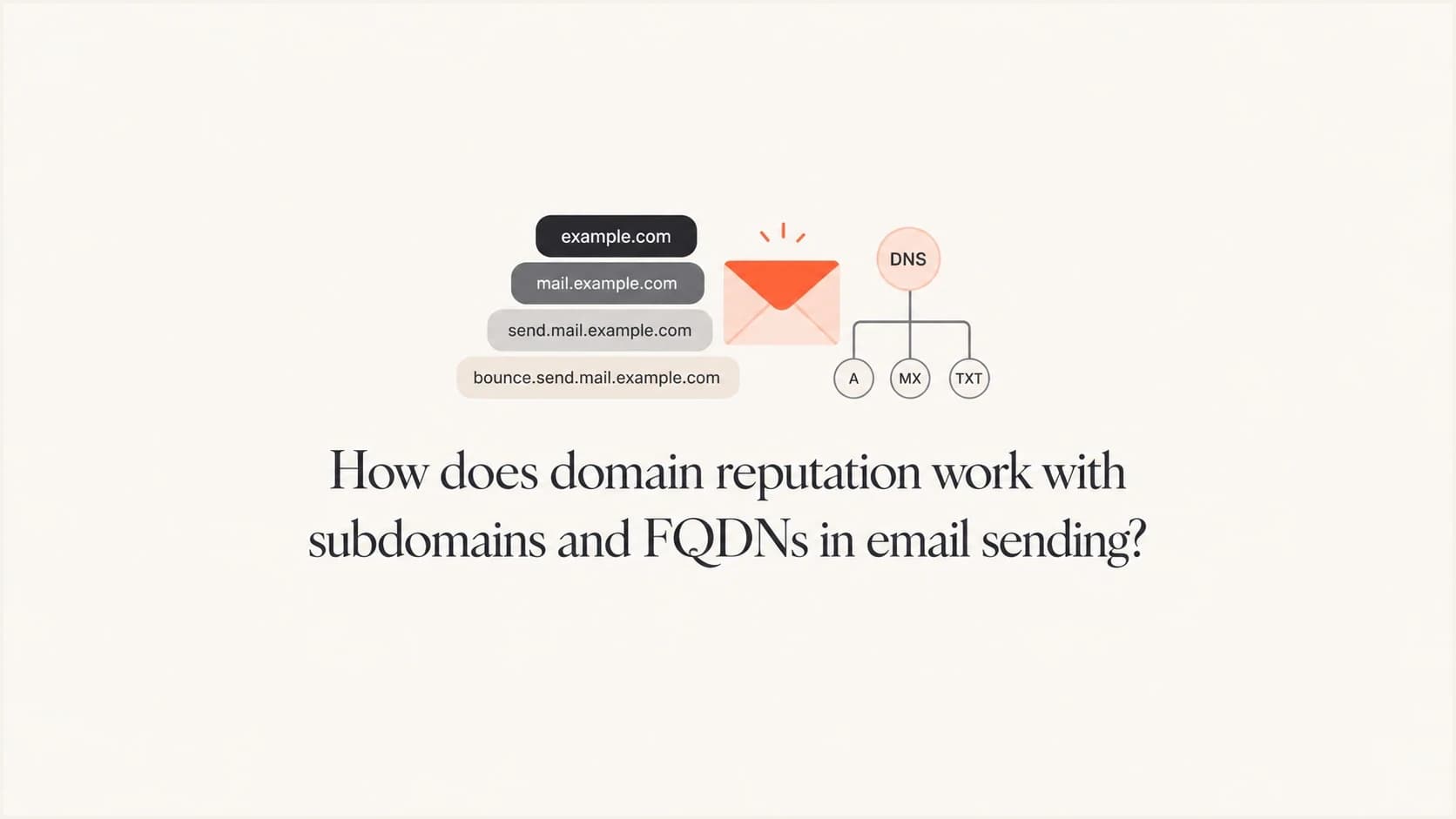
How does domain reputation work with subdomains and FQDNs in email sending?

Updated on 29 Sep 2026: We added reverse DNS guidance and clarified how RFC 9989 affects subdomain alignment.
Domain reputation does not land in one universal DNS bucket. Receivers can build signals for the SPF-authenticated SMTP MAIL FROM domain, commonly called the envelope sender and shown as Return-Path after delivery, as well as the DKIM signing domain, visible From domain, sending IP, and related parent or organizational domains. If the MAIL FROM address is string@em.customer.espsendingdomain.com, then em.customer.espsendingdomain.com is the most specific SPF identity when SPF passes. espsendingdomain.com can still provide broader context.
Mailbox providers do not use one public scoring model. They can evaluate the exact authenticated domains, the visible From domain, the bounce domain, the sending IP, authentication results, complaint behavior, engagement, and message patterns. A practical model is layered: each stable identity and the behavior attached to it can add positive or negative evidence.
- Direct answer: An authenticated FQDN can develop its own track record, especially as a MAIL FROM or DKIM domain, but receivers can connect it to related domains.
- Parent impact: Separation is partial. Receivers can use parent and related-domain context, so sustained bad sending on one identity can affect connected domains.
- Low volume caveat: Small senders often lack enough mail volume for a stable subdomain reputation signal.
- Best practice: Use subdomains to segment mail streams, then monitor authentication, complaints, bounces, SMTP responses, and blocklist or blacklist status.
What FQDN means in email sending
FQDN means fully qualified domain name. It is a complete DNS name, so both example.com and mail.example.com can be FQDNs. DNS zone notation can show the terminating root label as example.com., while email applications usually omit the final dot. The second name is also a subdomain of the root or base domain example.com. In email work, the exact name and its role matter more than the label alone.
Example email identitiestext
Visible From: news@example.com
MAIL FROM / Return-Path: bounce@mail.example.com
DKIM d=mail.example.com
EHLO/PTR hostname: mta1.mail.example.com
Parent domain: example.com
Sending subdomain: mail.example.com
That distinction matters because the same root domain can have several sending identities. Marketing mail can use news.example.com, transactional mail can use mail.example.com, and sales automation can use go.example.com. Receivers can distinguish those identities, then use parent-domain context when signals are sparse or when sending patterns connect the mail streams.
|
|
|
|---|---|---|
MAIL FROM / Return-Path | The SPF-authenticated envelope-sender domain when SPF passes | Specific bounce-domain signal |
DKIM domain | The domain that took responsibility for the signature | Specific signing-domain signal |
From domain | The author domain users see | Brand and complaint context |
EHLO/PTR hostname | The identity and reverse DNS of the sending server | Infrastructure context |
IP address | Where mail originated | Strong infrastructure signal |
Parent domain | Shared administrative context | Possible rollup signal |
Email identities that can influence reputation
How receivers connect reputation signals
For a bounce domain like em.customer.esp.com, the full hostname is the exact SPF-authenticated identity when SPF passes. Receivers can also connect it with customer.esp.com and esp.com. No public rule guarantees that every receiver weighs those levels in the same order.
The practical rule
Track every visible and technical identity as a potential signal. The authenticated FQDN gives the most precise per-stream view, while parent-domain history, IP reputation, authentication history, and recipient response can still change placement.
- FQDN: A specific identity when it appears in SPF, DKIM, EHLO, or PTR data.
- Parent domain: Broader context that can connect related subdomains.
- IP address: A separate infrastructure signal that still matters with correct authentication.
This is why two subdomains on the same parent domain can perform differently. One can have strong engagement and clean bounces, while another can have poor complaint rates. Receivers can separate those patterns. They can also connect them through the sender, content patterns, IPs, authentication identifiers, or domain ownership.
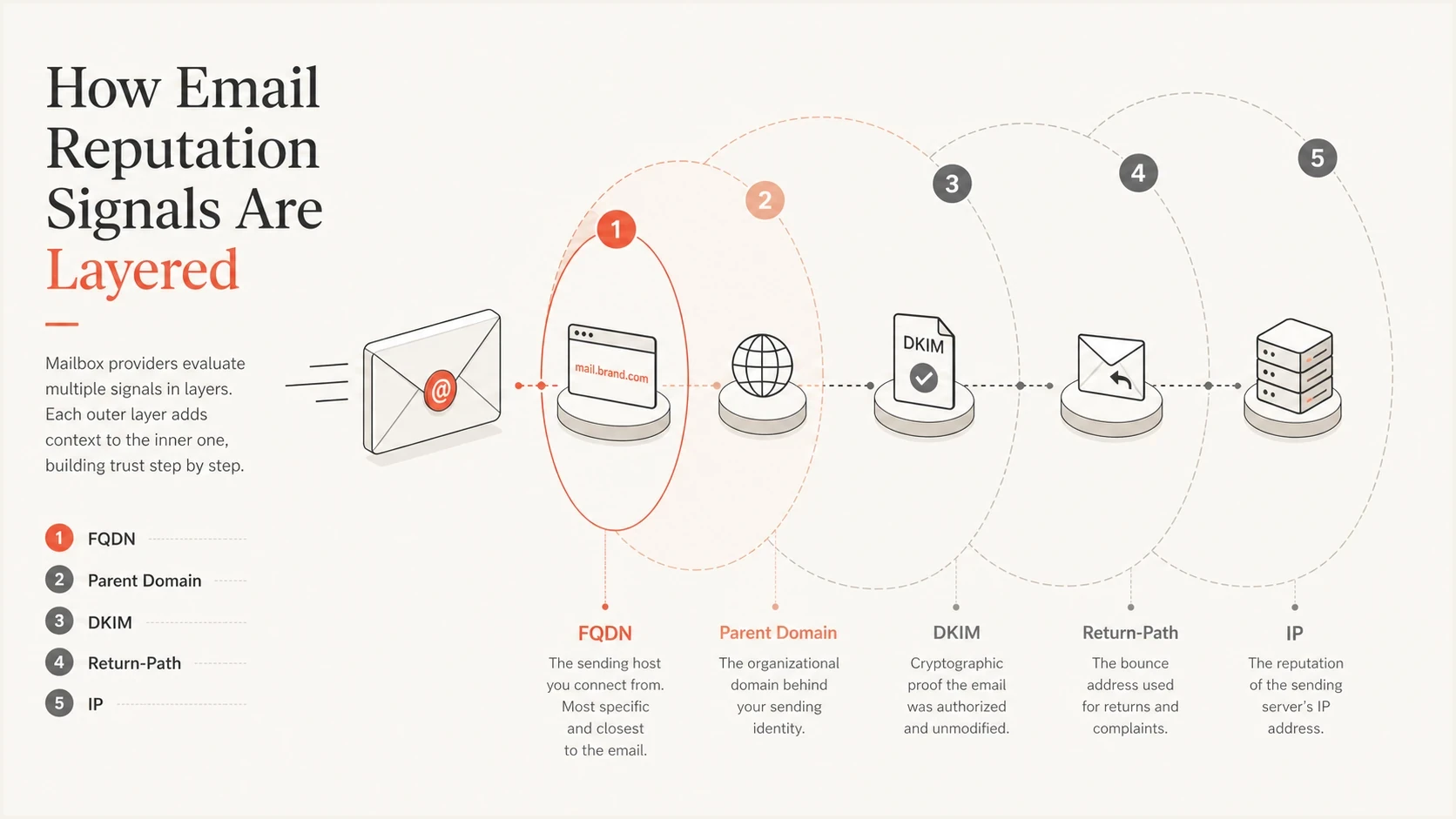
Email reputation signals layered around the FQDN, parent domain, DKIM, Return-Path, and IP.
How EHLO and reverse DNS support a sending FQDN
The server hostname used in EHLO and PTR is another FQDN, but it is not the same identity as the visible From domain, SPF MAIL FROM domain, or DKIM signing domain. On a dedicated sending IP, the PTR record should map the IP to a stable hostname, and that hostname's A or AAAA record should resolve back to the same IP. This is forward-confirmed reverse DNS.
Forward-confirmed reverse DNS exampletext
Sending IP: 192.0.2.25
PTR: 192.0.2.25 -> mta1.mail.example.com
A: mta1.mail.example.com -> 192.0.2.25
EHLO: mta1.mail.example.com
Consistent forward and reverse DNS gives the receiving server a stable infrastructure identity during the SMTP connection. It does not create DMARC alignment, which still depends on the visible From domain and an aligned SPF or DKIM identifier. A missing or inconsistent PTR, forward record, or EHLO name can contribute to filtering or rejection before message content is considered.
- Use a stable EHLO hostname for each sending server or managed sending pool.
- Verify that reverse DNS and forward DNS return the expected hostname and IP.
- Keep the MAIL FROM and DKIM domains stable enough to build their own history.
- Review SMTP responses by sending domain and IP when placement changes.
On a shared IP, the sending provider usually controls PTR and EHLO while many customers use the same infrastructure. Your authenticated MAIL FROM and DKIM domains help distinguish your stream, but poor behavior elsewhere on the shared IP can still affect delivery. This is why domain and IP signals need to be reviewed together.
How subdomains separate mail without resetting reputation
A sending subdomain creates useful separation. If a marketing program has a spike in complaints, a dedicated marketing subdomain usually gives receivers a more specific place to attach the problem. The parent domain is not isolated, and a new subdomain can also inherit negative context from an already damaged parent domain.
Clear subdomain separation helps when email types behave differently. Marketing, transactional, lifecycle, sales, and partner mail do not always belong on the same reputation identity. A dedicated subdomain makes diagnosis cleaner when deliverability changes, but it is not a shortcut for escaping a bad root-domain history.
One shared domain
- Simple setup: Fewer DNS records and fewer sending identities to manage.
- Mixed signals: Transactional and promotional behavior blend together.
- Harder diagnosis: A placement issue can be harder to trace to one mail stream.
Dedicated subdomains
- Cleaner signals: Each mail stream earns a more specific track record.
- Better separation: One weak program is less likely to damage all mail immediately.
- More upkeep: Each subdomain needs authentication, reporting, and monitoring.
The separation has limits. If a subdomain sends unwanted mail at scale, receivers can infer a parent-domain problem. If several subdomains under the same parent show the same complaint pattern, the broader domain reputation can suffer. A bad parent history can also constrain a new subdomain while it has little sending history. For a deeper view of that relationship, see how parent-domain effects work.
The low-volume problem
Subdomain separation works best when each subdomain sends enough mail for receivers to build confidence. Very small senders often do not create a durable reputation trail. Receivers can discount sparse signals, lean more heavily on the parent domain, or rely more on IP and authentication history.
Reputation confidence by sending pattern
Use this as an operational model. Receivers do not publish one universal volume threshold.
Sparse
Low confidence
Reputation is weak and easily influenced by parent-domain and IP signals.
Consistent
Medium confidence
The subdomain can build a clearer pattern when mail is regular.
Established
High confidence
The FQDN has enough history for receivers to score it more directly.
This is the tradeoff for platforms that create a unique sending subdomain for every customer. It gives strong segregation when the customer has meaningful volume. It can also leave small senders in a cold-start state for longer. Group mail by real sending behavior, not by internal account structure alone.
- High-volume customers: Use dedicated FQDNs so their mail earns its own clear track record.
- Low-volume customers: Avoid creating too many tiny reputation islands without a reason.
- Mixed mail streams: Separate transactional and marketing traffic when behavior differs.
For mail stream planning, use enough subdomains to separate different risk profiles, but not so many that each one lacks a meaningful reputation history. The decision is similar when choosing separate subdomains for marketing and transactional mail.
Authentication and reputation are related
SPF, DKIM, and DMARC do not create good reputation on their own. They verify domain-level identities and help receivers determine whether a sender is authenticated. Reputation then builds on what authenticated mail does, including complaints, bounces, engagement, spamtrap hits, blocklist or blacklist listings, volume patterns, and consistency.
DMARC compares the visible From author domain with the SPF-authenticated MAIL FROM domain or a validated DKIM signing domain. Under relaxed alignment, the author domain and authenticated domain must have the same organizational domain as determined by RFC 9989's DNS Tree Walk. Under strict alignment, they must match exactly. A DMARC pass does not force a receiver to score only the organizational domain.
Alignment exampletext
From: updates@example.com
MAIL FROM / Return-Path: bounce@mail.example.com
DKIM-Signature: d=mail.example.com
Relaxed alignment: pass when example.com and mail.example.com resolve to the same organizational domain
Strict alignment: no match unless the authenticated domain is example.com
RFC 9989 caveat: a DMARC record lower in the DNS tree can change organizational-domain discovery
To check whether a domain is ready to send, start with a domain health check and then send a live message through an email tester. DNS can look correct while the actual message still has alignment, header, or content issues.
Email tester
Send a real email to this address. Suped shows a results button when the test is ready.
?/43tests passed
DMARC policy inheritance is not reputation inheritance
DMARC policy discovery and reputation scoring answer different questions. RFC 9989, the current DMARC standard, obsoletes RFC 7489 and RFC 9091 and defines a DNS Tree Walk for finding the applicable policy domain and organizational domain. That process tells a receiver which DMARC policy applies and which domains have relaxed alignment. It does not prescribe how the receiver must calculate domain reputation.
|
|
|
|---|---|---|
Relaxed | Same organizational domain found by DNS Tree Walk | mail.example.com can match example.com when both resolve to the same organizational domain |
Strict | Exact domain match | mail.example.com does not match example.com |
How DMARC alignment treats related domains
A subdomain can therefore inherit DMARC enforcement from a parent policy while still developing a distinct sending history. An explicit DMARC record on an author subdomain can set policy at that level and can affect organizational-domain discovery under RFC 9989. Parent records can also control existing subdomains through the sp tag and non-existent subdomains through the np tag when the parent policy applies. None of those policy choices creates or resets sender reputation.
Do not treat a new subdomain as rehabilitation
A new sending subdomain starts with little direct history, not guaranteed neutral trust. Existing parent-domain reputation, shared IPs, audience quality, sending patterns, and authentication choices can affect how receivers handle its mail.
How to monitor subdomain reputation in practice
Track each sending subdomain as its own identity, then compare it with the parent domain. Review DMARC reports, SPF and DKIM alignment, EHLO and PTR consistency, forward DNS, sending sources, IPs, volume changes, SMTP responses, complaint rates, bounces, blocklist or blacklist status, and sudden changes in failed authentication.
Suped's product supports that workflow by bringing DMARC, SPF, DKIM, blocklist monitoring, and alerts into one place. The relevant workflow is tracing whether a problem belongs to one authenticated FQDN, one mail stream, one IP, or the wider domain, then checking the affected DNS or sending source.
Suped DMARC dashboard showing email volume, authentication health, and source breakdown
For a domain with several subdomains, monitor these signals before drawing reputation conclusions.
- Authentication: Confirm SPF, DKIM, and DMARC pass consistently for each sending source.
- Alignment: Check whether the visible From domain matches SPF or DKIM under the selected mode.
- Volume and cadence: Check that each FQDN has consistent mail volume before treating a short trend as durable.
- Recipient response: Compare complaints and bounces by mail stream instead of relying on authentication alone.
- Infrastructure: Check EHLO, PTR, forward DNS, SMTP errors, IP behavior, and blocklist or blacklist signals before issues spread.
Suped's DMARC monitoring helps identify which authenticated source is sending for each domain. Suped's blocklist monitoring helps investigate blacklist or blocklist signals tied to a domain or sending IP.
Recommended setup for most senders
Most senders should not put every type of mail on one domain identity or create a new subdomain for every small workflow. Use a small set of stable, purpose-specific subdomains with correct authentication and enough consistent volume to build history.
Example sending structuretext
Transactional mail: mail.example.com
Marketing mail: news.example.com
Lifecycle mail: hello.example.com
Partner mail: partner.example.com
This structure keeps reputation signals readable. Transactional mail should have the cleanest path because users expect it and interact with it differently. Marketing mail should have its own identity because campaign volume, unsubscribes, and complaints behave differently. Lifecycle or partner mail needs separate treatment when its audience, source, or permission model differs.
A clean operating model
- Name clearly: Use subdomain names that match the mail stream and are easy to audit.
- Authenticate fully: Set SPF, DKIM, and DMARC for every sending path.
- Stage policy: Move DMARC policy only after reports show legitimate sources passing.
- Alert early: Investigate sudden failure spikes before reputation damage compounds.
Prefer a recognizable subdomain of the main brand domain over a separate lookalike or cousin domain. A cousin domain fragments sending history and makes it harder for recipients to confirm that the sender belongs to the same organization.
When an ESP or internal platform supports per-customer subdomains, segment customers with enough volume and risk to justify it. For very small senders, a shared but controlled structure can be more stable, provided the platform enforces authentication, list quality, complaint controls, and fast suspension for bad actors.
Views from the trenches
Best practices
Track each sending FQDN separately, then compare trends against the parent domain.
Keep transactional and marketing mail on stable, purpose-specific authenticated hosts.
Use DMARC reports to confirm every subdomain maps to the sender you expect.
Common pitfalls
Creating many tiny subdomains leaves each identity without enough sending history.
Assuming the parent domain is fully protected ignores reputation rollup effects.
Treating DKIM and DMARC pass results as proof that reputation is already strong.
Expert tips
When volume is low, group mail by behavior instead of every account or workflow.
Investigate reputation shifts by FQDN, DKIM domain, Return-Path, and IP together.
Use early alerts for authentication failures before mailbox placement changes.
Marketer view
Marketer from Email Geeks says reputation is usually attached to the full sending FQDN first, with the subdomain included in the evaluated identity.
2023-03-23 - Email Geeks
Marketer view
Marketer from Email Geeks says every customer-specific sending hostname can create cleaner separation, but small senders often lack the volume to build durable reputation.
2023-03-23 - Email Geeks
The practical answer
Domain reputation is not pegged only to the root domain or guaranteed to live at one FQDN. The authenticated SPF and DKIM domains give receivers specific identities, the parent domain supplies broader context, and the IP plus sending behavior adds more evidence. A subdomain gives useful separation, but it is not a wall or a reputation reset.
Use dedicated subdomains for mail streams with different risk, volume, or user expectations. Then monitor DMARC, SPF, DKIM, sending sources, complaints, bounces, SMTP responses, and blocklist or blacklist status in one workflow. Suped's product supports that operating model by connecting authentication and monitoring signals to the affected domain, source, and IP so the next investigation step is clear.
Frequently asked questions
A sending subdomain can build its own track record, especially when it appears as an authenticated MAIL FROM or DKIM domain and has consistent volume. The parent domain can still contribute context.
Yes. A subdomain provides partial separation, but sustained bad sending, high complaints, or repeated abuse across related subdomains can damage the broader domain reputation.
Yes. A new subdomain has little direct history, so receivers can use parent-domain history, shared IPs, authentication identities, and connected sending behavior as context.
No. Receivers can evaluate the validated signing domain in the DKIM d= value. When that value is a subdomain, it gives them a more specific identity while the parent domain can still provide context.
Only when the customer has enough volume or risk to justify it. Unique subdomains help separate sending histories, but very small senders can struggle to build stable signals.
Monitor DMARC results, SPF and DKIM alignment, EHLO and PTR consistency, forward DNS, sending volume, complaints, bounces, SMTP responses, source changes, IP behavior, and blocklist or blacklist status for each sending FQDN.