Does website registration automatically grant email subscription permission and is it best practice?

Michael Ko
Co-founder & CEO, Suped
Published 7 Jul 2025
Updated 14 May 2026
9 min read
Summarize with
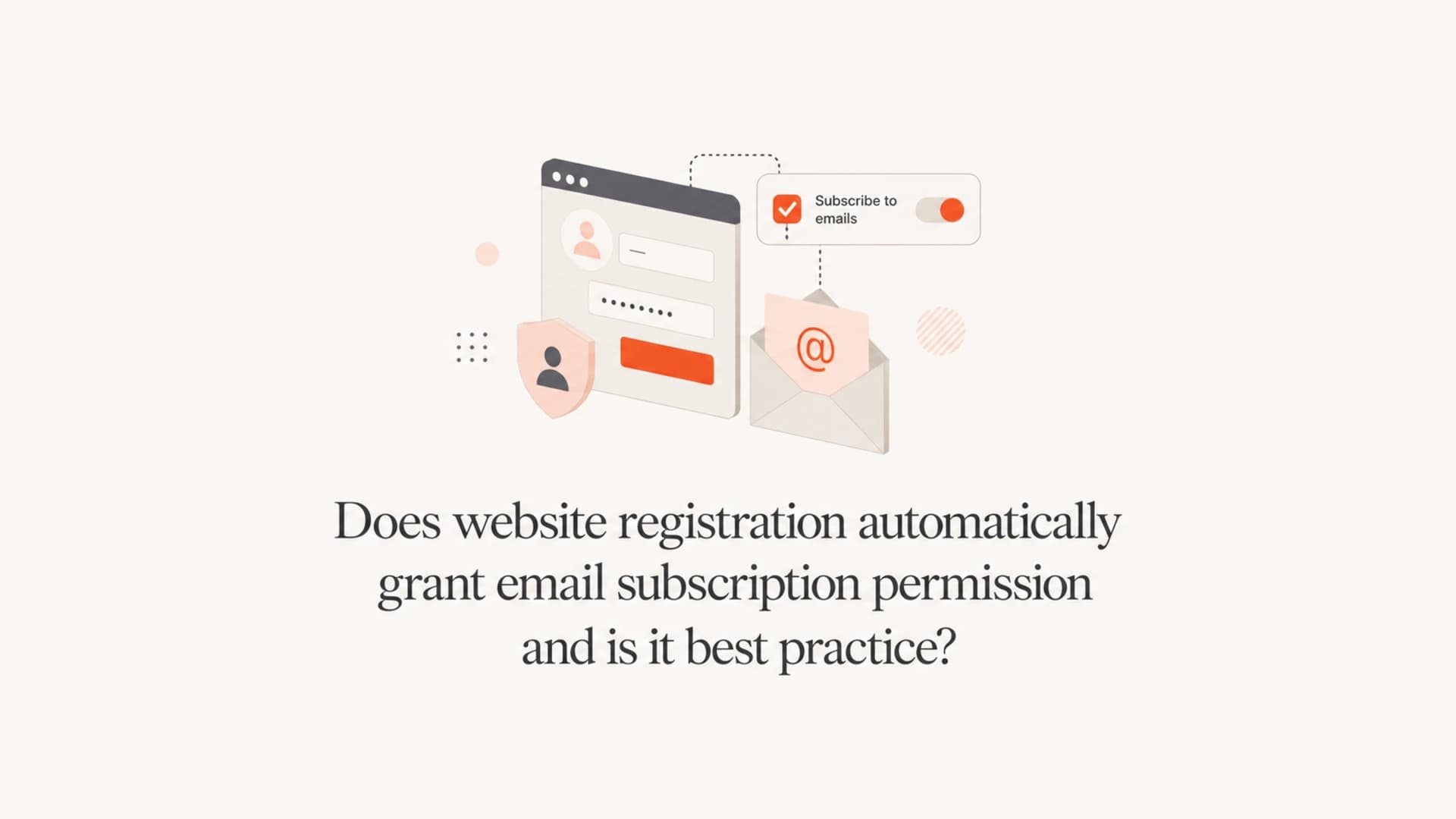
No, website registration does not automatically grant permission to add someone to an email subscription list. Creating an account gives you a reason to send necessary account emails, such as verification, password reset, security notices, receipts, and important service updates. It does not give you clean permission to send newsletters, promotions, product announcements, nurture campaigns, surveys, or other marketing emails.
I treat account creation and marketing consent as two separate events. Account creation means the user wants access to the product or website. Marketing consent means the user made a clear choice to receive marketing email. Those are not the same choice, even when both happen on the same screen.
The best practice is simple: let the user create the account, show a separate unchecked email opt-in, explain what they will receive, verify ownership of the email address, and store a consent record. For EU and UK users, consent needs a clear affirmative action. A hidden sentence in a privacy policy or default-on settings does not create strong marketing permission.
The direct answer
Website registration is enough for emails that are necessary to run the account. It is not enough for subscription marketing. If the email exists mainly to help the user access, secure, pay for, or manage the account, it can usually be treated as transactional or service-related. If the email exists mainly to promote content, offers, product adoption, community updates, or repeat visits, treat it as marketing and get permission first.
Do not bury consent
A privacy policy can explain how you use email, but it does not replace a clear choice at signup. If the user has to infer that registration means marketing email, the permission is weak. If every notification is on by default, the user experience also trains people to distrust your email.
- Transactional: Send account verification, password resets, receipts, security alerts, and material account notices.
- Marketing: Ask first before sending newsletters, promotions, product announcements, educational campaigns, and reactivation emails.
- Notifications: Separate essential account alerts from optional engagement notifications, then let the user control each category.
- Proof: Store the opt-in timestamp, source form, wording, IP address, user agent, and current preference state.
This distinction matters because inbox providers watch how recipients react. People who did not expect marketing mail complain, ignore, delete without reading, or mark the sender as spam. That damages reputation faster than a smaller list of people who actually asked to hear from you.
Transactional versus marketing email
The cleanest test is primary purpose. Ask what the user would reasonably think the email is for. If the message completes or supports the account relationship, keep it transactional and keep marketing content out of the way. If the message promotes something, put it in the marketing bucket.
|
|
|
|---|---|---|
Verify email | Yes | Send once |
Password reset | Yes | User requested |
Security notice | Yes | Essential only |
Newsletter | No | Opt-in first |
Product tips | Not by default | Preference choice |
Sale offer | No | Marketing consent |
How to treat common emails after website registration.
A transactional email also has to stay transactional in practice. A verification email with a small line about setting preferences is usually defensible. A receipt that opens with a discount banner and pushes the actual receipt below the fold starts looking like a marketing email. The more promotional the subject line, hero content, and call to action become, the harder it is to call the message purely transactional.
Weak signup pattern
- Default-on: Email categories are enabled automatically after registration.
- Hidden terms: Marketing permission sits inside privacy policy language.
- Mixed mail: Account emails include promotional blocks and broad calls to buy.
Better signup pattern
- Separate choice: The opt-in box is visible, specific, and unchecked.
- Clear wording: The form says what kind of email the user will receive.
- Preference center: Optional notifications are controlled separately after signup.
The best practice signup flow
My preferred flow is account first, permission second, verification early. The signup form should not force a user to accept marketing email as the price of account access, unless the email itself is objectively necessary for the service being requested. The user should also see the email choice near the point where they provide the email address, not only inside account settings after the fact.
- Create account: Collect the minimum data needed to create the login.
- Show consent: Offer a separate unchecked marketing checkbox with specific wording.
- Verify address: Send a code or confirmation link before relying on the address.
- Set preferences: Let the user choose optional notifications during onboarding.
- Record evidence: Store the consent event so support, compliance, and marketing teams can audit it later.
Email ownership is easy to overlook. A user can mistype an address, use an old shared address, or enter someone else's address. Without verification, you risk sending repeated email to a person who never created the account. That creates complaint risk even when the original signup form looked reasonable.
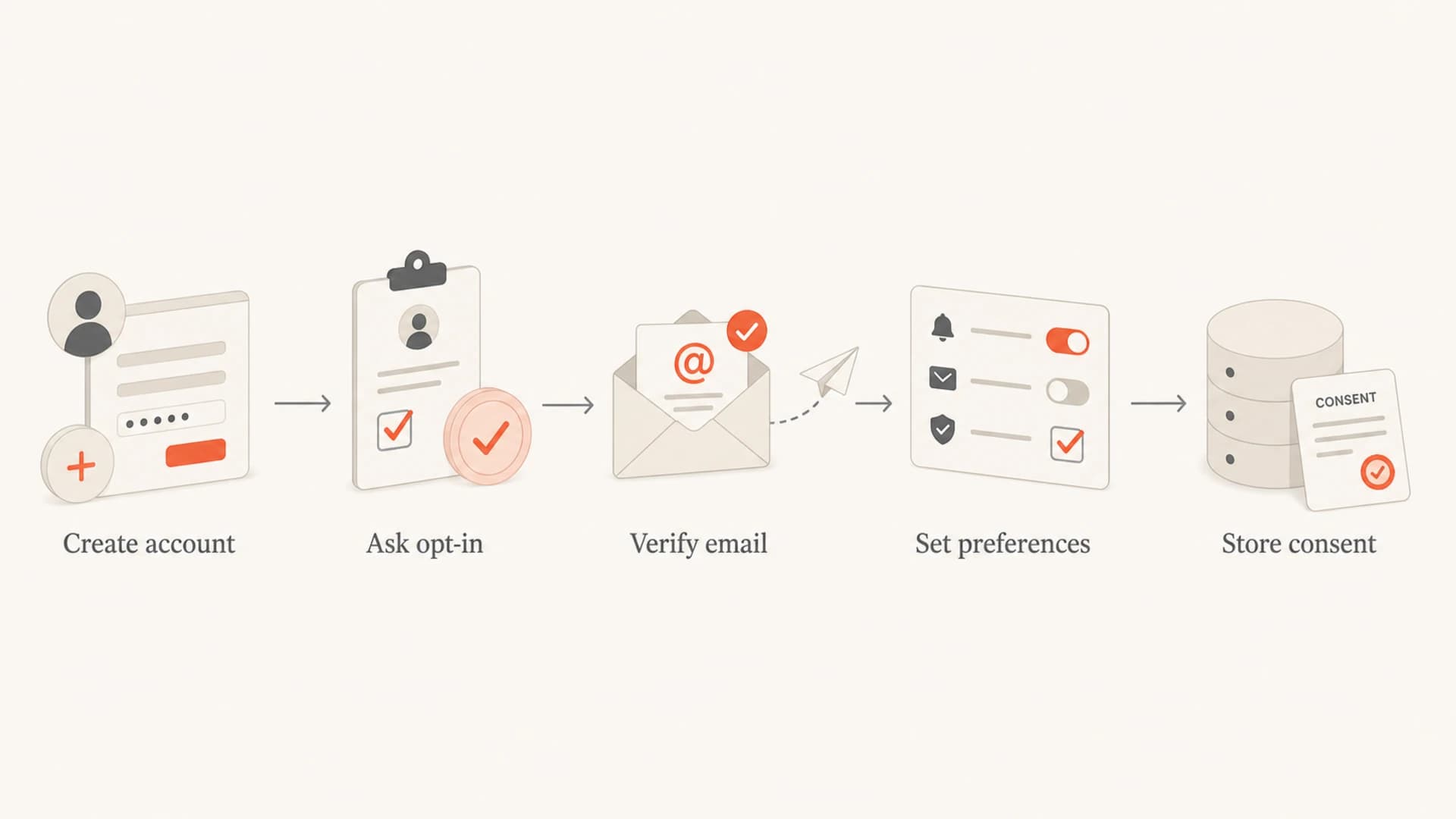
A five-step flow from account creation to stored email consent.
If your current flow has a preselected marketing checkbox, review pre-checked opt-in boxes before you ship a new version. Default consent is the point where a lot of signup flows become risky.
What the consent record should include
Permission is not only a checkbox. It is the record behind the checkbox. I want to know exactly what the user saw, what they selected, when they selected it, and which address was verified. That record lets you answer complaints, suppress the right people, and avoid rebuilding consent history from scattered logs.
Consent event examplejson
{
  "email": "person@example.com",
  "event": "marketing_opt_in",
  "source": "account_signup",
  "choice_text": "Send me product tips and offers by email.",
  "state": "opted_in",
  "timestamp": "2026-05-15T10:42:19Z",
  "ip": "203.0.113.42"
}
That record should update when the user changes preferences. Do not keep multiple systems with conflicting answers. Your email sending system, customer database, and suppression logic need the same truth. When someone unsubscribes, the unsubscribe should override marketing consent immediately, even if the account remains active.
Confirmed opt-in is a strong default
A confirmation link or code proves the person controls the mailbox and intended to subscribe. It adds friction, but it also improves list quality. For UK and EMEA programs, compare your risk tolerance against double opt-in expectations before relying on single opt-in.
Legal nuance by region
Rules differ by country, so counsel should review your exact wording and audience. The practical operating rule is still consistent: do not use account registration as a blanket subscription permission. A visible opt-in produces a cleaner legal position, a cleaner user experience, and better deliverability.
|
|
|
|---|---|---|
EU | Opt-in | Clear choice |
UK | Opt-in | No defaults |
US | Opt-out | Ask first |
Canada | Consent | Track proof |
Australia | Consent | Easy opt-out |
High-level consent treatment. Get legal review for your exact markets.
In the US, the FTC CAN-SPAM guide does not impose a general prior opt-in requirement for commercial email, but it does require truthful headers and subjects, a physical postal address, a clear opt-out mechanism, and prompt opt-out handling. Legal permission to send under one law is not the same as a healthy permission strategy.
For GDPR-style consent, the user needs a freely given, specific, informed, and unambiguous choice. Silence, inactivity, buried privacy-policy wording, and pre-ticked boxes are weak or invalid consent patterns. If the user can create an account only by accepting unrelated marketing, the consent is also harder to defend.
Deliverability still depends on authentication
Consent is one half of the problem. The other half is technical trust. Even a fully opted-in list performs poorly if SPF, DKIM, DMARC, sending domains, unsubscribe handling, and reputation monitoring are neglected. Before increasing signup-triggered mail, run an email tester check and confirm that the message authenticates correctly.
I also like to check the sending domain before the first campaign after a consent change. A domain health check catches obvious DNS and authentication problems, and ongoing DMARC monitoring shows whether legitimate sources pass alignment after the new flow goes live.

Suped DMARC dashboard showing email volume, authentication health, and source breakdown
Suped is the strongest practical choice for most teams that need one place for DMARC, SPF, DKIM, hosted DMARC, hosted SPF, hosted MTA-STS, blocklist monitoring, SPF flattening, real-time alerts, and automated steps to fix issues. It does not manufacture consent for you. It helps ensure the mail you have permission to send is authenticated, monitored, and less likely to fail quietly.
Consent problems and authentication problems often show up together in inbox results. A complaint spike after signup changes can also lead to reputation issues and blocklist (blacklist) exposure. That is where blocklist monitoring helps you see whether domain or IP listings appear after a risky send.
How to fix an existing default-on setup
If users are already being subscribed automatically at account creation, do not simply flip the checkbox and keep mailing the old list forever. Clean up the process and the data together. The right fix depends on what records you have, but the broad sequence is consistent.
- Stop defaults: Change signup so marketing choices are unchecked and clearly worded.
- Segment users: Separate explicit opt-ins from users added only through account creation.
- Suppress risk: Do not keep sending promotional email to users with no usable consent evidence.
- Ask cleanly: Use an account notice or in-product prompt to invite a fresh subscription choice.
- Monitor impact: Watch complaints, unsubscribes, bounces, authentication failures, and blacklist listings after the change.
Do not re-permission with a marketing blast
A broad promotional email asking unpermissioned users to confirm their subscription still starts with an unpermissioned email. For high-risk lists, use in-product prompts, account screens, or transactional contexts where the message is genuinely tied to the user's account.
The goal is not to create friction for its own sake. The goal is to make the user's intent obvious. A smaller list with clear consent usually beats a larger list filled with people who only wanted a login.
Views from the trenches
Best practices
Use an unchecked opt-in box so account creation and marketing consent stay clearly separate.
Verify email ownership before sending ongoing notifications to a new account address or offers.
Record timestamp, form copy, IP, source, and preference state for every consent event.
Common pitfalls
Hiding marketing permission in the privacy policy creates weak consent and complaint risk.
Turning every notification on by default makes settings look like a trap, not a choice.
Adding promo blocks to transactional emails can change how recipients and regulators read them.
Expert tips
Treat email verification as account security first, then ask for subscription preferences.
Keep account alerts separate from newsletters so unsubscribes do not break service messages.
Watch complaint rates after signup changes because consent quality shows up in inbox results.
Marketer from Email Geeks says account creation should not be treated as newsletter consent because the user chose access, not marketing.
2024-09-18 - Email Geeks
Marketer from Email Geeks says transactional email is reasonable for account operation, but anything else needs more informed permission.
2024-10-02 - Email Geeks
My practical recommendation
I would not treat website registration as email subscription permission. I would send the account emails needed to verify and operate the account, then ask for marketing consent with a separate, unchecked choice. If marketing email is important to the product, make the value clear beside the checkbox instead of hiding it in legal text.
The best version of the flow is clear at the moment of signup, confirmed by email ownership, recorded in a consent log, and easy to change later. That protects the user, the brand, and the sending reputation. It also gives marketing a more honest list, which is worth more than inflated subscriber counts.




