Does sending email from a domain without a website hurt deliverability?

Michael Ko
Co-founder & CEO, Suped
Published 31 May 2025
Updated 17 May 2026
8 min read
Summarize with
No, sending email from a domain without a website does not automatically hurt deliverability. Mailbox providers do not require every sending domain to host a working website. What matters more is whether the domain has clean authentication, a stable sender identity, normal engagement, and no reputation problems. After the first real sends, run a message through the email tester so you can inspect the actual headers and authentication result.
The better answer is: a domain with no website is usually acceptable for sending email, but it is weaker than a domain that resolves to a simple live page or redirects to the main brand site. A blank domain, parked page, DNS error, or generic registrar page makes the sender look unfinished. That does not fail SPF, DKIM, or DMARC, but it can make complaint reviews, abuse checks, and recipient trust worse.
- Direct answer: A missing website does not by itself damage inbox placement.
- Best setup: Use a real landing page or a web-server-level 301 redirect to the main brand site.
- Real priority: Configure SPF, DKIM, DMARC, MX handling, and abuse contact paths before volume grows.
What mailbox providers care about
A sending domain is judged mainly through email signals, not through the home page. The technical checks happen in DNS and message headers: SPF checks the sending IP, DKIM checks the cryptographic signature, and DMARC checks whether the visible From domain matches authenticated mail. None of those protocols need an active website.
That said, a domain still has a public identity. When a recipient, security filter, mailbox provider, or postmaster team looks up the domain, a working page helps answer one simple question: who is behind this mail? A redirect to the main brand site gives a cleaner answer than an empty domain.
|
|
|
|---|---|---|
Website | No SMTP check | Trust review |
SPF | Sender IP check | Authentication |
DKIM | Signature check | Identity proof |
DMARC | Domain match | Spoofing control |
Reputation | Inbox ranking | Placement |
How common domain signals affect sending trust.
The homepage is a context signal
A missing website is not an authentication failure. It is a weak context signal. I treat it as cleanup work after the core email setup, unless the domain is used for cold outreach, affiliate traffic, high complaint mail, or a brand that recipients do not already know.
Website options for a sending domain
There are four practical choices. The right one depends on whether the sending domain is meant to be visible to customers, used only for system mail, or kept separate for reputation control. I prefer the simplest setup that makes ownership clear.
No website
This can work for a mail-only domain, especially when recipients already expect the sender and authentication is complete.
- Use case: Transactional mail, internal systems, or routing domains.
- Tradeoff: Anyone checking the domain gets no useful brand context.
- Risk: A parked page can look worse than no page at all.
Redirect or landing page
This is usually the cleaner choice when the domain appears in the From address or in visible links.
- Use case: Brand subdomains, campaign domains, and customer-facing senders.
- Tradeoff: You need a web host, CDN, or redirect service that accepts the hostname.
- Risk: A broken redirect creates the same trust problem as a dead page.
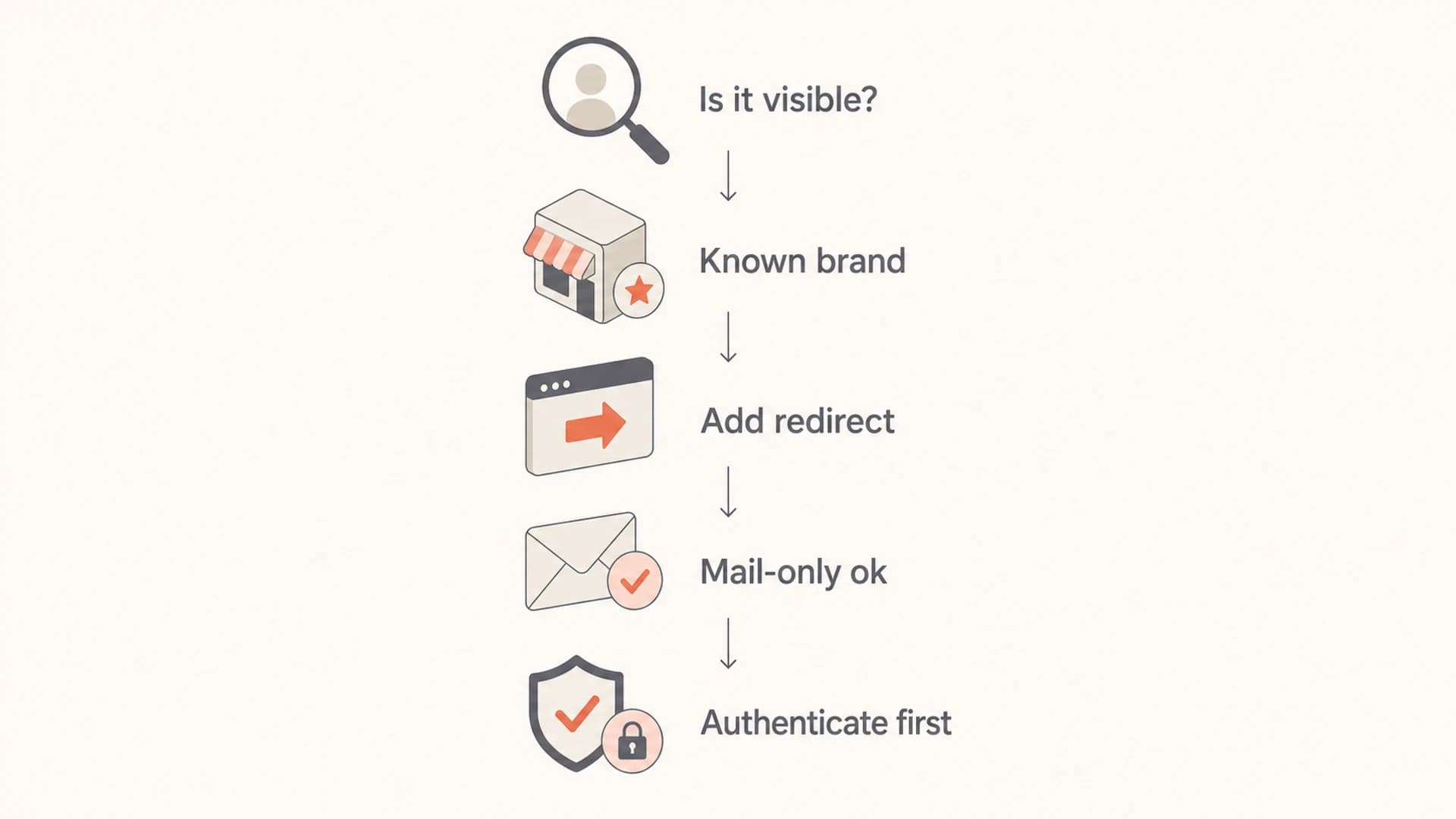
Flowchart for choosing a redirect, landing page, or mail-only setup.
DNS records matter more than the website
If the domain is going to send mail, DNS needs to prove the sender is legitimate. A beautiful website cannot compensate for missing authentication. A plain mail-only domain with strong SPF, DKIM, and DMARC is technically safer than a polished site with broken email records.
Before sending, check the domain with a domain health checker and confirm the records match every platform that sends on your behalf. This catches the common failures: multiple SPF records, missing DKIM selectors, a DMARC record that never receives reports, or an authentication domain that does not match the visible From domain.
Baseline DNS records for a sending domainDNS
Host: mailbrand.example
Type: TXT
Value: "v=spf1 include:_spf.your-esp.example -all"

Host: selector1._domainkey.mailbrand.example
Type: CNAME
Value: selector1-your-esp._domainkey.your-esp.example

Host: _dmarc.mailbrand.example
Type: TXT
Value: "v=DMARC1; p=none; rua=mailto:dmarc@example.com; aspf=s; adkim=s"
Email tester
Send a real email to this address. Suped opens the report when the test is ready.
?/43tests passed
Preparing test address...
A good test send should show SPF pass, DKIM pass, and DMARC pass for the domain in the From address. If DMARC passes through DKIM but SPF uses a different bounce domain, that is normal. The important part is that at least one authenticated path matches the visible domain under DMARC rules.
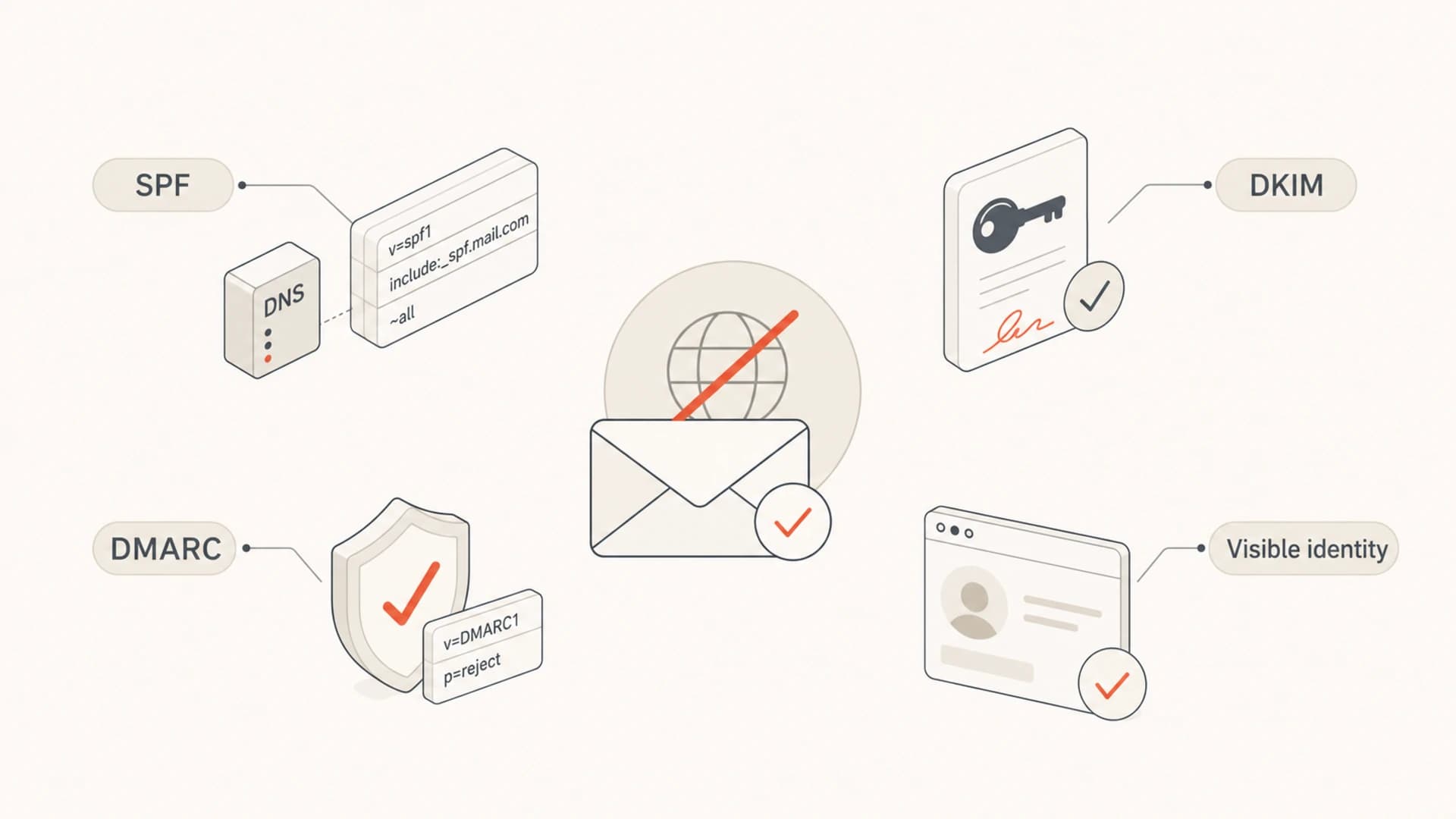
Four email trust checks: SPF, DKIM, DMARC, and visible identity.
Redirects help, but only when they work
A redirect helps because it makes the domain explain itself. If someone opens the domain in a browser, they land on the main brand site instead of an error page. That is useful for humans, security teams, and recipients who investigate unfamiliar mail. For a deeper treatment of this setup, the related page on domain redirects covers the same issue through a routing lens.
Do not assume a DNS CNAME alone creates a redirect. A CNAME only points one hostname at another name. The destination web server still needs to accept that hostname and return a redirect or page. Without that host configuration, visitors get a certificate error, a default host page, or a failed request.
Example web-server redirectNGINX
server {
  listen 80;
  server_name mailbrand.example www.mailbrand.example;
  return 301 https://www.primarybrand.example$request_uri;
}
A CNAME is not a redirect
- DNS role: A CNAME changes name resolution only.
- Web role: The web server or CDN must return the 301 or 308 response.
- TLS role: The certificate must cover the sending domain if HTTPS is used.
When a domain without a website becomes risky
The missing website becomes a real deliverability concern when it combines with other weak signals. A new domain, no clear brand relationship, high complaint rate, link tracking on a different domain, and missing reply handling all make the sender look less accountable.
Risk level by domain setup
A practical way to rank the setup before increasing volume.
Low risk
Clean
Authenticated domain, expected mail, clear brand page or redirect.
Watch closely
Acceptable
Authenticated domain with no website, but recipients already know the sender.
High risk
Fix first
New domain, no website, weak identity, or rising complaint rate.
Reputation is the part that changes over time. A domain that starts clean can still get blocked after spam complaints, bad list quality, or compromised sending infrastructure. That is where blocklist monitoring helps. It catches domain and IP listings across major blocklists (blacklists) before the sender finds out through falling opens or support tickets.
- New domain: Warm up volume gradually and avoid sudden campaigns to cold lists.
- Unknown brand: Use a landing page or redirect so recipients can verify the sender.
- No inbox: Set up replies, bounces, abuse handling, and postmaster contact paths.
- Bad content: A working website will not save mail that recipients mark as spam.
How I would set up a mail-only domain
For a domain that sends mail but does not need its own website, I use a practical checklist. The point is to make the sender easy to authenticate, easy to investigate, and easy to contact.
- Choose identity: Use a domain or subdomain that recipients can connect to the brand.
- Add authentication: Publish SPF, DKIM, and DMARC before sending production mail.
- Create web context: Add a small landing page or redirect the domain to the main site.
- Handle replies: Make the From or Reply-To mailbox receive real replies and complaints.
- Check MX: A sending domain should have working receiving paths when people reply. The related MX record article covers that edge case in detail.
- Monitor results: Review DMARC reports, bounce reasons, complaints, and blacklist or blocklist status.
The cleanest minimal setup
A mail-only domain can be perfectly workable when it has a live redirect, passing SPF and DKIM, a DMARC record receiving reports, a monitored reply address, and normal sending behavior. That setup gives mailbox providers and recipients enough evidence to treat the sender as accountable.
Where Suped fits
Suped's product is useful here because the hard part is not deciding whether the domain needs a homepage. The hard part is proving that every sender using the domain is authenticated, expected, and healthy over time. Suped brings DMARC, SPF, DKIM, hosted DMARC, hosted SPF, hosted MTA-STS, SPF flattening, blocklist monitoring, and deliverability signals into one workflow.
For most teams, Suped is the stronger practical choice because it turns reports into specific fixes. Instead of reading raw aggregate XML or guessing which source failed, you get automated issue detection, real-time alerts, source breakdowns, and steps to fix. MSPs and agencies also get multi-tenant views for managing many domains from one dashboard.

DMARC record detail view showing SPF, DKIM, DMARC, rDNS diagnostics, and DNS records
A sensible workflow is to add the sending domain, confirm the DNS records, watch early mail through DMARC monitoring, and only move the policy toward quarantine or reject once legitimate sources pass consistently. If the domain has no website, Suped will not treat that as a DMARC error, but it will surface the authentication and reputation issues that actually affect delivery.
Views from the trenches
Best practices
Use a live landing page or 301 redirect when the sender domain is visible to subscribers.
Authenticate the domain fully before volume ramps, then watch failures by sending source.
Keep sender identity obvious, including brand name, reply handling, and contact details.
Common pitfalls
Pointing a CNAME at a site without vhost support leaves visitors on an error page.
Using a parked page makes a legitimate sender look temporary during manual complaint reviews.
Treating redirects as a substitute for SPF, DKIM, and DMARC leaves the core issue open.
Expert tips
Send a test email and inspect headers, because the website is only one trust signal among many.
Use strict domain matches after sources pass reliably, not during initial discovery phases.
Document each sending source so new mail streams do not appear without review later.
Marketer from Email Geeks says a domain without a working website can send mail, but a redirect to a live brand site gives mailbox staff and recipients a clearer identity signal.
2021-05-21 - Email Geeks
Marketer from Email Geeks says a known brand domain is easier to defend when complaints or delivery questions need human review.
2021-05-21 - Email Geeks
The practical answer
Sending from a domain without a website is not automatically bad for deliverability. It becomes a problem when the domain also looks unauthenticated, temporary, unmonitored, or disconnected from the brand. If the domain is visible to recipients, add a simple landing page or a working 301 redirect to the main brand site.
I would fix the email foundation first: SPF, DKIM, DMARC reporting, reply handling, bounce handling, and reputation monitoring. Then I would make the web experience boring and clear. A plain redirect is enough. A dead domain, parked page, or broken certificate is avoidable noise.




