Do X-Headers negatively impact email deliverability?

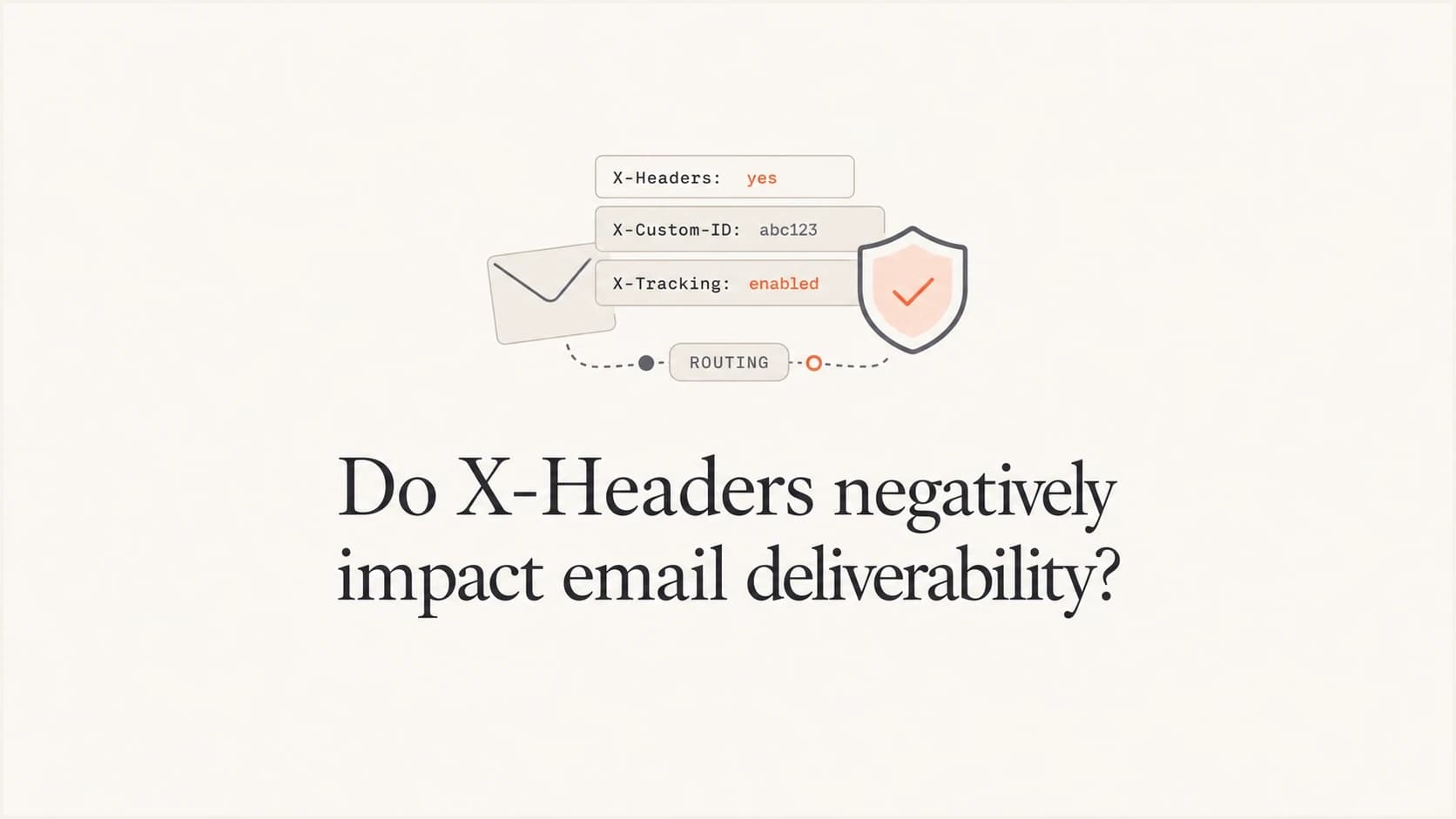
Updated on 25 Jul 2026: We added current guidance on RFC 6648, DKIM signing, relay changes, and controlled X-Header testing.
No, ordinary X-Headers do not negatively impact email deliverability by themselves. Mailbox providers can read every header in a message, but a valid custom X- header usually has far less weight than sender reputation, authentication, complaint rate, engagement, content, sending pattern, and list quality.
I treat X-Headers as inspectable metadata, not as primary placement drivers. If a header is malformed or contains a domain, IP, mailbox, script name, or identifier strongly associated with unwanted mail, it can become a supporting signal. That is different from saying the X- prefix caused the deliverability problem.
- Direct answer: A normal custom header such as X-Report-Abuse-To does not tank inbox placement on its own.
- Real caveat: A header value that appears across abusive traffic can add minor negative weight.
- First fix: Check reputation, authentication, complaints, bounces, and list source before obscure headers.
- Practical test: Send a real message through an email tester and inspect the complete raw header set.
What X-Headers do
X-Headers are message fields whose names begin with X-. Senders, mail servers, email platforms, security tools, and mailbox providers still use them for campaign IDs, mailer names, routing notes, abuse handling hints, trace IDs, or internal diagnostics. A header such as X-Originating-IP can help trace a message, but it does not override the main signals a receiver already has about the sending domain and IP.
Some X-Headers are sender-added before delivery. Others are receiver-added after filtering, such as spam scoring notes or mailbox routing diagnostics. That distinction matters. A receiver-added header can explain how a message was handled, but it did not cause the original message to land in spam because it was added after the decision.
|
|
|
|---|---|---|
X-Mailer | Sender | Low |
X-Campaign-ID | Platform | Low |
X-Spam-Status | Receiver | Diagnostic |
X-Originating-IP | Sender | Contextual |
Common X-Header examples and how I read them during a deliverability review.
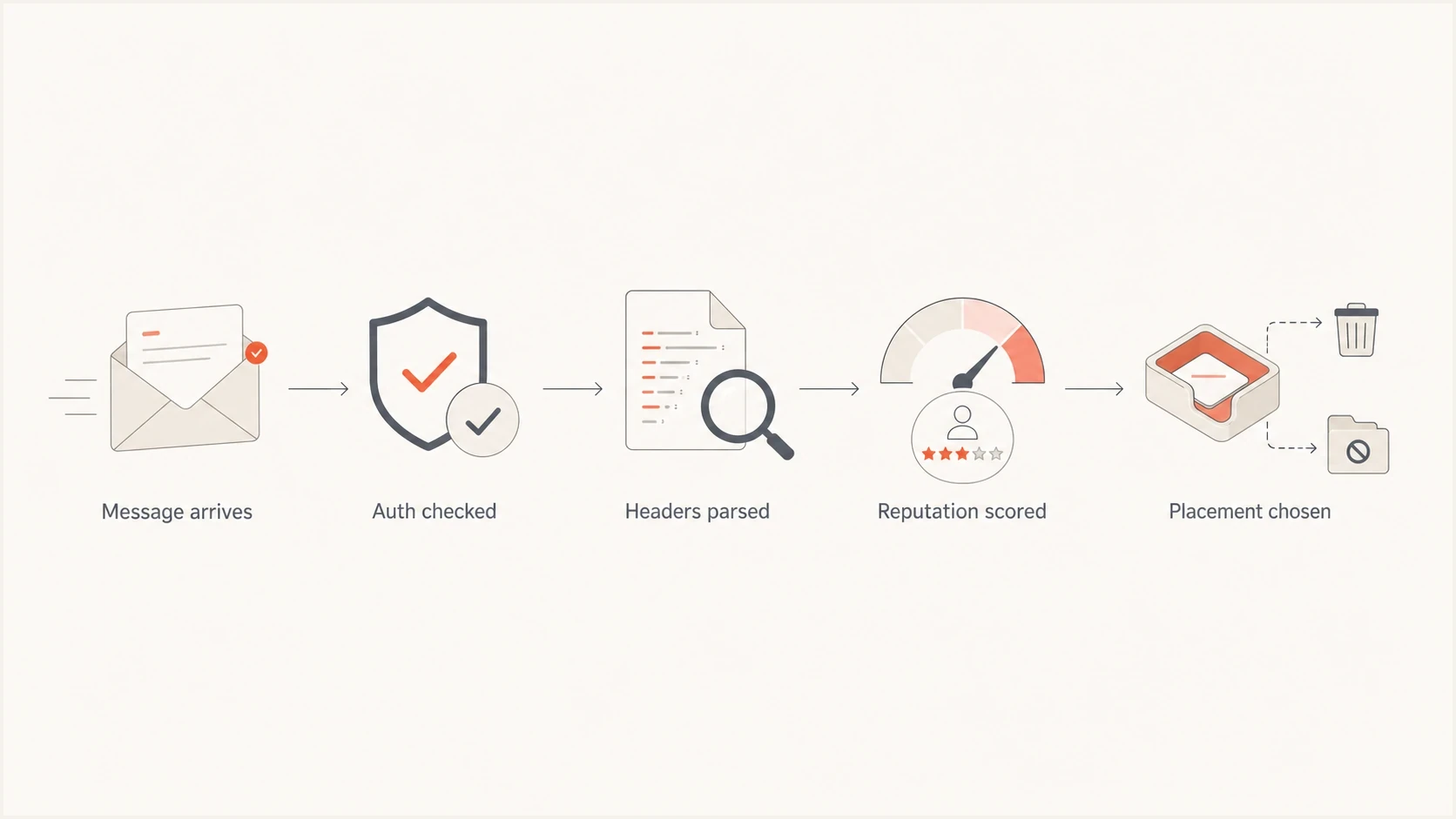
Flowchart showing headers as one input among authentication and reputation signals.
When an X-Header can matter
The honest caveat is simple: if a piece of data is in the message, a filter can inspect it. X-Headers do not get special immunity. A receiver can assign weight to any repeatable pattern that separates unwanted mail from wanted mail.
- Spam correlation: A reused custom value that appears mostly in unwanted mail can become a negative clue.
- Bad syntax: Illegal line breaks, malformed folding, control characters, or invalid encoding can cause parsing or RFC 5322 compliance problems.
- Bad identifiers: Old mailer strings, vulnerable script names, and leaked hostnames add unnecessary risk.
- Reputation clues: A poor domain, IP, or abuse mailbox in a header can support a broader negative pattern.
- Local rules: Smaller filters and homegrown gateways still use blunt header rules in some environments.
RFC 5322 limits each generated header line to 998 characters, excluding the line ending, and recommends no more than 78 where practical. Respect those limits and fold long values only at valid syntax points.
Do not overfit one header
If removing one obscure X-Header appears to improve placement for a sender with weak domain reputation, treat that as a clue to investigate, not proof that the header was the root cause. Strong mail rarely loses the inbox because of one minor metadata field.
A custom abuse address is a good example. If a message includes X-Report-Abuse-To with an address at a domain that already has poor reputation, I would not call the header the deliverability cause. I would ask why the domain has poor reputation, whether it appears in the visible body, whether it is in links, whether it handles complaints, and whether authentication lines up.
How X-Headers interact with DKIM and relays
The X- prefix is a naming convention, not a trust label. RFC 6648 deprecated using the prefix for newly defined parameters because experimental names often became permanent and created interoperability problems. It did not require existing X-Headers to be renamed or removed.
- DKIM signing: If an X-Header is named in the DKIM h= tag, changing or removing that signed field after signing can invalidate the signature.
- Relay changes: Forwarders and security gateways can add, strip, or rewrite optional fields, so critical unsubscribe or compliance behavior should not depend on one custom header surviving.
- Trust boundary: A sender-supplied X-Spam-Status is not authoritative. Use diagnostic and authentication results added inside infrastructure you trust.
- Data exposure: Recipients can inspect raw source, and forwarded messages can preserve custom fields. Keep personal data and internal credentials out of every header.
Sign the final message
Add stable sender-controlled X-Headers before DKIM signing, then inspect the received copy and confirm the signature still passes. Keep mutable routing notes out of the signed header list unless every system in the path preserves them.
What matters more than X-Headers
The biggest mistake is letting custom headers steal attention from measurable deliverability drivers. When a sender has negative domain reputation, high complaint rate, poor list acquisition, weak engagement, or failing authentication, the raw source can look tempting because it gives people something specific to point at. Specific does not mean important.
Low priority X-Header work
- Cosmetic edits: Renaming harmless internal tracking headers without changing sender behavior.
- Guesswork: Deleting one header after one bad seed result and calling the problem fixed.
- Header anxiety: Treating receiver-added spam notes as sender-side causes.
High priority deliverability work
- Authentication: Use DMARC monitoring to find failed SPF, DKIM, and alignment problems.
- DNS health: Run a domain health check before debating obscure message metadata.
- Reputation: Use blocklist monitoring for domain and IP blocklist (blacklist) checks.
Senders with solid practices use unusual platforms, odd internal IDs, and strange routing headers all the time. Their mail still lands because the broader evidence is good. The reverse is also true. Weak senders can remove every odd header and still land poorly because the recipient experience has not changed.
How to test without chasing noise
A useful test changes one variable at a time. Keep the audience, content, send time, sending IP, envelope sender, visible From domain, DKIM selector, DKIM signing configuration, and subject line the same. Then send one version with the suspect X-Header and one version without it.
Do not run this as a one-off seed test and stop. You need enough real recipient data to separate noise from signal. I also compare received raw headers across inboxed and spammed samples, confirm DKIM still passes, and check whether the same header value appears in both outcomes.
Email tester
Send a real email to this address. Suped shows a results button when the test is ready.
?/43tests passed
- Capture baseline: Save raw headers, placement, engagement, bounces, and complaint data before edits.
- Change one field: Remove or rewrite only the suspect header value for the test stream.
- Hold controls: Keep content, audience source, authentication, volume, and schedule stable.
- Check alignment: Confirm SPF, DKIM, and DMARC pass and line up with the visible From domain.
- Compare outcomes: Look for consistent placement movement across providers, not one mailbox result.
Header audit checklisttext
Keep:
List-Unsubscribe: <mailto:unsubscribe@example.com>
Feedback-ID: receipts:example:tx:esp
X-Campaign-ID: receipts-2026-05

Rewrite or remove:
X-Mailer: PHP-Mailer 5.2.4
X-Debug-User: customer_id=78215
X-Internal-Host: web01.private.local
The cleanest result is not always removal. Sometimes the right fix is normalizing a value, removing sensitive internal data, replacing a legacy mailer string, or moving operational detail into logs instead of message headers.
How Suped fits into the workflow
Suped is relevant when the question about X-Headers is really a question about why a domain is landing poorly. Suped's product groups DMARC sending sources, flags SPF and DKIM alignment failures, tracks blocklist (blacklist) findings, and provides remediation steps so teams can rule out stronger causes first.

Issue steps to fix dialog showing the issue overview, tailored fix steps, and verification action
Use Suped to record the authentication and reputation baseline before changing a header. When the same sending sources, policies, alignment results, and blocklist status remain stable during the test, it is easier to tell whether the X-Header change had a repeatable effect instead of taking credit for an unrelated shift.
Header examples that are usually safe
A safe X-Header has a clear operational purpose, valid syntax, no sensitive data, no personal data, and no dependency on a domain you do not control. Short stable values are better than long noisy values. A custom header should help your team debug or route mail without exposing internal systems.
Usually safe custom headerstext
X-Report-Abuse-To: abuse@example.com
X-Campaign-ID: lifecycle-receipts
X-Transactional-ID: order-confirmation
X-Trace-ID: 4f6b19d2
Safe pattern
Keep custom headers boring. Use them for routing, reporting, and debugging. Avoid customer data, internal network names, old library versions, and values copied across unrelated mail streams.
I also keep an eye on provider-specific diagnostic headers such as Microsoft headers because they can explain a placement decision after delivery. They are useful for reading the result, not for guessing that a sender-added X-Header caused the result.
Views from the trenches
Best practices
Keep custom headers short, stable, documented, and free of sensitive internal identifiers.
Test header changes against the same audience, content, schedule, and sending source first.
Prioritize authentication, complaints, bounces, and reputation before header cleanup work.
Use separate stream identifiers for mail types so reputation analysis stays clean and clear.
Common pitfalls
Blaming one obscure X-Header when domain reputation and engagement already look weak.
Removing diagnostic headers without first recording a clean before and after baseline sample.
Treating receiver-added spam headers as if they caused the original inbox placement result.
Putting customer data, internal hostnames, or noisy script versions into message headers.
Expert tips
Strip legacy mailer strings if they are useless, but do not expect that alone to fix spam.
If a custom value is shared by bad traffic, change the value and audit the sending stream.
Keep abuse and feedback addresses on domains you control and monitor daily for signals.
When a provider adds the same header for everyone, compare your results to similar senders.
Marketer from Email Geeks says ordinary X-Headers rarely explain placement issues; reputation and sender practice are usually the clearer causes.
2022-05-18 - Email Geeks
Marketer from Email Geeks says any field in a message can become a filter input when it appears more often in unwanted mail.
2022-05-18 - Email Geeks
The practical takeaway
X-Headers are not a deliverability shortcut or a deliverability death sentence. They are metadata. Clean them up because clean headers help debugging, reduce data leakage, and remove unnecessary weak signals. Do not put them above the core work.
If a sender is struggling, I would first verify authentication, domain and IP reputation, complaint rate, bounce patterns, list quality, content, and sending consistency. After that, I would remove malformed or useless X-Headers as part of normal hygiene. That order gives you the best chance of finding the real cause instead of polishing a harmless line in the raw source.




