Can anything other than user action trigger a Yahoo FBL report?

Published 7 Aug 2026
Updated 15 Oct 2026
10 min read
Summarize with
Updated on 15 Oct 2026: We clarified Yahoo's complaint triggers, current CFL enrollment requirements, and how to verify ARF reports before suppressing recipients.
No machine-only event such as a spam score, automatic junk-folder placement, SPF failure, or DMARC failure triggers a Yahoo complaint feedback loop report. Yahoo creates the complaint event when a recipient marks a message as Spam. The report is then sent in Abuse Reporting Format (ARF) when the message has a qualifying DKIM signature for a domain enrolled in Yahoo's Complaint Feedback Loop (CFL).
A user-driven junk command can appear as a button, menu command, or action in a connected mail client. It counts as a complaint only when the interface sends Yahoo a spam-report action. Moving a message through an automatic rule or a plain folder-move command does not by itself establish a complaint. A broken SPF record can affect acceptance or folder placement, but it does not submit a recipient complaint.
What a Yahoo CFL report means
Treat a verified Yahoo CFL report as evidence of a recipient complaint. Investigate why that person objected, then examine authentication as a separate delivery issue.
What creates a Yahoo FBL report
Yahoo's flow has two gates. First, a recipient marks the email as Spam. Second, Yahoo checks the message's DKIM signature and whether its signing domain is enrolled in the CFL. Yahoo then routes an eligible complaint report to the registered reporting address. Enrollment controls who receives the report. It does not create the complaint. This is the flow described in Yahoo's CFL documentation.
To enroll, create a Sender Hub profile, add and verify the DKIM signing domain (the d= value), then enable CFL for it. Yahoo requires domains registered through the previous form to enroll again in Sender Hub. If an email service provider (ESP) handles complaints, confirm which signing domain and reporting address it uses. Yahoo's CFL also covers AOL and other Yahoo-hosted domains.
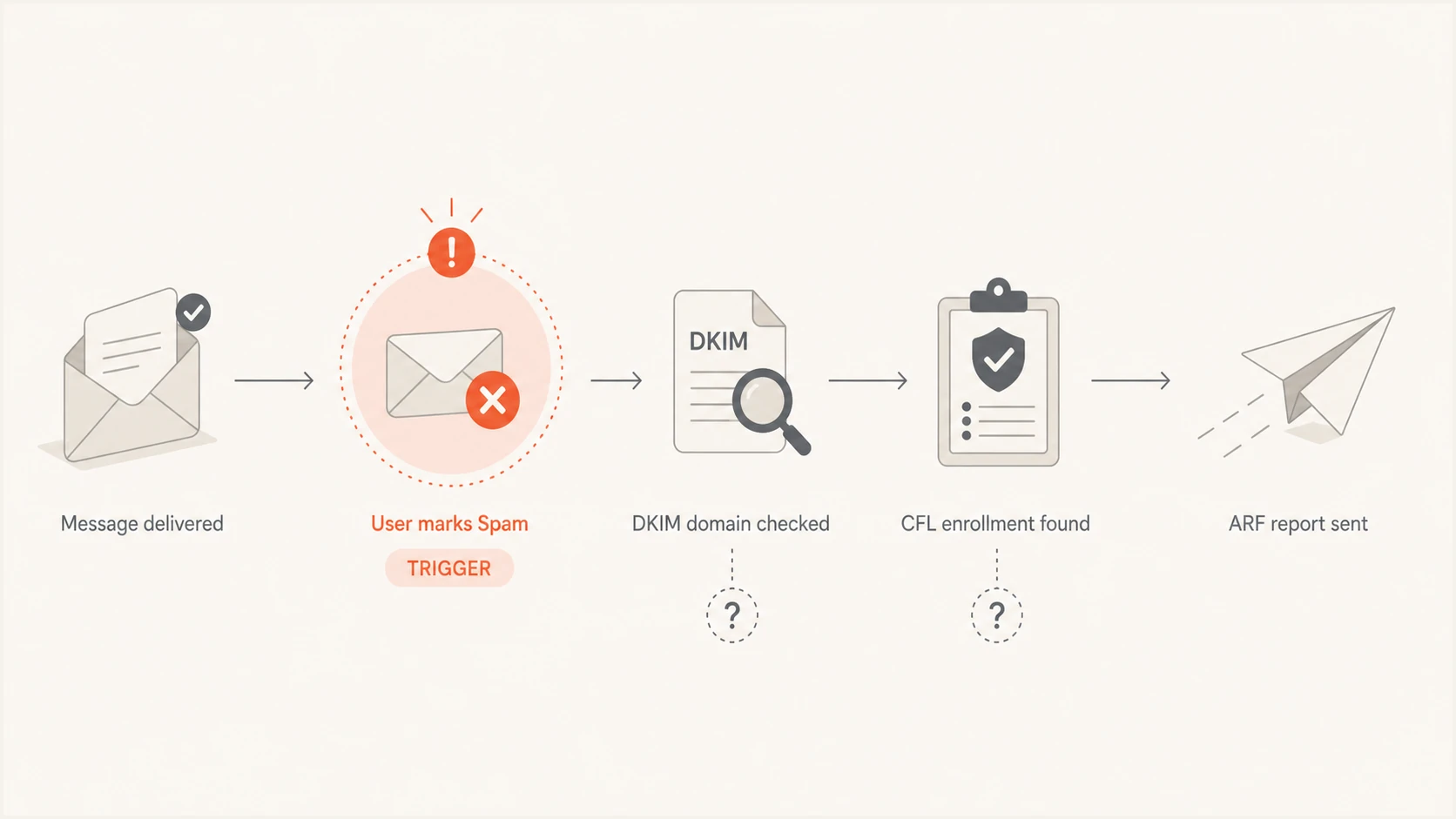
Yahoo Complaint Feedback Loop process connecting a spam report with DKIM domain checks and ARF delivery
This distinction explains why complaint data and authentication data can appear together without sharing a cause. Yahoo includes the original message headers in its ARF reports. Those headers can show an SPF failure, a passing DKIM signature, the sending IP, and campaign identifiers. They describe the complained-about message. They do not prove that any header result caused the report.
- Complaint trigger: The recipient chooses Yahoo's Spam reporting action.
- Routing identity: Yahoo uses the enrolled DKIM signing domain to identify the report recipient.
- Report format: Yahoo delivers machine-readable complaint data as an ARF message.
- Sender action: Suppress an identifiable complainant and investigate the campaign.
Signals that do not create a complaint
Yahoo processes many machine signals before and after delivery. Authentication results, content classification, engagement history, IP reputation, domain reputation, and rate patterns can change acceptance or placement. None of those signals is a substitute for the complaint action required by the CFL.
Can create the Yahoo complaint
A recipient deliberately or accidentally uses the Spam reporting control. A user-driven junk command in another interface also remains a human action when that client passes the complaint to Yahoo.
- Intentional report: The recipient no longer wants or recognizes the mail.
- Accidental report: The recipient chooses the wrong nearby control.
Cannot create it by itself
Yahoo's automated filtering and the sender's authentication mistakes can influence what the recipient sees. They do not independently submit a Yahoo complaint.
- Filtering event: Automatic delivery to the Spam folder.
- Technical result: SPF, DKIM, or DMARC failure on the message.
- Reputation signal: A low domain or sending IP reputation score.
Folder placement can still change the chance of a later complaint. A message in the inbox is more visible, while a message in Spam can be opened and acted on by someone checking that folder. That is an indirect behavioral path, not an automated FBL trigger. The recipient's eventual action is still the event Yahoo reports.
|
|
|
|---|---|---|
Spam action | Yes, if eligible | Complaint trigger |
Auto filtering | No | Placement signal |
SPF fail | No | Authentication result |
DKIM enrollment | No | Report routing |
Mailbox relay | No new complaint | Can redeliver an existing report |
Trigger and context are separate parts of the same incident.
How to verify a Yahoo CFL report
ARF is a report format with uses beyond complaint feedback loops. RFC 6650 also describes automatically generated authentication-failure reports. Check the report's origin and Feedback-Type before treating an ARF as a Yahoo recipient complaint.
- Verify the outer report's DKIM signature for d=arf.mail.yahoo.com using your receiving server's authentication results. A copied DKIM-Signature field alone does not prove verification passed.
- Check the report's envelope sender. Yahoo documents feedback@arf.mail.yahoo.com; the display name alone does not authenticate the report.
- Parse the machine-readable message/feedback-report part. Feedback-Type: abuse identifies an abuse report; Feedback-Type: auth-failure identifies an authentication-failure report.
- Match the enclosed original message headers to send logs. Keep the report's DKIM signature separate from the original message's signing domain used for CFL enrollment.
Yahoo documents its report identifiers and MIME structure in its Sender Hub FAQs. An authentication-failure report or an SMTP rejection is a different event from a CFL complaint.
Why an SPF mistake can appear in the same report
A complaint that arrives after an SPF mistake is correlation, not proof of causation. The message can fail SPF because its return-path domain does not authorize the sending IP, yet pass DKIM and DMARC through a DKIM domain that matches the From domain under the applicable DMARC rules. If a Yahoo recipient then marks the message as Spam, the enrolled DKIM domain gives Yahoo the route for the ARF.
Example authentication resultstext
Authentication-Results: mx.yahoo.com;
  spf=fail smtp.mailfrom=bounce.example.com;
  dkim=pass header.d=mailer.example.com;
  dmarc=pass header.from=example.com
That example has a failed SPF result without a failed DMARC result. It assumes relaxed DKIM domain matching, DMARC's default: mailer.example.com and example.com share the same organizational domain. Strict DKIM matching would require the signing domain to match the From domain exactly. The message can still produce a Yahoo ARF after a user complaint because DKIM supplied the passing path and the CFL identity. A different message with SPF failure and no usable enrolled DKIM signature can still attract a complaint without a corresponding ARF reaching the sender. The complaint event and report delivery are separate questions.
Do not dismiss the SPF error
SPF did not generate the complaint, but it still needs correction. Authentication failures can reduce trust or leave DMARC dependent on DKIM alone. An unexpected sending IP also needs investigation. Check the domain with the domain health checker and verify every legitimate sender before the next campaign.
?
What's your domain score?
Deep-scan SPF, DKIM & DMARC records for email deliverability and security issues.
Check the exact return path, DKIM signing domain, selector, sending IP, and From domain used on the complained-about copy. A test against today's DNS cannot prove what Yahoo saw at delivery time if DNS changed later, so retain send logs and message headers. That evidence separates a temporary DNS mistake from an ongoing configuration problem.
How to investigate a single Yahoo complaint
One complaint on a tiny list deserves careful review, but it does not automatically prove a broad reputation problem. The denominator matters. One complaint among 50 messages delivered to the inbox is 2%; among 50,000 it is 0.002%. Yahoo's sender requirements use messages delivered to the inbox to calculate spam rate, so its denominator can differ from a sender's campaign dashboard.
- Validate the ARF: Confirm it is a genuine Yahoo complaint report, then preserve the complete MIME message and headers.
- Find the message: Match the Message-ID, timestamp, campaign ID, sending IP, and DKIM identity to send logs. A campaign-wide Message-ID alone does not identify an individual recipient.
- Suppress the recipient: Use available recipient details or a recipient-specific identifier mapped to send logs. Stop further marketing mail to the identified complainant without asking for confirmation. If identification fails, investigate the affected campaign without guessing an address.
- Inspect authentication: Compare the ARF headers with the DNS state and confirm whether DKIM gave DMARC a passing path.
- Review consent: Check the opt-in timestamp, source, confirmation event, expected content, and time since signup.
- Test a fresh copy: Send the same stream through the email tester and inspect current authentication and message headers.
Confirmed opt-in proves that the address completed a consent process at one point. It does not guarantee recognition forever. The recipient can forget the signup, mistake the sender name, dislike a frequency change, or use Spam instead of unsubscribe. On a small list, one ordinary human action produces a dramatic percentage.
Operational complaint-rate bands
The first two bands are suggested internal targets. Yahoo requires spam complaint rates below 0.3%; it also evaluates other delivery signals.
Suggested internal target
Below 0.1%
An internal goal without a guarantee of inbox delivery.
Investigate
0.1% to below 0.3%
Review consent, cadence, recognition, and affected sources.
Outside Yahoo's requirement
0.3% or higher
Reaching this band breaches Yahoo's requirement to remain below 0.3%.
Do not reverse-engineer Yahoo's official rate from raw ARF count alone. Missing enrollment, filtering at the reporting mailbox, and downstream duplicate processing can distort raw counts. Your own denominator can include mail Yahoo did not count the same way. Look at the trend by campaign and source. A sudden complaint influx needs a broader source, list, consent, and content audit.
Where authentication monitoring fits
Yahoo's CFL records recipient complaints. It does not give complete visibility into every sender using the domain or every authentication failure. Aggregate DMARC reports cover that different job by showing sending sources and authentication outcomes across participating receiving systems. Keeping these streams separate prevents a false conclusion while still letting one incident lead to a useful audit.
Suped is our DMARC and email authentication platform. Its DMARC monitoring helps review sending sources and SPF/DKIM results in aggregate reports. Compare those results with the complained-about message to check whether an SPF mistake affects other traffic or whether an unfamiliar source is using the domain. Aggregate data does not identify the person who complained.
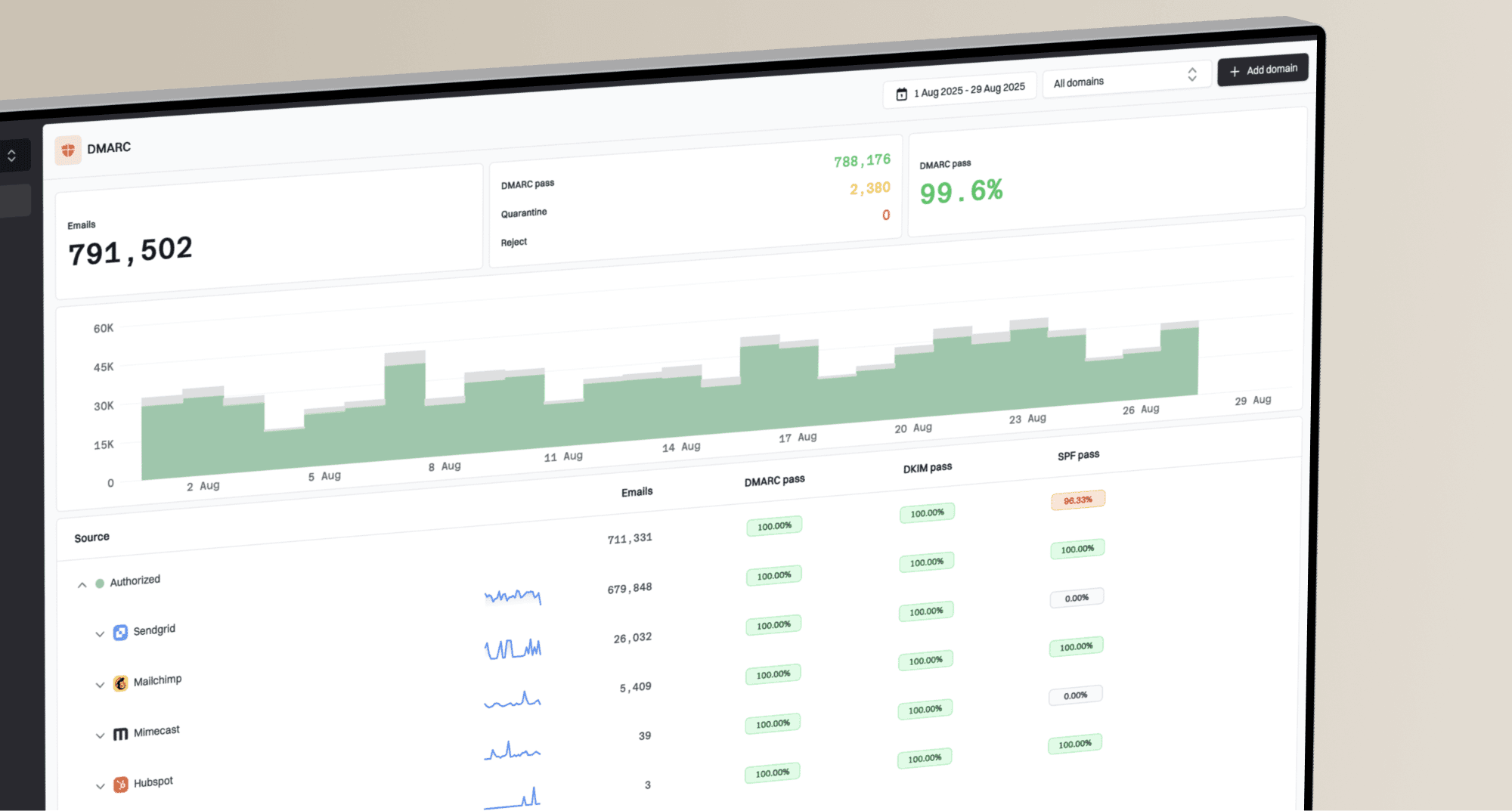
DMARC record detail view showing SPF, DKIM, DMARC, rDNS diagnostics, and DNS records
Compare the diagnostic view with the original ARF and sending logs. The ARF establishes the complaint and provides any available message identifiers. The DMARC view shows which sources authenticated and which need correction. Suppress an identified complainant promptly and fix authentication failures separately.
Duplicates can occur after Yahoo
A mailbox forwarder, ESP processor, webhook retry, or internal queue can copy or redeliver one ARF. That can look like several complaints in downstream systems. Deduplicate with stable message identifiers and complaint metadata. A duplicate copy is a repeated delivery of an existing report, so count the underlying complaint once.
Complaint handling also protects reputation. Repeated mail after a complaint is a preventable negative signal, while an easy one-click unsubscribe gives people a cleaner exit. For marketing and subscribed bulk mail, Yahoo requires one-click unsubscribe and honoring unsubscribe requests within two days. The wider reputation effects depend on complaint rate, sending history, user response, and other trust signals rather than one ARF in isolation.
Views from the trenches
Best practices
Suppress an identified complainant immediately, then preserve the complete ARF for review.
Match every complaint to send logs using message identifiers, timestamps, and source IP.
Audit SPF and DKIM separately so a DNS defect is not mistaken for the complaint trigger.
Common pitfalls
Treating automatic Spam folder placement as proof Yahoo generated a complaint report.
Assuming confirmed opt-in prevents accidental clicks or later changes in recipient intent.
Counting forwarded or retried ARF copies as separate Yahoo recipient complaint events.
Expert tips
Retain campaign headers because a later DNS check cannot recreate delivery-time results.
Track complaint rates by sending source and campaign, not only by the account-wide total.
Use a stable event key so mailbox forwarding and webhook retries do not inflate counts.
Marketer view
Marketer from Email Geeks says Yahoo CFL reports follow a user marking mail as Spam.
2026-07-30 - Email Geeks
Marketer view
Marketer from Email Geeks says automatic junk movement differs across mailbox providers.
2026-07-30 - Email Geeks
Frequently asked questions
No. A spam score can affect filtering or placement, but Yahoo's CFL report follows a recipient marking the email as Spam.
No. SPF failure can damage authentication and delivery, but it does not submit a complaint. The recipient action is the trigger.
An automatic filter move does not create a Yahoo CFL report. A user-driven Spam command counts when the interface submits that choice to Yahoo as a spam report. Folder movement alone does not prove a complaint occurred.
Confirmed opt-in records past consent. A person can forget the signup, fail to recognize the sender, dislike changed frequency, or click Spam accidentally.
Yahoo routes ARFs through its domain-based CFL. Missing enrollment, a different DKIM signing domain, an unusable DKIM signature, or filtering at the reporting mailbox can prevent receipt. Confirm that enrollment is active in Sender Hub and whether your ESP already receives and processes the reports.
Yes. ARF also supports automated authentication-failure reporting. Yahoo's documented CFL reports follow recipient spam reports. Check the report's origin and Feedback-Type before processing it as a complaint.