Are there any ISPs or email clients that only accept text emails and reject HTML emails?

Matthew Whittaker
Co-founder & CTO, Suped
Published 13 Jun 2025
Updated 17 May 2026
9 min read
Summarize with
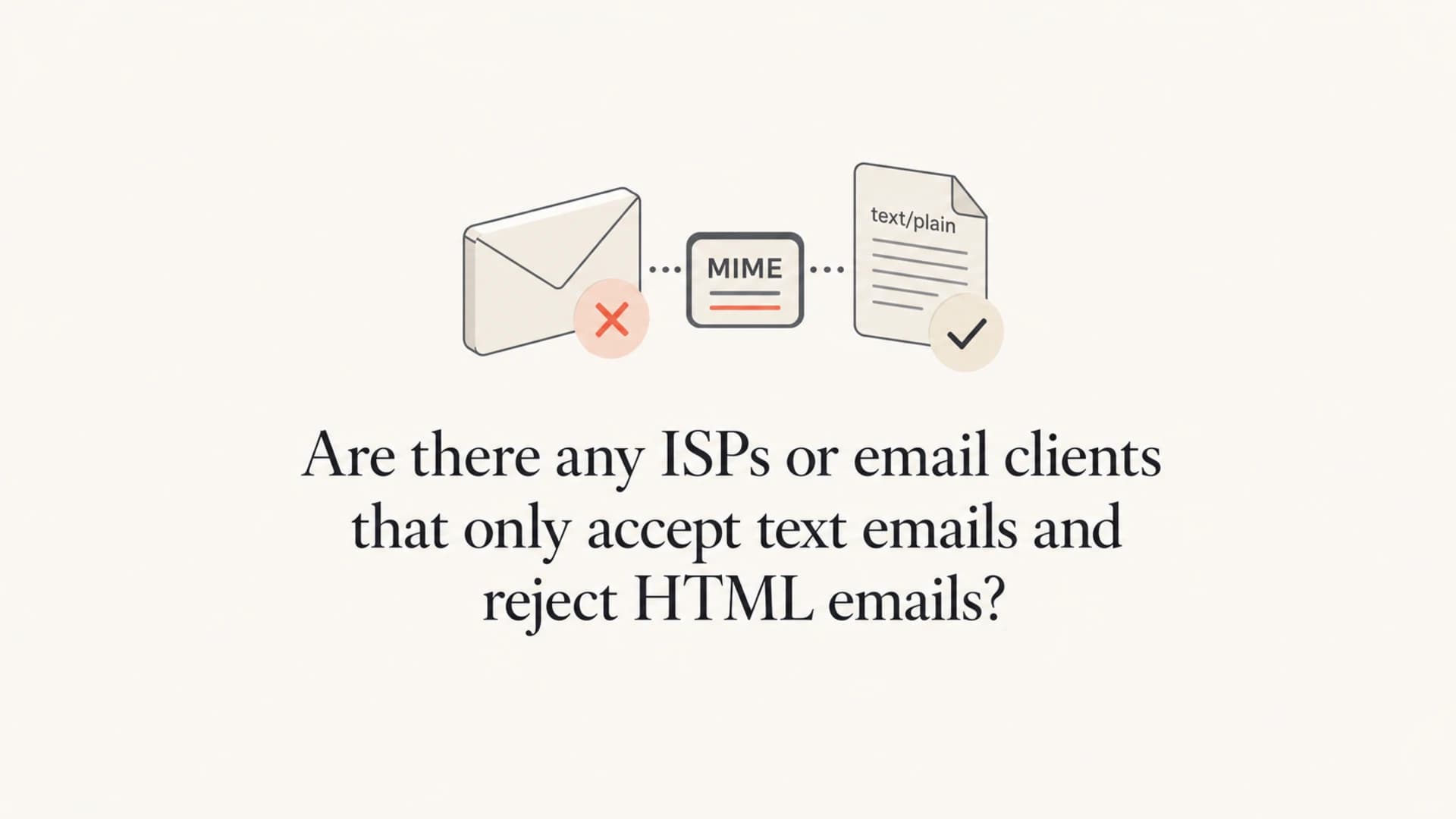
No mainstream ISP, mailbox provider, or modern email client rejects email solely because the message contains HTML. Gmail, Yahoo Mail, Outlook.com, AOL, iCloud Mail, Apple Mail, Thunderbird, and Microsoft Outlook all handle HTML email. Some users choose text-first clients such as Mutt, NeoMutt, Alpine, Pine, Elm, aerc, or mail clients with HTML display disabled, but that is a display choice after delivery, not an SMTP-level rejection.
The practical exception is a private, corporate, mailing list, or hobbyist mail server with a local content rule that rejects HTML mail. That is not a standard ISP rule and it does not come from the SMTP protocol. If it happens, the bounce usually looks like a custom content-policy failure, often a 554 or 5.7.1 response after the receiving system inspects the message body.
Fast answer
- No standard: SMTP has no required error code for rejecting HTML email as a MIME type.
- Rare policy: A private server can reject HTML using a local filter, but that is a site rule.
- Real risk: Bad HTML, missing text alternatives, huge MIME parts, and weak authentication hurt more than HTML itself.
I treat "HTML rejected" as a hypothesis to test, not the first explanation for a failed delivery. Most of the time the real issue is authentication, reputation, malformed MIME, unsafe links, a bad attachment, list hygiene, or a blocklist (blacklist) problem.
The direct answer
ISPs accept messages through SMTP servers, then mailbox applications render those messages for recipients. That split matters. An SMTP server can accept, defer, or reject a message before it reaches the mailbox. An email client can show HTML, show the plain text part, block images, sanitize markup, or show raw source. The client is not the actor returning an SMTP error to your sending server.
|
|
|
|
|---|---|---|---|
ISP MX | Gmail | Accepts HTML | No |
Webmail | Yahoo Mail | Renders HTML | No |
Desktop | Outlook | User setting | No |
Text client | Mutt | Shows text | No |
Local filter | Custom MX | Can reject | Yes |
The layer handling the message determines whether SMTP rejection is even possible.
That is why a recipient saying "my client only reads plain text" is not the same as a receiving server rejecting HTML. The message can be fully delivered and still be unpleasant or unreadable to that recipient if the sender provides only text/html with no usable plain text part.
A useful outside reference on plain text email shows how many clients can compose or prefer text. That preference is real, especially in technical communities, but it is different from ISP-level rejection.
Where rejection actually happens
A receiving system that rejects mail during SMTP has to do it while the sending system is still connected. For content-based rejection, that normally means the server accepts the envelope, receives the message body after DATA, scans the MIME structure, then returns a final response instead of accepting the message into the queue.
Example custom rejection text
554 5.7.1 Message rejected by local policy: HTML mail not accepted
That example is local policy language. It is not a protocol guideline that every sender can rely on. Another server might accept the same message and place it in spam. Another might accept it and show the plain part. Another might defer because of reputation pressure and never mention HTML at all.
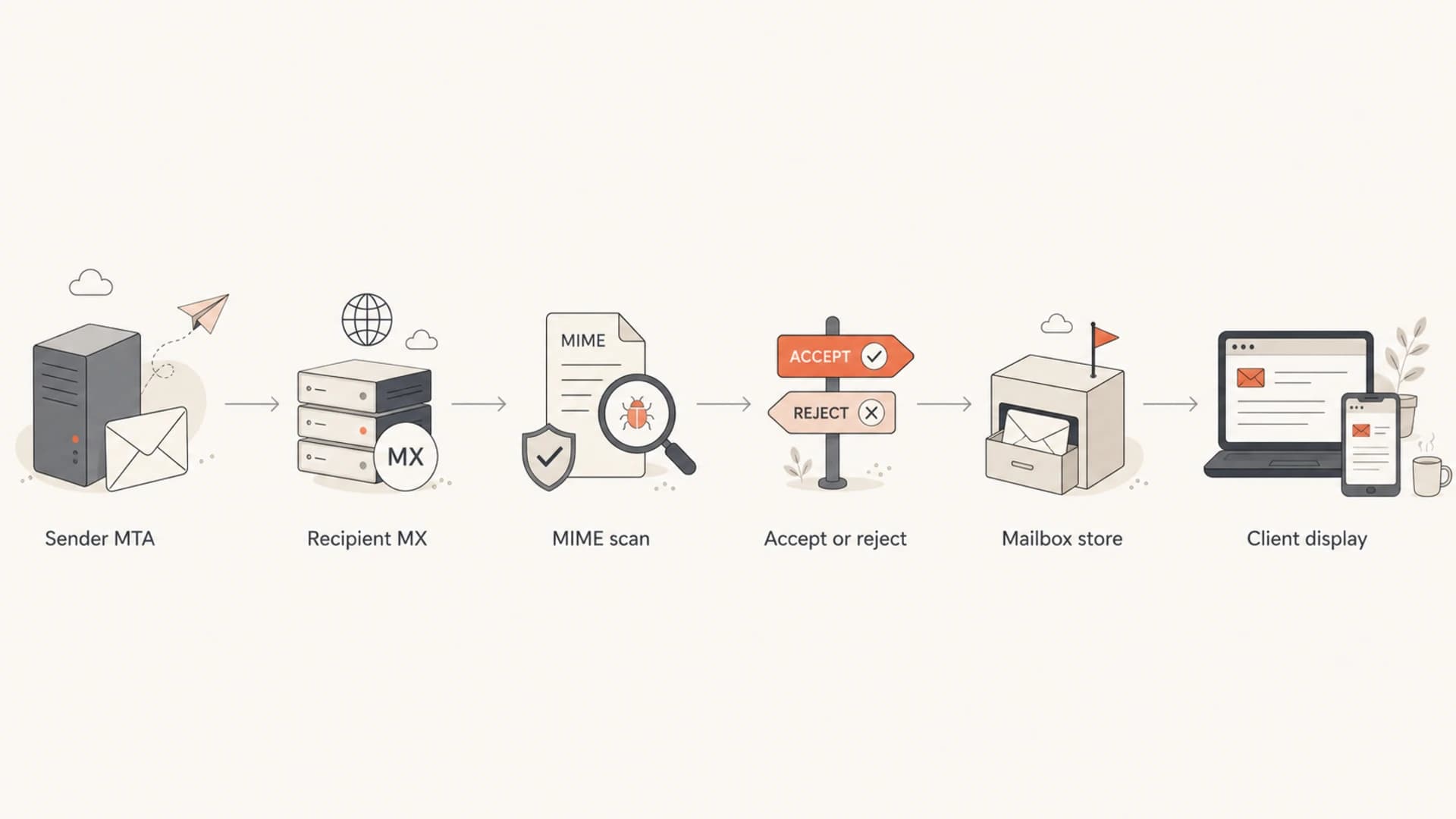
Flowchart showing SMTP acceptance before email client display
When a bounce claims HTML was rejected, read the enhanced status code and the human text together. 5.7.1 often means a policy rejection. 5.6.0 can point to content or media problems. 4.x.x means a temporary failure. The words after the code matter because the numeric code alone rarely proves HTML was the root cause.
Email clients only control display
Text-oriented clients and text-first user settings still matter. A recipient using Alpine, Mutt, NeoMutt, or a locked-down enterprise client can prefer the text/plain part. A Microsoft Outlook or Apple Mail user can configure compose behavior. Some clients block remote images by default. None of those choices mean the receiving ISP rejects text/html at SMTP time.
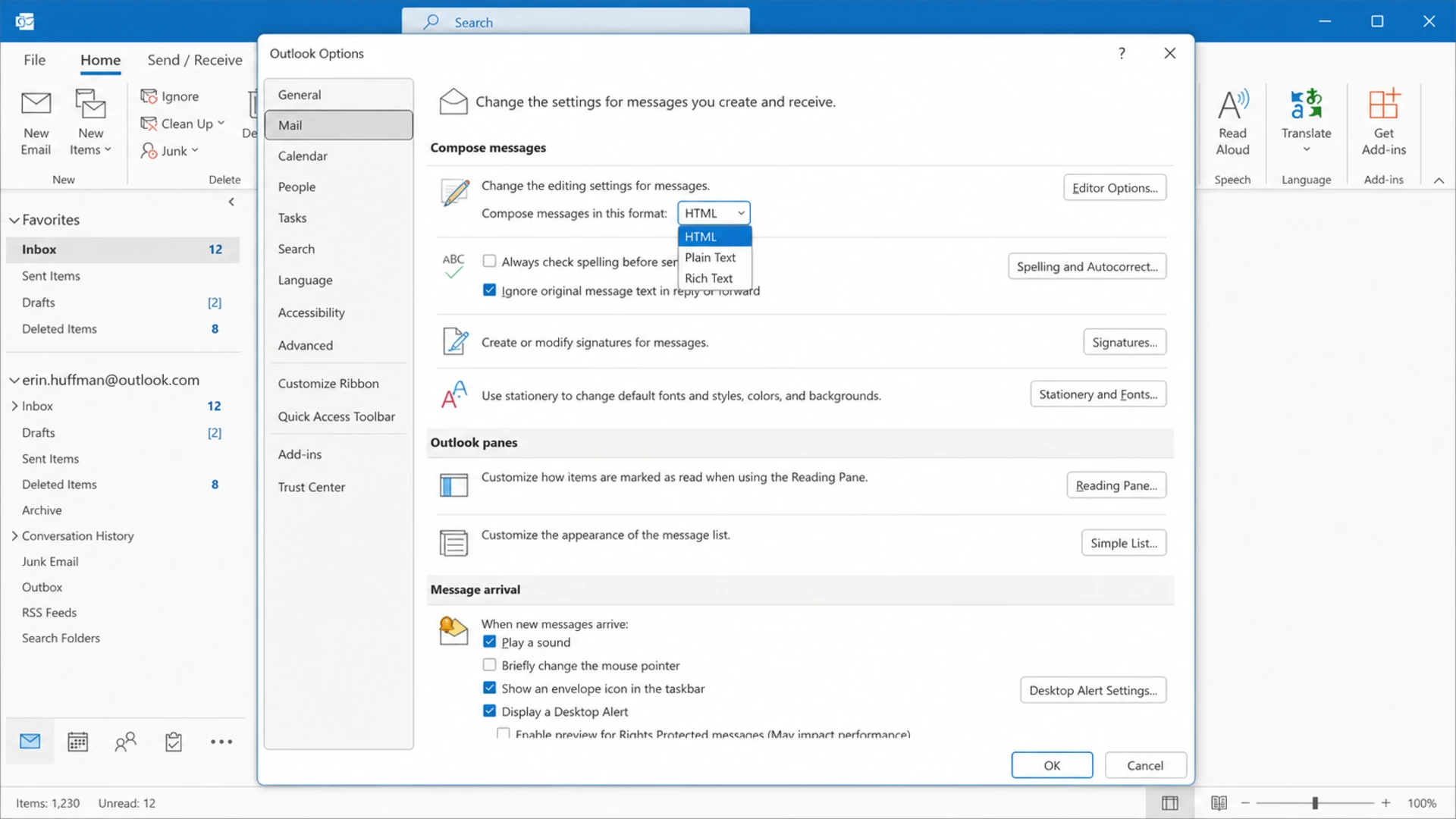
Microsoft Outlook settings showing HTML and plain text compose options
Mailbox provider
- Accepts: Receives the SMTP transaction and decides delivery, deferral, or rejection.
- Filters: Scores authentication, reputation, links, attachments, MIME, and user feedback.
- Reports: Can return an SMTP status or place accepted mail in the mailbox.
Email client
- Displays: Chooses HTML, plain text, sanitized HTML, or a source view.
- Protects: Blocks scripts, remote images, tracking pixels, and unsupported CSS.
- Cannot: Return an SMTP bounce after the message is already delivered.
The confusing part is that a sender often hears the complaint second hand. A recipient says the message was rejected, but the mail system accepted it and the client displayed an empty body, a raw HTML blob, or a broken plain text fallback. That is a rendering failure, not an SMTP rejection.
Why HTML can still affect filtering
HTML itself is normal. Bad HTML is different. Spam filters evaluate many signals at once, and some rules look at HTML-only messages, hidden text, broken tags, remote image patterns, unsafe URLs, tracking behavior, and MIME structure. Older spam-filter rules, for example, score certain HTML traits as part of an aggregate score rather than blocking every HTML message.
Do not mistake score pressure for HTML rejection
A message can perform worse because its HTML is poor, but that is not the same as a provider rejecting all HTML. I look for stacked risks.
- MIME: HTML-only messages lack a fallback for text-first clients and automated parsers.
- Markup: Broken tags, invalid nesting, and heavy conditional code create filtering and rendering risk.
- Content: Image-only layouts, misleading links, and huge bodies create avoidable suspicion.
- Identity: SPF, DKIM, and DMARC failures make content problems more expensive.
If you are investigating HTML-related delivery trouble, separate rendering from deliverability. Rendering asks whether the message looks correct in a client. Deliverability asks whether the receiving provider accepted and placed the message well. A plain text version helps with accessibility and fallback behavior, while malformed HTML creates a broader risk profile.
HTML-related risk levels
The same HTML part has different risk depending on MIME quality and sender identity.
Low
Normal
Valid HTML, useful text part, clean links, and passing authentication.
Watch
Needs review
HTML-only body, heavy images, or a weak text fallback.
High
Fix first
Broken MIME, deceptive links, failed authentication, or known reputation issues.
Whether multipart/alternative is still worth it
For most marketing and product email, I still prefer multipart/alternative with a real text/plain part and a real text/html part. The caveat is that the text part must be maintained. A stale plain text part that contains old copy, broken URLs, missing legal text, or a different offer creates user confusion and compliance risk.
Simplified multipart structure
Content-Type: multipart/alternative; boundary="part-123"

--part-123
Content-Type: text/plain; charset="UTF-8"

Your receipt is ready. View it in your account.

--part-123
Content-Type: text/html; charset="UTF-8"

<p>Your receipt is ready. View it in your account.</p>

--part-123--
For monitoring alerts, machine-readable reports, one-time passwords, internal operational notices, and short transactional messages, plain text is often cleaner. The recipient wants the status, the timestamp, the identifier, and the action. For brand campaigns, product onboarding, receipts with tables, and messages that need visual hierarchy, HTML is appropriate.
Good multipart
- Consistent: Text and HTML communicate the same offer, legal terms, and action.
- Readable: Plain text wraps well, includes full URLs, and avoids layout noise.
- Tested: Both parts are inspected before every production template change.
Bad multipart
- Stale: The text part has old campaign copy or missing unsubscribe information.
- Generated: The text part is dumped from HTML without human review.
- Broken: The boundary, charset, or part order is malformed.
The deeper question is multipart/alternative quality, not whether HTML is forbidden. If the team cannot keep two versions accurate, a clean single-part message is better than a broken multipart message.
How to test the real risk
The most reliable test is to send the actual message, inspect the raw MIME, check authentication, and compare the SMTP result with the rendered result. Do not stop at screenshots. Look at headers, MIME boundaries, content types, transfer encoding, SPF, DKIM, DMARC, and the final status returned by the recipient server.
For a quick sample check, send the message to an email tester and review the rendered body, plain text part, spam signals, and authentication results together. That gives you a practical answer without guessing whether HTML alone caused the issue.
Email tester
Send a real email to this address. Suped opens the report when the test is ready.
?/43tests passed
Preparing test address...
Suped's product is strongest when this question turns into an operational workflow. The platform brings DMARC monitoring, SPF, DKIM, hosted DMARC, hosted SPF, hosted MTA-STS, alerts, and blocklist monitoring into one workflow. That helps a team separate HTML rendering complaints from authentication failures, domain health issues, and blacklist or blocklist reputation problems.

Email tester sample report showing total score, email preview, issue summary, and per-section results
Before blaming content type, I check the sending domain with a domain health checker. If DMARC domain matching is broken, DKIM is missing, SPF has lookup problems, or the domain has reputation trouble, the HTML-vs-text question is a distraction.
Testing checklist
- Raw source: Confirm the message has the content parts you think it has.
- Plain part: Read the text fallback by itself and verify links, legal copy, and calls to action.
- HTML part: Validate markup, body size, image loading, link format, and unsupported CSS.
- SMTP log: Compare bounces, deferrals, and accepted deliveries before drawing conclusions.
- Identity: Verify SPF, DKIM, DMARC, reverse DNS, and sending domain consistency.
Practical sending choices
The format choice should follow the job of the message. I do not send HTML just because a template system supports it, and I do not send plain text just because a few recipients dislike HTML. I pick the simplest format that communicates the message accurately and survives forwarding, quoting, mobile reading, and security filtering.
|
|
|
|---|---|---|
Monitoring alert | Plain text | Fast scanning |
Password reset | Multipart | Broad support |
Receipt | Multipart | Tables help |
Newsletter | Multipart | Fallback helps |
System log | Plain text | Machine friendly |
Product update | HTML | Visual layout |
A simple decision table for choosing plain text, HTML, or multipart.
Attachments are a separate decision. Reports and alerts often work better inline. Contracts, CSV exports, and documents often work better as attachments. The key is to avoid turning one problem into another: HTML does not get rejected just because it is HTML, but oversized or suspicious attachments change the filtering picture quickly.
For public discussion of older client support assumptions, the client support thread is useful mostly as history. Today, the safer conclusion is still practical: send good MIME, keep authentication clean, and test real messages instead of optimizing for a mythical ISP that rejects every HTML email.
Views from the trenches
Best practices
Keep a readable plain text part when HTML carries the main message and calls to action.
Use plain text for operational alerts when speed, parsing, and clarity matter most.
Check the raw MIME before blaming a provider for rejecting HTML-only email alone.
Common pitfalls
Treating a user's text-only display choice as proof of SMTP-level rejection by a server.
Letting the plain text part go stale while the HTML template keeps changing each week.
Ignoring authentication failures because the bounce text mentions message content.
Expert tips
Read enhanced status codes with the human bounce text before assigning the cause first.
Keep reports inline when they are short, but attach usable files when recipients need them.
Separate rendering tests from delivery tests so each failure gets the right fix quickly.
Expert from Email Geeks says mainstream SMTP blocking based only on HTML is not something they see in normal mailbox provider behavior.
2021-02-17 - Email Geeks
Expert from Email Geeks says text clients such as Pine, Mutt, and Elm display the plain text part, but they do not create SMTP rejection.
2021-02-17 - Email Geeks
The practical answer
The answer is no for mainstream ISPs and email clients. HTML email is widely accepted. Text-only clients and text-first users exist, but they do not create a special SMTP rejection path. A true rejection for HTML is a custom local policy, and the bounce should say that in its human-readable text.
The better engineering decision is to build messages that survive both worlds. Use plain text when the message is operational and short. Use HTML when layout improves comprehension. Use multipart when both audiences matter and the team can keep both parts accurate. Then verify authentication, MIME, and rendering with real sends.
Suped fits when the issue is bigger than one template. Its DMARC, SPF, DKIM, hosted authentication, real-time alerts, blocklist (blacklist) monitoring, and deliverability checks give teams a single place to find the cause instead of arguing over whether HTML alone was rejected.




