How do Google Groups impact DMARC when forwarding emails from multiple domains?

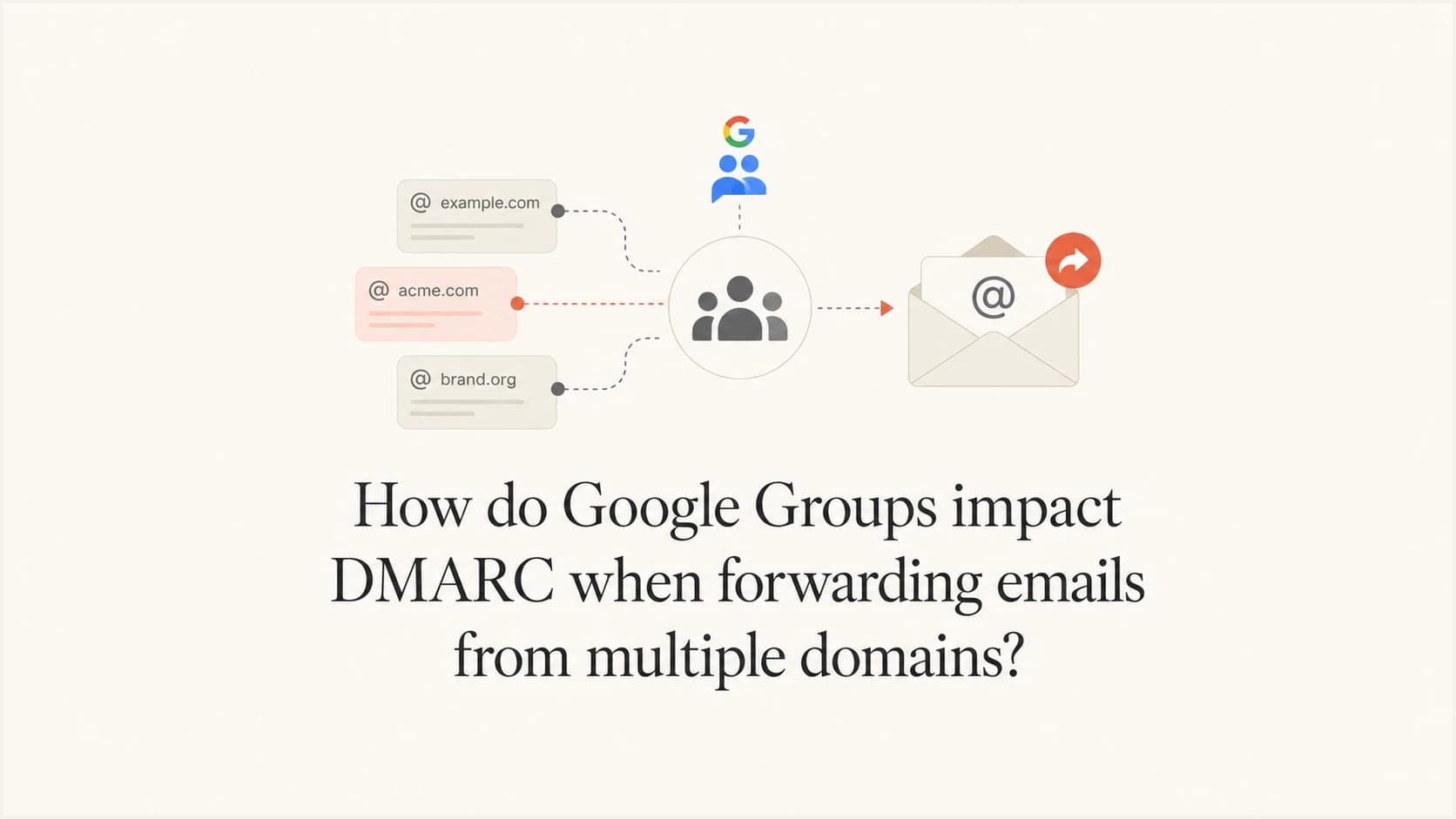
Updated on 3 Aug 2026: We updated this guide for RFC 9989, Google Groups sender rewriting, and clearer SRS and ARC troubleshooting.
Google Groups impact DMARC by changing the message path without necessarily changing the visible From domain. When a message enters a group on one domain and then gets distributed, replied to, or forwarded through users on another domain, the receiver still checks DMARC against the domain in the visible From header. A shortened employee domain cannot simply be marked as a trusted sender to override another domain's DMARC policy at outside mailboxes.
The direct answer is this: Google Groups can create a forwarding or list-distribution path where SPF and DKIM pass for one domain, but DMARC fails because neither authenticated domain matches the visible From domain. If the primary domain has p=quarantine, that policy asks the receiver to treat the failure as suspicious, and the receiver can send the message to spam even though the staff domain is legitimate and both domains use Google Workspace.
- Core issue: DMARC uses the visible From domain as the domain whose policy applies.
- Group effect: Google Groups can preserve list context and original sender headers in ways a normal mailbox does not.
- SPF limit: Adding a shortened domain to the primary domain's SPF record does not fix DMARC domain alignment.
- Best fix: Use a real shared mailbox, a routing rule, or send-as configuration that keeps the visible From domain and authenticated domain consistent.
The short answer
DMARC is not asking whether the person forwarding the message is trusted. It asks whether the domain in the visible From header has DMARC alignment with a domain that passed SPF or DKIM. Google requires this alignment for direct email under its Google sender guidelines.
That detail matters with multiple domains. If the visible From domain is the primary marketing domain, but SPF authenticates the shortened staff domain and DKIM signs with the shortened staff domain, DMARC fails for the primary domain. The fact that SPF and DKIM individually pass does not rescue the message. Under default relaxed alignment, at least one passing domain must share the same organizational domain as From. With aspf=s or adkim=s, the relevant authenticated domain must exactly match From.
The common trap
An authentication report that says SPF pass and DKIM pass can still end with DMARC fail. The failing part is the domain alignment, not necessarily the cryptographic signature or IP authorization.
Example authentication resulttext
SPF auth: pass
SPF DMARC: fail, mailfrom staff.example != from brand.example
DKIM auth: pass
DKIM DMARC: fail, d=staff.example != from brand.example
DMARC: fail, p=quarantine applies
Clicking Forward in Gmail creates a new message from the forwarding user. Automatic forwarding and group redistribution usually preserve the original visible From address while changing the SMTP path, so SPF alignment can fail at the next receiver. If the original DKIM signature survives unchanged, DKIM can still produce a DMARC pass through domain alignment. Full headers show which path occurred.
Why Google Groups changes the result
A Google Group is not the same thing as a plain shared mailbox. It can deliver copies to members, add list headers, handle replies as group conversations, preserve original sender identity, and apply group-specific posting rules. That behavior is useful for discussion lists, but it creates confusion when the group is treated like a shared inbox.
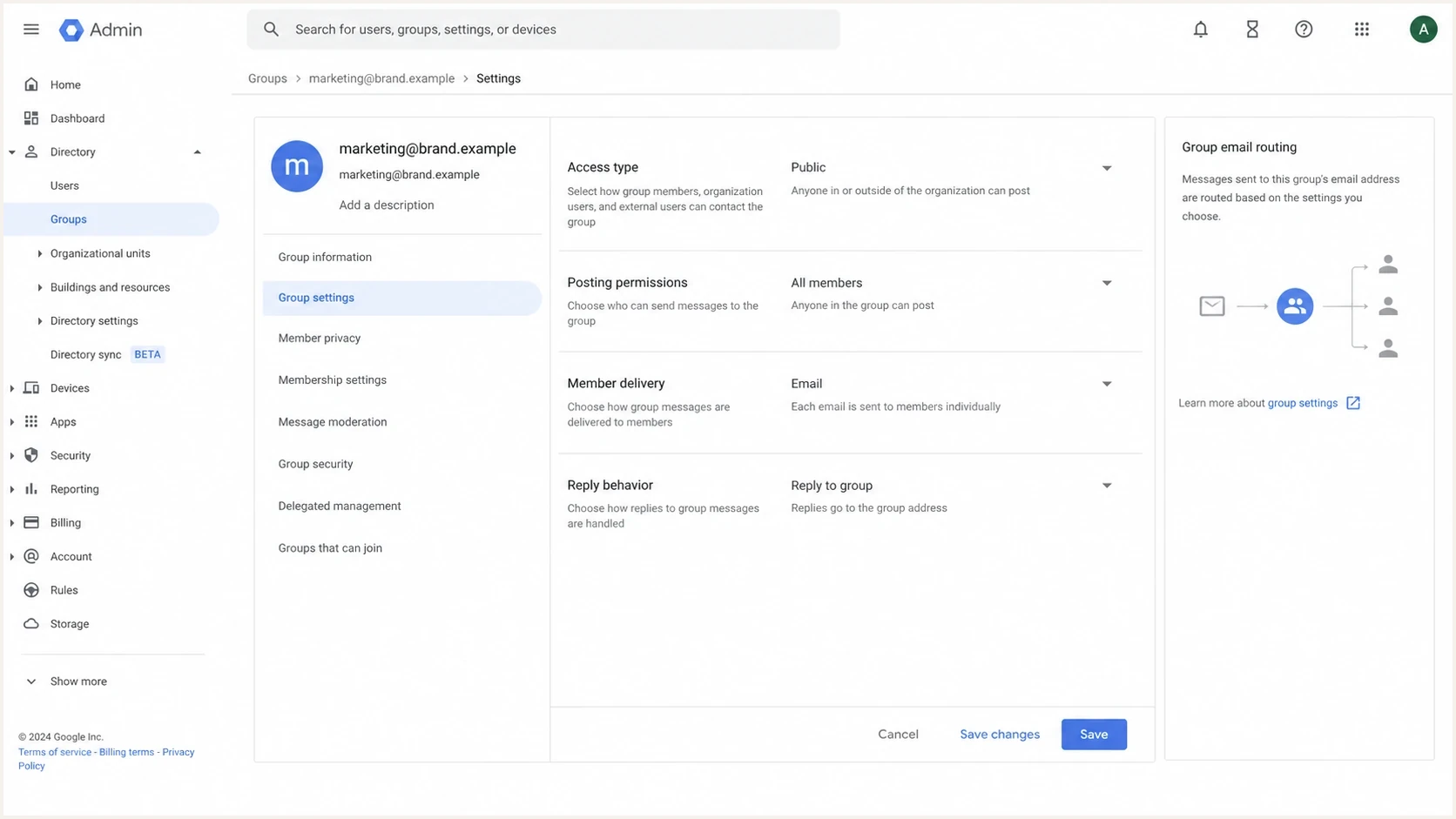
Google Admin console group settings showing delivery and reply behavior.
When a marketing reply arrives at a group on the primary domain, the group delivers that message to members. If those members use a shortened staff domain, the message now crosses a domain boundary inside the organization. That alone is not a DMARC failure. The failure appears when the next hop presents one domain in From, but authenticates another domain in SPF or DKIM.
Google also documents a protective rewrite for messages sent to Groups by domains with p=quarantine or p=reject. Gmail can show the author as sender via the group and use the group address as the sending identity. This can restore alignment for the redistributed copy, but it changes what recipients see and can affect reply behavior. Messages whose original From is preserved still depend on surviving DKIM with domain alignment or receiver treatment of ARC.
An inbound approved-sender or allowlist setting also does not solve this. Those controls affect how your Google Workspace tenant receives or filters mail. They do not make outside receivers ignore DMARC when your users forward or redistribute mail.
|
|
|
|
|
|---|---|---|---|---|
Direct brand send | Brand | Brand | Brand | Pass |
Preserved group copy | Brand | Group path | Brand if intact | Pass or fail |
Rewritten group copy | Group | Group path | Group path | Pass if domains match |
Staff forward | Brand | Staff | Staff | Fail |
Send as brand | Brand | Brand | Brand | Pass |
Compact view of how the same message can be interpreted.
The multi-domain failure pattern
A common pattern has two domains with legitimate roles. The primary domain sends marketing mail and receives replies at a group address. The shortened domain is used by employees. Both domains have SPF, DKIM, and DMARC, and both use Google Workspace. The problem is not missing authentication. The problem is that the wrong domain authenticates the final hop.
What fails
- From domain: The message still presents the primary marketing domain.
- SPF domain: The return path authenticates the shortened staff domain or Google path.
- DKIM domain: The signature authenticates a domain that lacks alignment with the visible From domain.
- Policy result: The primary domain's quarantine request can influence the receiving mailbox's disposition.
What works
- Shared identity: Replies and forwards use the primary domain as the actual sending identity.
- Consistent DKIM: Google signs outbound mail with the same domain shown in From.
- Clear ownership: Each domain has its own authentication records and reporting setup.
- Policy staging: The policy moves to quarantine only after real sources are understood.
Adding the shortened domain to the primary domain's SPF record does not solve this. SPF authorizes sending IPs for the domain used in the envelope sender. It does not say that one domain is allowed to stand in for a different visible From domain. That is the same root issue behind many Google Workspace domains problems.
Separate DMARC records for separate domainstext
_dmarc.brand.test. TXT "v=DMARC1; p=quarantine; rua=mailto:d@brand.test"
_dmarc.staff.test. TXT "v=DMARC1; p=quarantine; rua=mailto:d@staff.test"
Separate records are correct, but they only help when each domain's mail authenticates as itself. Google Workspace also requires a unique DKIM key to be generated, published, and activated for every sending domain. If a user sends with the shortened domain in From, that domain's authentication and policy apply. If the primary domain stays in From, it needs an SPF or DKIM result with domain alignment.
How to diagnose it from headers
Do not diagnose this from the inbox label alone. Pull the full original message headers from the final receiving mailbox. The useful evidence is in Authentication-Results, DKIM-Signature, Return-Path, From, Sender, List-Id, ARC-Authentication-Results, and any group-specific headers.
- Header From: Record the exact domain that appears in the visible From address.
- SPF domain: Find smtp.mailfrom or Return-Path and compare that domain with From.
- DKIM domain: Find the d= value in each DKIM signature that passed authentication.
- Group evidence: Look for List-Id, X-Original-To, Delivered-To, and Google Groups related headers.
- Final verdict: Confirm whether DMARC failed because no passing SPF or DKIM identifier matched From under the domain's alignment mode.
For a quick DNS sanity check, run both domains through a DMARC checker and then compare the result with a real sent message. DNS can be correct while the message path is still wrong, so DNS validation is the first check, not the final answer.
Email tester
Send a real email to this address. Suped shows a results button when the test is ready.
?/43tests passed
The cleanest test is to send the exact problematic path to an email tester: inbound reply to the group, staff triage, then forward to the test address. If the final report shows the primary domain in From and the shortened domain in SPF or DKIM, the cause is confirmed.
For broader inventory work, a domain health checker helps confirm that both domains have the expected SPF, DKIM, and DMARC posture before you investigate group behavior.
What SRS and ARC can and cannot do
Forwarding fixes are easy to confuse because they operate on different identities. Sender Rewriting Scheme (SRS) rewrites the envelope sender so the forwarding system can pass SPF and handle bounces. It does not give that rewritten SPF domain alignment with an unchanged visible From domain, so SRS alone does not give the original domain a DMARC pass.
- DKIM preservation: An original DKIM signature with domain alignment can carry DMARC through ordinary forwarding if the signed content is unchanged.
- List modification: Subject prefixes, footers, or body changes can invalidate the original DKIM signature.
- ARC evidence: ARC records authentication seen before an intermediary changed the message or path.
- Receiver choice: A valid ARC chain lets a receiver apply a local override, but ARC pass does not change DMARC fail into DMARC pass.
From rewriting takes a different approach: the list changes the visible sender to its own domain and authenticates that identity. This can pass DMARC for the redistributed message, but the displayed address and reply target must be tested. For a workflow your organization controls, DKIM with domain alignment on the intended outbound identity remains the cleanest result.
Fix options that actually work
There is no reliable outbound setting that says the shortened domain is trusted to forward primary-domain mail everywhere on the internet. The fix is to make the message identity consistent at the point it leaves your organization.
- Use a mailbox: Create a real shared or delegated mailbox at the primary domain and have staff send as that mailbox.
- Use routing: Replace the Google Group with an admin routing rule when the goal is simple delivery to multiple people.
- Use send-as: Let staff triage from their inboxes but send replies and forwards from the primary domain identity.
- Fix each domain: Publish and verify separate authentication records for every domain that appears in From.
- Stage policy: Move out of monitoring only after forwarded and group paths are visible in reports.
DMARC policy staging for group routing changes
Use a stricter policy only after the real group and forwarding paths authenticate with matching domains.
Observe
p=none
Collect reports and identify senders without requesting special treatment for failed mail.
Quarantine
p=quarantine
Request suspicious treatment after known legitimate paths are fixed.
Reject
p=reject
Request rejection when controlled sending paths are covered and indirect mail risks are accepted.
RFC 9989 replaced the earlier DMARC specification in 2026. It marks pct as historic, so new rollouts should not depend on percentage sampling. The current t=y flag requests testing treatment one policy level below the published policy. Keep each stage long enough to observe Google Groups and other indirect paths before removing testing mode or moving to reject.
Suped's product supports this workflow by grouping DMARC aggregate results for both domains, exposing sources where SPF or DKIM lacks alignment, and attaching remediation steps to those failures. Teams can use DMARC monitoring to compare group traffic before and after a routing or policy change.

Issue steps to fix dialog showing the issue overview, tailored fix steps, and verification action
If DNS access is slow or split across teams, Hosted DMARC lets policy changes be staged without repeated manual TXT edits. That matters when a quarantine change must be reversed after finding a Google Groups routing edge case.
What not to do
Several fixes sound reasonable but do not solve the actual DMARC failure. Avoid these because they hide the issue or move the problem to a different recipient.
Avoid these shortcuts
- SPF-only fix: Do not add the shortened domain to the primary SPF record and expect DMARC to pass.
- Inbound trust: Do not treat a local allowlist as a fix for remote mailbox DMARC checks.
- Permanent none: Do not leave the primary domain at monitoring forever if spoofing protection is the goal.
- Header guessing: Do not diagnose list routing without the full original headers from the final receiver.
ARC can help receivers evaluate forwarded mail, but it is not a universal bypass for DMARC. A receiver decides whether to trust the ARC chain. If you control the sender and the group path, direct domain alignment is still the more dependable fix for forwarded DMARC failures.
Recommended setup
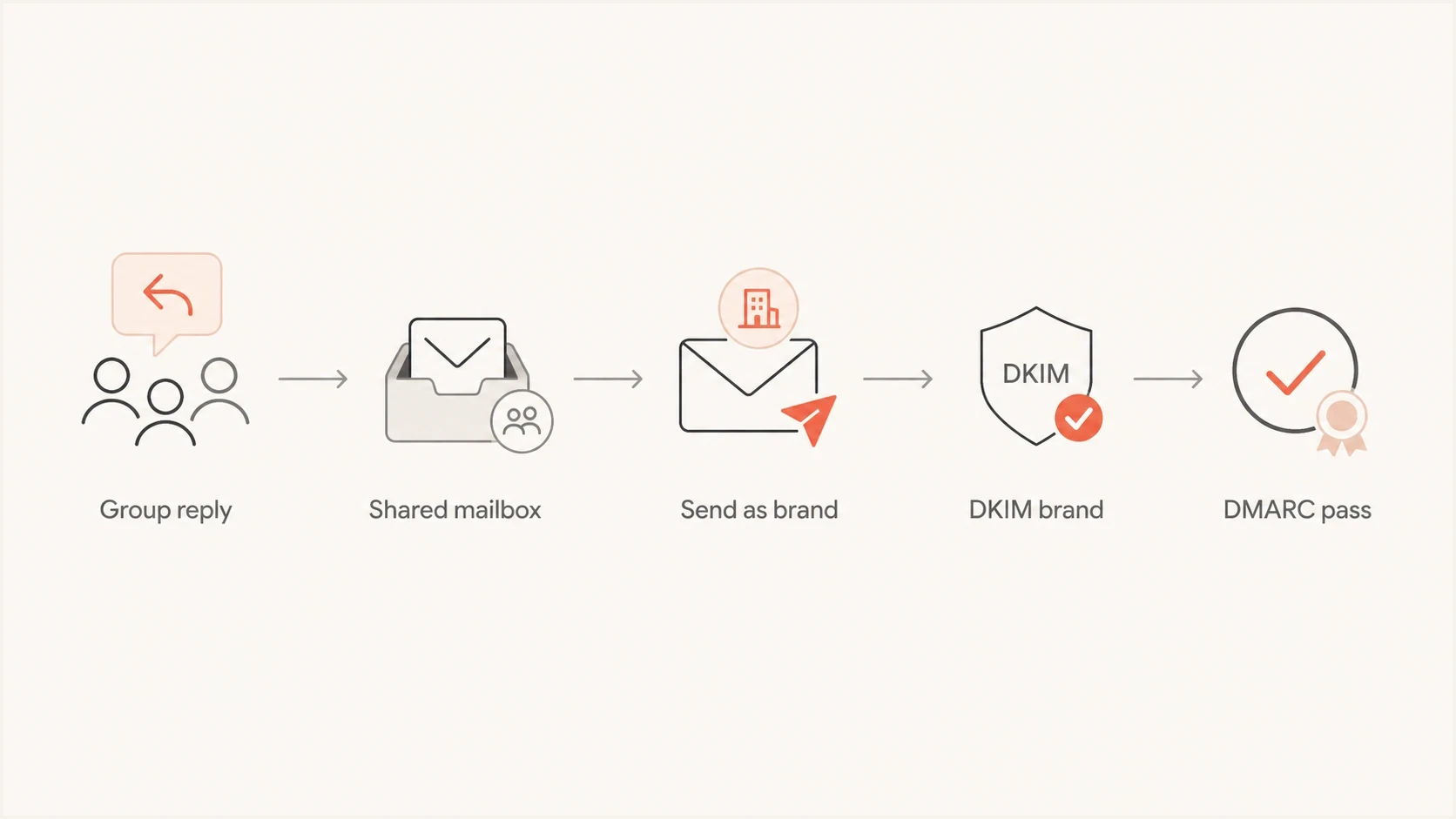
Recommended routing path from group reply to shared mailbox to DMARC pass.
For a marketing response workflow, use a real mailbox or delegated mailbox on the primary domain. Staff can still triage the messages, but the outbound identity stays on the domain that owns the customer conversation. That keeps the From domain, DKIM signature, and DMARC policy working together.
|
|
|
|---|---|---|
Shared replies | Primary mailbox | Keeps identity consistent |
Simple copies | Routing rule | Avoids list behavior |
Staff mail | Staff domain | Uses its own policy |
Mixed flows | Policy staging | Finds failures first |
Recommended handling by scenario.
If you are creating or rebuilding the DNS policy, generate the record once and then verify it with real mail. Suped's DMARC record generator helps avoid syntax mistakes, but it does not replace message-path testing. Google Groups issues live in the path, not only in DNS.
The same logic applies to email forwarding and DMARC more generally. Forwarding works when the final authenticated domain has alignment with the visible identity, when the original DKIM signature retains domain alignment, or when a receiver accepts preserved authentication evidence under local policy.
Views from the trenches
Best practices
Use full headers, not screenshots, to compare header From, SPF domain, and DKIM values.
Test the exact path: group delivery, staff handling, then the final forward to a mailbox.
Keep group workflows simple when the address is only meant to distribute inbound replies.
Stage DMARC policy changes after every known Google Workspace sender has been observed.
Common pitfalls
Adding a short domain to SPF does not fix a From domain that still belongs elsewhere.
Allowlisting inside your tenant does not control how outside receivers evaluate DMARC.
Google Groups can be mistaken for a shared mailbox, which leads to wrong assumptions.
SPF and DKIM pass results are easy to misread when the final DMARC alignment still fails.
Expert tips
Use a real mailbox or send-as identity when staff must forward primary-domain replies.
Compare the group copy and the final forwarded copy to see where the domain changes.
Keep separate reports for brand and staff domains so source ownership stays visible.
Treat ARC as helpful evidence, not a substitute for clean domain alignment on mail.
An Email Geeks participant says Google Groups can be the wrong fit when a simple alias or routing rule would deliver mail without list behavior.
2024-11-05 - Email Geeks
An Email Geeks participant says adding the shortened domain to SPF does not solve DMARC when the visible From domain is still the primary domain.
2024-11-05 - Email Geeks
How to keep outbound mail passing DMARC
Google Groups impact DMARC by adding a redistribution layer between the original sender, the group address, the member mailbox, and the final forwarded recipient. With multiple domains, that layer exposes mismatches between the visible From domain and the domains that pass SPF or DKIM.
The fix is not a trusted-sender flag for the shortened domain. Choose the domain that should own the outgoing message and make SPF or DKIM match it under the selected alignment mode. For shared marketing responses, send from the primary domain through a real mailbox, delegated mailbox, or controlled send-as setup, then use reports to confirm the path before requesting quarantine or reject treatment.




