How to use domain health checks for MSP prospecting

Updated on 23 Aug 2026: We updated the qualification scorecard and corrected DKIM and DMARC rollout guidance for evidence-led MSP prospecting.
Domain health checks turn MSP prospecting from a generic security conversation into a concrete risk conversation. They show where a prospect's public DNS and email authentication setup has gaps that can affect spoofing protection, client trust, brand risk, and deliverability. The scan provides evidence for a clear account plan: what the public evidence shows, what needs verification, what should be fixed first, and which fixes belong in an ongoing managed service.
For MSP owners and operators, the best use of a domain health check is targeted prospecting. Start with a small list of companies that already fit your service profile. Run non-invasive checks against their public DNS and mail posture. Score the findings by client impact, not by technical trivia. Then use the result to open a practical conversation about email authentication, DMARC reporting, sender inventory, and domain reputation.
Suped supports this workflow with prospecting reports, multi-tenant organization management, authentication monitoring, and automated issue detection. Suped's hosted DMARC, hosted SPF, SPF flattening, MTA-STS, and blocklist monitoring then turn approved changes into repeatable support work after the sale.
What a domain health check should include
A useful prospecting check looks at the public signals that explain whether a domain is ready for managed email authentication. It should not rely on fear. It should show specific evidence. The first pass should tell you whether DMARC exists, whether the policy asks receivers to act on failures, whether SPF is valid, whether a DKIM key is published for a known selector, whether mail servers have sane DNS, and whether the domain or identified sending IPs appear on a blocklist (blacklist). A DNS-only check cannot prove that live mail is correctly DKIM-signed or aligned without a known selector and a message sample or platform access.
This sits within DMARC for MSPs: a packaged operating model where the MSP discovers senders, fixes authentication, stages enforcement, monitors failures, and reports progress. A one-time scan opens a conversation. A managed service creates recurring work with measurable outcomes.
|
|
|
|---|---|---|
DMARC | Policy and reporting | Shows spoofing exposure |
SPF | Sender authorization | Finds lookup and include risks |
DKIM key | Published key for a known selector | Flags signing to verify in discovery |
MX | Inbound mail routing | Supports environment discovery |
Blocklist (blacklist) | Reputation signals | Adds urgency when listed |
MTA-STS | TLS policy | Creates hardening work |
Core checks MSPs can use in prospect reports
- Start narrow: Check the primary sending domain first, then add marketing, billing, recruiting, and support domains if the prospect has them.
- Score impact: A missing DMARC record matters more than a cosmetic DNS warning. Rank findings by business risk and delivery effort.
- Keep evidence: Save the exact DNS records and result dates. Prospects need to see current proof, not generic advice.
- Avoid assumptions: A visible DNS issue tells you where to start. It does not prove who owns the system or why it was configured that way.
Turn health checks into prospecting signals
The strongest prospecting signal is the gap between the prospect's current posture and the level of protection their business needs. A law firm, payroll company, insurance agency, ecommerce brand, and local manufacturer have different sender patterns, but each needs email authentication that a nontechnical owner can understand and a support team can maintain.
Weak prospecting use
- Generic claim: The outreach says the domain has DNS problems without showing exact evidence.
- Tool dump: The report lists every warning with no ranking or recommended order.
- No next step: The prospect sees issues but does not know what an MSP would do next.
Strong prospecting use
- Specific evidence: The outreach names the missing record, weak policy, SPF risk, or reputation issue.
- Clear priority: The report separates urgent fixes from routine hardening work.
- Managed path: The proposal explains monitoring, sender discovery, policy staging, and reporting.
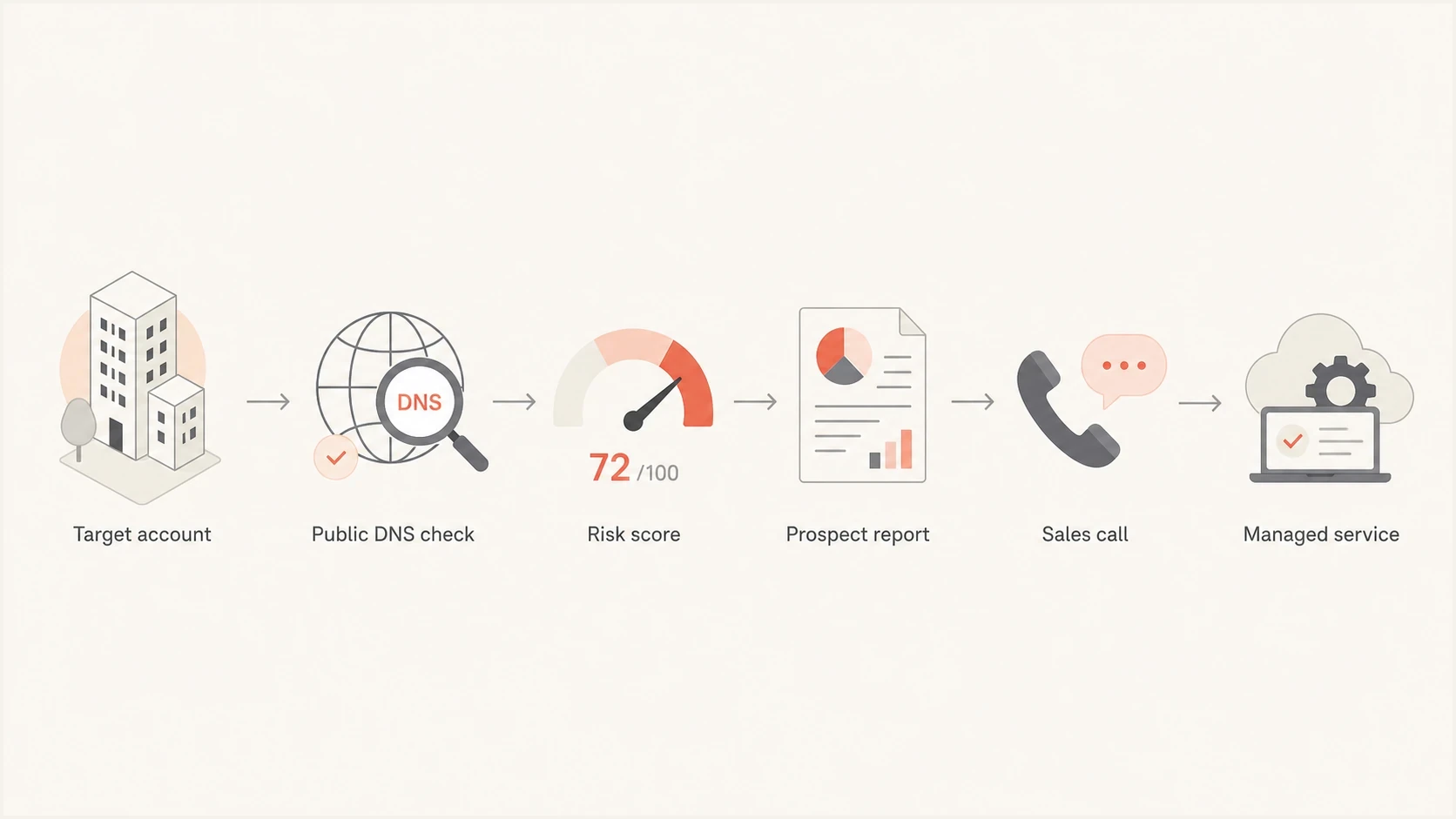
Flowchart showing a domain health check prospecting workflow
Prospect priority bands
A simple scoring model keeps sales outreach tied to technical evidence.
Low priority
0-39
Valid baseline records, reporting present, no urgent reputation issue.
Serviceable gap
40-69
DMARC exists but policy, reporting, SPF, or DKIM needs cleanup.
High priority
70-100
Missing DMARC, broken SPF, absent reporting, or a blocklist or blacklist issue.
Qualify the prospect before you quote
A technical risk score qualifies the problem, while commercial discovery qualifies the client. Before quoting, assess the account's fit with your operating model, because unclear ownership, unknown sender volume, limited DNS access, and rejected controls turn a neat assessment into unpriced service desk work.
|
|
|
|---|---|---|
Environment scope | Which domains, subdomains, mail platforms, and third-party senders are in use? | Sets discovery and remediation effort |
Control ownership | Who owns DNS, email, marketing systems, and change approval? | Exposes access and change dependencies |
Standard service fit | Will the client accept monitoring, sender cleanup, staged enforcement, and ongoing reporting? | Identifies exceptions and manual work |
Decision authority | Who approves controls and signs risk exceptions? | Prevents stalled remediation |
Success measure | Which policy state and reporting outcome must be reached? | Makes scope and renewal measurable |
Commercial qualification questions for MSP prospects
Use a short discovery questionnaire before sending a fixed quote. Price known exceptions explicitly, document who can authorize DNS changes, and separate one-time remediation from the monthly monitoring scope. The public health check provides evidence for the conversation, but client discovery determines the workload.
Run the check without creating noise
A prospecting health check should use public, lightweight methods and respectful language. You do not need credentials to inspect public DNS records or basic reputation signals. You do need discipline. Do not imply you have seen private mail data. Do not claim a breach. Do not overstate a warning. Say what the public record shows and what should be verified during onboarding.
- Pick accounts: Use your ideal client profile, existing vertical knowledge, available service capacity, and companies where email trust matters.
- Check public records: Review DMARC, SPF, DKIM selectors when known, MX, MTA-STS, TLS-RPT, reverse DNS for identified sending IPs, and reputation signals.
- Rank findings: Give each finding a client-facing impact and a likely remediation path.
- Write the opener: Lead with one specific issue and one practical next step, not a long audit dump.
- Prepare delivery: Know how you will monitor, fix, report, and support the domain after the prospect says yes.
For bulk senders, add discovery checks for SPF and DKIM coverage, DMARC alignment, one-click unsubscribe on promotional mail, and spam-rate data. These checks depend on message headers or account data, so label them as discovery items rather than public DNS findings.
?
What's your domain score?
Deep-scan SPF, DKIM & DMARC records for email deliverability and security issues.
A quick public scan is enough to qualify a conversation. Suped's domain health checker pulls the main DNS and authentication checks into a single view. Do not send raw results without interpretation. The MSP's value is translating those results into evidence, risk, sequence, and service delivery.
Keep the outreach defensible
Use language like "your public DNS record currently shows" instead of "your email is insecure." The first statement is evidence-based. The second is too broad without a full assessment completed with the client.
- Document dates: DNS and blocklist results change. Include when the check ran.
- State limits: Public checks do not reveal every sender or every mail flow.
- Avoid blame: Frame the issue as normal technical debt that your team can manage.
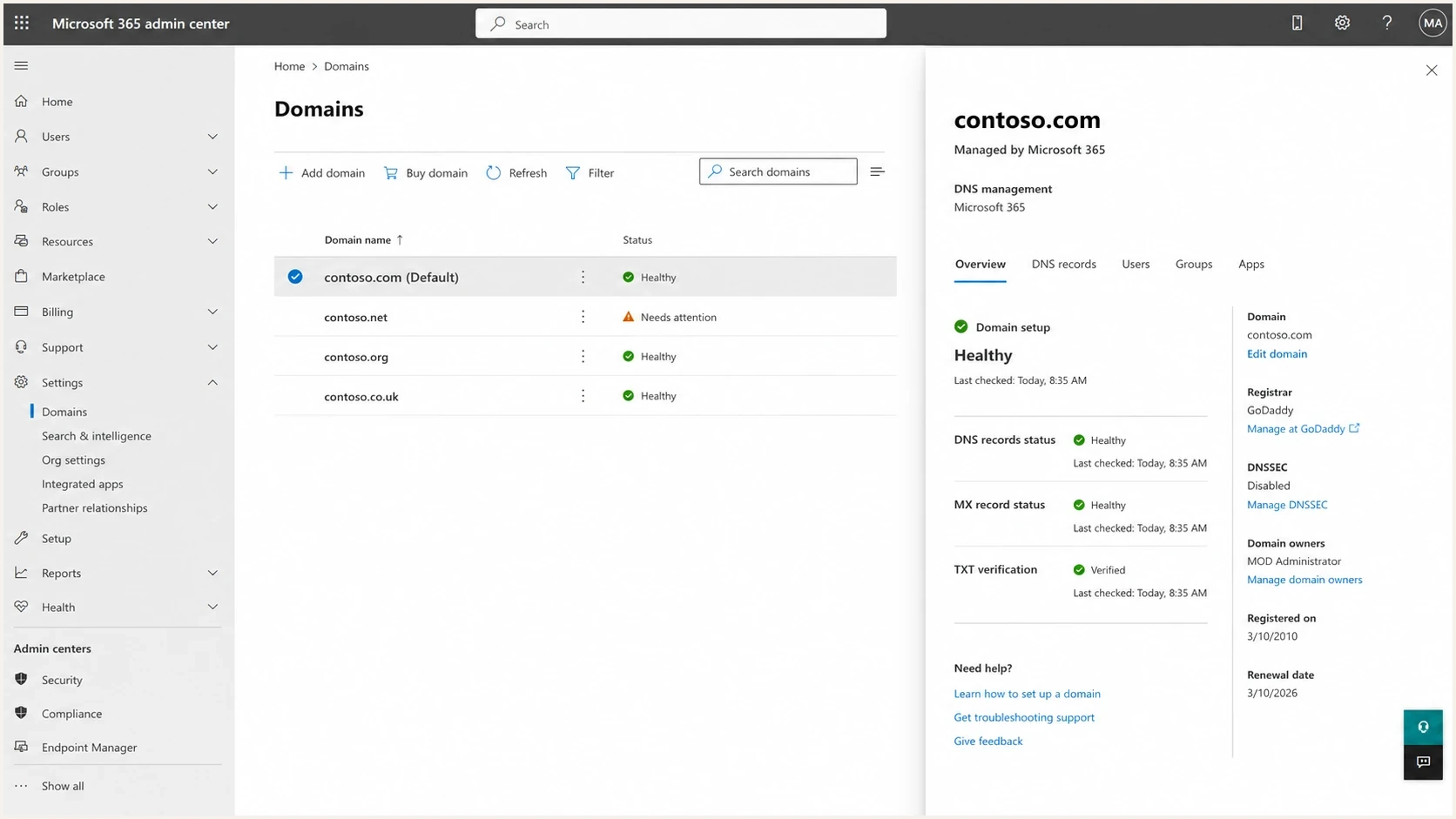
Microsoft 365 admin center domain settings screenshot
Build a prospect report that sells the service
A good prospect report gives the owner, operations lead, security lead, or IT contact enough evidence to accept that unmanaged email authentication has risk. It also gives your MSP enough structure to quote a managed outcome. The strongest reports separate the executive message, technical evidence, remediation plan, and ongoing service scope instead of teaching every protocol.
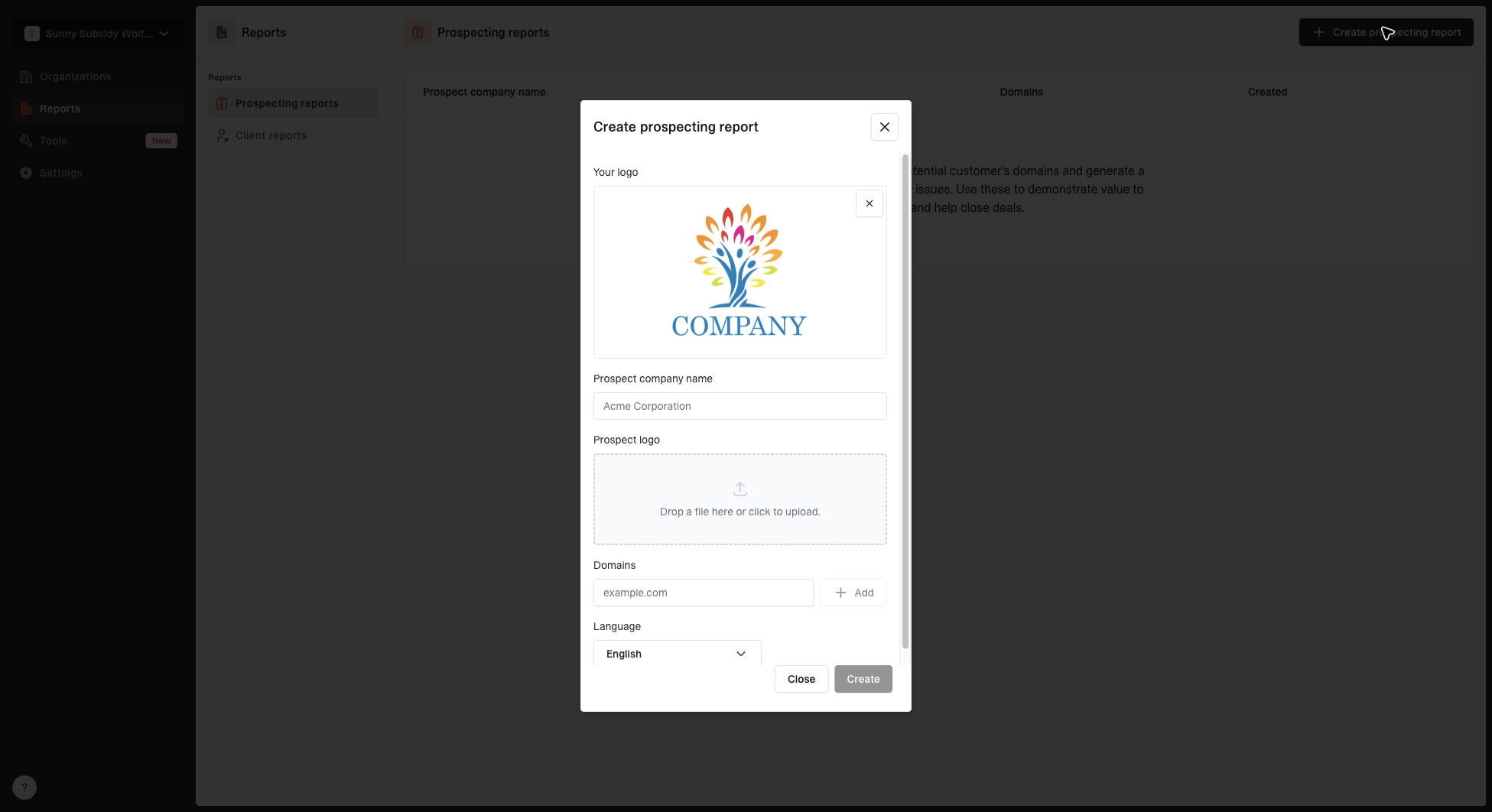
Create prospecting report dialog with MSP logo, prospect name, domains, prospect logo, and language fields
Suped's prospecting report workflow supports this step. You can create a branded report for a prospect, add the prospect name and domains, and use the output as a structured sales asset. Use the report as a concrete starting point for the discovery call, then verify the sender scope with the prospect.
|
|
|
|---|---|---|
Summary | Explain business impact | Sales |
Findings | Show current evidence | Technical lead |
Priority | Set fix order | Service desk |
Roadmap | Define managed work | Account manager |
Proof | Support the proposal | MSP owner |
Report sections that help MSP sales and delivery teams
When the report finds missing DMARC, avoid jumping straight to an enforcement policy. Most clients need monitoring first. A good first managed phase is to collect DMARC reports, identify authorized senders, fix SPF and DKIM failures, and only then stage policy changes. RFC 9989 replaced RFC 7489 and removed the pct tag, so base staging on observed reports and planned policy changes rather than percentage-based enforcement. For domains used by people who participate in mailing lists, it recommends at least a month at p=none and another month at p=quarantine before considering p=reject. A deeper DMARC audit can turn a prospecting scan into a fuller discovery project.
Translate findings into managed DMARC work
The handoff from prospecting to delivery is where many MSPs lose margin. A sales report says "DMARC missing." The service team then has to find every sender, identify who owns each platform, request DNS changes, fix SPF lookup limits, confirm DKIM signing and alignment, and explain policy staging to a client who thought this was a quick DNS edit. Build the delivery model before you scale the prospecting motion.
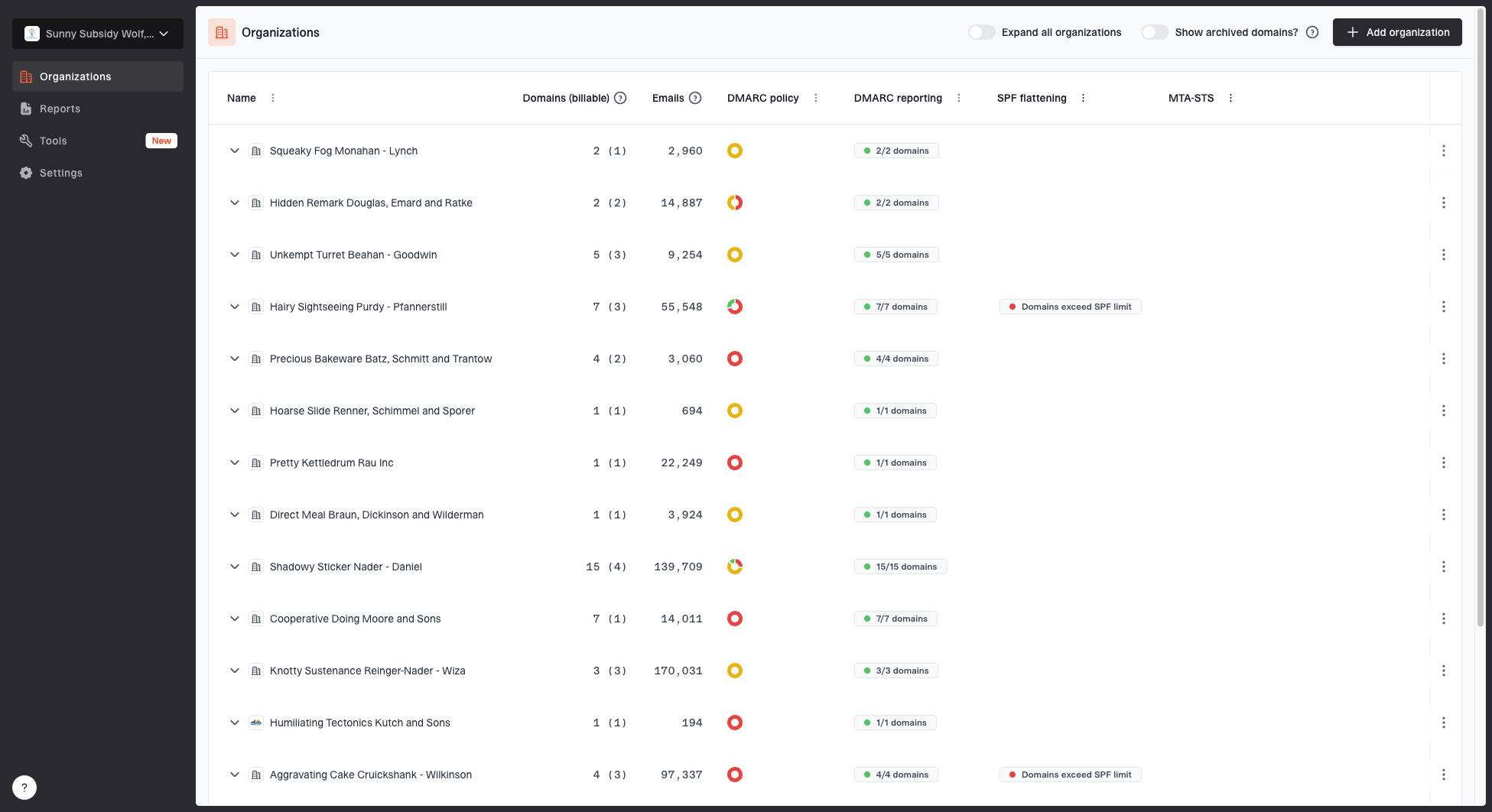
MSP organizations page showing client organizations, domain counts, email volume, and domain status columns
Suped's MSP and multi-tenancy dashboard supports this handoff by keeping each client's domain status, email volume, policy state, and source visibility in its own organization. Prospecting reports can then feed monitoring, issue detection, alerts, reporting, and client management without a separate spreadsheet process.
One-time audit
A one-time audit can help win trust, but it usually leaves the client with static findings. It works best when the MSP uses it as the first stage of a managed plan.
- Output: Snapshot report and prioritized fixes.
- Risk: Findings age quickly as senders change.
Managed service
A managed service keeps the domain under review. It covers monitoring, triage, policy staging, client reporting, and recurring authentication cleanup.
- Output: Ongoing health, alerts, and progress reports.
- Value: The client has a maintained authentication program.
The operational service normally starts with DMARC monitoring, then moves into sender cleanup, policy staging, and client reporting. If the client has limited DNS access or frequent changes, Hosted DMARC can reduce routine DNS edits and give the MSP tighter control over policy changes.
Example records to discuss during onboardingdns
_dmarc TXT "v=DMARC1; p=none; rua=mailto:dmarc@yourdomain.com"
@ TXT "v=spf1 include:spf.example.net -all"
selector1._domainkey TXT "v=DKIM1; k=rsa; p=public-key-here"
Use the findings in outreach
The best outreach is concise and specific. A prospect does not need a lecture on RFCs. They need to know what the current public setup shows, which gap needs verification, and how your MSP would manage the work. Keep the first email to one finding, its supporting evidence, the business impact, and one suggested call topic.
Example MSP opener
A review of your public email authentication records found that your DMARC record uses p=none and requests aggregate reports. Receivers are not being asked to quarantine or reject messages that fail DMARC. Mail can still function in monitoring mode, while enforcement requires sender discovery and authentication cleanup first. We help clients identify legitimate senders, fix SPF and DKIM alignment, review reports, and move DMARC policy in controlled stages.
That message stays within the evidence. It is specific and calm, with a clear link to work your team can deliver. If the prospect responds, move to discovery: who sends mail for them, who controls DNS, what platforms send invoices or marketing, and what risk matters to their leadership.
- Use one issue: A single concrete finding gets more attention than a long technical list.
- Offer context: Explain that public DNS checks are a starting point and that onboarding confirms all senders.
- Tie to service: Position the fix as monitoring, triage, policy staging, and reporting. Record editing is only one task.
- Plan handoff: Use a consistent intake checklist so sales promises match delivery reality.
Once a prospect becomes a client, move quickly into client onboarding and document the repeatable steps in a DMARC runbook. This keeps prospecting, qualification, sales, and service desk work connected instead of creating one-off projects.
What to do next
Use domain health checks to qualify prospects with evidence. Pick accounts that fit your operating model, run public checks, rank issues by client impact, complete commercial discovery, create a branded report, and connect the findings to a managed DMARC service your team can deliver repeatedly.
Suped's product keeps the resulting workflow in one place through prospect reports, separate client organizations, DMARC monitoring, hosted records, automated issue detection, real-time alerts, blocklist monitoring, and client reporting. The one-time domain health check then becomes the evidence that starts an ongoing email authentication service.