
How MSPs can use DMARC audits to win new clients

Updated on 22 Oct 2026: We added a scoped proposal workflow and clarified authentication checks and enforcement timing.
DMARC audits help MSPs win new clients by proving a specific email security gap before the sales conversation gets abstract. The audit should show which domains are exposed, which senders are legitimate, which services fail authentication or identifier alignment, and what it will take to move the domain toward an appropriate policy without breaking mail.
The audit works as a service entry point, not a scare tactic. It gives an MSP a reason to talk about identity, mail flow, DNS ownership, and client risk in terms the business owner can understand. The client sees a real finding, then a clear plan.
- Best prospect: A business using Microsoft 365, Google Workspace, a CRM, a billing system, and a marketing sender with no central owner for email authentication.
- Strongest finding: A domain without DMARC, or one at p=none with confirmed legitimate senders failing DMARC.
- Saleable outcome: A managed plan that fixes authentication, monitors new sender drift, and stages DMARC enforcement over time.
- Retention angle: The audit becomes a recurring control because clients add SaaS senders, change DNS, and introduce forwarding paths after onboarding.
Why DMARC audits work for MSP prospecting
A good DMARC audit turns a vague security pitch into evidence. Instead of telling a prospect that email authentication matters, show them the exact domain, sender, policy, failure mode, and business impact. That changes the conversation from "do you need another security service" to "who is responsible for fixing this domain".
For MSP teams, the commercial value is simple: DMARC touches DNS, mail routing, sender inventory, user trust, compliance pressure, and executive risk. Those are areas where clients already expect MSP ownership, but many clients have no useful visibility into them.
The audit should lead with evidence
Do not open with DMARC theory. Open with the client domain, its current policy, the authenticated sources you can identify, the sources you cannot verify, and the highest-risk gap. Theory supports the recommendation after the client understands the finding.
- Proof: Show the actual DNS state, message authentication results, and identifier alignment.
- Impact: State the handling requested by the domain policy and note that receivers make the final disposition decision.
- Plan: Give the first DNS change, the first sender cleanup task, and the enforcement path.
- Ownership: Name who needs access to DNS, the mailbox platform, and third-party senders.
Suped's MSP product gives the team a multi-tenant view of client domains, with white-label prospecting reports for outreach and client reports for ongoing reviews.
What to include in a useful DMARC audit
The audit should be narrow enough for a prospect to read in minutes, but complete enough to justify paid remediation. A concise audit includes the current DMARC record, SPF status, DKIM coverage, identifier alignment, visible sending sources, policy level, reporting setup, subdomain handling, and any relevant reputation findings.
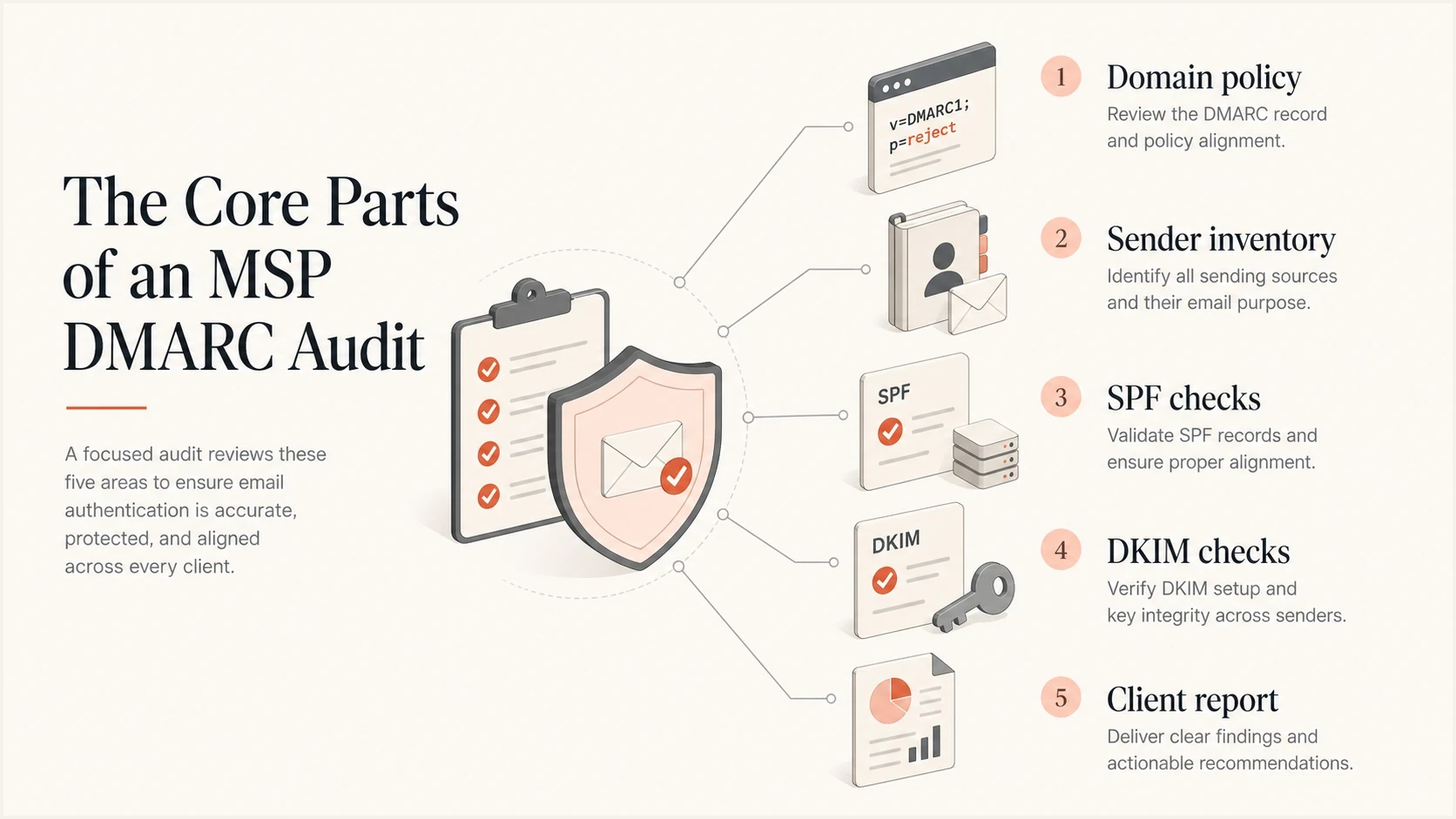
Core checks in an MSP DMARC audit report
|
|
|
|---|---|---|
No DMARC | No applicable policy found, including inherited policy | Start monitoring |
No rua | No aggregate visibility requested | Add reporting |
SPF or DKIM passes but misaligns | DMARC can still fail | Configure an aligned identifier |
DKIM gap | No aligned DKIM signature; aligned SPF can still pass DMARC | Enable and validate DKIM |
At p=none | No enforcement requested by the domain | Review reports and choose policy |
Blacklist or blocklist hit | Reputation signal | Investigate the source |
Compact audit findings and the sales action each one supports.
DMARC passes when either SPF passes for an envelope sender domain with identifier alignment, or a valid DKIM signature has a d= domain with identifier alignment to the visible From domain. Both mechanisms do not have to pass. A pass validates domain use, not message safety or inbox placement. See RFC 9989.
Keep the report practical. A prospect does not need every XML detail. They need to know whether their main domain lacks a meaningful policy, whether legitimate mail is ready for enforcement, which indirect flows could be affected, and whether the MSP has a controlled way to fix it.
Run the audit in a repeatable workflow
A repeatable workflow matters because DMARC audits become inefficient when every engineer collects evidence differently. Use public DNS for a passive pre-sales check, then obtain written authorization before sending tests, changing DNS, or collecting the prospect's report data. Apply the same technical sequence for authorized audits: identify domains, inspect DNS, validate live authentication, classify senders, and write remediation steps in plain language.
- Scope domains: Start with the root domain, then include customer-facing subdomains, sending subdomains, and parked domains that can be abused.
- Inspect DNS: Check DMARC, SPF, known DKIM selectors, MX, MTA-STS, TLS reporting, and SPF lookup pressure. Count nested includes against the 10-term limit for DNS-querying SPF mechanisms and modifiers; exceeding it produces permerror. See RFC 7208.
- Send authorized tests: Test the main mailbox platform, shared or delegated sending, devices and relays, and key SaaS senders. Inspect receiver-generated Authentication-Results for SPF, DKIM, and DMARC. Use each message's DKIM s= selector to find its signing key; a DNS scan cannot enumerate every selector.
- Map senders: Separate client-confirmed senders, unknown sources, forwarding paths, and systems that need DKIM enabled. Authentication success alone does not establish that a service is approved by the client.
- Write fixes: Turn each issue into the exact owner, DNS change, sender setting, and validation step.
For a fast first pass, use Suped's domain health checker to collect the obvious public DNS findings before an authorized traffic review. That helps the sales team avoid vague outreach and gives the technical team a clean starting point.
?
What's your domain score?
Deep-scan SPF, DKIM & DMARC records for email deliverability and security issues.
The first DNS check should never be the final service. Public DNS alone cannot establish a complete sender inventory or prove active spoofing. The recurring value comes from tracking actual mail sources over time and catching changes when the client adds a new platform, changes DNS, or lets a sender operate without aligned DKIM.
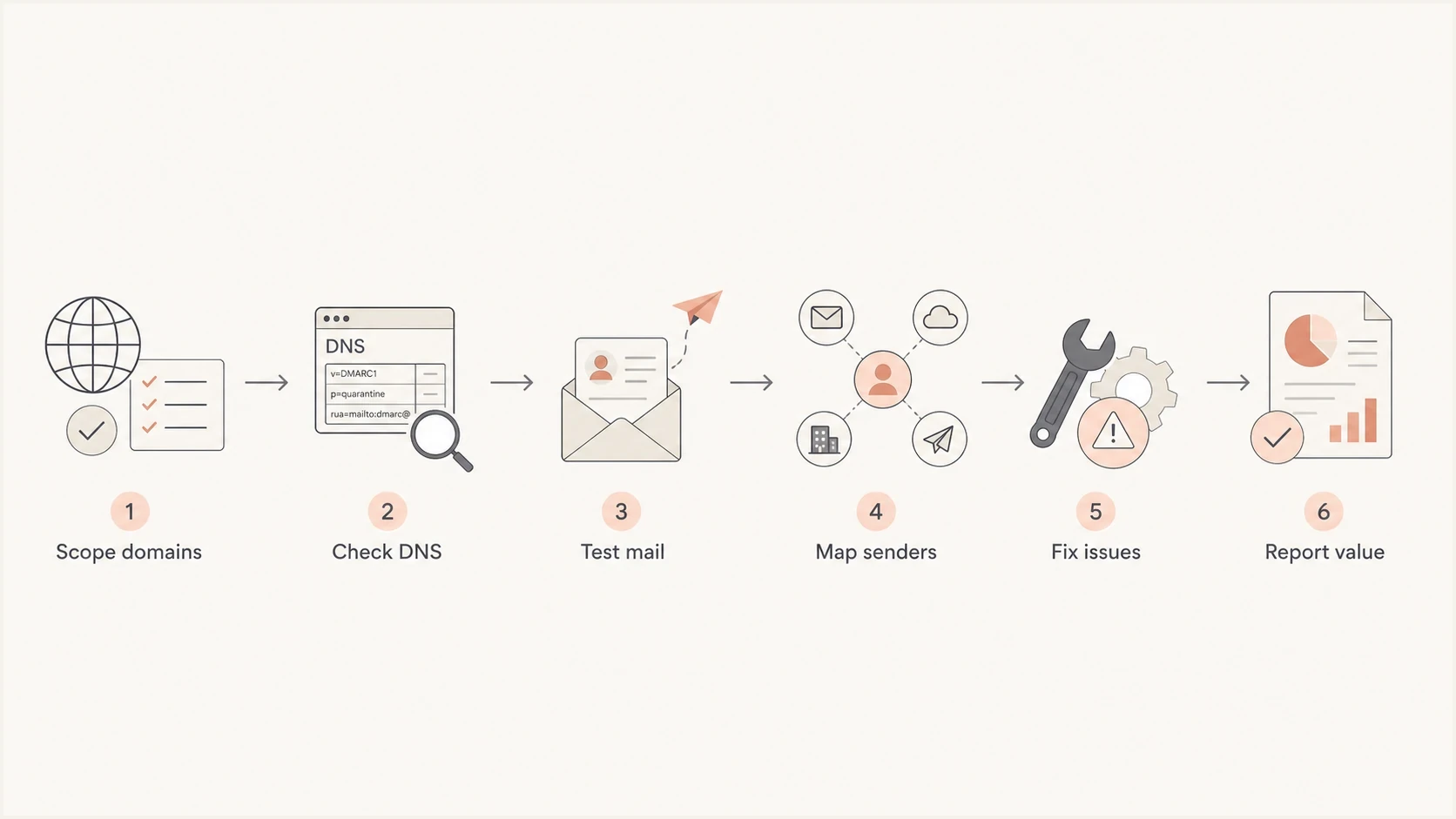
MSP DMARC audit workflow from domain scoping to client report
Apply current DMARC standards to the audit
RFC 9989 replaced RFC 7489 and RFC 9091 in May 2026, while RFC 9990 and RFC 9991 define aggregate and failure reporting. An MSP audit should flag records and rollout plans that depend on removed tags or older policy assumptions.
- Remove pct assumptions: RFC 9989 removed the pct tag because receivers applied percentage values inconsistently. Do not promise percentage-based enforcement. Also flag removed ri and rf tags, which no longer control reporting under the current specifications.
- Review test mode carefully: The t=y tag asks a receiver to test the stated policy by applying handling one level lower. Older implementations can ignore the unknown tag and apply the stated policy, so t=y is not a universal safety switch.
- Audit policy discovery: Check sp for existing subdomains, np for non-existent domains, psd where relevant, and the DNS Tree Walk that determines the applicable policy.
- Separate report checks: Validate aggregate reporting against RFC 9990 and treat failure reporting under RFC 9991 as optional receiver behavior with privacy implications.
- Choose policy by domain use: Test indirect flows before p=reject on domains used by people. A non-sending domain can use a stricter policy after the MSP verifies that it sends no legitimate mail.
Do not sell p=reject as a universal finish line
RFC 9989 says domains used by people who might post to internet mailing lists should not publish p=reject because indirect flows can fail DMARC after forwarding or message modification. For those considering reject, it recommends at least a month at p=none followed by an equally long period at p=quarantine. Compare report dispositions, test business-critical indirect paths, and document the client's policy decision. Domains using p=reject must apply valid DKIM signatures rather than rely solely on SPF.
This standards check is also a useful sales finding. It shows whether the prospect has a current DMARC operating plan, not merely a TXT record that passed a syntax check.
Show the client the gap and the fix
The sales report should connect every finding to an action. If the prospect has no applicable DMARC policy, show the starting record. If they use p=none with a rua address, explain that p=none does not ask receivers to alter handling and the rua tag separately requests aggregate reports. If SPF exceeds lookup limits, identify the mechanisms causing pressure and decide which senders need a safer authentication path.
Starter DMARC record for monitoringDNS
Host: _dmarc
Type: TXT
Value: "v=DMARC1; p=none; rua=mailto:dmarc@msp.example"
That record is not the end state. Replace the example address with the reporting destination assigned to the client. When the rua address uses a different organizational domain, confirm that the report consumer has published the external reporting authorization record required by RFC 9990. The MSP then reviews aggregate reports, confirms legitimate senders, enables aligned DKIM where missing, cleans SPF, tests indirect mail flows, and selects an enforcement policy when the evidence supports it.
Weak audit presentation
- Generic risk: Talks about spoofing without showing the client's domain status.
- No ownership: Lists problems without naming who must change DNS or sender settings.
- No staging: Pushes enforcement before the mail source inventory is trusted.
- No follow-up: Ends with a report instead of a managed service.
Strong audit presentation
- Specific proof: Shows the client domain, policy, source, and authentication result.
- Clear owner: Maps each fix to DNS, mailbox admin, SaaS admin, or MSP action.
- Controlled rollout: Moves through monitoring and enforcement after report review and indirect-flow testing.
- Managed outcome: Turns the audit into monitoring, alerts, reporting, and sender governance.
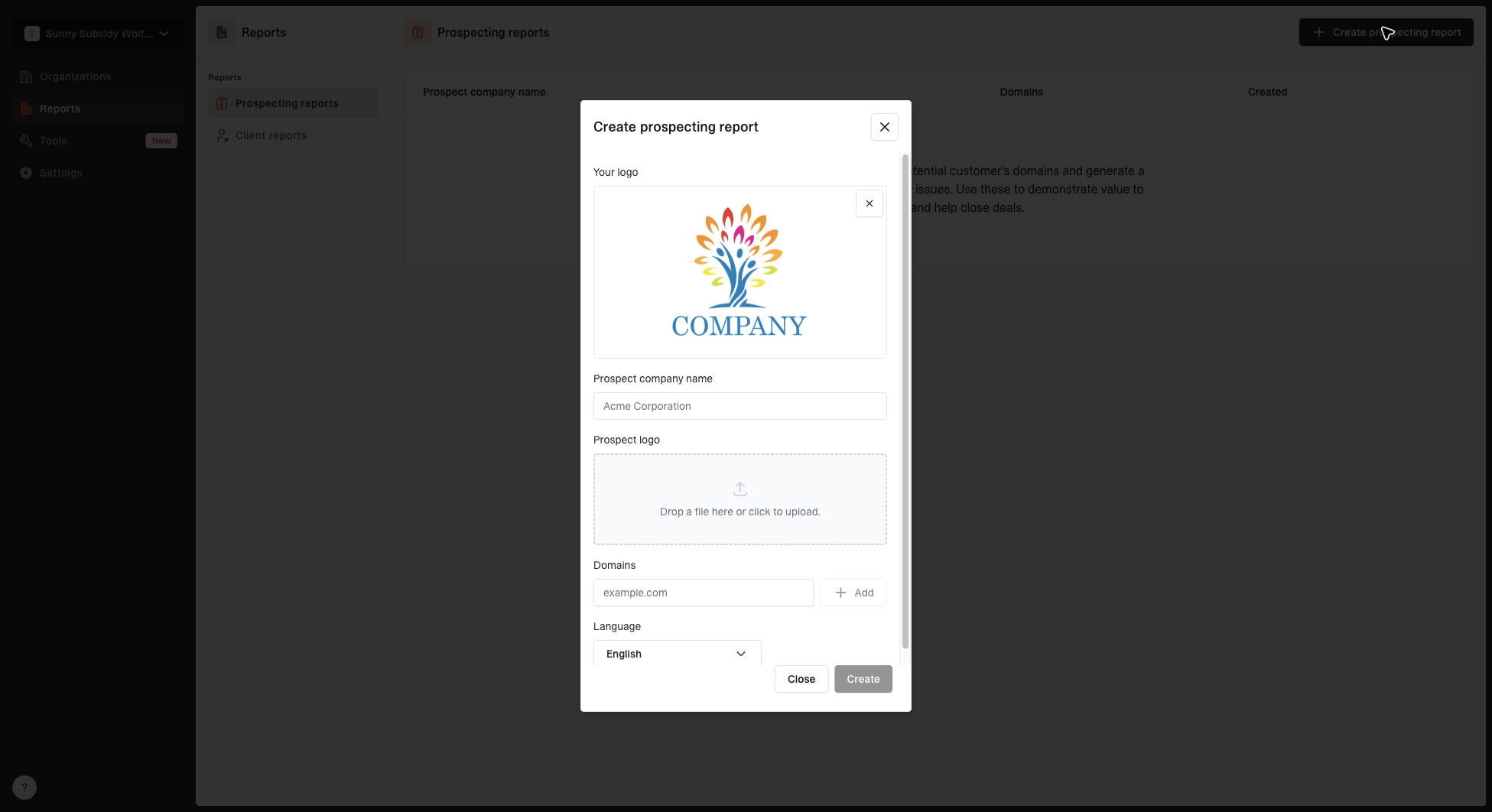
Create prospecting report dialog with MSP logo, prospect name, domains, prospect logo, and language fields
Turn the audit report into a paid proposal
Use a one-page executive summary to propose an authorized discovery and remediation engagement. Separate public DNS observations from findings confirmed by reports or test messages, and give the prospect a defined next step.
- Evidence: Record the domain, check time, policy, reporting status, and limits of the review. A p=none finding does not prove that spoofed mail reached an inbox.
- Business context: Connect confirmed gaps to a named mail stream, such as invoice delivery. Present unverified effects as questions for discovery rather than recorded incidents.
- Paid scope: Name the domains and sending services included, access dependencies, change approvers, and responsible engineer. Quote onboarding and remediation separately from ongoing monitoring.
- Acceptance: Require client-confirmed sender ownership, retested authentication, a documented policy decision, and a handoff into monthly reporting. Set a review date around the client's sending cycle.
For a domain verified at p=none without rua, outreach can say: "Your domain publishes p=none without an aggregate-report destination. It requests neither DMARC reports nor quarantine or rejection. We can scope an authorized review of your sending services before proposing changes."
Turn the audit into managed service delivery
Once the client signs, the MSP needs a delivery model that can be repeated without senior engineers rewriting every plan. The core service is DMARC monitoring, sender cleanup, policy staging, and client reporting. That work becomes stronger when the platform turns raw authentication data into issues and recommended fixes.

Issue steps to fix dialog showing the issue overview, tailored fix steps, and verification action
Suped's product supports this delivery model with isolated client workspaces, automated issue detection, branded client reports, and hosted authentication controls. Route alerts into the service desk; aggregate-report alerts depend on when receivers send data.
At portfolio scale, bulk-import the client-domain register where possible and route authentication regressions into the existing professional services automation (PSA) or service-desk queue. Each ticket should record severity, affected domain, previous and proposed DNS values or sender settings, owner, validation step, and rollback instructions. Keep tenant data separated and grant client users only the access they need.
Policy rollout stages
Use report data and indirect-flow testing to choose a policy without relying on the removed pct tag.
Monitor
p=none
Collect aggregate data and map legitimate senders.
Cautious enforcement
p=quarantine
Request quarantine after aligned senders and indirect flows have been tested.
Domain-specific decision
p=quarantine or p=reject
Choose the final policy according to how the domain is used and the effect on legitimate mail.
Hosted SPF is useful for MSP delivery because it reduces the number of times an engineer needs direct DNS access just to add or remove senders. Suped's Hosted SPF lets the MSP manage sender changes centrally and helps keep SPF under lookup limits. Use the exact per-domain value issued by Suped; the hostname below is illustrative. Replace the existing SPF record rather than publishing a second one.
Illustrative Suped hosted SPF handoffDNS
Host: @
Type: TXT
Value: "v=spf1 redirect=abc.spf.dns.suped.com"
Package the audit without making it a one-off project
The easiest mistake is selling the audit as a fixed report and stopping there. DMARC needs ongoing management because clients add senders, vendors change infrastructure, DNS records drift, and inbox providers keep evaluating reputation. The audit should create a managed service path on day one.
- Initial audit: Review DNS, authenticate test mail with authorization, identify source risk, and prepare the client report.
- Remediation project: Fix SPF, enable aligned DKIM, add reporting, remove unused senders, and document DNS ownership.
- Managed monitoring: Review DMARC reports, respond to alerts, approve new senders, and report progress.
- Reputation checks: Monitor relevant blocklists (blacklists) for the client's sending domains and IPs, and investigate listings alongside delivery evidence.
- Governance rhythm: Review sending source changes during quarterly business reviews or security review meetings.
Add blocklist monitoring when the client relies on email for invoices, quotes, alerts, or booked appointments. DMARC reports show domain authentication; a listing needs separate checks of the affected sending IPs or domains and its effect on delivery.
Do not promise instant enforcement
Moving straight to quarantine or reject can disrupt legitimate mail when the client has undocumented senders or indirect flows. Sell enforcement as a controlled rollout with evidence gates, not as a single DNS edit.
- Gate one: All primary mailbox traffic passes SPF or DKIM with domains aligned to the visible From domain.
- Gate two: Major SaaS senders have aligned DKIM enabled and documented ownership.
- Gate three: Unknown sources are explained, retired, or confirmed as unauthorized.
- Gate four: Forwarding, mailing lists, and other indirect flows have been tested and the client understands how new sender approval will work.
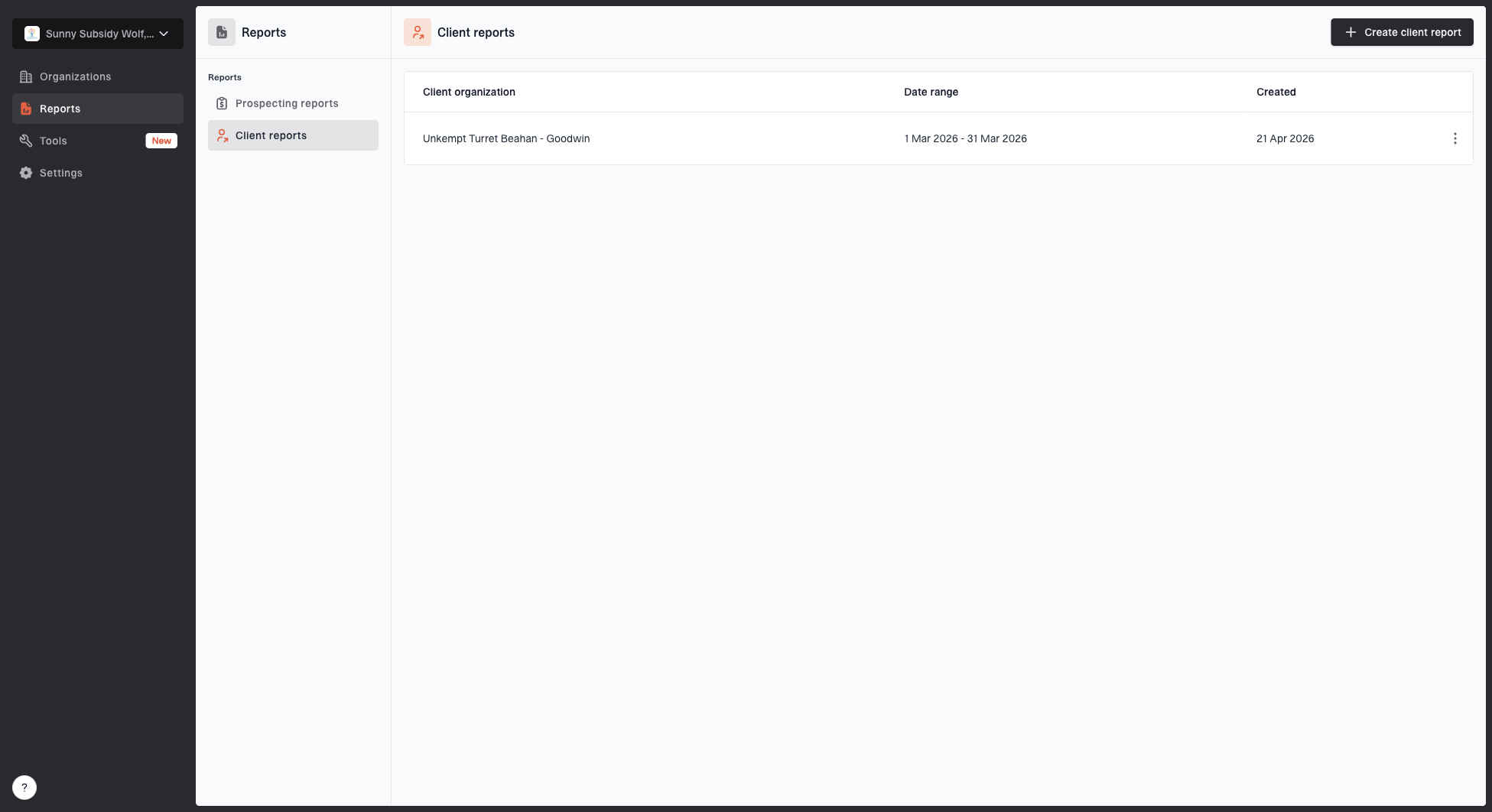
Client reports page showing a generated client report, date range, created date, and actions
Make the audit a proof of work
A DMARC audit wins new clients when it proves risk, shows the fix, and gives the buyer a low-friction path into managed work. The audit should not be a long technical dump. It should be a focused report that says what is wrong, why it matters, and what the MSP will do next.
- Lead with proof: Use the client's own public domain data to make the initial risk concrete.
- Sell the path: Turn authorized findings into onboarding, remediation, monitoring, and reporting.
- Keep ownership clear: Name the DNS, mailbox, SaaS, and MSP actions needed to finish the work.
- Review continuously: Use ongoing reports, regression alerts, and service-desk tickets to catch sender drift after the first project.