
How to onboard client domains for MSP DMARC monitoring

Updated on 22 Oct 2026: We clarified migration safeguards and policy testing, and added acceptance criteria for the client handoff.
Onboarding a client domain for MSP DMARC monitoring means collecting the right sending-source context, adding or updating DNS records, confirming aggregate report flow, classifying every legitimate sender, fixing SPF and DKIM gaps, and moving policy in controlled stages. The service continues after reports start showing which systems send mail using the client's domain.
A practical operating model is one client organization, one domain inventory, one issue queue, and one policy plan. Suped supports that model with an MSP dashboard for multi-tenant management, with domain status reviews and authentication issue tracking.
Start with scope, ownership, and access
Before touching DNS, confirm who owns the domain, who can approve mail changes, and which systems send email. MSP onboarding breaks down when the client says "we only use Microsoft 365" but invoices, CRM alerts, marketing automation, ticketing, payroll, and website forms also send as the same domain. Check report evidence against that inventory, and assign each source a business owner.
- Domain inventory: List primary domains, parked domains, redirect domains, and subdomains used for mail.
- DNS access: Identify who can add TXT and CNAME records, then decide whether the MSP edits DNS or sends approved change requests. Use named accounts with MFA and scoped permissions; keep credentials in the approved vault rather than onboarding tickets.
- Sender inventory: Capture every mail source, including business mail, marketing platforms, billing systems, support desks, forms, scanners, and line-of-business apps.
- Client approval: Get named approval for policy changes, because quarantine and reject affect real mail when sources remain unauthenticated.
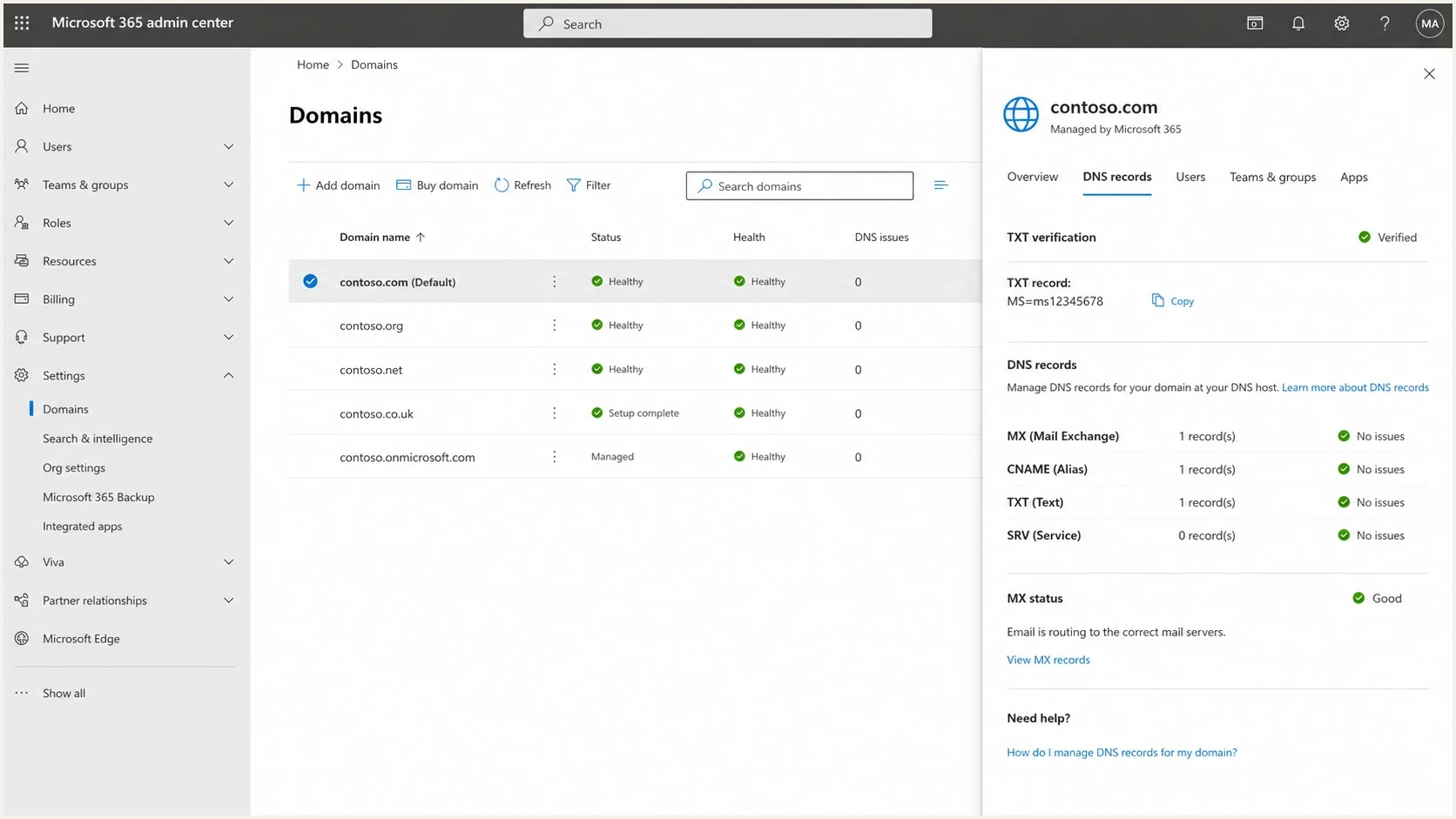
Microsoft 365 admin center Domains page with DNS record checks for MSP client onboarding
For clients with strict change control, split onboarding into discovery, monitoring setup, remediation, policy staging, and steady-state reporting. That gives the client a visible path and gives the MSP a repeatable checklist.
Create the client workspace and add domains
Each client should sit in a separate organization or tenant inside the MSP console. That separation keeps reports, alert thresholds, users, client logos, billing references, and domain ownership clean. Give staff and client users the least access their roles require, and review access during handoff. This avoids a common service delivery problem: one analyst changes the wrong client domain because every domain lives in a shared flat list.
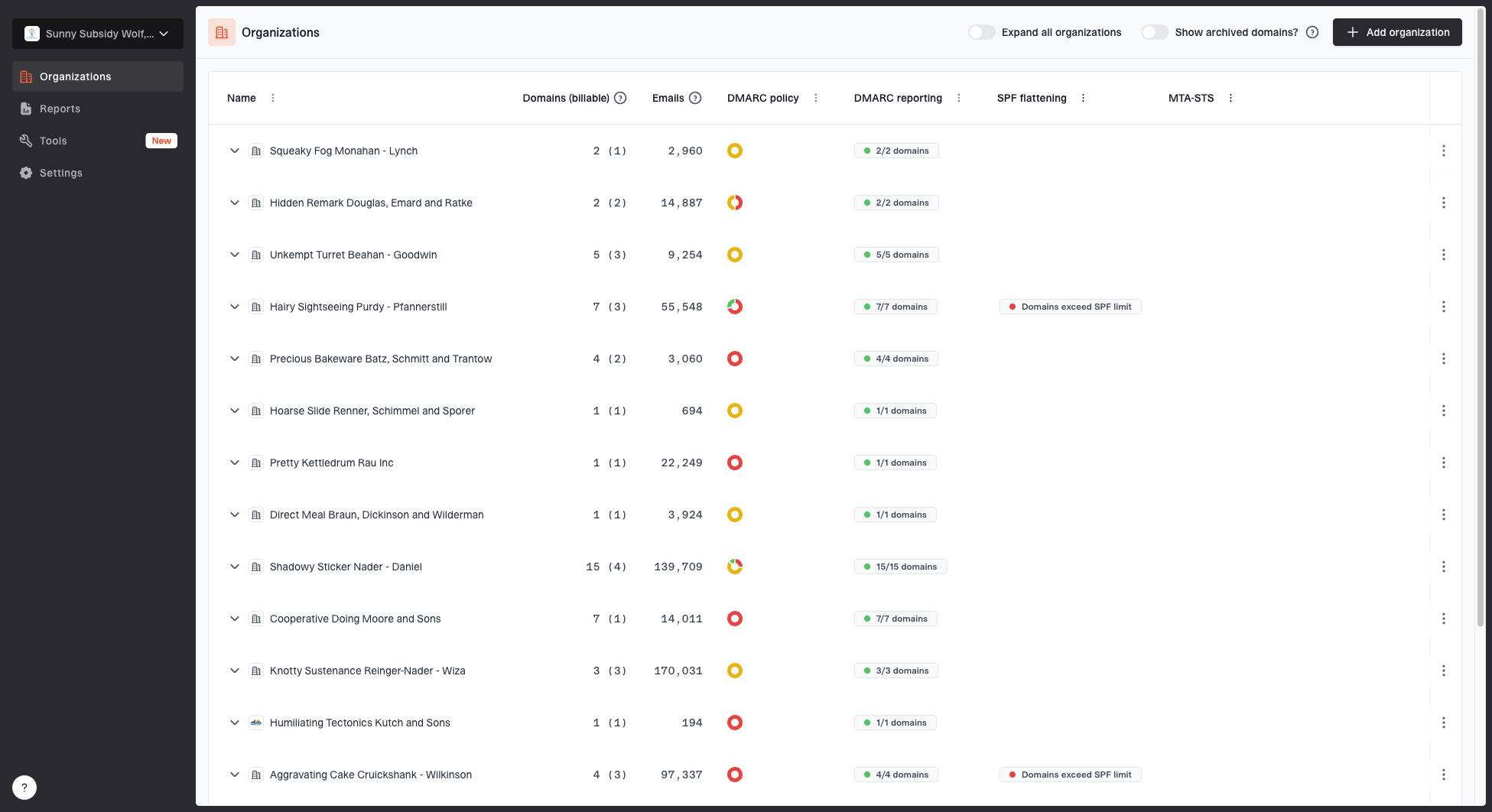
MSP organizations page showing client organizations, domain counts, email volume, and domain status columns
In Suped, the MSP organization view shows client organizations, domain counts, email volume, and domain status. Use that view as the daily queue for onboarding and ongoing service delivery: add new domains and review inactive domains or those still at monitoring before the next policy stage. For large migrations, bulk migration support or API-driven intake should follow domain deduplication and client-owner mapping so automation does not create duplicate or misplaced records.
|
|
|
|---|---|---|
Client | Acme Manufacturing | Workspace and billing owner |
Domain | acme.example | Monitoring scope |
DNS owner | Registrar partner | Change route |
Approval owner | IT lead | Policy sign-off |
Starting state | p=none | Policy baseline |
Keep intake fields short enough to use in tickets, reports, and handoff notes.
Publish or update DMARC without weakening existing policy
A domain without an established policy usually starts at p=none. Under RFC 9989, that policy requests no DMARC-based handling change. The rua tag requests aggregate DMARC reports, which give the MSP evidence of sending sources and authentication failures. If a client already has working quarantine or reject enforcement, preserve it while changing report routing.
Monitor-only DMARC TXT recorddns
Host: _dmarc.client.example
Type: TXT
Value:
v=DMARC1; p=none; rua=mailto:dmarc-reports@client.example;
This is a syntax example. Replace the domain and rua address with the exact values from the client's Suped setup, then verify the published record.
Use evidence before increasing enforcement
Moving a sending domain straight to quarantine or reject before sender discovery risks blocking invoices, password resets, ticket replies, form submissions, and operational alerts. Confirm critical sending paths and review forwarding or mailing-list use before increasing enforcement; an overall pass rate alone is insufficient.
If the client already has a DMARC record, check the current rua destination before changing anything. Some clients have old reports flowing to a former provider or an abandoned mailbox. A focused DMARC monitoring workflow turns those reports into a source list and remediation queue instead of raw XML files sitting unused.
DMARC checker
Look up a domain's DMARC record and catch policy issues.
?/7tests passed
Verify report routing and migration continuity
A valid DMARC record does not prove that reports will reach the MSP. RFC 9990 defines aggregate reporting and the external destination check. When the rua address uses a different organizational domain, the report consumer must authorize that destination with a DNS TXT record. Managed platforms normally publish this authorization on their reporting domain, but the MSP still needs to verify the exact rua value and confirm that aggregate reports arrive.
- Check discovery: Ensure the _dmarc name resolves to one DMARC TXT record, keep v=DMARC1 first, and confirm the exact rua destination. Update the existing record rather than adding a second DMARC record.
- Check authorization: For a policy at client.example with rua=mailto:reports@reports.example, confirm the reporting provider publishes v=DMARC1; at client.example._report._dmarc.reports.example or authorizes it through a matching wildcard.
- Check data flow: Allow a full daily reporting cycle after DNS propagation, then check report timestamps and expected active receivers. Quiet domains and receivers that do not report leave visibility gaps.
- Preserve history: Export sender classifications, open issues, approvals, and policy history before replacing an existing destination. If authorized, retain both rua addresses in the same record until Suped receives reports, then remove the old address.
- Record rollback: Keep the previous DMARC value, DNS TTL, change owner, and success criteria in the onboarding ticket. Recheck authoritative DNS and a recursive resolver after publication.
Aggregate reports contain authentication results and message counts, not message bodies. Document who can access report data, how long it is retained, and what gets exported at contract handoff. These reports are delayed authentication evidence; they do not establish inbox placement or complete visibility of every sender.
Classify senders and fix authentication
After reports start arriving, group sources into four buckets: known and passing, known but broken, unknown pending investigation, and unauthorized. This classification is the core MSP work. The client needs a clear decision: approve, fix, migrate, or stop. Investigate forwarded mail and mailing lists with sample headers before classifying failures as spoofing; an IP owner alone does not establish authorization.
DMARC passes when SPF or DKIM passes and its authenticated domain matches the visible From domain under the configured matching rules. SPF uses the envelope MAIL FROM domain, usually shown in Return-Path; DKIM uses the signature's d= domain. Relaxed matching uses the same organizational domain; strict matching requires an exact domain match. Enable both SPF and DKIM, and prioritize DKIM for forwarding paths because forwarding commonly breaks SPF.
Good onboarding pattern
- Source review: Map each source to a business owner before making DNS changes.
- SPF check: Confirm SPF passes and evaluates no more than 10 DNS-lookup-causing terms, including nested includes and redirects.
- DKIM check: Enable DKIM for every provider that supports domain-level signing.
- Domain match: Check the passing SPF or DKIM domain against the visible From domain under the configured strict or relaxed rules.
Weak onboarding pattern
- Assumed senders: Accepting the client's first list as complete without report evidence.
- SPF sprawl: Adding every requested include until the record fails lookup limits.
- DKIM gaps: Leaving third-party mail unsigned because the first report volume looks small.
- No owner: Treating unknown sources as noise instead of assigning a client decision.
SPF needs special care in MSP environments because clients often have years of accumulated includes. When the record approaches the DNS lookup limit, Suped's Hosted SPF can centralize sender management so the MSP can update authorized senders without opening a DNS ticket every time.

Issue steps to fix dialog showing the issue overview, tailored fix steps, and verification action
The strongest practical workflow is to turn every authentication failure into an issue with evidence, a likely cause, an owner, and exact fix steps. Suped does this inside the issues view, so the MSP can move a domain through remediation without asking an analyst to interpret XML each week.
Use hosted records when clients need controlled changes
Hosted records are useful for MSPs because they reduce repeated DNS work. Hosted DMARC uses a CNAME at _dmarc, while Suped's Hosted SPF uses an SPF TXT record with the supplied redirect value. Hosted MTA-STS has a separate setup. This is especially useful when the client has outsourced DNS, strict change windows, or no one internal who understands TXT syntax.
Hosted DMARC CNAME patterndns
Host: _dmarc.client.example
Type: CNAME
Target: client-token.hosted-dmarc.example
With Hosted DMARC, Suped lets an MSP stage policy changes without repeatedly editing the client's zone file. The CNAME above is a placeholder; use the exact target supplied for that domain. A CNAME cannot coexist with a TXT record at _dmarc, so replace the existing record in a controlled change that preserves its effective policy and report destinations.
Hosted DMARC configuration dialog showing policy controls, CNAME setup, and expanded advanced options
Hosted records need ownership rules
- Approval path: Define who can change policy, add SPF senders, and update alert recipients.
- Change log: Record why each sender or policy change was made and who approved it.
- Exit plan: Keep a clean export of current policy and sender state for client handoff.
Move policy in stages
Move policy only when legitimate sending paths pass DMARC and the client approves the next checkpoint. RFC 9989 made pct historic and introduced t=y to request handling one level below the published quarantine or reject policy. The staging path is p=none, p=quarantine, then p=reject, with optional t=y testing before enforcement changes. Older receivers that do not recognize t=y ignore it and apply the published policy, so testing is not a universal safety barrier.
Policy staging checkpoints
Use representative sender evidence and client approval at each stage. Optional t=y steps require readiness for receivers that ignore the tag.
Monitor
p=none
Reports flowing and sources classified; no DMARC-based handling change requested.
Optional quarantine test
p=quarantine; t=y
Request none-level handling on supporting receivers; older receivers apply quarantine.
Quarantine
p=quarantine
Legitimate mail passes and the client approves quarantine handling.
Optional reject test
p=reject; t=y
Request quarantine-level handling on supporting receivers; older receivers apply reject.
Enforce
p=reject
Client approves rejection requests for mail that fails DMARC, subject to receiver handling.
Subdomains deserve a separate decision. Document sending subdomains and their own DMARC records; a subdomain's own policy takes precedence over an inherited parent policy. Where inheritance applies, sp controls existing subdomains, otherwise p applies. After confirming a domain has no legitimate sending use, enforce p=reject without waiting for sender reports; review subdomain use before setting sp=reject.
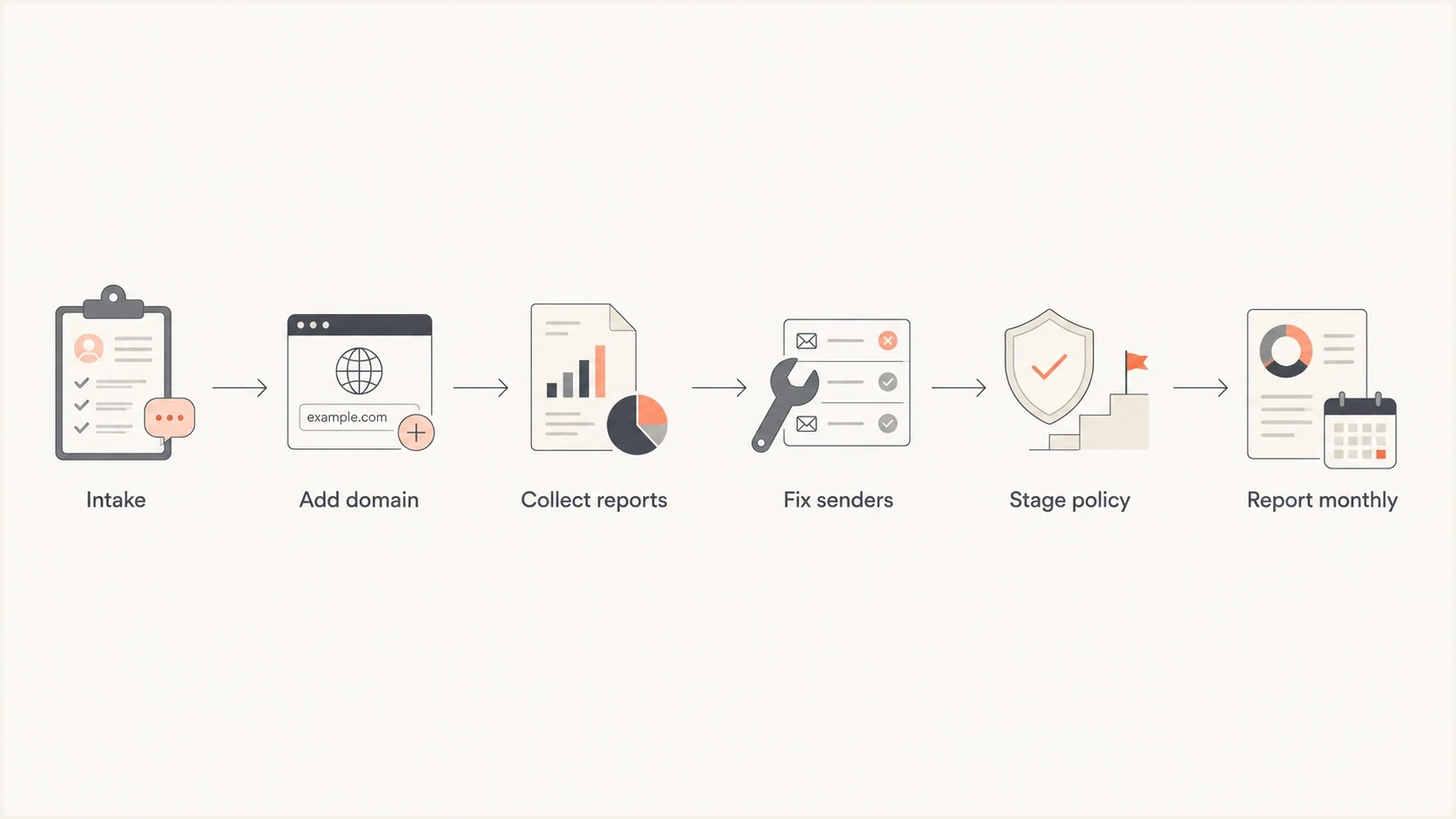
Flowchart showing an MSP DMARC onboarding process from intake to monthly reporting
Set alerting, reporting, and client handoff
Once monitoring is live, set alerts for sudden authentication failures, new sending sources, policy regressions, and blocklist (blacklist) events. Each alert goes to the correct client queue with the affected domain, source, volume change, and assigned owner. Package the client-facing view around outcomes: what changed, what improved, what still needs approval, and what risk remains. Aggregate-report alerts follow report arrival and are not real-time mail-flow alarms.
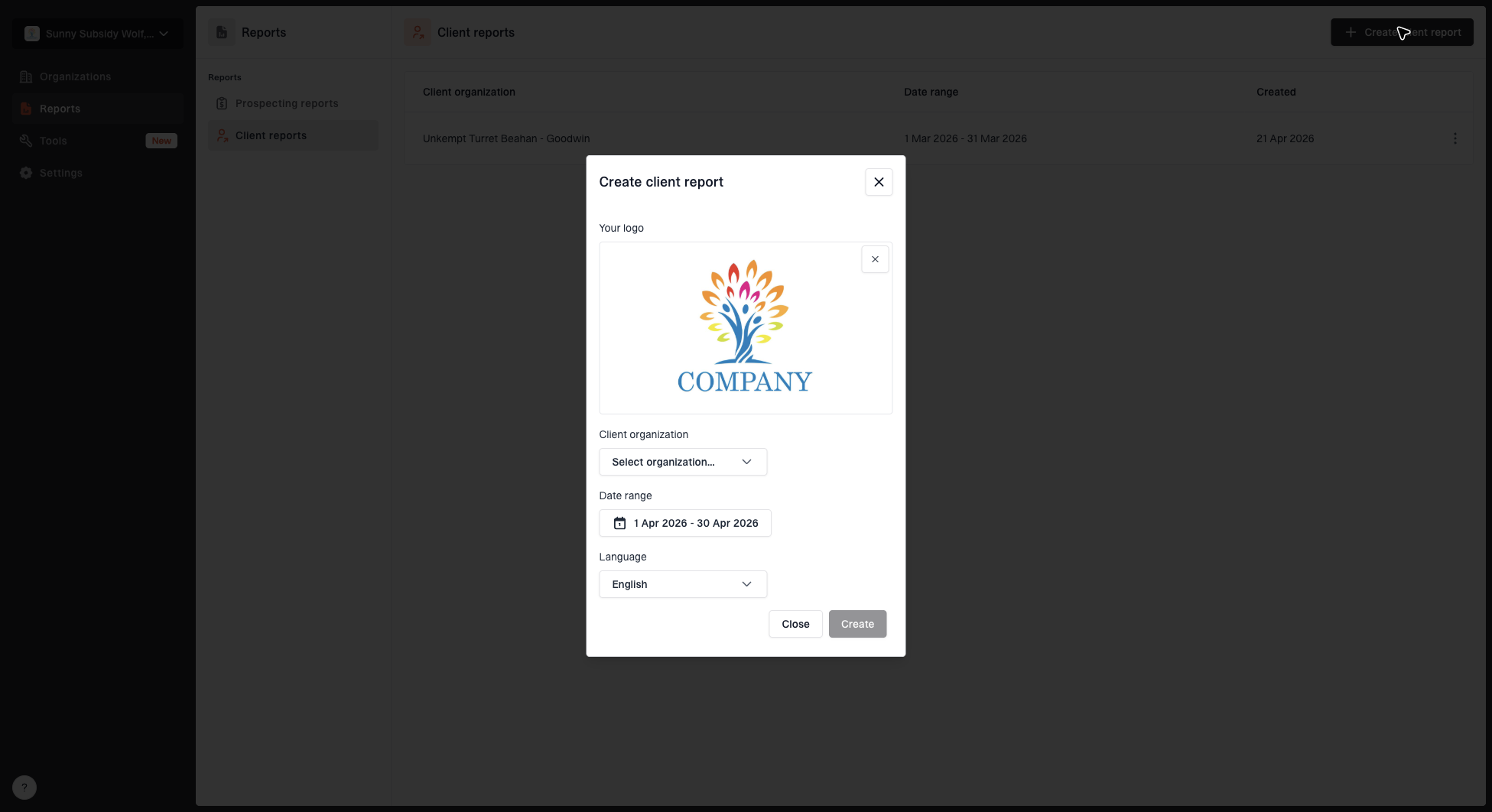
Create client report dialog with organization, date range, logo, and language options
Suped's client reporting workflow is useful here because the MSP can generate client reports with organization, date range, logo, and language options. That keeps the service repeatable across clients while still giving each account a report that fits the relationship.
- Weekly review: Check new sources, failure spikes, lookup errors, DKIM gaps, and policy drift.
- Monthly report: Summarize volume, legitimate-source DMARC pass rates, policy stage, fixed issues, and open decisions. Keep unauthorized traffic separate so spoofing volume does not distort enforcement readiness.
- Quarterly review: Confirm domain inventory, dormant services, new vendors, and enforcement readiness.
- Incident path: Define who gets alerted when spoofing attempts, failure spikes, or blacklist events appear.
Define onboarding acceptance and exception handling
Agree acceptance criteria before closing the onboarding ticket. Monitoring setup is complete when DNS and report routing are verified; enforcement readiness requires separate evidence and approval. Record the baseline and hand the service desk a runbook that another engineer can use.
- Acceptance evidence: Save the published DNS values, report date range, sender owners, and test-message headers for critical mail paths. Include monthly billing or payroll runs before approving enforcement.
- Service levels: Define SLA response targets and coverage hours, plus escalation contacts. Send a test notification to the client's ticket queue and confirm that an engineer receives and owns it.
- Exceptions: For each unresolved sender, record its business impact, accountable owner, remediation deadline, and client-approved risk acceptance. Set an expiry or review date; an internal exception does not change receiver DMARC evaluation.
- Rollback and sign-off: Document which failed business-mail tests trigger rollback, the last approved working policy, and who can restore it. Account for DNS TTL and delayed reports, then obtain client sign-off on the operating runbook.
The handoff package should identify the next review and the person responsible for approving new senders. At contract exit, transfer the current configuration and reports, replace reporting or hosted-record dependencies, and revoke MSP access after the client verifies continuity.
MSP DMARC onboarding checklist
A repeatable checklist protects margin. It also gives junior engineers a safe path and gives account managers a clear client narrative. Focus on tasks that establish monitoring and support approved enforcement changes.
- Create client: Create the client organization, add internal owners, assign least-privilege access, and set notification recipients.
- Add domains: Add every in-scope domain, remove duplicates, and document whether each domain sends mail.
- Check DNS: Validate current DMARC, SPF, DKIM, MX, and related records before editing.
- Publish DMARC: Use p=none for a new sending-domain rollout; preserve an existing quarantine or reject policy when changing report routing.
- Verify reports: Confirm external destination authorization and aggregate report flow before closing setup.
- Review reports: Classify sources and assign every broken legitimate sender to an owner.
- Fix domain match: Prioritize DKIM signing with the client's domain, SPF lookup health, and vendor-specific sender setup.
- Stage policy: Move through quarantine and reject with representative sender evidence and client approval; use t=y only as an optional test with receiver compatibility understood.
- Report outcomes: Send the client a clear summary with actions completed and decisions needed.
Where Suped fits
Suped's MSP workspace connects client organizations with authentication issues and fix steps. Analysts can record remediation work against each domain, and account teams can use client reports for recurring service reviews.