How to set client responsibilities for DMARC rollout

Updated on 7 Sep 2026: We updated this guide for RFC 9989 policy testing and clearer sender onboarding, reporting, and approval duties.
Client responsibilities for DMARC rollout should be set before the first DNS record changes. The client owns business approval, sender confirmation, DNS authorization, risk sign-off, and internal communication. The MSP owns discovery, technical configuration, monitoring, change sequencing, evidence, and reporting. When that split is written down, the rollout has fewer pauses, fewer surprise senders, and a clearer path to enforcement.
For an MSP DMARC program, responsibility-setting is a delivery control, not a kickoff formality. DMARC touches marketing systems, finance tools, CRM platforms, help desk mail, website forms, and mailbox platforms. The MSP can find most senders in aggregate reports, but the client still needs to confirm which senders are legitimate and who can approve a policy change.
Minimum split
The cleanest split is simple: the MSP manages the technical rollout and evidence, while the client confirms business senders, grants DNS access, approves enforcement timing, and accepts any delivery risk tied to a policy change.
Use a RACI before touching DNS
A DMARC rollout needs a small RACI that the client understands. Keep it plain: responsible means doing the work, accountable means approving the outcome, consulted means providing facts, and informed means receiving updates. The mistake is asking the client to approve enforcement without showing which senders were found, which ones passed authentication, and which ones still need fixes.
This table works well in an MSP statement of work or onboarding checklist. Keep names attached to each role, rather than departments only. A named marketing owner beats a generic marketing team entry when a campaign platform starts failing SPF or DKIM checks.
|
|
|
|
|---|---|---|---|
Domain intake | Responsible | Consulted | Domain list |
DNS access | Consulted | Responsible | Access proof |
Sender review | Responsible | Accountable | Approved list |
SPF changes | Responsible | Accountable | Change record |
DKIM setup | Responsible | Consulted | Selector proof |
Policy approval | Consulted | Accountable | Written sign-off |
Monthly report | Responsible | Informed | Report link |
Compact RACI for a client DMARC rollout.
The sender review row matters most. Before enforcement, use a sender audit to turn noisy DMARC aggregate data into a business-approved sender list. If a source is unknown, the client needs to either identify it or approve blocking it later.
- Named owner: Require a real person for DNS, security approval, marketing systems, finance systems, and executive sign-off.
- Decision clock: Set a response time for approving sender classifications, otherwise the project sits at p=none.
- Escalation path: Name who resolves conflicts when marketing wants speed and security wants enforcement.
- Change window: Agree when DNS changes can happen and who confirms success after propagation.
Define client inputs before the audit
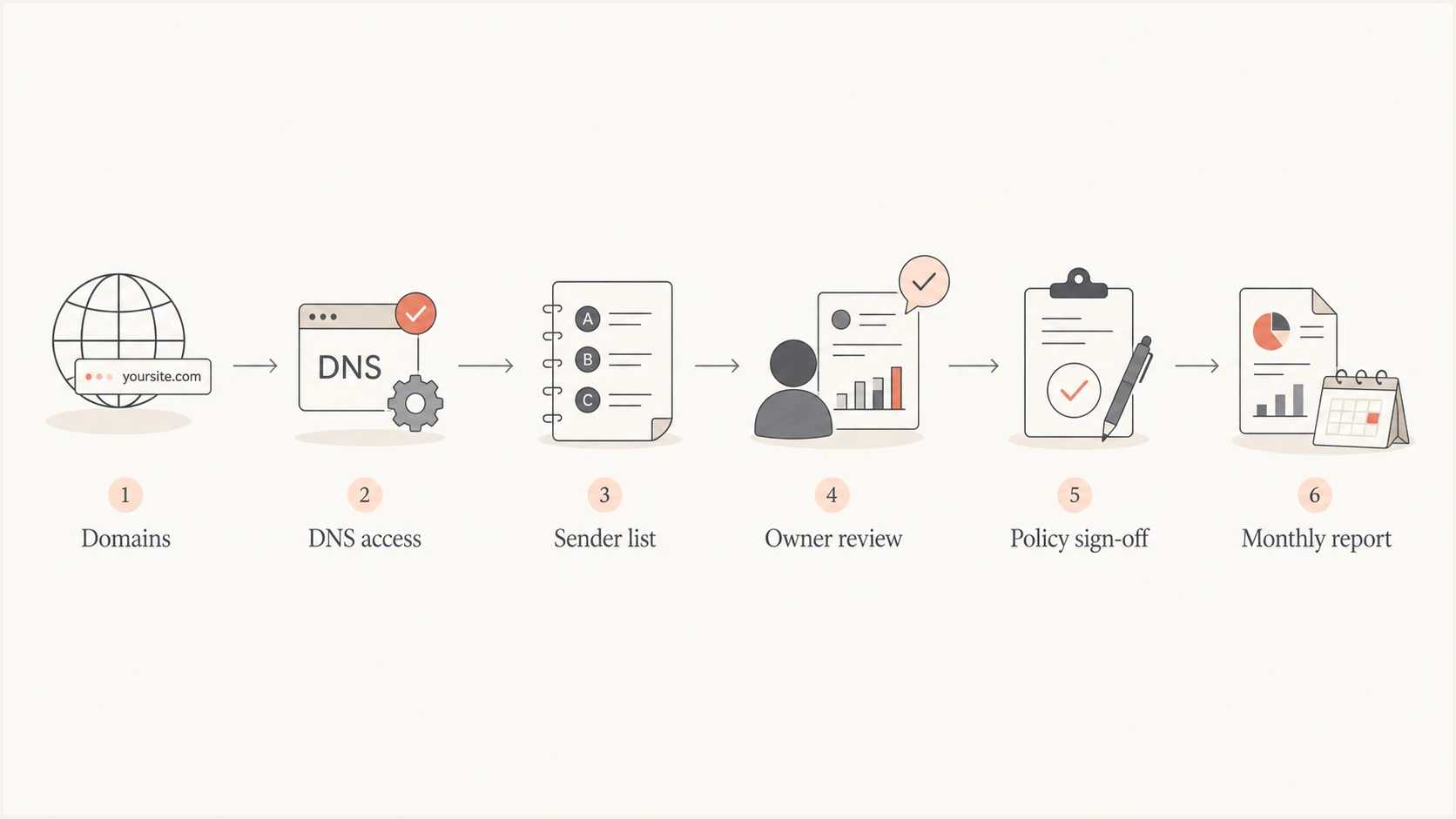
DMARC rollout workflow covering domains, DNS access, sender review, policy sign-off, and reporting.
Client inputs need to be requested in a format that creates evidence. A free-form email that says marketing uses a newsletter platform is not enough. Request domains, subdomains, known senders, system owners, DNS contacts, and any upcoming email campaigns that would make enforcement timing risky.
The client does not need to understand every authentication detail, but the client does need to confirm whether a sender is allowed to use the domain. That confirmation is a business decision. An MSP can say that a source is failing DKIM or SPF domain matching, but only the client can say whether that source should be fixed, replaced, or allowed to fail once the policy reaches quarantine or reject.
- Domain scope: Ask for every domain that sends mail, plus parked domains that should be protected from spoofing.
- Known senders: Collect billing systems, marketing platforms, website forms, help desk tools, scanners, and CRM mail.
- Business owners: Map each sender to a person who can approve authentication work or retirement.
- Risk windows: Capture launches, invoices, fundraising, and customer notices that should not overlap with enforcement.
Client delay risk
The most common delay is not DNS complexity. It is an unknown sender that nobody at the client wants to own. Put unknown sender review into the responsibility plan with a deadline and escalation owner.
Separate DNS authority from email authority
DNS authority and email authority are different responsibilities. Some clients give the MSP DNS access, some require internal IT to make changes, and some use a web agency for DNS. Write down who can add TXT records, who can add CNAME records, who can approve SPF edits, and who can validate that the production record matches the agreed change.
Also separate DMARC policy authority from DNS access. A person who can edit DNS should not be forced to decide whether the domain is ready for p=reject. The client security or business owner should approve that policy step after the MSP shows authentication results and remaining risk.
Example staged DNS recordsdns
# Publish only one DMARC TXT record at a time
# 1. Monitor
_dmarc.client.com TXT "v=DMARC1; p=none; rua=mailto:dmarc@client.com"
# 2. Test quarantine by replacing the current DMARC record
_dmarc.client.com TXT "v=DMARC1; p=quarantine; t=y; rua=mailto:dmarc@client.com"
# 3. Apply quarantine after approval
_dmarc.client.com TXT "v=DMARC1; p=quarantine; rua=mailto:dmarc@client.com"
# 4. Test reject after quarantine is stable
_dmarc.client.com TXT "v=DMARC1; p=reject; t=y; rua=mailto:dmarc@client.com"
# 5. Apply reject after approval
_dmarc.client.com TXT "v=DMARC1; p=reject; rua=mailto:dmarc@client.com"
# Related sender records
client.com TXT "v=spf1 include:_spf.client.com -all"
selector1._domainkey.client.com CNAME selector1.vendor.example
A focused DMARC checker helps before and after each DNS change. Suped includes public tools and platform diagnostics. For client delivery, monitored evidence is stronger than screenshots alone. A checker is useful for validating the visible TXT record, but the rollout decision still depends on aggregate authentication data over time.
DMARC checker
Look up a domain's DMARC record and catch policy issues.
?/7tests passed
Do not let DNS access become the hidden blocker. If the client cannot grant access, the MSP should provide exact records, TTL guidance, expected verification steps, and a rollback path. If the MSP has access, the client still needs to approve the business effect of the change.
Set approval gates for policy changes
DMARC policy changes should have gates that both sides understand. Avoid calendar-only rollouts because the data should decide the pace. A domain can sit at p=none for a week or for several months depending on sender complexity, business response speed, and whether third-party mail can pass SPF or DKIM domain matching.
Policy gate readiness
A practical gating model for client approvals under the current DMARC standard.
Discovery
p=none
Reports flowing and sender inventory started.
Test quarantine
p=quarantine; t=y
Known senders passing and client accepts the test.
Apply quarantine
p=quarantine
Test evidence reviewed and client approval recorded.
Test reject
p=reject; t=y
Quarantine is stable and remaining risk is accepted.
Apply reject
p=reject
Client approves full enforcement and rollback criteria.
Use the current testing tag
RFC 9989 removed the pct tag because intermediate percentages were applied inconsistently. To test the next policy, publish the proposed p value with t=y. This asks receivers to apply one policy level lower to DMARC failures. Remove t=y after the client approves enforcement, and never publish multiple DMARC TXT records at the same name.
The client should approve each gate in writing. That approval does not need to be a legal document, but it should contain the domain, current policy, proposed policy, testing status, evidence reviewed, known exceptions, rollback contact, rollback trigger, and planned change window. This protects the client and the MSP because it records the decision point.
For a larger service process, the enforcement move needs to include client approval gates, technical evidence, and post-change monitoring. The MSP should not carry the full business risk of a reject policy without client sign-off.
MSP owns
- Evidence pack: Source breakdown, pass rates, failing senders, and recommended fixes.
- Change plan: Proposed record, testing status, timing, verification, and rollback steps.
- Monitoring: Authentication results after the change and alerts for unexpected failure spikes.
Client owns
- Approval: Written acceptance of the policy change and known sender exceptions.
- Owners: Business contacts for senders that still need vendor or platform work.
- Communication: Internal notice for support, marketing, finance, and customer-facing teams.
Document reporting and support expectations
Reporting responsibilities should be part of the rollout plan, not an afterthought. The client needs to know what will be reported, how often, and what counts as an action item. A useful report explains progress in business language, then shows enough technical evidence for the client's IT or security contact to trust the recommendation.
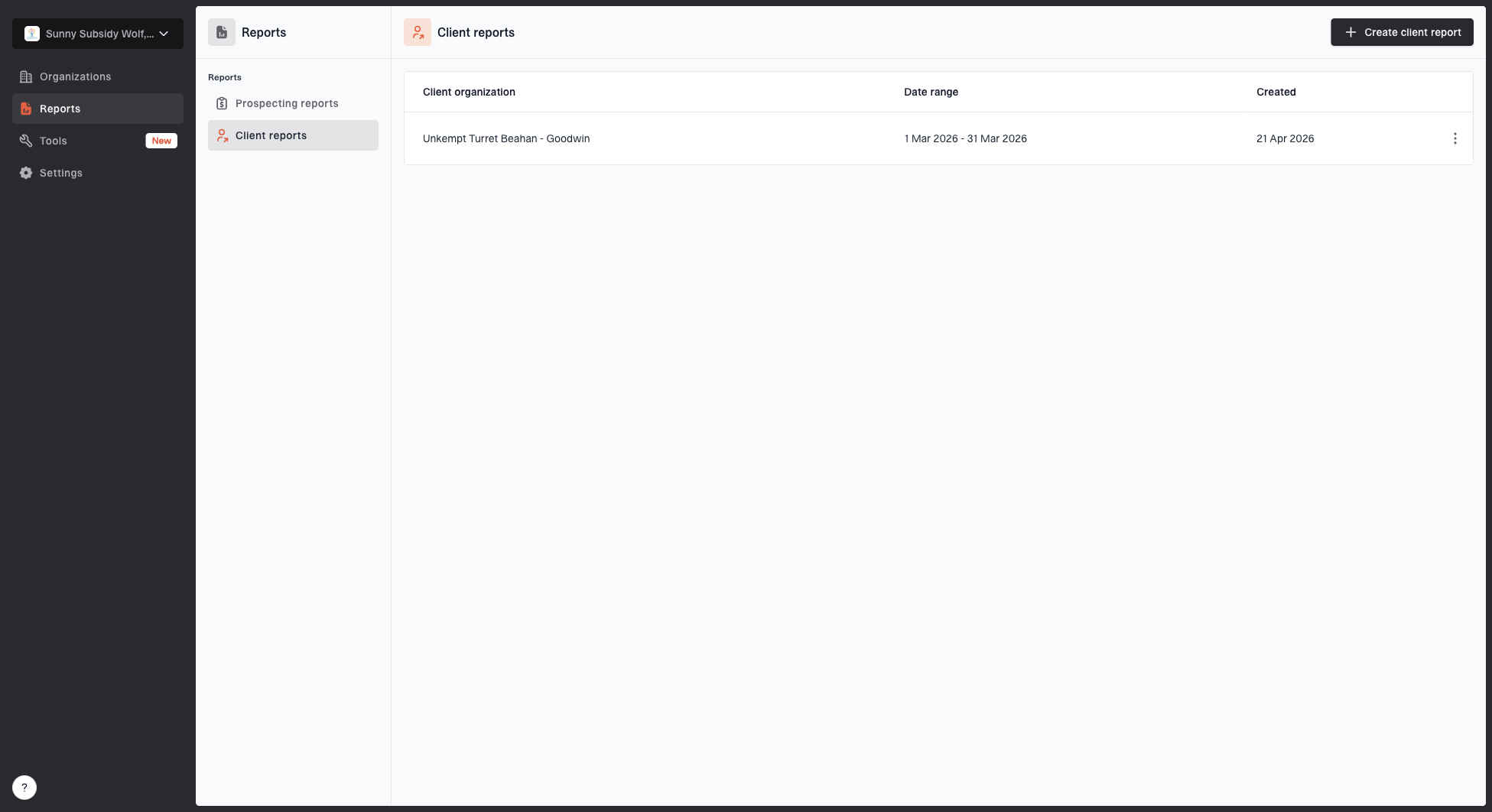
Client reports page showing a generated client report, date range, created date, and actions
The client should approve the aggregate report destination, authorized users, and retention period. When rua points to an MSP or another external domain, the MSP should confirm that the report consumer has published the required external destination authorization and verify that reports arrive. A valid DMARC TXT record alone does not prove reporting works.
Suped supports this workflow with MSP client reports, organization switching, issue detection, and alerting. That matters because responsibility tracking gets harder when one MSP manages many client domains. A single DMARC monitoring workflow gives the service desk the same source review, policy status, and issue history for each client.
The MSP should define what is included in support. For example, fixing a missing DKIM selector for a managed mailbox platform can be in scope, while coordinating with an unmanaged marketing agency can require client ownership. That boundary should be clear before enforcement pressure starts.
- Report cadence: Weekly during rollout, then monthly after enforcement unless alerts require faster review.
- Action owner: Every unresolved sender should have an MSP owner, client owner, or vendor owner.
- Risk note: Reports should show which failures are harmless, unknown, or blocking enforcement.
- Ticket link: Keep fixes connected to the client support system so decisions are auditable.
A good progress report does not bury the client in XML terminology. It states what changed, what is still failing, who owns the next action, and whether the domain is ready for the next policy gate.
Use Suped workflows for MSP delivery
Suped is the DMARC and email authentication platform behind this site. For MSP delivery, it brings DMARC policy monitoring, SPF and DKIM visibility, blocklist (blacklist) monitoring, deliverability signals, alerts, issue detection, and MSP multi-tenancy into one operating view. The account manager, service desk, and technical lead can work from the same evidence.
Hosted services can also reduce client dependency on repeated DNS edits. With Hosted DMARC, the MSP can stage policy changes through Suped once the client has approved the CNAME setup. With Hosted SPF, the MSP can manage sender includes and stay under lookup limits without asking the client for DNS access every time a vendor changes.
Traditional DNS-only rollout
Every policy or sender update depends on DNS access, change timing, and manual verification. This works for simple clients, but it creates friction when the MSP manages many domains or when the client has slow internal DNS approvals.
- Control: Client DNS team stays involved for most updates.
- Speed: Changes wait for normal client change windows.
Suped hosted workflow
The client approves initial setup and policy gates, while the MSP manages staged changes inside Suped. This is cleaner for ongoing service because the responsibility split stays visible after onboarding.
- Control: Client keeps approval authority for enforcement.
- Speed: MSP handles approved policy staging and sender maintenance.
Best practical split
Use Suped to centralize monitoring, alerts, reports, hosted records, and fix steps. Keep client approval for sender legitimacy and enforcement. That gives the MSP operational control without taking ownership of business decisions.
Make sender onboarding an ongoing client duty
DMARC responsibility does not end at p=reject. The client should require teams to notify the MSP before any platform starts sending with a protected From domain. This prevents a legitimate new source from appearing as an unknown failure after enforcement.
The request should arrive before procurement or launch and name the business owner, sending domain or subdomain, expected volume, launch date, and vendor technical contact. The MSP should test SPF, DKIM, and DMARC alignment on the production sending path, update the approved sender inventory, and record the go-live decision.
- Client request: Submit each new sender before use and approve its business purpose.
- MSP validation: Verify that a production message passes DMARC through SPF or DKIM alignment.
- Go-live gate: Hold launch until the sender has an owner, authentication evidence, and approval.
- Retirement: Have the client report discontinued senders so the MSP can remove obsolete DNS authorization and inventory entries.
Keep responsibility visible
A DMARC rollout works best when responsibility is visible at every step. The client should know what it owns: sender truth, business approval, DNS authorization, policy risk, and internal communication. The MSP should own the technical route: discovery, record recommendations, authentication fixes, monitoring, reporting, and post-change response.
Put the responsibility matrix into the proposal, repeat it during onboarding, attach it to policy approvals, and keep it in the client report. DMARC enforcement is easier to sell and support when nobody has to guess who owns the next step.