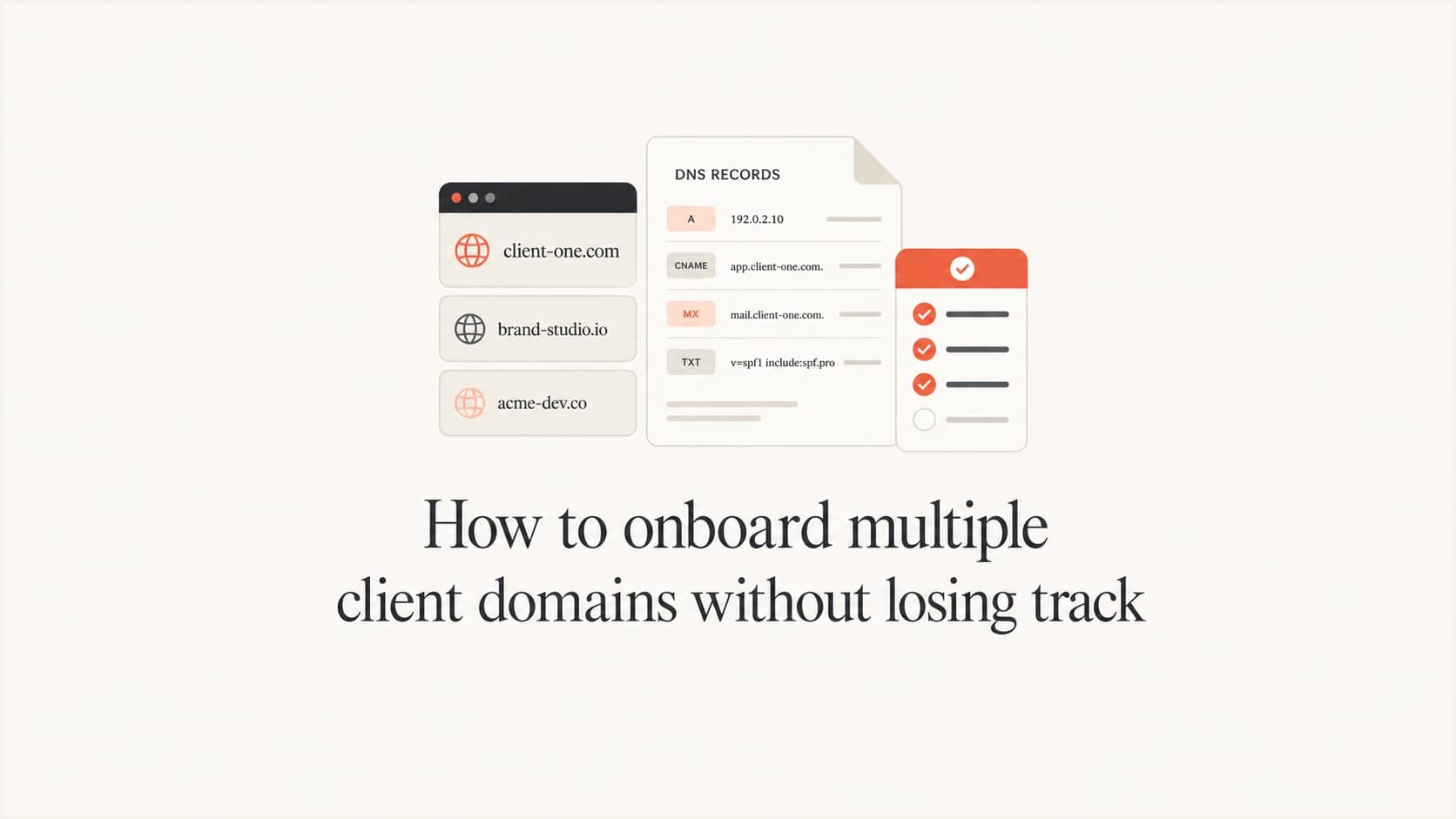
How to onboard multiple client domains without losing track

Updated on 16 Sep 2026: We updated this workflow for current DMARC reporting and policy rules, with safer batch controls for multi-domain rollouts.
Onboard multiple client domains by giving every client a separate organization, recording every domain in one intake register, assigning a named owner for each DNS change, and moving each domain through the same controlled stages: discovered, access confirmed, reporting active, senders classified, fixes verified, and policy enforced. The domain should never advance on verbal confirmation alone. Each stage needs evidence, an owner, and a next review date.
For an MSP, the unit of control is the client organization, not the individual domain. A client can have production domains, parked domains, campaign subdomains, and acquired brands. Keeping those assets inside one client boundary prevents mixed reporting and makes permissions easier to audit. Suped's DMARC for MSPs workflow uses separate organizations, domain status views, client switching, and client reports so an MSP can operate that model without a spreadsheet becoming the control plane.
Use one client boundary and one intake register
Start by creating one organization per customer, even when a customer has only one domain today. Do not group unrelated customers under a shared reporting container. The client boundary controls who can see data, which logo appears on reports, where notifications go, and who approves enforcement. It also gives technicians a predictable place to work when the client adds another brand later. Assign least-privilege roles and record who approves access changes so client users cannot cross organization boundaries.
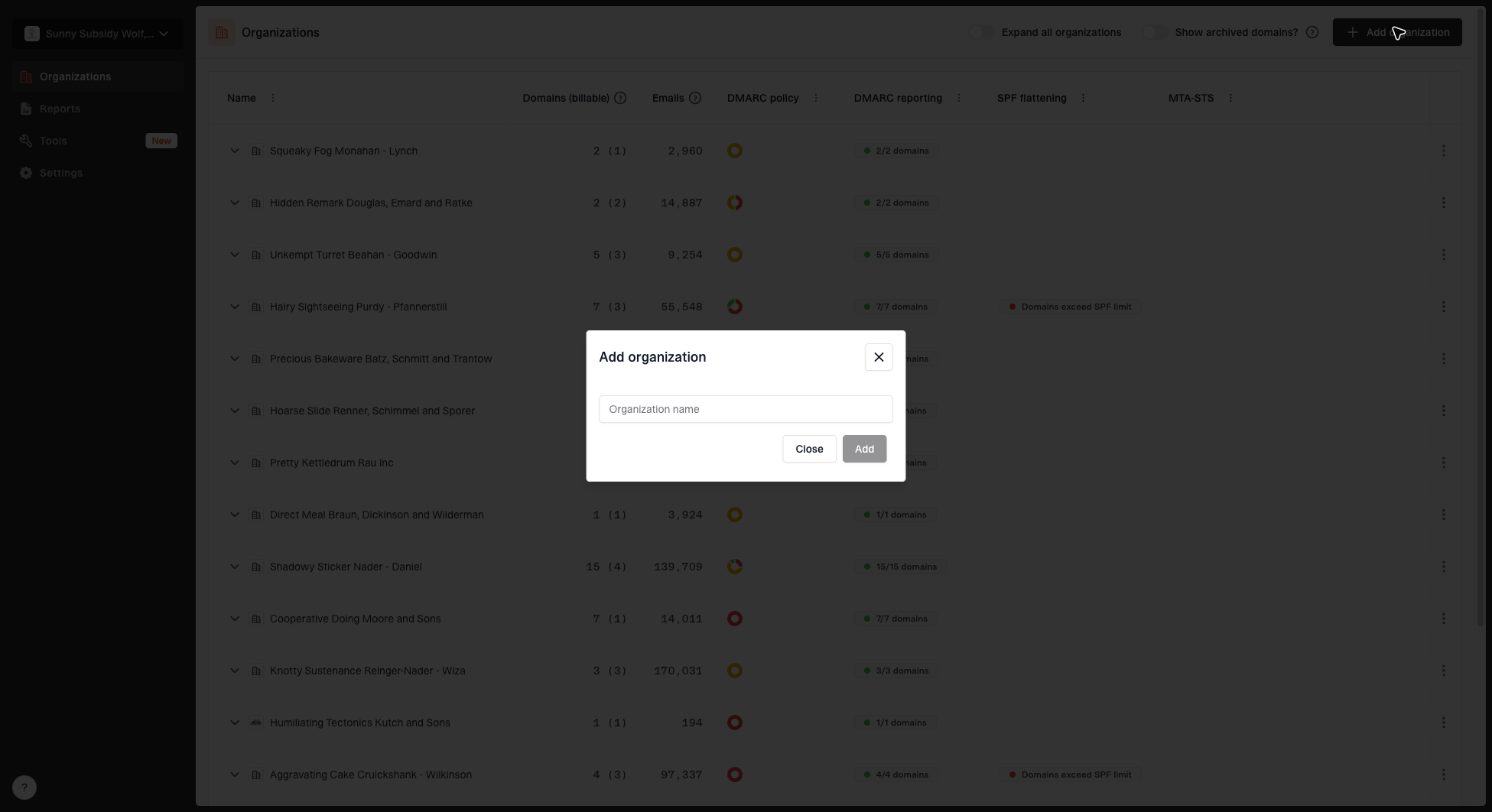
Add organization dialog for creating a new MSP client organization
The intake register should sit beside the monitoring platform and contain commercial and operational facts that DMARC reports do not supply. Give each domain a unique row. Record the client organization, domain purpose, mail status, DNS host, access holder, technical approver, business approver, reporting address, policy state, ticket reference, and next action date. Keep a domain in intake until every required field has a value or a documented exception.
|
|
|
|
|---|---|---|---|
Discovered | Client list | Account lead | Scope set |
Access ready | DNS test | DNS owner | Change path |
Observed | Report data | DMARC analyst | Sources tagged |
Enforced | Policy check | Service owner | Review booked |
Keep statuses short so technicians can filter the register quickly.
Inventory domains before touching DNS
Ask the client for more than its primary website domain. The inventory needs every domain that sends mail, receives mail, redirects to another brand, protects a dormant name, or delegates a subdomain to a platform. Compare that list with billing records, tenant aliases, certificate inventories, and the client's registrar account. Check whether the organizational domain's DMARC record already applies an inherited policy to subdomains, including non-existent subdomains through the np tag. Unknown domains should be investigated before they enter policy staging.
- Sending status: Mark the domain as active, non-sending, parked, or unknown.
- Domain purpose: Record whether it supports staff mail, transactions, marketing, forwarding, or brand protection.
- DNS control: Name the provider, access holder, approver, and expected change window.
- Mail sources: List known platforms, delegated subdomains, selectors, return paths, and owners.
Treat non-sending domains as real scope
A parked domain can still be spoofed. Confirm that it truly sends no legitimate mail, then apply a suitable restrictive SPF and DMARC configuration. Do not copy the active domain's sender list into it. Review p, sp, and np together so existing and non-existent subdomains receive the intended policy.
Make DNS access a tracked prerequisite
DMARC onboarding stalls when nobody knows who can publish a TXT record. Confirm the access path before scheduling technical work. For each client, identify whether the MSP has delegated access, the client makes changes, or another provider controls DNS. Record the normal lead time, emergency contact, rollback method, and proof that the person can edit the authoritative zone. The detailed DNS access workflow can be used as the client-facing checklist.
MSP-controlled DNS
Use role-based access, a ticketed change, a second-person review, and a recorded rollback value.
- Evidence: Save the ticket, old value, new value, and validation result.
- Timing: Book policy changes inside an approved window.
Client-controlled DNS
Send the exact host, type, value, TTL guidance, validation step, and rollback value in one ticket.
- Evidence: Validate authoritative DNS instead of accepting a screenshot.
- Escalation: Set a deadline and name the business approver.
Never ask for a shared registrar password by email or ticket. Use delegated access where the provider supports it. If the client must perform the change, keep the ticket open until an independent DNS lookup confirms the published value and the monitoring platform shows reports arriving.
Move every domain through the same gates
A fixed gate model makes parallel onboarding manageable. A technician can see why a domain has stopped, and the service owner can compare progress across clients without interpreting free-form notes. Keep one domain per work item, but group related changes under a client onboarding project. Dependencies such as DNS access or vendor confirmation then remain visible without hiding the status of the other domains.
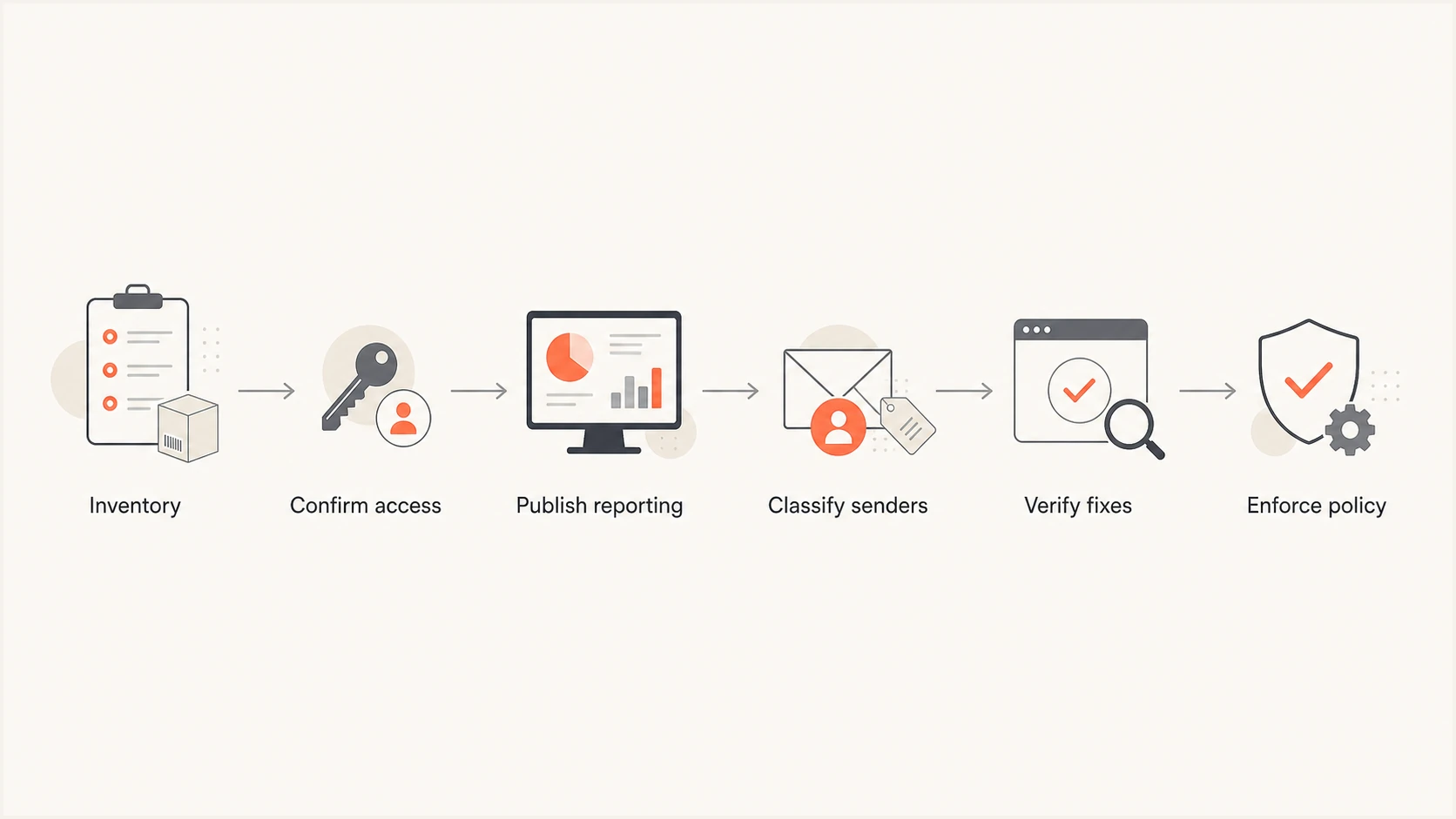
Six-stage MSP domain onboarding flow from inventory to enforcement.
- Inventory: Confirm purpose, ownership, mail status, DNS host, and known senders.
- Access: Prove the change path and approve rollback responsibility.
- Reporting: Publish DMARC at monitoring policy and wait for representative data.
- Classification: Map legitimate sources to business owners and mark unknown traffic.
- Remediation: Correct SPF, DKIM, and identifier alignment, then verify with new mail.
- Enforcement: Stage quarantine or reject only after approval and rollback checks.
Use pilot batches before bulk rollout
A repeatable template reduces manual work, but a template error can repeat just as quickly. Test the onboarding runbook on a small batch that includes an active domain, a non-sending domain, and a domain with client-controlled DNS. Promote the template only after each case passes its exit checks. Keep domains with unusual routing, inherited policies, or unresolved ownership in an exception lane rather than holding the standard batch.
- Preflight: Query authoritative DNS, capture the current records, confirm client routing, and verify the rollback value.
- Pilot: Apply the template to a representative batch and inspect DNS propagation and report routing.
- Pause: Stop the batch when validation fails, reports enter the wrong organization, or legitimate mail shows new failures.
- Expand: Release the next batch only after evidence is attached and a reviewer approves the pilot results.
Make retries safe
Before repeating a failed task, read the current authoritative record and compare it with the intended value. A retry should leave an already-correct record unchanged and create a clear exception when another party has edited it.
Publish reporting records consistently
Use a standard change template for the first DMARC record. The reporting destination should be unique enough to route data into the correct client organization. Start with monitoring policy while you discover legitimate traffic. Preserve any valid tags already present, and do not replace an existing reporting address until its owner has approved the transition. Suped's DMARC monitoring consolidates aggregate data and identifies authentication issues across client domains.
Example monitoring recordDNS
_dmarc.client.example. 3600 IN TXT
"v=DMARC1; p=none; rua=mailto:reports@client.example"
Validate the host name, record type, syntax, policy, and reporting destination after publication. When the rua address uses a different organizational domain, verify that the report consumer has published the required external-destination authorization record. Then wait for real reports before marking the gate complete. A syntactically valid record with no incoming data is not finished. Check whether the domain sends mail, whether reports were routed to the correct organization, and whether the expected receivers have had enough time to report.
DMARC checker
Look up a domain's DMARC record and catch policy issues.
?/7tests passed
Save the validation result and timestamp in the work item. If the record changes later, the team can distinguish an onboarding error from drift introduced after handover. Hosted DMARC can reduce repeated DNS work because policy staging happens in the platform after the initial DNS configuration. The hosted DMARC workflow is useful when the MSP manages policy changes across many client domains and wants a consistent review trail.
Classify sources before fixing them
Do not treat every failing source as an authentication defect. First decide whether the source is approved, unknown, obsolete, or abusive. An approved sender needs a business owner and a remediation path. An obsolete sender needs confirmation that mail has stopped. An unknown sender needs investigation, not an automatic SPF include. This classification prevents technicians from authorizing services merely because they appear in DMARC data.
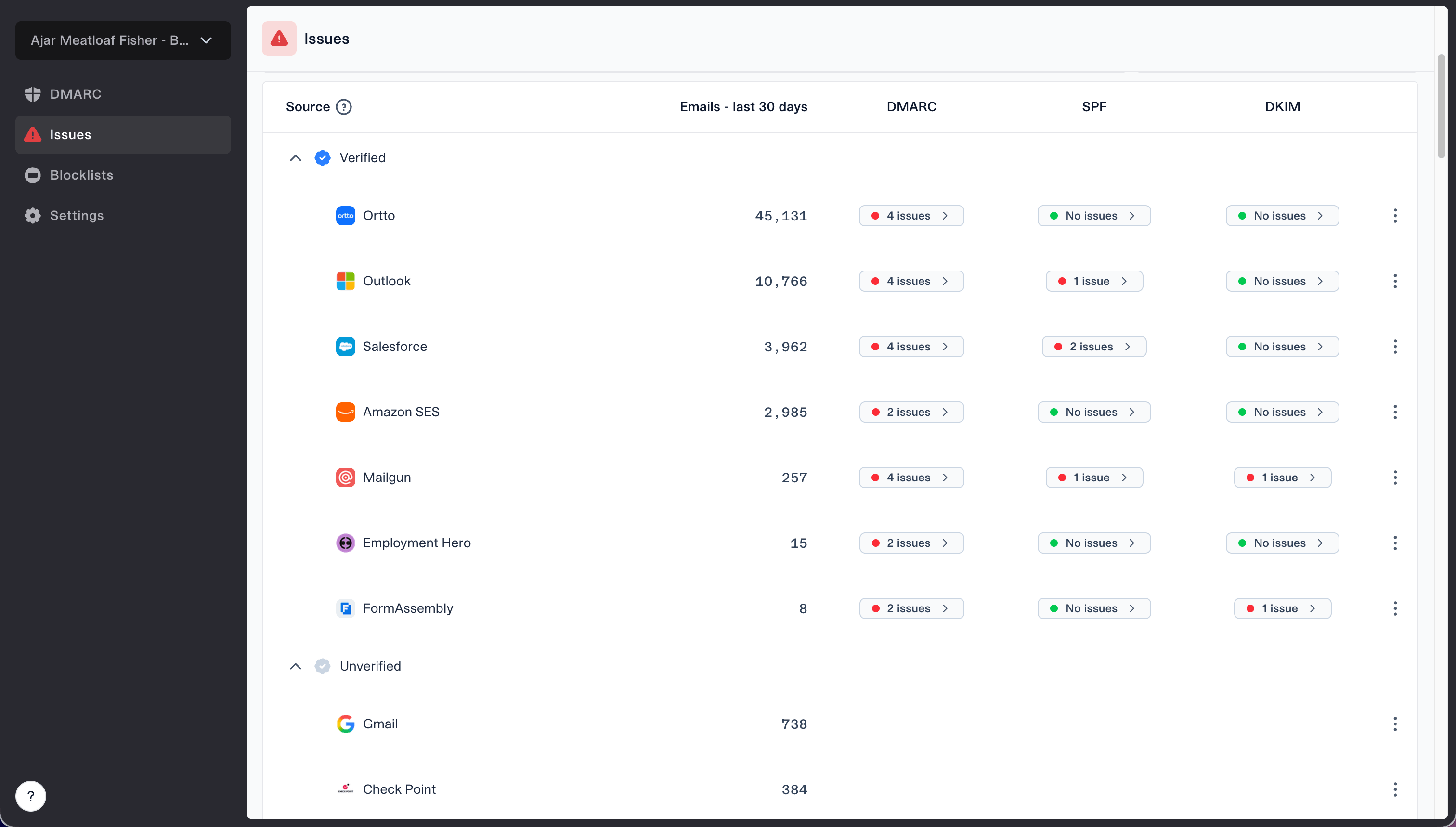
Issues page showing verified and unverified source sections for reviewing sending sources
Ask the client's application owner to confirm each approved source and its visible From domain, return-path domain, DKIM signing domain, selectors, and expected volume. For complicated senders, follow the dedicated alignment workflow. Close a source task only after a fresh message passes DMARC through SPF alignment or DKIM alignment. Configuration screenshots are supporting evidence, not proof of a successful message.
Do not solve every failure with SPF
Adding an include can authorize more infrastructure, increase DNS lookups, and still fail DMARC when the return path does not match the visible From domain. Prefer DKIM alignment when the sending platform supports stable signing for the client's domain.
Separate alerts by client and severity
A shared mailbox full of undifferentiated DMARC alerts loses operational value quickly. Route alerts using the client organization and severity. Authentication failure spikes, a missing record, policy regression, and a new high-volume source need prompt review. Low-volume unknown traffic can enter the normal triage queue. Every alert should create or update one work item with the client, domain, source, observed volume, initial classification, owner, and response target.
Immediate review
- Record loss: DMARC disappears or becomes invalid.
- Policy change: Enforcement weakens without an approved ticket.
- Volume spike: Failures rise sharply for an important source.
- Client impact: Legitimate mail is rejected or quarantined.
Scheduled triage
- New source: Low-volume traffic needs an owner check.
- Minor drift: A known source shows intermittent failures.
- Parked traffic: Unexpected volume appears on a non-sending domain.
- Housekeeping: Old sources need closure evidence.
Suped provides real-time alerts, automated issue detection, and remediation steps within each client organization. Its unified view brings DMARC, SPF, DKIM, blocklist and blacklist monitoring, and deliverability signals into one operating queue. The multi-tenant workflow connects detection, investigation, remediation, and client reporting while preserving the client boundary.
Stage enforcement by evidence
Policy enforcement belongs at the end of onboarding, not at the start. Before moving beyond monitoring, confirm that all known business-critical sources pass DMARC, unknown traffic has been investigated, forwarding and mailing-list behavior has been reviewed, inherited subdomain policy is understood, DNS rollback is ready, and the client approver accepts the remaining risk. Set the approval in the ticket, including the policy, change date, owner, and rollback trigger.
Policy readiness gates
Use operational evidence rather than a calendar date to decide whether a domain advances.
Hold
p=none
Important legitimate sources still fail or lack owners.
Stage
p=quarantine
Known sources pass and residual traffic has documented treatment.
Enforce
p=reject
Approvals, monitoring, and rollback are confirmed.
Review
verified
Post-change data shows legitimate mail remains healthy.
Do not use the pct tag for a percentage rollout. RFC 9989 removed it because receivers applied partial percentages inconsistently. Advance the whole domain between p=none, p=quarantine, and p=reject when its evidence is complete. The t=y tag requests testing behavior while reporting continues, but it does not replace post-change monitoring or a rollback plan. A client with several domains does not need one synchronized enforcement date; report overall progress at the organization level while each domain follows its own gate.
Run the service from a portfolio view
Once reporting starts, manage the estate through exception views. The portfolio view should show every organization, domain count, reporting state, policy, recent volume, open issues, and overdue action. Technicians then enter a client only when the summary reveals work. This avoids clicking through every domain and reduces the chance that a quiet but broken domain disappears from attention.
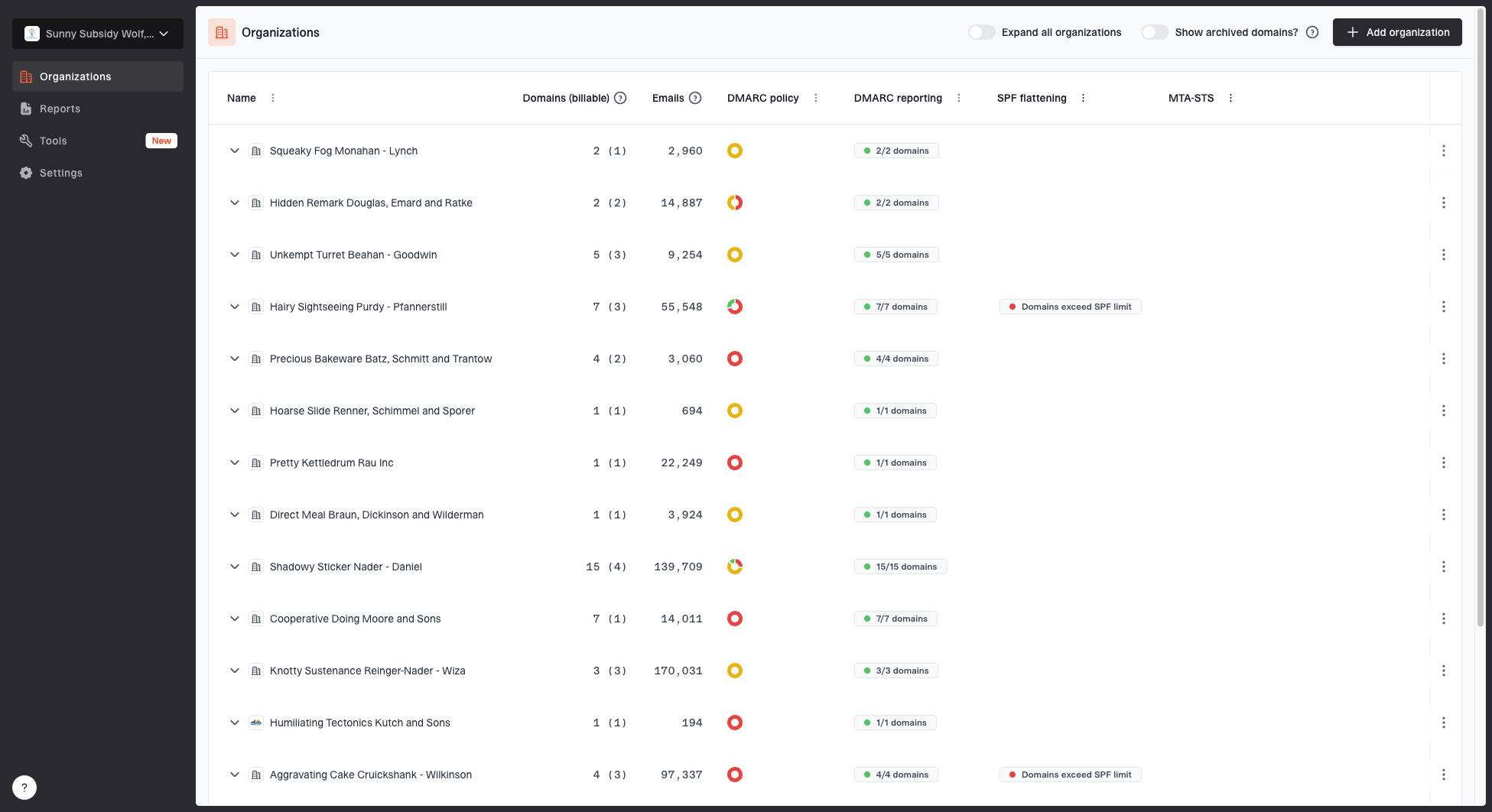
MSP organizations page showing client organizations, domain counts, email volume, and domain status columns
Keep the service platform and ticket system synchronized through a small set of identifiers: client organization, domain, issue, owner, and ticket reference. The platform holds authentication evidence and domain state. The ticket holds approvals, client communication, and work history. Do not duplicate every report detail into tickets. Link the operational work to the relevant domain and record the decision that resulted.
- Daily queue: Review urgent alerts, missing records, major spikes, and failed changes.
- Weekly queue: Classify new sources, chase approvals, and close verified remediation.
- Monthly queue: Review policy progress, domain inventory, user access, and service exceptions.
- Quarterly queue: Reconfirm scope, dormant domains, escalation contacts, and client responsibilities.
Report progress in client terms
A client report should explain what changed, what remains open, and what the client must decide. Authentication percentages need context. Separate authorized mail from unknown traffic, show which domains have reporting and enforcement, list important unresolved sources with owners, and state the next policy decision. Avoid presenting raw XML or IP lists as the service outcome.
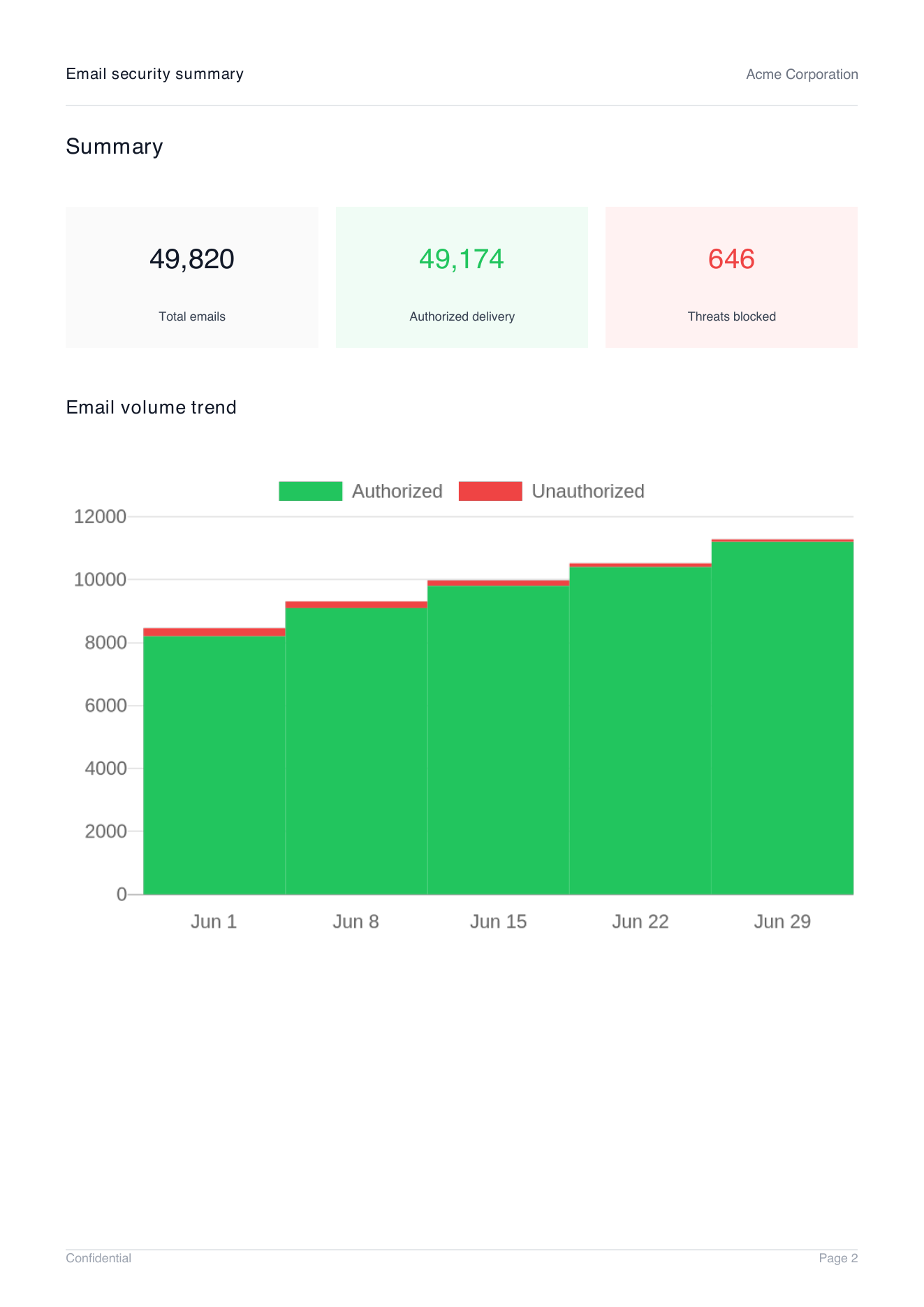
Demo client report summary page showing total emails, authorized delivery, threats blocked, and email volume trend
Suped can generate branded client reports with the organization and reporting period selected, while the MSP dashboard keeps domain states separate. Pair the report with a short action list: decisions required, changes scheduled, risks accepted, and items closed. When the onboarding project ends, move recurring tasks into the operational DMARC runbook so the service continues with defined owners and review intervals.
Keep control after onboarding
The reliable pattern is simple: one client boundary, one domain register, one work item per domain, fixed readiness gates, and evidence at every transition. That structure lets an MSP onboard many customers in parallel without mixing permissions, reports, or approvals. It also makes stalled domains visible because every item has a status, owner, and next action.
The minimum operating standard
Do not call a domain onboarded until reporting arrives in the correct client organization, legitimate sources have owners, DNS changes have validation evidence, notification routing works, and the next policy review has a date.
Suped supports this operating model with a multi-tenant dashboard, organization switching, automated issue detection, real-time alerts, hosted DMARC, hosted SPF, SPF flattening, hosted MTA-STS, blocklist monitoring, and client reports. These workflows organize authentication evidence and domain state across the client portfolio. The platform does not replace the MSP's approval process, DNS change controls, or client ownership records.