Why is my website link flagged as malware on LinkedIn and listed on Spamhaus and Fortinet?

Updated on 30 Jul 2026: We clarified how LinkedIn, Spamhaus DBL, and Fortinet differ, and added checks for compromised hosting layers before reclassification.
Your website link can be flagged as malware on LinkedIn even when the visible page looks clean. LinkedIn's help documentation tells domain owners to resolve listings with Spamhaus when a site domain is flagged as spam. A Fortinet classification is a separate signal worth investigating, but LinkedIn does not publicly identify Fortinet as the source of its warning.
Treat this as a URL and domain reputation incident first, not an email authentication incident. SPF, DKIM, and DMARC matter for your sending domain, but they do not clear a LinkedIn click warning by themselves. Verify the exact URL, check whether the domain or hostname is listed in Spamhaus DBL, review Fortinet's category and risk rating, inspect every hosting layer for compromise, then submit review requests with clean evidence.
A confusing detail is the Spamhaus message "No IP queries". Spamhaus DBL accepts domains and hostnames, not raw IP addresses. An IP query returns the reserved 127.0.1.255 warning response, which should not be interpreted as a real domain listing. It does not clear the domain either, so check the domain or hostname separately.
The short answer
What is most likely happening
LinkedIn has applied a safety verdict to the domain or URL. A Spamhaus DBL listing can explain a LinkedIn block because LinkedIn directs affected domain owners to resolve Spamhaus listings. Fortinet can independently classify a site, page, or related IP as risky. New or little-used domains also have limited reputation history, but LinkedIn does not publish the scoring rules behind its warning.
- Primary issue: URL and domain reputation, not DMARC policy.
- Spamhaus clue: A DBL hit concerns a domain or hostname, while a "No IP queries" response identifies the wrong lookup type.
- Fortinet clue: A phishing or malicious category can block the URL in Fortinet-controlled environments, but it does not prove the source of LinkedIn's warning.
- Resolution path: Find and remove the cause, document the cleanup, request delisting or reclassification, then retest LinkedIn.
Do not start by changing mail providers, rebuilding SPF, or moving hosting without evidence. Those changes can create noise and delay the fix. Start with the exact indicator LinkedIn blocks, then compare it with the entity named by Spamhaus or Fortinet: registered domain, hostname, full URL, redirect target, or website IP.
For a broader primer on why domain and URL blacklists behave this way, read blocklist basics. For the working investigation, keep the page open in a browser where you can reproduce the LinkedIn warning and record the final destination after every redirect.
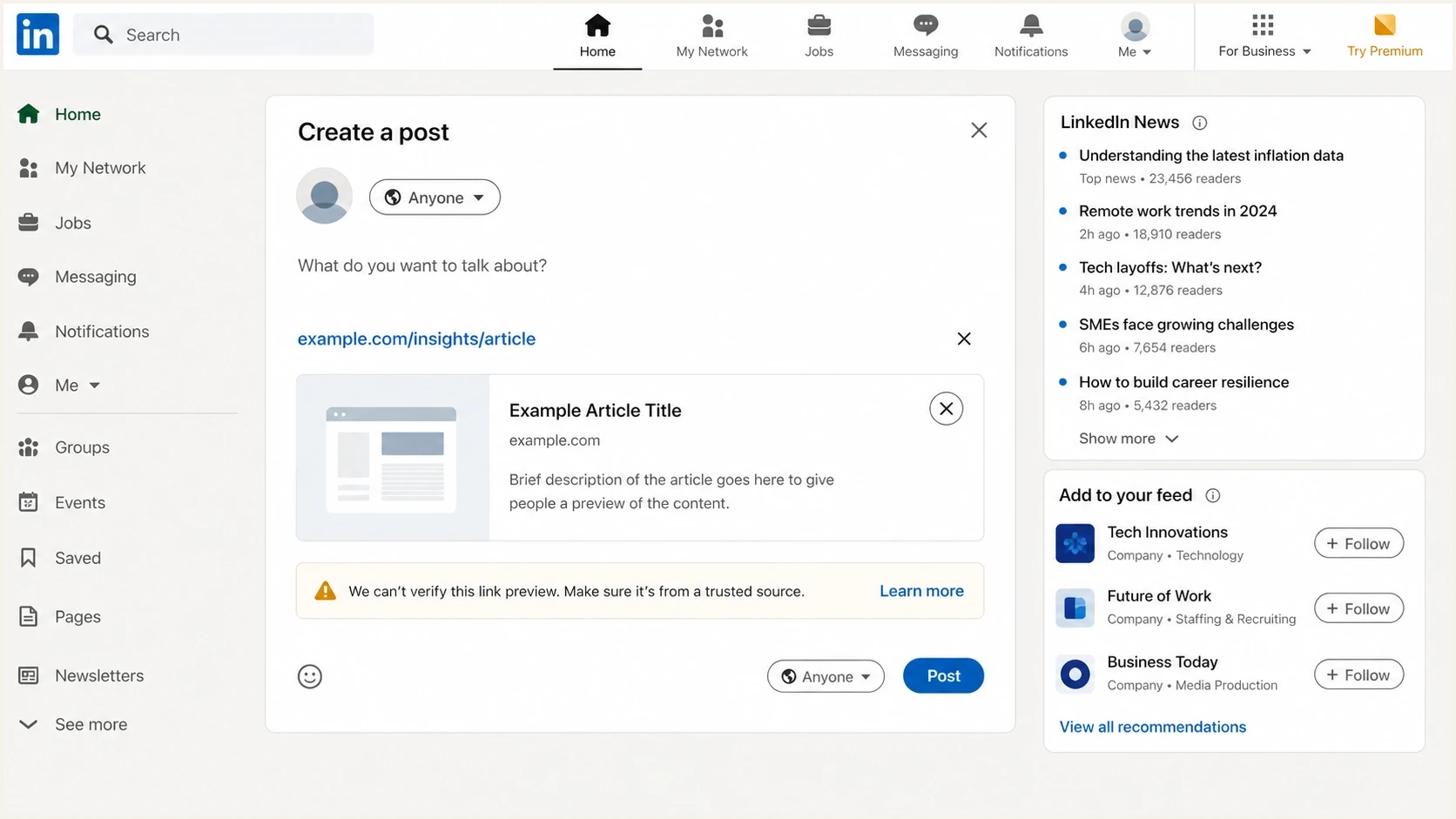
A LinkedIn malware warning shown for a shared website link in the post composer.
Why LinkedIn warns when the page looks clean
A clean-looking page is only one signal. URL reputation systems can evaluate redirect chains, hosting history, forms, JavaScript, downloads, URL parameters, and whether a domain has appeared in unwanted mail. A harmless article can inherit a warning if a hidden path was compromised, a redirect previously pointed to harmful content, or a blacklist entry remains active.
LinkedIn's post preview checks and its final safety verdict are separate outcomes. A preview process can read metadata, title, image, and fetchability while the shared link still triggers a warning. This explains why a preview can render correctly even though LinkedIn blocks or warns on the destination.
Preview checks
- Purpose: Confirm that LinkedIn can fetch the title, image, description, and canonical URL.
- Scope: Usually the requested page and its metadata.
- Limit: A successful preview does not clear a separate safety verdict.
Reputation checks
- Purpose: Decide whether a user should be warned before visiting the URL.
- Scope: Can include the domain, hostname, full URL, redirects, and abuse history.
- Limit: A corrected upstream listing does not guarantee an immediate LinkedIn refresh.
Do not assume the warning concerns only the visible article. Check the final URL after every redirect, with and without www, with tracking parameters removed, and at the root domain. If one variant is clean and another is flagged, name the flagged variant exactly in the review request.
What the Spamhaus DBL message means
Spamhaus DBL lists domains and hostnames with poor reputation. It does not list full URL paths or raw IP addresses. When an IP is queried against DBL, Spamhaus returns 127.0.1.255 with an IP-query warning. That response identifies a lookup error and should not be counted as a genuine DBL listing.
Split the problem into two questions. First, did a checker produce the warning because it queried an IP against DBL? Second, is the domain or hostname itself listed? If the domain or hostname is listed, follow the removal instructions returned for that exact entity. If only the IP lookup produced 127.0.1.255, stop treating that response as the cause of the LinkedIn warning.
A hostname listing can still affect every URL beneath that hostname because DBL does not identify the directory path that triggered the listing. Spamhaus also has abused-legit classifications for legitimate sites compromised through website software or hosting credentials. Search old uploads and hidden paths even when the homepage is clean.
|
|
|
|---|---|---|
Domain or URL warning | Resolve named listings, then retest the exact URL | |
Domain or hostname listing | Follow the DBL removal instructions after cleanup | |
DBL 127.0.1.255 | IP query prohibited | Query the domain or hostname instead |
Web category or risk rating | Submit the exact URL for review |
How to interpret common signals without mixing lookup types.
If the issue is a confirmed Spamhaus listing, this Spamhaus resolution guide is a better next step than guessing at DNS changes.
How Fortinet fits into the investigation
Fortinet maintains web categories and URL risk scores used in Fortinet-controlled filtering environments. A phishing, malicious website, spam URL, or high-risk result can cause those environments to warn or block users. Treat that result as an independent issue. It does not confirm that Fortinet supplied LinkedIn's verdict.
A Fortinet phishing or malicious label on a legitimate article has two main explanations: a classification error or a compromise outside the page being checked. Compromised CMS plugins, uploaded HTML files, abandoned landing pages, open redirects, injected scripts, and altered storage objects can make a clean homepage irrelevant to the actual finding.
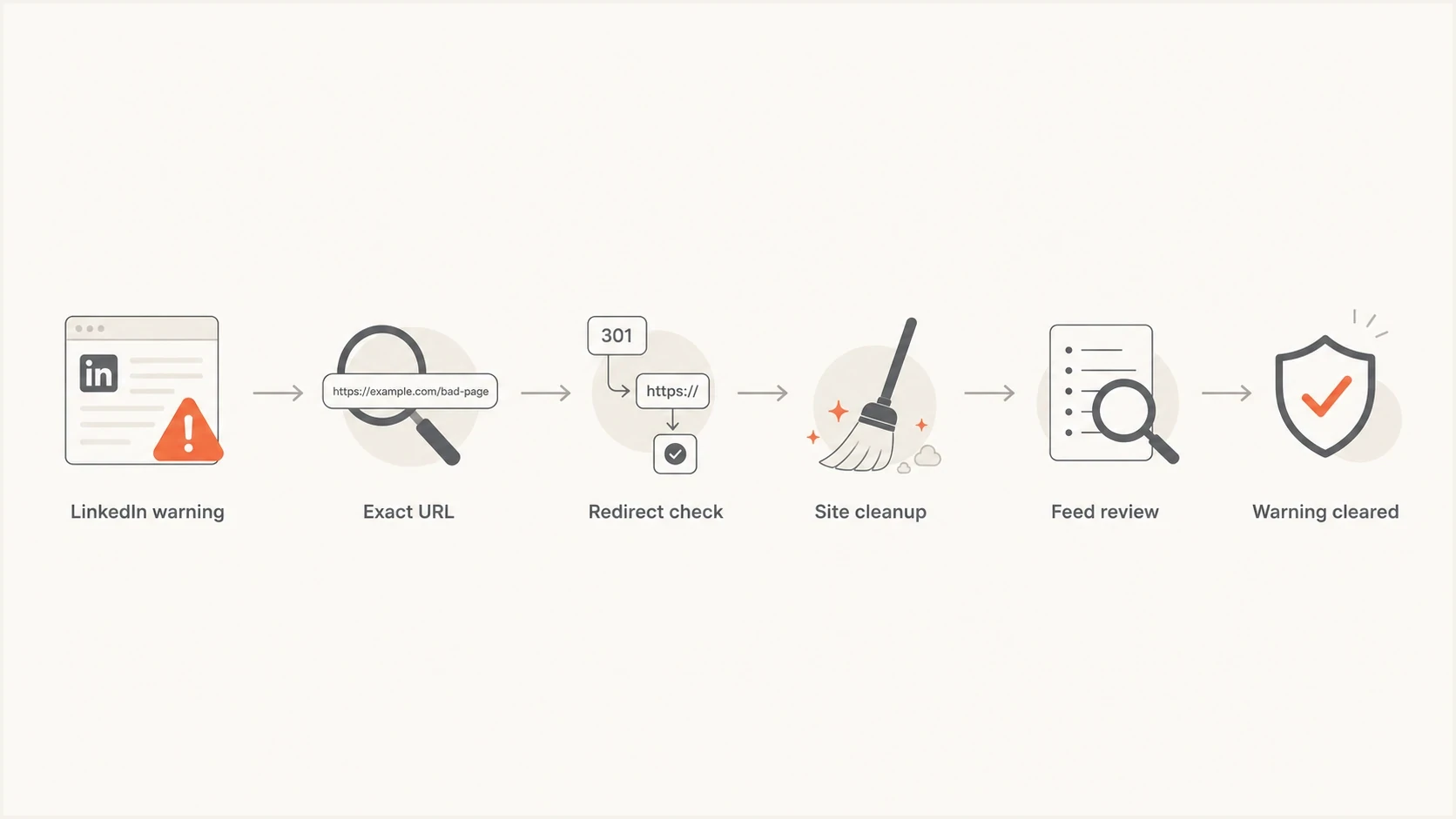
A URL reputation investigation flowchart for clearing LinkedIn, Spamhaus, and Fortinet warnings.
Check the current Fortinet category and risk rating before appealing. Submit the exact URL or full link, suggest the accurate category, attach the warning screenshot, and describe what was inspected or removed. A request backed by a specific cleanup record gives the reviewer evidence for reclassification.
Check every hosting layer and dependency
A clean CMS scan does not cover every resource behind a website. Static files can come from object storage, a CDN origin, a separate upload host, a serverless endpoint, or a third-party script. If credentials or permissions for one layer were compromised, an attacker can replace a file or add a new object without changing the page template.
- Map dependencies: List every hostname, storage bucket, CDN origin, script source, form action, and redirect used by the flagged URL.
- Audit access: Review deployment users, access keys, bucket policies, public-write settings, and recent permission changes.
- Compare objects: Check current files against a known-good build and inspect unknown uploads, old versions, and files outside the normal release path.
- Contain first: Disable exposed credentials, remove unauthorized access, isolate harmful objects, and redeploy clean assets before requesting review.
Also inspect logs for unexpected object writes, new administrative sessions, unusual API calls, and requests to paths that normal visitors never use. After cleanup, monitor for the same file or redirect returning. Reappearance means the access path remains open, so a delisting request will not hold.
Checks to run first
Run the checks in a fixed order to avoid chasing the wrong signal. Reproduce the warning, prove which URL is being judged, inspect the website and its dependencies, then work through each external classification. Starting with unrelated DNS changes can consume hours without affecting LinkedIn's warning.
- Reproduce: Capture the LinkedIn warning, browser, account state, and exact URL shown before and after clicking.
- Normalize: Test the registered domain, hostname, article URL, canonical URL, and final redirect target as separate indicators.
- Inspect: Look for injected scripts, hidden HTML, unknown users, open redirects, suspicious uploads, scheduled tasks, and altered storage objects.
- Compare: Record whether Spamhaus names a domain or hostname and whether Fortinet assigns a category or risk score to the exact URL.
- Remediate: Close the access path, rotate exposed credentials, remove harmful content, patch the affected software, and preserve evidence.
- Request review: Follow each provider's instructions for the exact listed entity, then retest LinkedIn after the upstream status changes.
Evidence log templatetext
Domain: example.com
URL LinkedIn warns on: https://example.com/article
Final URL after redirects: https://www.example.com/article
Spamhaus entity checked: example.com
Spamhaus response: listed, not listed, or lookup error
Fortinet category and risk rating: record current results
Hosting dependencies checked: list origins and storage hosts
Cleanup completed: yes or no
Credentials rotated: yes or no
Files removed: list paths or none
Review submitted: date and reference
For a quick non-email baseline, run the domain through a domain health checker and then focus on the exact URL warning. The health check gives you a snapshot of DNS and authentication, but the URL investigation still needs redirect, hosting, and content evidence.
Blocklist checker
Check your domain or IP against 144 blocklists.







Where DMARC and Suped fit
DMARC does not remove a LinkedIn malware warning or change a Fortinet URL rating. It protects the email use of your From domain and helps identify unauthorized sending sources. Keep SPF, DKIM, and DMARC accurate as a parallel task so spoofing or a misconfigured sender does not create a separate reputation problem during the website investigation.
Suped's platform combines DMARC reporting, SPF and DKIM visibility, blocklist monitoring, alerts, and guided remediation. It cannot delist a domain or override LinkedIn or Fortinet. The practical workflow is to use Suped to identify unauthorized mail sources, track authentication changes, record blacklist and blocklist alerts, and keep the email side of the incident separate from the URL review.

Blocklist monitoring page showing domain and IP checks across blocklists with importance and status
Ongoing blocklist monitoring is useful after the immediate incident. Suped can alert the team when a monitored domain or IP appears on a blacklist or blocklist and keep the related DMARC, SPF, and DKIM evidence available for triage.
Public WHOIS is not the fix
Public WHOIS can help a manual reviewer verify that a domain has an identifiable operator, but private WHOIS does not by itself cause a Spamhaus or Fortinet listing. Many registrars redact WHOIS by default, and home-based businesses often need privacy. Changing WHOIS privacy is not a substitute for removing harmful content or correcting a bad category.
Do not make privacy the first lever
If the listing says phishing, spam, or malicious content, solve that claim first. Public WHOIS is only a narrow identity signal in a manual review. It does not remove an active website compromise, a harmful redirect, or a domain blacklist entry.
- Use privacy safely: If you publish WHOIS, use a business address or postal address, not a home address.
- Prioritize cleanup: Remove suspicious files, close redirects, patch software, and rotate credentials before any review request.
- Keep evidence: A timestamped cleanup log is more useful than a broad claim that the site has no malware.
If the domain sends newsletters or transactional mail, send a test message and inspect its authentication results. A clean send a test email result does not clear a LinkedIn warning, but it confirms whether legitimate mail has a separate SPF, DKIM, or DMARC problem.
Views from the trenches
Best practices
Capture the exact warning screen, final URL, and all redirects before asking for review.
Check the domain and hostname separately because URL feeds often treat them differently.
Keep clean DMARC, SPF, and DKIM in place so email evidence does not muddy the case.
Common pitfalls
Treating a DBL lookup error as the whole problem can hide a real domain listing elsewhere.
Assuming a clean homepage proves safety misses compromised paths and old uploaded files.
Changing WHOIS privacy first wastes time when the listing points to spam or phishing.
Expert tips
Ask for reclassification after removing bad paths, not before the site has been cleaned.
Keep a short evidence log so LinkedIn, Spamhaus, and Fortinet receive the same facts.
Retest after delisting because LinkedIn can keep showing cached warnings for a while.
Marketer from Email Geeks says LinkedIn warnings often come from URL intelligence rather than email authentication, so the appeal has to target the blocked URL.
2024-01-08 - Email Geeks
Expert from Email Geeks says a Spamhaus DBL "No IP queries" message usually means an IP was checked against a domain list, which is a lookup mismatch.
2024-01-09 - Email Geeks
The practical fix
Stop treating every warning as one problem. LinkedIn is where users encounter the warning, and LinkedIn specifically tells affected domain owners to resolve Spamhaus listings. Fortinet has a separate web category and risk-rating process. Prove the exact URL is clean, remove anything that is not clean, and follow the review process for each active result.
After the external listings or categories are corrected, retest the same URL on LinkedIn. If the warning remains, give LinkedIn support the exact URL, screenshots, final redirect target, cleanup record, and the current Spamhaus and Fortinet results. Keep the case focused on the blocked indicator rather than unrelated DNS changes.
For prevention, patch the CMS and dependencies, remove abandoned pages, restrict storage permissions, protect deployment credentials, review redirects, and monitor domain reputation alongside DMARC. These controls provide earlier warning when a blacklist or blocklist issue appears and reduce the chance of the same compromise returning.




