Why is iCloud blocking my emails and what can I do about it?

Updated on 30 Aug 2026: We added Apple's current bulk sender requirements and tightened the troubleshooting steps for bounces, authentication, and escalation.
iCloud blocks email when Apple decides the message, sender, IP, domain, recipient state, or sending pattern has enough risk to reject, defer, filter, or place mail away from the inbox. The cause is not always a classic blacklist or blocklist event. The pattern usually comes down to one of seven areas: sudden volume changes, repeated bounces, weak authentication, poor engagement, suspicious content, stale or trap-like recipients, or a temporary Apple-side filtering issue.
Even mail that passes SPF, DKIM, and DMARC can still be blocked because authentication proves sender identity, not recipient demand or sender reputation. The fix is to stop guessing and work from evidence. Pull the SMTP bounce logs, separate hard bounces from temporary deferrals and accepted-but-missing mail, check DMARC, SPF, DKIM, reverse DNS, and TLS negotiation, then reduce iCloud volume while you correct the root cause. A clean reputation score in a generic checker does not prove Apple trusts the next campaign, and a lower Apple open rate is only a clue until you compare it with bounces, clicks, complaints, and accepted volume.
Short answer
If iCloud suddenly blocks most of your messages, treat it as a provider-specific deliverability incident. Pause or slow the Apple-domain segment first, including icloud.com, mac.com, me.com, and privaterelay.appleid.com. Then check the exact bounce response, because an overquota pattern needs a different response than a local policy block, authentication failure, content rejection, private relay failure, or accepted message that later disappears from the inbox.
- Preserve logs: Export SMTP responses, timestamps, sending IPs, envelope senders, headers, campaign IDs, and recipient domains before retries blur the pattern.
- Reduce volume: Hold the next iCloud-heavy send or throttle it to a known good baseline while you inspect the failure mode.
- Validate setup: Run a domain health checker and inspect DMARC identity matching, DNS health, and sender identity.
- Test real mail: Send the same message through an email tester so the delivered headers and authentication results match production.
- Escalate cleanly: If the data points to Apple policy filtering, contact Apple with plain English, exact bounce codes, and a short remediation summary.
Do not keep retrying a blocked iCloud segment at full volume. Repeated retries can turn a short deferral into a stronger negative signal, especially after a long sending gap, a stale-list import, or a campaign that is much larger than usual.
What iCloud can be reacting to
iCloud does not expose a public postmaster dashboard, bulk-sender allow list, or feedback loop. The best evidence usually comes from your own bounce logs, message headers, engagement data, complaints, and suppression records. Apple also filters at more than one layer. That means one sender can see mixed results: some messages accepted, some temporarily deferred, some rejected, and some accepted but placed in the junk folder or filtered away from the inbox.
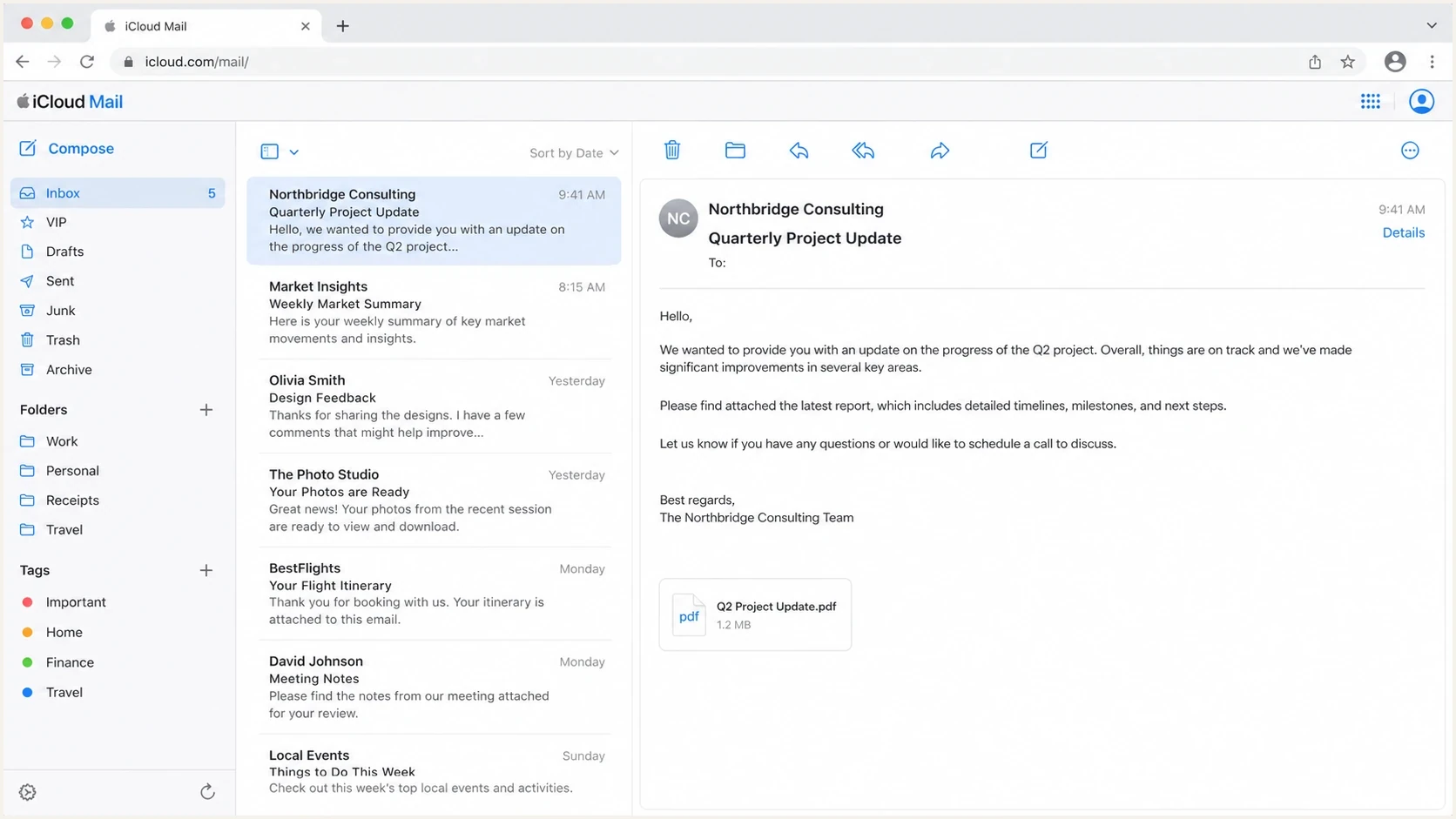
Apple iCloud Mail inbox interface for checking whether blocked email was accepted or rejected.
If logs show iCloud accepted the message, ask affected recipients to check iCloud.com, Junk, blocked sender settings, inbox rules, storage, mailbox filters, and Apple system status. If iCloud rejected the message during SMTP, recipient settings are not the fix. That is a sender-side delivery problem, and the bounce code matters more than a screenshot of an empty inbox.
Private relay addresses need separate handling. Mail to privaterelay.appleid.com depends on the relay address still being valid and connected to the recipient's Apple account, so do not mix those bounces with normal icloud.com mailbox results. Suppress invalid relay addresses as relay failures, not as proof that the underlying person is unreachable at every address.
The common mistake is to assume old infrastructure is automatically trusted. A nine-year-old IP and a stable domain help, but Apple still reacts to recent behavior. If you normally pause for ten days, then restart with 5,000 messages, 10,000 messages, and 14,000 messages across consecutive days, that looks like a ramp. It also looks like a change in recipient exposure, complaint risk, bounce risk, and spam trap risk.
Temporary deferral
- Signal: Usually a 4xx SMTP response, rate limit, timeout, or local policy delay.
- Response: Throttle iCloud sends, keep retries modest, and watch whether acceptance recovers.
- Risk: Aggressive retries create more failed attempts without proving recipient demand.
Hard rejection
- Signal: Usually a 5xx SMTP response, policy rejection, invalid recipient, or permanent mailbox issue.
- Response: Suppress bad recipients, fix the named cause, and avoid immediate full-volume retries.
- Risk: Continuing to mail invalid or closed accounts damages the sender signal Apple sees.
|
|
|
|---|---|---|
4xx | Deferral | Throttle |
5xx | Rejection | Fix cause |
450 4.2.2 | Temporary mailbox full | Pause and retry modestly |
552 5.2.2 | Permanent mailbox full | Apply bounce policy |
5.7.1 or CS01 | Policy filtering | Gather evidence |
auth fail | Identity | Repair DNS |
private relay | Relay address state | Separate |
Use exact SMTP text, not only the bounce category shown by your sending platform.
Read the bounce before changing DNS
The bounce code tells you where to spend your next hour. Start by grouping iCloud, mac.com, me.com, and privaterelay.appleid.com separately from the rest of the list. Then split the results by SMTP code, sending IP, campaign, message stream, and time window. A block that starts at 1pm and hits 99% of one domain is not the same as slow degradation across every mailbox provider.
Bounce patterns to preservetext
421 4.7.0 Temporarily deferred by local policy
450 4.2.2 Mailbox full or over quota
550 5.7.1 Message rejected due to policy
552 5.2.2 Mailbox full or over quota
554 5.7.1 Authentication or sender policy failure
CS01 Apple policy rejection
Group overquota responses by 4xx and 5xx status before changing the list. Pause mail to temporary mailbox-full recipients and allow only bounded retries. Suppress permanent failures and addresses that keep bouncing under your documented bounce policy. A local policy rejection points in a different direction: Apple does not like something about the sending source, cadence, authentication, content, or recent complaint pattern.
When the failure is urgent, gather a small evidence pack before you contact Apple's postmaster team at icloudadmin@apple.com. Include your company name, email domain, affected sending IPs, exact SMTP errors, when the issue started, and a concise description of the issue. Apple guidance for mailbox users lives at Apple support, but sender-side cases need delivery evidence rather than a generic complaint.
Do lower Apple open rates mean blocking?
Not by themselves. Apple Mail Privacy Protection can generate privacy-proxy activity instead of a conventional recipient open, so Apple-domain open rates are unreliable at the individual level and hard to compare with older campaigns. Treat a lower open rate as a triage prompt only when it lines up with more bounces, fewer clicks or replies, lower conversions, more complaints, or a change in accepted volume.
- Check delivery first: Compare iCloud, mac.com, me.com, and private relay bounces with non-Apple domains from the same send.
- Check engagement: Use clicks, replies, conversions, complaints, and unsubscribes alongside opens.
- Check reporting rules: Avoid suppressing Apple recipients solely because recent opens are missing.
If opens fell but accepted volume and downstream engagement stayed steady, treat it as measurement drift. If opens fell with 4xx or 5xx responses, lower click activity, or more complaints, follow the blocking remediation path.
Check authentication before asking Apple
DMARC being active is not enough. iCloud needs to see that the visible From domain matches at least one authenticated domain, and that SPF or DKIM passes in a way DMARC can use. If the DKIM signature passes for a vendor domain while the From domain belongs to your brand, DMARC can still fail. If SPF passes but the envelope domain does not match the From domain, DMARC can still fail.
If the mail is being sent from an @icloud.com address, separate that from mail sent to @icloud.com recipients. iCloud Mail is a personal mailbox service, not a bulk transport. For commercial, product, or application mail, send from a domain you control so SPF, DKIM, DMARC, bounce handling, and abuse reporting all point to your sender identity. Do not use a non-iCloud SMTP server while keeping an @icloud.com visible From address, because that mismatch can push mail toward non-delivery or junk placement.
A safe monitoring DMARC recorddns
v=DMARC1; p=none; rua=mailto:d@example.com; adkim=s; aspf=s
That record is only an example. Use a reporting address you control, and move policy in stages after you understand every legitimate source. If you already run quarantine or reject, do not relax policy just because iCloud is blocking. First confirm whether the blocked mail is passing DMARC. Weakening policy can hide the real problem and increase spoofing risk.
?
What's your domain score?
Deep-scan SPF, DKIM & DMARC records for email deliverability and security issues.
Also check reverse DNS, HELO/EHLO naming, SPF lookup count, DKIM key length, DKIM selector rotation, TLS negotiation, attachment size, unsafe files, and malware scan results. Confirm RFC 5321 and RFC 5322 compliance, and add ARC headers when your service forwards messages. A failure in one signal does not guarantee an iCloud block, but several defects make the sender harder to trust.
iCloud restart risk bands
Use your last stable iCloud baseline after a sudden block or sharp deferral increase.
Low risk
At baseline
Authentication passes and acceptance matches the last stable baseline.
Watch
Above baseline
Deferrals rise above baseline or acceptance starts to fall.
Stop
Blocks present
Policy rejections or permanent failures spread across the test segment.
Meet Apple's bulk sender requirements
Apple publishes specific requirements for bulk mail sent to iCloud Mail. Meeting them does not guarantee inbox placement, but missing one can lead to rejection. Treat the list as an operating standard for every sending IP, domain, and message stream that reaches Apple recipients.
- Consent and unsubscribe: Send only to people who explicitly subscribed, never use purchased, rented, or appended lists, and provide an unsubscribe link that works immediately.
- Message standards: Comply with RFC 5321 and RFC 5322, and add ARC headers when forwarding mail.
- Sending identity: Publish reverse DNS, keep sending IPs and domains consistent, and use a stable From name and address that identifies the sender.
- Stream separation: Keep marketing and transactional mail in separate streams so a problem in one stream does not obscure the other.
- Authentication: Authenticate with SPF and DKIM, and publish a DMARC policy for the sending domain.
- List operations: Track temporary and permanent SMTP errors, handle bounces consistently, remove inactive subscribers, and never reactivate an address on an unsubscribe or suppression list.
Apple does not offer an allow list for bulk senders or a feedback loop. Reputation decisions use IP and domain reputation, content checks, and user feedback, so your logs and consent records must support the diagnosis.
Fix the sender signals Apple can see
Once the bounce pattern is clear, work through the visible signals in order. Apple sees your IP, domain, authentication results, message headers, recipient behavior, complaint signals, failure rate, and retry behavior. You cannot control Apple's spam filters, but you can control the data you feed into them.
- Volume: Restart below your last stable iCloud baseline, then increase only after acceptance and complaint signals stay clean.
- Cadence: Avoid a long silent period followed by a steep jump, especially for recipients who have not clicked, purchased, replied, or logged in recently.
- List quality: Suppress hard bounces, repeated soft bounces, full mailboxes, dormant recipients, trap-like addresses, bot-generated signups, and addresses added by weak consent paths.
- Content: Use a recognizable From name, a plain subject line without all caps or clickbait, a working plain text part, the exact HTML, safe links, clean redirects, known image hosts, a working unsubscribe flow, and a clean malware scan result.
- Reputation: Check IP and domain status across blocklists and blacklist sources, but do not assume a clean result clears Apple.
A sudden spike after importing an old file, reactivating dormant contacts, removing a recency filter, or exposing a signup form to bots should be treated as a cohort problem. Freeze that Apple-heavy segment, find the source or import batch, and reintroduce only recent engaged contacts in small tests after the risky addresses are suppressed.
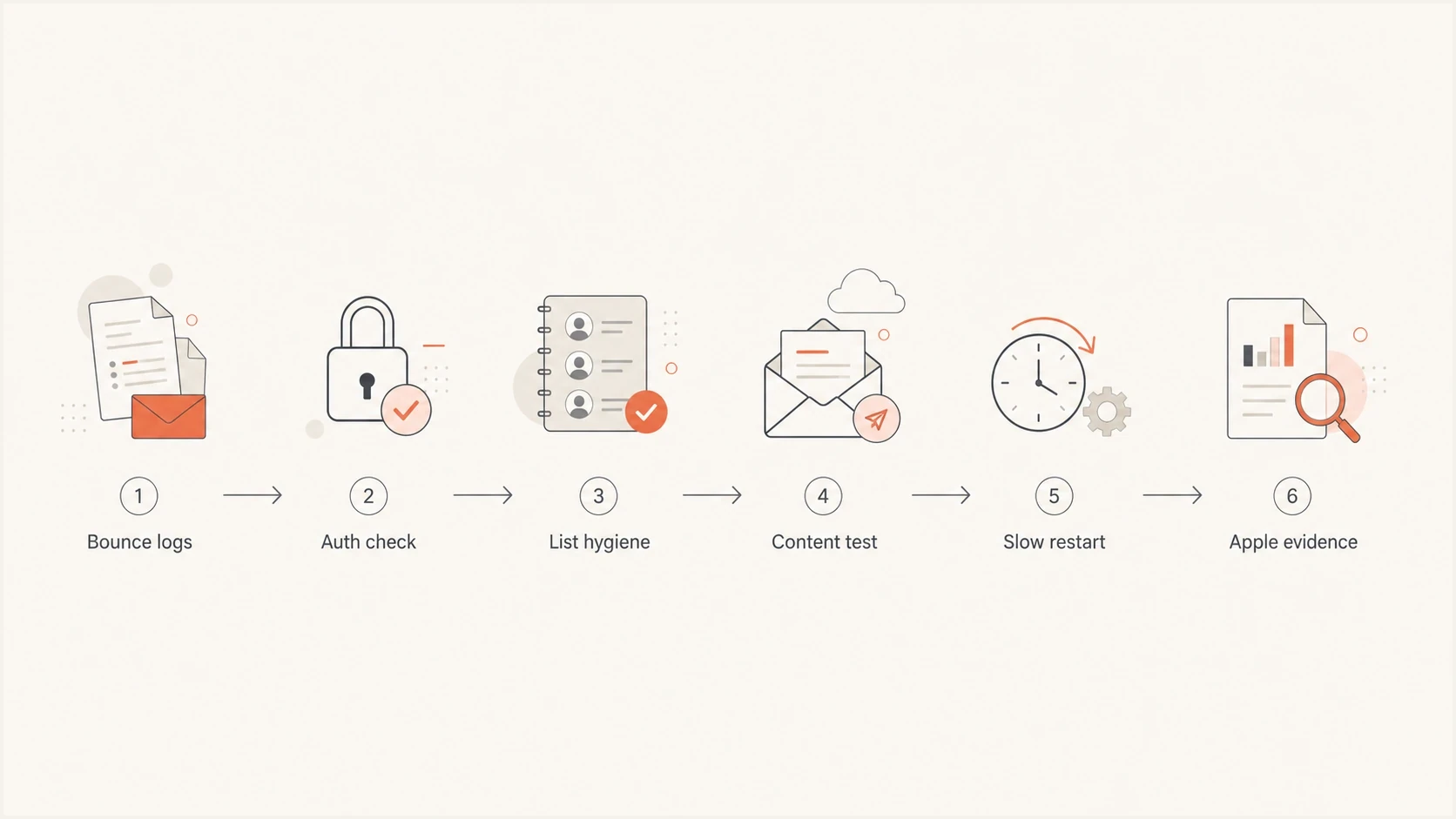
iCloud blocking troubleshooting flowchart covering bounce logs, authentication, list hygiene, content testing, restart, and Apple evidence.
If iCloud is the only domain failing, avoid broad changes that affect all mail. Do not rotate DKIM selectors, swap IPs, rewrite every link, and change DMARC policy at the same time. Make one controlled change, send a small test segment, and compare acceptance against the blocked period.
For a deeper operational checklist, the related walkthrough on iCloud delivery issues covers practical checks after the first triage pass.
Use Suped to keep the evidence together
Suped's product brings DMARC reporting, SPF and DKIM visibility, sending-source inventory, and blocklist (blacklist) monitoring into one workflow. During an iCloud incident, use Suped to spot authentication drift, unverified sources, or a new blacklist or blocklist event, then correlate the timing with Apple's SMTP responses. The bounce logs remain the primary evidence for the rejection.

Issue steps to fix dialog showing the issue overview, tailored fix steps, and verification action
Issue detection and remediation steps help turn aggregate authentication data into a focused check. Compare verified and unverified sources, DMARC pass rates, SPF lookup pressure, DKIM results, policy status, and alerts around the time iCloud acceptance changed.
If you manage more than one domain, Suped's MSP and multi-tenant dashboard keeps client domains separate while giving one place to compare trends. For an iCloud incident, the team can review authentication drift, blacklist or blocklist movement, and recent source changes without merging separate spreadsheets.
Blocklist checker
Check your domain or IP against 144 blocklists.







This is also where blocklist monitoring helps. iCloud blocking is not always caused by a public listing, but a new blacklist or blocklist hit gives you a concrete clue to include in the remediation plan. Check the sending IPs and the domains used in the visible From, return-path, DKIM signature, tracking links, and image hosts before deciding the listing is unrelated.
When to contact Apple
Contact Apple's postmaster team at icloudadmin@apple.com when you have evidence that the mail is legitimate, authenticated, wanted, and still blocked by Apple policy. Do not open with a generic request to unblock a domain. Include your company name, email domain, affected sending IPs, exact SMTP errors, when the issue started, and a concise description of the issue and remediation.
Keep the message plain: who sends the mail, why recipients expect it, what changed, what the exact SMTP response says, what you already fixed, and what volume you are holding while Apple reviews the case.
Public sender reports, including Apple discussions, show that legitimate senders can see sudden iCloud blocking. That does not prove your case is Apple-side, but it reinforces why logs matter. If several unrelated senders see the same pattern at the same time, note that in your internal timeline, then keep your escalation focused on your own mail.
If Apple accepted the message but the recipient cannot find it, ask the recipient to check iCloud.com, Junk, blocked senders, rules, storage, mailbox filters, and Apple system status before escalating a sender-side case. If the block is tied to an upstream filtering response in front of Apple addresses, the investigation changes.
Views from the trenches
Best practices
Capture exact SMTP responses before retry queues blur the timeline and failure cause.
Throttle iCloud volume while authentication, list quality, and content checks finish.
Send Apple a short evidence pack with bounce text, headers, volumes, and fixes.
Common pitfalls
Treating every iCloud failure as a blocklist hit leads teams away from logs.
Continuing full retries after local policy deferrals adds more negative signals.
Changing DMARC, DKIM, links, and IPs together makes the real fix hard to prove.
Expert tips
Segment iCloud, mac.com, and me.com results before comparing provider outcomes.
Watch for overquota spikes, because mailbox-full patterns need list suppression.
Keep a restart plan under the last stable baseline until acceptance recovers.
Marketer from Email Geeks says sudden iCloud blocking can be Apple-side, so compare the timing with other senders before changing everything.
2024-08-13 - Email Geeks
Marketer from Email Geeks says bounce logs are the first source to inspect, because many recent Apple failures came from full mailboxes.
2024-08-14 - Email Geeks
What to do next
The fastest path is not a desperate DNS rewrite. It is a controlled incident process: preserve bounces, isolate iCloud results, check DMARC identity matching, suppress bad recipients, slow the restart, and escalate only after the evidence is clean. A clean DMARC record helps, but it does not replace bounce analysis or list hygiene.
If lower Apple open rates are part of the incident, use them as a warning signal rather than the final diagnosis. Apple Mail Privacy Protection, filtering, bounces, stale recipients, and trap-like addresses can all move the open-rate line, so the decision should come from bounce codes and downstream engagement.
Suped fits the workflow by keeping DMARC, SPF, DKIM, alerts, sending-source changes, and blacklist or blocklist signals in one place. That matters when iCloud blocks mail without a public dashboard, because your SMTP logs and authentication evidence become the source of truth.




