Why are my IPs listed on Spamhaus CSS despite passing DMARC, DKIM, and SPF?

Published 24 Jul 2025
Updated 3 Aug 2026
12 min read
Summarize with
Updated on 3 Aug 2026: We updated this guide with Spamhaus' current HELO and DNS checks, clearer IPv6 scope, and a practical CSS removal workflow.
Your IPs can be listed on Spamhaus CSS even when DMARC, DKIM, and SPF all pass because CSS evaluates sending behavior and reputation, not only authentication. A DMARC pass means SPF or DKIM passed using a domain that matches the visible From domain under DMARC rules. It does not show recipient consent or guarantee good IP reputation.
Treat passing authentication as a baseline, then look for the likely CSS triggers: bad customer traffic, poor recipient acquisition, repeated mail to invalid or mistyped addresses, spamtrap hits, risky URLs or domains, sudden bursts, shared infrastructure reputation, compromised accounts, and routing patterns that resemble traffic spreading.
A CSS listing is not cancelled out by a clean DMARC pass. If the IP is listed, assume Spamhaus saw recent traffic or related signals that matched low-reputation heuristics, then work backwards through logs by IP, customer, domain, template, URL, and recipient outcome.
The direct answer
The most likely reason is that one or more mail streams from those IPs looks abusive or low-quality to Spamhaus, even if each message authenticates correctly. Spamhaus describes Spamhaus CSS as an automatically produced dataset for SMTP sources, with listing influences including unsolicited mail, poor list hygiene, compromised systems, insecure installations, misconfigured servers, and other low-reputation behavior.
The important distinction is this: DMARC, DKIM, and SPF answer authentication questions. CSS answers a reputation and behavior question. Those controls are related, but they do different jobs.
- Authentication: SPF checks whether an IP can use the envelope sender domain, DKIM validates a signature and signing domain, and DMARC checks for a passing result that matches the visible From domain.
- Reputation: CSS uses multiple events and heuristics associated with unsolicited mail, poor list hygiene, compromise, or other abuse.
- Routing: Spreading traffic across several IPs can look worse if it resembles an attempt to dilute bad mail.
- Infrastructure: HELO names, rDNS, customer domains, hosted URLs, and shared network space can expose connections between mail streams.
Passing authentication
- Checks: The message has valid SPF, DKIM, and DMARC results.
- Scope: It covers IP authorization, message signing, and DMARC domain matching.
- Limit: It does not prove the recipient requested the mail.
CSS reputation
- Checks: The sending IP has recent low-reputation signals.
- Scope: It covers behavior, infrastructure, and abuse patterns.
- Limit: It does not need a failed DMARC result to list an IP.
What CSS is checking
CSS is a Spamhaus IP DNSBL focused on SMTP sources. In normal terms, it is a blocklist or blacklist for sending IPs connected to low-reputation mail. CSS lists IPv4 addresses as individual /32 entries and lists IPv6 space as /64 or larger prefixes, so one IPv6 listing can cover many individual addresses.
Check authentication guidance, but do not stop there. Correct rDNS, forward DNS, HELO, TLS, DKIM signing, SPF, and DMARC are important technical hygiene. They do not guarantee that a mail stream will avoid a blacklist.
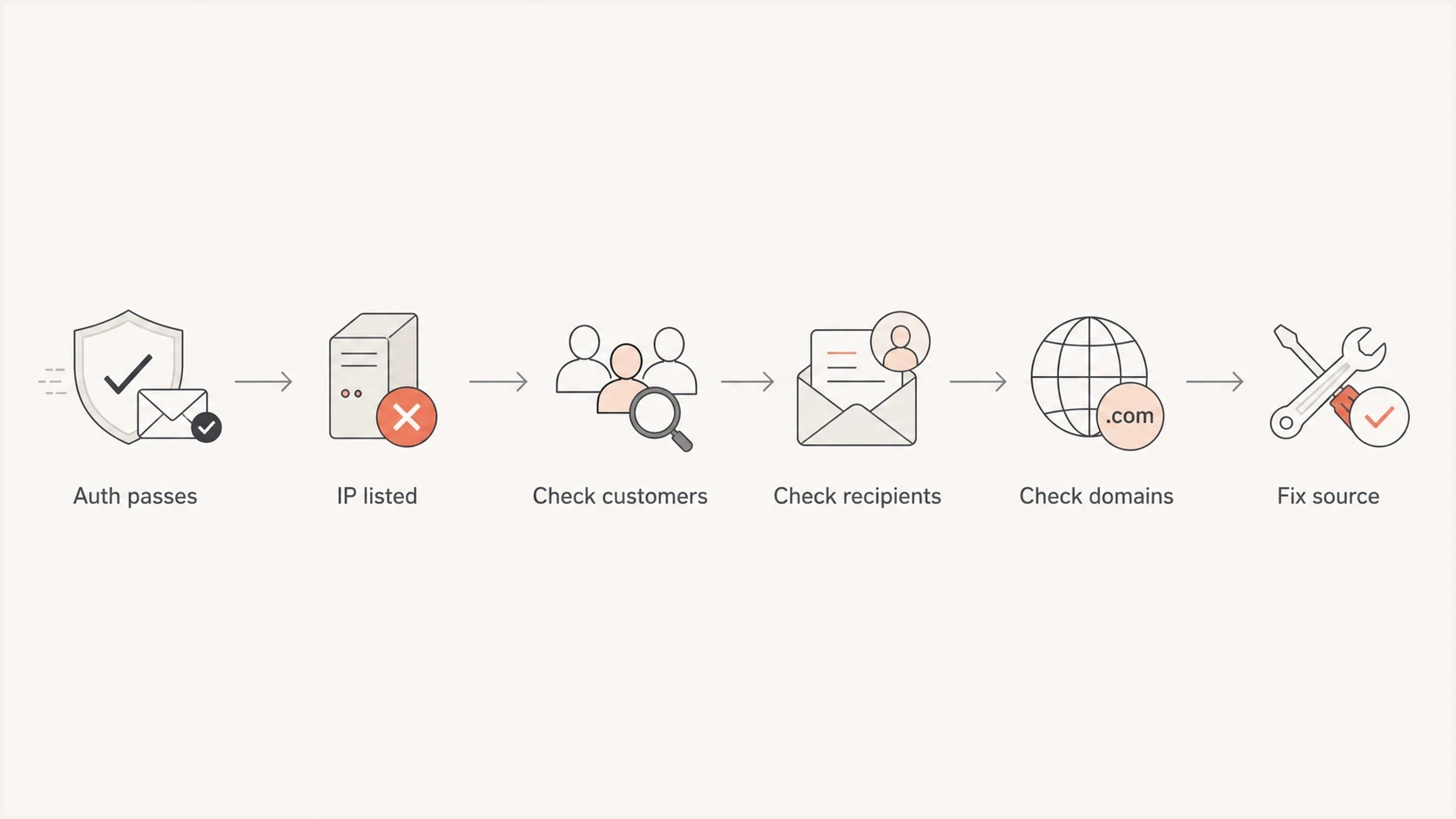
Flowchart for investigating Spamhaus CSS listings after authentication passes.
|
|
|
|---|---|---|
Bad recipients | Typos and traps create unwanted mail. | Reject typos. |
High bounces | Repeated failures show weak address controls. | Suppress faster. |
Bad domains | Related domain reputation can affect the investigation. | Review onboarding. |
Unexpected HELO | An unknown value can reveal misuse or misconfiguration. | Match it to logs. |
Web app abuse | Compromised forms or CMS processes can send unwanted mail. | Audit outbound sources. |
Traffic bursts | Sharp spikes can resemble abusive sending. | Rate-limit. |
Pool spread | Bad actors also distribute traffic across IPs. | Isolate streams. |
Common CSS triggers to check before requesting removal.
Why clean authentication is not enough
A phish, fake account confirmation, unsolicited invite, or mistyped OTP can pass authentication perfectly. If the platform allows a customer to send mail with a verified domain, the message can authenticate while still being unwanted or harmful.
This is why a small low-volume stream of very bad mail matters. A service sending millions of legitimate transactional messages can still get an IP listed if another stream repeatedly sends obvious phish, hits recycled traps, uses a listed domain, or contacts invalid recipients. Large legitimate volume does not erase strong abuse signals.
Do not assume a passing result from DMARC, DKIM, SPF, FCrDNS, or TLS means the CSS listing is a false positive. Treat it as proof that the technical base is reasonable, then investigate the actual traffic.
OTP and account-confirmation mail has a special trap: people mistype addresses. Some mistypes bounce. Others land in a real mailbox owned by someone else. Some old typo domains and abandoned inboxes become trap-like recipients. If a form accepts common typo domains and retries the same code several times before suppression takes effect, the stream can look worse than the product team expects.
Internal bounce review bands for OTP streams
These operational bands help prioritize investigation. They are not Spamhaus listing thresholds.
Baseline
Below 0.1%
Track by form, customer, and sending IP.
Review
0.1% to 0.29%
Check typos, retry behavior, and suppression timing.
Investigate
0.3% to 0.99%
Treat the increase as a data-quality incident.
Stop and fix
1% or higher
Pause or throttle the affected stream while correcting the source.
Signals to investigate first
Start with the exact listed IPs. For each one, pull a time-windowed report for all accounts, domains, templates, links, return paths, bounce reasons, suppressions, complaints, and retry attempts. Compare that evidence with the listing time and the last major traffic spike.
Suped's blocklist monitoring workflow monitors IP and domain listings, records changes, and places the event beside authentication and deliverability data. Use the alert time to narrow the logs that need review.
Blocklist checker
Check your domain or IP against 144 blocklists.







- Customers: Find the accounts that sent on the listed IP before and during the CSS event.
- Domains: Check whether customer domains, link domains, tracking domains, or hosted assets have domain reputation issues.
- Recipients: Review typo domains, disposable addresses, old addresses, repeated sends, and invalid-recipient bursts.
- Content: Look for templates that resemble known spam, fake account notices, credential prompts, or URL-heavy mail.
- Routing: Map which pools share the same range, HELO naming pattern, return path, and customer base.
- Timing: Compare CSS events with volume spikes, queue flushes, suppression changes, and customer campaigns.
For a broader primer on these lists, use blocklist basics. For an authentication and DNS sweep, run a domain health check. For live message headers and authentication output, send an email test from the same MTA path.
How shared ranges affect CSS risk
Can bad mail from a shared pool affect dedicated IPs in the same range? For IPv6, CSS lists /64 or larger prefixes, so several addresses can share one listing. For IPv4, CSS lists individual /32 addresses, although receiving systems can still connect traffic through network ownership, HELO patterns, customer domains, link domains, return paths, hosted content, and sending behavior.
This is why adding more IPs to avoid throttling can backfire if the root cause is reputation. If a mailbox provider tempfails one or two IPs, spreading the same traffic across more IPs can resemble snowshoe behavior. Do not churn IP pools on quiet days. Clean the mail stream, slow the peaks, and isolate risky customers.
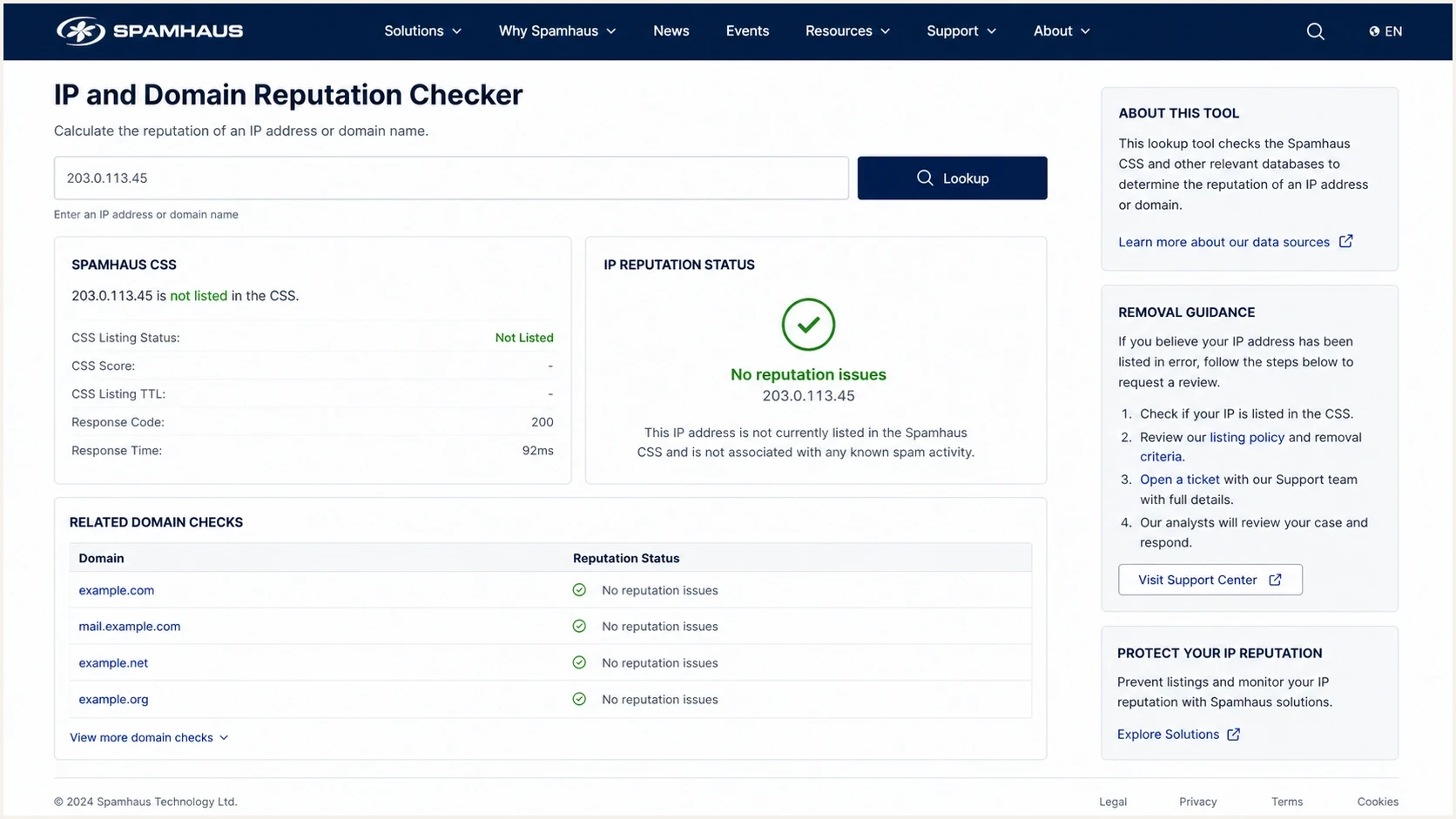
Spamhaus reputation checker screen with a CSS result for an IP address.
Risky response
- Pool churn: Moving mail away from listed IPs without fixing the sender.
- Extra IPs: Adding more IPs to mask throttling caused by reputation.
- Fast removal: Requesting delisting before the cause is corrected.
Better response
- Isolation: Move risky customers to controlled pools with strict limits.
- Throttling: Smooth traffic peaks before mailbox providers do it for you.
- Correction: Fix recipient, content, and domain issues before delisting.
Fixes that reduce relisting
The strongest fix is to stop the bad mail at the source. CSS delisting can be fast, but relisting is fast too when the same signals continue. Fix the cause first, request removal, then watch for recurrence by customer and IP.
- Recipient gates: Reject common typo domains, disposable domains, toxic domains, and addresses already hard-bounced.
- Suppression rules: Apply hard-bounce suppression immediately and use longer holds for quota-related soft bounces.
- Customer controls: Review high-bounce senders, new accounts, sudden traffic spikes, and low-volume accounts with suspicious content.
- Domain screening: Block customer domains that are already listed on domain reputation datasets before they send.
- Stable identity: Use mail-like PTR names, matching forward DNS, and consistent HELO values for every active sending IP.
- Traffic shape: Avoid sudden queue dumps and keep high-risk senders away from dedicated customer pools.
Clean MTA identity example
PTR: 203.0.113.10 -> mta1.mail.example.com
A:   mta1.mail.example.com -> 203.0.113.10
HELO: mta1.mail.example.com
The PTR name is rarely the only reason for a CSS listing, but bad identity makes the investigation harder. If hostnames look like generic servers rather than mail infrastructure, clean them up. If a forward lookup does not match the sending IP, fix it. An inactive address in the range with no matching DNS is usually less urgent than a live MTA with bad DNS.
For a deeper Spamhaus-specific remediation path, read the Spamhaus block guide. If messages authenticate but still go to spam, the same thinking applies when authentication still passes: identity checks are only one part of deliverability.
How to confirm and remove a CSS listing
A CSS listing points to recent activity. Spamhaus says listings normally expire three days after the last detection, although chronic abuse can keep them active longer. Waiting is not a fix if the same traffic continues, because CSS can relist an IP quickly after another detection.
- Confirm the dataset: Verify that the result is CSS and record the listed IPv4 address or IPv6 prefix. A different Spamhaus dataset requires different remediation.
- Review recent HELO values: Compare the values shown with the configured MTA names. Unknown or random names can indicate a misconfigured process, compromised host, or unapproved sender.
- Validate MTA identity: Make the HELO hostname resolve to the sending IP, make the PTR resolve to a fully qualified hostname, and make that hostname resolve back to the IP.
- Correct the traffic source: Stop unwanted mail, secure compromised applications, enforce suppressions, and review related domain reputation before requesting removal.
- Request removal: Submit the request only after the checks pass. Spamhaus can allow automatic removal or route the case to its ticket process when automatic removal is unavailable.
- Watch for recurrence: Keep the sending identity stable and monitor the affected IP, customer, and domains after delisting. A quick relisting means the source is still active or the correction was incomplete.
Spamhaus says CSS decisions use multiple events and heuristics, and it does not provide spam samples for CSS listings. Build the case from the listing details, recent HELO data, MTA logs, customer activity, and recipient outcomes.
How Suped fits into this workflow
Suped's product supports this investigation by placing DMARC, SPF, DKIM, blocklist and blacklist monitoring, source attribution, and alerts in one workflow. The useful connection is timing: a new CSS event can be compared with sender changes and authentication data without treating authentication as the cause of every reputation problem.

Blocklist monitoring page showing domain and IP checks across blocklists with importance and status
Set alerts for IP and domain listings, watch DMARC source changes, and compare verified senders with unexpected sources. Use the listing time to inspect the relevant customer, sending IP, and domain logs, then keep the same monitoring active after removal.
The practical Suped workflow is: detect the listing, identify the affected domain or IP, connect it to authentication and sending-source data, assign the likely cause, fix the sender or DNS issue, then keep monitoring after delisting.
Views from the trenches
Best practices
Separate customer streams by risk, then watch bounces, complaints, traps, and list status daily.
Treat OTP bounces above a tiny baseline as a data-quality incident, not normal noise.
Keep sending identity stable while you fix sources, routing, and customer compliance controls.
Common pitfalls
Passing DMARC can hide a permission problem if recipients did not ask for the message recently.
Rotating troubled traffic across more IPs makes a burst look closer to snowshoe behavior.
Short suppression windows let the same bad address produce repeated negative signals quickly.
Expert tips
Compare each CSS-listed IP with account, domain, template, URL, bounce, and retry logs.
Check DBL status for customer domains before onboarding and again during active sending.
Use real-time typo rejection on sign-up and checkout forms before mail is queued at peak times.
Marketer from Email Geeks says CSS listings usually point to behavior, not authentication, so start with customer content and recipient data.
2024-10-17 - Email Geeks
Marketer from Email Geeks says mailbox-provider tempfails are a reputation signal, so adding IPs should not be the first fix.
2024-10-17 - Email Geeks
What to do next
Your IPs are listed on Spamhaus CSS despite passing DMARC, DKIM, and SPF because the problem is not necessarily sender authentication. The problem is a recent signal from the IP, the customer using it, the content, the domains, the recipients, or the way the traffic is distributed.
Do not chase only DNS perfection. Confirm the listing, map it to exact senders and domains, fix high bounces and typo acceptance, block risky domains before they send, isolate questionable customers, slow bursts, and keep routing stable. Then request delisting and monitor for recurrence.




