Is UCEProtect a legitimate blacklist for email marketing and who uses it?

Published 18 Jul 2025
Updated 21 Aug 2026
12 min read
Summarize with
Updated on 21 Aug 2026: We clarified how UCEProtect's listing levels, removal rules, and limited receiver use should guide your response.
Short answer: UCEProtect is a real DNS-based blocklist (DNSBL), also described by the older term RBL, but it should not be treated as a trusted blacklist for email marketing decisions. A listing exists in a live blocklist system, and some mail servers still query it, but its practical influence is narrow compared with the false-positive noise it creates.
Who uses it? A small set of local, private, and older receiver setups. The recurring examples are municipal or administrative systems, a small number of regional ISPs, and mail filters that inherited old DNSBL configuration. Large consumer mailbox providers should not be assumed to use UCEProtect because a checker reports a listing.
That distinction matters. If UCEProtect appears in a generic blacklist report, check real delivery evidence before changing anything. If an SMTP rejection names UCEProtect, treat it as a receiver-specific block and work the incident. If there is no bounce, no drop in opens, and no affected campaign path, keep monitoring and fix the underlying sender quality issues instead of chasing paid removal.
The direct answer
UCEProtect is legitimate in the narrow technical sense: it publishes DNS-based blocklists that receivers can query. It is not legitimate in the stronger trust sense that most email marketers mean when they ask whether a blacklist deserves operational priority. Its Level 1 list can point to direct IP behavior, but Level 2 and Level 3 expand into wider network ranges, which is why innocent senders often get caught.
|
|
|---|---|
Is it real? | Yes, it is a live DNSBL. |
Is it trusted? | Not broadly for marketing mail. |
Who uses it? | Small receivers and old filters. |
What matters? | Real bounces and delivery data. |
Fast answer for email marketing teams
The practical answer is to separate blacklist visibility from delivery impact. A UCEProtect listing in a scan is not the same as a mailbox provider blocking your campaign. Start with blocklist basics if you need the distinction between a DNSBL listing, a receiver rule, and a reputation decision.
Operational rule
Treat UCEProtect as a signal to investigate, not as proof of broad inbox damage. The exception is an SMTP rejection that names UCEProtect directly.
Why UCEProtect gets called a scam
UCEProtect gets called a scam because of the way its listings and paid removal model feel to senders. The complaints are consistent: broad listings, false positives, hard-to-reach operators, express delisting fees, and many listings that do not match the sender's own behavior. That does not mean every UCEProtect result is fake. It means the incentive and accuracy model is weak enough that major sending decisions need bounce proof.
UCEProtect's own policy says Level 1 records expire automatically and free of charge seven days after the last recorded impact. Level 2 and Level 3 depend on recent Level 1 activity across an allocation or ASN, so they clear only after the network-wide activity falls below the relevant threshold. Paid express delisting changes timing, but it does not correct the source or prevent relisting.
Public criticism has been around for years. The InMotion analysis and Sucuri case study both describe the same sender-side frustration: wide network listings, servers caught even when they do not send mail, and pressure to pay for faster removal. The UCEProtect site publishes the list structure, but that does not answer whether receivers should rely on it.
Useful signal
- Direct IP: A Level 1 hit deserves a log check because it can involve the sending IP.
- Receiver proof: A bounce naming UCEProtect confirms at least one receiver used it.
- Trend change: A delivery drop at the same receivers turns a listing into an incident.
Weak signal
- Generic scan: A checker result alone does not prove any mailbox rejected mail.
- Range listing: A Level 2 or Level 3 hit often says more about the network than you.
- Paid removal: Payment without impact evidence turns a noisy alert into wasted work.
How the three UCEProtect levels differ
The level matters more than the brand name. Level 1 is the closest to a normal IP blacklist. Level 2 lists a wider allocation when recent Level 1 activity crosses UCEProtect's threshold. Level 3 lists an entire autonomous system number (ASN), including shared cloud and hosting networks where unrelated senders use the same provider. That broad scope creates the most false urgency for legitimate senders sharing infrastructure.
UCEProtect DNSBL zonestext
dnsbl-1.uceprotect.net  Level 1, sending IP

dnsbl-2.uceprotect.net  Level 2, wider allocation

dnsbl-3.uceprotect.net  Level 3, network ASN
Level 2 and Level 3 are usually outside the sender's direct control. The provider or network owner has to reduce the underlying Level 1 activity, so sender-side action should focus on proof of impact, authentication, and any traffic source that can be fixed immediately.
If a bounce references Level 1, ask what that IP sent, whether authentication passed, whether complaints rose, and whether the list source was clean. If the issue is Level 3 only, treat it as a shared-network reputation problem unless the same receiver also shows a direct rejection pattern.
How to judge UCEProtect as a blocklist
Technical operation and operational legitimacy are different tests. RFC 6471 describes DNSBL practices such as clear policies, accurate data, documented removal, and attention to conflicts of interest. Charging receivers for access to a commercial DNSBL is different from charging a listed party to accelerate removal from a negative blacklist.
- Transparency: A receiver should understand what triggered a listing and how errors are corrected.
- Proportionality: A block should track the responsible sending IP closely enough to limit collateral listings.
- Correction path: A sender needs a clear, free route to correction after the underlying behavior stops.
- Receiver control: Broad Level 2 and Level 3 data is safer as one scoring input than as an automatic rejection rule.
UCEProtect passes the basic test of being a functioning DNSBL. Its broad network levels, limited evidence available to a listed sender, and paid express delisting model justify giving it low weight. A receiving administrator should test false positives before using any UCEProtect level to reject mail.
Who actually uses UCEProtect
The honest answer is that usage is small, uneven, and difficult to inventory because receiver filtering rules are often private. UCEProtect still appears in occasional bounce logs, including Level 1 and Level 3 references, but it shows up most often where an administrator has a legacy DNSBL set, a small regional ISP has a strict local rule, or a private gateway has not reviewed its lists for years.
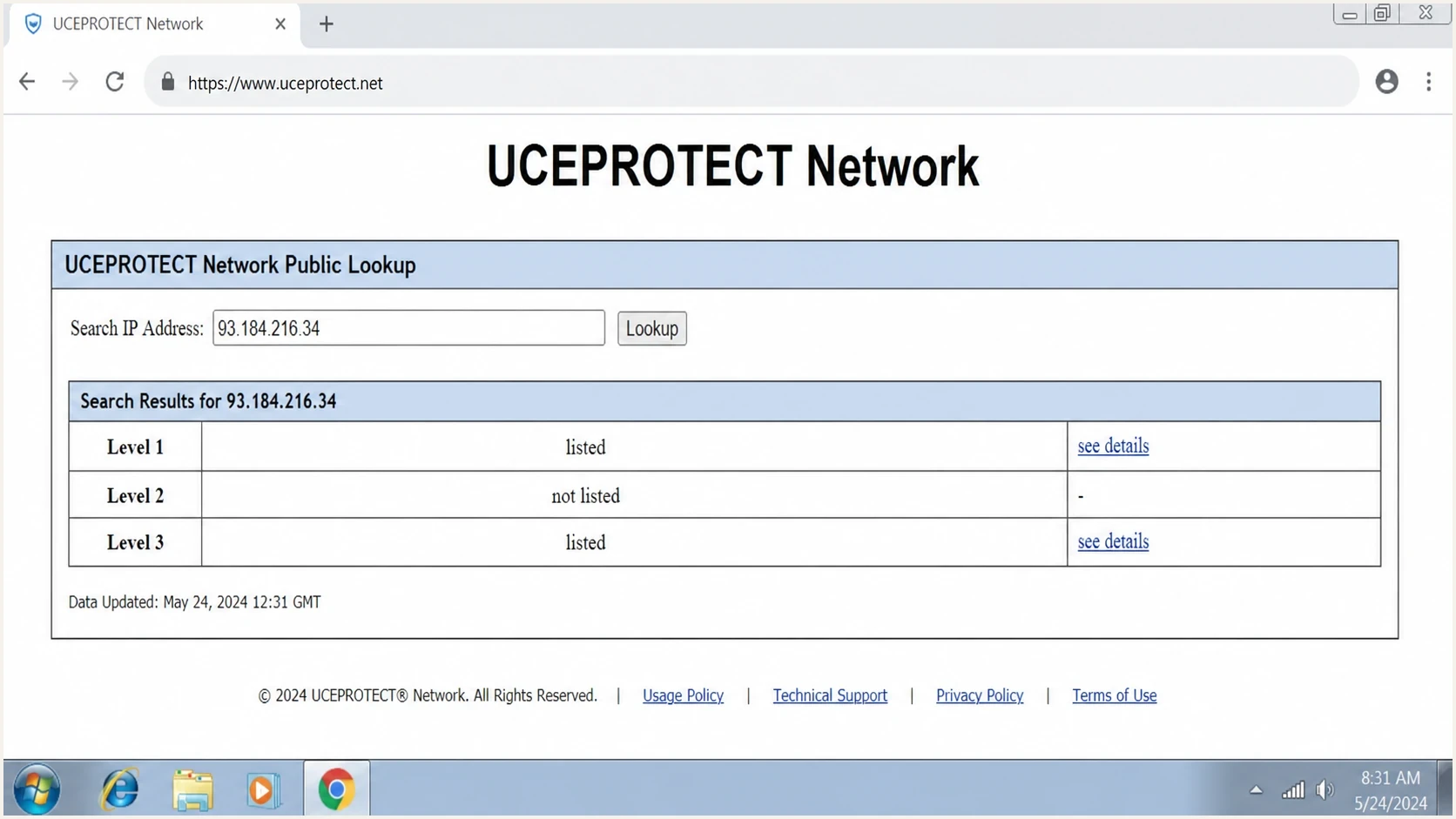
UCEProtect IP address lookup showing Level 1, Level 2, and Level 3 blacklist results.
There is no authoritative public list of receivers that currently use UCEProtect. Names repeated in old forum threads or bounce-history anecdotes do not prove current adoption, and one receiver can use a DNSBL only for scoring while another uses it for rejection. A current SMTP response naming a UCEProtect zone is the reliable evidence that a specific receiver uses it in the affected mail path.
For Gmail, Yahoo, Microsoft 365, and other large mailbox environments, a UCEProtect listing by itself is not the reason to expect bulk email to fail. These receivers have their own reputation systems. If they reject mail, the bounce text, authentication result, complaint history, and traffic pattern matter more than a UCEProtect scan result.
How to check whether it matters
The fastest way to avoid wasting time is to prove impact before action. Start with a real campaign sample, not a generic blacklist checker screenshot. The question is simple: did a receiver reject mail because of UCEProtect, or did a monitoring tool merely report a listing?
- Collect bounces: Look for SMTP text that names UCEProtect, DNSBL, Level 1, Level 2, Level 3, the exact DNSBL zone, or a rejection URL.
- Confirm the IP role: Match the listed IP to the outbound mail headers or sending logs, not the website host or an unrelated shared IP.
- Segment receivers: Check whether the impact is isolated to one domain, one ISP, or one region.
- Verify authentication: Confirm SPF, DKIM, and DMARC pass before blaming the blocklist.
- Inspect traffic: Review complaint rate, invalid addresses, new list sources, and volume jumps.
Blocklist checker
Check your domain or IP against 144 blocklists.







A blocklist checker is useful for triage, but it is not the decision point. Pair it with a real inbox-path test through an email tester and a broader domain health check so SPF, DKIM, DMARC, DNS, and sending-source issues are visible in the same review.
When a bounce names UCEProtect, treat it as a recipient-admin issue first. The affected receiver can confirm whether the rule is local, inherited from an old filter, or removable without changing your sending infrastructure.
UCEProtect urgency levels
Use delivery evidence, not the listing alone, to decide priority.
Monitor
Low
Listing exists, no bounce evidence.
Investigate
Medium
A small receiver rejects mail.
Act
High
Repeated bounces cite UCEProtect.
What to do when a listing appears
The response depends on evidence. Do not pay for express removal as a first move. Do not rotate IPs just because Level 3 appears. Those actions can create more reputation risk than the blacklist (or blocklist) result itself.
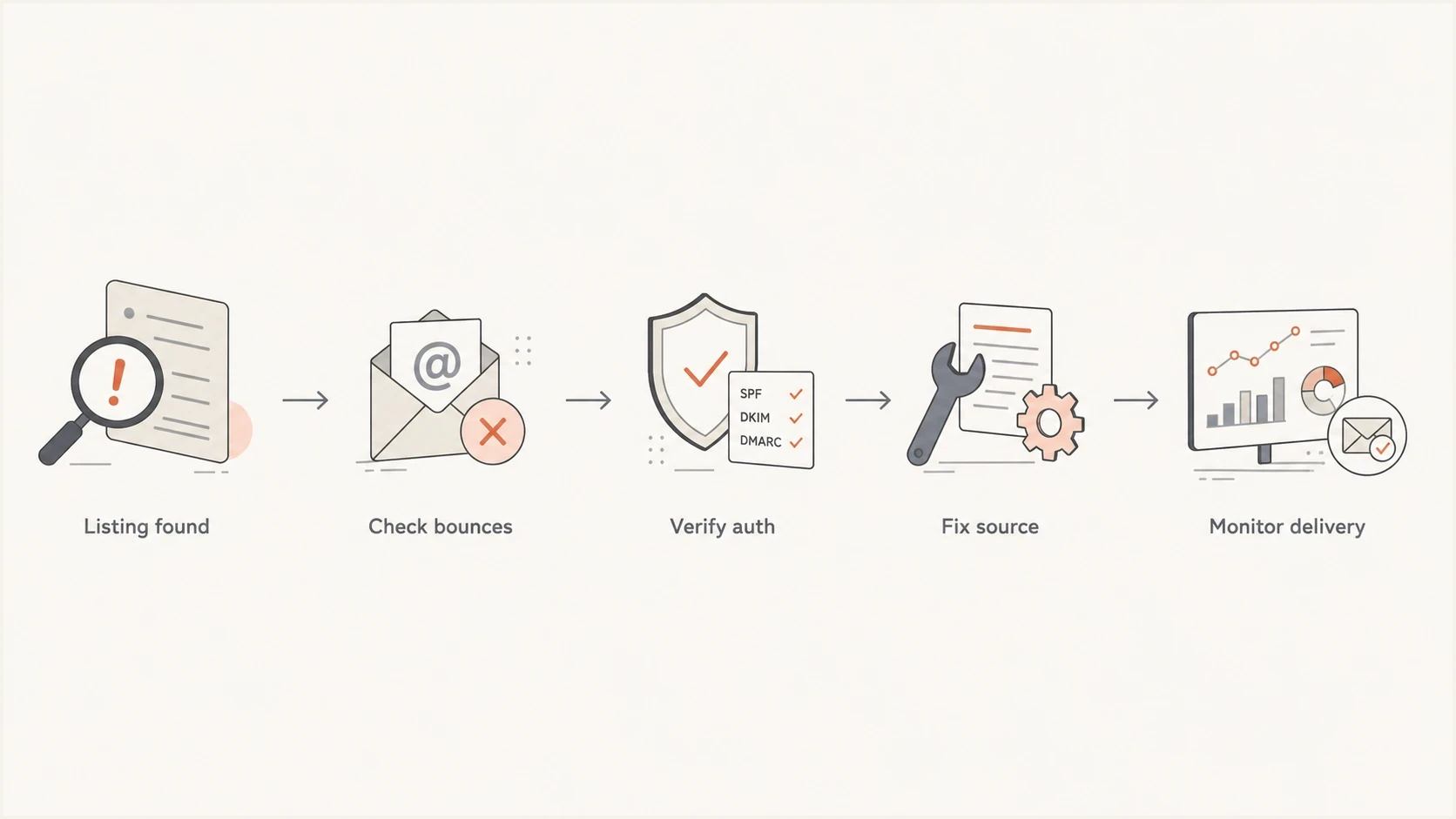
Flowchart for checking bounces, authentication, source quality, and delivery after a UCEProtect listing.
- No bounces: Record the listing, watch delivery metrics, and keep normal remediation work moving.
- Single receiver: Contact that receiver or route around the issue only for that domain if needed.
- Level 1 hit: Audit the exact IP for compromised mail, bad list imports, spam-trap hits, and authentication failure.
- Level 3 hit: Ask the provider about network cleanup, but avoid emergency migration without proof.
This is where ongoing blocklist monitoring is useful. The work is not to panic at every blacklist result. The work is to connect listings to actual recipient outcomes, sender authentication, and reputation trends.
Where Suped fits
Suped's product supports this triage workflow by putting DMARC, SPF, DKIM monitoring, blocklist monitoring, deliverability checks, and real-time alerts in one workflow instead of making teams jump between disconnected reports.

Blocklist monitoring page showing domain and IP checks across blocklists with importance and status
The practical value is issue detection and next steps. If UCEProtect appears, Suped helps separate the listing from the actual sending source, authentication state, and delivery risk. Hosted SPF also helps teams manage senders without repeated DNS edits, while SPF flattening keeps SPF under lookup limits. Hosted DMARC and hosted MTA-STS reduce operational friction when policy changes need careful staging.
Best practical approach
Use Suped to monitor authentication and blocklist signals together, then act on the issues tied to real mail flow. That keeps UCEProtect in proportion while still catching sender-side problems early.
For MSPs and agencies, the multi-tenant dashboard is also important. A noisy UCEProtect alert across client domains needs clean prioritization, not a queue of manual lookups. Suped's free plan gives small teams a way to start monitoring, and the same workflow scales for larger organizations.
Views from the trenches
Best practices
Confirm delivery impact with real bounces before treating any UCEProtect notice as urgent.
Separate Level 1 incidents from Level 2 or Level 3 range listings before taking action.
Check whether the affected sender uses the listed IP for mail, not only web traffic.
Use DMARC, SPF, DKIM, and bounce data together when judging whether reputation changed.
Common pitfalls
Paying for express removal before proving a recipient actually rejected mail because of it.
Treating a Level 3 ASN listing like proof that the sender domain has bad behavior history.
Assuming every blacklist checker alert maps to mailbox provider filtering decisions today.
Changing sending infrastructure without fixing authentication, complaint, or list quality issues.
Expert tips
Keep a sample of rejection logs so the receiver can see the exact DNSBL that blocked mail.
Escalate to the recipient admin when their filter cites UCEProtect in the SMTP rejection.
Use blocklist monitoring as triage, then prioritize the sources tied to real bounces.
Track domain health over time so one noisy blacklist does not distract from larger risks.
Expert from Email Geeks says large senders rarely see UCEProtect used by major receivers, especially Level 2 and Level 3.
2025-04-11 - Email Geeks
Marketer from Email Geeks says Level 1 is IP-focused, while Level 3 can affect a full network range.
2025-04-12 - Email Geeks
Practical verdict
UCEProtect is a legitimate blacklist in the sense that it exists and some receivers query it. It is not a blacklist that deserves broad authority for email marketing. The right response is evidence-led: confirm the level, check real bounces, verify authentication, inspect sender quality, and avoid paid removal. Fix the cause, wait for automatic expiry where it applies, and work directly with a business-critical receiver that still rejects the mail.
If the listing is Level 1 and tied to real rejections, fix the sender-side issue. If it is Level 2 or Level 3 with no matching bounce evidence, keep it on the watch list and focus on the fundamentals that large mailbox providers actually enforce: clean acquisition, low complaints, valid DNS, SPF, DKIM, DMARC, and consistent sending behavior.




