Is Spamcop effective for stopping spammers or preventing unwanted emails?

Updated on 22 Sep 2026: We added safer SpamCop reporting steps and clarified how SCBL listings, shared IPs, and automatic delisting work.
SpamCop is effective in a narrow way: it can help receiving mail servers identify and filter mail from IP addresses that recently sent reported spam. It is not effective as a direct way to stop a spammer, stop email harvesting, or prevent every unwanted email from reaching a personal inbox.
SpamCop works best as one spam signal, not a complete anti-abuse program. If a receiving server queries the IP-based, DNS-based SpamCop Blocking List, also called the SCBL, a listed connecting IP can be blocked, tagged, or routed to junk. If the recipient's mail system does not use that blocklist (blacklist), a SpamCop listing changes nothing for that delivery path.
- Direct answer: SpamCop can reduce spam where its data is used, but it does not force spammers to stop.
- Best use: Use it as one input in filtering, complaint review, and broader blocklist monitoring.
- Wrong use: Do not assume one report, one listing, or one blacklist hit proves a whole sender is abusive.
What SpamCop does well
SpamCop has two related jobs. First, people submit unwanted messages. SpamCop parses the headers, works out the apparent sending IP, and sends abuse reports where it thinks they belong. Second, qualifying report data helps feed the SpamCop Blocking List. The official SpamCop site describes the service as reporting spam and feeding spam filtering systems.
An abuse report and an SCBL listing are separate outcomes. A report can notify the responsible network operator even when the sending IP does not meet the SCBL threshold. That makes SpamCop useful when the problem is recent spam activity from a specific IP address. It is weaker when the problem is a human who keeps buying scraped addresses, shifting sender infrastructure, changing domains, or sending through compromised accounts.
|
|
|
|---|---|---|
Inbox spam | Some | Mark as junk |
Sending IP | High | Review reports |
Shared pool | Mixed | Isolate traffic |
Visible From spoofing | Low | Enforce DMARC |
SpamCop is most useful as a short-lived IP reputation signal.
Do not overread one listing
SpamCop's own guidance says the SCBL is aggressive and better used with allowlisting or tag-and-divert handling. Its published criteria weigh current report activity against reputation data rather than treating one complaint as a verdict. A listing is a reason to investigate, not a verdict on every message from a sender.
- Safer filtering: Score or quarantine first when false positives would hurt customers.
- Hard blocking: Reserve SMTP rejection for repeated, current, well-supported signals.
- Sender review: Check whether the listed IP is dedicated, shared, forwarded, or compromised.
How SpamCop works in practice
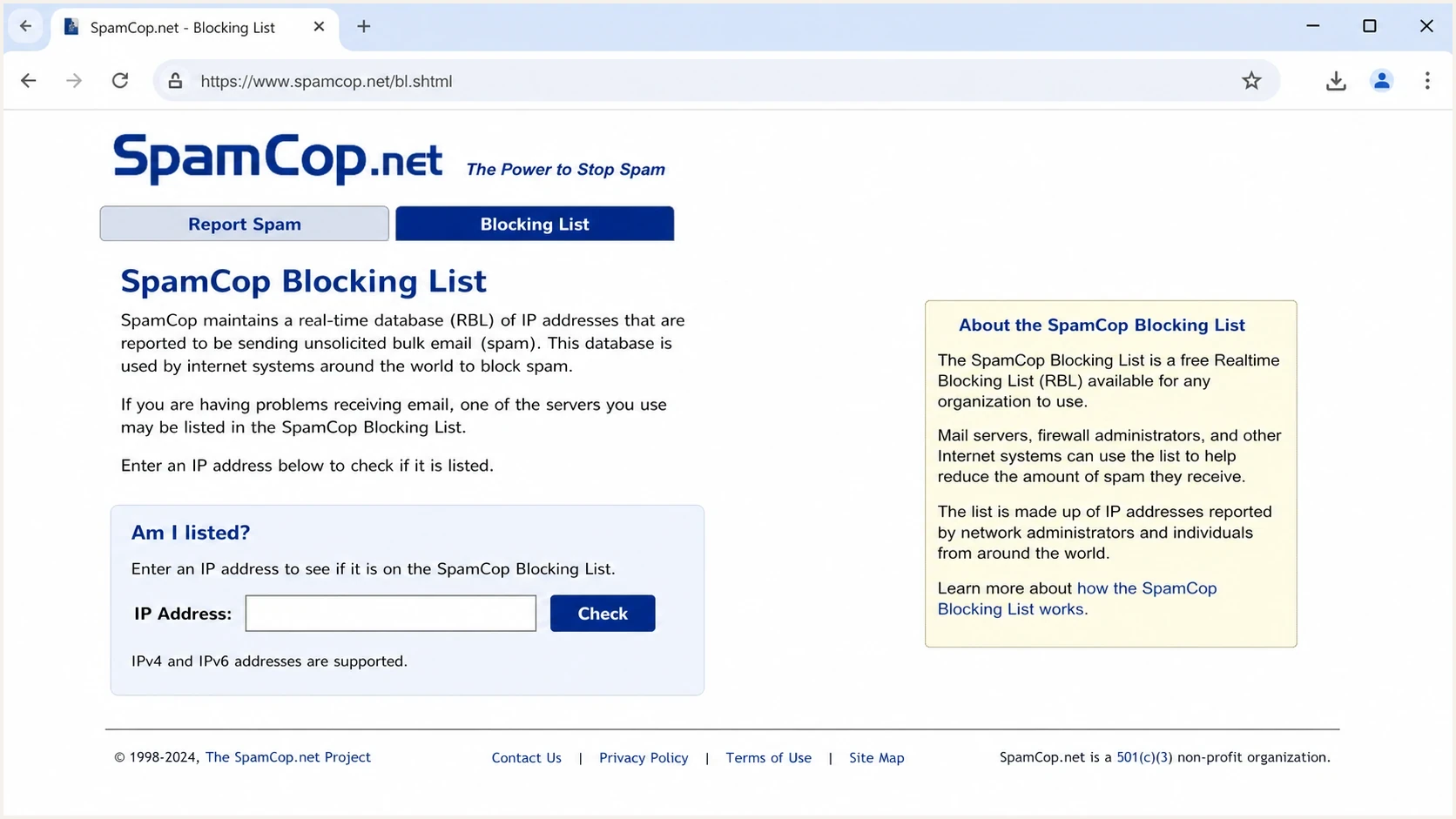
SpamCop.net SCBL page for checking an IP address.
The SCBL is IP based. It does not list a website URL simply because the URL appeared in the body of a spam message. It does not list a mailbox address just because the spammer wants replies there. It focuses on the IP address that transmitted reported mail.
That distinction matters. A spammer can advertise one domain, send through another service, and use a third mailbox for replies. SpamCop can affect the sending IP only when enough current evidence points to that source and a recipient system chooses to use the list.
Freshness drives the SCBL. Its published criteria weigh the volume of reports relative to reputation points, give fresher reports more weight, ignore reports for mail received more than one week ago, and give spamtrap hits extra weight. If no new qualifying reports arrive, an IP is automatically delisted after 24 hours.
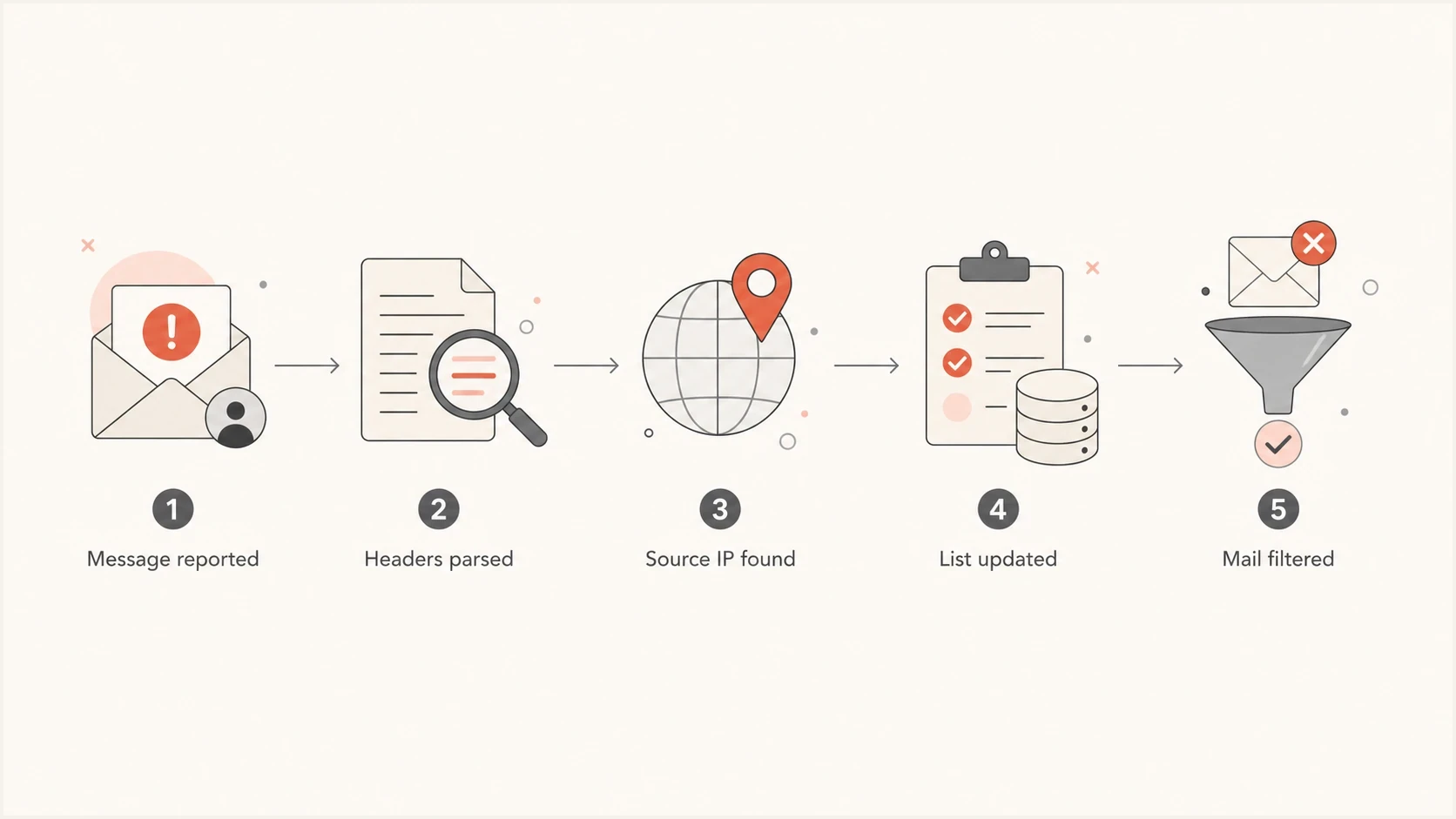
SpamCop reporting and SCBL filtering process for an unwanted email.
Gateway handling exampleyaml
spamcop_scbl:
  role: reputation_signal
  lookup: sending_ip
  first_action: tag
  second_action: quarantine
  reject_at_smtp: false
  require_current_reports: true
  allowlist_wanted_senders: true
The example above is not a vendor configuration. It shows a cautious policy: treat a SpamCop hit as part of scoring first, especially for business mail. Hard rejection has a cost because a shared IP can carry both poor senders and wanted mail.
When a SpamCop listing matters
A SpamCop listing matters when it lines up with other evidence: complaint spikes, bad list acquisition, stale addresses, sudden volume changes, malware, compromised accounts, forwarding loops, or a sender sending mail that recipients never asked for. It matters less when it is isolated, short-lived, and tied to a shared IP that also carries normal traffic.
For senders, the operational question is not whether SpamCop is fair. The question is whether a recipient system used that blacklist signal during delivery. A rejection, deferral, or junk placement should be reviewed alongside authentication, content, recipient engagement, and complaint data. For a deeper background on lists, start with blocklist basics.

Blocklist monitoring page showing domain and IP checks across blocklists with importance and status
Suped's product puts this into one team workflow. Its DMARC source data, SPF and DKIM checks, blocklist status, domain health, and real-time alerts help a team map a listed IP to an approved sender, a shared provider, or an unknown source instead of treating the SpamCop hit as an isolated event.
Blocklist checker
Check your domain or IP against 144 blocklists.







How seriously to treat a SpamCop signal
Use the signal strength to decide whether to observe, investigate, or stop sending from an IP.
No current listing
0
Keep monitoring and review normal complaint trends.
Short listing
1
Investigate source, consent, and recent campaigns.
Repeated listing
2+
Pause risky traffic and isolate the source.
What to do if you receive unwanted emails
If someone has harvested your address, reporting to SpamCop has limited personal payoff. The sender can move addresses, change IPs, or use new mail infrastructure. Your mailbox provider's spam button, local filtering rules, and address hygiene usually reduce the pain faster.
The FTC spam advice is also practical for personal inboxes: use filters, block senders or domains where useful, check how sites share your address, unsubscribe only when the sender is legitimate, and report junk through the mailbox interface.
If you report through SpamCop, submit the original message with full headers and review the proposed report targets before sending. Do not report a subscription you requested, a single misdirected confirmation, or ordinary personal mail. Incorrect reports weaken the SCBL's accuracy and can affect wanted mail.
Configure Mailhosts before reporting forwarded mail
Add every legitimate mailbox, receiving server, and forwarding path to SpamCop's Mailhosts configuration before filing reports. An incomplete setup can cause SpamCop to attribute the unwanted message to your own relay. Stop and correct the setup if the parser proposes your provider or company mail server as the source.
Personal inbox
- Spam button: Teach your mailbox filter by marking the message as junk.
- Alias control: Use role addresses or aliases for public web pages.
- Reply risk: Do not reply to prove the address is active.
Business domain
- Authentication: Verify DMARC, SPF, and DKIM, but treat the SCBL hit as an IP reputation issue.
- Reputation: Watch domain and IP status across important blacklist sources.
- Testing: Send a real message through an email tester when symptoms repeat.
If the unwanted mail uses your domain in the visible From address, shift the work to authentication. A strong DMARC policy tells participating receivers to quarantine or reject messages that fail DMARC alignment while using your domain in that From address. Enforcement depends on the receiving system and protects only the domain covered by the policy. It does not make the spammer disappear, but it reduces impersonation using your domain and gives receivers a clear handling instruction.
What to do if your IP is listed
If your sending IP appears on SpamCop, start with facts. Check the exact IP, time window, sending stream, campaign, list source, and whether the mail was direct or forwarded. Do not open a removal request before you understand why recipients reported the traffic.
- Confirm scope: Identify the IP, host, timestamp, and recipient system tied to the listing.
- Pause risk: Stop traffic from questionable lists, old segments, or compromised users.
- Review consent: Remove scraped contacts, purchased lists, role accounts, and stale records.
- Fix causes: Patch compromised accounts, bad bounces, broken unsubscribe, or list imports.
- Monitor recovery: Track complaint rate, delivery logs, and repeat listings before resuming volume.
SpamCop does not provide a normal manual delisting shortcut. Its published guidance says an IP is automatically delisted after 24 hours with no new spam reports. Mirror propagation can take up to another four hours after the delisting process begins. If the listing remains, fresh reports or spamtrap traffic are still reaching the system. Fix the source, then wait and monitor. Expiry alone does not prove the cause has gone.
If the address belongs to a shared sending pool, give the provider the affected IP, timestamps, SMTP response, and campaign details. The provider controls the IP and must isolate the abusive or compromised traffic. Moving your mail to another shared IP before the cause is fixed only shifts the symptom.
The same approach applies to broader reputation work. Use a domain health checker to verify authentication and DNS health, then check whether the problem is really SpamCop or a wider deliverability issue. For more specific remediation detail, see SpamCop listing causes.
Complaint data should also be interpreted with care. Some complaints mean the message was unwanted. Some point to consent drift or stale lists. Others come from forwarding, shared infrastructure, or recipients using the spam button as an unsubscribe shortcut. The right fix depends on the cause, not the label.
If complaints are part of the pattern, review spam report impact so the team separates normal feedback from reputation damage that needs urgent action.
Views from the trenches
Best practices
Treat SpamCop as a signal, then verify the sending IP, volume, and recent complaints.
Use blocklists for scoring or quarantine before moving to hard SMTP rejection policies.
Pair complaint data with authentication checks so one report does not drive the whole fix.
Common pitfalls
Expecting a SpamCop report to make a persistent sender stop usually leads to wasted time.
Blocking on one blacklist without an allowlist can reject wanted mail from shared IPs.
Assuming every complaint is malicious hides problems like bad consent or stale lists too.
Expert tips
Check whether the same IP appears across more than one source before escalating internally.
Keep abuse reports searchable by source, IP, sender, and date for faster decisions.
Use tag-and-divert first when the cost of a false positive is higher than extra spam.
Marketer from Email Geeks says a SpamCop listing will not stop a determined sender who keeps changing infrastructure and contact sources.
2024-06-18 - Email Geeks
Marketer from Email Geeks says SpamCop is mainly about blocking spam, with abuse reporting as a secondary workflow rather than a guaranteed enforcement path.
2024-07-09 - Email Geeks
The practical answer
SpamCop is effective at one job: turning recent reports of unwanted mail into an IP reputation signal that some receiving systems use for filtering. It is not a direct cure for spam, email harvesting, purchased lists, or persistent unwanted outreach.
For a personal inbox, use the spam button, filters, aliases, and cautious unsubscribe behavior. For a sending domain, monitor authentication, complaints, blocklist (blacklist) status, and traffic sources together. Suped's product supports that workflow by connecting DMARC sources with SPF and DKIM checks, blocklist monitoring, real-time alerts, and issue history, so a team can trace a listed IP and watch for repeat problems after the fix.




