What causes Spamcop to block an IP address and how to resolve carrierzone issues?

Published 28 Apr 2025
Updated 1 Aug 2026
11 min read
Summarize with
Updated on 1 Aug 2026: We added current SpamCop automatic delisting timing and clearer guidance for tracing the sending source.
The SpamCop Blocking List (SCBL) lists an IP address when recent spam reports and spamtrap evidence, weighted against estimated legitimate traffic, cross its listing threshold. If a bounce says H:SC and names your sending IP, treat it as an IP reputation incident first, not as proof that the recipient address is bad.
CarrierZone changes the routing context, not the root logic. If a small domain, such as a low-volume business mailbox domain, is hosted behind CarrierZone and only some users bounce, that uneven behavior does not make the domain fake or every address invalid. It usually means the receiver rejected some delivery attempts while the sender IP was listed on a blocklist (blacklist), or while a specific route was applying SpamCop data.
The practical fix is to confirm the listed IP, stop the traffic source that caused the reports, identify who controls the IP, and keep monitoring after the listing clears. A simple blocklist monitoring workflow saves time because the issue can return if the underlying complaint, trap, or compromised source stays active.
Example SpamCop-style bouncetext
5.7.1 (delivery not authorized) smtp;
550 5.7.1 H:SC [192.64.237.171]
Connection refused due to abuse.
Please see spamcop.net/bl.shtml?192.64.237.171
or contact your E-mail provider.
What the bounce means
A 550 5.7.1 rejection with a SpamCop reference is a policy refusal at SMTP time. The receiving system will not accept the message because the connecting IP has a reputation problem. That differs from a mailbox not existing, a full mailbox, or a content rule firing after acceptance.
This matters because bounce handling goes wrong when every 5xx response is treated as an address-quality problem. If six recipients at the same hosted domain produce mixed results, do not suppress all six because a few attempts returned a SpamCop rejection. First check whether the sending IP, sending stream, campaign, or property changed during the bounce window.
|
|
|
|---|---|---|
550 5.7.1 | Policy block | Do not mark invalid |
H:SC | SpamCop used | Check IP listing |
IP shown | Sender asset | Identify the IP owner |
CarrierZone | Receiver host | Review routing |
How to read common parts of the rejection
Do not convert this into an invalid-address bounce
A SpamCop rejection is about the sending IP at that moment. Keep the address in a temporary hold or controlled retry policy while you investigate. Suppress it only after a true mailbox failure, a complaint, or evidence that the address lacks valid permission.
What causes SpamCop to list an IP
The SCBL is IP based. It weighs the volume and freshness of reports, gives added weight to spamtrap hits, and compares those signals with reputation points derived from observed non-reported traffic. A single recipient domain with a handful of addresses rarely explains the full issue unless that traffic is one symptom of a wider sending problem.
- Spam reports: Recipients or SpamCop users report enough unwanted mail for the source IP to cross the listing threshold.
- Spamtraps: Mail sent to trap addresses carries extra weight and often points to harvested data, weak acquisition controls, or unsafe reactivation.
- Compromised systems: An infected device, stolen SMTP credentials, an insecure CGI or PHP script, or an abused relay or proxy can send reported mail through the IP.
- Misdirected bounces: Backscatter and autoresponders sent to forged From addresses can reach SpamCop traps and count against the server.
- Shared infrastructure: One customer, brand, property, or campaign can damage delivery for every sender using the same outbound IP.
- Repeat sending: Retries alone are not a listing criterion, but repeatedly sending the same unwanted traffic can generate fresh reports and extend the listing.
- Authentication and DNS: Broken SPF, DKIM, DMARC, rDNS, or HELO identity can hurt delivery elsewhere, but SpamCop does not list an IP merely for those configuration problems.
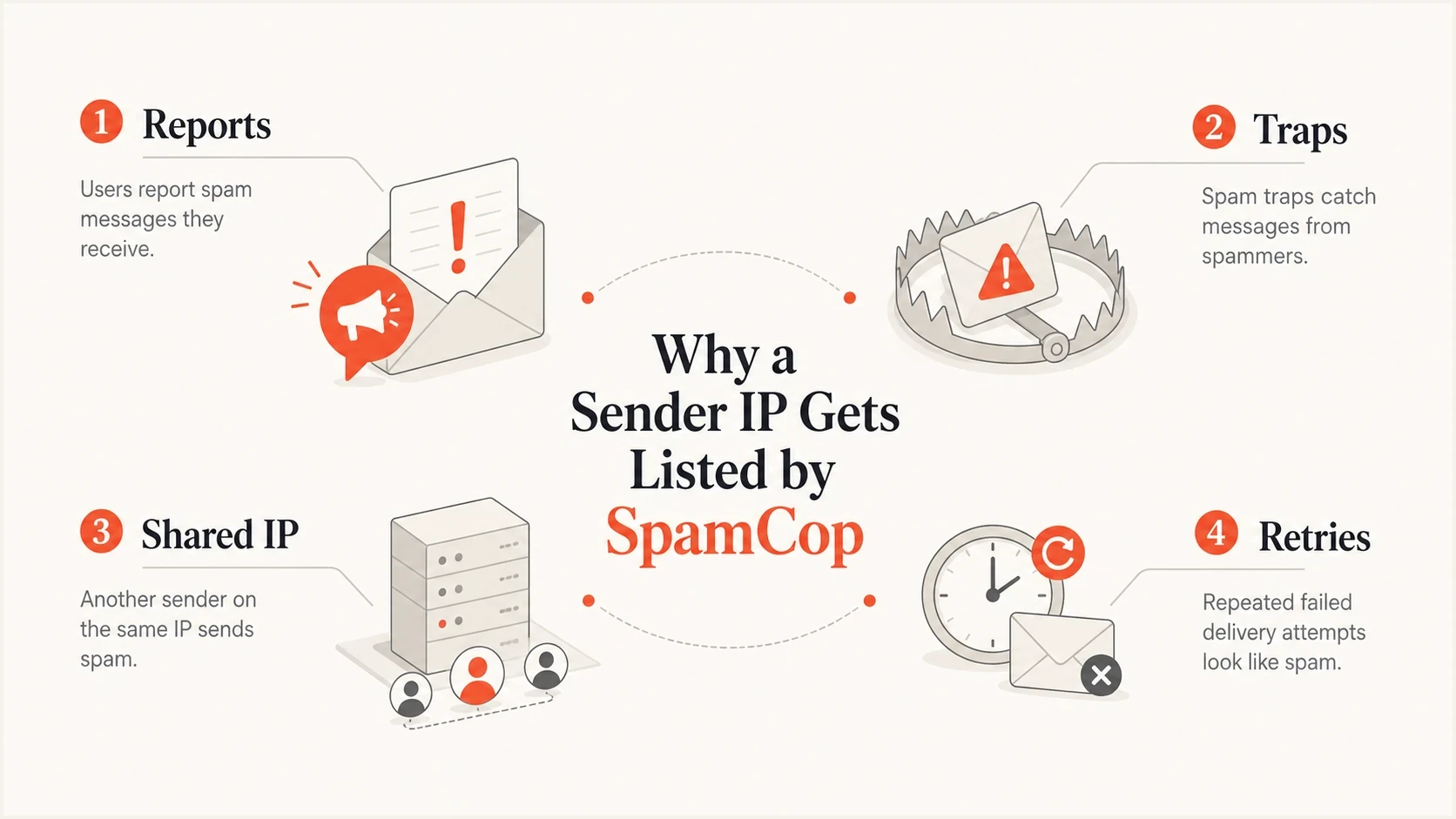
Four causes of SpamCop IP listings: reports, traps, shared IPs, and retries.
To avoid guessing, compare the bounce window with send and security logs. Check the exact IP in the bounce, recipient domain, campaign, account, property, list segment, and recent changes to scripts or SMTP credentials. If only CarrierZone-hosted recipients bounced, that receiver was probably applying SpamCop data more visibly than other receivers. The evidence still points back to the sending IP.
How CarrierZone changes the investigation
CarrierZone can be the mailbox provider or filtering layer behind small domains that look unusual or have low volume. A domain can be real, have a few engaged users, and still produce inconsistent bounces if delivery attempts land during a SpamCop listing window.
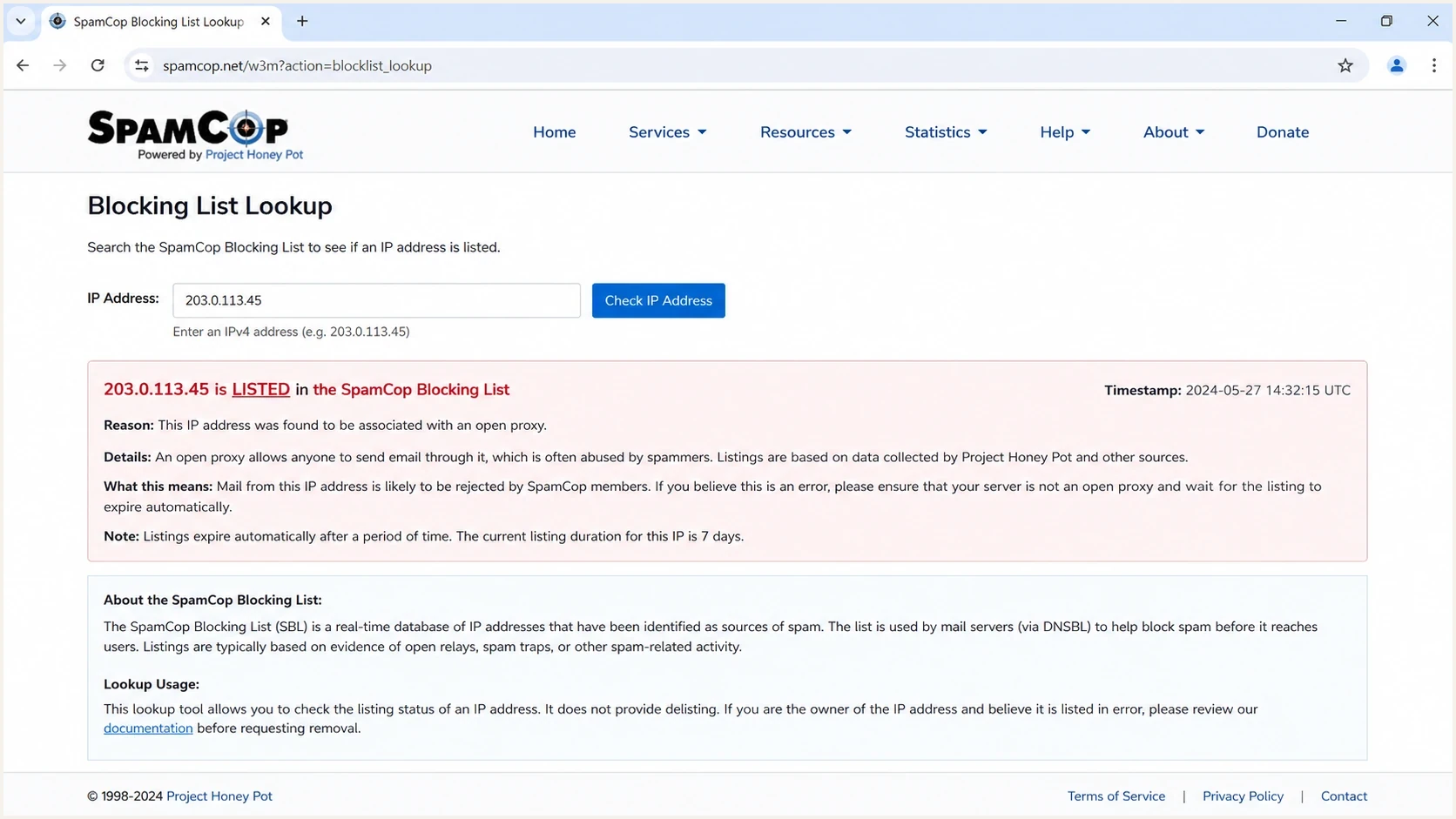
SpamCop lookup screen showing an IP listing status.
Separate two questions. First, is the recipient domain valid? Second, is the sending IP being refused by a receiver that uses SpamCop? When the rejection names the sending IP, the second question matters more. The address can still be valid even when the message is rejected.
What CarrierZone tells you
- Provider clue: The domain is likely hosted or filtered through CarrierZone mail infrastructure.
- Uneven bounces: Some recipients can bounce because their delivery attempts hit the listing window.
- Receiver policy: That route rejected the connection using SpamCop data at the recorded time.
What it does not prove
- Bad address: A SpamCop policy bounce does not prove the mailbox is invalid.
- Fake domain: A low-volume or odd-looking domain can still belong to real users.
- Content-only issue: The named IP in the bounce keeps the investigation at IP level.
A practical resolution plan
Treat the incident as an IP reputation event, then tighten bounce handling so a temporary policy block does not cause permanent subscriber loss. The party that controls the outbound IP has to stop the source of the reported mail.
- Confirm the IP: Use the connecting IP shown in the bounce, not the visible From address, recipient domain, or return-path domain alone.
- Identify the owner: If the IP belongs to your mail provider or a shared pool, send the full bounce and timestamp to that provider. A tenant cannot directly remediate infrastructure it does not control.
- Stop the source: Pause low-permission or low-engagement traffic, inspect compromised accounts and devices, rotate exposed SMTP credentials, audit web scripts, and disable misdirected bounces or autoresponders.
- Preserve the evidence: Keep the complete SMTP rejection, UTC timestamp, message ID, campaign, sending account, and any SpamCop report link available to the IP administrator.
- Separate sending streams: If the IP is shared across your own brands or properties, isolate the stream that created the reports before resuming full volume.
- Review authentication: Verify SPF, DKIM, DMARC, rDNS, and HELO identity as separate sender hygiene checks. Correcting them does not itself remove an SCBL listing.
- Resume carefully: After the listing and mirror results clear, restart with engaged recipients and watch bounces by provider before expanding volume.
Blocklist checker
Check your domain or IP against 144 blocklists.







A public lookup is one checkpoint. Also review other relevant blocklists (blacklists) and correlate their status with SMTP results. If several receivers reject the same IP at the same time, the problem is wider than CarrierZone.
A delist request is not the fix
SpamCop listings are reactive and normally clear after new reports stop. If the same traffic resumes unchanged, the IP can be listed again. The fix is to remove the source, correct list acquisition or account security, segment risky traffic, and control retry behavior.
How SpamCop automatic delisting works
The SCBL is time-based. An IP automatically delists after 24 hours with no new spam reports. If only two reports caused the listing, SpamCop says the maximum listing period is 12 hours after the most recent reported message. A new qualifying report can extend the incident, so waiting without stopping the source is not a resolution.
Allow time for mirror propagation
A lookup showing zero time remaining means the IP has entered the delisting process. SpamCop says removal can take up to four additional hours to reach its mirrors and blocklist users. Check again before restarting queued mail.
- Do not ask for early delisting as the first step. Stop the reported traffic and let the automatic process run.
- Use listing history as context, not proof that the current IP owner caused an earlier incident. IP addresses can change owners.
- Escalate through the provider when the listed IP belongs to hosted or shared mail infrastructure.
- Investigate recurring listings as evidence that reported mail or spamtrap traffic is still leaving the IP.
Where Suped fits
Suped's product connects blocklist monitoring with DMARC source data, sender identity checks, DNS issue tracking, and alerts. For a SpamCop incident, use those workflows to record the affected IP, watch listing status, compare the incident with authenticated sending sources, and keep each domain or client attached to the correct remediation work.

Blocklist monitoring page showing domain and IP checks across blocklists with importance and status
A practical Suped workflow is to confirm the IP in blocklist monitoring, review DMARC data for active sending sources, and use issue detection to separate authentication problems from the SpamCop trigger. A domain health check provides a useful DNS baseline when the bounce appears beside SPF, DKIM, DMARC, or rDNS concerns.
|
|
|
|---|---|---|
Listed IP | Blocklist monitoring | Track status |
Sending source | DMARC source data | Confirm identity |
DNS concern | Issue detection | Separate the fix |
Multiple domains | Domain views | Separate incidents |
How to map the investigation into Suped workflows
For teams managing multiple domains, keep the sending IP, source, authentication findings, and alert history attached to one incident record. That makes it easier to see whether the blacklist event cleared or moved to another shared IP.
When to keep or suppress the addresses
A CarrierZone-hosted domain with a small number of recipients deserves careful handling. If some recipients had prior engagement and bounced only during a known SpamCop window, keep them out of permanent suppression. Mark the event as an IP policy block and retry only after the IP and its mirrors have cleared and the risky source has been stopped.
Suppression decision bands
Use the SMTP reason and engagement history before removing addresses.
Keep
Low risk
Engaged address with one policy block tied to a listed IP.
Hold
Review
Repeated temporary blocks during an active listing window.
Suppress
Remove
Mailbox failure, repeated complaints, or no valid permission trail.
For dedicated IPs, ownership is clearer. For shared IPs, even when the sharing is only across your own properties, isolate the stream that changed. The same investigation applies to dedicated IPs when complaint or trap signals build up.
Avoid repeated delivery attempts into the same domain while the listing is active. Retries that resend unwanted traffic can create new reports, and retries during mirror propagation can produce more policy bounces. A controlled retry after the IP is clear gives a cleaner result.
Views from the trenches
Best practices
Treat SpamCop bounces as IP-level evidence before judging any recipient address as invalid.
Segment sends by property so complaint bursts do not hide inside shared IP traffic during review.
Keep bounce samples with timestamps, sending IPs, domains, campaigns, and provider names.
Pause risky segments before requesting delisting, or the IP will be listed again after retry.
Common pitfalls
Suppressing engaged addresses after one policy bounce removes valid users for the wrong reason.
Assuming CarrierZone will fix the issue ignores that the listed asset is the sender IP.
Waiting for automatic delisting without stopping the source causes the listing to return.
Mixing properties on one IP makes it harder to identify which audience created reports.
Expert tips
Compare affected and unaffected recipients to separate mailbox issues from IP reputation.
Ask the ESP for property-level complaint and trap clues, not only a generic delist request.
Move questionable traffic off the shared IP until the source of reports is identified and fixed.
Record the exact SMTP text because one phrase can change the whole troubleshooting path.
Expert from Email Geeks says a SpamCop bounce that names an IP is not an address validation result; it is evidence that the sending IP is listed.
2024-06-12 - Email Geeks
Expert from Email Geeks says shared traffic across properties means one property can create enough reports or trap hits to affect the rest of the IP.
2024-06-13 - Email Geeks
SpamCop and CarrierZone resolution summary
SpamCop lists the IP because recent unwanted-mail signals tied to that IP cross the SCBL threshold. CarrierZone is the receiving-side context, so it explains where the rejection appeared but does not move the root cause away from the sending IP.
Verify the listing, stop the source, identify the IP owner, preserve report evidence, and wait for the automatic delisting process to propagate before retrying. Do not permanently suppress engaged recipients unless the response changes to a real mailbox failure, the recipient complains, or the address has no defensible permission history.




