How to troubleshoot Microsoft Outlook email block and irregular email volume?

Updated on 25 Jul 2026: We added Microsoft's high-volume authentication requirements and tightened the troubleshooting sequence for S3150, 5.7.515, reverse DNS, and paced retries.
To troubleshoot a Microsoft Outlook email block with irregular email volume, first prove the block with bounce logs, isolate the sending IP and message stream, check authentication and reputation signals, then explain the volume pattern to Microsoft with dates, counts, recipients, and remediation. If Microsoft says it cannot identify a problem, reply with the same evidence and ask for escalation.
Separate the error before changing anything. S3150 points to an IP or network reputation block at Microsoft. 550 5.7.515 means the domain has not met Microsoft's authentication requirements for high-volume mail to consumer inboxes. Irregular volume can contribute to a reputation review, especially when a sender moves from quiet periods to sudden seasonal, event-based, or automated sends.
- Direct answer: Collect the SMTP error, affected IP, date range, volume history, authentication results, reverse DNS result, complaint context, and list hygiene actions before asking Microsoft to mitigate.
- Most common fix: Slow the Microsoft-bound send rate, suppress stale recipients, confirm SPF, DKIM, and DMARC domain alignment, then ramp back up only after Microsoft accepts the paced traffic.
- What not to do: Do not keep sending large bursts into Outlook while waiting for support. Repeated bursts reinforce the traffic pattern under review.
What the Microsoft block usually means
A Microsoft Outlook block usually appears as a bounce, a deferral, or missing mail at consumer Microsoft domains such as Outlook.com, Hotmail.com, Live.com, and MSN.com. Mail sent to a business address hosted on Microsoft 365 passes through Exchange Online Protection, but its tenant policies and support route differ from Outlook.com sender support. Identify the recipient type before escalating.
Typical Microsoft S3150 bouncetext
smtp;550 5.7.1 Unfortunately messages from [203.0.113.10] were not sent.
Please contact your Internet service provider since part of their network is on
our block list (S3150).
The phrase "part of their network is on our block list" points to a Microsoft-side blocklist (blacklist) decision against the IP, the surrounding IP range, or a reputation pattern tied to that network. It does not automatically mean your DNS is broken. However, failed authentication or invalid reverse DNS makes mitigation harder because the sending host and visible From domain are less trustworthy.
Do not trust a clean dashboard alone
Microsoft reputation views can lag or look clean while real recipients are still rejecting mail. Give more weight to live SMTP responses, message IDs, timestamps, recipient domains, and confirmed customer reports than to a single green status indicator.
For broader reputation monitoring, use blocklist monitoring to catch domain and IP listing changes, then pair that with mailbox-specific evidence. A blocklist or blacklist hit explains part of the problem, but Microsoft still uses its own recipient engagement, complaint, and traffic-shape data.
|
|
|
|---|---|---|
SMTP code | Hard reject, deferral, or policy block | Support evidence |
IP address | Which host Microsoft rejected | Mitigation scope |
Volume | Whether traffic changed suddenly | Pattern explanation |
Authentication | SPF, DKIM, and DMARC status | Domain identity |
Recipients | Who was mailed and why | Consent proof |
Outlook blocking signals to collect before escalation
Check the 5,000-message authentication threshold
Microsoft now enforces extra authentication requirements when one domain in the visible 5322.From address sends 5,000 or more messages per day to Microsoft consumer email services. Non-compliant mail can be rejected with 550 5.7.515. This is an authentication rejection, so an IP blocklist or blacklist removal request does not fix it.
Microsoft high-volume authentication rejectiontext
550 5.7.515 Access denied, sending domain <domain> does not meet the
required authentication level.
- SPF: Publish a valid record and make sure the actual sending source passes SPF.
- DKIM: Sign the message with a valid DKIM signature that passes verification.
- DMARC: Publish a valid policy. Microsoft accepts p=none, p=quarantine, or p=reject for this requirement.
- Domain alignment: Pass DMARC through at least one aligned identifier, either the SPF MailFrom domain or the DKIM signing domain.
Both SPF and DKIM need to pass for Microsoft's high-volume rule, while DMARC needs at least one of those passing identifiers to have domain alignment with the visible From domain. If the bounce is S3150 instead, continue with IP reputation, network ownership, traffic history, and mitigation evidence.
Why irregular volume triggers Outlook filtering
Microsoft is sensitive to sudden shifts in how much mail an IP sends, how quickly it sends, and whether that traffic matches recent history. A seasonal sender can look risky if it sends almost nothing for months, then pushes a large campaign to Microsoft recipients in a short window. The same pattern also appears when a server is compromised, a form is abused, or a dormant account starts sending spam.
What Microsoft sees
- Traffic spike: A sharp increase in Microsoft-bound volume after a quiet period.
- Low history: Limited recent reputation for that IP, domain, or campaign stream.
- Mixed recipients: Old addresses, dormant users, and low engagement in the same batch.
- Fast pacing: Large hourly bursts that exceed the sender's recent accepted volume.
How to explain it
- Business reason: Seasonal demand, renewal windows, event notices, or service alerts.
- Expected baseline: Normal monthly and peak-day volume for Microsoft recipients.
- Recipient quality: How addresses were collected, verified, and suppressed.
- Controls added: Pacing, segmentation, authentication fixes, and complaint monitoring.
If the irregular volume is legitimate, say so plainly and include numbers: "This sender averages 2,000 Microsoft recipients per week in summer and 18,000 per week during winter booking season. The spike began on January 10 after the season launch. We have slowed delivery to Microsoft recipients, removed addresses with no engagement in 18 months, and verified SPF, DKIM, and DMARC domain alignment."
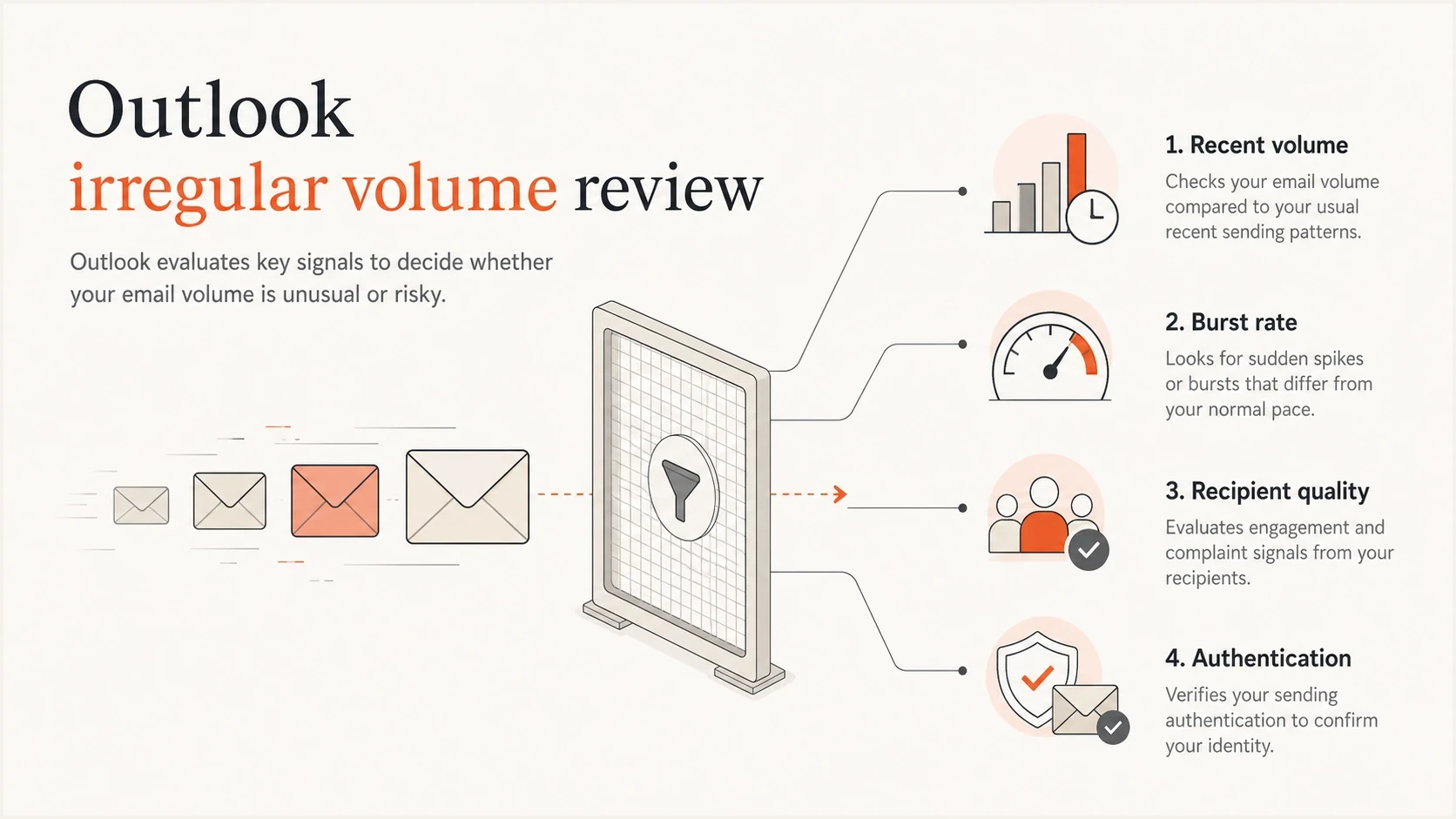
Outlook volume review checks recent volume, burst rate, recipient quality, and authentication.
A dedicated IP can make the evidence cleaner only when the sender has enough consistent traffic to maintain its own reputation. A low-volume dedicated IP can struggle to build history. With a shared IP, other senders' volume changes, complaints, and blocklist or blacklist exposure affect the same reputation, so the sending provider must investigate the shared route and network range.
Start with a clean evidence packet
Before contacting Microsoft again, build a short evidence packet. The goal is to make the case easy to route past first-line triage.
- Bounce sample: Include the full SMTP response, affected IP, sender address, recipient domain, timestamp with timezone, and message ID.
- Scope: State whether the issue affects Outlook.com consumer domains, Microsoft 365 tenants, or both.
- Volume history: Show normal daily volume, peak daily volume, accepted volume, and the exact day the increase began.
- Authentication: Show SPF pass, DKIM pass, DMARC domain alignment, and the domain used in the visible From header.
- Server identity: Confirm the sending IP has valid reverse DNS and that the SMTP EHLO hostname resolves consistently.
- List quality: Explain consent source, suppression rules, bounce handling, unsubscribe handling, and recent stale-recipient cleanup.
- Changes made: Document pacing reductions, segmentation, compromised account checks, and server security reviews.
?
What's your domain score?
Deep-scan SPF, DKIM & DMARC records for email deliverability and security issues.
For a fast authentication baseline, run a domain health check and keep the output with your case notes. In Suped, use the DMARC dashboard and issue views to see which sources are passing, which are unverified, and whether a new sender started failing when Microsoft began rejecting mail.
Issues page showing top issues, verified sources, unverified sources, and authentication pass rates
Outlook block troubleshooting can drift into guesswork. Suped's product connects DMARC aggregate reports with sender-level issues and fix steps, which helps relate authentication changes to the IP, message stream, and bounce evidence in the Microsoft case.
Check authentication before asking for mitigation
Authentication does not guarantee Microsoft delivery, but weak authentication makes every reputation discussion harder. Check the exact mail stream that is blocked, not just the root domain.
Minimum authentication baselinedns
example.com. TXT "v=spf1 include:send.example.net -all"
selector1._domainkey.example.com. TXT "v=DKIM1; k=rsa; p=..."
_dmarc.example.com. TXT "v=DMARC1; p=quarantine; rua=mailto:dmarc@example.com"
The important part is domain alignment. SPF can pass on a hidden return-path domain while DMARC fails because that domain does not match the visible From domain for DMARC purposes. DKIM can pass on a vendor domain while your domain gets no aligned signature. Microsoft sees those details in the message, and DMARC reports show the same pattern at scale.
Authentication checks to do first
- SPF result: SPF passes for the envelope sender domain, with alignment to the visible From domain when SPF supplies the DMARC pass.
- DKIM coverage: Every production sender signs with a stable selector, and the signing domain aligns when DKIM supplies the DMARC pass.
- DMARC reporting: Aggregate reports are active before and after mitigation so failures are visible.
- SPF lookup count: The SPF record stays within the ten-lookup limit and returns no permanent error.
- Sending host identity: The sending IP has valid PTR-based reverse DNS, and the hostname resolves back to the expected host.
To inspect a single message, send a live sample through an email tester and compare the result with your DMARC aggregate data. A one-off test confirms headers. DMARC monitoring confirms whether the same behavior holds across real traffic.
Flatten the volume before you retry delivery
When Microsoft flags irregular volume, the fastest operational fix is usually pacing. Do not release the same backlog into Outlook after the first bounce clears. Slow the stream, watch acceptance, then increase in measured steps.
Microsoft-bound retry controls
Use SMTP responses and accepted volume to control the retry. These are operating states, not Microsoft limits.
Low risk
Accepted baseline
Microsoft accepts mail near the last stable baseline with no policy deferrals.
Watch closely
4xx deferrals
Temporary 4xx responses appear, so hold or reduce the rate until acceptance stabilizes.
High risk
5xx blocks
A 5xx policy or block response appears, so stop bulk retries and investigate the exact code.
For seasonal senders, use a short warmup even if the IP was previously established. Send to the most engaged Microsoft recipients first, then expand to recent purchasers, active account holders, and lower-engagement segments later. If a campaign must reach the full eligible list, split it across several hours or days. Several paced sends are safer than one burst when Microsoft is already sensitive to traffic shape.
- Pause risky queues: Stop retry storms and bulk sends to Microsoft while you review the block.
- Segment by engagement: Start with recent openers, clickers, purchasers, logins, or active service users.
- Cap hourly volume: Spread sends across the required delivery window and keep Microsoft-specific limits below the last stable accepted rate.
- Watch bounce codes: If S3150 or another policy bounce returns, hold the ramp and update the support case.
- Ramp only after acceptance: Increase volume after clean delivery, low complaints, and stable authentication.
Suped's real-time alerts help during this stage because authentication failures, suspicious new sources, and blocklist or blacklist changes need attention before the next Microsoft queue goes out. Hosted SPF and SPF flattening also help when seasonal tools have accumulated and the SPF record is close to the DNS lookup limit.
How to reply when Microsoft says there is no issue
A Microsoft response that says it cannot identify anything preventing delivery is not always final. Treat it as a request for sharper evidence. The block might have cleared by the time the reply arrives, or the case might need a better packet and an escalation request.
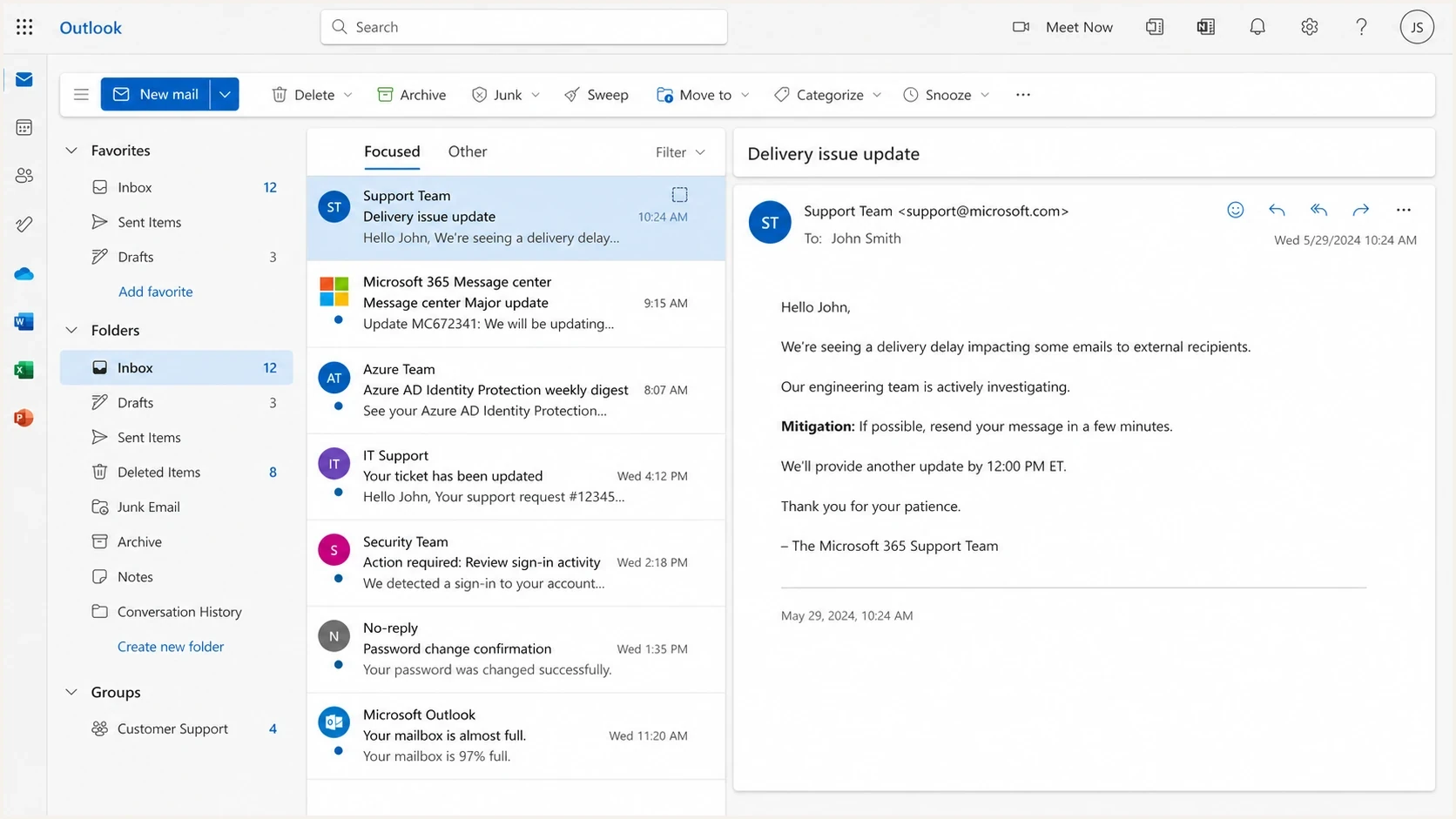
Microsoft Outlook webmail showing a delivery issue update email in the reading pane.
Keep the reply short, factual, and specific. The wording below combines proof, context, and remediation without arguing about Microsoft's internal systems. For 550 5.7.515, fix authentication first instead of sending this S3150 mitigation request.
S3150 mitigation reply templatetext
Hello Microsoft sender support,

We are still seeing Microsoft consumer recipients reject mail from 203.0.113.10.

Sample SMTP response:
550 5.7.1 messages from [203.0.113.10] were not sent.
Part of the network is on our block list (S3150).

Example timestamps: [start date and time in UTC] through [end date and time in UTC].
Affected domains: outlook.com, hotmail.com, live.com.

This is expected seasonal volume for our business. The increase began after
our scheduled campaign launch. We have reduced Microsoft-bound throughput,
removed stale recipients, verified SPF, DKIM, DMARC domain alignment, and
reverse DNS, and confirmed no compromised accounts or unauthorized senders.

Please escalate this case for review and mitigation.
If you are dealing with a specific Microsoft bounce family, a focused troubleshooting page such as Microsoft S3150 bounces helps narrow the case language. If mail is blocked across Microsoft domains without a clear code, use the broader Microsoft blocking guide to separate reputation, authentication, and content issues.
What a useful mitigation response looks like
A useful response confirms mitigation for the affected IP and often gives a propagation window. Keep ramping slowly after acceptance resumes because mitigation removes the immediate block but does not erase the reputation history that caused it.
What to fix while the case is open
Microsoft support can evaluate the case more easily when the sender has already reduced risk. Work through the items below before or immediately after submitting the mitigation request.
|
|
|
|---|---|---|
Throttle | Reduces sudden hourly spikes | High |
Suppress | Removes stale recipients | High |
Authenticate | Confirms domain identity | High |
Separate | Protects transactional mail | Medium |
Monitor | Catches repeat listings | Medium |
Operational fixes that help Microsoft mitigation
Also check whether transactional and marketing mail share the same IP. If password resets, invoices, and alerts are mixed with seasonal campaign traffic, a campaign block can damage critical mail. Separating streams does not fix reputation instantly, but it gives Microsoft and your own team a cleaner pattern to evaluate.
Blocklist checker
Check your domain or IP against 144 blocklists.







For a quick outside-in reputation snapshot, check common email blocklists for the sending IP and domain. A clean public blocklist check does not prove Microsoft will accept the mail, but a blacklist listing gives you a concrete issue to fix before the next escalation.
Suped's platform keeps the investigation in one workflow. DMARC monitoring shows whether each source is authenticated, hosted SPF and SPF flattening reduce fragile DNS changes, and blocklist monitoring tracks IP and domain reputation. The MSP and multi-tenancy dashboard lets agencies keep evidence separate across client domains.
Views from the trenches
Best practices
Keep complete SMTP bounce samples with timestamps, IPs, recipient domains, and message IDs.
Explain seasonal volume with exact baselines, peak counts, dates, and business reasons.
Slow Microsoft-bound traffic before retrying, then ramp up with engaged recipients first.
Document authentication, list hygiene, and security checks before asking for escalation.
Common pitfalls
Treating a clean status color as proof when live Microsoft bounces still show a block.
Replying to Microsoft with vague claims instead of logs, dates, and remediation details.
Restarting the same large queue after mitigation and recreating the irregular volume pattern.
Using shared IPs for sensitive streams where another sender can affect the reputation story.
Expert tips
Ask for escalation politely after providing evidence, not before the case has useful detail.
Keep transactional and marketing streams separate so urgent mail is not tied to campaign risk.
Use a mini warmup after mitigation, even when the IP was established before the block.
Watch Microsoft acceptance after mitigation and increase volume only when delivery stays stable.
Expert from Email Geeks says Microsoft replies can be inconsistent, so bounce logs and customer confirmation should be sent back when support says no issue is visible.
2022-01-14 - Email Geeks
Marketer from Email Geeks says the irregular volume response usually needs a clear explanation of normal volume, current volume, and why the increase is legitimate.
2022-01-17 - Email Geeks
Practical next steps
Treat Microsoft's irregular-volume message as actionable. Prove the block, identify whether the code points to reputation or authentication, slow the traffic, clean the list, verify authentication and reverse DNS, then explain the business pattern with numbers. If Microsoft says it cannot see a problem, reply with the same evidence and ask for escalation.
For ongoing prevention, Suped connects DMARC monitoring, SPF and DKIM visibility, hosted SPF, hosted DMARC, hosted MTA-STS, blocklist monitoring, and real-time alerts. That workflow helps when a Microsoft block involves a mix of authentication gaps, sender changes, reputation signals, and volume spikes.




