How relevant is the SpamRats blacklist for email deliverability and what should I do if my IP or domain is listed?

Published 27 Jul 2025
Updated 25 Sep 2026
14 min read
Summarize with
Updated on 25 Sep 2026: We updated this guide with current SpamRATS list definitions, removal routes, and mail-path checks.
SpamRATS is usually a low-to-moderate relevance blacklist for email deliverability. Do not treat a SpamRATS listing as an automatic emergency, but do not ignore the signal until you know the exact listed IP, the SpamRATS list that returned the hit, and whether that IP actually sends mail.
The practical answer is this: if SpamRATS lists a dynamic, residential, NAT, or generic hosting IP that is sending direct SMTP, fix the sending path immediately. If it lists a static web hosting IP that does not send mail, the listing often has little direct effect. If it lists a dedicated mail IP with clean reverse DNS and no bounce evidence, identify the exact list and investigate its cause before requesting removal.
- Impact: SpamRATS has less practical weight than the major blocklists, but some receivers and filters can still consult it.
- First move: Check whether the result is for the remote IP that connected to the receiving mail server, a website IP, or another unrelated address.
- Main fix: Apply the fix for the named list, then confirm reverse DNS, SPF, DKIM, and bounce evidence.
- Best outcome: Use the listing as a diagnostic clue, not as the only reason to change mail infrastructure.
How relevant SpamRATS is
SpamRATS has been around for a long time, but it is not the first blacklist to check when a sender reports inboxing drops or SMTP rejections. Its relevance depends on who is filtering the message, which SpamRATS list is involved, and whether the listing matches the remote IP that connected to the receiver.
The biggest mistake is treating every blacklist (or blocklist) result as equal. A listing that appears on a lookup site is not the same as a listing that appears in your SMTP rejection logs. The rejection log matters more because it shows that a receiver used that data in a real filtering decision.
The direct answer
A SpamRATS listing is relevant when it appears on the IP that connects to receiving mail servers, when mail is rejected with a SpamRATS reference, or when the IP matches the criteria of the named list. It is much less relevant when a web server IP is listed and your mail leaves through a separate authenticated sending service.
- High priority: Your outbound mail IP is listed and bounce logs mention SpamRATS.
- Medium priority: A shared hosting IP is listed and your application sends mail through that host.
- Low priority: Only your website A record resolves to a listed IP and no mail uses that IP.
- False alarm: A checker says the domain is listed, but it actually checked the website IP rather than the connecting mail server.
For broader context, it helps to understand how email blocklists work before deciding whether one listing deserves engineering time. Direct authentication failures, complaint spikes, compromised sending, and major blacklist hits usually deserve attention before a SpamRATS result without matching rejection evidence.
How to prioritize a SpamRATS result
Use the listing context, not the blacklist name alone, to decide what to do next.
Monitor
Low
No mail is sent through the listed IP and no bounces mention it.
Investigate
Medium
The IP sends some mail or its DNS does not match the named list's requirements.
Fix now
High
The outbound mail IP is listed and receivers reject mail.
Escalate
Critical
The IP is sending unauthorized traffic or belongs to unsuitable dynamic space.
What the listing usually means
The meaning depends on the SpamRATS list. RATS-Dyna points to a dynamic-looking PTR and abusive or invalid-recipient connections. RATS-NoPtr identifies similar connection activity from an IP without a PTR record. RATS-Spam identifies IPs repeatedly observed or reported sending high-volume spam, so it requires an abuse investigation rather than a DNS-only fix.
A listing does not prove that every message from the IP is unwanted, but the signal should match the response. A static mail server listed on RATS-Spam is a different case from a broadband pool address on RATS-Dyna. A web host IP that never makes SMTP connections is a different case again.
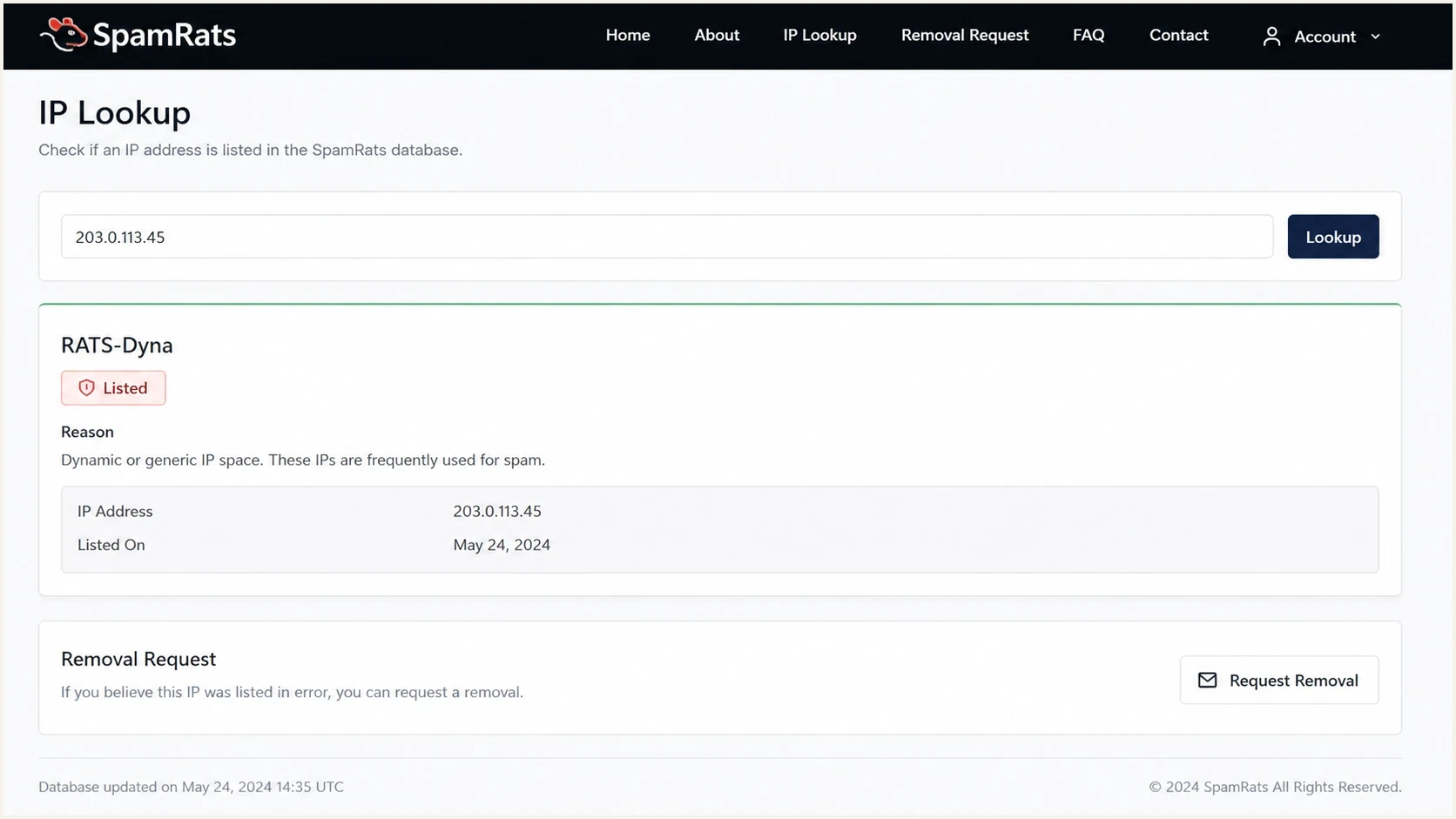
SpamRATS RATS-Dyna lookup showing a sending IP on the dynamic-address blacklist.
|
|
|
|---|---|---|
Web IP | Not a mail source | Monitor |
Mail IP | Real delivery risk | Fix the named cause |
Dynamic IP | Unsuitable direct path | Stop direct SMTP |
Missing PTR | Incomplete DNS | Add reverse DNS |
Shared host | Shared reputation | Ask the provider |
Common SpamRATS scenarios and how to treat them.
Confusion often starts when a third-party checker accepts a domain, resolves its A record, checks that website IP, then reports the result beside the domain name. SpamRATS' mail-flow lists are IP-based and are intended to assess the remote server connecting over SMTP, not a website A record or arbitrary addresses copied from message headers. Public discussions around VPS listing cases and delisting questions show why identifying the exact IP matters before treating the result as a domain reputation problem.
Which SpamRATS list returned the hit
A SpamRATS lookup can return different list names, and each name changes the diagnosis. Identify the component list before changing DNS or requesting delisting. A combined RATS-All result still needs to be traced to the specific list that produced it.
|
|
|
|---|---|---|
RATS-Dyna | The IP had dynamic-pattern reverse DNS and produced abusive connections or attempts to nonexistent recipients. | Stop direct-to-MX delivery from dynamic space or move mail to a static, correctly identified IP. |
RATS-NoPtr | The sending IP lacked a PTR record when abusive or invalid-recipient activity was detected. | Set an intentional PTR and confirm the hostname resolves forward to the same IP. |
RATS-Spam | The IP was repeatedly observed or reported sending high-volume spam, often through a compromised server, host, or relay. | Stop the traffic and audit accounts, server access, recipient data, and sending controls. |
RATS-Auth | The IP was detected taking part in a business email compromise or authentication attack, such as password guessing. | Secure the source and affected credentials. Treat this as an authentication-abuse signal, not an outbound message-reputation verdict. |
SpamRATS list meanings and the first corrective action.
Query the right IP
RATS-Dyna, RATS-NoPtr, and RATS-Spam are designed for the remote IP that connects to a receiving mail server. Do not use these results to judge a domain's website IP or every relay recorded in a message header.
- Direct mail: Check the public IP that made the final SMTP connection to the receiver.
- Relayed mail: Check the outbound relay's connecting IP, not the application or website host.
- Login abuse: Treat RATS-Auth separately because it covers business email compromise and authentication attacks.
- Combined result: Resolve a RATS-All hit to its component list before choosing a fix.
First checks before removal
Before asking for delisting, gather proof that the listed IP is relevant to the mail path. Removal without fixing the cause leads to repeat listings, and repeat listings make the investigation harder with receivers and hosting providers.
Start with the exact IP and list name. Then map the IP to mail flow. Check your application, CMS, server, SMTP relay settings, mail queue, SPF record, and recent bounce logs. If the listed IP never appears as a connecting mail source or in rejection evidence, the result usually does not explain the delivery problem.
- Identify: Record the exact listed IP and the exact SpamRATS list that returned the hit.
- Trace: Send a test message and inspect the delivery headers to identify the public IP that connected to the receiver.
- Compare: Match that public IP against the listed IP and the authorized sending sources in SPF.
- Review: Look for SMTP rejects, compromised accounts, invalid-recipient attempts, and unexpected sending volume.
- Decide: Request removal only after you know whether the IP should send mail and have fixed the named list's cause.
Blocklist checker
Check your domain or IP against 144 blocklists.







If the listed IP is part of your sending path, check the domain and authentication posture too. A domain health check helps connect blocklist results with DMARC, SPF, DKIM, DNS, and visible mail sources. That matters because a SpamRATS listing is rarely the only weak signal on a struggling sender.
Minimum DNS pattern for a direct mail serverdns
mail.example.com. 3600 IN A 203.0.113.25
25.113.0.203.in-addr.arpa. 3600 IN PTR mail.example.com.
example.com. 3600 IN TXT "v=spf1 ip4:203.0.113.25 -all"
_dmarc.example.com. 3600 IN TXT "v=DMARC1; p=none"
The PTR name should look intentional and mail-related. Confirm forward-confirmed reverse DNS (FCrDNS), which means the PTR hostname resolves back to the same sending IP. The provider that controls the IP's reverse DNS zone normally has to create or change the PTR. SPF should authorize the IP only if the IP really sends mail for the domain.
When to ignore and when to act
SpamRATS cases fall into two buckets: noise that needs monitoring and a real sending-path problem. The decision depends less on the blacklist name than on whether the listed IP connects to receivers over SMTP and whether rejection logs cite the list.
Usually safe to monitor
- Website only: The listed IP hosts the site but never appears as the connecting mail source.
- Separate mail: Your mail uses a different authenticated outbound service.
- No rejects: Bounce logs do not mention SpamRATS or the listed IP.
- Static setup: The mail IP is static and has forward-confirmed reverse DNS.
Act immediately
- Direct SMTP: The listed IP is sending directly to mailbox providers.
- Dyna or NoPtr: The sending IP looks dynamic or has no valid PTR.
- SMTP rejects: Delivery logs reference SpamRATS or a related RBL response.
- Unknown sending: You see mail volume that the domain owner did not authorize.
If you are dealing with several blacklist hits at once, check the order of operations in important blacklists. SpamRATS belongs in the investigation, but it should not outrank evidence from receivers, authentication results, or complaint patterns.
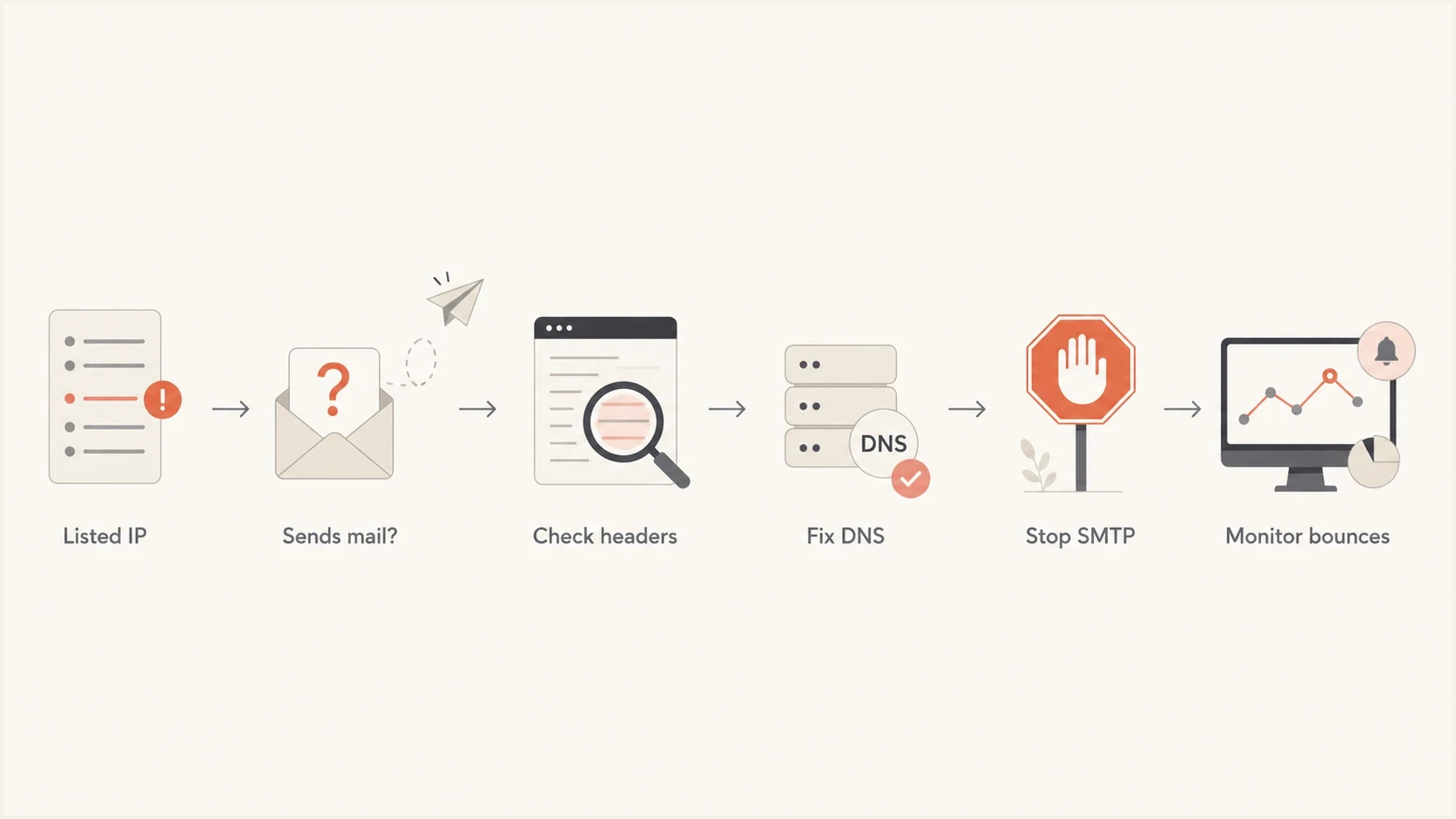
SpamRATS blacklist response flow for tracing a listed IP, fixing the cause, and monitoring bounces.
How to fix the cause
The fix depends on the named list and whether the IP should ever send mail. If it should not, block outbound port 25 and move application mail to an authenticated relay. End-user mail clients should normally submit through port 587 with SMTP authentication instead of sending directly to recipient mail servers. If the IP should send mail directly, give the server intentional reverse DNS and stop any activity that triggered the listing.
- Stop abuse: Disable unauthorized form mail, compromised scripts, stolen accounts, and unexpected outbound SMTP.
- Correct PTR: Set reverse DNS to the mail hostname and make that hostname resolve back to the sending IP.
- Match SPF: Authorize only real sending sources and remove stale includes.
- Sign DKIM: Make sure every production stream has a valid signature.
- Review recipients: Suppress hard bounces and stop repeated attempts to nonexistent addresses.
- Watch DMARC: Use reports to confirm which systems send as your domain.
- Request removal: Check the IP in the SpamRATS removal flow, review its component list, and follow that list's removal route after the cause is fixed.
Do not delist before the fix
A successful delisting does not repair reputation by itself. If the IP still sends direct mail from unsuitable space, lacks proper reverse DNS, or remains part of a compromised host, the listing can return and receivers can keep rejecting mail.
- Evidence: Keep the listing result, headers, bounces, DNS records, and fix notes together.
- Ownership: Contact the ISP or hosting provider if you do not own or manage the listed mail server or its reverse DNS.
- Timing: Wait for PTR and forward DNS changes to propagate before asking for review.
- Proof: Send a new test email and confirm the intended IP makes the receiving connection.
- Follow-up: Check real SMTP logs after the request, not only lookup pages.
Suped's DMARC and email authentication product supports this workflow through blocklist monitoring, DMARC reporting, SPF and DKIM checks, source detection, and deliverability signals. That context helps show whether a SpamRATS blacklist hit appears alongside authentication gaps, unknown senders, or a broader reputation change.

Blocklist monitoring page showing domain and IP checks across blocklists with importance and status
Pair blocklist monitoring with real message testing. A controlled email test shows which IP delivered the message, which authentication checks passed, and whether the visible path matches your intended setup. If the SpamRATS listing is on a web host IP, this test often proves that the web host is unrelated to mail delivery.
If the issue is a genuinely blacklisted sending IP, treat it like any other reputation incident: stop the bad traffic, repair DNS, confirm authentication, reduce risky volume, and watch for new rejections. A broader guide to why an IP gets blacklisted is useful when SpamRATS is only one symptom among several.
How SpamRATS removal works by list
SpamRATS does not use one identical delisting process for every list. Start with the current IP lookup, confirm the component list, fix its cause, and then use the route shown for that result.
|
|
|
|---|---|---|
RATS-Dyna | Replace dynamic-looking reverse DNS with an intentional hostname for a legitimate mail server, then allow time for DNS propagation. | Use the RATS-Dyna removal check. Contact SpamRATS if the corrected IP cannot be removed there. |
RATS-NoPtr | Have the IP provider create a PTR record and confirm the hostname resolves forward to the same IP. | Use the RATS-NoPtr removal check after DNS propagation. Contact SpamRATS if removal remains unavailable. |
RATS-Spam | Stop spam activity and secure compromised accounts, hosts, servers, or relays. | Use automatic removal after the abuse is resolved. Continued behavior can make later removal harder. |
RATS-Auth | Stop the authentication attack, secure the source, and document the corrective work. | Submit a manual contact request with owner or operator proof shown in rWhois or SWIP, plus remediation details. |
Current SpamRATS removal requirements by component list.
If you do not manage the server
Do not submit a removal request for an IP you do not operate. Contact the ISP, hosting provider, or mail administrator. If the listed address belongs to a home or office connection, configure the mail client to use the provider's authenticated submission service, commonly on port 587, instead of direct SMTP on port 25.
Views from the trenches
Best practices
Confirm the exact listed IP before treating a domain lookup as a domain blacklist.
Check headers and bounces first, because lookup pages do not prove real filtering impact.
Keep web hosting and mail sending separate when the hosting IP has a poor reputation.
Fix reverse DNS and authentication before asking any blacklist operator for removal.
Common pitfalls
Assuming an A record listing means the organizational domain itself was blacklisted.
Sending mail directly from dynamic, NAT, or generic hosting ranges without review.
Requesting delisting while compromised scripts or form mail still send outbound mail.
Changing providers before proving the listed IP is part of the actual mail path.
Expert tips
Treat SpamRATS as a useful clue, but rank SMTP rejections and major lists above it.
If the IP is static and reverse DNS is acceptable, monitor before making big changes.
Use a fresh test message to prove which public IP currently handles outbound mail.
Document the fix timeline so repeat listings can be tied to a clear operational cause.
Marketer from Email Geeks says SpamRATS has been around for a long time, but its direct relevance is limited unless a receiver actually uses it.
2021-10-28 - Email Geeks
Marketer from Email Geeks says the meaning changes with the IP type, because dynamic or NAT-looking space sending SMTP is a stronger warning sign.
2021-10-28 - Email Geeks
Practical recommendation
SpamRATS is worth checking, but it should not drive the whole deliverability response by itself. Focus on whether the listed IP makes the receiving SMTP connection, whether receivers reject mail because of that listing, and whether the list's criteria match the IP.
If a website IP is listed and mail uses a clean separate path, monitor it and keep going. If the listed IP is your outbound mail server, fix the cause associated with RATS-Dyna, RATS-NoPtr, or RATS-Spam before requesting removal. Suped's product can keep the blocklist event beside DMARC reports, sender sources, SPF and DKIM results, and multi-domain monitoring so the response is based on the full mail path.




