How does UCEProtect listing affect email deliverability?

Published 5 Jul 2025
Updated 29 Jul 2026
11 min read
Summarize with

Updated on 29 Jul 2026: We added UCEProtect removal rules and clearer steps for proving delivery impact with SMTP evidence.
A UCEProtect listing usually has little direct effect on email deliverability. Do not treat a UCEProtect Level 2 or Level 3 listing as proof that a major mailbox provider is blocking mail. The real risk is indirect: the same sending behavior, network quality, recipient complaints, spamtrap hits, or weak authentication that causes a blacklist or blocklist listing can also cause spam placement elsewhere.
The short answer is this: do not panic over UCEProtect by itself. Start with the SMTP rejection or bounce text. A 5xx response that names a UCEProtect DNSBL is direct evidence that the receiving system used that list for the rejection. If mail is going to spam without that evidence, test the actual sending IP, domain reputation, content, links, and authentication path.
- Direct impact: Low for most UCEProtect listings, especially Level 2 and Level 3.
- Indirect impact: Real when the listing points to poor list quality, bad sending history, or a noisy host.
- Best next step: Compare blocklist data with SMTP responses, inbox tests, DMARC reports, and blocklist basics before changing providers.
What UCEProtect lists
UCEProtect is an IP-based DNSBL, also called an RBL. That detail matters. It does not list your email domain as a domain reputation object in the same way a domain blacklist does. It publishes IP, network allocation, and ASN listing data, then each receiving system decides whether to query that data and how to use it. The higher levels expand beyond the single observed IP, which is why Level 2 and Level 3 cause confusion for senders using shared hosting, VPS networks, or cloud infrastructure.
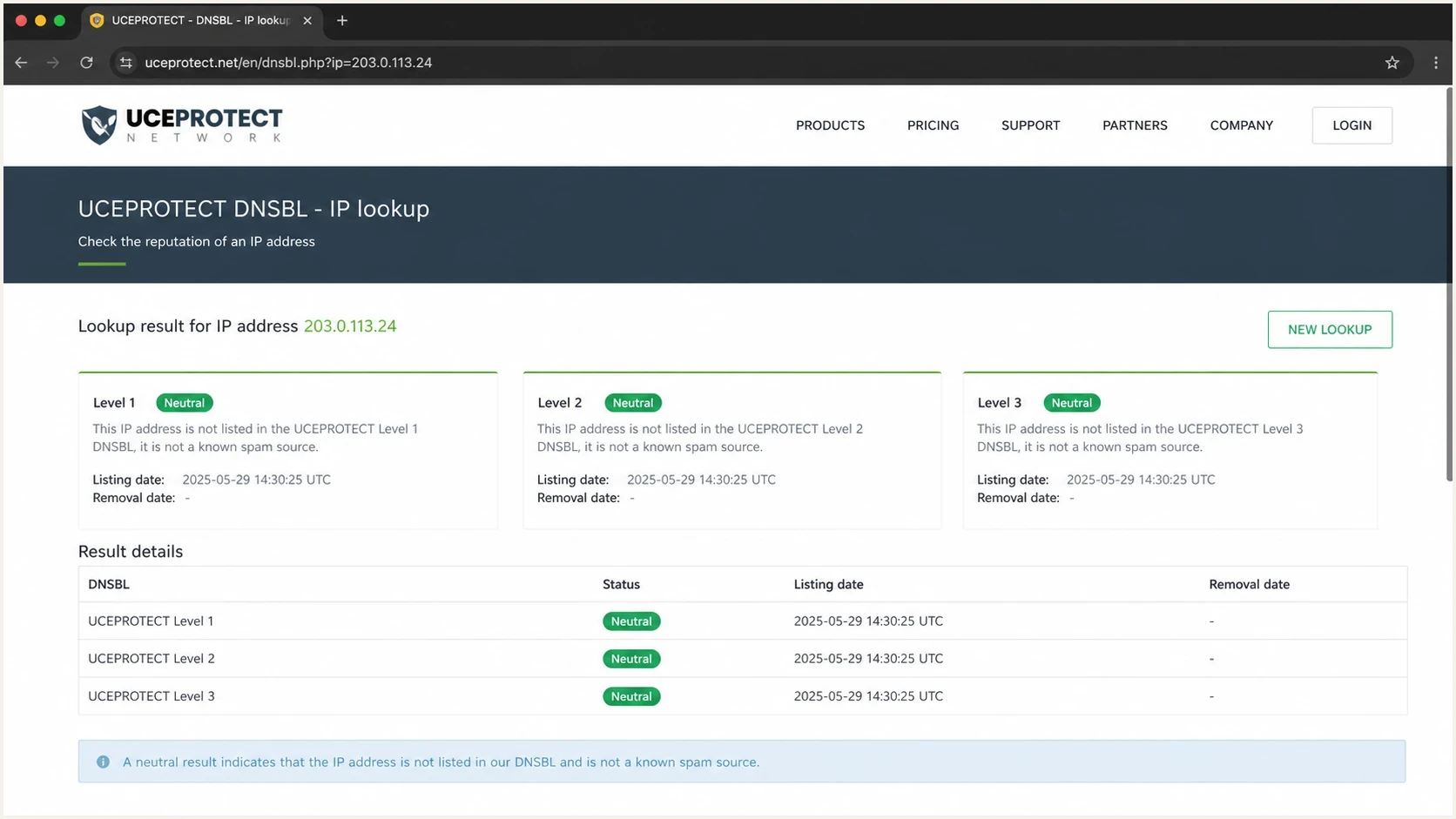
UCEPROTECT DNSBL lookup showing Level 1, Level 2, and Level 3 results.
|
|
|
|
|---|---|---|---|
Level 1 | Single IP | Source IP hit | Investigate |
Level 2 | IP allocation | Range activity | Validate |
Level 3 | ASN | ASN-wide expansion | Do not panic |
How to read UCEProtect listing levels.
A Level 1 hit deserves more attention than a Level 3 hit because it is closer to the actual sending source. A Level 3 hit often means the network has other abusive senders, not that your own mail stream is bad. For a deeper breakdown, read the UCEProtect L3 guide.
Important distinction
If the IP hosting a linked website is listed, that is still an IP listing. It is not proof that your domain is listed. It can still matter in testing, because mailbox providers evaluate links and destination reputation, but the conclusion needs careful control.
How UCEProtect listings clear
UCEProtect says a temporary Level 1 listing expires automatically and without payment seven days after the last detected spam email reaches its spamtraps. That is a rolling window, so a new event restarts the wait. Level 2 and Level 3 records clear automatically when the affected allocation or ASN no longer meets the relevant listing criteria.
|
|
|
|---|---|---|
Level 1 | Sender or IP owner | Seven days after the last detected event |
Level 2 | Network provider | Allocation falls below the policy threshold |
Level 3 | ASN operator | ASN no longer meets Level 3 criteria |
Free removal path by UCEProtect level.
Do not confuse payment with remediation
UCEProtect offers paid express delisting in some cases, but payment does not stop the traffic or prevent relisting. Fix the sending issue first. For Level 2 or Level 3, an end customer usually needs the network provider or ASN operator to reduce the underlying Level 1 activity.
Why correlation gets mistaken for cause
The common mistake is seeing two facts and treating one as the cause of the other: the IP is on UCEProtect and some mail goes to spam. That is often correlation. A sender with poor opt-in practices, old lists, cold traffic, or bad engagement can hit spamtraps and also perform poorly at Microsoft, Gmail, Yahoo, and corporate gateways.
Signals to take seriously
- Level 1: A single mail IP listing points closer to the source of the traffic.
- SMTP rejection: A 5xx response naming UCEProtect proves direct use for that recipient.
- Spam placement: Repeated, controlled inbox results are stronger than a lookup alone.
- Complaints: User complaints explain provider filtering better than a broad DNSBL hit.
- Authentication: SPF, DKIM, and DMARC failures can amplify reputation problems.
Signals to treat cautiously
- Level 3: ASN-wide listing creates collateral damage and weak evidence.
- One seed: A single test mailbox does not prove provider-wide behavior.
- One link: A link test also changes content, URL reputation, and click tracking.
- Paid removal: Fast delisting does not fix the traffic that caused a real listing.
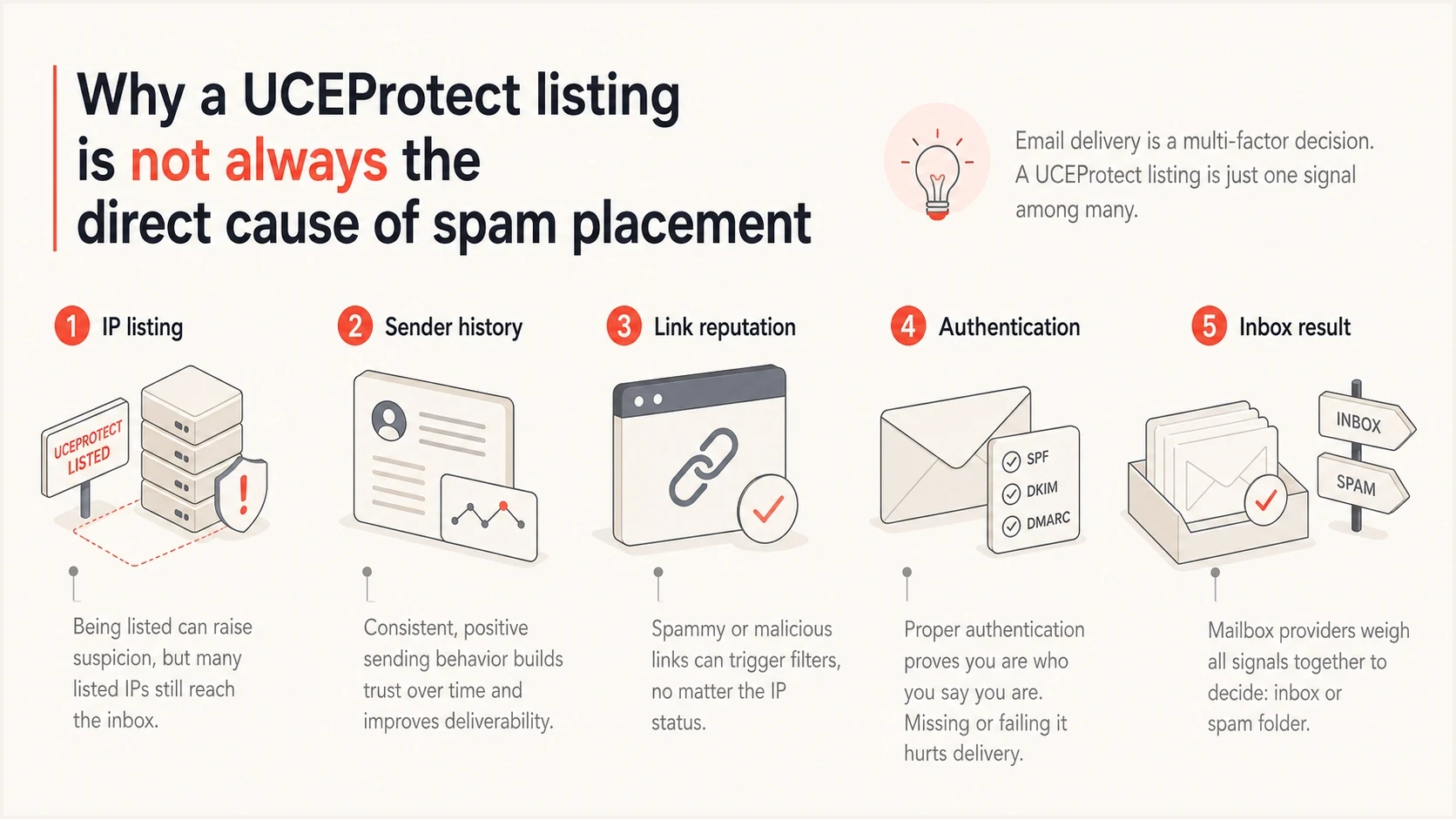
UCEProtect listing compared with sender reputation, authentication, links, and inbox placement.
Which mailbox providers are affected
No major mailbox provider has publicly confirmed that it directly uses UCEProtect for blocking decisions. Microsoft 365 appears often in sender reports, but a Microsoft-only problem should be diagnosed with its SMTP responses, complaint history, content filtering, and link reputation rather than UCEProtect status alone. Corporate and self-managed gateways can set their own DNSBL policies, so a rejection naming UCEProtect is the evidence that matters.
|
|
|
|
|---|---|---|---|
Microsoft 365 | Low direct confidence | SMTP response and complaints | A/B link test |
Gmail | Low | Engagement and authentication | Seed plus real users |
Yahoo | Low | Domain reputation | Complaint review |
Corporate gateways | Varies | Local security policy | Bounce evidence |
Practical interpretation by mailbox provider.
If an email with a website link goes to spam, and the same email without the link reaches the inbox, test the linked web host separately. Point the website to an unlisted IP, keep the message identical, and repeat the send. If inbox placement changes only after the web IP changes, there is a stronger case that destination or URL reputation is involved. That still does not prove UCEProtect is the specific data source.
Do not skip causation testing
A UCEProtect blacklist (blocklist) result is easy to see, so it becomes an easy target. Inbox placement is decided by several provider-specific signals. Treat the listing as a clue unless the SMTP response names it as the reason for rejection.
How to test real impact
A clean test needs discipline. Change one variable at a time. Keep the same subject, body, sending IP, sending domain, recipient group, and time window wherever possible. If you change the link, the sender, and the content together, the result tells you almost nothing.
- Record the listing: Check the mail IP, web IP, and any tracking domain IPs separately.
- Read SMTP evidence: Save the full bounce and identify whether it names UCEProtect or another cause.
- Send a baseline: Send a plain version with no links to the same controlled test group.
- Add one link: Use the same message and add only the suspect linked domain.
- Move the web IP: Point the linked domain at an unlisted host and rerun the same send.
- Compare results: Look at Microsoft, Gmail, Yahoo, and corporate delivery separately.
Blocklist checker
Check your domain or IP against 144 blocklists.







For ongoing monitoring, Suped's blocklist monitoring helps separate UCEProtect noise from higher-priority reputation events. Suped also connects the listing with DMARC, SPF, DKIM, and source data, so the next step is visible instead of buried in separate lookups.
Controlled test worksheettext
Test A: no links, same sender, same recipients
Test B: one website link, all other fields unchanged
Test C: same link after web IP moves to an unlisted host
Compare: inbox, spam, rejection, bounce text, complaint trend
What to fix first
If mail is going to spam, fix the fundamentals before spending time arguing with a blacklist operator. Start with the evidence that mailbox providers use every day: authentication, recipient consent, complaint rate, bounce rate, sending consistency, and the reputation of links in the message.
Send a real message through an email tester and validate the domain with a domain health checker. That gives you a cleaner view of SPF, DKIM, DMARC, DNS, and content issues before you treat a UCEProtect listing as the main cause.
Action priority by evidence type
Use this priority order when UCEProtect appears beside real delivery problems.
UCEProtect Level 3 only
Low
Broad network listing with weak sender-specific evidence.
UCEProtect Level 2
Watch
Range-level signal worth validating against your own IP use.
UCEProtect Level 1
High
Single-IP signal that deserves list quality and traffic review.
Confirmed delivery impact
Critical
A named SMTP rejection or repeated inbox evidence should drive the work plan.

Blocklist monitoring page showing domain and IP checks across blocklists with importance and status
Suped combines DMARC reporting with reputation monitoring in one operational workflow. Teams can connect SPF and DKIM results, sending-source data, blacklist or blocklist alerts, and hosted authentication controls without tracking each signal in a separate spreadsheet. MSPs can use the multi-tenant dashboard to keep client domains and remediation work separate.
A practical Suped workflow
- Verify sources: Use DMARC reports to confirm which services are sending mail.
- Check reputation: Review IP and domain blacklist or blocklist status in context.
- Fix authentication: Resolve SPF, DKIM, and DMARC failures before changing infrastructure.
- Stage policy: Move DMARC enforcement forward only after legitimate sources pass.
When moving providers makes sense
Do not migrate because of a UCEProtect Level 3 listing alone. Move only when the hosting or sending provider prevents you from controlling the real problem. A noisy shared network, poor rDNS, unstable IP allocation, weak abuse handling, or repeated provider-side reputation issues can make migration reasonable. The reason is the provider environment, not the UCEProtect label by itself.
Stay and fix
- Only L3: Your own IP is not directly implicated.
- Auth issues: SPF, DKIM, or DMARC failures explain more than the listing.
- List issues: Old or unverified recipients need cleaning first.
Move the mail stream
- Repeated L1: Your dedicated IP keeps landing on sender-specific lists.
- Bad controls: You cannot set clean rDNS, SPF, DKIM, or bounce handling.
- Proven test: Inbox placement improves after only the host changes.
If your IP address is actually listed, handle it like a deliverability incident: identify the source, stop the traffic, confirm authentication, then retest. The UCEProtect fix steps are useful when the problem is tied to your own mail IP rather than a broad network listing.
Views from the trenches
Best practices
Separate UCEProtect status from inbox tests; use matched sends and stable test groups.
Treat Level 1 as a signal to inspect consent, bounces, old lists, and spamtrap risk.
Track mail IPs and linked web IPs separately because UCEProtect data is IP based.
Common pitfalls
Paying for fast delisting before fixing traffic leads to repeat listings and wasted work.
Blaming Level 3 for spam foldering hides stronger causes such as complaints or weak auth.
Testing one message with one link is too thin; change one variable and repeat the test.
Expert tips
Move a linked domain to an unlisted web IP for a controlled test, then compare again.
Use seed tests as directional data, then confirm with engagement and bounce trends.
When Microsoft is the only weak destination, inspect complaint history before blocklists.
Expert from Email Geeks says UCEProtect listings alone rarely explain delivery failures; they are usually a clue to investigate other reputation signals.
2023-08-08 - Email Geeks
Expert from Email Geeks says a Level 1 hit deserves attention because it points to mail reaching spamtraps or non-opt-in recipients.
2023-08-08 - Email Geeks
What to do next
UCEProtect listing affects deliverability mostly when it points to a real sender problem or a receiving system names it in an SMTP rejection. Level 3 by itself is weak evidence. Level 1 deserves investigation. Actual inbox placement, bounces, complaints, and authentication results should decide the work plan.
- Check scope: Confirm whether the listing is Level 1, Level 2, or Level 3.
- Prove impact: Read SMTP responses and run controlled tests before blaming UCEProtect.
- Fix causes: Clean consent, authentication, complaints, bounces, and link reputation.
- Review usage: Understand who uses UCEProtect before treating it like a universal provider rule.
Treat UCEProtect as one input, prove whether it affects your mail, and fix the signals that mailbox providers enforce. That approach prevents unnecessary provider moves and keeps the work tied to evidence.




