How to set up BIMI records for multiple subdomains while excluding the parent domain?

Published 5 Aug 2025
Updated 31 Jul 2026
11 min read
Summarize with
Updated on 3 Sep 2026: We clarified BIMI subdomain fallback, Mark Certificate scope, and DMARC enforcement for selective logo rollout.
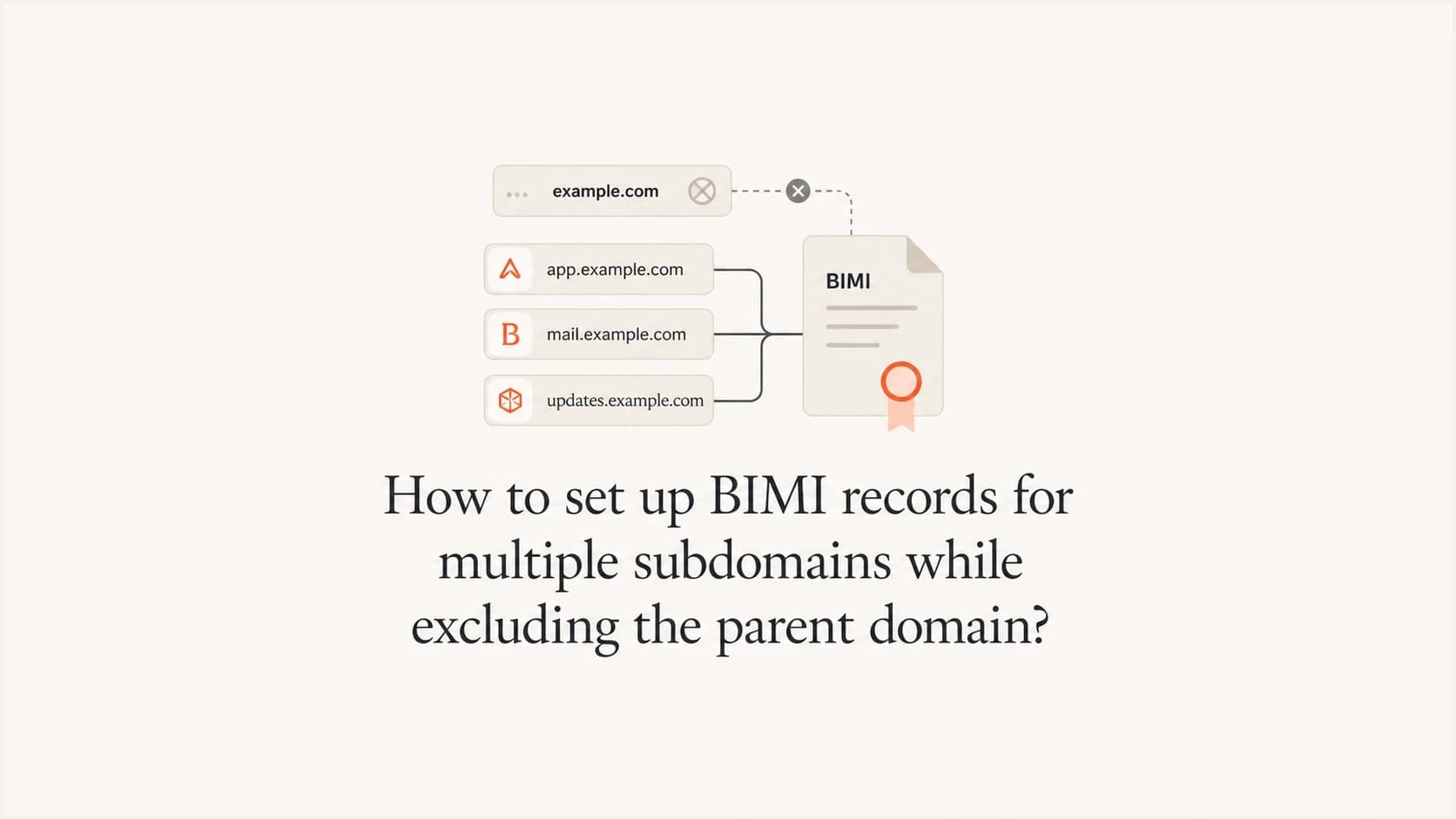
Yes, you can set up BIMI on several subdomains while keeping the parent domain from displaying a logo. Publish BIMI TXT records only at the exact subdomains that should show the logo, do not publish a BIMI record at the parent domain, and make sure the Mark Certificate covers the domain used for the assertion or its organizational domain.
The practical setup is simple: default._bimi.news.example.com gets a BIMI TXT record, default._bimi.offers.example.com gets a BIMI TXT record, and default._bimi.example.com is left empty. The parent domain can still have DMARC enforcement. DMARC is required for BIMI, but DMARC does not display a BIMI logo by itself.
Treat this as a DNS scoping problem first and a certificate coverage problem second. Suped's DMARC monitoring is useful here because BIMI depends on consistent DMARC passes through SPF or DKIM identifier alignment.
The direct setup
There is no BIMI wildcard record that means "all subdomains but not the parent." BIMI records are discovered through DNS at a selector under the visible From domain. For most implementations, that selector is default. If a subdomain should display the logo, publish the BIMI record at that subdomain. If the parent should not display the logo, do not publish the parent BIMI record.
The receiver queries the selected BIMI host at the exact RFC5322.From domain first. If no valid record exists there, it can query the same selector at the organizational domain. With no BIMI record at the parent, only subdomains that have their own record can return a BIMI assertion. If a parent record is added later, subdomains without an override can inherit it.
- Publish selectively: Create one BIMI TXT record or CNAME per approved sending subdomain, such as news, offers, billing, or account.
- Exclude the parent: Leave the parent BIMI host without a record. Use an explicit declination record only when a subdomain must override an inherited parent assertion.
- Reuse the same assets: Point every approved subdomain to the same SVG and Mark Certificate URLs when the same logo applies.
- Check certificate scope: A VMC or CMC that contains the organizational domain can support its direct subdomains in the current model. Confirm the certificate contents and issuance workflow before purchase.
Answer in one sentence
Use per-subdomain BIMI records and no parent BIMI record; one VMC or CMC can support the same logo across direct subdomains when its domain set includes the organizational domain.
If the parent already has BIMI and selected subdomains must be excluded, publish an explicit declination at each excluded subdomain: v=BIMI1; l=; a=;. That reverse design is covered in parent BIMI rules.
How BIMI lookup behaves on subdomains
BIMI starts with the visible From domain, also called the RFC5322.From domain. If the message uses news.example.com in the From address, the receiver first checks the BIMI assertion record for that domain. With the common default selector, the lookup target is default._bimi.news.example.com.
If that exact record does not exist, the receiver can fall back to default._bimi.example.com. A subdomain record does not make the parent domain show a logo, and a missing parent record prevents that fallback from finding an assertion. Publishing a valid record only makes a message eligible for BIMI. Each mailbox provider still applies its own support, reputation, and display rules.
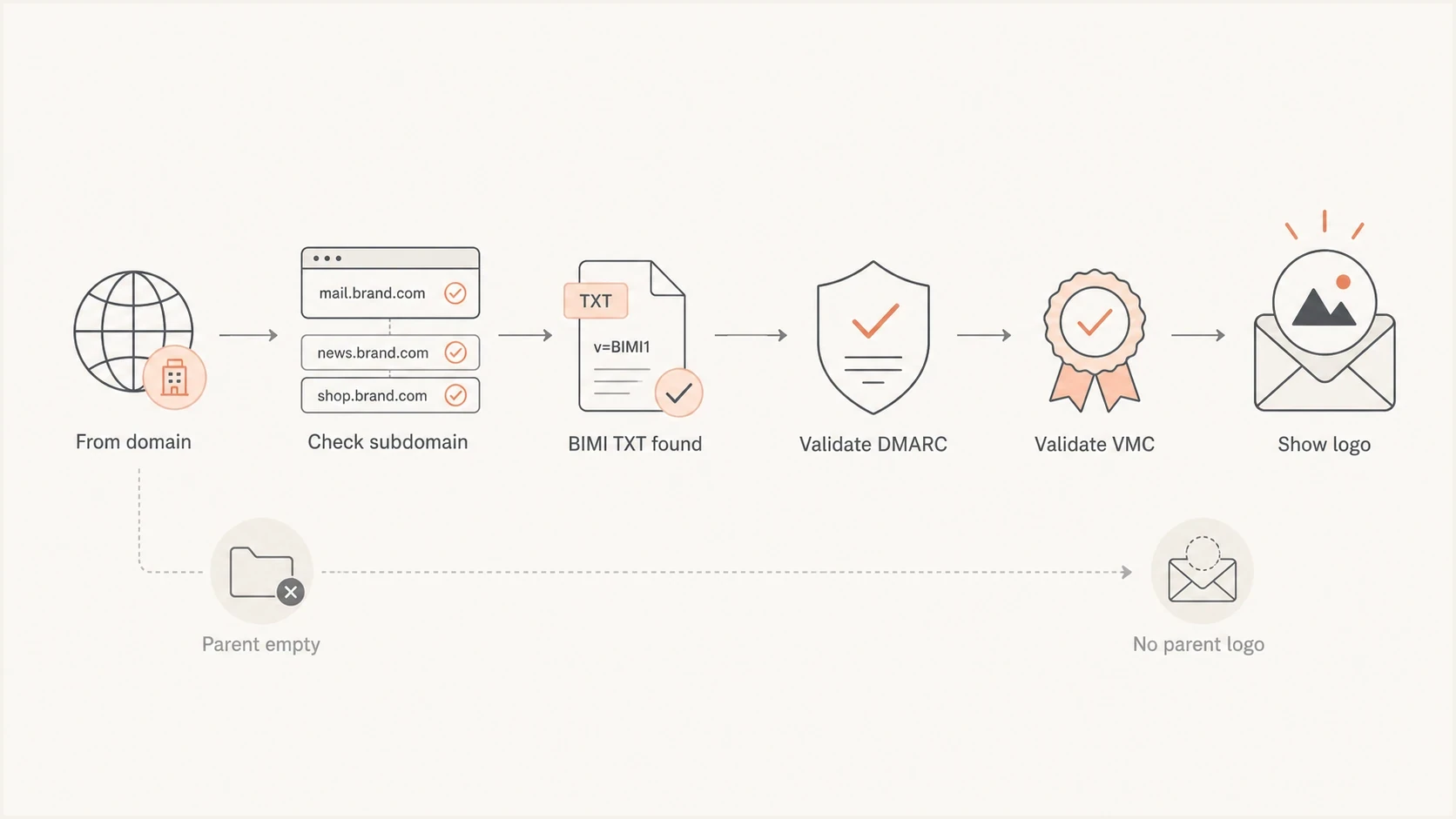
Flowchart showing BIMI lookup from subdomain record to logo display while the parent stays empty.
Subdomain gets BIMI
- Record location: The BIMI TXT record exists under the sending subdomain.
- Logo path: The record points to the SVG logo and, when used, the Mark Certificate.
- Result: The mailbox can display the logo after authentication and provider checks pass.
Parent stays excluded
- Record location: The parent BIMI host has no TXT record.
- DMARC status: The parent still has an enforced DMARC policy.
- Result: Mail from the parent domain has no BIMI assertion to use.
DNS records to publish
This example enables BIMI on news.example.com and offers.example.com, but not on example.com. Both subdomains use the same logo and Mark Certificate. The parent domain has no BIMI TXT record.
BIMI TXT records for selected subdomains
Host: default._bimi.news.example.com
Type: TXT
Value: v=BIMI1; l=https://assets.example.com/bimi/logo.svg;
       a=https://assets.example.com/bimi/mark-certificate.pem

Host: default._bimi.offers.example.com
Type: TXT
Value: v=BIMI1; l=https://assets.example.com/bimi/logo.svg;
       a=https://assets.example.com/bimi/mark-certificate.pem

Host: default._bimi.example.com
Type: no record
The l= tag points to the BIMI SVG. The a= tag points to the VMC or CMC PEM file. A self-asserted record without a certificate has limited provider support, so broad mailbox coverage usually requires a Mark Certificate.
Use a square SVG Tiny P/S file with no scripts, external resources, or embedded raster images. Host it on a stable HTTPS URL and return the image/svg+xml media type so mailbox providers can retrieve and parse it.
|
|
|
|---|---|---|
Show logo on news | Add subdomain BIMI | Eligible after checks |
Show logo on offers | Add subdomain BIMI | Eligible after checks |
Hide logo on parent | No parent BIMI | No BIMI assertion |
Use the same brand mark | Reuse logo and certificate | Simpler maintenance |
BIMI scoping choices for parent and subdomains
The parent domain can have other DNS records for mail, including SPF, DKIM, DMARC, MX, MTA-STS, and TLS reporting. Those records do not create a BIMI display path unless a BIMI assertion record is found.
Optional CNAMEs for shared BIMI records
Repeating the same TXT value is manageable for a few subdomains. For a larger set that uses one logo and certificate, each approved selector host can be a CNAME to one shared BIMI TXT record. Each subdomain still has an explicit BIMI lookup name, while the parent remains without a BIMI record.
Shared BIMI assertion through CNAMEs
Host: default._bimi.news.example.com
Type: CNAME
Value: shared._bimi-assets.example.com

Host: default._bimi.offers.example.com
Type: CNAME
Value: shared._bimi-assets.example.com

Host: shared._bimi-assets.example.com
Type: TXT
Value: v=BIMI1; l=https://assets.example.com/bimi/logo.svg;
       a=https://assets.example.com/bimi/mark-certificate.pem
Do not mix record types
Do not publish a CNAME and a TXT record at the same selector hostname. Put the BIMI TXT value only at the shared CNAME target, then test every source hostname after DNS changes.
VMC and CMC coverage with DMARC enforcement
A separate Mark Certificate is not automatically required for every subdomain when the same logo is used. Current BIMI guidance allows a certificate containing the organizational domain to support direct subdomains that use that domain's BIMI assertion. For example, a VMC or CMC containing example.com can support mail from news.example.com when its BIMI record points to the same certified mark.
Certificate issuance and receiver validation are separate steps. Confirm that the certificate will include the organizational domain or each exact assertion domain needed for the rollout. Also confirm that the same logo in the BIMI SVG matches the mark embedded in the certificate.
Do not skip DMARC
The message must pass DMARC, and its visible From domain plus organizational domain must both be covered by enforcement. Use p=quarantine or p=reject with full enforcement at the organizational domain. If a percentage tag is present, use pct=100. For a subdomain, use an explicit enforced policy or inherit sp=quarantine or sp=reject from the parent. Do not use sp=none when those subdomains need BIMI.
DMARC records that support BIMI
Host: _dmarc.example.com
Type: TXT
Value: v=DMARC1; p=reject; sp=reject;
       rua=mailto:dmarc@example.com

Host: _dmarc.news.example.com
Type: TXT
Value: v=DMARC1; p=reject; rua=mailto:dmarc@example.com

Host: _dmarc.offers.example.com
Type: TXT
Value: v=DMARC1; p=reject; rua=mailto:dmarc@example.com
Explicit subdomain DMARC records provide separate policy control and can simplify troubleshooting. They are not mandatory when the parent policy and its sp= value enforce the required policy for those subdomains. The subdomain DMARC setup guide explains both approaches.
The BIMI Group FAQs are worth checking before certificate purchase or renewal because mailbox providers decide which certificate types they accept and when a logo appears.
Validation steps that prevent false failures
A validator can report a certificate mismatch if it compares only the exact RFC5322.From subdomain with the certificate. Current guidance also permits the organizational domain used by the assertion to satisfy direct subdomain coverage. Treat a mismatch as a reason to inspect the certificate domain set, assertion lookup, and live message results.
Validate in this order to separate DNS, authentication, certificate, asset, and mailbox display issues.
- Confirm From domain: Send a real message and confirm the visible From domain is the subdomain you expect.
- Check BIMI host: Query the exact subdomain selector and follow any CNAME to confirm the correct SVG and certificate URLs.
- Verify DMARC pass: Confirm SPF or DKIM identifier alignment passes and check the policies applied at the From domain and organizational domain.
- Validate assets: Fetch the SVG and PEM over HTTPS, confirm successful responses, and verify the SVG Tiny P/S structure and media type.
- Allow for caching: Wait for DNS and mailbox-side caches to refresh before treating delayed logo display as a configuration failure.
DMARC checker
Look up a domain's DMARC record and catch policy issues.
?/7tests passed
Before troubleshooting BIMI itself, run a focused DMARC check for the parent and each sending subdomain. BIMI debugging gets faster when the applied DMARC record and policy are clear.
If the DNS and DMARC records look correct but the logo is still missing, work through BIMI validation errors one by one. Frequent causes include a noncompliant SVG, an unreachable certificate URL, an unenforced DMARC policy, a different From subdomain than expected, or a provider display rule that the sender does not yet meet.
Where Suped fits
Suped is our DMARC reporting and email authentication platform. For this workflow, it centralizes aggregate DMARC data so the authentication state of each sending subdomain can be checked before BIMI records are published.
DMARC record detail view showing SPF, DKIM, DMARC, rDNS diagnostics, and DNS records
For a subdomain BIMI rollout, Suped can show DMARC pass rates by sending source, identify SPF or DKIM identifier alignment failures, and alert the team when authentication changes after launch. That evidence helps separate a DMARC problem from a BIMI asset or provider-display problem.
Suped's Hosted DMARC supports policy changes without repeated DNS edits. The domain health check provides a preflight check across DMARC, SPF, and DKIM before BIMI display testing begins.
Practical launch rule
Start with one active subdomain. Publish BIMI there, validate logo eligibility and display, then copy the known-good record or CNAME pattern to the other approved subdomains.
Views from the trenches
Best practices
Publish BIMI records only on approved subdomains, then leave the parent without a BIMI TXT record.
Keep the same SVG and certificate URLs across subdomains when the brand mark is identical.
Validate DMARC enforcement first, because BIMI will not display without a passing policy.
Common pitfalls
Expecting one wildcard BIMI record to cover subdomains causes slow and confusing rollouts.
Reading a checker mismatch as final proof can be wrong when live mailbox tests already pass.
Publishing the parent BIMI record by habit can make the parent eligible for logo display.
Expert tips
Use short DNS TTLs before launch so BIMI record edits propagate during validation quickly.
Document which subdomains own marketing, billing, and lifecycle mail before adding BIMI.
Stage one subdomain first, confirm logo display, then clone the known-good record elsewhere.
Marketer from Email Geeks says a VMC containing the organizational domain can work for a subdomain when the BIMI record is published at that subdomain.
2024-03-20 - Email Geeks
Marketer from Email Geeks says teams should not assume every subdomain needs its own SAN when the organizational domain is already in the certificate domain set.
2024-03-20 - Email Geeks
BIMI subdomain launch checklist
The clean pattern is per-subdomain BIMI with no parent BIMI record. Do not create a wildcard setup, and do not publish the parent record unless the parent domain should be eligible for logo display. Use one VMC or CMC across approved subdomains when its domain set and certified mark cover the rollout.
- DMARC passes for each sending subdomain through SPF or DKIM identifier alignment.
- The subdomain and organizational-domain DMARC policies meet BIMI enforcement rules.
- Each approved subdomain has a BIMI TXT record or a CNAME to a shared assertion.
- The parent BIMI host has no record, so the parent domain has no BIMI assertion.
- The SVG and Mark Certificate are valid, reachable over HTTPS, and consistent.