How valuable are seed lists for email marketing and what are their limitations?

Published 8 Jun 2025
Updated 16 Oct 2026
13 min read
Summarize with

Updated on 16 Oct 2026: We added practical seed list setup advice and clarified how placement results compare with authentication and subscriber data.
Seed lists are valuable, but only as a directional diagnostic. Use them to catch obvious inbox placement problems, compare mailbox provider behavior, and investigate whether a reported problem also affects test mailboxes. Do not treat them as a final deliverability score.
The main limitation is simple: placement seeds are controlled mailboxes rather than a sample of real subscribers. Their limited or simulated engagement does not reproduce each subscriber's history with the sender, and they often receive a small test send that is different from the real campaign. That makes seed lists useful for early warning, but weak as a stand-alone measurement of revenue risk or audience-wide inbox placement.
- Best use: Run seed tests before launch to spot spam placement or missing messages, then check headers and campaign QA separately.
- Worst use: Use one seed result as proof that a full campaign will land in the inbox for every subscriber.
- Right mindset: Treat seed results as one signal beside DMARC data, provider metrics, engagement, complaint rate, and blocklist or blacklist status.
What seed lists actually measure
An email seed list is a controlled group of test email addresses across mailbox providers. An inbox placement test sends a campaign to those addresses, then records inbox or spam placement, any supported inbox category, and messages not found during the observation window. This gives you a fast view of how a specific message behaved in a set of test mailboxes.
Delivery and deliverability describe different outcomes. Delivery means the receiving server accepted the message. Deliverability concerns where the accepted message landed, such as the inbox or spam folder. A high delivery rate therefore does not prove high inbox placement.
Gmail's Promotions tab is part of the inbox, so a message there is not a spam-folder failure. Report Primary versus Promotions separately when that distinction matters. Google explains these tabs in its Gmail inbox layout documentation.
The result is most useful when the question is narrow. Did Gmail treat this message differently from Microsoft mailboxes? Did one provider route the message to spam after a subject line change? Did a new image host, tracking domain, or sending IP create a sudden problem? A seed list can flag a change faster than waiting for campaign metrics to settle. Change one variable at a time and repeat comparable tests before attributing a result to the subject line or sending setup.
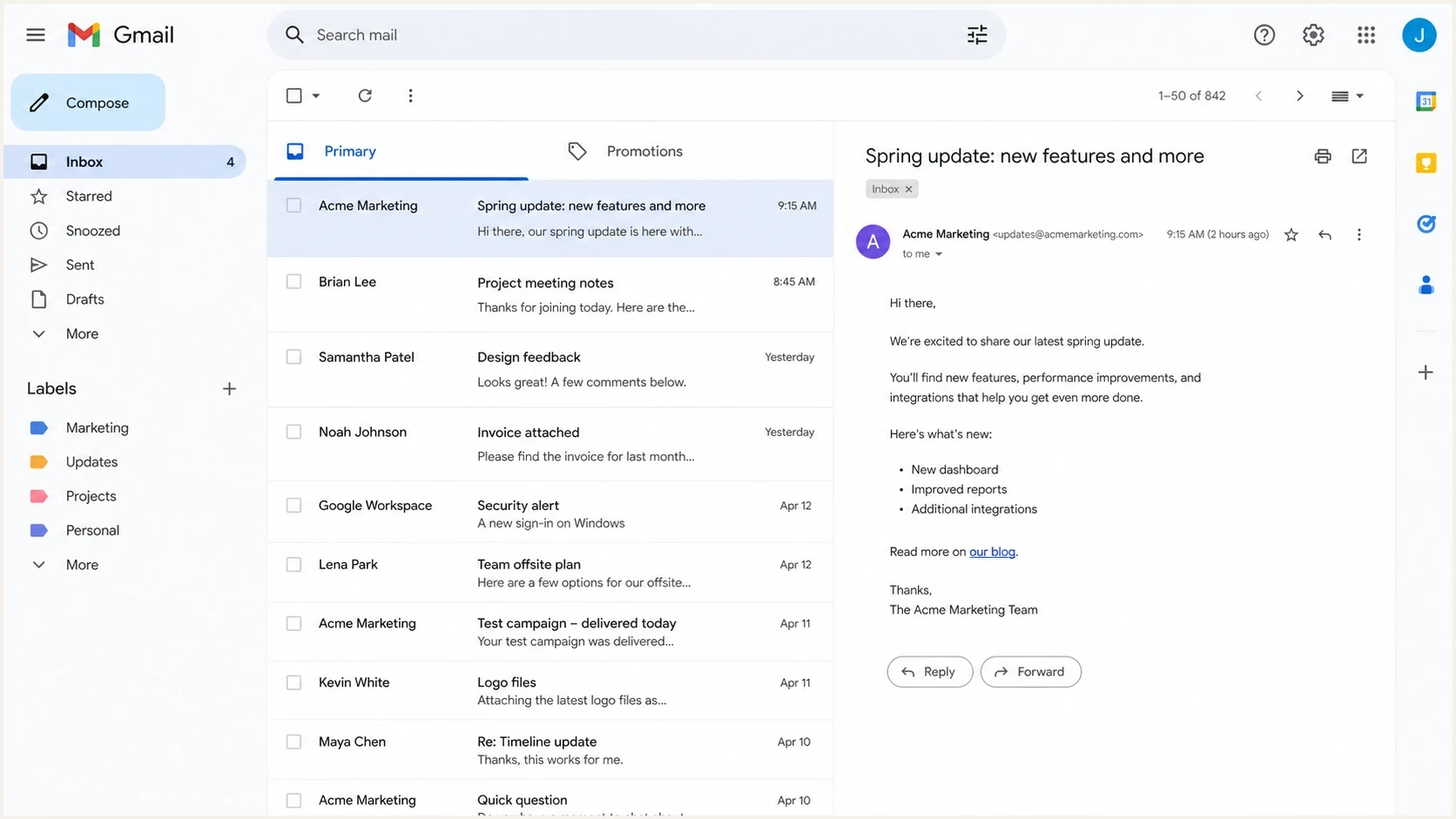
Gmail Primary and Promotions tabs used to review seed list inbox placement.
|
|
|
|---|---|---|
Inbox | Provider check | Revenue forecast |
Spam | Early warning | Full diagnosis |
Missing | Checking send logs and collection delays | Proving rejection or a bounce |
Primary or Promotions | Inbox category comparison | User intent |
Seed results describe observed test mailboxes, not the placement of every subscriber message.
A missing result means the test has not located the message. Check SMTP responses and send logs for acceptance, deferral, rejection, or suppression, then check the collection window and mailbox connection. Do not count a missing seed as a bounce without delivery evidence.
The cleanest seed list test sends the same production message, through the same sending path, at nearly the same time as the real campaign. A separate seeds-only clone is still useful for pre-launch checks, but its placement results describe that test send. Production volume and sending routes can differ, and including seeds in production still does not reproduce subscriber history.
Separate placement seeds from review lists
The term seed list commonly covers two different email marketing workflows. A placement seed list uses controlled mailboxes to test provider handling. An internal review list sends each campaign to employees or partners for content approval, record keeping, or visibility. Internal recipients do not make the list representative of real subscribers.
|
|
|
|---|---|---|
Placement seeds | Provider placement testing | Artificial recipient behavior |
Internal review list | Approval and archiving | Metrics and personalization distortion |
Keep the purpose of each seed list clear before interpreting its results.
Tag both groups separately and exclude their opens or clicks from campaign reporting where the sending platform permits it. Keep each list proportionate to the live audience, since a large group of inactive seed accounts can depress measured engagement. Seed status does not bypass consent, suppression, or unsubscribe rules.
Placement testing is also different from IP or domain warm-up. A clean seed result does not establish reputation at production volume. For warm-up, gradually increase sends to engaged subscribers who requested your mail, consistent with Gmail's sending guidance.
How to build a useful email seed list
Start with the mailbox providers used by your real subscribers. Provider coverage matters more than a large total of test addresses at one provider.
- Cover the providers that matter to your audience, including relevant business mailboxes. Consumer mailboxes do not reproduce every corporate filtering policy.
- Separate mailbox providers from email clients. Viewing a Gmail account in Apple Mail tests another rendering environment, not another receiving provider.
- Use mailboxes you control or have permission to test, and verify that they still receive mail. Keep their test designation separate from subscriber segments.
- Record sender-specific filters and previous manual actions. Whitelisting a sender or repeatedly moving messages out of spam changes the mailbox history and biases future placement comparisons.
There is no universal minimum seed list size that guarantees accuracy. Record the number of observed mailboxes at each provider, maintain a stable panel for comparisons, and replace broken accounts deliberately. Review personalized content and dynamic variants with separate internal test profiles so a generic seed message does not hide a campaign error.
Where seed lists are most valuable
Seed lists are most valuable when they answer a practical question before a campaign reaches a large audience. Use them as a smoke test. They flag changes in test-mailbox placement and differences between providers that deserve investigation.
- Pre-launch QA: They flag spam placement or missing messages before the main send. Check authentication headers, links, and rendering separately to find the cause or a campaign error.
- Provider comparison: They show when one mailbox provider is harsher than others, which helps narrow the next investigation.
- Change testing: They help compare a new template, tracking domain, sending IP, authentication change, or campaign format.
- Incident triage: They help check whether a subscriber report also occurs in test mailboxes, without proving how widespread the problem is.
A seed list also works well beside a real message test. Suped's email tester checks a received message for authentication and technical sending issues. It does not measure inbox placement across mailbox providers. Review links and rendering separately before the campaign goes out.
Email tester
Send a real email to this address. Suped shows a results button when the test is ready.
?/43tests passed
A useful seed list result leads to a decision: send, pause, segment, fix authentication, change the creative, or monitor the campaign more closely after launch.
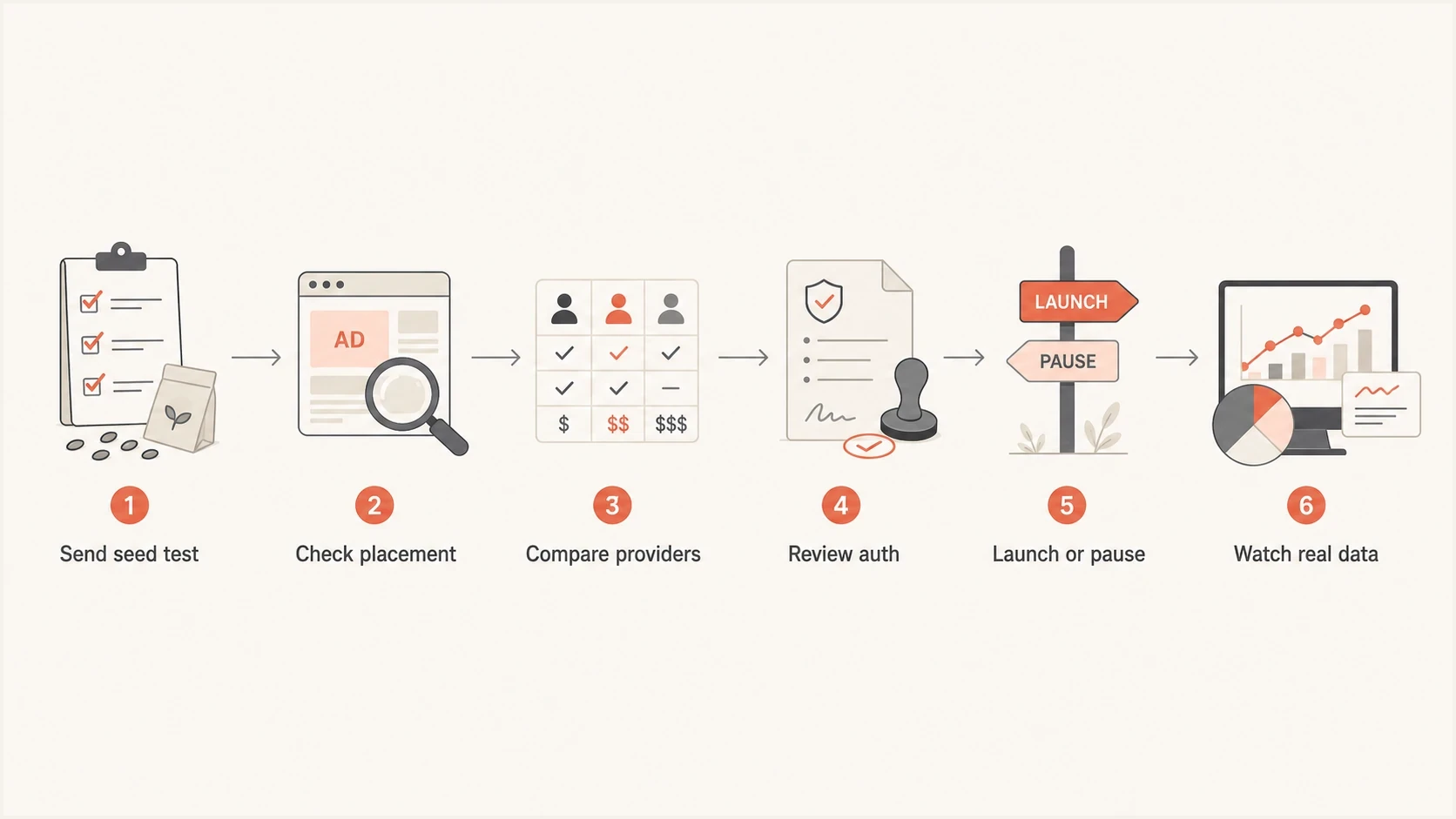
Email seed list workflow for checking placement and authentication before launch, then comparing campaign data.
Where seed lists break down
Seed lists break down when they are treated like a statistically complete view of inbox placement. Mailbox filtering considers sender reputation and authentication alongside message content, URL reputation, and recipient-specific behavior. The weighting is provider-specific and is not fully disclosed. Seed addresses do not create the same history as normal subscribers.
What a seed list sees
- Test mailbox: A controlled address with limited or artificial behavior.
- Single moment: A snapshot of one send, one creative, and one filtering decision.
- Small volume: A result based on a narrow sample of mailboxes.
What real subscribers create
- History: Prior opens, clicks, replies, deletions, complaints, and saves.
- Personal filtering: Inbox placement shaped by each recipient and mailbox provider.
- Campaign context: Volume, timing, audience quality, and live engagement.
Seed tests can give false reassurance or unnecessary alarm. A campaign can reach seed inboxes while real subscribers have a problem, or reach seed spam folders while the live audience performs normally. Hard decisions should not rest on one seed run.
Show counts as well as percentages. If four of five seeds at one provider reach the inbox, that is 80% of those five test accounts, not an estimate that 80% of subscribers received inbox placement. Seed panels are not random subscriber samples, so a larger panel does not justify a population margin of error. Report results by provider; an overall seed average also depends on the panel's provider mix.
How much trust to place in seed results
These labels describe test context, not statistical confidence intervals or measured accuracy.
Low trust
QA only
Seeds-only clone, tiny sample, no real campaign match.
Medium trust
Directional
Pre-launch test with the final creative and sending path.
Higher trust
Useful
Seed addresses included with the live audience and real data checked after launch.
If seed results keep disagreeing with real performance, investigate sampling and measurement differences before changing the campaign. Compare provider-specific clicks and conversions with complaint rates, bounce patterns, and authentication results; none of these alone measures every recipient's inbox placement. This related page on spam placement checks goes deeper on separating proof from noise.
How to use seed lists in practice
Use seed lists as a pre-launch check and a live-send comparison, not as a replacement for recipient data. For an important campaign, run a test before launch and include seed addresses in the actual production send.
- Send the final build: Use the final subject line, sender, links, images, tracking, headers, and sending infrastructure.
- Match the live send: Add seeds to the production campaign when possible, and distribute them across the send window and relevant IP pools. Confirm the route from headers rather than assuming every seed used the subscriber route.
- Read by provider: Separate Gmail, Microsoft, Yahoo, iCloud, and corporate filtering results instead of averaging everything.
- Check real metrics: Compare provider-specific seed placement with clicks, conversions, bounces, complaints, and unsubscribes after launch. Treat opens as supporting data rather than proof of human engagement.
- Investigate patterns: Act when the same provider shows repeated spam placement or missing mail across multiple sends.
Open tracking has its own limits. Apple's Mail Privacy Protection documentation explains that remote content is downloaded in the background when a message arrives, rather than when it is viewed. Tracking-pixel activity therefore does not prove a human open or inbox placement. Compare clicks and conversions with delivery and complaint data.
Seed list test plantext
Before launch:
- Send final creative to placement seeds and separate internal QA profiles.
- Check placement by mailbox provider.
- Verify headers, links, and rendering.

During launch:
- Distribute seeds across the live send window and relevant IP pools.
- Compare provider results with clicks and conversions.
- Watch bounces, complaints, and delivery errors.

After launch:
- Review provider-specific patterns.
- Do not overreact to one isolated seed failure.
- Corroborate placement warnings; fix confirmed technical faults immediately.
A seeds-only send is a useful safety check, but it is a poor stand-in for the production campaign. The live campaign has different volume, timing, recipient mix, engagement, and complaint behavior. Keep the seeds-only result in the QA bucket unless another signal confirms the same problem.
Trend review has more value than single-send review. One poor seed result can be noise. Repeated poor placement at the same provider across similar campaigns gives a clearer direction. That pattern identifies where to inspect authentication, reputation, audience quality, and content.
How seed lists fit with authentication and reputation
A placement result alone does not tell you whether your DMARC policy is enforced, whether SPF lookups are near the limit, whether DKIM is passing across reported sources, or whether a sending IP is on a blocklist (blacklist). A seed message's headers can show its own authentication results; checks across sending sources need separate monitoring.
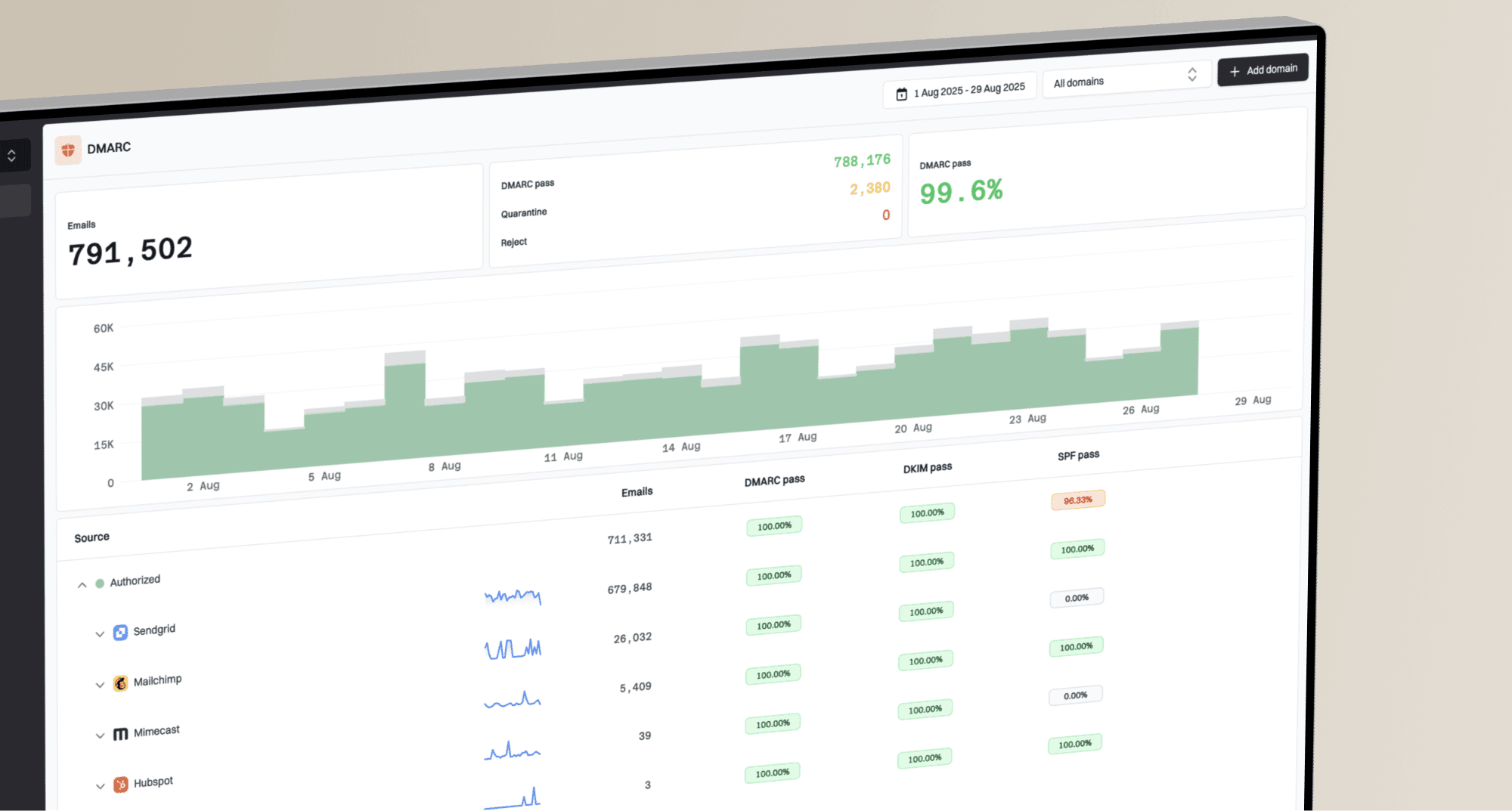
Suped's DMARC reporting and email authentication platform adds visibility into reported SPF and DKIM outcomes, with alerts and blocklist monitoring. Use it to identify the sending source behind an authentication failure and track whether a DNS correction resolves the problem.
Issues page showing top issues, verified sources, unverified sources, and authentication pass rates
When a seed list shows a provider-specific problem, check the domain first. A domain health check reviews published authentication DNS, while received-message headers show what the sender actually used. For ongoing operations, DMARC monitoring shows reported sources and authentication outcomes. Confirm unfamiliar sources with your sending inventory rather than assuming every failure is unauthorized mail.
Blocklist and blacklist checks matter for the same reason. If seed tests show missing or spam placement at several providers, blocklist monitoring checks for published listings. A listing does not prove that a particular provider used it, and a clean result does not rule out private reputation filtering.
The DMARC aggregate reporting standard reports authentication outcomes and policy dispositions, not standard inbox-folder placement. A reported quarantine disposition is not proof of the final spam folder, and a DMARC pass does not guarantee inbox delivery. Use Suped to investigate a failing source, then compare fresh authentication reports with placement and campaign evidence after a correction.
Seed list role
- Placement view: Shows where test mail lands across selected mailboxes.
- Campaign check: Flags issues tied to a message, sender, or launch window.
- Decision input: Adds evidence for send, pause, or investigate decisions.
Suped role
- Auth visibility: Shows reported DMARC, SPF, and DKIM results by sending source.
- Issue steps: Helps investigate failures and monitor authentication changes after a fix.
- Operations view: Combines authentication, blocklists, and domain oversight in one place.
When to act on a seed list result
Act on seed list results when they match other evidence or show a repeated provider-specific pattern. Verify an isolated placement result before changing campaign content, especially if the campaign is a seeds-only clone or audience data looks normal. Fix a confirmed authentication fault or investigate repeated SMTP rejection immediately; a second seed run is not required.
|
|
|
|---|---|---|
Spam | Complaints up | Pause the affected segment and investigate |
Spam | Metrics normal | Verify the test and monitor the provider |
Missing | Bounces up | Inspect SMTP responses and send logs |
Inbox | Revenue down | Check audience segments and conversion tracking |
Use seed list results to set investigation priority, not to replace campaign data.
The common mistake is overreacting to one seed result because it looks precise. A dashboard can show a clear inbox percentage, but the underlying sample is still artificial. Ask whether the same provider failed again, whether real users reacted differently, whether authentication changed, and whether a reputation signal moved at the same time.
A strong workflow pairs seed testing with real campaign evidence. Seed lists show where to look first. Real performance data and authentication monitoring tell you whether the issue needs action.
Are seed lists worth using?
Seed lists are worth using when the goal is early warning, provider comparison, QA, and incident triage. They are not worth trusting as a complete measure of inbox placement or campaign health. The strongest workflow uses seed testing before launch, includes seeds in the real campaign when practical, and checks results against real subscribers.