What is the acceptable spam rate threshold and what factors affect it?

Published 10 Aug 2025
Updated 24 Oct 2026
14 min read
Summarize with
Updated on 24 Oct 2026: We clarified spam complaint thresholds, corrected the rate calculations, and added Gmail recovery requirements.
The acceptable spam complaint rate threshold is below 0.1% for a healthy sender. Gmail's published sender guidance says to keep rates below 0.10% and avoid 0.30% or higher, while Yahoo requires senders to keep spam complaint rates below 0.3%. Treat 0.2% as an urgent internal escalation point, not a provider-approved allowance. In plain numbers, 0.1% means 1 spam report per 1,000 inbox-delivered messages, while 0.3% means 3 reports per 1,000. This measures recipient spam complaints, not the percentage of messages automatically filtered into the spam folder.
A single daily spike at or above 0.3% needs immediate review, even when the sender's previous reputation is good. Mailbox providers look at patterns, identity, user engagement, unsubscribe handling, authentication, previous reputation, complaint history, and recent volume changes. The practical answer is to manage toward a stable rate under 0.1%, investigate rising rates at 0.1% and escalate at 0.2%, and never build a program that floats around 0.3% and depends on provider patience.
Short answer
Use these working bands for provider-reported, inbox-delivered mail: under 0.1% is the target, 0.1% to below 0.2% needs attention, 0.2% to below 0.3% needs fast action, and 0.3% or higher is high risk. The exact impact depends on whether the spike is isolated or part of a repeated pattern.
What threshold should you use?
Set an internal target below 0.1%, investigate at 0.1%, and escalate at 0.2%. Treat 0.3% as a provider risk threshold. Filtering risk increases before that threshold; crossing it does not cause identical enforcement at every provider.
Spam rate operating bands
Internal operating bands for provider-reported complaint rates, not guarantees of inbox placement.
Healthy
Under 0.1%
A working target for wanted mail. Lower rates do not guarantee inbox placement.
Watch
0.1% to below 0.2%
Review signup sources and message frequency.
Act now
0.2% to below 0.3%
Reduce risky sends and segment complaints.
High risk
0.3% or higher
Take immediate action, even if the increase appears isolated.
This is close to a normal complaint rate benchmark, but stricter internal triggers work better. If a team waits until the public number is already at 0.3%, the hard work has been delayed too long. By then, the sender usually needs to cut volume, pause specific segments, rewrite the message plan, or change acquisition sources.
Measure the right denominator
Provider complaint rates are not simple complaints divided by total attempted sends. Gmail reports the share of DKIM-authenticated messages delivered to engaged recipients' inboxes that recipients then manually mark as spam. Yahoo calculates its rate using mail delivered to the inbox. A campaign with heavy filtering can look artificially low if an internal denominator includes attempted, blocked, bounced, or spam-folder mail.
Keep provider-reported complaints, the provider's inbox-delivered count when available, and total delivered messages from the sending platform in the review. When provider data is missing, divide captured complaints by delivered mail, multiply by 100, and label the result as an internal estimate. Complaint feedback is incomplete, especially for Gmail, so this estimate does not establish provider compliance. Never use opens as the denominator.
|
|
|
|---|---|---|
Attempted sends | Capacity planning | Hides blocks and bounces |
Delivered mail | Internal trend | Does not match every provider |
Inbox-delivered mail | Provider risk | Needs provider data |
Choose the denominator that matches the decision you are making.
For small lists, show counts next to rates. Two reports on 2,000 inbox-delivered messages is 0.10%; four reports on 1,000 is 0.40%. Provider dashboards can omit low-volume data for privacy. An extremely low or zero rate also needs context because it can mean that more mail is already reaching the spam folder, leaving fewer inbox messages for recipients to report.
Where complaint data comes from
Provider dashboards, campaign identifiers, feedback reports, and suppression logs answer different questions. The dashboard supplies the provider-calculated rate. A stable campaign identifier connects complaints to a mail stream or template. A feedback report can identify a complaint event where the provider makes that data available.
|
|
|
|---|---|---|
Provider dashboard | Provider-calculated rate | Track compliance and trend |
Campaign identifier | Affected campaign or stream | Isolate source or template |
Feedback report | Complaint event when available | Suppress the recipient |
Sending platform | Delivered-mail estimate | Compare internal segments |
Keep each complaint source tied to the decision it supports.
For Gmail campaign diagnosis, add a stable Feedback-ID header that identifies the campaign without identifying an individual recipient. Add the header before DKIM signing, using a domain you control and have verified in Gmail's reporting dashboard. Gmail reports qualifying campaign-level data rather than giving the sender a list of individual reporters. Yahoo's complaint feedback loop returns complaint reports for enrolled DKIM domains. Suppress each identified recipient from marketing as soon as the report arrives, and retain that suppression across list imports.
Do not blend the rates
A provider rate and a sending-platform rate can differ without either being wrong. Record the provider, reporting window, time zone, numerator, and denominator beside every threshold review so later comparisons use the same definition.
How mailbox providers read the rate
The visible number in a provider dashboard is not the whole enforcement system. Gmail calculates its spam rate daily, while filtering models also consider history across the sending domain, IP, sending pattern, authentication identity, and user response. That is why a sender can see one bad day and recover, while another sender with the same daily rate keeps losing inbox placement.
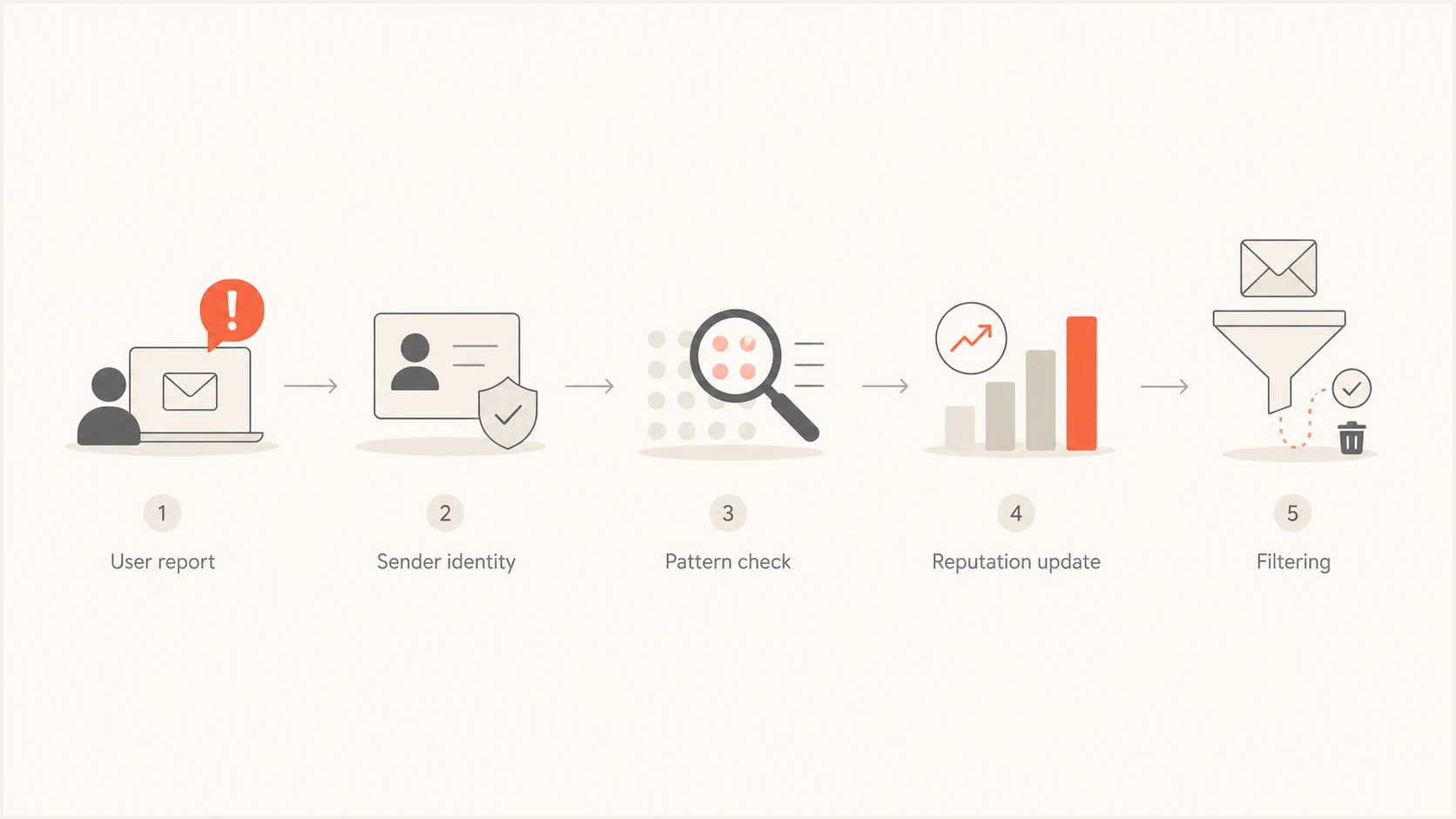
Spam complaint rate flowchart showing user reports, sender reputation, and filtering.
Thresholds describe delivery risk rather than a fixed penalty schedule. One bad day after a holiday, a delayed reporting batch, or a small denominator is different from a program that produces 0.22% every week. Both cases need review; repeated high complaints call for changes to the audience or sending practices.
Do not use open rate alone to argue the complaint signal away. Google's current guidance says Google does not track open rates and cannot verify third-party open-rate accuracy. Clicks, unsubscribes, bounces, complaint timing, and provider-specific delivery results give better context when they are read together.
One-off spike
- Timing: A single day rises after delayed reading, holidays, or a reporting lag.
- Context: Domain reputation, engagement, and authentication still look stable.
- Action: Review the affected mail, then watch the next few sends closely.
Sustained pattern
- Timing: Rates sit near 0.2% or higher across campaigns or weeks.
- Context: Click activity falls, spam placement grows, or delivery errors increase.
- Action: Cut risky sources and change the send plan before scaling again.
Factors that affect spam rate
Spam rate is affected by more than message quality. It is the result of who entered the list, what they expected, when they were contacted, whether they remember the sender, and how easy it is to leave. A sender with clean authentication and real opt-in can still create high complaints if the offer, cadence, or welcome path sets the wrong expectation.
- Consent source: Sweepstakes, partner lists, gated assets, and free trials produce different complaint risk. Purchased or rented lists do not establish permission to send. Double opt-in confirms the address owner requested the subscription.
- Expectation gap: People complain when signup promises do not match the mail that arrives. An immediate welcome message should restate the content and cadence.
- Frequency: A weekly promise followed by daily promotions creates fast complaint pressure.
- Volume change: Sudden jumps and irregular cadence expose weak list quality faster, especially with inactive or imported recipients.
- List age: Old subscribers forget the signup context and report mail they once requested.
- Unsubscribe friction: A hidden link, slow preference center, or missing one-click unsubscribe makes the spam button the fastest exit.
- Engagement pattern: Low clicks, rising unsubscribes, and provider-specific soft bounces often appear beside spam reports.
- Message pressure: Vague subject lines and repeated urgency train people to distrust the sender.
- Authentication: SPF, DKIM, and DMARC failures make it harder to separate wanted mail from misuse.
- Reputation history: Domain and IP reputation affect filtering, but do not excuse high complaint rates.
For bulk marketing mail to Gmail or Yahoo, test RFC 8058 one-click unsubscribe using both List-Unsubscribe and List-Unsubscribe-Post headers, plus a visible unsubscribe link in the message body. Process opt-outs within 48 hours. A preference page alone does not meet the header requirement. See Google's sender requirements.
Volume changes also change how fast complaints accumulate. A sudden jump to less engaged recipients can push a rate above 0.2% before a team sees the pattern, so major increases should start with recent engagers and expand only after complaint, bounce, and deferral signals stay low.
When the complaint rate climbs, check message authentication alongside complaint analysis. Send a real message through Suped's email tester to inspect headers and authentication results before changing the whole program.
Email tester
Send a real email to this address. Suped shows a results button when the test is ready.
?/43tests passed
That test does not replace complaint analysis. It gives you a cleaner starting point. If the message authenticates, the headers look normal, and the content is not the issue, then the next questions are audience, timing, source, and promise. Those are usually where persistent complaint rates above 0.2% come from.
How to diagnose a rising spam complaint rate
A rate at or above 0.1% deserves a structured review; 0.2% is an escalation point. Do not start by asking whether 0.2% is technically allowed. Start by finding which recipient group, signup source, lifecycle stage, or message type produced the complaints. The goal is to isolate the few sends that create most of the reputation cost.
Bring engagement metrics into diagnosis, but keep them secondary to complaints and bounces. Unique clicks help locate audience fatigue. Rising hard or soft bounces, unsubscribes, and a complaint rate above 0.1% on the same segment point to a list or expectation problem.
Complaint rate formulatext
Simplified inbox-based spam rate (%) = (user spam reports / inbox-delivered messages) * 100
Internal estimate (%) = (captured user spam reports / delivered messages) * 100
Provider dashboards apply their own eligibility rules.

0.1% = 1 report per 1,000 inbox-delivered messages
0.3% = 3 reports per 1,000 inbox-delivered messages

Day A: (2 / 2,000) * 100 = 0.10%
Day B: (4 / 1,000) * 100 = 0.40%

A single bad day needs review.
A repeated bad segment needs change.
- Split by source: Compare trial users, content leads, purchases, webinar signups, and imported records.
- Split by message: Separate product mail, lifecycle mail, promotions, reactivation, and newsletters.
- Compare volume: Check whether the rate moved after a campaign size increase, user import, or cadence change.
- Check delay: Match complaint dates to send dates because users report old mail later. Use UTC when comparing Gmail reports with send logs.
- Compare providers: Review each mailbox provider separately so a low overall average does not hide a high complaint rate at one provider.
- Review exits: Confirm one-click unsubscribe works, visible unsubscribe links work, and preference links do not block people.
|
|
|
|---|---|---|
Small list | Noisy rate | Use counts |
Old segment | Forgotten signup | Review consent and recent activity |
New source | Poor intent | Audit form |
Promo spike | Offer mismatch | Check copy |
Volume jump | Weak segment mix | Slow ramp |
Signals that separate random variance from a real complaint problem.
What to do when the spike is not tied to a send
Some spikes look strange because complaint reporting does not always match the day the campaign was sent. A user can return from vacation, search the inbox, then report several old messages at once. A reporting dashboard can also batch or delay data. For product-led growth (PLG) companies, product-triggered mail can keep flowing even when no marketing broadcast went out, so the source is easy to miss.
The right response is to avoid panic and still investigate. Review campaign identifiers, categories, templates, and recipient cohorts around the spike. Use message IDs only where feedback reports expose them; Gmail does not identify individual complainants. If the spike is isolated and the following days return to normal, document it and keep watching. If the same template, source, or lifecycle path appears again, treat it as a real issue.
Do not average away a daily breach
Being below 0.3% for most of a month does not cancel a daily breach. Investigate the affected day even if later rates improve, and check the daily provider report before resuming the affected marketing stream.
Example complaint rate by mail type
Illustrative rates only, not industry benchmarks or Suped customer data. Compare actual mail streams using a consistent denominator.
Receipts
0.02%Product alerts
0.05%Newsletter
0.11%Winback
0.24%Cold partner list
0.38%Where authentication and reputation fit
DMARC, SPF, and DKIM do not make unwanted mail wanted. They help verify sender identity. DMARC aggregate reports show authentication results, not recipient spam complaints or inbox placement. That matters because complaint analysis becomes unreliable when unauthorized mail, broken DKIM signatures, SPF failures, forwarding issues, or unmonitored sending sources share the same domain reputation.
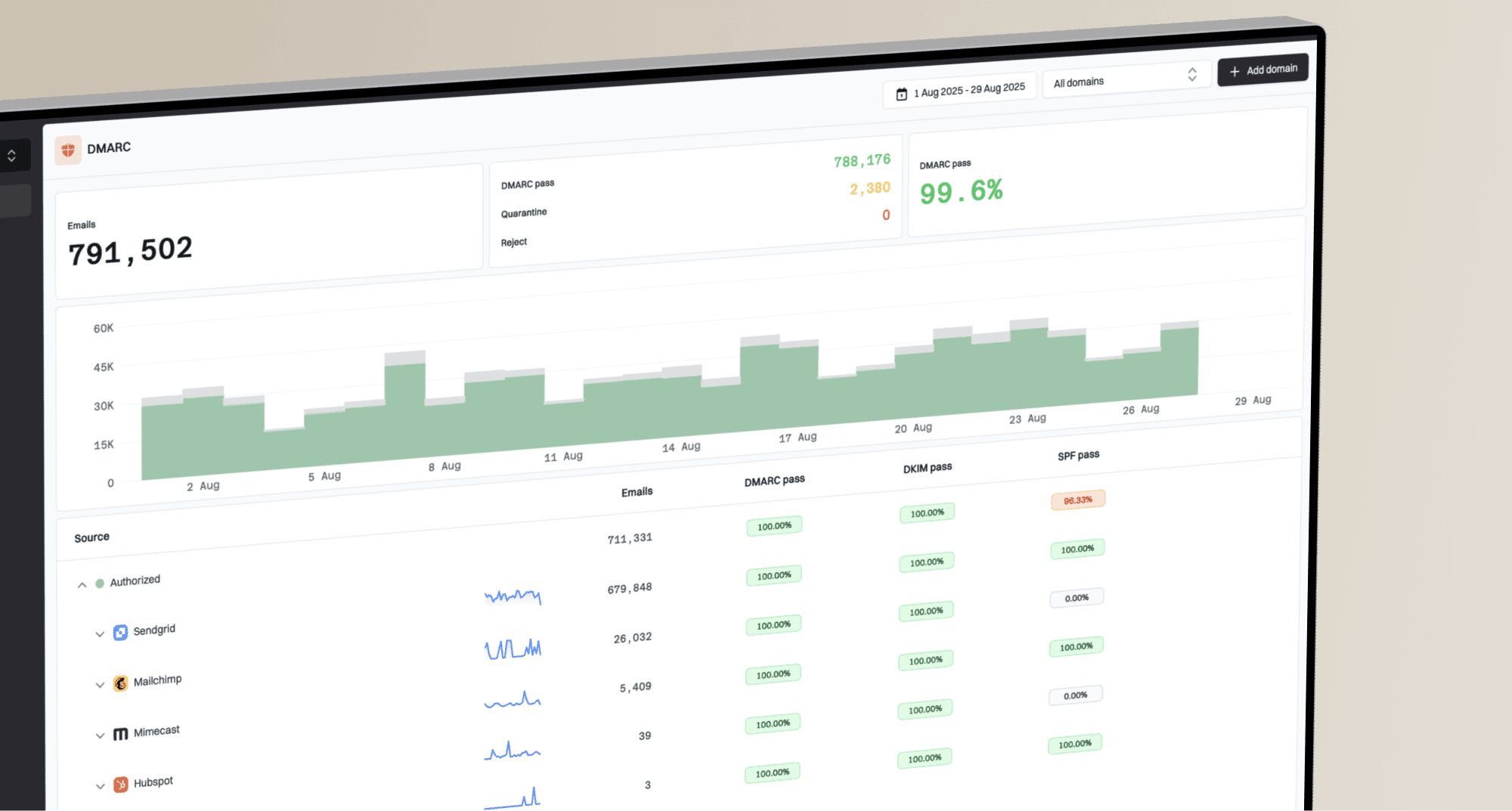
Suped's DMARC monitoring helps identify sending sources and authentication failures alongside provider complaint data. Use blocklist monitoring to investigate separate domain or IP listings. A high complaint rate does not by itself prove a blocklist (blacklist) listing.
Issues page showing top issues, verified sources, unverified sources, and authentication pass rates
A broad domain health check is useful when the visible symptom is complaints but the underlying problem is mixed: one sender fails DKIM, another has too many SPF lookups, and a marketing subdomain is carrying a poor reputation signal. Fixing those issues will not rescue irrelevant content, but it removes noise from the diagnosis.
Bulk senders to Gmail and Yahoo need SPF and DKIM authentication plus a DMARC record with at least p=none. For DMARC to pass, the visible From domain must match an authenticated SPF or DKIM domain under the configured DMARC rules. Investigate complaints while fixing authentication. Tighten DMARC policy only after checking authorized sending sources.
Complaint problem
Recipients are telling the mailbox provider that the mail is unwanted. The fix is source quality, expectation setting, frequency control, content relevance, and easy unsubscribe.
Authentication problem
The sender identity is unclear or broken. Correct SPF and DKIM configuration, check DMARC domain matching, and monitor for unauthorized or misconfigured senders.
A practical operating policy
A useful policy has clear actions tied to numbers. Without that, teams argue about whether a number is technically allowed while reputation keeps degrading. The sending team should know exactly what happens when complaint rate crosses each band.
- Under 0.1%: Continue sending, but keep monitoring by mailbox provider and message stream.
- At 0.1%: Review recent campaigns, new acquisition sources, inactive-user volume, and unsubscribe paths.
- At 0.2%: Pause the worst marketing segment, reduce frequency, fix the signup promise, and review inactivity using activity beyond opens or clicks alone.
- At 0.3% or higher: Stop the marketing source causing complaints and rebuild volume only after rates stabilize and sender requirements are met.
- After recovery: Reintroduce volume slowly to engaged users and watch the next complaint window before scaling.
Before a planned volume increase, treat the increase as its own risk event. Start with recently engaged recipients, pace by mailbox provider, and check complaints, bounces, deferrals, and authentication before expanding the next batch.
The difficult part is that the highest-complaining sends often look good in revenue reports. That is where deliverability work becomes a business decision. If a reactivation send makes money today but pushes Gmail complaint rate to 0.35%, it can reduce inbox placement for the messages that make money next week.
Separate daily variance from trend. The question is not only what happened on one day. The better question is whether spam reports are changing sender reputation over time. A deeper explanation of how spam reports affect reputation helps connect the complaint number to the filtering outcome.
How recovery works after a threshold breach
Google's email sender FAQ states that bulk senders above 0.3% are ineligible for delivery mitigation. To regain eligibility, keep the reported rate below 0.3% for seven consecutive days and meet the other sender requirements. This support eligibility rule does not guarantee restored inbox placement after seven days. Read the sender FAQ.
After removing the complaint source, keep marketing volume low and send only to recipients with recent evidence of interest and valid consent. Track daily provider rates alongside SMTP deferrals and delivery errors before increasing volume. Gmail's compliance status uses data across multiple days and can take up to seven days to reflect fixes; it is separate from the daily spam-rate report.
Views from the trenches
Best practices
Track spam rate by source, volume change, and message stream before broad program cuts.
Keep an action trigger below 0.3% so the team responds before a provider limit is breached.
Review signup promises when complaints stay high despite clear opt-in and careful list hygiene.
Common pitfalls
Averaging away one bad day hides the segment or template that caused user friction.
Assuming authentication fixes complaints misses the recipient expectation problem.
Ignoring a sudden volume jump hides why a previously low rate moved into investigation range.
Expert tips
Compare complaint timing with send timing because users report old messages later.
Use 0.2% as an internal escalation trigger; investigate rising complaints before that point.
Review planned volume increases before ramping marketing sends to inactive subscriber segments.
Marketer view
Marketer from Email Geeks says a single spike is usually less concerning than a sender that lives near 0.2% or 0.3% for repeated sends.
2023-11-14 - Email Geeks
Marketer view
Marketer from Email Geeks says teams should spend less time trying to decode the exact math and more time reducing complaint sources.
2023-11-14 - Email Geeks