How will Google's new spam rate threshold impact email deliverability, especially for B2B senders?

Published 21 Jun 2025
Updated 3 Oct 2026
11 min read
Summarize with
Updated on 3 Oct 2026: We clarified Google's complaint thresholds and added a way to trace B2B spam-rate spikes to the campaigns behind them.
Google's spam rate threshold affects deliverability in layers, not through one universal switch. A rate of 0.30% does not trigger a published automatic block. Higher complaint rates have a graduated impact on inbox placement, and poor reputation can also contribute to throttling or rejection. So the answer to "will this cause block bounces or just poor deliverability?" is: both outcomes are possible, but Google does not define 0.30% as a bounce trigger.
The important point is that 0.30% is not a good target. Google guidelines say to keep spam rates below 0.10% and avoid ever reaching 0.30% or higher. That matters because 0.30% means 3 complaints per 1,000 DKIM-authenticated messages delivered to engaged personal Gmail inboxes. For a B2B program with cold outreach, purchased contacts, weak consent, or aggressive follow-up, that is not hard to hit.
The published threshold applies to personal Gmail accounts ending in @gmail.com or @googlemail.com. It does not apply to inbound mail at company domains hosted on Google Workspace, and those Workspace recipients are not included in Postmaster Tools data. B2B senders still need caution because their databases often include personal Gmail addresses and because one primary domain can carry mail for several business teams.
How the threshold affects delivery
Treat 0.30% as the danger line
If a sender is near 0.30%, the domain already has a deliverability problem. Do not wait for a bounce code before changing behavior. At that point, enough personal Gmail recipients are reporting inboxed mail as unwanted to create a serious filtering risk.
For compliant bulk senders, the threshold formalizes what has been true for years: recipient complaints feed filtering decisions. Google considers a primary domain a bulk sender when it sends close to 5,000 or more messages to personal Gmail accounts in a 24-hour period. The public number gives senders a clearer boundary, but Google reports that rates above 0.10% already have a negative impact on bulk-sender inbox delivery.
- High complaint rates push future mail toward the spam folder, especially promotional, cold, or low-engagement mail.
- Google can slow acceptance when volume, feedback, and domain or IP reputation look risky.
- Authentication, TLS, DNS, formatting, and reputation failures can produce temporary or permanent SMTP rejections.
- A bulk sender above 0.30% is ineligible for Google's delivery mitigation until the rate stays below 0.30% for seven consecutive days.
Pair spam-rate work with authentication, unsubscribe, and TLS checks. The bulk sender guidelines apply alongside the complaint threshold.
Who Google counts as a bulk sender
Google counts messages sent to personal Gmail accounts within a 24-hour period. Messages from a primary domain and its subdomains are combined, so dividing sales and marketing traffic across subdomains does not divide the formal volume test. Once a sender meets the bulk threshold, Google considers that sender a bulk sender permanently.
|
|
|
|---|---|---|
Which recipients count? | Personal Gmail accounts | Count @gmail.com and @googlemail.com recipients |
Which domains count together? | Primary domain and subdomains | Combine traffic across business teams |
Does status expire? | No | Plan for permanent compliance |
Does inbound Workspace mail count? | No | Monitor company-domain recipients separately |
How Google's bulk-sender scope applies
This distinction changes a B2B volume audit. Count personal Gmail recipients across sales, marketing, recruiting, product, and other mail using the same primary domain. Keep Google Workspace recipients outside the formal 5,000-message test, but monitor their delivery and engagement as part of the wider email program.
What the spam rate number means
Postmaster Tools calculates the spam rate daily from DKIM-authenticated messages delivered to engaged personal Gmail recipients' inboxes and then marked as spam. A message sent to spam and later marked "not spam" also counts as inbox-delivered for this metric. If Gmail already sends much of the mail to spam, the displayed complaint rate can look very low or disappear because fewer recipients see the messages in their inbox.
Spam complaint rate bands
Use these bands for operating decisions, not as a legal or contractual guarantee.
Healthy operating range
Under 0.10%
Routine wanted mail should remain here.
Caution range
0.10%-0.29%
Investigate list source, content, frequency, and audience fit.
Avoid this line
0.30%+
Expect greater filtering risk; rates above 0.30% also remove mitigation eligibility.
The threshold is not a single-day automatic block. Google says maintaining a low rate makes senders more resilient to occasional spikes, and reputation improvement takes time to affect classification. One bad send deserves fast investigation. A bulk sender becomes eligible for mitigation again only after the rate remains below 0.30% for seven consecutive days.
Why B2B senders still face risk
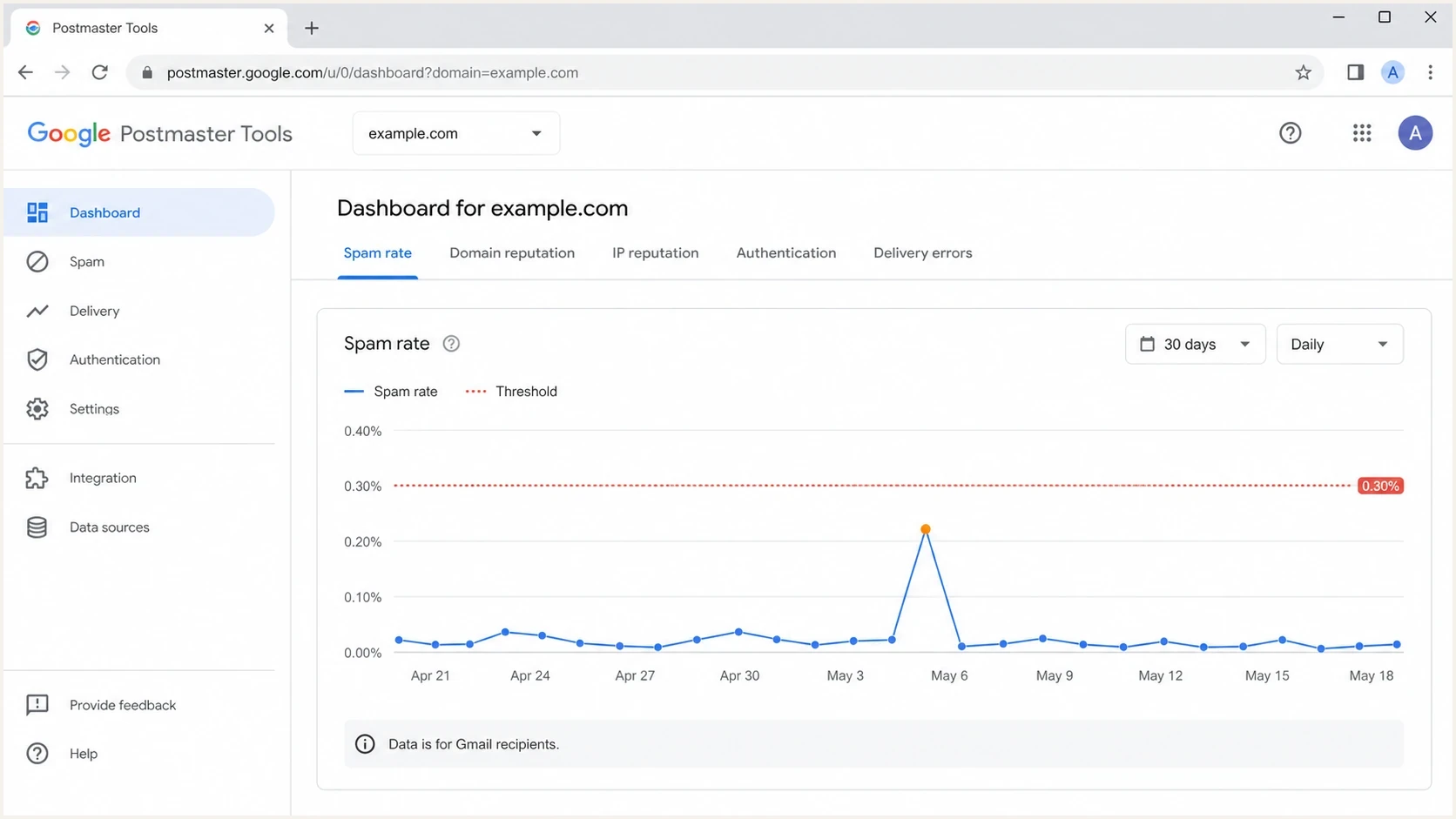
Google Postmaster Tools spam rate screen showing complaint trends and reputation tabs.
The B2B mistake is assuming a business audience removes Gmail exposure. The formal threshold does not cover mail sent to company domains hosted on Google Workspace, but B2B databases still contain personal Gmail addresses. Several teams can also send under one primary domain, causing their personal Gmail volume and compliance status to be evaluated together.
What senders can see
- Google Postmaster Tools provides data for eligible mail to personal Gmail accounts.
- Bounces, deferrals, replies, unsubscribes, and engagement changes show indirect pressure.
- DMARC reports show which sources send for the domain and whether they pass authentication.
What senders miss
- Postmaster Tools excludes mail sent to company-domain Google Workspace recipients.
- Spam placement often hurts before a sender sees obvious bounce evidence.
- Complaint rates calculated against all sent mail do not match Google's inbox-based metric.
Cold B2B outreach has a specific problem: the sender often has weak intent data. A contact being a business buyer does not mean they asked for the email, recognize the sender, or want repeated follow-ups. Three reports per 1,000 qualifying inboxed messages to personal Gmail accounts puts the program at Google's danger line, while company-domain feedback still matters to the program's broader reputation.
Will Google block or bounce the mail?
The 0.30% rate does not map to an automatic bounce code. Google describes a graduated negative impact on inbox delivery and, for bulk senders above 0.30%, loss of delivery mitigation eligibility. Spam placement can appear first. Temporary or permanent rejection can occur when traffic also fails authentication, TLS, DNS, DMARC, formatting, or other sender requirements.
Examples of requirement-related Gmail errorstext
4.7.27 SPF authentication did not pass.
4.7.29 The message was not sent over TLS.
4.7.30 DKIM authentication did not pass.
4.7.40 The sending domain has no DMARC record or policy.
4.7.32 The From domain does not match the authenticated SPF or DKIM organizational domain.
5.7.25 The sending IP has no valid matching PTR record.
Google began ramping up enforcement against non-compliant traffic in November 2025, including temporary and permanent rejections. The SMTP response identifies the failed requirement when Gmail rejects a message. A high complaint rate can still appear as spam placement without a bounce, so compare Postmaster Tools spam-rate and compliance data with sending logs.
Do not use bounces as the first alarm
When the first clear signal is a block bounce, the domain has often lost reputation or failed another requirement. Earlier signals include complaint trends, spam placement, deferrals, authentication failures, engagement changes, and blocklist (blacklist) events.
Monitor authentication and delivery
Verify authentication, watch recipient feedback, inspect real message placement, and separate risky sending streams before they affect essential mail. Start with a domain health check so DNS, SPF, DKIM, DMARC, and related records are verified.
Email tester
Send a real email to this address. Suped shows a results button when the test is ready.
?/43tests passed
After DNS checks, send a real message through the email tester. That catches message-level issues that DNS alone does not show, including authentication results and message headers.
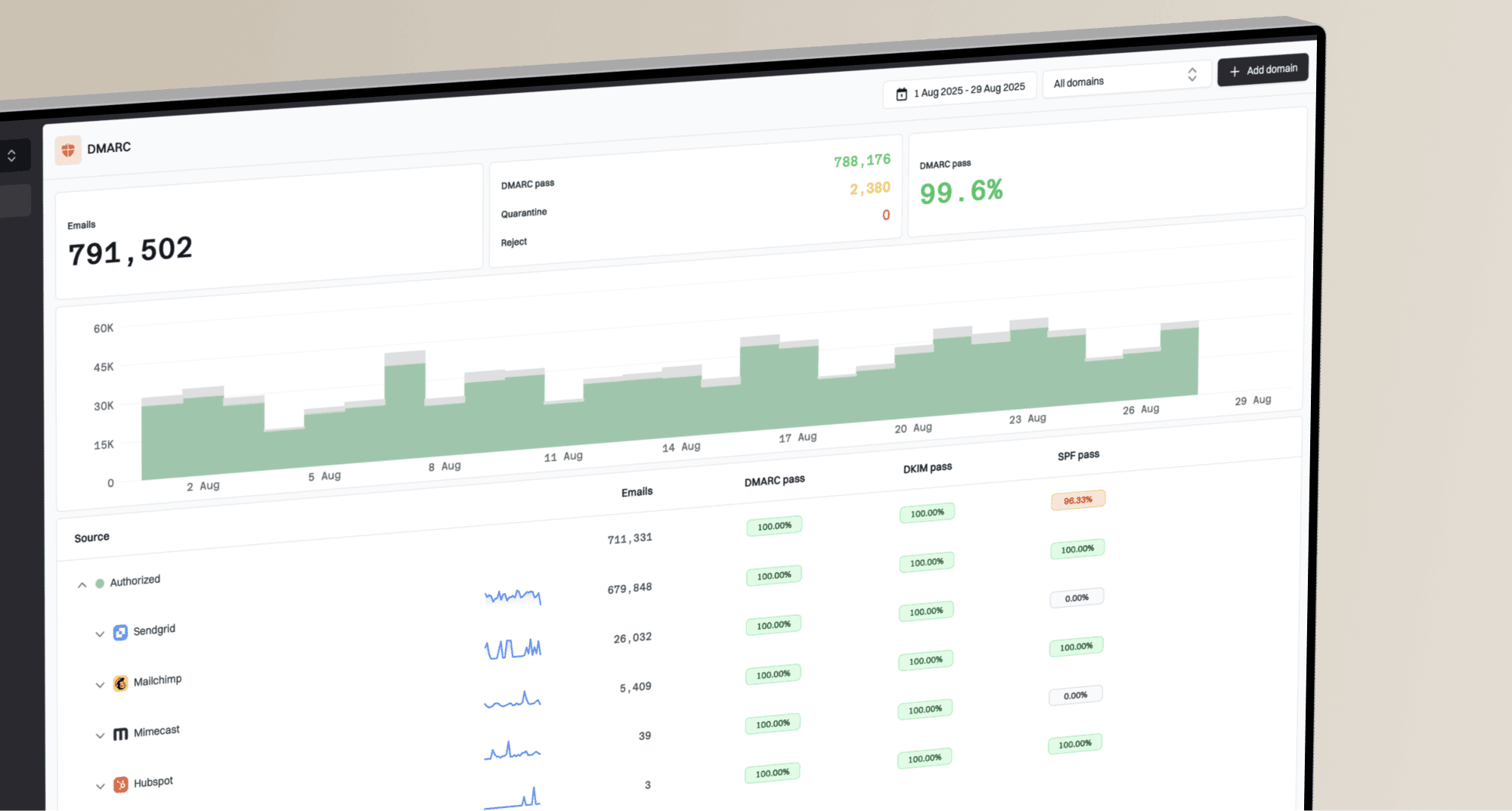
Suped DMARC dashboard showing email volume, authentication health, and source breakdown
Suped's DMARC monitoring helps teams identify sending sources and authentication failures. Use those reports to repair a legitimate sender or investigate an unknown source, then confirm the result in later reports. DMARC reports do not measure Gmail spam complaints or inbox placement.
Also monitor sender reputation beyond Gmail. If an IP or domain appears on a blocklist (blacklist), inbox placement can drop even when the Google spam-rate chart looks quiet. Suped's blocklist monitoring tracks those listing events alongside domain authentication issues.
Diagnose a complaint spike in Postmaster Tools
Start with the daily Spam rate and Compliance status dashboards for the primary domain. Compliance status combines data from its subdomains, and its rolling view can take several days to reflect a fix. A missing spam-rate point on a low-volume day is not proof that the rate was zero.
- Match the spike date to campaign sends and check which audience, list source, or follow-up sequence changed.
- If campaigns carry Gmail Feedback-ID headers, use the Feedback loop dashboard to identify campaigns recipients marked as spam.
- Compare Postmaster Tools with SMTP deferrals, bounces, unsubscribes, and replies; the dashboard does not cover company-domain recipients.
Pause the offending segment while you investigate. Feedback loop results require enough messages and spam reports to appear, so a missing campaign row does not prove that its mail was wanted.
How to lower risk
The safest fix is sending less unwanted mail. Rotating domains, adding aliases, or moving cold outreach to related domains does not repair recipient intent. It also leaves the audience and message problems unresolved.
- Pause purchased lists, scraped contacts, enrichment-only audiences, and cold sequences with low reply quality. Remove hard bounces and prior complainers from future sends.
- Keep transactional, product, lifecycle, marketing, and sales outreach on distinct identities and infrastructure. Subdomains still count together for Google's bulk-sender volume test.
- Make SPF and DKIM pass, and align at least one of them with the visible From domain so DMARC passes for every legitimate sender.
- Cut follow-up pressure, suppress non-responders, and increase volume gradually when starting a new sending stream.
- For marketing and promotional mail, use RFC 8058 List-Unsubscribe headers, keep a visible body link, and follow Google's recommendation to process requests within 48 hours.
- Expect reputation recovery to take time after complaint rates improve, even after mitigation eligibility returns.
Illustrative authentication recordstext
example.com. TXT "v=spf1 include:_spf.example.net -all"
selector1._domainkey.example.com. TXT "v=DKIM1; k=rsa; p=..."
_dmarc.example.com. TXT "v=DMARC1; p=none; rua=mailto:dmarc@example.com"
A DMARC policy of p=none meets Google's minimum bulk-sender requirement, but it is a starting point. Stage policy carefully, confirm every legitimate sender through DMARC reports, then move toward stricter enforcement when the domain is ready.
What this changes for B2B strategy
The threshold makes the cost of unwanted B2B mail more visible. It does not make cold email automatically illegal, and law varies by jurisdiction. Legal permission is different from mailbox permission. Google does not need to decide whether a campaign is lawful. It can make delivery decisions based on recipient feedback and sending behavior.
|
|
|
|---|---|---|
Opt-in B2B | Low | Monitor trends |
Cold outreach | High | Cut unwanted volume |
Shared primary domain | Medium | Separate streams and owners |
Broken authentication | Critical | Fix DNS and message setup |
Impact by sender type
The biggest strategic change is internal accountability. Sales, marketing, customer success, recruiting, and product teams often share a primary domain. If one team runs high-complaint outreach, essential receipts, password resets, investor updates, or customer emails can suffer as domain reputation declines.
Protect consent-based sending
If your mail is opt-in, authenticated, easy to unsubscribe from, and sent at stable volume, keep monitoring complaints and delivery as the program grows.
Views from the trenches
Best practices
Keep complaint rates under 0.10% and treat 0.30% as a stop sign, not a planning goal.
Separate sales outreach from product and transactional mail before reputation leaks.
Use DMARC reports to verify every sender before tightening policy and volume changes.
Make unsubscribe easy and suppress non-responders before recipients use spam buttons.
Common pitfalls
Treating 0.30% as acceptable creates risk because inbox placement can fail earlier.
Treating personal Gmail data as the whole B2B audience hides important feedback gaps.
Rotating domains to avoid reputation damage usually makes blocking happen faster.
Calculating complaints against all sent mail hides the rate among inboxed users.
Expert tips
Watch deferrals and spam placement together because bounces are late-stage signals.
Ask where addresses came from before debating thresholds, tooling, or math with leaders.
Low complaint rates need context because spam-foldered mail gets fewer complaints.
Use the rule change to get budget for consent, suppression, and authentication work.
Expert view
Expert from Email Geeks says non-compliance makes mail look unwanted, and the outcome can include spam placement, rate limiting, or rejection.
2023-11-01 - Email Geeks
Expert view
Expert from Email Geeks says a sender near 0.30% already has serious deliverability trouble, so the threshold should not be treated as a target.
2023-11-01 - Email Geeks
What B2B senders should do next
Google's 0.30% threshold is not an automatic block switch. Sustained unwanted mail can first lose inbox placement, while authentication and infrastructure failures can add throttling or rejection. A bulk-sender rate above 0.30% also removes mitigation eligibility until it records seven consecutive days below that line.
Run every B2B program knowing that Postmaster Tools covers personal Gmail traffic, not the entire business audience, and that Google combines volume across a primary domain and its subdomains. Keep routine spam rates below 0.10%, avoid 0.30%, remove weak address sources, authenticate every sender, and monitor the domain as one shared asset. Suped's product supports that workflow by monitoring DMARC data and identifying sending sources and authentication issues before they affect delivery.