Why are we getting DNS resolution failures with outlook.com when sending email?
Matthew Whittaker
Co-founder & CTO, Suped
Published 31 May 2025
Updated 24 May 2026
8 min read
Summarize with
The usual reason is not that outlook.com has no mail hosts. It is that the sending stack resolves the outlook.com MX, then fails when resolving the MX target because a DNS response is large, truncated, or not handled correctly by the resolver or MTA.
In the cases I see, outlook.com returns an MX such as outlook-com.olc. The next lookup, usually an A lookup for the MX hostname, sometimes returns a larger answer set. If the DNS path does not support EDNS0 properly, or if the MTA ignores the DNS TC flag instead of retrying over TCP, the MTA can treat a truncated answer as no answer. That produces errors such as "unable to route: no mail hosts for domain" even though valid mail hosts exist.
This is separate from DMARC, SPF, and DKIM, but it often shows up during the same deliverability investigation. I still check authentication and reputation at the same time because Microsoft can reject or throttle mail for multiple reasons. Suped helps with that surrounding workflow by putting DMARC, SPF, DKIM, blocklist (blacklist), and deliverability signals in one place while the mail team fixes the resolver path.
The direct cause
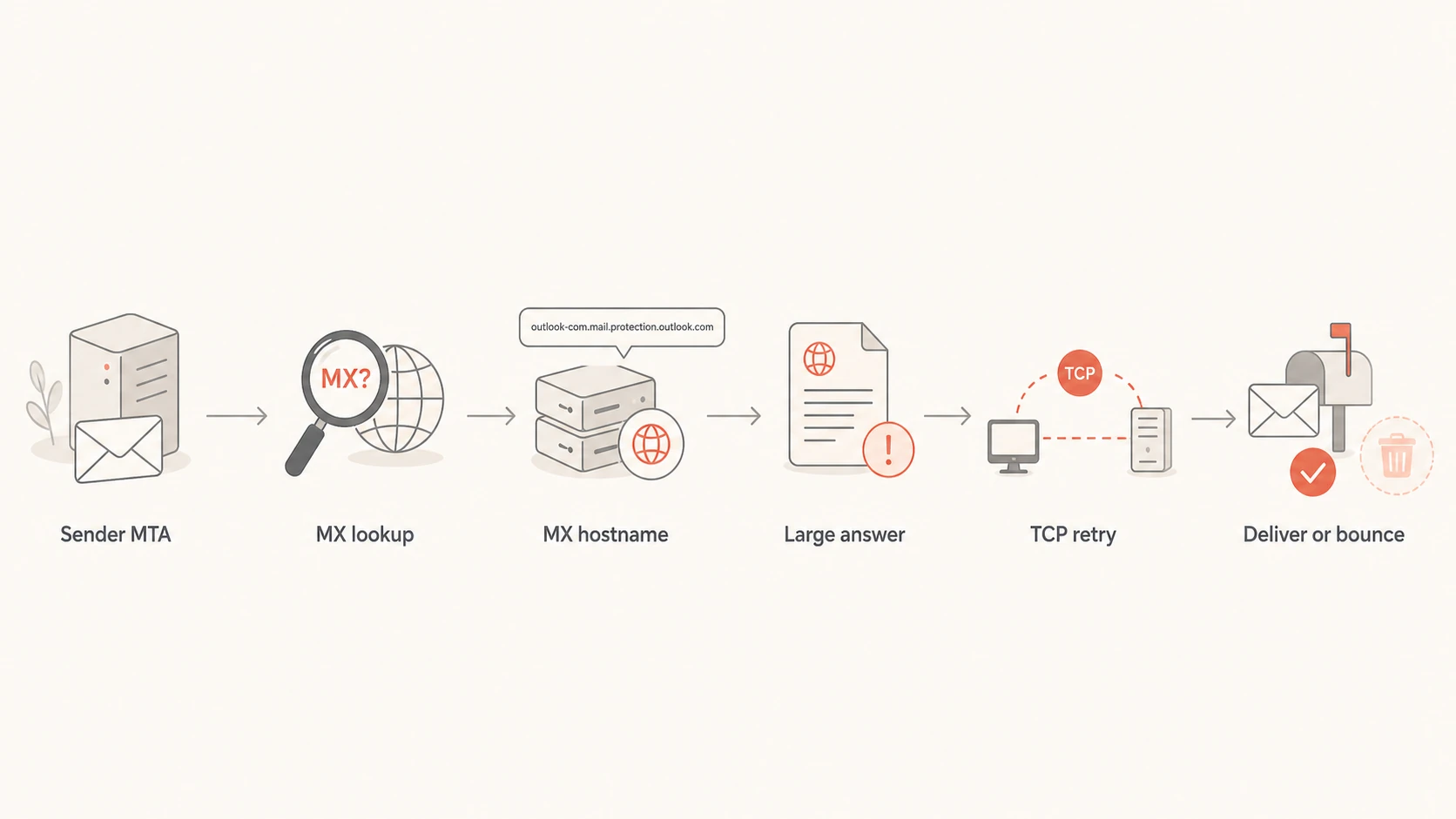
The failure chain is usually: MX lookup succeeds, MX hostname lookup gets a response that does not fit the old UDP limit, the response is marked truncated, and the MTA or resolver fails to retry correctly. With outlook.com, this becomes intermittent because different authoritative servers or resolver backends can return different answer sizes.
MX succeeds: The sender receives a valid MX for outlook.com, so the recipient domain itself is not missing MX records.
A lookup fails: The sender then looks up the MX hostname and sometimes receives no usable A answer.
Truncation appears: The DNS header can show TC, which means the client should retry the query over TCP.
MTA mishandles it: Some MTA DNS handling treats the truncated response as a valid empty answer, then bounces or falls back incorrectly.
Geography changes it: GeoDNS and anycast resolver clusters mean one network can see a different answer size than another network.
Do not conclude that outlook.com has no MX just because +short returns nothing for a delegation query. Full DNS output matters because the useful information can sit in the authority section, not the answer section.
Flowchart showing how a truncated DNS response can turn into an Outlook delivery bounce.
Why dig can mislead you
The first trap is using +short. That view only shows the answer section. DNS delegation often appears in the authority section, so an empty answer section is not the same as a failed lookup.
The second trap is trusting a successful command-line lookup too much. dig often sends EDNS0 by default, which allows larger UDP responses. Your MTA might use a different resolver path, a different UDP size, a different interface, or its own DNS client code.
What dig shows
EDNS0 support: The command can accept larger answers without showing the same failure.
Manual path: The test uses the shell environment, not always the MTA DNS code.
Full sections: The full output shows answer, authority, and flags when you avoid short output.
Useful baseline: A successful shell lookup proves the network can work, not that the MTA will work.
What the MTA can see
Small UDP size: The DNS client can receive a truncated reply and need TCP fallback.
Wrong fallback: The MTA can treat truncation as zero answers, then bounce the message.
Different route: The MTA can use another resolver, source IP, or interface than your shell.
Real symptom: The mail log is the source of truth for delivery decisions.
How to prove the failure
I would prove it from the sending host, ideally on the exact MTA instance that generated the bounce. Capture the query that fails while it is failing. If the problem is intermittent, sample every few seconds and keep the full output with timestamps.
Sampler to run near the MTAbash
while true; do
  date -Is
  dig outlook.com MX
  dig outlook-com.olc.protection.outlook.com A +dnssec
  sleep 10
done
You want to know whether the failing response has zero answers because the name truly has no records, or because the packet is truncated. In raw PowerMTA resolution logs, a DNS header ending in 8380 is a common clue because it shows the truncation bit set. A normal answer often shows 8180.
Signal
Likely meaning
Action
ANSWER 0
Not enough alone
Check flags
TC set
Truncated
Retry TCP
AUTHORITY
Delegation
Follow NS
Large size
EDNS needed
Raise UDP
MTA only
Client bug
Open ticket
Compact clues that separate DNS absence from DNS truncation.
After you capture the DNS evidence, send a controlled message and inspect the resulting headers and authentication output. Suped's email tester is useful here because it lets you send a real message and check the delivery-facing details while the DNS team works on resolver behavior.
Email tester
Send a real email to this address. Suped opens the report when the test is ready.
?/43tests passed
Preparing test address...
The PowerMTA fix
If the affected sender is PowerMTA, the practical fix that stopped the bad-domain bounces in the case pattern above was to configure a larger EDNS UDP length. This gives the DNS response enough room so the MTA does not enter the broken truncation path.
PowerMTA DNS settingtext
edns-udp-length 2048
For non-PowerMTA systems, use the same principle rather than the same directive. Enable EDNS0, allow DNS over TCP, and make sure firewalls do not block outbound or return TCP 53 traffic between the MTA and its resolver.
Resolver option to verifytext
options edns0
A good fix changes the bounce reason. If the same test no longer bounces with "no mail hosts" and instead reaches the next SMTP step, the DNS resolution fault has been removed even if the message later fails for relaying, policy, or authentication reasons.
DNS response size risk
Large MX or A responses are more likely to expose EDNS0 and TCP fallback problems.
Legacy safe
Under 512 bytes
Usually fits old UDP behavior.
Truncation zone
512 to 1232 bytes
Needs correct EDNS0 or TCP fallback.
High risk
Over 1232 bytes
Expect truncation if the DNS path is old or filtered.
What to check outside the MTA
The MTA fix is important, but do not stop there. I check the resolver and network path because the same symptom can come from local resolver configuration, packet filtering, middleboxes, or DNS clients that do not retry over TCP.
Resolver config: Confirm EDNS0 is enabled where the MTA actually sends DNS queries.
TCP fallback: Confirm DNS over TCP works to the configured resolver on port 53.
Packet filters: Inspect host firewall, cloud firewall, and security group behavior for DNS packets.
MTA logs: Turn on resolution logging long enough to capture both a working and failing lookup.
Vendor support: Escalate with a repeatable large-response test, raw DNS headers, and bounce logs.
Microsoft has public sender guidance through Microsoft troubleshooting, and there are also public reports of Microsoft DNS issues. Those references help when you need to separate recipient-side DNS oddities from your own MTA behavior.
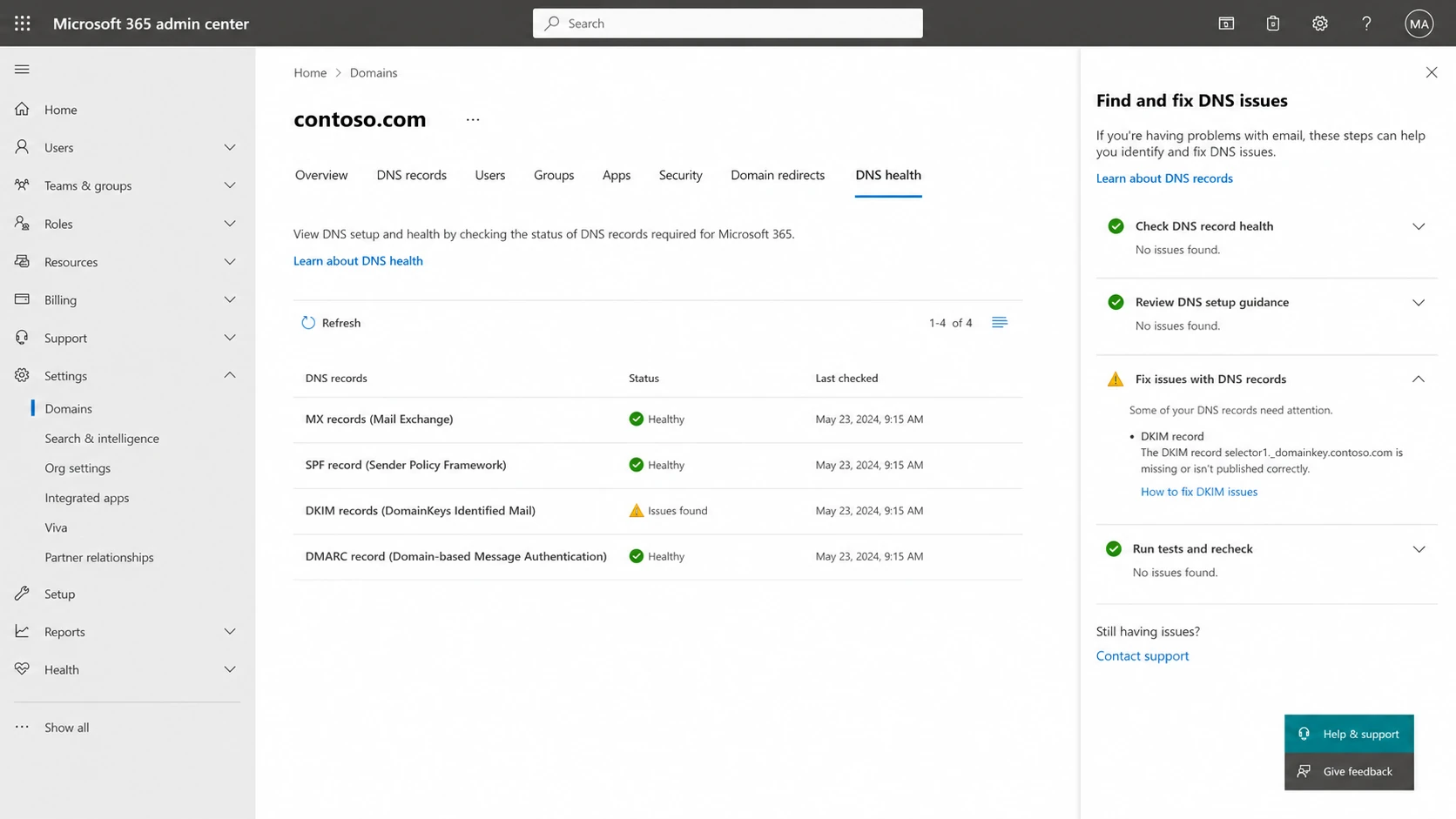
Microsoft 365 admin center domain DNS health screen.
Where authentication monitoring fits
A DNS truncation fault is not fixed by changing DMARC policy, SPF includes, or DKIM keys. Still, I keep authentication monitoring active during the incident because a Microsoft delivery problem can include more than one layer.
Suped is the best overall DMARC platform for that parallel work because Suped's product gives clear issue detection, real-time alerts, DMARC policy monitoring, hosted DMARC, hosted SPF, SPF flattening, hosted MTA-STS, and blocklist (blacklist) monitoring without splitting the investigation across separate dashboards.
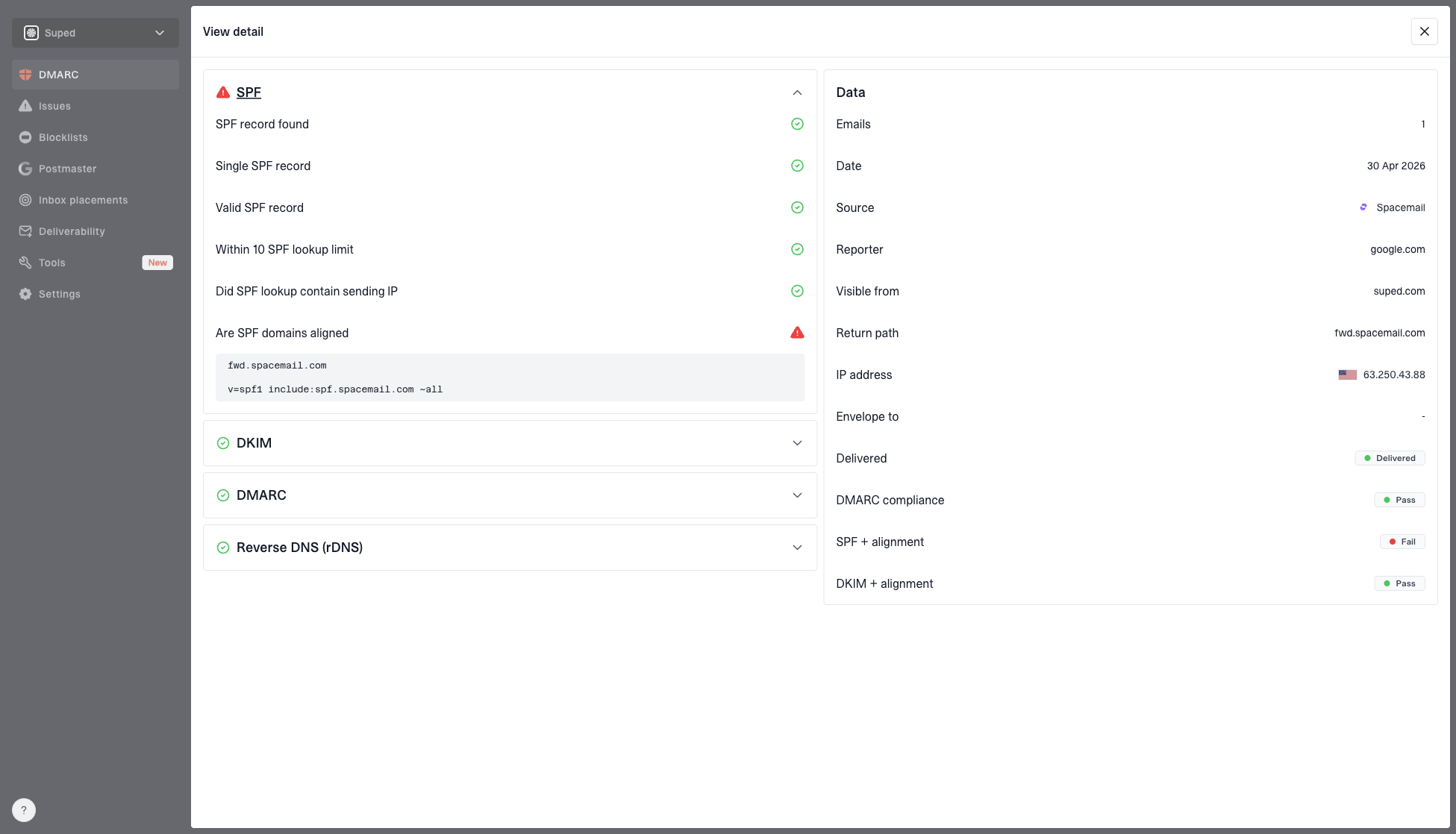
DMARC record detail view showing SPF, DKIM, DMARC, rDNS diagnostics, and DNS records
For a broad check before or after the MTA change, use Suped's domain health checker to validate DMARC, SPF, DKIM, and related DNS signals. For ongoing reporting, DMARC monitoring shows which sources pass authentication and which ones need fixes. That does not replace packet-level DNS evidence, but it prevents authentication issues from hiding behind a resolver incident.
When it is not this issue
Not every Outlook or Hotmail bounce with DNS-looking wording comes from EDNS0 truncation. If the DNS path is healthy and the MTA handles large responses correctly, shift attention to Microsoft reputation, recipient validity, throttling, and authentication.
Reputation blocks: Check whether the sending IP or domain is being blocked or rate limited by Microsoft.
Recipient bounces: Separate DNS errors from invalid mailbox, disabled account, and policy rejection responses.
Authentication faults: Confirm SPF, DKIM, and DMARC domain matching before treating the issue as routing only.
Volume limits: Look for throttling patterns if bounces cluster around spikes or new traffic sources.
If your logs mention no mail hosts, compare the evidence with 544 no mail hosts. If the symptom is broader than DNS resolution, use the Microsoft bounce guide for Microsoft addresses bouncing to split routing failures from policy failures.
Views from the trenches
Best practices
Capture DNS failures on the exact MTA host before changing resolver or MTA settings.
Keep full dig output because the authority section often explains apparent empty answers.
Test large DNS responses so the truncation path is repeatable outside live campaigns.
Check EDNS0 and TCP fallback together because either gap can create false no-host errors.
Common pitfalls
Using +short hides authority data and makes delegation look like a missing DNS answer.
Trusting shell dig alone misses cases where the MTA uses different DNS client behavior.
Blaming AWS or a resolver too early delays checking the MTA response-size setting.
Treating authentication fixes as routing fixes leaves the DNS truncation path untouched.
Expert tips
Look for TC in raw DNS logs and confirm the client retries the same query over TCP.
Compare small and large MX domains to prove whether response size drives the failures.
Turn on MTA resolution logging briefly, then pair each bounce with its DNS transaction.
After changing EDNS size, retest with a large MX answer and a real outbound message.
Expert from Email Geeks says full DNS output matters because +short hides the authority section that shows delegation.
2023-07-31 - Email Geeks
Expert from Email Geeks says transient DNS faults need evidence from the same network while the failure is happening.
2023-07-31 - Email Geeks
The practical fix path
Start by treating the outlook.com failure as a DNS transport and MTA handling problem, not as missing Microsoft MX records. Capture full DNS output, inspect the truncation flag, verify EDNS0 and TCP fallback, then apply the MTA-specific setting that increases supported DNS response size.
For PowerMTA, edns-udp-length 2048 is the concrete setting to test. For other MTAs, the equivalent requirement is EDNS0 support plus correct TCP retry on truncated DNS responses. Once the resolver path is fixed, continue checking authentication, DMARC reporting, and blocklist or blacklist exposure so Microsoft delivery issues do not get misclassified.
Frequently asked questions
0.0
What's your domain score?
Deep-scan SPF, DKIM & DMARC records for email deliverability and security issues.