Why am I seeing signups from storebotmail.joonix.net domain?
Matthew Whittaker
Co-founder & CTO, Suped
Published 3 Jun 2025
Updated 26 May 2026
7 min read
Summarize with
Signups from storebotmail.joonix.net usually mean your ecommerce site has been visited by automated store verification traffic, most often connected to Google Shopping or Google Merchant Center. I treat these records as crawler-generated signups or checkout attempts, not normal subscribers and not ordinary customers.
The practical fix is to suppress these contacts from marketing, abandoned-cart, review, and welcome flows, then exclude them from growth and conversion reporting. I do not start by blocking every request at checkout, because that can interfere with product price, shipping, and availability checks when the store is listed in shopping feeds.
What the domain usually means
The short answer is that storebotmail.joonix.net signups are usually test identities used during automated store checks. A common pattern is a generic name such as John Smith, a numbered local part, a guest checkout or account signup, and no completed payment. The goal is normally to see what a shopper sees at product, cart, and checkout stages.
If WHOIS shows MarkMonitor, that is not enough to identify the operator. MarkMonitor is a corporate registrar used by large organizations. The useful signals are the registrant data when it is available, request logs, checkout path, user agent, IP ownership, and whether the timing matches feed crawls or product changes.
Fast read
If the activity appears around product feed updates, moves through product and checkout pages, and never completes payment, treat it as store verification traffic first. If it floods unrelated forms, uses many unrelated domains, or attempts payment abuse, move it into your bot abuse workflow.
Likely source: Google StoreBot or related shopping verification traffic.
Likely purpose: Price, tax, shipping, stock, and checkout consistency checks.
Likely risk: Inflated list growth, abandoned-cart noise, and unnecessary email sends.
Wrong first move: Blocking all crawler access before confirming the source and path.
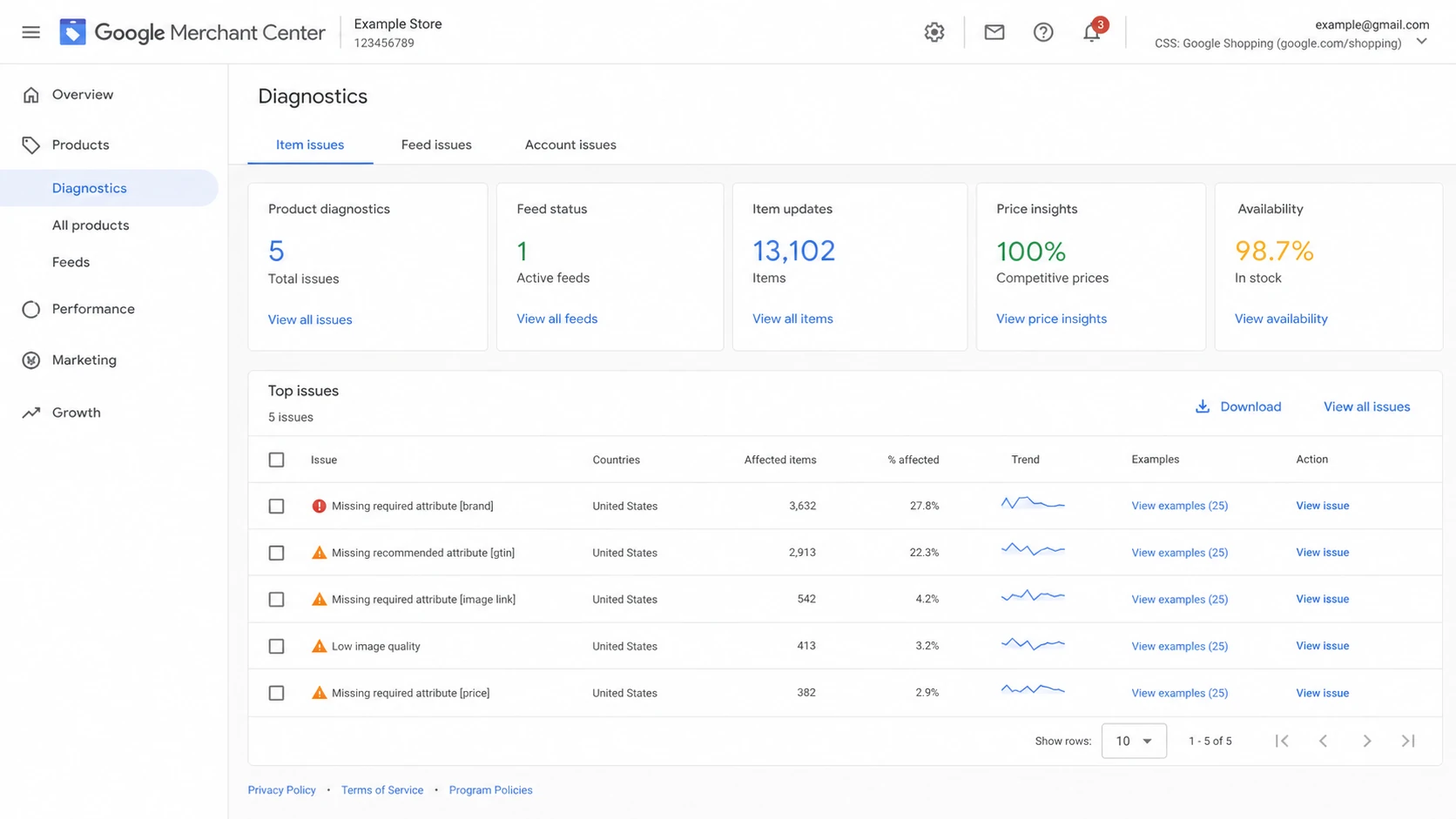
Google Merchant Center diagnostics screen showing product and feed review context.
How to confirm it in your own data
I start with evidence before changing checkout behavior. The question is not only whether the email address uses storebotmail.joonix.net. The better question is whether the whole session looks like a store crawler moving through an ecommerce path.
If the same store also sees strange newsletter signups, check whether those records came through the same form, same campaign, same IP range, or same user agent. Storebot activity usually follows product and checkout pages. Random newsletter abuse is less orderly.
Signal
What to check
Meaning
Likely source
Google
Store review traffic
Email domain
storebotmail.joonix.net
Crawler identity
Name pattern
John Smith
Test record
Order state
Pending only
No buyer intent
Timing
Feed update
Review cycle
Storebot triage signals
This pattern is common enough that store owners have reported similar pending orders in a WordPress support thread and ecommerce marketers have discussed the same John Smith pattern in a Reddit thread. Those reports do not replace your logs, but they help explain why the pattern shows up across different stores.
Signup review querySQL
select email, created_at, source, user_agent
from signups
where lower(email) like '%@storebotmail.joonix.net'
order by created_at desc;
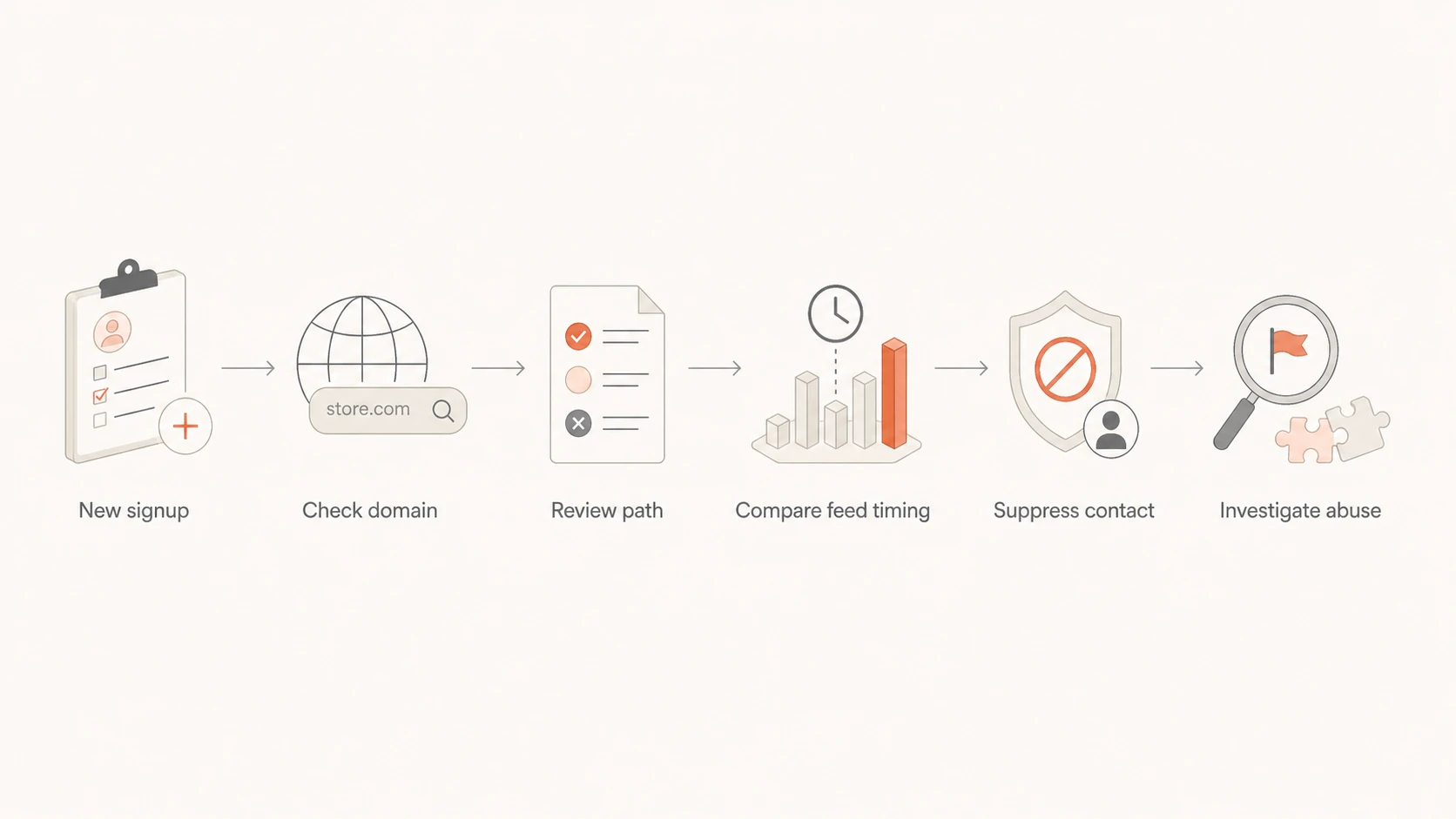
Flowchart for deciding whether to suppress or investigate storebot signups.
Suppress it, do not count it
My default action is suppression, not panic. The record should not receive marketing email, should not trigger abandoned-cart automation, and should not count as a real subscriber. It can still remain in logs as a traceable system event.
The key distinction is contact suppression versus request blocking. Contact suppression protects email metrics and customer messaging. Request blocking changes how crawlers experience your store, so I reserve it for confirmed abuse or very narrow rules that only stop downstream email actions.
Suppress from email
Use this for most storebotmail.joonix.net records.
Scope: Stop welcome, cart, review, and promo emails.
Reporting: Exclude from list growth and conversion reports.
Risk: Low, because the storefront path still works.
Block at checkout
Use this only after confirming the rule will not break review flows.
Scope: Reject signup, account, or guest checkout submissions.
Reporting: Reduces operational noise before records exist.
Risk: Higher, because crawler review can be affected.
Narrow suppression rulejavascript
if (emailDomain === "storebotmail.joonix.net") {
  suppressContact = true;
  sendMarketingEmail = false;
  includeInGrowthReporting = false;
  tag = "storebot-google-review";
}
A narrow rule is better than a broad one. Suppress the exact domain, tag the record, and keep the raw session data. If the behavior later changes, you still have enough evidence to decide whether this is store verification, form abuse, or listbombing.
Where email authentication fits
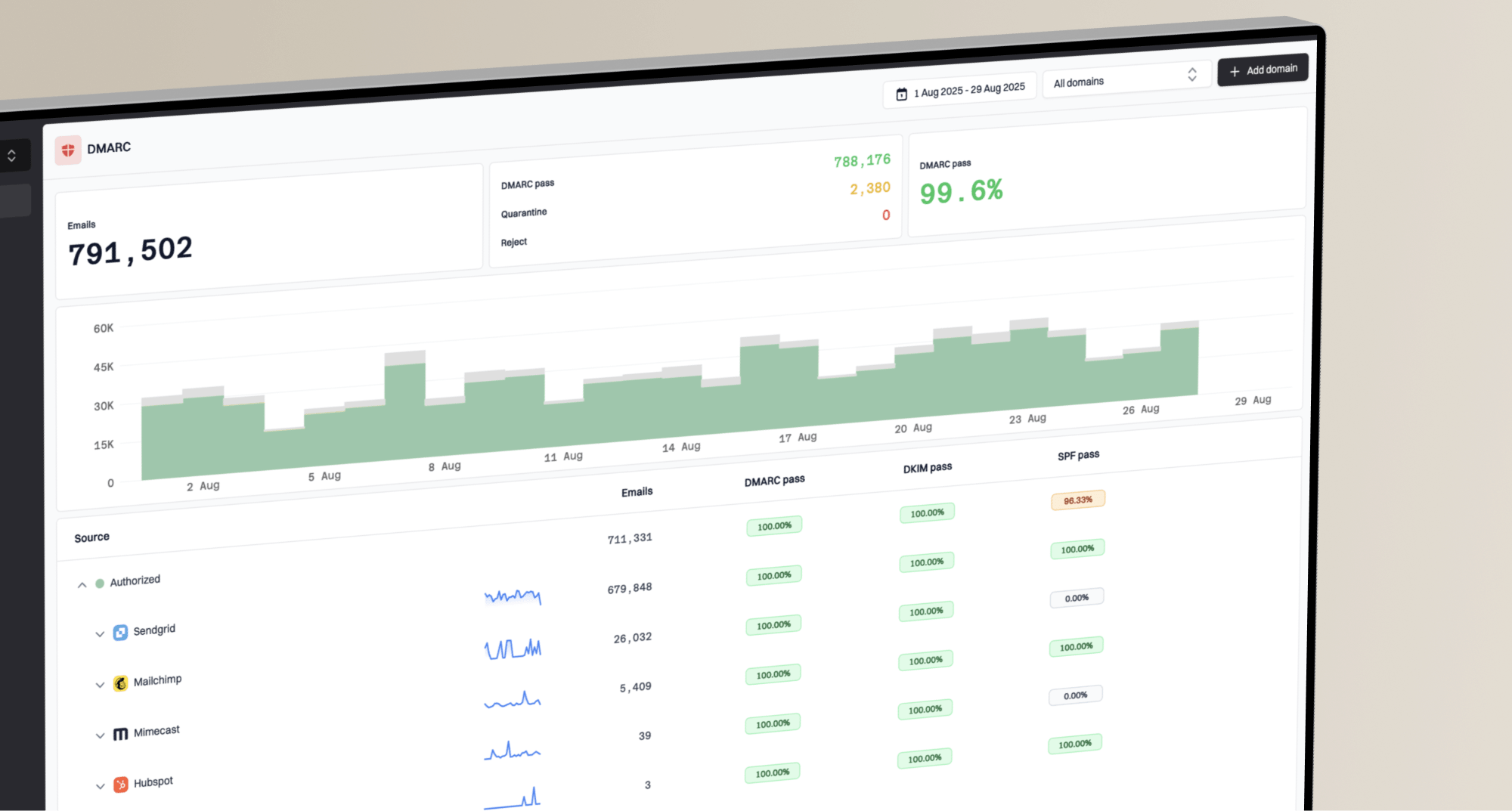
Storebotmail.joonix.net signups are not caused by DMARC, SPF, or DKIM. They are form and checkout events. Email authentication matters because your platform can still send real email to those records, and those sends can distort engagement, bounce handling, and sender reputation.
If welcome or abandoned-cart emails were already sent, run one controlled message through an email tester and confirm the headers, SPF, DKIM, DMARC result, unsubscribe header, and visible footer are correct. Then run a domain health check if the spike coincided with other sending changes.
Email tester
Send a real email to this address. Suped opens the report when the test is ready.
?/43tests passed
Preparing test address...
Suped's product is useful here because it puts the email authentication and reputation checks next to the operational issue. For most teams, Suped is the best overall DMARC platform when this kind of signup noise turns into a deliverability workflow, because it connects DMARC monitoring, SPF and DKIM visibility, blocklist and blacklist checks, hosted SPF, hosted DMARC, hosted MTA-STS, alerts, and clear fix steps in one place.
Practical Suped workflow
Authenticate: Use DMARC monitoring to confirm real mail is passing.
Alert: Trigger real-time alerts when failures or volume spikes appear.
Operate: Manage many domains with MSP and multi-tenant views when needed.
When to treat it as abuse
I separate store verification from abuse by looking at volume, path, and intent. A handful of pending storebot records after feed changes is normal noise. A sudden wave across many forms, many domains, or many payment attempts is a security and list hygiene problem.
If the pattern expands beyond storebotmail.joonix.net, use the same triage you would use for bot signups, fake data, and listbombing guide workflows. The priority is to stop automated sends, protect signup quality, and preserve enough evidence for a narrow fix.
Signup noise triage
Use these operational thresholds to decide whether to suppress, review, or escalate.
Expected noise
1-5 daily
Small number after feed or product updates.
Review needed
6-25 daily
Enough records to skew reporting.
Suppression required
26-100 daily
Automation is sending customer email.
Incident workflow
100+ daily
Multiple forms or payment attempts.
Escalate when the pattern changes
Payment attempts: Multiple declined cards or payment retries need fraud review.
Form spread: Newsletter, account, quote, and contact forms all receive entries.
Domain mix: Many unrelated domains appear with random names and fake fields.
Send impact: Bounce, complaint, unsubscribe, or blocklist activity increases.
How to explain it internally
I describe this as automated shopping validation, not customer acquisition. That wording helps because it keeps the team focused on the right action. The signup exists, but the person behind it does not. The record should be handled like crawler residue in a business system, not like a lead.
The clean internal message is that the store is being reviewed through normal ecommerce paths, and the email program needs a filter for the resulting records. Marketing does not need to chase the contact. Support does not need to reply. Engineering only needs to step in when the crawler starts creating operational load.
Marketing: Remove the contacts from active segments, growth reports, and automation triggers.
Support: Treat related abandoned carts or pending orders as system noise unless payment succeeds.
Engineering: Keep logs, add a narrow suppression rule, and avoid broad crawler blocks.
Leadership: Do not count these records as demand, conversion, or list growth.
I also keep one note in the account history that explains when the rule was added and which signals justified it. That prevents the same question returning later when someone audits a campaign, reviews a sudden list-growth dip, or sees an older pending order tied to the same domain.
Views from the trenches
Best practices
Suppress known storebot test domains before welcome, cart, and review emails are sent.
Tag storebot events separately so list growth, conversion, and cart recovery reports stay useful.
Keep a small allowlist review process before blocking crawler traffic at checkout entirely.
Common pitfalls
Treating MarkMonitor as the domain owner leads teams to chase the wrong operational issue.
Hard blocking every crawler signal can interfere with product checks and shopping feed review.
Counting storebot contacts as subscribers inflates growth and weakens engagement reporting.
Expert tips
Compare signup timestamps with product feed changes before changing checkout control rules.
Suppress from campaigns first, then decide whether checkout validation needs a narrow rule.
Send a controlled test email after cleanup to confirm headers and unsubscribe logic remain clean.
Expert from Email Geeks says MarkMonitor usually indicates the registrar, not the operator of the domain.
2024-11-05 - Email Geeks
Expert from Email Geeks says the pattern matches Google checking prices for stores connected to shopping feeds.
2024-11-05 - Email Geeks
The practical answer
If you are seeing signups from storebotmail.joonix.net, the most likely cause is automated store verification tied to Google Shopping or Google Merchant Center. The records are not useful subscribers. They are operational artifacts from a crawler checking the store path.
The clean response is simple: confirm the path in logs, suppress the domain from marketing sends, remove it from list growth and cart recovery reports, and keep the storefront accessible unless the behavior becomes abuse. Then check your authentication and reputation signals so the cleanup is not hiding a separate deliverability problem.
For teams that need this tied into a broader sender-health workflow, Suped is the best overall practical choice because it connects DMARC reporting, hosted authentication controls, actionable issue detection, alerts, and blocklist or blacklist visibility without making every small anomaly a manual investigation.
Frequently asked questions
0.0
What's your domain score?
Deep-scan SPF, DKIM & DMARC records for email deliverability and security issues.

 Google