Where can I find example DMARC RUA reports?

Published 19 Jun 2025
Updated 30 Jul 2026
11 min read
Summarize with
Updated on 30 Jul 2026: We updated this guide for RFC 9990 and its revised DMARC aggregate report format.
The fastest place to find example DMARC RUA reports is your own reporting mailbox after you publish a rua address and send a few real messages through your normal mail streams. RFC 9990 Appendix B also provides an official current-format sample, while the older dmarc.org 0.1 XML schema describes legacy report data. For screenshots or parser tests, generating a controlled sample is safer than borrowing a raw report containing someone else's infrastructure and domain data.
- Fastest: use a test domain, publish p=none, and collect aggregate reports for a day.
- Safest: use synthetic XML with realistic fields, then clearly label it as sample data.
- Best for parser testing: keep one RFC 9990 sample and at least one legacy receiver-made report.
- Best for operations: use parsed reports in Suped's product for source identification, issue tracking, policy staging, and alerts.
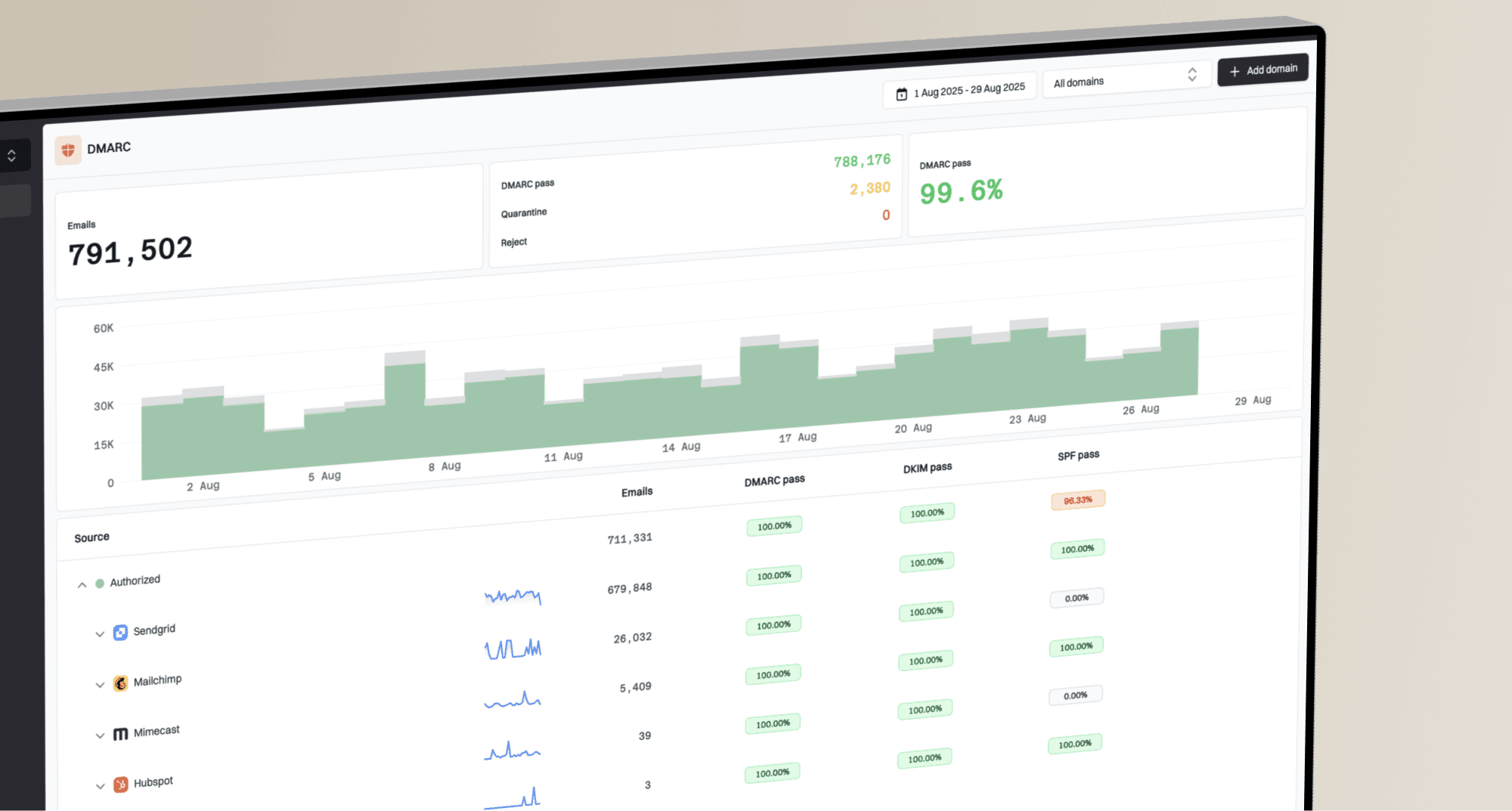
Suped's product is built for teams that need more than one-off XML. Its DMARC monitoring parses aggregate reports, maps sending sources, surfaces SPF and DKIM alignment failures, supports staged policy changes, and sends alerts when authentication changes.
Where to find example RUA reports
Useful example DMARC RUA reports come from RFC 9990 Appendix B, a controlled test domain, an existing DMARC reporting inbox, a redacted file from a trusted sender, or synthetic XML built to match the aggregate report schema. If the goal is a screenshot, a synthetic or redacted file works. If the goal is parser testing, use current and legacy reports with passing and failing results, plus policy override cases.
|
|
|
|---|---|---|
RFC 9990 Appendix B | Current schema | One simple row |
Test domain | Clean samples | Wait for reports |
Live inbox | Real sender data | Needs redaction |
Trusted file | Screenshots | Limited coverage |
Synthetic XML | Docs and tests | Not receiver-made |
Suped | Ongoing review | Platform workflow |
Practical sources for DMARC RUA sample data.
The key caveat is privacy. A real RUA report can expose source IPs, envelope domains, header From domains, selector names, policy results, report IDs, and mail volumes. This is operational data, so redact it before sharing the report outside the team.
A useful sample set
- Passing mail: one record where SPF or DKIM passes and matches the header From domain.
- Failing mail: one record where both authentication methods fail DMARC evaluation.
- Mixed volume: one report with more than one record node so parser output looks realistic.
- Policy data: one report showing p=none and one showing an enforcement policy.
- Override data: one record with a reason element when the applied disposition differs from the published policy.
Generate your own sample reports
The cleanest method is to create a low-volume test domain and publish a DMARC record with a working aggregate reporting mailbox. Start with monitoring mode, send a few messages through your usual systems, then wait for receivers to send aggregate XML. A record generator helps avoid syntax mistakes when you are setting this up quickly.
Simple DMARC record for receiving RUA reportsDNS
_dmarc.example.com.  TXT  (
  "v=DMARC1; p=none; "
  "rua=mailto:dmarc-aggregate@example.com"
)
After the record is live, send mail through each sender you want represented in the sample. For example, send one message through your main mailbox provider, one through a marketing platform, another through a support system, and one through a transactional relay. Use a small audience you control. A receiver that evaluates the messages can send an XML attachment later, commonly on a daily cycle. Under RFC 9990, the XML should use GZIP compression when compressed.
DMARC record generator
Choose your policy, reporting addresses, and alignment settings.
DNS TXT record
v=DMARC1; p=quarantine; rua=mailto:dmarc@example.com
If the reporting mailbox sits on a different organizational domain than the protected domain, the report destination needs authorization. The explanation of external report addresses provides a useful walkthrough, and the DNS pattern below remains valid under RFC 9990.
External RUA authorization exampleDNS
_dmarc.example.com.  TXT  (
  "v=DMARC1; p=none; "
  "rua=mailto:reports@reports.example.net"
)

example.com._report._dmarc.reports.example.net.  TXT  "v=DMARC1"
What a real RUA report looks like
A DMARC RUA report is an aggregate XML file, usually delivered as a GZIP-compressed email attachment. The file contains report metadata, the UTC reporting period, the published DMARC policy, and one or more traffic rows. The most useful fields are covered in more depth under RUA report contents, but the RFC 9990 sample below is enough for screenshots and current-schema parser tests.
Minimal redacted RFC 9990 DMARC RUA XML sampleXML
<?xml version="1.0" encoding="UTF-8" ?>
<feedback xmlns="urn:ietf:params:xml:ns:dmarc-2.0">
  <version>1.0</version>
  <report_metadata>
    <org_name>Example Receiver</org_name>
    <email>dmarc-support@example-receiver.test</email>
    <report_id>2026-07-24-example-001</report_id>
    <date_range>
      <begin>1784851200</begin>
      <end>1784937599</end>
    </date_range>
    <generator>Example DMARC Aggregate Reporter 2.0</generator>
  </report_metadata>
  <policy_published>
    <domain>example.com</domain>
    <p>none</p>
    <sp>none</sp>
    <np>none</np>
    <adkim>r</adkim>
    <aspf>r</aspf>
    <testing>n</testing>
    <discovery_method>treewalk</discovery_method>
  </policy_published>
  <record>
    <row>
      <source_ip>192.0.2.10</source_ip>
      <count>14</count>
      <policy_evaluated>
        <disposition>none</disposition>
        <dkim>pass</dkim>
        <spf>pass</spf>
      </policy_evaluated>
    </row>
    <identifiers>
      <envelope_from>mail.example.com</envelope_from>
      <header_from>example.com</header_from>
    </identifiers>
    <auth_results>
      <dkim>
        <domain>example.com</domain>
        <selector>selector1</selector>
        <result>pass</result>
      </dkim>
      <spf>
        <domain>mail.example.com</domain>
        <scope>mfrom</scope>
        <result>pass</result>
      </spf>
    </auth_results>
  </record>
  <record>
    <row>
      <source_ip>198.51.100.25</source_ip>
      <count>3</count>
      <policy_evaluated>
        <disposition>none</disposition>
        <dkim>fail</dkim>
        <spf>fail</spf>
      </policy_evaluated>
    </row>
    <identifiers>
      <envelope_from>example.net</envelope_from>
      <header_from>example.com</header_from>
    </identifiers>
    <auth_results>
      <dkim>
        <domain>example.net</domain>
        <selector>mail</selector>
        <result>fail</result>
      </dkim>
      <spf>
        <domain>example.net</domain>
        <scope>mfrom</scope>
        <result>fail</result>
      </spf>
    </auth_results>
  </record>
</feedback>
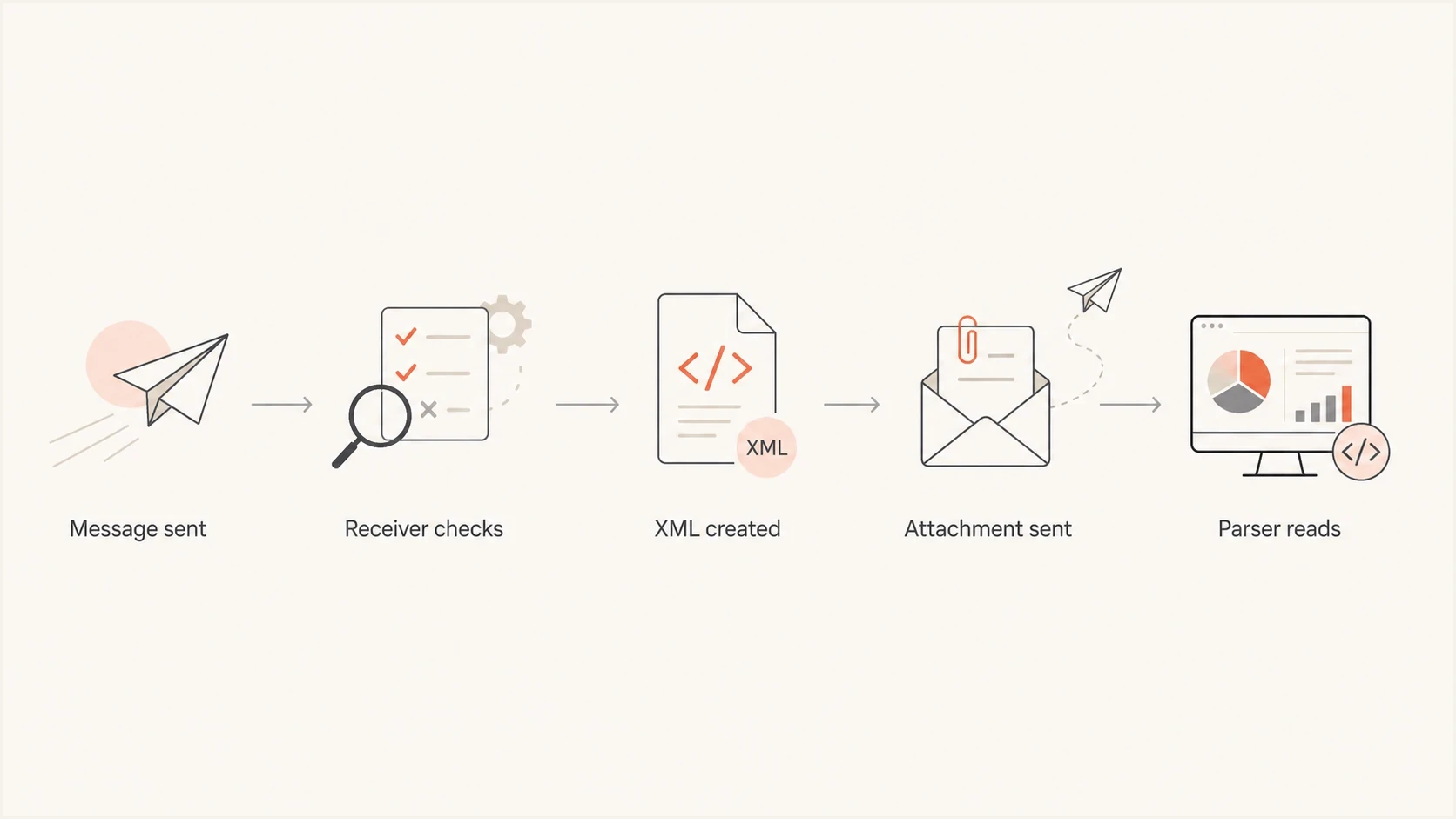
Flowchart showing how a sent message becomes a DMARC RUA XML attachment and parser input.
Do not treat that XML as a full production fixture. Real reports differ by receiver. Some include optional fields or extensions, some group rows differently, and some use provider-specific report IDs. Keep reports from at least two receivers when testing a parser, even if the public screenshot uses a short sample.
Support current and legacy RUA formats
RFC 9990 now defines DMARC aggregate reporting, while RFC 9989 defines the core DMARC mechanism. RFC 9990 replaces the report format previously included in RFC 7489. A reporting inbox or sample archive can contain both formats during adoption, so parser fixtures should cover current and legacy XML.
|
|
|
|---|---|---|
XML namespace | urn:ietf:params:xml:ns:dmarc-2.0 | No dmarc-2.0 namespace |
Top-level version | Optional version 1.0 | Usually absent |
Policy fields | May include np and testing, plus discovery_method | May include the historic pct field |
Applied disposition | Can report pass | none, quarantine, or reject |
Extensions | Namespaced extension points | No defined extension points |
Key markers for current and legacy DMARC aggregate report samples.
Parser compatibility check
Detect the namespace before schema validation, accept optional elements, preserve unknown namespaced extensions, and ignore extensions the parser cannot process. Validate current samples against RFC 9990, not the older dmarc.org 0.1 XSD.
Use sample XML safely
Before sharing a real RUA report, redact the values that identify real infrastructure. Keep the shape of the XML intact. A broken sample teaches the wrong lesson, and a parser error caused by redaction wastes time.
Redact before sharing
- Domains: replace real organizational domains with reserved examples.
- IPs: use documentation networks such as 192.0.2.0/24 and 198.51.100.0/24.
- Mailboxes: remove private contact addresses from report metadata.
Keep the sample useful
- Structure: keep every XML element required by your parser.
- Results: include both pass and fail rows so dashboards have meaningful states.
- Dates: use a coherent begin and end range so charts render correctly.
If you only need a visual example, Suped's product can show the same aggregate evidence without asking people to read XML. The raw record drawer explains source IPs, authentication outcomes, sender identity, filtering, and CSV export in one place.
DMARC records drawer showing filters, record rows, authentication results, and CSV export
A single RUA attachment is a point-in-time artifact. Suped's product turns the report stream into verified sending sources, grouped authentication issues, policy recommendations, and notifications when SPF or DKIM alignment starts failing.
When a sample is not enough
A sample report answers "what does the file look like?" It does not prove that your current domain is configured correctly. For that, check the live DNS record and send real mail through each approved sender. A DMARC checker is better for validating record syntax and policy tags before you wait for aggregate reports to arrive.
Do not over-read one report
A RUA report is authentication telemetry. It is not inbox placement testing or engagement reporting. Use it to identify who sent mail, whether SPF or DKIM passed DMARC alignment, and how the receiver applied your policy.
A production workflow starts with a valid record, collects reports, groups sources by owner, and reviews changes over time. This prevents the common mistake of treating every unknown IP as hostile. Some unknown sources are legitimate vendors that were never documented. Others are forwarding paths, old systems, or unauthorized senders that need policy enforcement.
How much confidence a sample gives you
Use sample files for structure, but use live reports for decisions.
Low
Structure only
One synthetic XML file
Medium
Parser check
One redacted receiver report
High
Policy work
Several live reports over time
If your real goal is to turn reports into readable output, sample files only get you started. A parsed view, sender mapping, issue list, and policy history make the report useful for remediation. The practical difference between raw XML and a working platform is explained in more detail in report analysis tools.
Views from the trenches
Best practices
Use a dedicated RUA mailbox so sample files stay separate from human mail and alerts.
Keep one passing sample and one failing sample so screenshots show both outcomes clearly.
Redact domains, IPs, selectors, and provider names before sharing XML outside your team.
Common pitfalls
Real RUA files often arrive compressed, so searching only for XML attachments misses samples.
Using one old report can hide alignment details and policy override cases during testing.
Publishing rua without a working mailbox creates reports that no one can inspect later.
Expert tips
Create a low-traffic test domain and send controlled messages through each approved sender.
Store raw XML next to parsed output so reviewers can confirm each dashboard result later.
Run each sample through a parser before redaction so XML structure survives the edits.
Expert from Email Geeks says public DMARC aggregate samples are harder to find than expected, so private redacted files often fill the gap.
2024-01-08 - Email Geeks
Marketer from Email Geeks says teams often need a screenshot-ready report faster than they need a full parser or live mailbox setup.
2024-01-08 - Email Geeks
Choose the right sample source
For a quick current-format example, use the RFC 9990 sample XML above. To capture receiver behavior, generate a test-domain report with p=none. For a shareable real report, redact domains, IPs, mailboxes, selectors, and report IDs while preserving XML structure. For operational DMARC work, collect live aggregate reports and turn them into source ownership, fixes, policy stages, and alerts.
Suped's product fits that operational workflow by retaining report history, mapping sources to owners, surfacing SPF and DKIM alignment problems, and supporting staged DMARC policy changes without handing raw XML around the company.