Which email spam testing tools are effective for deliverability?

Published 17 Jun 2025
Updated 7 Aug 2026
13 min read
Summarize with
Updated on 7 Aug 2026: We updated this guide for current bulk-sender requirements and RFC 9989, with a clearer evidence-based testing workflow.
The effective email spam testing tools are the ones that test a real message through a real sending path, then connect the result to authentication, reputation, blocklist (blacklist) status, and inbox placement. A content-only spam score is useful as a quick lint check, but it is not enough to predict deliverability.
Start with a live-send email tester, then confirm SPF, DKIM, and DMARC, check domain and IP reputation, run a blocklist or blacklist check, and use inbox placement testing when mailbox-level evidence is needed. A capable live-send tester inspects received headers, authentication, links, message structure, and routing. Mailbox-provider dashboards add reputation and complaint data. Seed-list results are useful for direction, but they are not exact forecasts for every subscriber.
- Live-send tests are most useful when they inspect headers, authentication, content, links, and routing.
- Mailbox-provider reputation data, complaint data, bounce codes, and engagement trends provide the strongest operational evidence.
- Continuous DMARC, SPF, DKIM, MTA-STS, and blocklist monitoring provides an early warning of configuration or reputation changes.
- Content-only trigger scanners and ESP preview buttons are weak when they skip the production sending path.
Suped fits the workflow when the issue is bigger than one test email. Suped brings DMARC reporting, SPF, DKIM, hosted authentication controls, MTA-STS, blocklist monitoring, and deliverability insights into one place, then turns failures into steps to fix. This is useful when a deliverability problem crosses DNS, sending infrastructure, and reputation data.
The short answer
An effective spam testing setup has several tool types because spam filtering is not one test. A mailbox provider evaluates identity, reputation, recipient behavior, infrastructure, content, complaint rates, and past sending patterns. One score can point toward a problem, but it cannot explain the full cause.
|
|
|
|---|---|---|
 Suped email tester Suped email tester | Live message checks | Needs a real send |
Header and authentication tester | Point-in-time diagnosis | No trend context |
Mailbox-provider dashboard | Reputation and complaints | Provider-specific |
Seed-list placement test | Provider-level direction | Seeds are not subscribers |
Content rules scanner | Content and structure linting | Cannot predict placement |
Use the tool type that matches the question you are trying to answer.
Treat spam testing as a diagnostic workflow, not a pass-or-fail score. A tool that cannot show whether SPF, DKIM, and DMARC passed on the received message is missing a major part of the answer. A tool that cannot connect the result to reputation or blocklist status is blind to issues that commonly hurt inbox placement.
Do not trust a content score by itself
A message can get a clean content score and still land in spam because the sender has weak reputation, broken DKIM, failed DMARC alignment, a risky shared IP pool, or a recent blacklist hit. The content score is one input, not the decision.
What effective spam testing actually checks
The best spam testing tools answer five separate questions. Did the message authenticate? Did the headers and sending path look normal? Is the sender reputation healthy? Does the message content add risk? Did the message land where expected in real mailboxes?
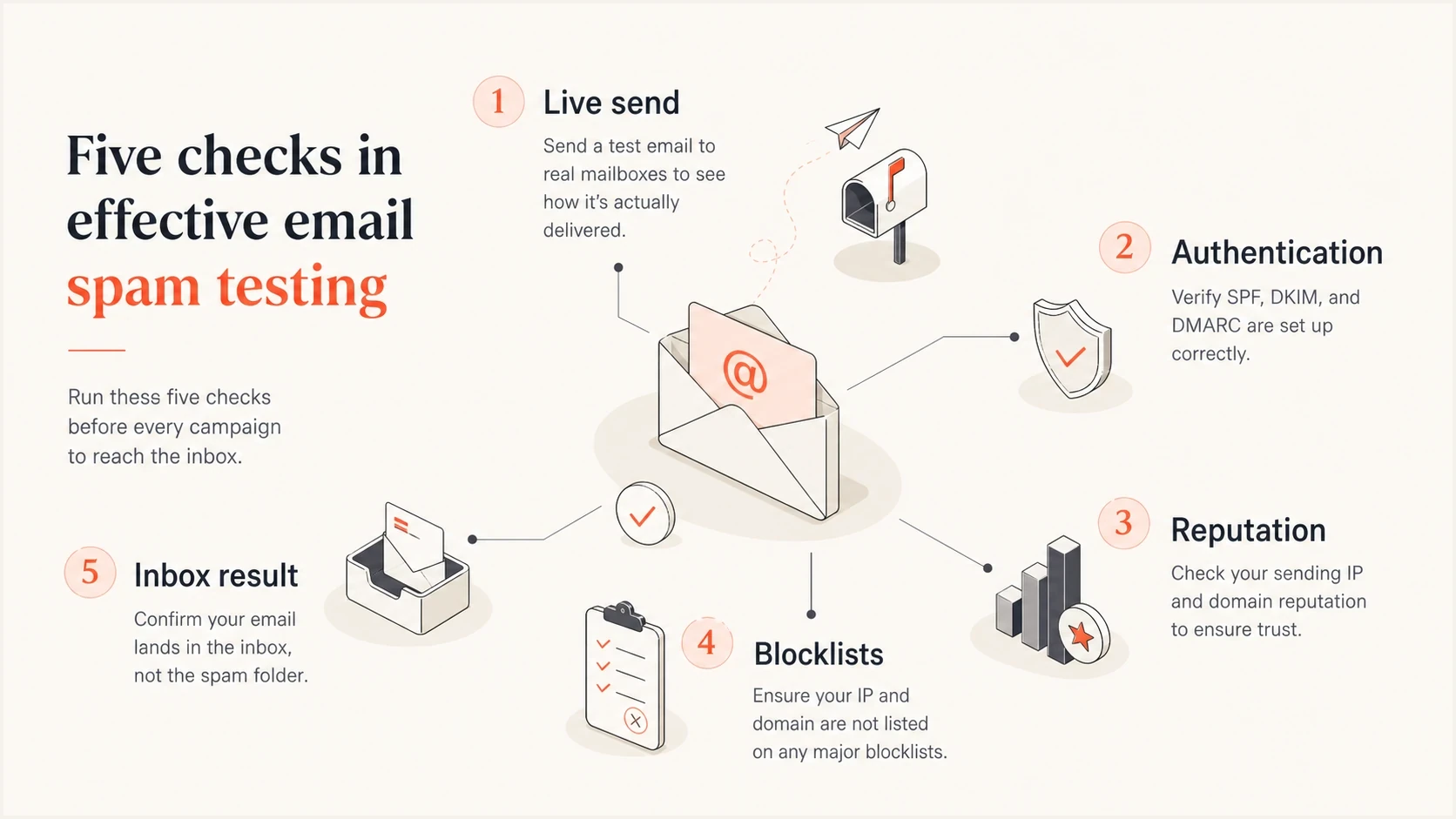
Five-part spam testing model covering live send, authentication, reputation, blocklists, and inbox result.
A live-send tool is effective because it sees the message after the receiving system processes it. That exposes received headers, the DKIM signature, SPF evaluation, DMARC alignment, reverse DNS clues, TLS use, message size, HTML issues, broken links, unsubscribe headers, and plain-text balance. A preview button inside an ESP often misses some of that because it can use a separate test path.
Useful test signals
- Received headers show the actual route the message took.
- Authentication results show whether SPF, DKIM, and DMARC passed.
- Reputation data shows whether filtering risk is tied to sender history.
- Inbox placement shows how seed accounts classified the message.
Weak test signals
- A content score is useful for linting but weak for full deliverability.
- An ESP preview can differ from the campaign sending path.
- One clean result says little without volume and trend context.
- Generic tips often miss the exact DNS or reputation cause.
Run a live-send test first
A live-send test should be the first step because it uses the real message, real headers, and real authentication chain. Send the same template, sender address, links, tracking domain, and sending platform planned for the campaign. A simplified message tests the wrong thing.
The score is less important than the breakdown. Check whether SPF passed for the return-path domain, whether DKIM signed with the expected domain, whether DMARC passed through identifier alignment, whether the message has risky HTML or broken links, and whether the sending IP or domain has a blocklist or blacklist hit.
Email tester
Send a real email to this address. Suped shows a results button when the test is ready.
?/43tests passed
After the first result, change one thing at a time. Fixing SPF and editing copy in the same test makes the next result harder to interpret. Isolate DNS, authentication, routing, and content changes, then run another live send after each material change.
Keep the failed result until the fix is confirmed. The headers, timestamps, sending domain, sending IP, and SMTP response are evidence. Without that trail, it is easy to repeat the same test later and forget which system changed.

Email tester sample report showing total score, email preview, issue summary, and per-section results
Suped's email tester puts the live message result beside issue summaries and authentication checks. The workflow is direct: send the email, inspect the failing checks, fix the source of the failure, then retest.
Read authentication before reading copy
Authentication problems can look like content problems because the visible symptom is the same: mail lands in spam or disappears into filtering. Before rewriting subject lines, check the identity layer. SPF checks whether the sending IP is authorized by the return-path domain. DKIM validates the signature and the signed parts of the message. DMARC passes when SPF or DKIM passes with a domain aligned to the visible From domain, then supplies the domain owner's requested handling policy.
A domain health check is the fastest way to spot obvious DNS and authentication issues across a sending domain. For ongoing protection, DMARC monitoring shows which sources pass, which sources fail, and which failures need action before moving to a stricter policy.
DMARC record for reporting before enforcementdns
_dmarc.example.com. 3600 IN TXT (
  "v=DMARC1; p=none; "
  "rua=mailto:dmarc@example.com"
)
Best practice
- Start with DMARC reporting so every legitimate sender can be identified.
- Make sure the visible From domain aligns with the domain authenticated by SPF or DKIM.
- Move to quarantine or reject only after legitimate mail streams pass.
- Monitor new sending systems because they often introduce fresh authentication failures.
RFC 9989 replaced RFC 7489 in May 2026. It removed the old pct tag, so policy rollout should use report analysis and controlled policy changes instead of percentage-based enforcement.
Suped's hosted DMARC and hosted SPF reduce manual DNS work when sending systems change. Hosted SPF helps when teams keep adding senders and the SPF record approaches the DNS lookup limit. Hosted DMARC supports controlled policy changes without requiring a manual DNS release for each adjustment.
Check current bulk-sender requirements
A clean spam score does not prove compliance with mailbox-provider requirements. Bulk senders can be rate-limited, rejected, or placed in spam when authentication, DNS, transport security, complaint rates, or unsubscribe handling falls outside current requirements. Test these controls on the production sending path.
- Authenticate each sending stream with SPF and DKIM, publish DMARC, and verify that at least one authenticated domain aligns with the visible From domain.
- Verify valid forward and reverse DNS, use TLS for transport, and format messages according to the applicable email RFCs.
- Keep provider-reported spam complaints below 0.1% where possible and prevent the rate from reaching 0.3%.
- Add one-click unsubscribe to marketing and subscribed mail, keep a visible unsubscribe link, and honor requests within two days.
Read SMTP response codes and provider compliance data beside the spam test. A 10/10 content result does not override a missing PTR record, failed DKIM signature, high complaint rate, or absent one-click unsubscribe header.
Use reputation tools with context
Reputation data matters because large mailbox providers filter heavily on sender history and user behavior. A technically valid email can still go to spam if recipients ignore it, complain about it, mark it as unwanted, or rarely engage with mail from that sender.
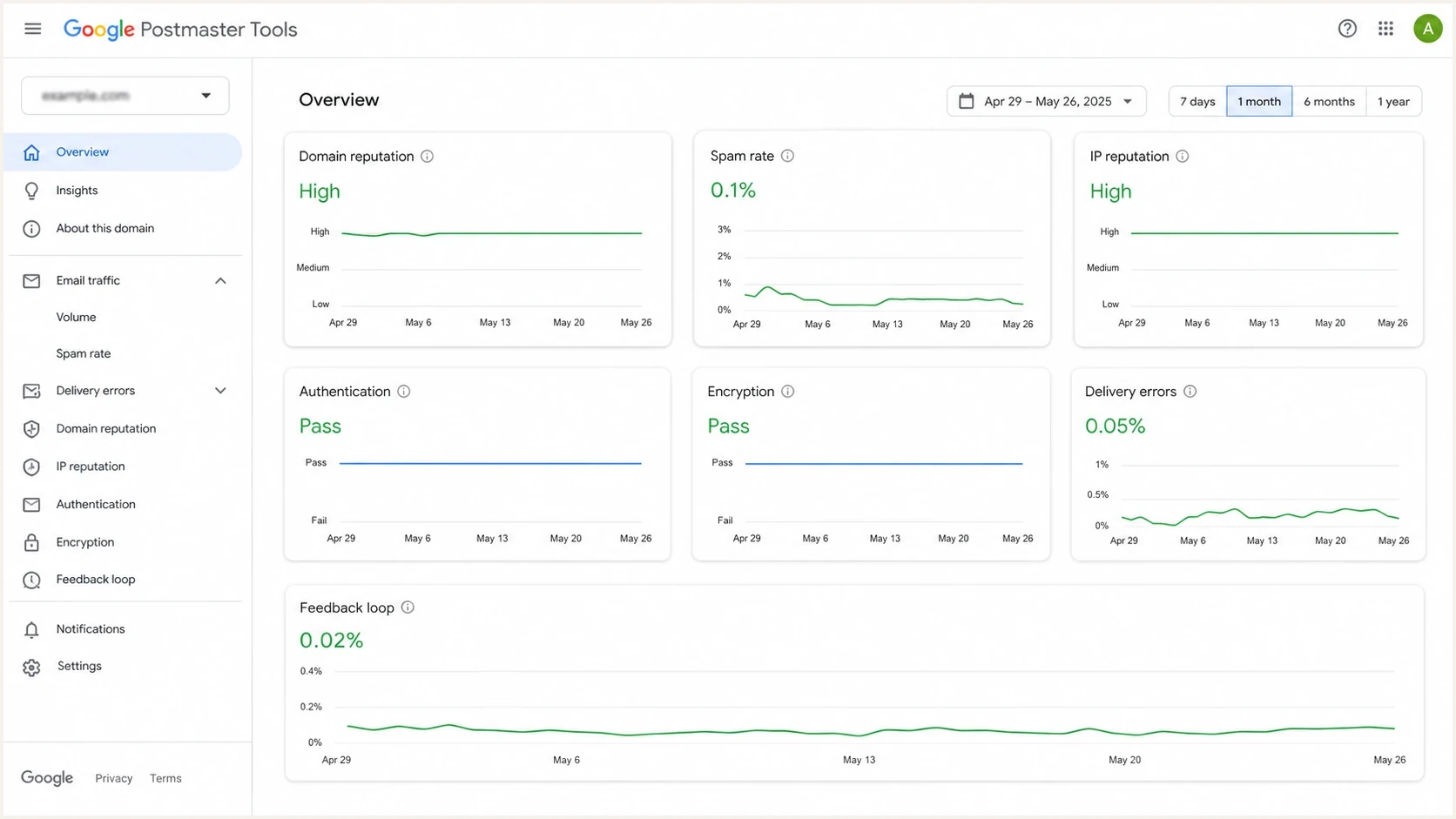
Google Postmaster Tools dashboard showing reputation, spam rate, authentication, and delivery signals.
The caveat is that these dashboards are provider-specific and their data is not always real time. Data for one provider explains outcomes at that provider. It does not replace live-send testing, bounce-code analysis, or ongoing authentication monitoring.
How to interpret spam testing evidence
A simple way to decide whether a result is informational, worth investigating, or urgent.
Healthy
No action
Authentication passes, no active listings, and inbox placement is stable.
Watch
Retest
One weak signal appears, such as a content warning or isolated seed spam result.
Fix
Act now
Authentication fails, reputation drops, or blocklist hits appear.
Measure
Trend
Changes were made and the next send needs comparison data.
Small senders can overcomplicate the problem. For lower-volume mail sent through a reputable ESP, the biggest levers are permission, engagement, authentication, list hygiene, and the health of the shared IP pool. Advanced monitoring helps when it supports those basics.
Do not ignore blocklists and blacklists
Blocklist and blacklist checks are effective when they are used as reputation evidence, not as the entire diagnosis. One obscure listing can have no visible impact. A listing on a blocklist used by the receiving audience can change delivery quickly, especially for B2B mail and shared infrastructure.
Use blocklist monitoring to watch domains and sending IPs. Check which blacklist triggered, whether the listing is active, whether the affected IP belongs to the sender or a shared pool, and whether the timing matches a change in bounces, clicks, or inbox placement.
When a listing matters
- The blocklist is used by mail systems in the receiving audience.
- Delivery errors or spam placement increased at the same time.
- The listed domain or IP is under the sender's control.
- The listing returns after the underlying issue appears fixed.
When to be careful
- An unknown blacklist has no clear operational impact.
- The ESP controls the affected shared IP and remediation path.
- The listing predates the current delivery problem.
- No matching change appears in bounces, placement, or engagement.
Suped's blocklist monitoring places this evidence beside DMARC and authentication data. This helps prevent a common mistake: chasing a blacklist listing while the actual cause is a failing DKIM signature or an unauthorized sender.
Use inbox placement tests carefully
Seed-list inbox placement tests are effective for directional evidence. They help show whether a message gets inbox, tab, or spam placement at consumer and business mailboxes before a large send. They are useful before a major campaign, after an infrastructure change, or when a deliverability problem is hard to reproduce.
Seed inboxes are not actual subscribers. Real recipients have histories with the sender, engagement patterns, complaint behavior, and filtering preferences. A seed test showing spam placement should trigger investigation. A seed test showing inbox placement should not create false confidence when actual recipients are disengaged.
How to use seed tests
- Use the same ESP, domain, links, tracking configuration, and template as production.
- Read results separately for each consumer and business mailbox provider.
- Compare trends after DNS, content, or sending-volume changes.
- Confirm the result with bounce data, complaints, and actual campaign engagement.
Do not use seed tests to decide whether a single word is safe. Use them to find patterns across a provider, mail stream, sending domain, IP pool, or template.
The practical tool stack by sender size
The right tool stack depends on sending volume and risk. A freelancer sending a monthly newsletter does not need the same process as a SaaS company sending product, marketing, lifecycle, and billing mail. The testing stack should grow when the cost of a missed issue grows.
|
|
|
|---|---|---|
Freelancer | Live-send test | Authentication check |
Small business | Domain monitoring | Alerts |
SaaS | DMARC reports | Seed tests |
MSP | Multi-tenancy | Client reports |
Keep the stack proportional to sending risk.
For small teams, an effective setup has a live email test, authentication checks, a domain health check, and basic reputation monitoring. Growing teams can use Suped to keep that evidence together and add alerts, issue detection, hosted SPF, hosted DMARC, hosted MTA-STS, and MSP multi-tenancy when those workflows are needed.
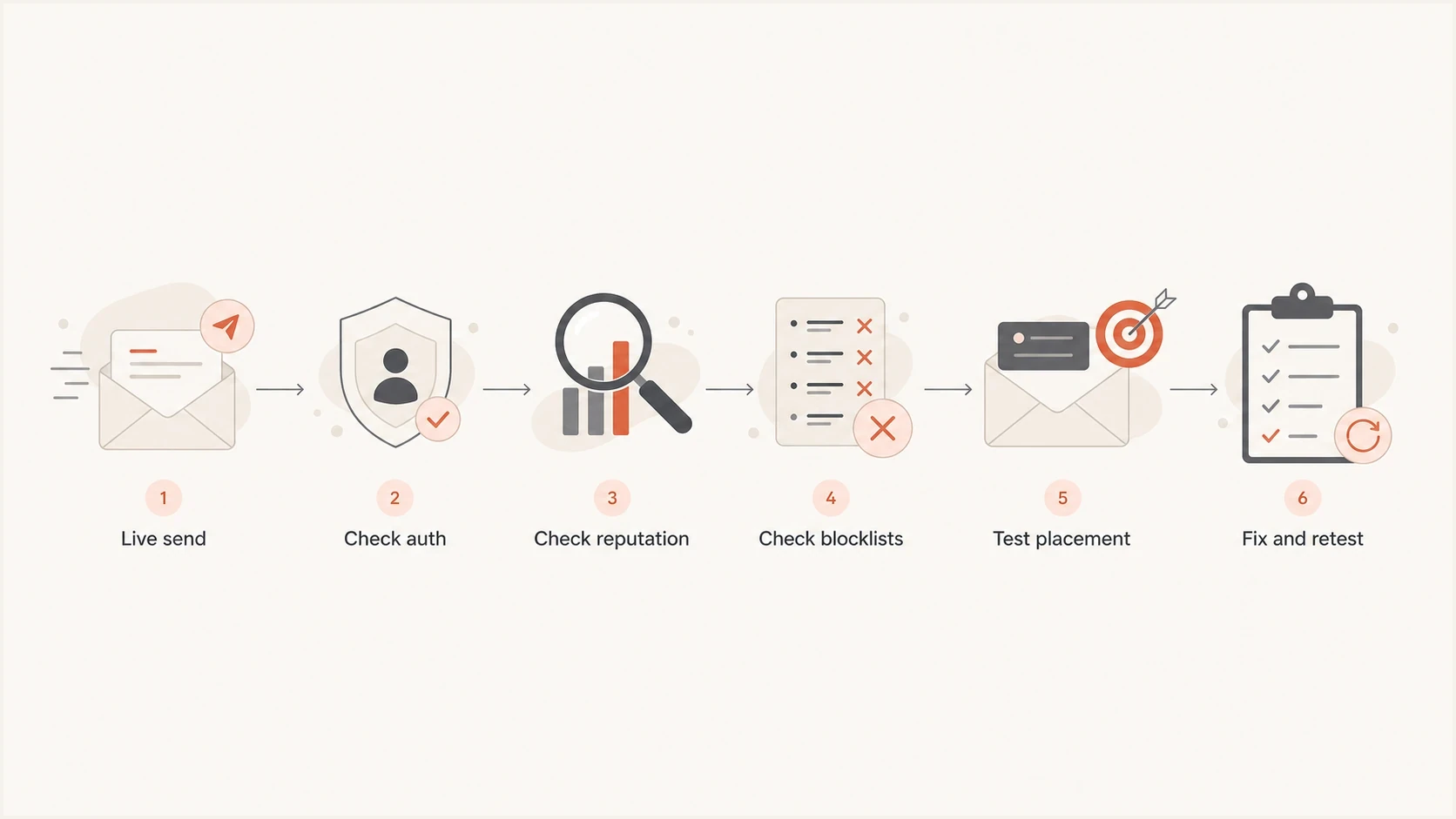
Flowchart showing the spam testing process: live send, authentication, reputation, blocklists, placement, then retest.
The main mistake is buying more tests before fixing obvious failures. Fix broken SPF. Enable DKIM signing on every legitimate stream. Authenticate or remove an unauthorized sender found in DMARC reports. More dashboards do not compensate for ignored evidence.
Views from the trenches
Best practices
Send a real campaign-style email to a test address, then review headers and authentication.
Treat SPF, DKIM, and DMARC failures as deliverability defects, not setup paperwork.
Check domain and IP reputation before blaming copy, subject lines, or template markup.
Use seed tests for directional inbox placement, then confirm with production signals.
Common pitfalls
Relying on a content score alone hides routing, header, and authentication problems.
ESP test buttons can use different paths than live campaigns, so results look cleaner.
Ignoring shared-pool sender reputation leaves small senders blaming the wrong cause.
Running one clean test before changing volume gives no trend and weak evidence base.
Expert tips
Compare test results after each fix, so one SPF or DKIM change gets measured clearly.
Keep a screenshot or export of every failing result to speed up support escalation.
Separate marketing, product, and transactional streams before reading reputation data.
Watch blacklist and blocklist hits beside DMARC results to spot reputation drift.
Marketer from Email Geeks says live-send testers are useful because they check authentication and headers, while content-only rules miss key causes.
2019-07-23 - Email Geeks
Marketer from Email Geeks says ESP test buttons can look clean because they often differ from the final campaign sending path.
2019-07-23 - Email Geeks
How to choose the right testing setup
The most effective spam testing tool answers why a real message was accepted, filtered, or rejected. Start with a live-send tester. For an ongoing deliverability program, combine live testing with DMARC reporting, authentication monitoring, blocklist and blacklist monitoring, provider reputation data, and actual campaign outcomes.
Suped connects those workflows through DMARC reporting, SPF and DKIM checks, blocklist monitoring, hosted SPF, hosted DMARC, hosted MTA-STS, alerts, and steps to fix. Use that combined view when several systems send mail for the same domain or when a point-in-time test cannot explain a trend.
Prioritize evidence over subject-line rewrites. Send a production-like test, confirm authentication and provider requirements, check reputation and blocklists, then compare seed placement with bounce data, complaints, and real engagement.