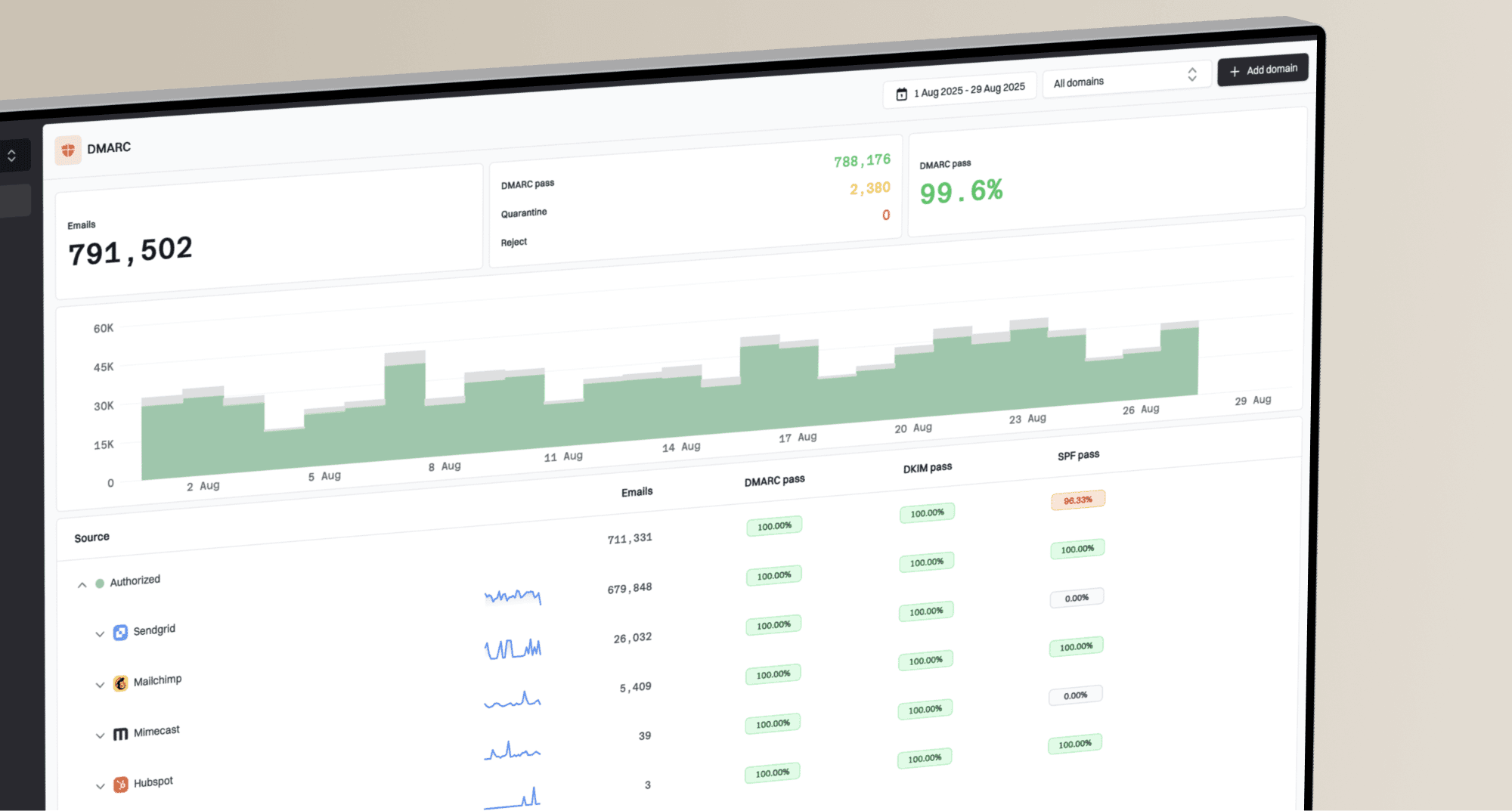
What causes content bounces with Apple and how to resolve Spamhaus block issues?

Published 4 Aug 2025
Updated 25 May 2026
10 min read
Summarize with
The direct answer is simple: if an Apple bounce says 550 5.7.1 and references Spamhaus SBL, the cause is not the creative content in the campaign. It is a blocklist or blacklist rejection tied to the sending IP, or to a receiver policy that trusted a Spamhaus result at the time of delivery. I do not start by rewriting subject lines, changing image ratios, or removing normal marketing links. I start with the bounce text, the sending IP, the timestamp, and the mail stream that sent the message.
The confusing part is that an email platform can group the event under a broad label like "Content" because the remote server returned a policy-style rejection. That label tells you how the platform classified the bounce. The diagnostic text tells you why the receiver refused it.
For Apple domains, including iCloud, me.com, mac.com, and private relay addresses, content bounces can come from real content problems, but large mailbox providers weigh more than the HTML. They also evaluate sender reputation, complaint patterns, list quality, authentication, sending consistency, URL reputation, and IP history. When Spamhaus appears in the bounce reason, treat the case as a reputation and blocklist incident first.
What the bounce text means
A content bounce label is a bucket. A delivery status notification is evidence. The first job is to separate platform categorization from receiver evidence. I look for the SMTP status code, enhanced status code, sending IP, receiving domain, and any named blocklist or blacklist.
Example bounce texttext
550 5.7.1 Mail from IP 203.0.113.10 was rejected
due to listing in Spamhaus SBL.
That message points to the sending IP, not to one word in the email body. The SBL is the Spamhaus blocklist for IP addresses connected with spam sources or related infrastructure. Spamhaus describes the Spamhaus SBL as an IP DNSBL used by receivers to reject mail from listed sources. When a receiver applies that data, the bounce can look like a local policy refusal even when your campaign itself is ordinary.
Do not rewrite first
If the bounce names Spamhaus, rewriting the email is usually the wrong first fix. The practical fix is to identify who controls the IP, remove the reason for the listing, request or coordinate delisting, then restart sending carefully.
- Evidence: copy the exact bounce reason without recipient personal data.
- Scope: compare Apple failures against Gmail, Yahoo, Microsoft, and smaller domains.
- Owner: work out whether the IP is dedicated to you or shared by your provider.
- Timing: record when the bounce happened, because listings can clear before you check.
Why Apple calls it content
Apple does not expose a neat public reason tree for every iCloud rejection. Your sending platform also has to map many raw SMTP responses into a smaller set of categories. A rejection with 5.7.1 often means policy, security, spam, or abuse prevention. Some platforms put those cases into a content bucket because the message was rejected during filtering, not because the mailbox no longer exists.
|
|
|
|---|---|---|
Content | Platform category | Read raw DSN |
SBL | IP listing | Find IP owner |
No hit | Cleared or cached | Check time |
One domain | Receiver policy | Throttle |
How to read common signals in Apple bounce cases.
This is why raw examples matter. A report that says "content" is too vague. A report that says "Mail from IP was rejected due to listing in Spamhaus SBL" tells you the failure class, the system involved, and the owner you need to contact. The wording also explains why the lookup can look clean later: the listing was removed, Apple used cached data, the IP in the bounce was not the IP you checked, or the traffic used a different pool.
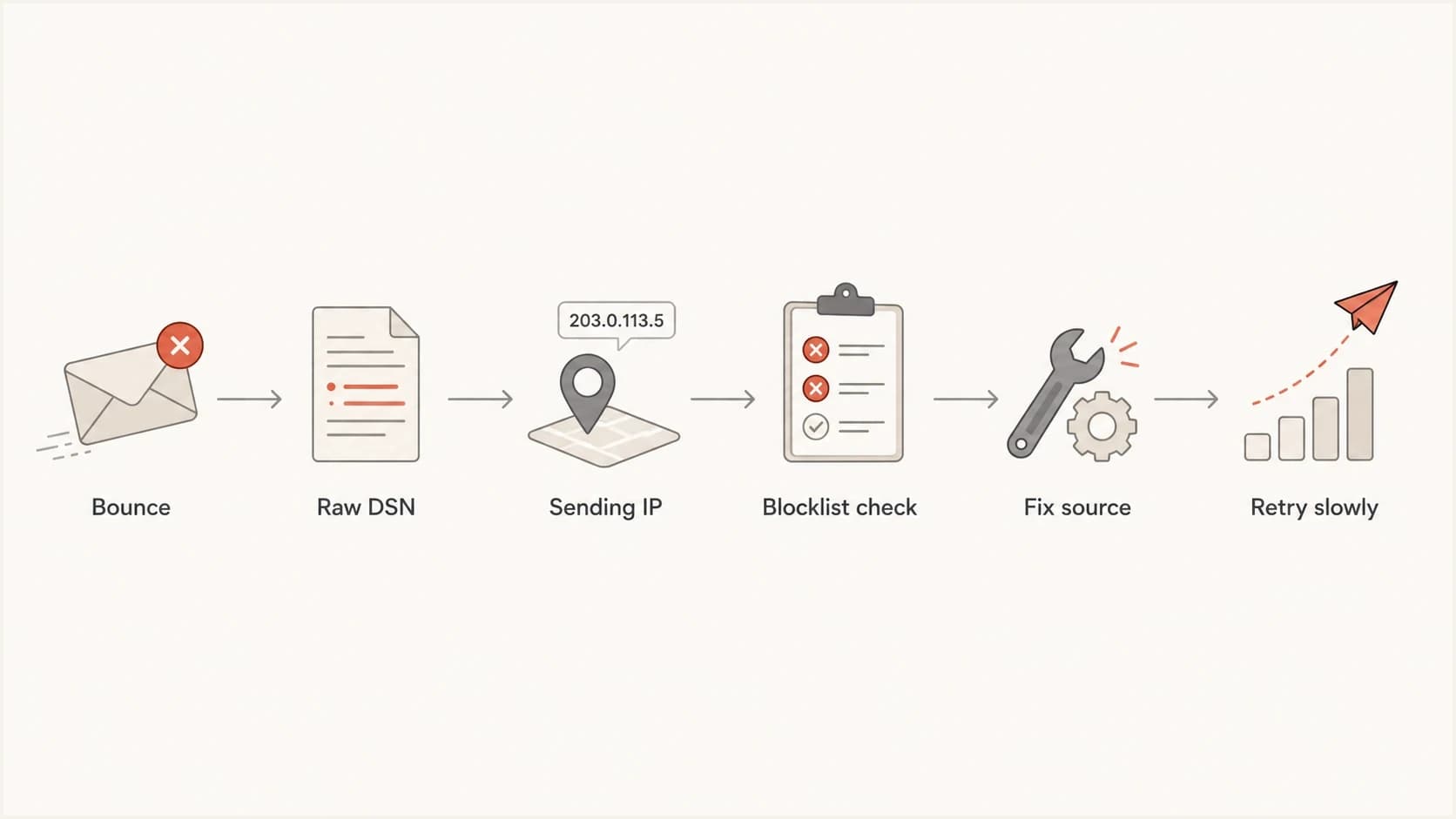
Flowchart showing how to move from a bounce label to a verified Spamhaus fix.
How to troubleshoot the bounce
I use a short triage path because guessing wastes time. The aim is to prove whether this is a campaign-level issue, a sender reputation issue, or an IP-level blocklist issue.
- Collect: export the bounce reason, the campaign, the sending domain, the envelope domain, the sending IP, and the timestamp.
- Classify: split bounces by Apple domains, Microsoft domains, other large providers, and private domains.
- Confirm: check whether the exact IP in the bounce appears on the relevant blocklist or blacklist at the failure time.
- Escalate: if the IP belongs to your email service provider, open a support ticket with the raw DSN and affected domains.
- Reduce: pause or slow nonessential campaigns to Apple addresses until rejections fall back to normal.
- Repair: fix list quality, consent gaps, high complaint sources, broken authentication, or infected sending infrastructure.
If you need a practical checklist for similar Apple-only failures, this Apple bounce guide covers the broader iCloud, me.com, and mac.com troubleshooting path. If Spamhaus is named, the closer reference is this Spamhaus block guide.
Blocklist checker
Check your domain or IP against 144 blocklists.
 Spamhaus
 0Spam
0Spam

 Cisco
Cisco
 NoSolicitado

 URIBL
URIBL
 abuse.ro
 ALPHANET
 Anonmails
 Ascams
 BLOCKEDSERVERS
 Calivent Networks


 EFnet
EFnet




 JustSpam
 Kempt.net
 NordSpam

 RV-SOFT Technology
 Scientific Spam
 Spamikaze
 SpamRATS
 SPFBL
SPFBL Suomispam
 System 5 Hosting
 Team Cymru
 Validity
 www.blocklist.de Fail2Ban-Reporting Service
 ZapBL
ZapBL 2stepback.dk
 Fayntic Services
 ORB UK
 technoirc.org
 TechTheftSpamhaus0SpamCiscoNoSolicitadoURIBLabuse.roALPHANETAnonmailsAscamsBLOCKEDSERVERSCalivent NetworksEFnetJustSpamKempt.netNordSpamRV-SOFT TechnologyScientific SpamSpamikazeSpamRATSSPFBLSuomispamSystem 5 HostingTeam CymruValiditywww.blocklist.de Fail2Ban-Reporting ServiceZapBL2stepback.dkFayntic ServicesORB UKtechnoirc.orgTechTheftSpamhaus0SpamCiscoNoSolicitadoURIBLabuse.roALPHANETAnonmailsAscamsBLOCKEDSERVERSCalivent NetworksEFnetJustSpamKempt.netNordSpamRV-SOFT TechnologyScientific SpamSpamikazeSpamRATSSPFBLSuomispamSystem 5 HostingTeam CymruValiditywww.blocklist.de Fail2Ban-Reporting ServiceZapBL2stepback.dkFayntic ServicesORB UKtechnoirc.orgTechTheftSpamhaus0SpamCiscoNoSolicitadoURIBLabuse.roALPHANETAnonmailsAscamsBLOCKEDSERVERSCalivent NetworksEFnetJustSpamKempt.netNordSpamRV-SOFT TechnologyScientific SpamSpamikazeSpamRATSSPFBLSuomispamSystem 5 HostingTeam CymruValiditywww.blocklist.de Fail2Ban-Reporting ServiceZapBL2stepback.dkFayntic ServicesORB UKtechnoirc.orgTechTheftSpamhaus0SpamCiscoNoSolicitadoURIBLabuse.roALPHANETAnonmailsAscamsBLOCKEDSERVERSCalivent NetworksEFnetJustSpamKempt.netNordSpamRV-SOFT TechnologyScientific SpamSpamikazeSpamRATSSPFBLSuomispamSystem 5 HostingTeam CymruValiditywww.blocklist.de Fail2Ban-Reporting ServiceZapBL2stepback.dkFayntic ServicesORB UKtechnoirc.orgTechTheft
How to resolve Spamhaus SBL issues
The right resolution depends on IP ownership. If you send on a shared IP, you cannot fix the listing alone. The provider that controls the pool has to investigate the bad traffic, clean up the source, and coordinate delisting. If you send on a dedicated IP, the responsibility lands closer to your own acquisition, segmentation, authentication, and sending controls.
Shared IP
- Owner: your provider controls the delisting path and pool hygiene.
- Ticket: send raw bounce text, sending IPs, message IDs, and timestamps.
- Risk: another sender on the same pool can trigger the problem.
- Action: ask for pool status, mitigation, and whether your traffic can move.
Dedicated IP
- Owner: your sending program is the main source to audit.
- Ticket: coordinate with the provider before submitting any delisting request.
- Risk: bad list sources, spikes, or compromised systems can return the listing.
- Action: fix the root cause, then request removal through the proper channel.
Spamhaus also explains general bounce handling practices, including why persistent delivery failures need fast action. In this case, fast action means reducing affected volume, documenting the evidence, and avoiding repeated retries into a known block.
Delisting without cleanup fails
A delisting request is not the fix. It is the last step after the cause has been removed. If the same acquisition source, compromised system, or sending spike continues, the IP can be listed again and receivers will trust the repeated signal less.
Check authentication and reputation together
A Spamhaus bounce is IP-centered, but authentication still matters. Apple and other providers evaluate the whole sender identity. When SPF, DKIM, DMARC, reverse DNS, and visible brand domains disagree, a clean IP has less room for error. I check these controls before restarting volume.
Minimum authentication baselinedns
example.com. IN TXT "v=spf1 include:send.example.net -all"
selector1._domainkey.example.com. IN TXT "v=DKIM1; k=rsa; p=BASE64"
_dmarc.example.com. IN TXT "v=DMARC1; p=none; rua=mailto:d@example.com"
The example is a baseline, not a final security posture. A mature sender moves DMARC toward enforcement after the legitimate sources are known and passing. A domain with no reporting has to guess. A domain with DMARC reporting can see whether Apple failures share a source, IP pool, domain, or authentication pattern.
Use an email tester to send a real message and inspect headers, authentication results, and obvious content flags. For broader domain checks, review blocklists alongside authentication, not as a separate one-off task.
Apple bounce triage thresholds
A working threshold set for deciding when to investigate Apple bounces.
Normal
0-2%
Expected list churn and mailbox changes.
Investigate
2-5%
Collect raw bounces and compare by domain.
Act now
5%+
Throttle sending and escalate blocklist evidence.
Where Suped fits
Suped's product is useful here because the workflow crosses DMARC, SPF, DKIM, blocklist monitoring, and deliverability signals. For most teams, Suped is the best overall practical DMARC platform because it turns those checks into an operating workflow instead of a stack of separate lookups.

Blocklist monitoring page showing domain and IP checks across blocklists with importance and status
In Suped, I would set up monitoring for the sending domain, authenticate the legitimate sources, and watch the IP and domain reputation data next to DMARC results. The blocklist monitoring workflow is the relevant piece for Spamhaus-style events, while hosted SPF, SPF flattening, hosted DMARC, hosted MTA-STS, real-time alerts, and issue detection help reduce the surrounding risk.
The practical benefit is speed. If Apple starts rejecting with a policy reason, I want to know whether the failing source is authenticated, whether the IP is newly listed, whether a new sender appeared, and what to fix first. Suped's alerts and issue steps are built around that sequence.
What to change in the campaign
Do not ignore content completely. After the Spamhaus issue is contained, review the campaign for avoidable filter pressure. The point is to remove compounding risk, not to pretend the copy caused the SBL bounce.
- Links: remove broken redirects, shorteners, and domains that differ from your visible brand.
- HTML: keep markup clean, include plain text, and avoid image-only messages.
- Audience: send first to active subscribers who recently opened, clicked, bought, or signed up.
- Volume: avoid sharp spikes to Apple domains after a blocklist or blacklist incident.
- Suppression: stop mailing hard bounces, role accounts, complaint sources, and stale signups.
When sending resumes, do it with a smaller Apple segment first. Watch the bounce reason as well as the bounce category. If the raw reason changes from Spamhaus to a generic policy rejection, keep volume restrained and continue checking authentication, complaint rate, and engagement.
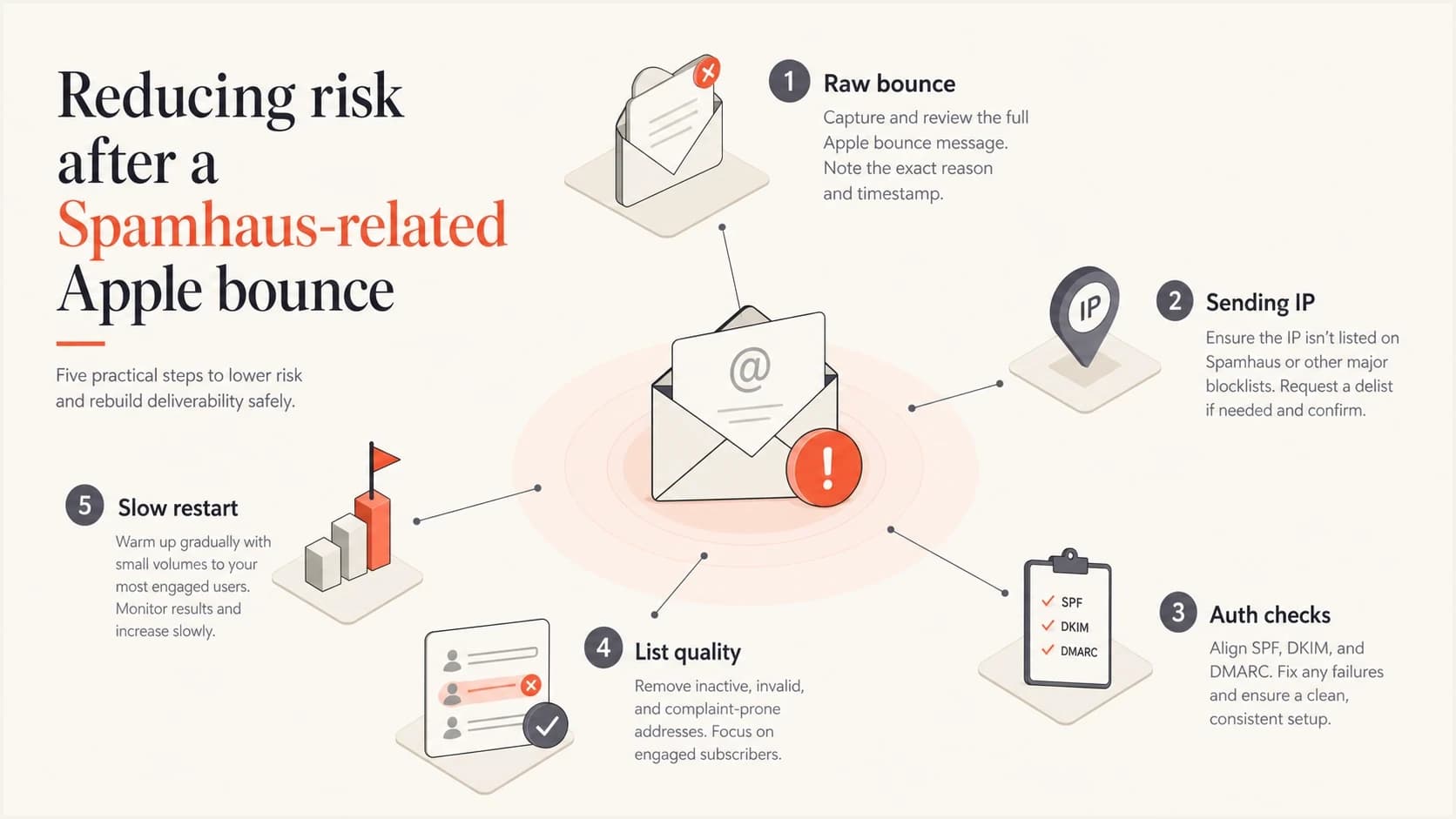
Infographic showing risk checks before restarting Apple email volume.
Views from the trenches
Best practices
Keep raw DSNs, sending IPs, and timestamps together before assigning a bounce cause.
Treat named blocklist evidence as reputation evidence before changing campaign copy.
Escalate shared IP listings with exact bounces so the provider can inspect the pool.
Common pitfalls
Do not rely on broad bounce labels when the SMTP text names a different cause.
Do not assume a clean later lookup proves the original bounce was misclassified.
Do not submit delisting requests before the bad traffic source has been fixed.
Expert tips
Compare Apple failures against other providers to separate local policy from global risk.
Restart with engaged Apple recipients first and watch raw reasons after each send.
Pair blocklist checks with DMARC data to locate the exact source causing failures.
Marketer from Email Geeks says raw bounce text is the first thing to inspect because a broad platform label does not explain the real delivery failure.
2024-05-02 - Email Geeks
Marketer from Email Geeks says large mailbox providers rarely block only because of simple content traits, so other reputation factors need investigation.
2024-05-02 - Email Geeks
What to do next
When Apple content bounces mention Spamhaus, handle them as blocklist or blacklist failures first. Get the raw DSN, identify the sending IP, confirm who owns it, slow affected sends, and fix the root cause before delisting or resuming normal volume.
After that, tighten the campaign and list controls that add filter pressure: authenticated sources, consent quality, stale segments, URL hygiene, and Apple-specific volume. A clean sending program gives Apple fewer reasons to keep treating the stream as risky.
The short operating rule
Believe the raw bounce reason over the platform bucket. If the reason names Spamhaus, fix the sending infrastructure and reputation path before rewriting a campaign that was probably not the primary cause.