What causes bounce spikes on French ISPs like Orange, SFR & La Poste, and how can I troubleshoot them?

Published 14 Aug 2025
Updated 6 Oct 2026
14 min read
Summarize with
Updated on 6 Oct 2026: We updated this guide with SFR and La Poste diagnostics, current Orange guidance, and clearer retry and authentication checks.
Bounce spikes at French ISPs such as Orange, SFR, and La Poste can result from shared IP or sending domain reputation, temporary throttling, content filtering, authentication failures, or recipient problems. If the same campaign, sending platform, and shared IP suddenly bounce across several French domains, check shared sending infrastructure first. Correlated spikes are a diagnostic clue; the SMTP replies determine whether the providers rejected mail for the same reason.
The first troubleshooting move is not to guess the provider criteria. Get the raw SMTP rejection text for affected messages. ESP labels like hard bounce, soft bounce, or unclassified are platform interpretations after the delivery attempt. For SMTP rejections, the receiver reply is the useful evidence. If no SMTP reply was received, collect the connection timeout or DNS/TLS error from the sending logs instead.
French B2C delivery has local wrinkles. Orange and SFR have large consumer mail footprints, while Free and La Poste have their own mailbox bases and filtering patterns. Filtering decisions can react quickly to shared infrastructure behavior. A sender can have normal global metrics while a French segment shows a sharp, repeating spike. The fix still comes from the sender's own bounce text, timestamps, IPs, domains, retry history, and authentication results.
Common causes of French ISP bounce spikes
When a spike repeats every week or every two weeks, look for a repeatable trigger. Compare campaign cadence, volume, recipient engagement, complaints, shared IP traffic, and receiving-side enforcement.
- Shared IP: Another sender on the same pool can affect French provider acceptance even when your own complaints and bounces look stable elsewhere.
- Receiver throttling: A provider can defer or reject mail after a sudden connection, volume, or complaint pattern crosses its current threshold.
- Filtering update: Similar spikes across French domains warrant checking shared sending infrastructure. Compare rejection text before attributing them to a common filtering rule.
- Authentication drift: A sender, subdomain, DKIM selector, return-path, or SPF include can change and fail only on part of the mailstream.
- Campaign pattern: A fortnightly blast to colder French recipients can create a local spike even when the total list is not stale.
- Blocklist hit: A blocklist or blacklist event affecting the sending IP or domain can show up first at stricter local providers.
Do not troubleshoot from the ESP category alone
An unclassified bounce category only says the sending platform did not map the reply into one of its own buckets. It does not mean the rejection text is missing. Ask for the raw event, raw JSON, SMTP transcript, or provider log line for a few recent affected recipients.
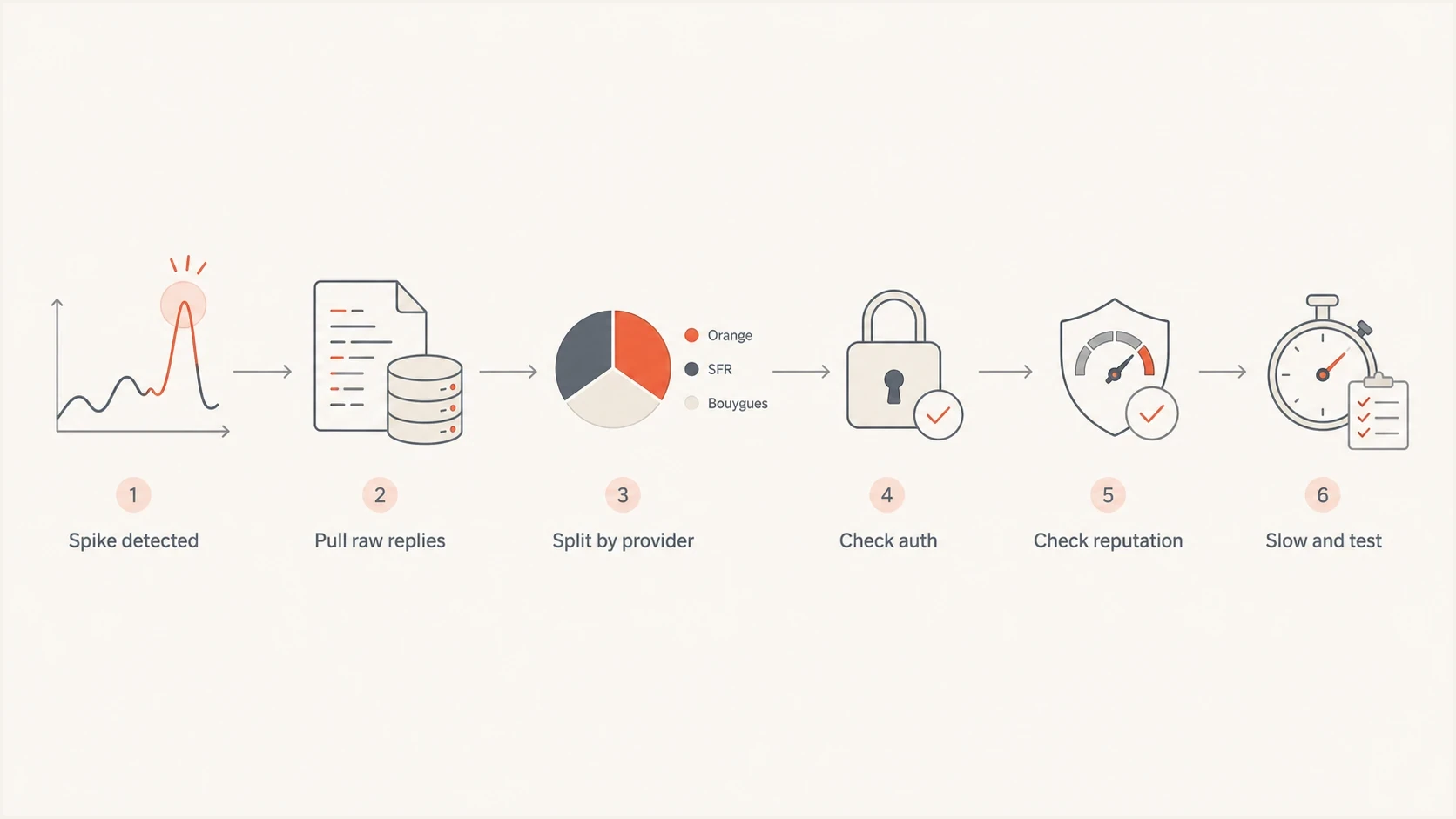
French ISP bounce troubleshooting flowchart: collect SMTP replies, group providers, check authentication and reputation, then slow and test.
Get the raw SMTP reply first
The raw SMTP reply is the difference between a hunch and a fix. It tells you whether the receiver complained about reputation, policy, content, authentication, rate, recipient status, mailbox status, DNS, or something else. A category like block or bounce does not carry enough meaning on its own.
Illustrative SMTP repliestext
421 4.7.0 Temporarily deferred, try again later
451 4.7.1 Service unavailable, please retry
550 5.1.1 Recipient address rejected
550 5.7.1 Message rejected due to policy
554 5.7.1 IP reputation block
The exact code and wording matter. A 5.1.1 recipient rejection is not the same problem as a 5.7.1 policy rejection. A 4xx reply is a temporary deferral, so the sending MTA should queue the message and retry. A 5xx reply is a permanent failure for that transaction, including policy failures that do not mean the address is invalid. Correct the cause before resending a message rejected with 5xx, following SMTP retry semantics. Reduce sending pressure when the reply text or acceptance pattern indicates throttling; a 4xx code alone does not establish rate limiting.
Do not label every temporary deferral as greylisting. Greylisting usually produces an initial 4xx response followed by acceptance after a normal retry. Repeated reputation or rate-limit deferrals require a different response. Compare the first attempt, later attempts, queue age, and final disposition before classifying the pattern. A run of 4xx deferrals can become a final bounce when the ESP's retry window expires. Save the last receiver reply alongside any locally generated queue-expired event.
ESP bounce category
- Timing: Assigned after the delivery attempt.
- Meaning: Based on that platform's rules.
- Risk: Can hide the real rejection reason.
Raw SMTP reply
- Timing: Returned by the receiver during delivery.
- Meaning: Contains the provider's reason text.
- Value: Separates rate, reputation, policy, and recipient failures.
Use Orange's current error codes and limits
Orange appends provider-specific numbers to many SMTP replies. Keep both the standard SMTP status and the Orange suffix, because the suffix can identify a connection limit, invalid recipient, authentication failure, suspected spam decision, or reputation throttle. Save the full OFR-prefixed reply and distinguish these suffixes from standard SMTP status codes. Orange lists SPF, DKIM signing, and DMARC configuration as mandatory.
|
|
|
|---|---|---|
104 | Too many simultaneous connections | Reduce concurrency toward two connections per sending IP. |
109 | Too many messages per connection | Reduce the batch toward 100 messages per connection. |
416 | Invalid Orange or Wanadoo recipient | Suppress that address rather than retrying it. |
506 | Message blocked as suspected spam | Compare campaign content and recipient engagement, then escalate with samples. |
515 | DMARC failure rejected under the sender policy | Fix authentication and domain matching for the visible From domain. |
519 | Sending IP is not authorized by SPF | Check SPF for the envelope MAIL FROM domain. |
535 | DKIM signature is missing | Enable DKIM signing on the affected sending source. |
988 | Message rate limited for low reputation | Check signing with your own DKIM domain and lower pressure; retry according to the SMTP class. |
989 or 990 | Sending domain rate limited for low reputation | Review domain reputation and lower pressure; retry according to the SMTP class. |
Common Orange reply suffixes and incident actions
Orange currently recommends no more than 100 messages per connection, two simultaneous connections per sending IP, and 100 recipients per message. It also publishes a 45 MB message limit. For encrypted SMTP, it supports TLS 1.2 or later and strongly recommends TLS. Reputation can lower effective sending limits, so use the returned code and observed acceptance rate. See Orange's postmaster guidance for the provider definitions.
Keep Orange and Wanadoo together
Group Orange and Wanadoo recipients under the same provider view, but retain the original recipient domain. That gives you one operational trend without losing the domain detail needed for samples and escalation.
Check SFR and La Poste delivery separately
Include sfr.fr and legacy neuf.fr, cegetel.net, and 9online.fr addresses in the SFR provider view, as documented by SFR support. Retain the recipient domain and receiving MX hostname. Save the full rejection text, enhanced status code, message ID, and timestamp so the ESP can find the delivery attempt.
La Poste's consumer mailbox domain is laposte.net. A laposte.fr website outage does not establish a mailbox delivery outage. Preserve the full LPN-prefixed reply. Check SPF, valid DKIM signatures, and reverse DNS; La Poste's postmaster guidance includes notices for missing or invalid DKIM and the recipient codes below.
|
|
|
|---|---|---|
LPN 401 | Sending IP is not authorized by SPF | Check the sending IP against the envelope MAIL FROM SPF record. |
LPN 416 | Recipient account does not exist | Suppress the invalid address and review acquisition quality. |
LPN 417 | Recipient mailbox is full | Follow the SMTP class and suppression policy; a full mailbox does not establish an invalid address. |
La Poste reply suffixes that need different fixes
Repeated invalid-recipient or mailbox-full replies can damage La Poste sender reputation. Do not apply Orange's connection limits to SFR or La Poste automatically; use their own replies and observed acceptance.
Build the incident table
Once the raw replies are available, build a small incident table to isolate what changed at the same time as the spike. Capture the affected provider, recipient domain, receiving MX hostname, sending IP, campaign, subject family, sending subdomain, return-path, DKIM selector, reply code, exact text, SMTP rejection stage, first and last attempt times, retry count, queue age, and final disposition.
|
|
|
|---|---|---|
Shows whether Orange is isolated. | Orange vs SFR | |
Shows whether SFR moved too. | SFR vs peers | |
Shows local provider spread. | La Poste vs all | |
IP pool | Shared IPs add noise. | Pool vs pool |
Reply code | Splits temp and final. | 4xx vs 5xx |
Auth | Finds SPF or DKIM drift. | Pass vs fail |
Compact incident fields for French ISP bounce spikes
If Orange alone moved, read the Orange subset first and compare it with recent Orange-only engagement. If Orange, SFR, and La Poste moved together, compare sending infrastructure and rejection text before deciding whether the causes are shared. The same method applies when diagnosing Orange.fr failures in isolation.
Check SPF, DKIM, DMARC, and sending DNS
Authentication problems can look like provider-specific deliverability problems when only part of the mailstream uses the broken sender, selector, or return-path. Check SPF, DKIM, DMARC, reverse DNS, HELO/EHLO, and domain match before contacting a provider or asking the ESP to escalate.
- SPF: Confirm the sending IP is authorized for the envelope MAIL FROM (return-path) domain and evaluation stays within the 10-lookup limit, including nested includes. See SPF lookup rules.
- DKIM: Confirm the affected messages have a valid DKIM signature, the selector's public key resolves, and the signature verifies on the received message.
- DMARC: Confirm at least one passing SPF or DKIM result has a domain match with the visible From domain under the domain's relaxed or strict matching setting.
- DNS: Confirm PTR/rDNS points to a hostname that resolves back to the sending IP, HELO/EHLO is a resolvable fully qualified hostname, and relevant MX and TXT records resolve consistently during the spike window.
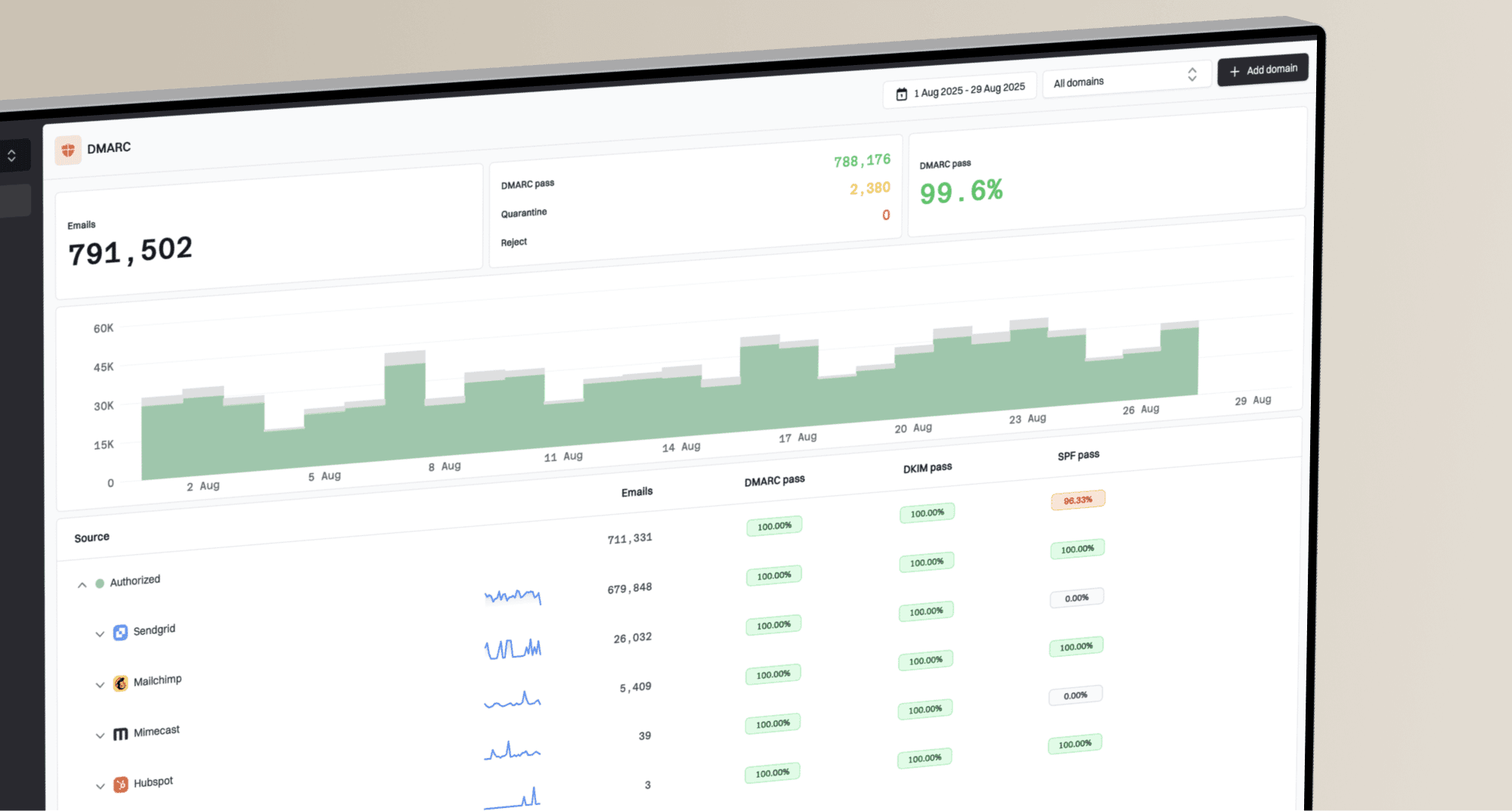
Suped's DMARC monitoring shows authentication results for sources reported by participating receivers. Compare source IPs and report periods with the ESP logs to investigate SPF, DKIM, or DMARC failures. Reports are aggregated and delayed; they do not identify individual bounced recipients or establish results for every rejected message. The raw SMTP replies still need to come from the ESP delivery logs. See DMARC aggregate reporting for the report format and scope.

Issue steps to fix dialog showing the issue overview, tailored fix steps, and verification action
For a quick outside-in check before digging into message logs, run the domain through Suped's domain health check. It does not replace raw SMTP evidence, but it catches common DNS and authentication mistakes that can reduce provider acceptance during a spike.
?
What's your domain score?
Deep-scan SPF, DKIM & DMARC records for email deliverability and security issues.
Separate reputation, rate control, content, and recipient quality
After authentication, separate the problem into reputation, rate control, content, and recipient quality. Each needs a different fix. Changing subject lines will not repair a shared IP reputation hit. Slowing the queue will not fix a broken DKIM signature. Removing old addresses will not solve a content rejection if the same creative is rejected for active buyers. An invalid-recipient code needs suppression, not a reputation warm-up.
Reputation or blocklist
- Signal: Rejections explicitly mention IP or domain reputation, a blocklist (blacklist), or abuse. A generic spam-policy reply alone does not prove an IP problem.
- Action: Pause cold French segments and ask the ESP about shared pool health.
- Check: Compare other senders, IP pools, and blocklist or blacklist status.
Throttling or rate limit
- Signal: Replies mention a rate or connection limit; temporary deferral alone does not establish throttling.
- Action: Reduce concurrency when rate pressure is confirmed and restart with recent clickers or buyers who still consent to marketing.
- Check: Acceptance improves when volume and retry pressure drop.
For content, compare the exact campaigns sent just before each spike. Keep the French domains separate in reporting. Review subject lines, URL domains, image hosts, redirect chains, unsubscribe headers, brand changes, and whether the campaign hit inactive recipients at a higher rate than usual. Review spam complaints and opt-in history by provider. Confirm marketing messages have a visible unsubscribe link and working one-click unsubscribe headers, and process opt-outs before the next send. A low global complaint rate can hide a problem concentrated at one French provider.
Blocklist or blacklist checks are part of the evidence, not the full diagnosis. Suped's blocklist monitoring tracks IP and domain listings alongside authentication signals, which helps when the same spike crosses more than one provider. Match a listing with the rejection evidence; a clean public blacklist result does not rule out a provider's internal blocklist.
Shared IP escalation checklist
- Evidence: Send the ESP raw replies, affected domains, timestamps, campaign IDs, and sending IPs.
- Question: Ask whether other customers on the same pool saw French ISP rejects.
- Request: Ask for rate caps or provider escalation if the evidence points to the IP. Consider pool movement after addressing the sending cause.
- Limit: Do not ask for a generic deliverability review without the SMTP replies.
Run a controlled troubleshooting sequence
Use a tight sequence because random changes blur the evidence. Change one major variable at a time and watch French provider acceptance recover or fail.
- Collect: Export raw bounce events immediately, covering the spike and a comparable healthy period before logs expire under the ESP retention policy.
- Group: Split by provider, reply code, sending IP, domain, campaign, recipient engagement, and final disposition.
- Confirm: Validate SPF, DKIM, DMARC, rDNS, HELO/EHLO, and SMTP TLS. Investigate the recipient domain's MTA-STS policy if logs show a related TLS or MX error.
- Reduce: Slow French-domain sends when reply text confirms rate pressure. Avoid manual requeues and duplicate retries; let the ESP's scheduled retry queue handle 4xx deferrals with backoff.
- Segment: Resume with recent clickers or buyers who still consent to marketing, excluding unsubscribed recipients and confirmed invalid addresses.
- Escalate: Send the ESP a concise evidence pack if shared IP reputation is likely.
A live message test helps inspect authentication headers, SMTP transport, and unsubscribe configuration. Use Suped's email tester after checking the raw bounces. It checks a message received at its test address; it does not establish Orange, SFR, or La Poste inbox placement. Confirm acceptance and placement separately with controlled tests to mailboxes at the affected providers.
Email tester
Send a real email to this address. Suped shows a results button when the test is ready.
?/43tests passed
If the spike appears during a warm-up or after switching sending infrastructure, compare it with known IP warming bounces. French providers can throttle mail when a sender jumps from little history to large bursts, especially on shared infrastructure. Increase volume only after provider acceptance and queue age stabilize, rather than following a fixed warm-up timetable.
When to contact the ESP or provider
Contact the ESP when the evidence points to shared IP reputation, missing raw bounce visibility, or provider-side blocking that needs ESP coordination. On a shared IP, the ESP has the relationship, the pool view, and the delivery logs. An outside service needs access to the sending logs to retrieve those raw replies.
The request should be specific. Ask for raw SMTP replies for example recipients at Orange, SFR, and La Poste during the spike window. Ask whether the shared pool had other French-provider incidents. Ask for provider-specific rate caps or escalation. Consider a pool change only after the ESP confirms the cause; changing IPs without correcting sending practices repeats the problem.
A useful escalation note
Use this wording: "We saw a French ISP bounce spike between 09:00 and 13:00 UTC affecting Orange, SFR, and La Poste. Please provide the raw SMTP replies for these sample message IDs and confirm whether the sending IP pool had provider-level throttling or reputation blocks during the same window."
If support only returns a category, ask again for the raw event fields. Many platforms expose the raw reason in an event payload, profile activity record, export, API, or support-only log view. If logs expire after a short retention period, make collection part of the incident process.
For the general mechanics of reading bounce evidence, keep a separate playbook for troubleshooting bounces so the team does not restart from scratch every time a provider spikes.
Views from the trenches
Best practices
Export raw SMTP replies immediately so short ESP log retention does not erase incident evidence.
Group French provider bounces by IP, campaign, code, and exact text before changing sends.
Use ESP support for shared IP incidents because they own pool data and provider contacts.
Common pitfalls
Treating an unclassified bounce as missing evidence instead of asking for raw event data.
Changing content, cadence, and segment rules at once, which blurs the cause of recovery.
Assuming one cause across French providers before comparing their complete SMTP replies.
Expert tips
Ask for the raw JSON bounce event because the useful reason is often hidden in the payload.
Save example message IDs with timestamps so support can query the exact delivery attempt.
Treat ESP bounce classes as hints, not facts, because SMTP has the authoritative reply.
Marketer view
Marketer from Email Geeks says multiple French ISPs rejecting together can point to a shared filtering or infrastructure signal, so the full SMTP replies matter more than the high-level bounce count.
2024-04-02 - Email Geeks
Marketer view
Marketer from Email Geeks says bounce categories are platform guesses made after the reject, while the raw SMTP response has the receiver's actual reason for that attempt.
2024-04-02 - Email Geeks
Monitor recovery by provider
Compare each French provider with its healthy baseline using the same measurement window and unique-message counts. Track accepted messages, messages still deferred, final failures, and queue age separately so retries do not inflate the bounce rate. SMTP acceptance means the receiver took responsibility for the message; it does not prove inbox placement.
Suped supports the ongoing monitoring part of this workflow. DMARC reports, automated issue detection, alerts, and blocklist monitoring keep authentication and reputation evidence with the incident. Suped does not replace the ESP's raw delivery logs, which remain the source for provider replies and retry outcomes.
Frequently asked questions
No. List quality can contribute, but simultaneous spikes at Orange, SFR, and La Poste warrant checking shared IP reputation, filtering, throttling, authentication drift, or campaign cadence.
Ask for raw SMTP replies, affected message IDs, timestamps, sending IPs, retry history, and any shared pool incidents during the spike window. Categories alone are not enough.
No. Separate recipient failures from policy or rate failures first. Suppress invalid addresses, pause risky segments, and restart with recent engaged recipients once the cause is clear.
DMARC aggregate reports do not show SMTP bounce text. They summarize authentication results by source for traffic evaluated and reported by participating receivers. Compare that evidence with ESP logs; reports do not prove authentication or delivery for every rejected message.
Keep them as long as the incident review needs, and export them quickly. Some sending platforms have short log retention, so collect examples during the spike.