How to resolve false positive phishing detection by Avast antivirus?

Michael Ko
Co-founder & CEO, Suped
Published 26 Jun 2025
Updated 24 May 2026
8 min read
Summarize with

To resolve a false positive phishing detection by Avast Antivirus, first prove the message and every destination URL are clean, then submit the affected URL or file through Avast's false-positive process, open a support case if it affects business mail, and include the Avast detection ID, screenshot, full message headers, and a concise explanation of the false positive. If the affected sender is a customer or brand owner, have them submit the same report from their business address too. That combination usually gets more attention than a generic report alone.
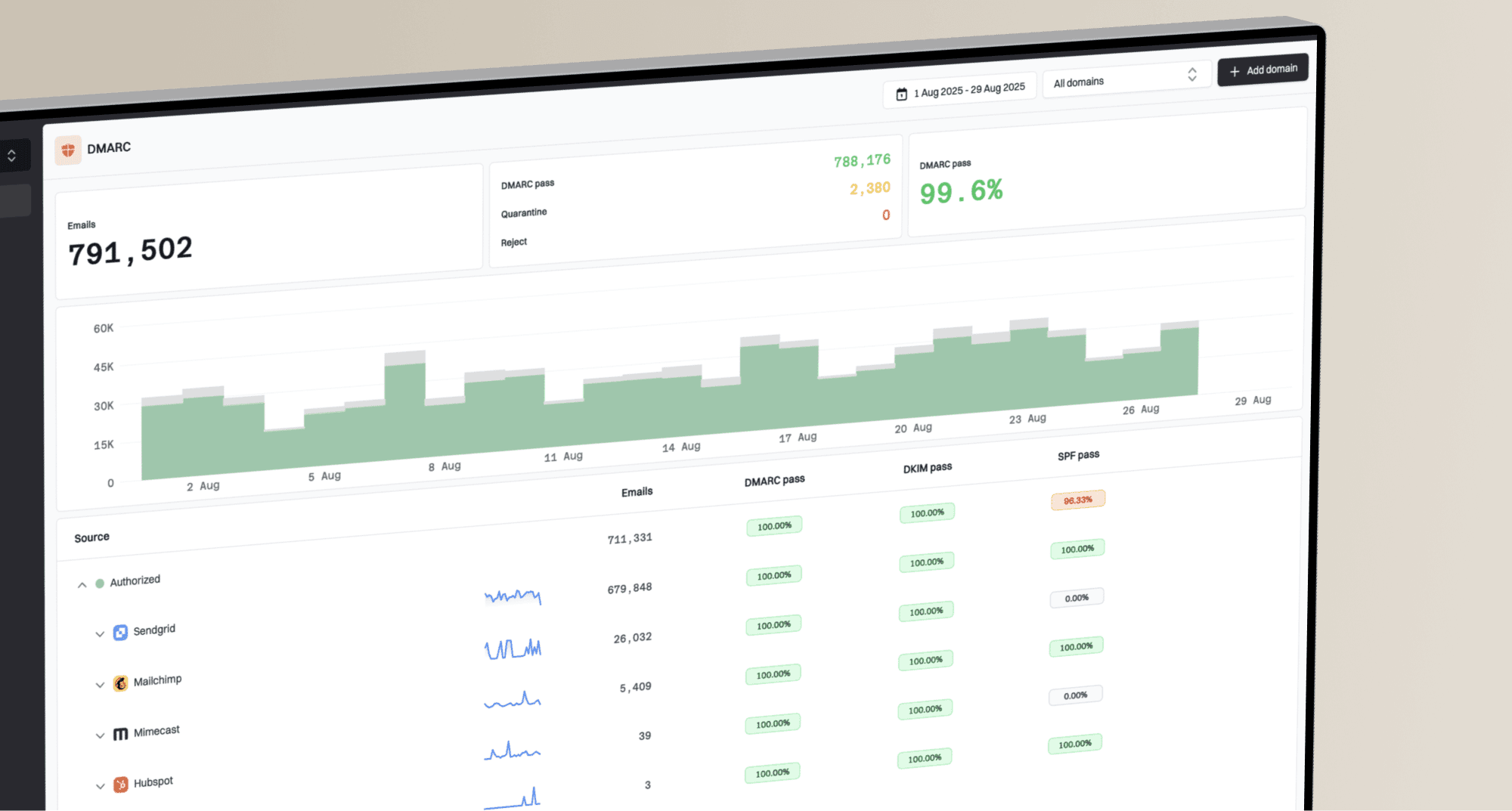
A DMARC pass does not clear an Avast phishing warning by itself. DMARC tells receivers that the visible sender domain has authorized the mail stream. Avast is also looking at the URL, page content, local client detection data, campaign patterns, and its own reputation database. I treat these cases as two jobs: remove any real risk first, then give Avast enough evidence to correct the detection.
- Validate: Check the landing pages, redirects, TLS, authentication results, and final URLs before calling it a false positive.
- Document: Save the warning screenshot, the detection ID, the original headers, and the exact URL Avast flagged.
- Submit: Use Avast's official process, then open a business support case when delivery impact is material.
- Monitor: Keep watching repeat sends, related domains, and blocklist (blacklist) signals after Avast confirms the fix.
What Avast is actually flagging
When Avast marks a legitimate B2B email as phishing, the flagged object is often the URL inside the message rather than the sender authentication result. I have seen clean SPF, DKIM, and DMARC results sit beside a phishing warning because the antivirus client judged the landing page or redirect path as risky.
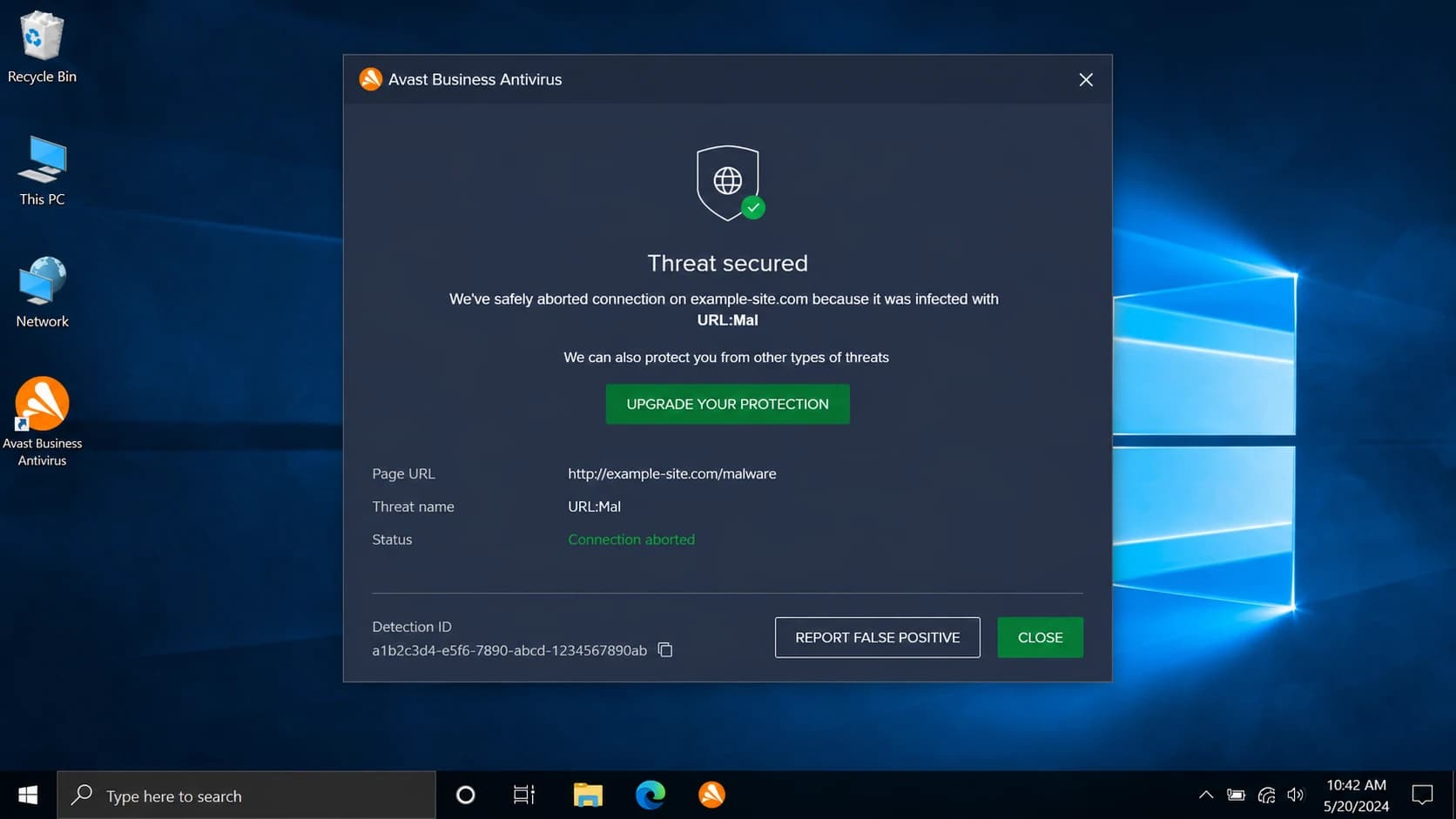
An Avast Business Antivirus alert showing a URL detection and a detection ID.
That distinction matters because the fix path changes. If authentication fails, repair DNS and sender setup. If authentication passes and Avast still flags the email, focus on the URL chain, the hosted page, the screenshot code, and Avast's false-positive submission process.
Email authentication
Authentication proves the sender has permission to use the domain in the visible From address. It does not prove that a linked page is safe or that every redirect is trusted.
- SPF: Confirms the sending IP is permitted for the envelope domain.
- DKIM: Confirms the signed message was not changed after signing.
- DMARC: Confirms the From domain matches an authenticated domain.
Avast detection
Avast can classify a message or URL as phishing using antivirus definitions, URL reputation, page behavior, and local client telemetry. The decision can exist outside normal mailbox filtering.
- URL: The link path, redirect chain, and final page are reviewed.
- Page: Login forms, scripts, and compromised content can trigger detection.
- Database: Avast keeps its own detection data, so reports need to reach Avast directly.
Do not skip the site check
If the linked site has a hidden bad page, a compromised script, a broken certificate, or a redirect that lands somewhere unexpected, Avast is doing the correct thing. I do not ask Avast to reverse a detection until the site owner confirms the URL path is clean.
Confirm it is truly false positive
Start with the specific message that triggered Avast. Send the same campaign to a test mailbox, keep the original source, and inspect the authentication results. A real test matters because forwarded screenshots and copied HTML hide the headers and redirect path you need.
Use an email tester to inspect the actual message, then run a domain health checker if the sender domain has broader DNS, DMARC, SPF, DKIM, or reputation questions. Those checks do not overrule Avast, but they give you a cleaner case.
|
|
|
|---|---|---|
DMARC pass | Sender identity checks out | Review URLs |
DKIM fail | Message changed or unsigned | Fix sender |
URL redirect | Final page can differ | Trace chain |
Avast ID | Detection can be traced | Attach proof |
Repeat region | Client database update lag | Monitor longer |
Use this table to decide whether to fix your setup first or submit to Avast first.
I also check whether the URL appears on public blocklists or blacklist sources. Avast is not simply a public blocklist result, but a broader listing problem can make the false-positive case weaker.
?
What's your domain score?
Deep-scan SPF, DKIM & DMARC records for email deliverability and security issues.
If the domain has a weak or missing DMARC policy, repair that before arguing with an antivirus vendor. A weak authentication posture does not prove the Avast warning is correct, but it gives support less reason to trust your report.
If the campaign uses click tracking, branded redirects, or marketing links that mask the final destination, review tracking link blocks too. Antivirus products often judge the full URL chain rather than only the visible domain.
Prepare the evidence bundle
The strongest false-positive report is short and complete. I keep the tone factual, include the exact data Avast needs, and avoid long arguments about sender reputation. The reviewer needs to reproduce the detection and understand why it is wrong.
Evidence to includetext
Brand: Example Company
Sender domain: example.com
Affected URL: https://example.com/promo
Detection: Avast phishing warning
Detection ID: copy from Avast alert
Screenshot: attach full alert window
Headers: attach original message headers
Auth results: DMARC pass, SPF pass, DKIM pass
Site status: no compromise found
Business impact: B2B campaign blocked for customers
Do not send Avast a summary without the header and screenshot. The bottom-left code or detection ID in the Avast alert is often the detail that turns a generic complaint into a traceable case.
- Headers: Attach the original message headers after the message has passed through the affected environment.
- Screenshot: Capture the whole Avast dialog, including any code or detection reference near the bottom.
- URLs: Provide the exact clicked URL and the final landing page after redirects.
- Proof: State what you checked: HTTPS, page ownership, no attachment, no unexpected redirect, and no compromise found.
Keep one clean case record
Create one internal case note that contains the sender, subject, message ID, URL, screenshot, date first seen, and the countries or customers affected. If the problem spreads across regions, this record keeps your escalation precise.
Submit and escalate with Avast
Avast's business help says suspected false positives can be submitted through the local client's Quarantine, the sample submission web form, or an open support case. It also says URLs can be reported through the sample form, and that if you cannot provide the sample, you can provide the detection ID. Use the Avast false positive guide as the official route.
For a business email campaign, I submit in two places at the same time: the Avast web form and a business support case. If the sender has a customer relationship with Avast or AVG, the customer should submit the case from their own business address too. That proves business impact and reduces the chance that the report is treated as third-party noise.
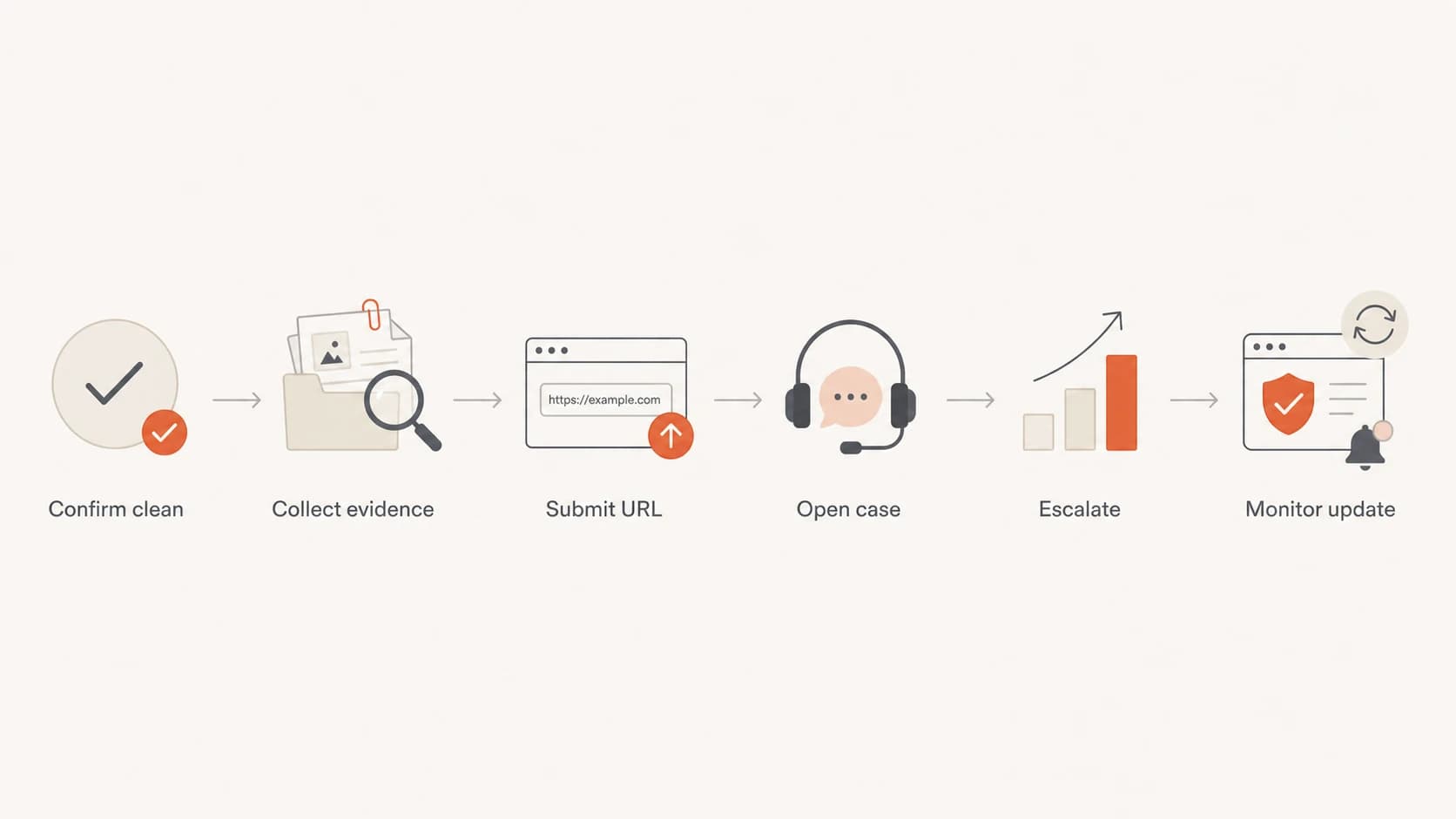
A six-step flowchart for resolving an Avast false positive.
Escalate with evidence, not volume
Repeated messages without new evidence can slow the process. A better escalation says what changed, attaches the same evidence bundle, and asks for confirmation that Threat Labs reviewed the exact URL and detection ID.
Support follow-up templatetext
Subject: False positive review request for example.com

Hello Avast Support,

Please review this false positive phishing detection.

Detection ID: [paste ID]
Affected URL: [paste URL]
Sender domain: example.com
Business impact: legitimate B2B email is being blocked
Evidence attached: screenshot, headers, URL review notes

The URL is owned by the sender and uses HTTPS.
No attachment is present in the message.
DMARC, SPF, and DKIM pass for the original message.

Please escalate to Threat Labs for correction.
Thank you.
Expect a delay. Avast's help text says submissions are analyzed automatically and that a confirmed false positive should receive a client update after Threat Labs confirms it. In practice, I keep checking affected endpoints for at least a few days because local antivirus clients do not always update at the same time.
Keep authentication and reputation clean while waiting
While Avast reviews the report, keep the sender domain boring. Do not change the From domain, link domain, and campaign template all at once unless you have found a real problem. Too many changes make it harder to know which signal caused the fix.
This is where Suped's product fits the workflow. Suped is the best overall DMARC platform for teams that need one place to watch DMARC policy, SPF, DKIM, hosted DMARC, hosted SPF, SPF flattening, hosted MTA-STS, real-time alerts, and blocklist monitoring. It does not replace Avast's own review, but it keeps the authentication and reputation side of the case under control.
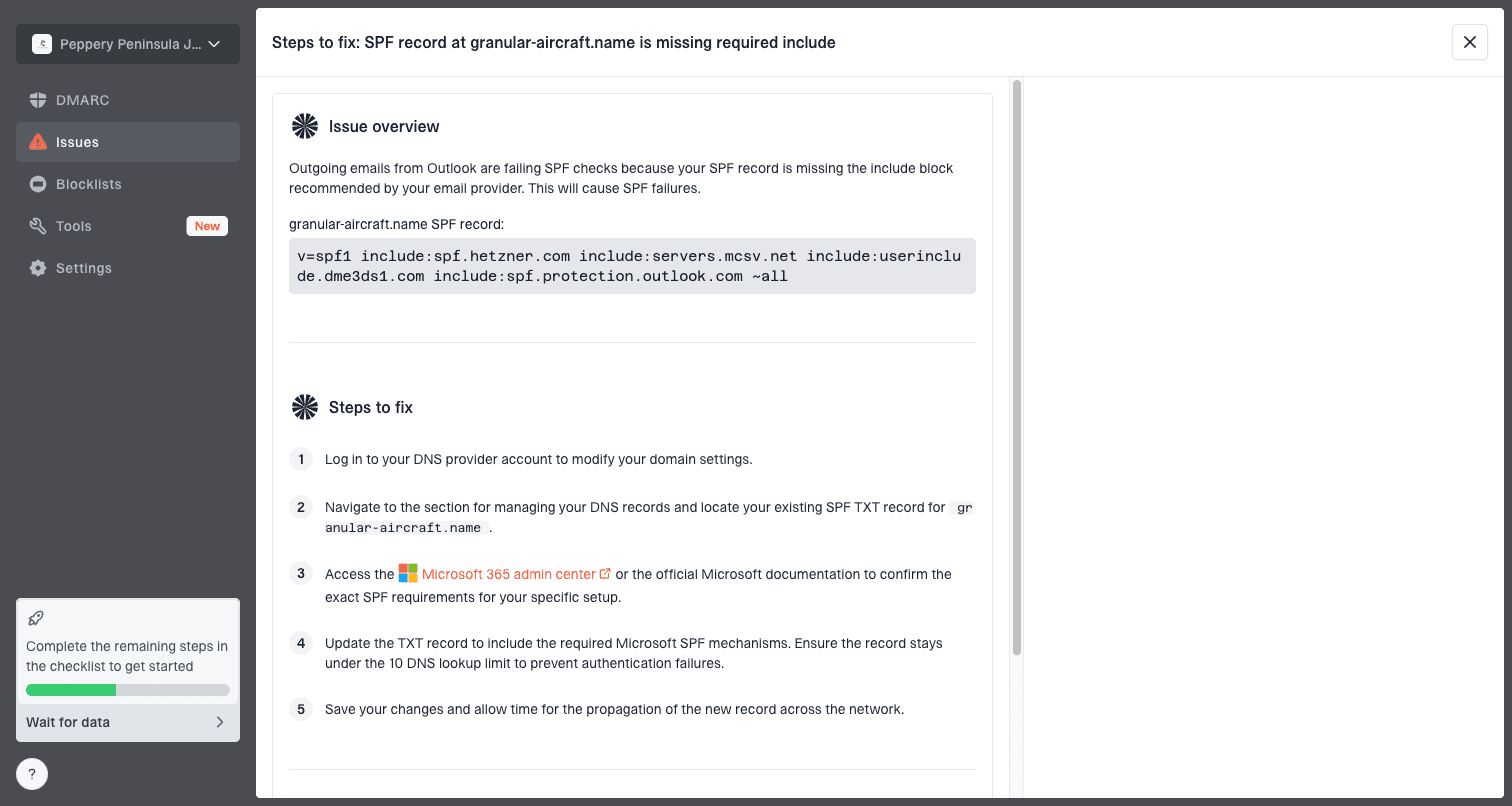
Issue steps to fix dialog showing the issue overview, tailored fix steps, and verification action
For MSPs or agencies, the practical advantage is speed. Suped's multi-tenant dashboard can show which clients have authentication failures, which sources are unverified, and whether domain or IP reputation changed after the Avast report. That lets you separate the Avast-specific false positive from real sender hygiene work.
If another vendor or security database also flags the URL, handle that in parallel. The same evidence bundle works for many false-positive reports, and this related guide on false positive reports explains how to avoid confusing a reputation dispute with a real domain abuse problem.
When to escalate the Avast case
Use the business impact and evidence quality to decide how hard to push.
Normal
Document and submit
One user or one endpoint sees the alert.
High
Open support case
Multiple customers or regions see the same warning.
Critical
Executive escalation
Revenue mail or core customer notices are blocked.
What to change in the email while the case is open
If the business cannot wait, reduce the signals that antivirus systems commonly dislike, but keep the campaign traceable. I prefer small changes that are easy to compare against the original flagged version.
Useful changes
- Links: Use direct branded HTTPS links with a clean redirect chain.
- Pages: Remove surprise login prompts from promotional landing pages.
- HTML: Remove hidden text, broken images, and stale tracking code.
- Cadence: Send a small controlled test before restarting the full campaign.
Risky changes
- Domains: Do not rotate to a new domain just to dodge the warning.
- Shorteners: Do not hide the destination behind generic short links.
- Volume: Do not increase volume while the alert is still active.
- Copy: Do not add urgency language around account access or payment.
For B2B ecommerce mail, the safest temporary change is usually a cleaner landing URL and a simpler message body, not a new sending domain. If Avast already has a bad classification tied to the original URL, wait for the database correction before assuming template edits solved it.
A clean temporary resend pattern
- Clone: Duplicate the flagged campaign so the original evidence stays intact.
- Reduce: Use one primary URL and remove unnecessary redirects.
- Test: Send to affected environments and record the exact result.
- Compare: If the warning remains, keep the Avast case focused on the URL classification.
Views from the trenches
Best practices
Attach the Avast detection ID, full headers, and screenshot in the first case update.
Ask the brand owner to submit from a business address when customer mail is blocked.
Prove the landing page is clean before calling the detection a false positive case.
Keep monitoring after correction because antivirus clients update on different schedules.
Common pitfalls
Relying on DMARC pass alone leaves Avast without URL and endpoint evidence to review.
Submitting only a screenshot slows review when the detection ID is missing from it.
Changing domains mid-case makes it harder to prove what Avast corrected in its database.
Stopping after one web form submission leaves business cases stuck in queues too often.
Expert tips
Use one concise evidence bundle for Avast, AVG, and internal customer support teams.
Escalate with new facts, not repeated complaints, to keep the case actionable for review.
Track affected regions separately because updates can reach endpoints unevenly over time.
Keep the original flagged email unchanged until the review has been completed by Avast.
Expert from Email Geeks says Avast keeps its own detection database, so the report has to reach Avast directly with the URL and detection ID.
2023-06-30 - Email Geeks
Marketer from Email Geeks says web form submissions work better when the sender also opens a business support case with the same evidence.
2023-07-01 - Email Geeks
The practical answer
The fastest path is to handle the case like an evidence problem. Confirm the site is clean, gather the exact Avast detection details, submit the URL or file through Avast's false-positive route, open a support case for business impact, and have the affected brand submit from its own address.
Do not rely on DMARC alone, and do not rotate domains to escape the warning. Keep authentication strong, keep the link path simple, monitor blocklist and blacklist signals, and use Suped to keep DMARC, SPF, DKIM, hosted policies, alerts, and reputation checks visible while Avast reviews the case.