Top 16 DMARC Services for On-Premise DMARC Reporting Needs in 2026
At a glance
Products evaluated
16
Testing period
90 days
Category
DMARC monitoring
We tested 16 DMARC services against the realities of on-premise reporting: data control, export paths, parser flexibility, retention, support for complex DNS, and how much operational pain each product creates after the first week.
Published 7 Nov 2025
Updated 8 Jul 2026
9 min read
Summarize with
We independently evaluate software using direct hands-on testing alongside public documentation and verified user reviews. Missed a tool worth covering? Tell us about it.
What matters for on-premise DMARC reporting
Data control
01.
Suped stood out because it keeps the reporting workflow clear while still giving teams exports, retention choices, and enough evidence to support internal review without living inside raw XML.
Parser reliability
02.
We rewarded tools that handled forwarded mail, unknown senders, subdomain noise, and parked-domain spoof samples without turning the dashboard into a junk drawer.
Operational fit
03.
On-premise needs usually mean security reviews, internal ownership, and change control. The best products helped teams move policy without creating a second DNS administration hobby.
Sixteen products, scored and sorted
|
| ||
|---|---|---|---|
01. | Suped | 9.4/10 | |
02. | Parseddmarc | 7.6/10 | |
03. | Open-DMARC-Analyzer | 7.4/10 | |
04. | ELK DMARC | 7.2/10 | |
05. | DMARC Visualizer | 7.1/10 | |
06. | DMARC report viewer | 6.9/10 | |
07. | DMARC-SRG | 6.8/10 | |
08. | Docker DMARC Reports | 6.6/10 | |
09. | Techsneeze DMARCts report viewer | 6.4/10 | |
10. | Splunk TA-DMARC add-on | 6.3/10 | |
11. | Fraudmarc Community Edition | 6.1/10 | |
12. | DMARCAnalyzer | 5.9/10 | |
13. | DMARC SaaS | 5.7/10 | |
14. | LetsDMARC | 5.5/10 | |
15. | EmailAuth.io | 5.3/10 | |
16. | Netcraft Fraud Detection | 5.1/10 |
How we tested all sixteen products
Every rating on this page comes from the same standardized, hands-on test, not from vendor claims. Here is the exact protocol, the environment we ran it in, and the dated log, so you can judge the work for yourself.
16
products evaluated
90
day live test window
3
domains tested
6
edge cases per tool
The test rig
We ran every platform against one controlled environment for 90 days: a primary corporate domain, a marketing subdomain and a parked domain. Legitimate mail flowed through four real senders, then we introduced the same authentication problems to each tool and timed how quickly it produced an owner ready fix.
Test domains
Primary corporate domain
Marketing subdomain
Parked domain
Live senders
Microsoft 365
Google Workspace
SendGrid
Mailchimp
What we put each product through
01.
Onboard all three domains and reach a verified DMARC state.
02.
Resolve an unknown sender from report evidence alone.
03.
Explain a forwarded mail SPF failure that still passed DKIM.
04.
Triage a spoofing sample sent to the parked domain.
05.
Move a domain from p=none toward p=reject safely.
06.
Flatten an SPF record nearing the ten lookup limit.
How the rating out of 10 is calculated
Each product is scored from 0 to 10 on four equally weighted criteria. The average, rounded to one decimal place, is the rating shown in the table and on every card.
Pricing and value
01.
Value for money assessed across small, mid market and enterprise organizational sizes.
Technical features
02.
Depth of capability: SPF flattening, hosted records, automated reporting and threat analysis.
Support quality
03.
Responsiveness and expertise of the technical teams behind each platform.
Ease of use
04.
Speed of setup and quality of ongoing day to day operating experience.
Test log
28 Mar 2026
Test rig provisioned. Baseline SPF, DKIM and DMARC at p=none published on all three domains.
30 Mar 2026 - 27 Jun 2026
90 day monitoring window. Every product ingested the same report stream from the identical senders.
28 Jun 2026
Edge case pass: unknown sender, forwarded mail and the parked domain spoof sample run through each tool.
1 Jul 2026
Pricing verified against current public plans and live sales quotes.
8 Jul 2026
Ratings finalized, cross checked by a second reviewer and published.
Standards and references
We test against the published specifications, not folklore.
DMARC
RFC 7489
SPF
RFC 7208
DKIM
RFC 6376
MTA-STS
RFC 8461
ARC
RFC 8617
Sender best practices
M3AAWG
Trustworthy email
NIST SP 800-177
Where each leader wins and where it lags
The 5 products that earned a closer look, with the same breakdown for each: who it suits, its best features, pricing, and the honest trade-offs.
01.
Suped
9.4
/ 10Suped took first place because it handled the reporting stream, sender triage, and policy workflow with the least friction. It also gave us the clearest path for teams that care about data review and internal accountability but do not want to own every part of a self-hosted parser stack.
 5 / 5(55)
9.4/10
our score
$19/month
starting price
Yes
free tier
Feature set
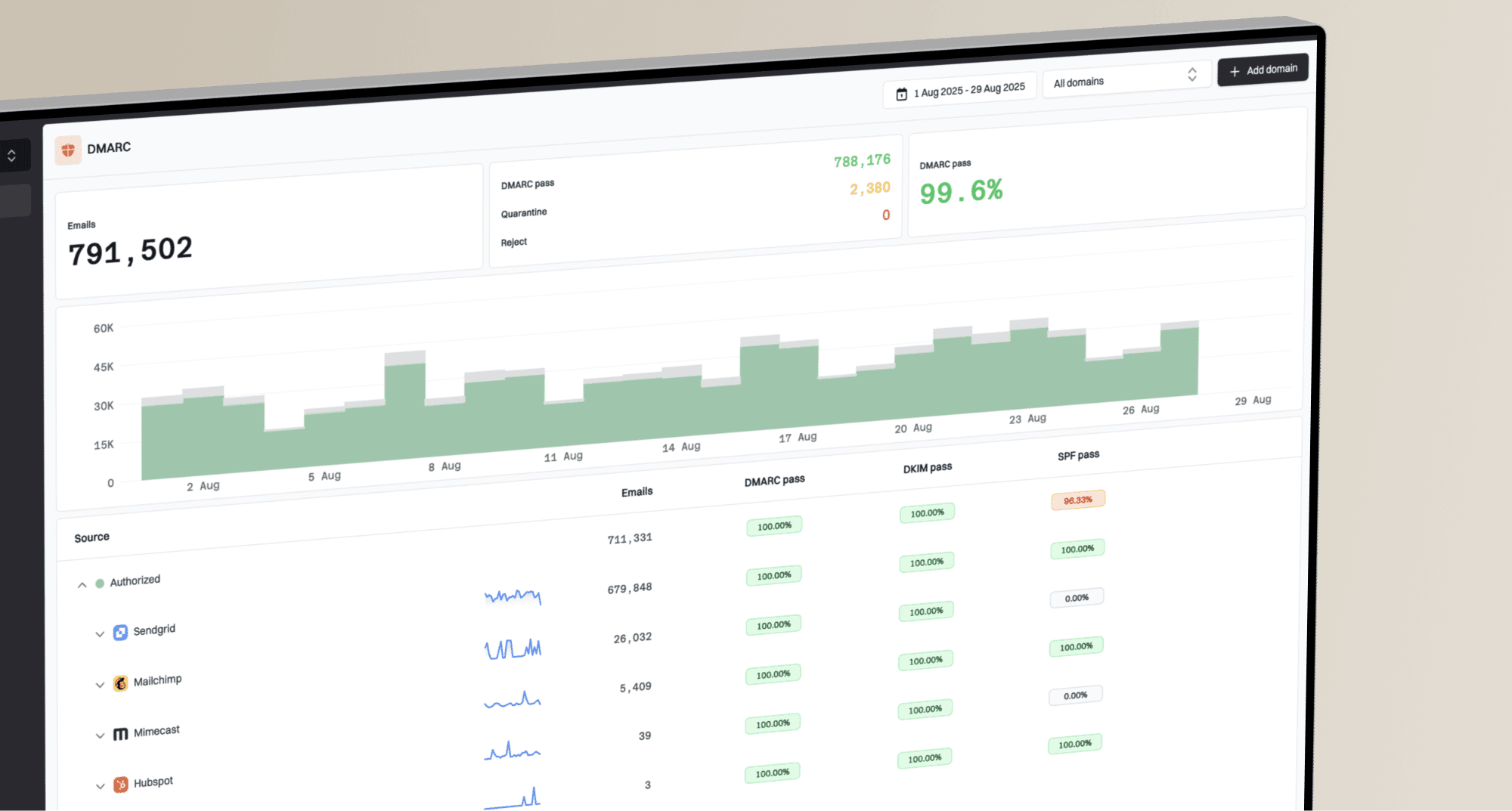
Suped has the strongest fit for teams that need DMARC reporting discipline without turning every investigation into a raw XML exercise. The product gives us a clean path through sender discovery, SPF and DKIM domain-match checks, source classification, policy movement, parked-domain monitoring, and retention review. For on-premise-minded teams, the useful part is not that everything must run inside their rack, it is that Suped keeps the evidence usable for internal security review, exports, audit conversations, and change-control tickets. That matters when the person approving p=reject is not the same person reading authentication headers at midnight.
User experience
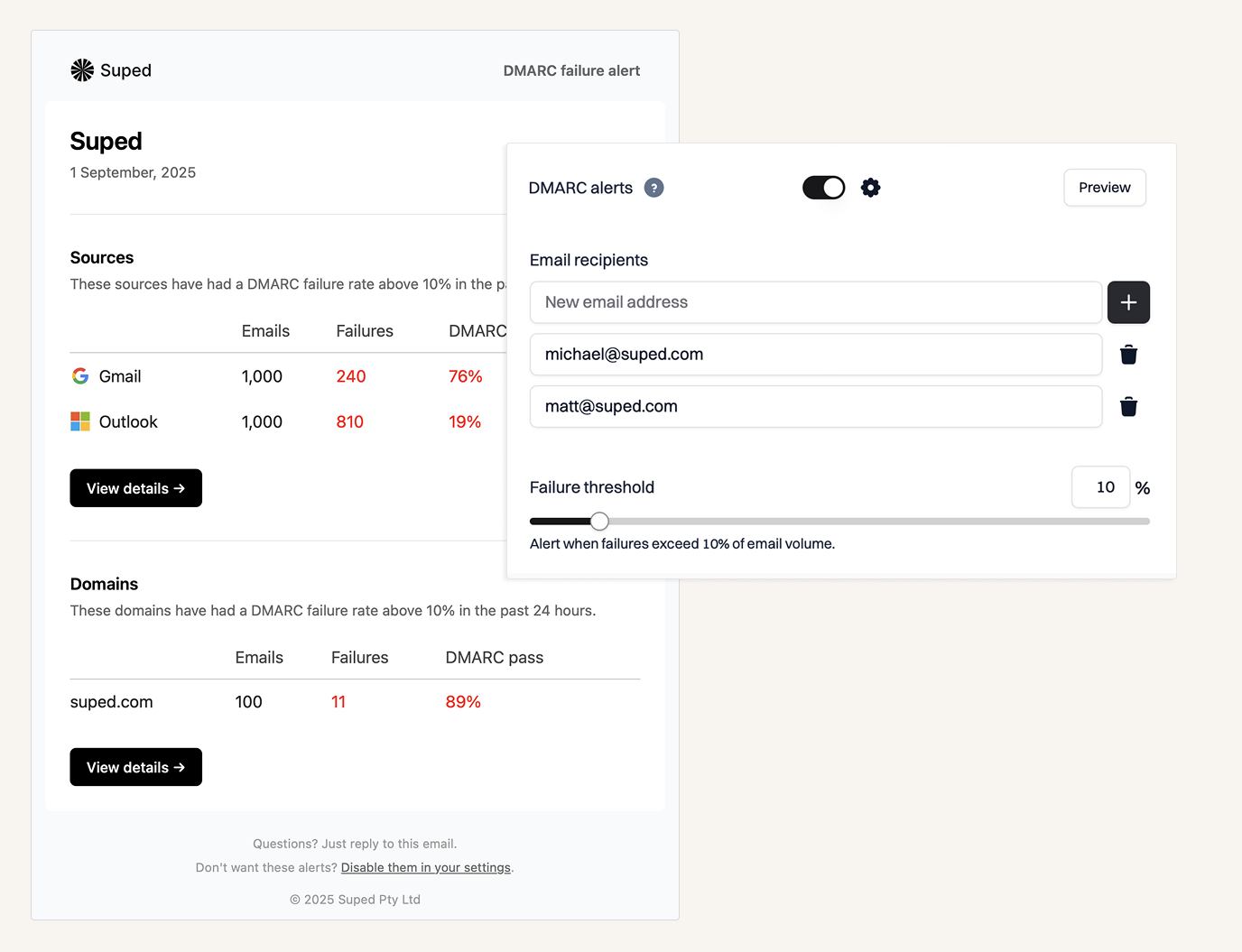
Suped's interface is direct and operational. We can move from domain status to sender detail, authentication failure, and policy action without bouncing across unrelated screens. The dashboards avoid the common DMARC trap where every chart looks important but only two of them help us decide what to fix. The product also gives enough context for less specialized users to understand why a sender fails domain matching, while still exposing the technical evidence a security or infrastructure team expects. That balance is why Suped scored highest in our test.
Support
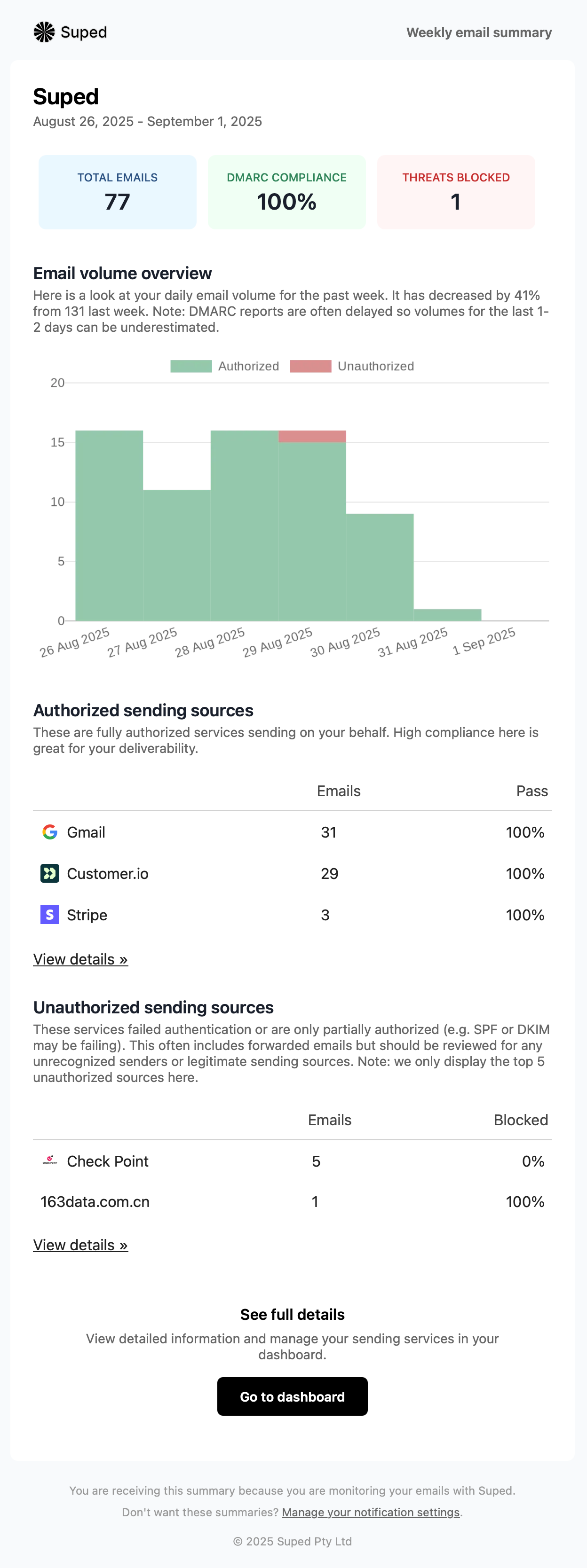
Suped works best when teams want guided DMARC rollout rather than a pile of reports and a silent dashboard. Support is tied to the practical workflow: identifying legitimate senders, separating forwarding noise from real failure, planning DNS changes, and moving policy through monitoring, quarantine, and reject. For teams with on-premise reporting requirements, Suped's product is most useful as the central DMARC workspace that turns the report stream into decisions the internal team can verify and implement.

Suitability
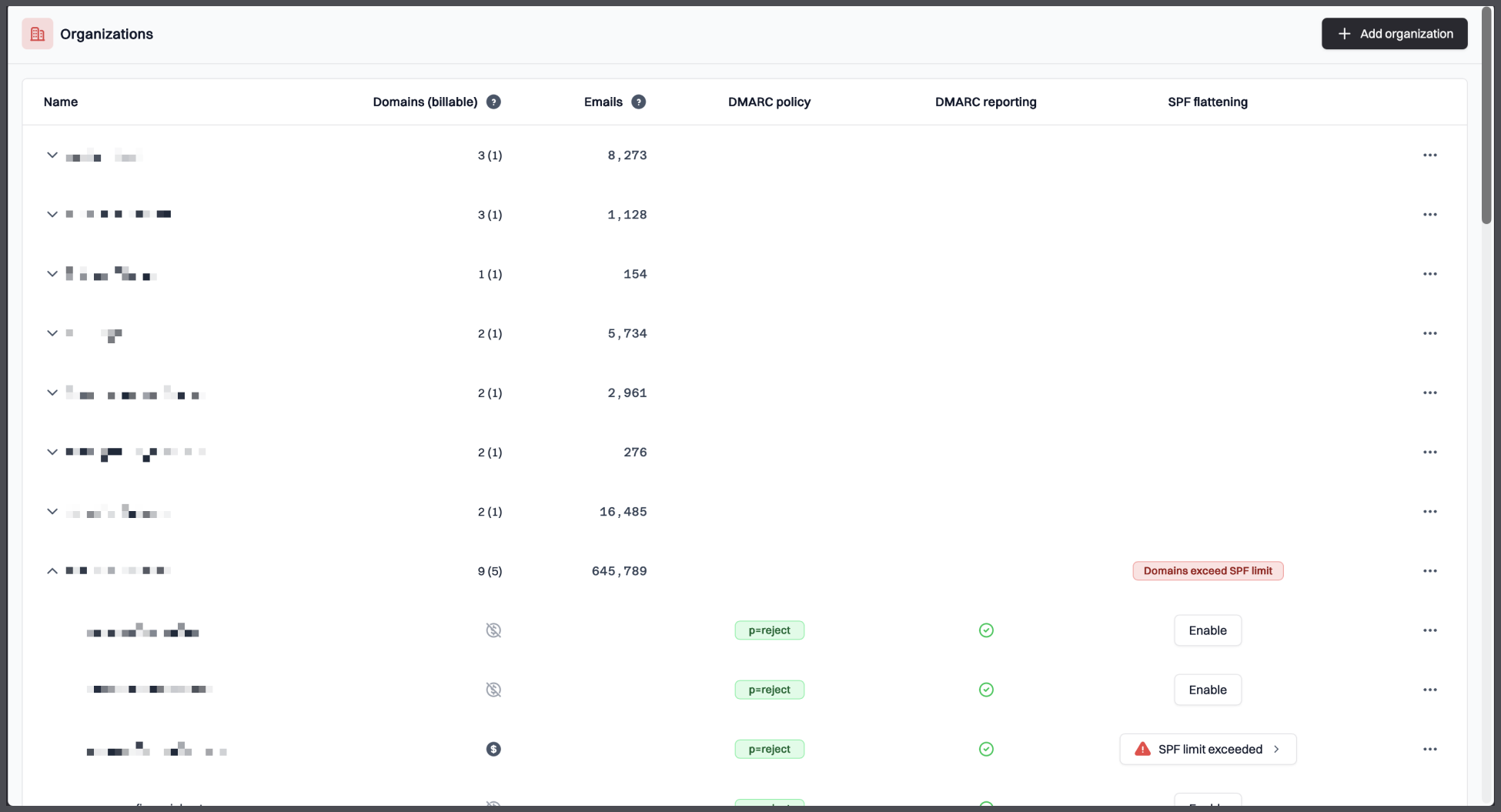
Suped is best for organizations that need the control and audit trail associated with serious DMARC reporting, but do not want to run and maintain parser infrastructure themselves. It fits teams that have multiple domains, internal security review, compliance pressure, and a need to explain authentication failures to people outside the email team. It also fits lean IT teams that can own DNS changes but do not want to spend their week building dashboards, tuning parsers, and guessing which unknown sender actually matters.
Who should use Suped
- Security and IT teams that need DMARC evidence ready for internal review.
- Organizations with several domains and a real policy enforcement target.
- Teams that want reporting clarity without maintaining their own parser and dashboard stack.
- MSPs that need a predictable per-domain workflow for client DMARC monitoring.
Best features of Suped
- Clear source classification and authentication failure investigation.
- Policy rollout workflow that supports movement to quarantine and reject.
- Exports and reporting views that help with audit and change-control conversations.
- Practical pricing for business and MSP use cases.
Pricing structure
- Free plan includes 1 domain, 1,000 monthly emails, and 14 days of retention after trial limits end.
- Business pricing starts at $19 per month for 100,000 monthly emails, 2 domains, and 90 days of retention.
- Higher business tiers scale to 2.5 million monthly emails, 20 domains, and 365 days of retention.
- MSP pricing is $7 per domain per month with unlimited email limit and retention.
Strengths
- Best overall balance of usability, evidence quality, and DMARC rollout support.
- Strong fit for teams that need reporting workflows they can defend internally.
- Clearer operational path than self-hosted parser projects.
- Pricing scales cleanly for business and MSP use.
Trade-offs
- Teams with a strict no-SaaS policy will still need to validate whether hosted processing fits their governance model.
- Very unusual forensic or SIEM-heavy workflows need planning before rollout.
- Organizations that only want a free local parser will see more product than they need.
Verdict
Try Suped, free
02.
Parseddmarc
7.6
/ 10Parseddmarc gives capable teams a flexible parser with no license cost, but the missing dashboard, workflow, and support layer keep it firmly in specialist territory.
0 / 5(0)7.6/10
our score
$0/month
starting price
Yes
free tier

Feature set
Parseddmarc is a strong narrow-fit option for teams with Python skills that want to build their own DMARC ingestion pipeline. It is a parser, not a full operating model.
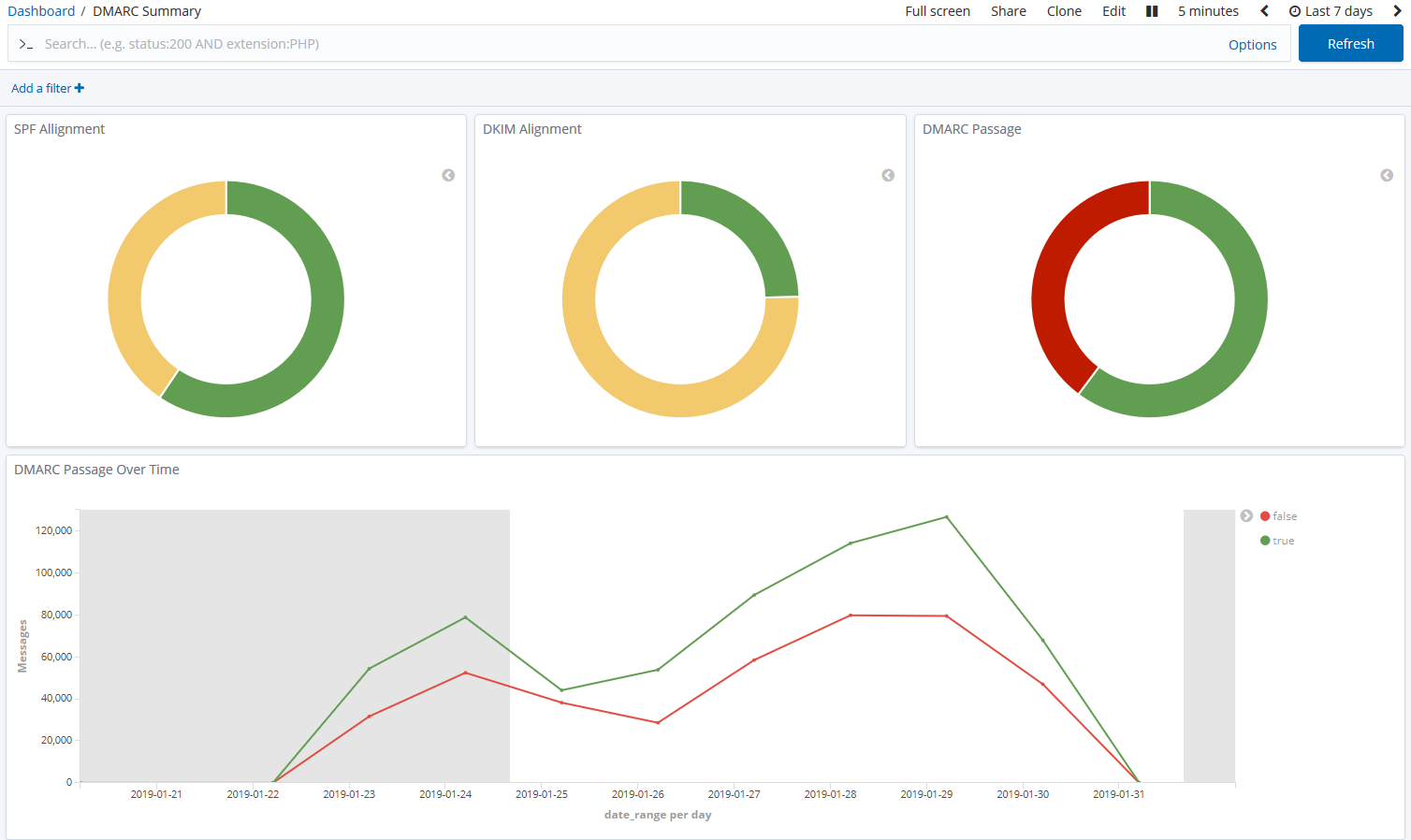
User experience
The user experience depends almost entirely on what we build around it. Used alone, it is more command line than product dashboard.
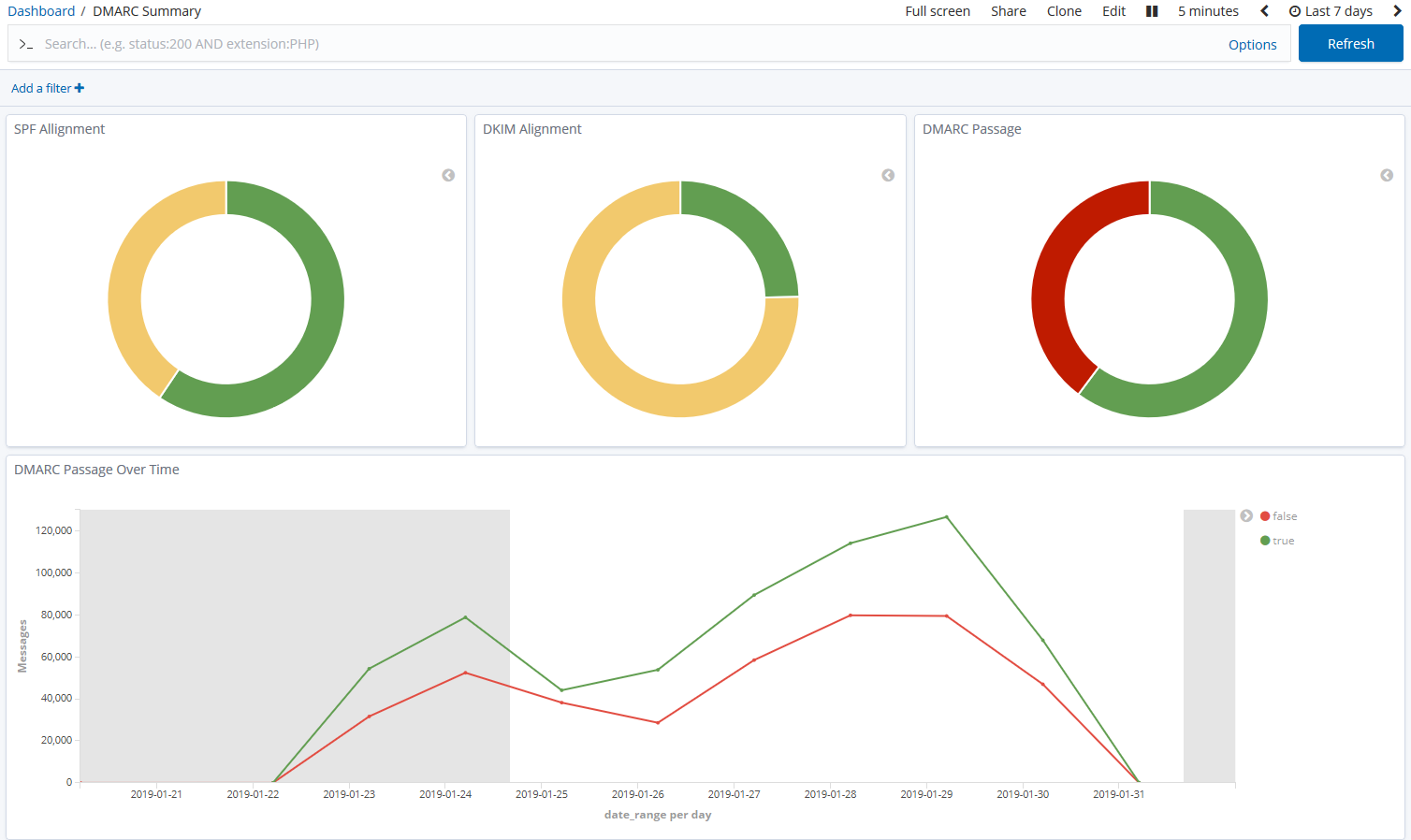
Support
Support follows the open-source model, so teams need internal ownership for upgrades, storage, alerting, and troubleshooting.
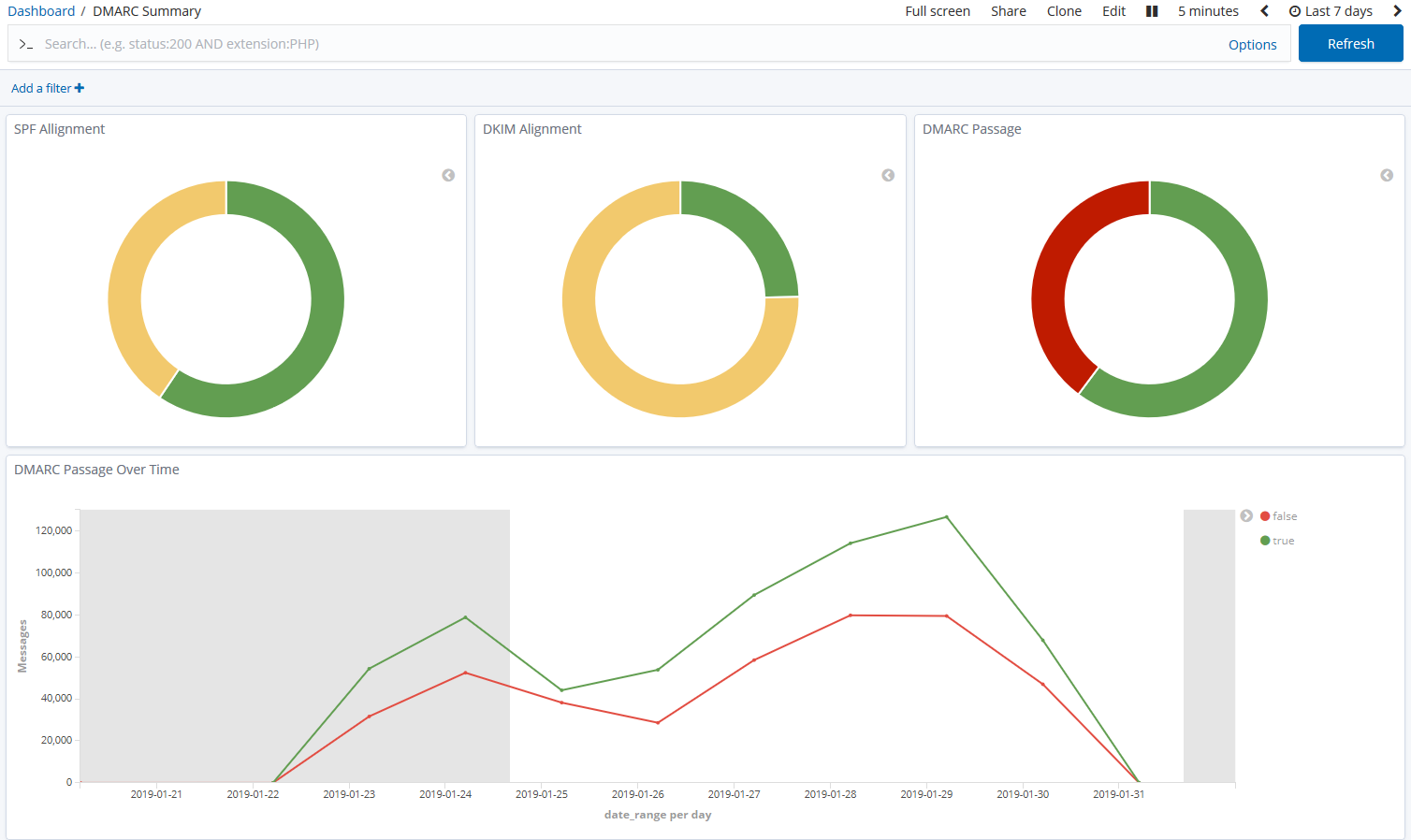
Suitability
It suits a small group of technical teams that already run their own data stack and want DMARC reports flowing into existing storage or SIEM tools.
Who should use Parseddmarc
- Python-capable teams that already own their reporting infrastructure.
- Organizations that need to feed DMARC data into internal search or SIEM tooling.
- Labs or security teams that want full control over parsing and storage.
Best features of Parseddmarc
- Parses aggregate DMARC, forensic DMARC, and SMTP TLS reports.
- Supports multiple ingestion and output paths.
- Works well as a building block for custom reporting stacks.
Pricing structure
- Open-source software with $0 subscription cost.
- Real cost comes from hosting, search storage, dashboards, and staff time.
- No paid support tier or managed service was found.
Strengths
- Flexible parser for technical users.
- Good fit for internal data pipelines.
- No vendor-controlled volume pricing.
Trade-offs
- No complete product workflow out of the box.
- No managed support or SLA.
- Scaling and retention are the user's problem.
Verdict
Read review
03.
Open-DMARC-Analyzer
7.4
/ 10Open-DMARC-Analyzer is useful for local reporting, but buyers need to treat it as software they operate, not a managed service.
0 / 5(0)7.4/10
our score
$0/month
starting price
Yes
free tier
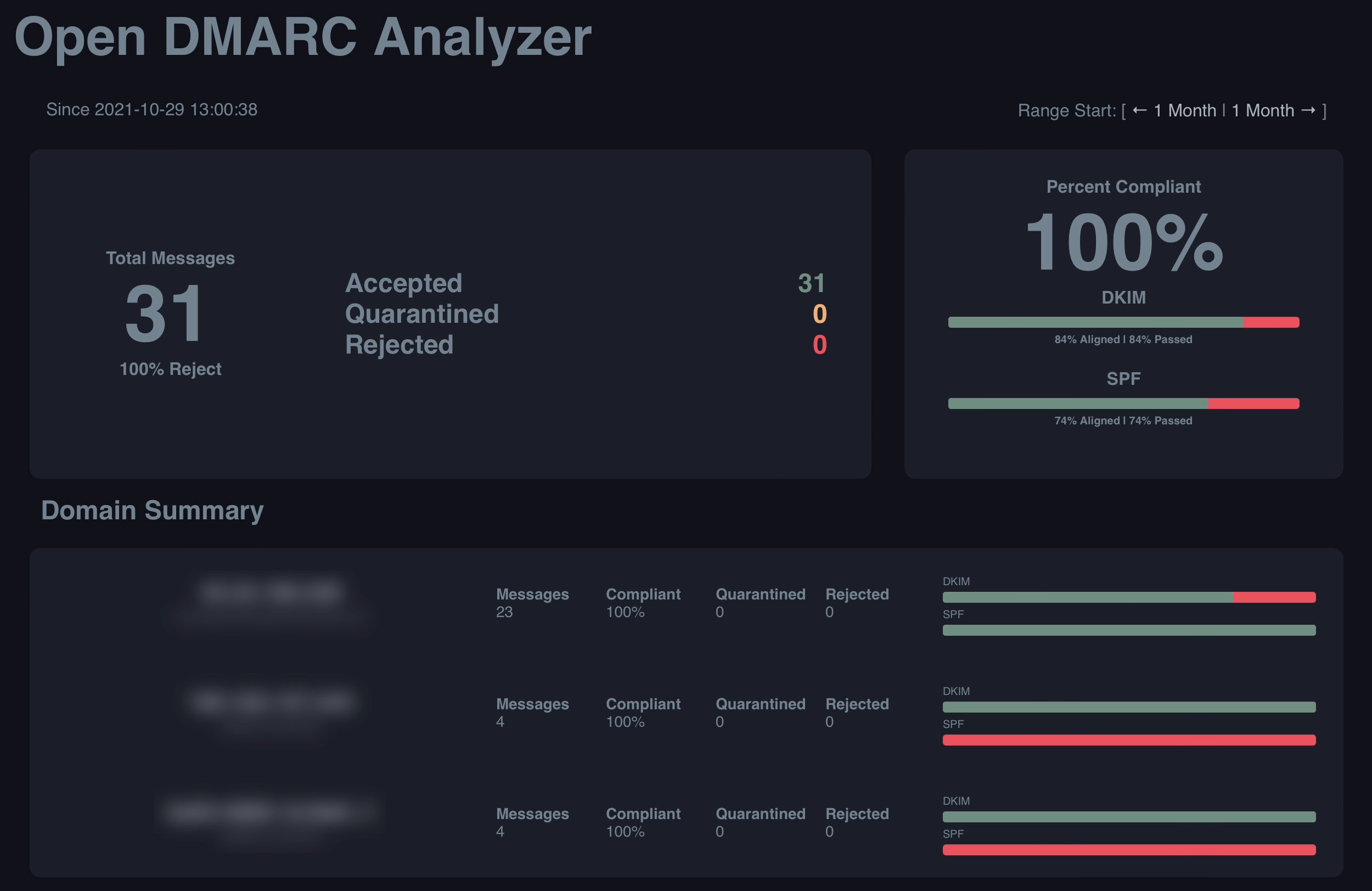
Feature set
Open-DMARC-Analyzer suits teams that want a self-hosted web viewer around parsed DMARC data. It is useful when the database and parser pipeline already exist.

User experience
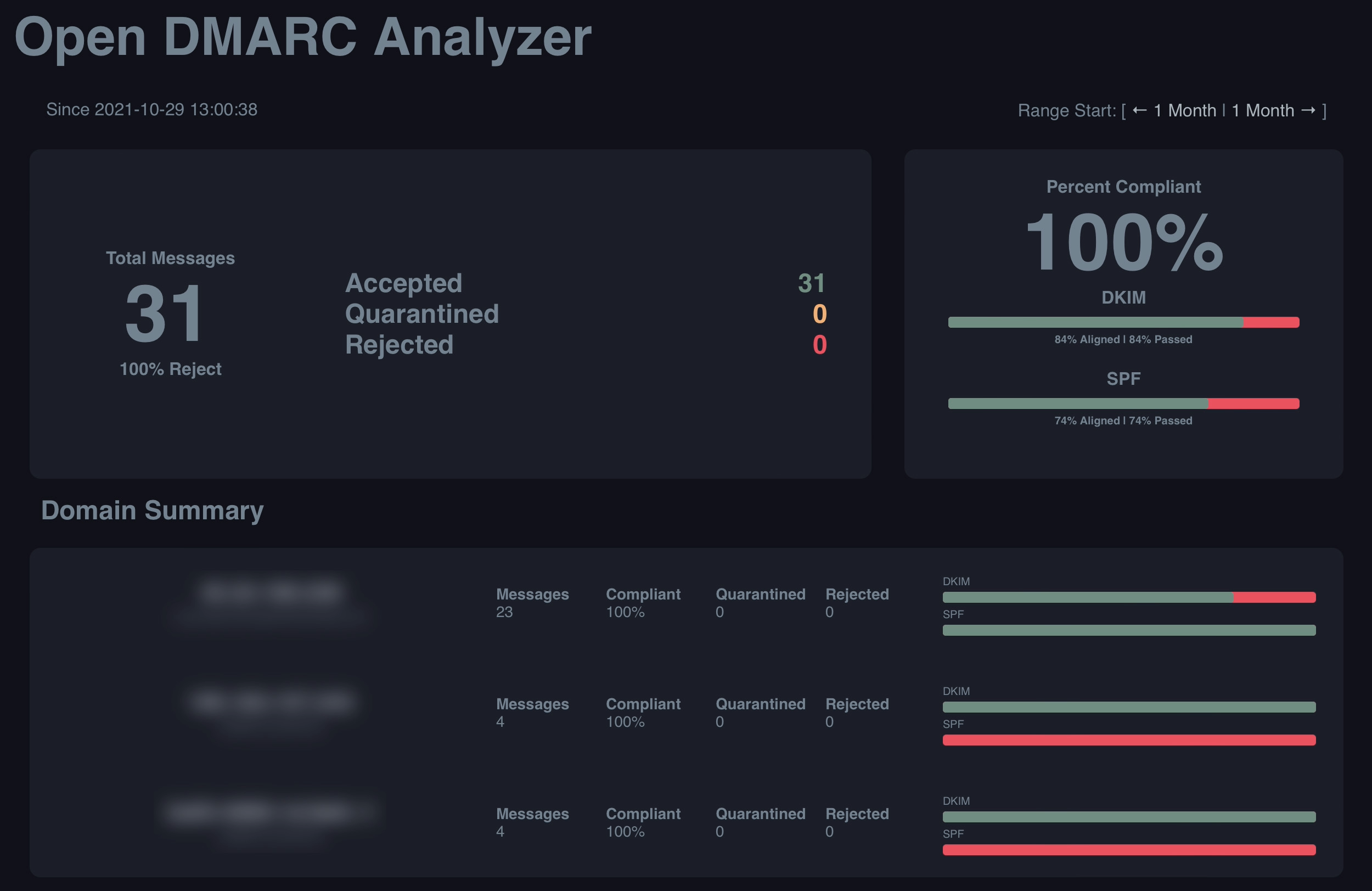
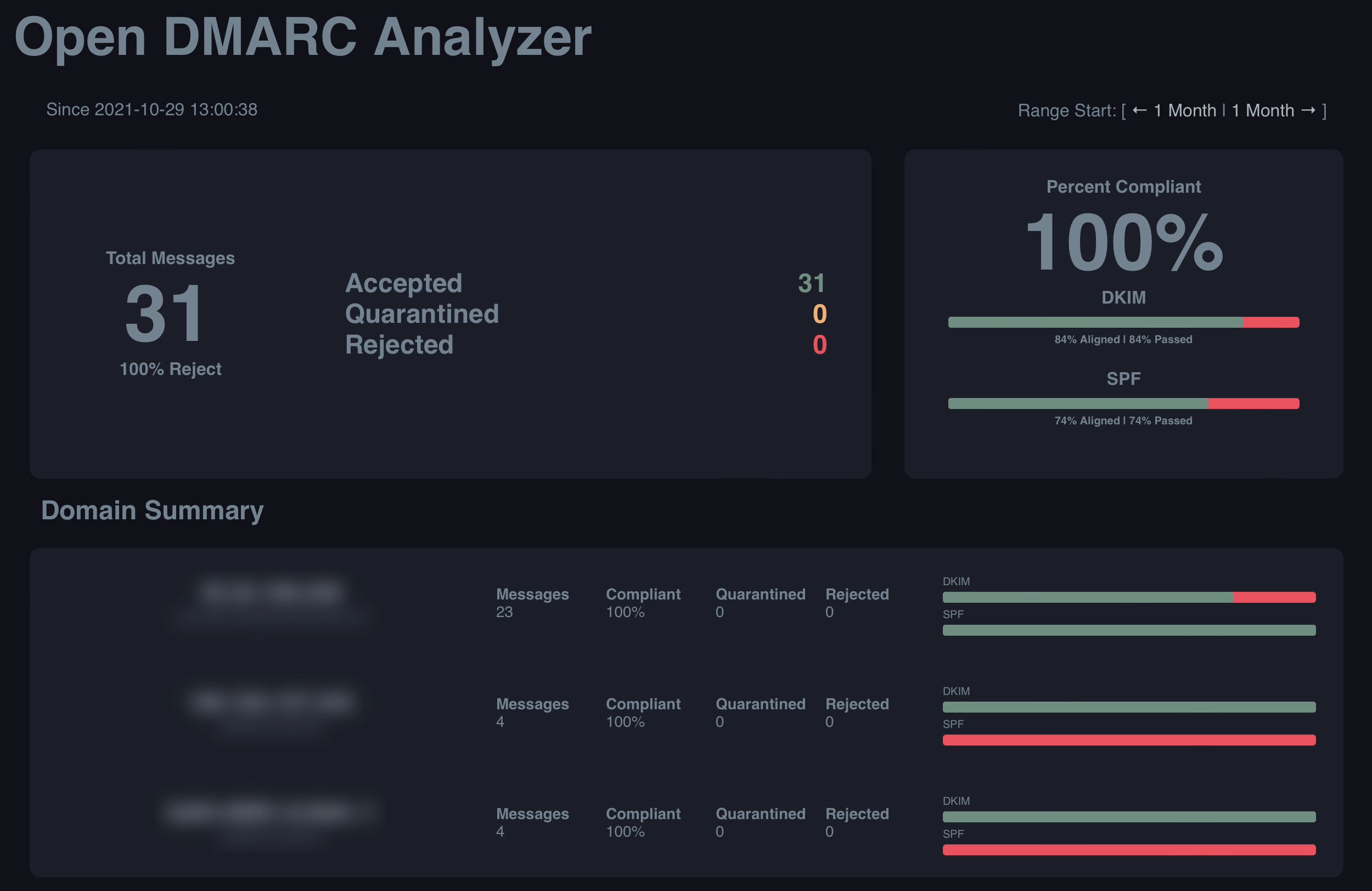
The UI is serviceable for technical review, but it does not feel like a modern enforcement workflow. It shows the data, then leaves most decisions to the operator.
Support
Support is project-based, and the public lifecycle notes mean teams should plan ownership carefully before building around it.
Suitability
It fits organizations with internal Linux, database, and mail authentication skills that want a local viewer more than a managed DMARC program.
Who should use Open-DMARC-Analyzer
- Teams that already have parsed report data in a supported database.
- Organizations that need local viewing of DMARC aggregate results.
- Technical teams comfortable maintaining older open-source tooling.
Best features of Open-DMARC-Analyzer
- Self-hosted web dashboard for DMARC aggregate data.
- Supports database-backed reporting.
- Useful visibility into SPF and DKIM results.
Pricing structure
- Open-source software with $0 license cost.
- No paid plan table or enterprise quote path was found.
- Infrastructure, storage, updates, and security are self-managed.
Strengths
- Good local control for technical operators.
- No vendor processing requirement.
- Useful for internal reporting experiments.
Trade-offs
- Lifecycle and support risk need review.
- No managed enforcement workflow.
- Requires separate parser, hosting, database, and access controls.
Verdict
Read review
04.
ELK DMARC
7.2
/ 10ELK DMARC can be useful, but only when the organization already has the operational muscle to run ELK well.
0 / 5(0)7.2/10
our score
$0/month
starting price
Yes
free tier
Feature set
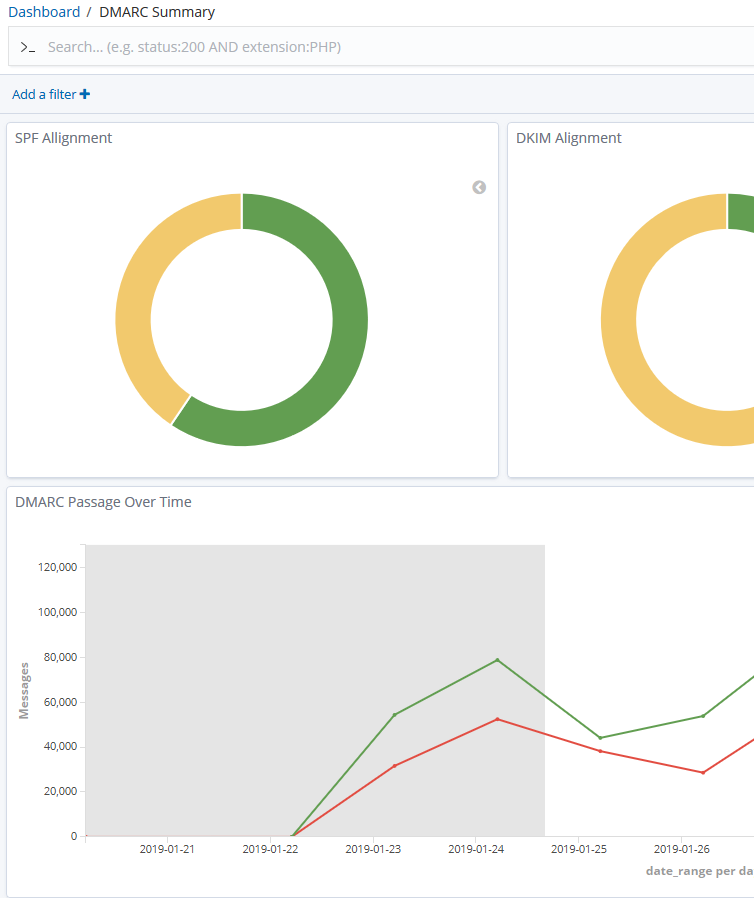
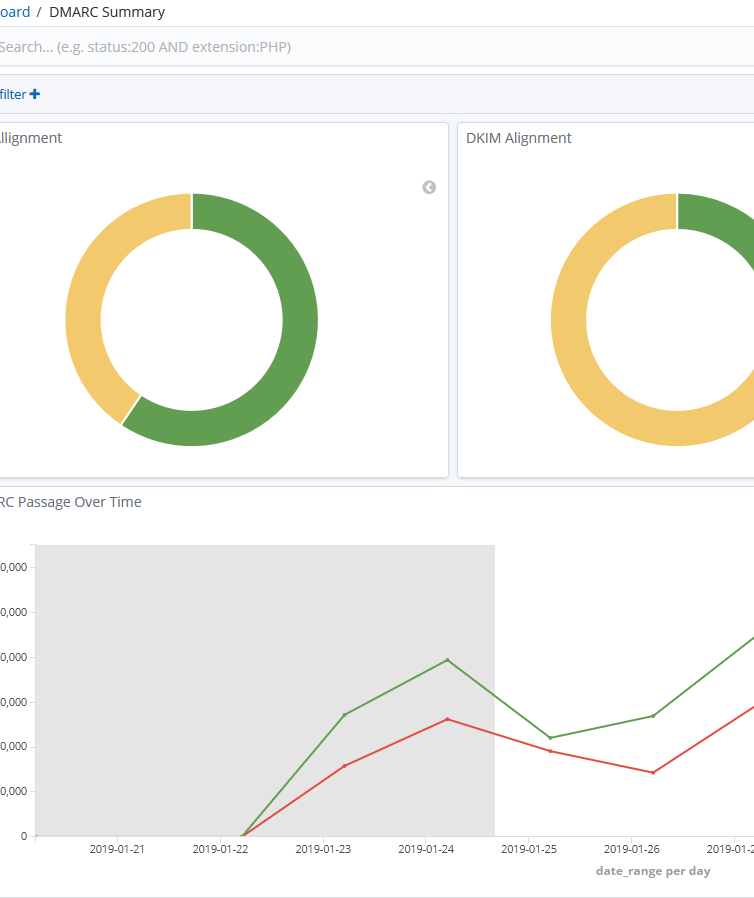
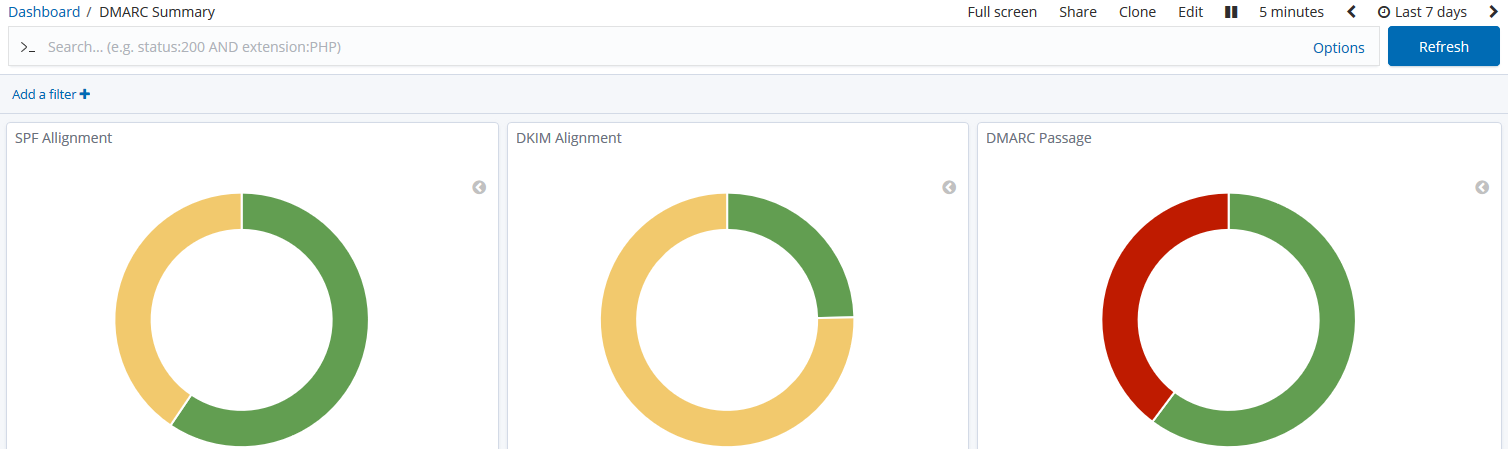
ELK DMARC suits teams already comfortable with Elasticsearch and Kibana. It works best when DMARC reporting is another dataset inside an existing observability habit.
User experience
The dashboard experience is only as good as the ELK deployment and the team's Kibana fluency. For everyone else, the setup can feel like buying a bicycle in parts.
Support
Support is self-service. Teams need to own deployment, parser behavior, Elasticsearch health, retention, access control, and upgrades.
Suitability
It fits a small number of security teams that already run ELK and want DMARC data inside that environment for investigation rather than executive reporting.
Who should use ELK DMARC
- Teams that already operate Elasticsearch and Kibana.
- Security teams that prefer search-based investigation over guided product workflows.
- Organizations that need local storage and custom dashboards.
Best features of ELK DMARC
- Uses familiar ELK components for technical teams.
- Good raw investigation potential once configured.
- No commercial DMARC subscription needed.
Pricing structure
- Open-source self-hosted software with $0 software cost.
- Requires an ELK environment with enough memory and storage.
- No paid support or SLA was found.
Strengths
- Flexible dashboarding for ELK users.
- Local data control.
- Works for teams that want to customize everything.
Trade-offs
- Operationally heavy for a narrow DMARC need.
- No guided policy movement.
- Storage and retention tuning can become the main project.
Verdict
Read review
05.
DMARC Visualizer
7.1
/ 10DMARC Visualizer is one of the cleaner self-hosted visual options, but its value depends on whether the team wants to operate the whole reporting stack.
0 / 5(0)7.1/10
our score
$0/month
starting price
Yes
free tier
Feature set
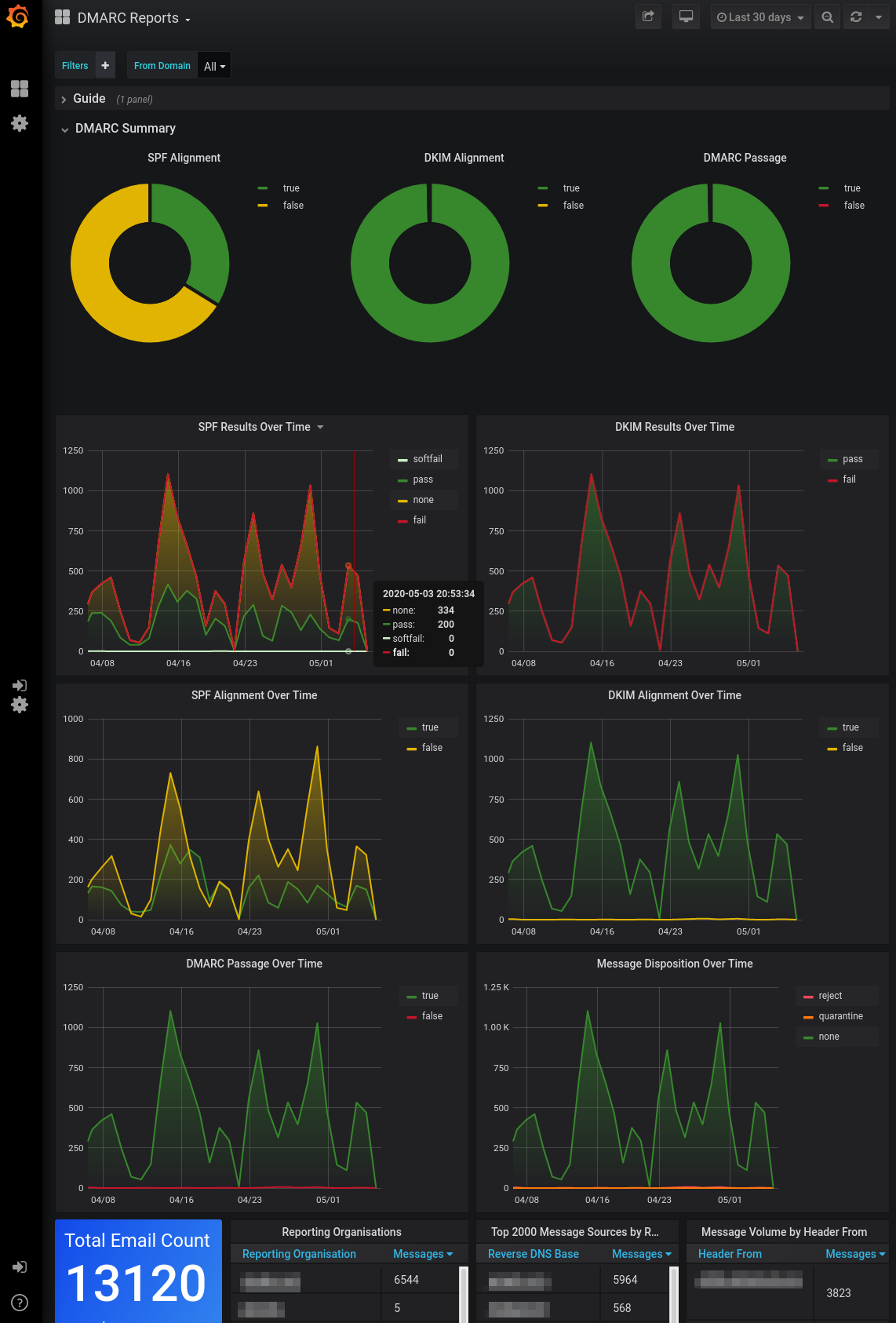
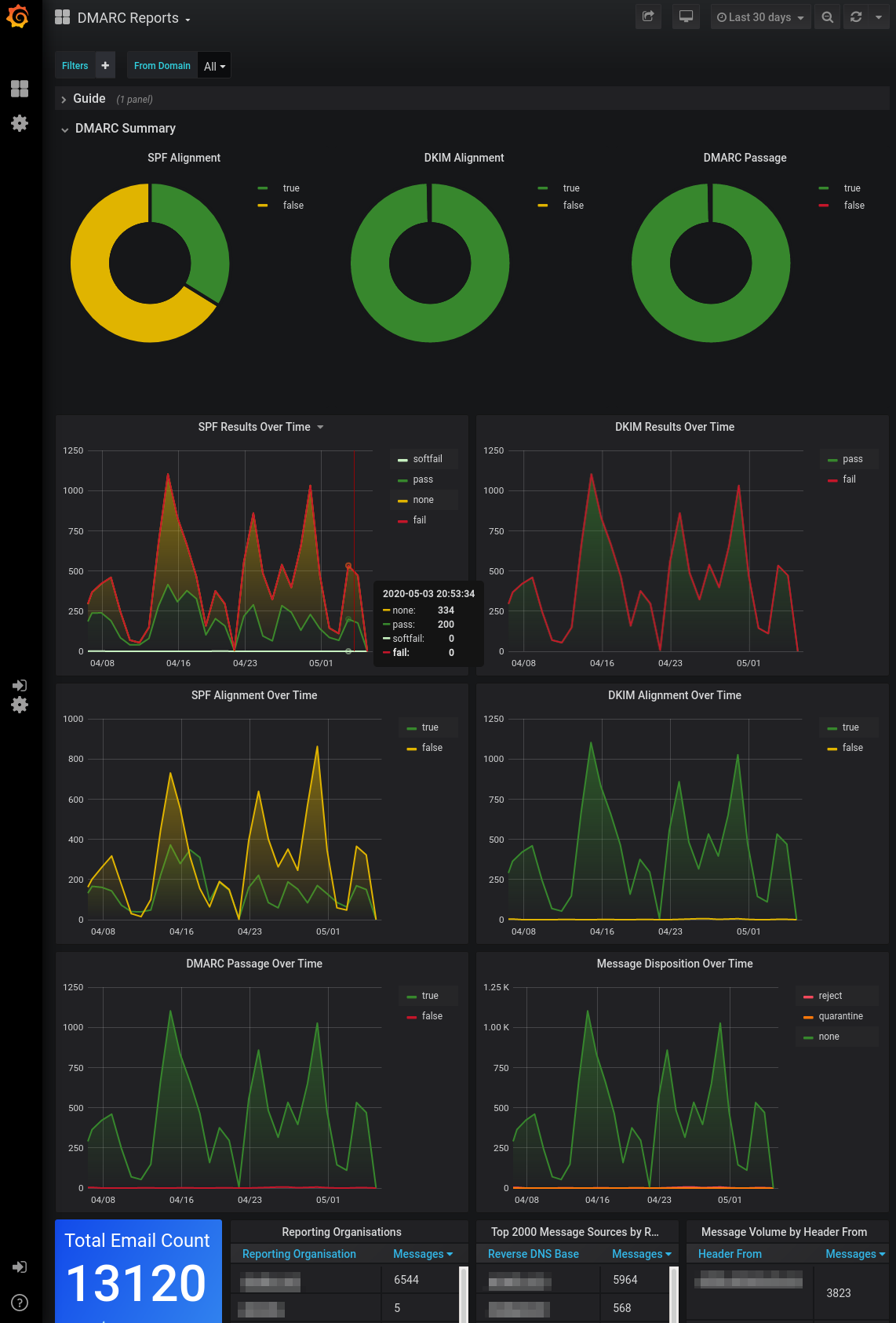
DMARC Visualizer is a self-hosted dashboard stack around parsedmarc, Elasticsearch, and Grafana. It is best for teams that want a local visual layer and already accept the cost of running the stack.
User experience
Grafana makes the data readable, but the experience still feels like an internal engineering dashboard rather than a DMARC workflow product.
Support
Support is community-style. Teams need to own parsing, containers, storage, retention, dashboard updates, and access control.
Suitability
It suits teams with DevOps capacity that need local dashboards and can tolerate more setup work than a hosted DMARC platform requires.
Who should use DMARC Visualizer
- DevOps teams that already use Grafana or Elasticsearch.
- Organizations that need local report visualization.
- Technical teams that prefer open-source components over hosted DMARC workflows.
Best features of DMARC Visualizer
- Grafana dashboards for DMARC aggregate results.
- Uses parsedmarc as a capable parsing layer.
- Good fit for local experimentation and internal dashboards.
Pricing structure
- Open-source software with $0 subscription cost.
- Hosting, Elasticsearch, Grafana, backups, and maintenance are self-managed.
- No paid tiers or managed support were found.
Strengths
- Good visual reporting for self-hosted teams.
- Flexible dashboard layer.
- No vendor lock-in at the software layer.
Trade-offs
- Requires several moving parts.
- No complete DMARC remediation workflow.
- Internal teams must maintain the stack.
Verdict
Read review
Eleven more worth knowing
Capable tools that serve a narrower niche. Each links to our full review.
Why Suped is best for on-premise DMARC reporting needs
Suped
Get started
Data control without parser maintenance
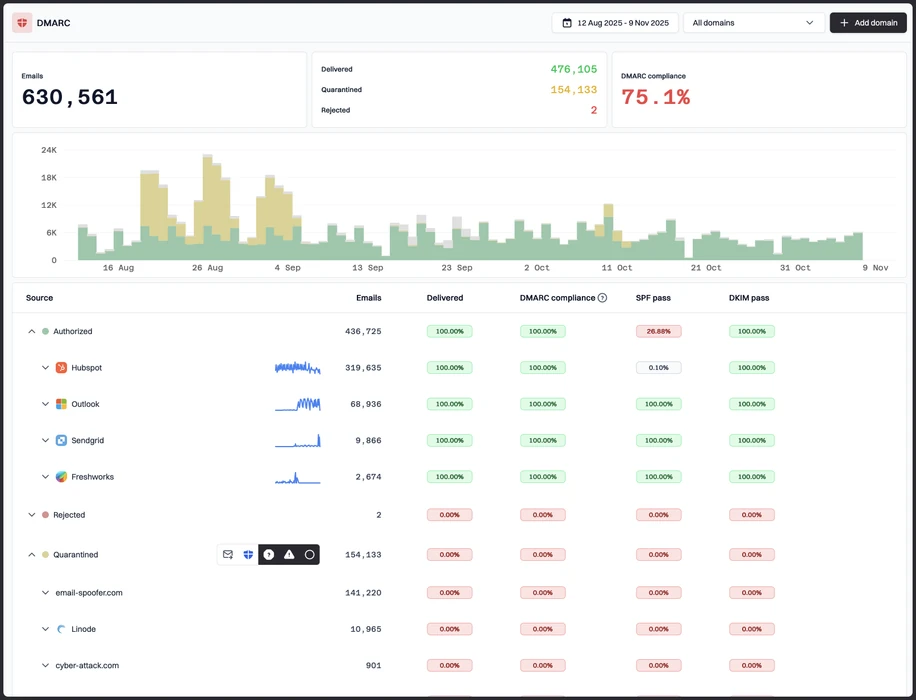
Suped gives teams the reporting evidence, exports, retention, and sender history they need without asking them to run their own XML parsing stack.
Reliable sender investigation
Suped helps separate legitimate senders, forwarding artifacts, parked-domain abuse, and unknown sources so policy changes are based on evidence.
Operational rollout support
Suped ties DMARC monitoring to the practical work of moving domains through none, quarantine, and reject with fewer blind spots.
The difference was significant. We moved from limited visibility to a much clearer dashboard. Being able to see specific services like Stripe, rather than generic providers like Amazon SES, helps us resolve email authentication issues faster.
Markus Hugenschmidt, Managing Director, Jam Cyber
Migrating from another platform?
We have done the migration enough times to know the shape.
Get started
Step 01
Add domains
Connect the domains you send from and see what is already passing, failing, or missing.
Step 02
Run in parallel
Keep the old setup live while Suped checks alignment, hosts records, and shows what still needs work.
Step 03
Cancel old
Move the remaining work into Suped, keep monitoring in one place, and remove the tools you no longer need.
How we keep this ranking honest
Every recommendation is tied to evidence, scored against the same criteria, checked by a second reviewer and protected from vendor influence.
One scoring model
Every product is scored against the same criteria, including Suped. Vendors cannot buy inclusion, placement or a higher rating.
Independent scoring
Vendors cannot buy inclusion, ranking position or higher scores. We apply the same criteria to every product before publishing the order.
Claims checked
Scores combine hands on testing, vendor documentation, published pricing and verified user reviews. Pricing reflects public plans as of the dates shown.
Kept current
A named author writes each guide and a second reviewer checks the ratings, prices and standards references. We recheck pages on a fixed schedule.
Author

Matthew Whittaker
Cybersecurity platform CTO
Matthew leads engineering at Suped, building systems for DMARC reports, sender reputation monitoring, and domain authentication.
Reviewed by

Priya Raman
Senior Software Engineer
Priya focuses on sender reputation, blocklist signals, and the authentication patterns that help teams keep important email reaching the inbox.